How to launch TitanFall 2 in Borderless Windowed mode
Borderless Windowed Mode
First: Find TitanFall 2 in your Steam Library.
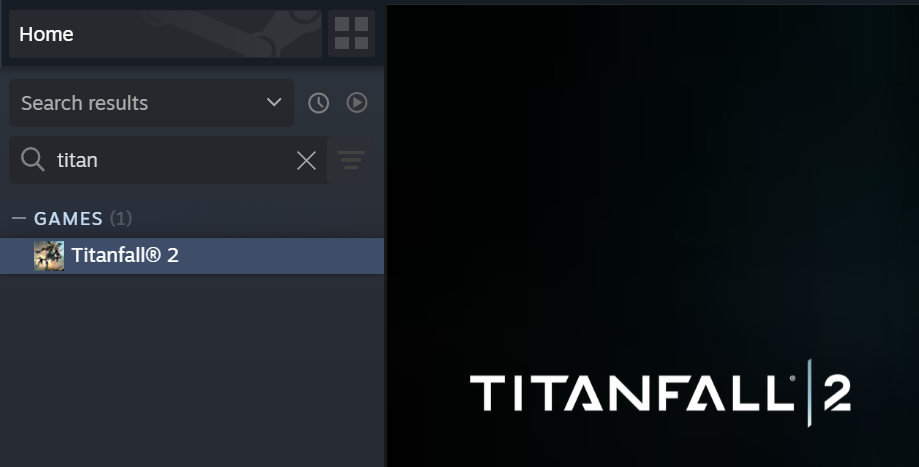
Second: Right click on TitanFall 2 in your Steam Library, and click on "Properties"
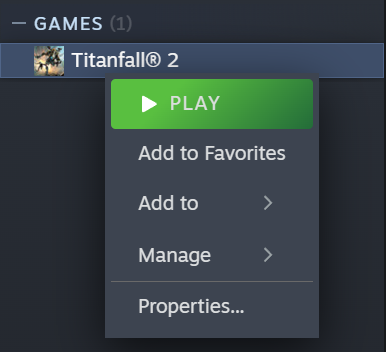 (You can see properties at the bottom!)
Third: General properties should appear, but if they don't, select general properties.
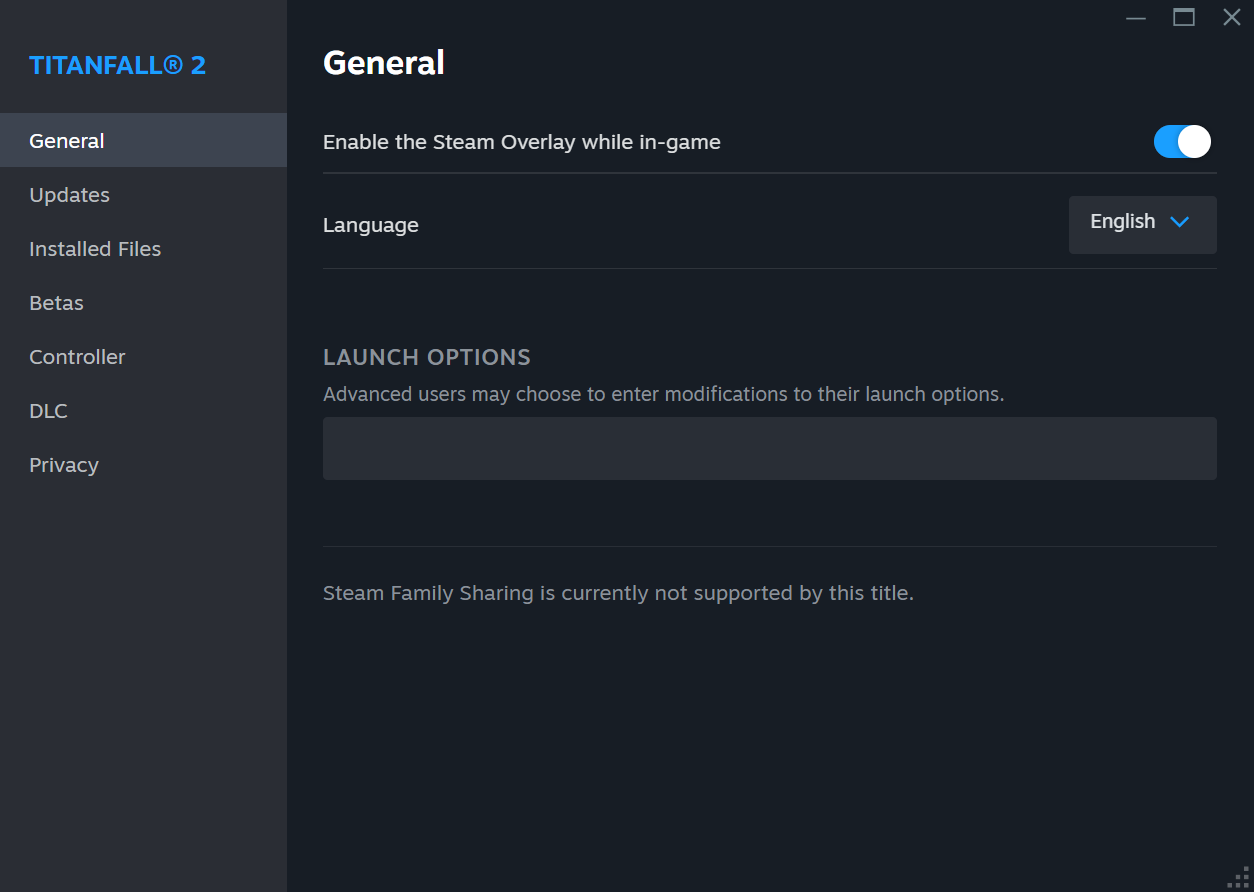
Fourth: Locate "Launch Options and insert the following:
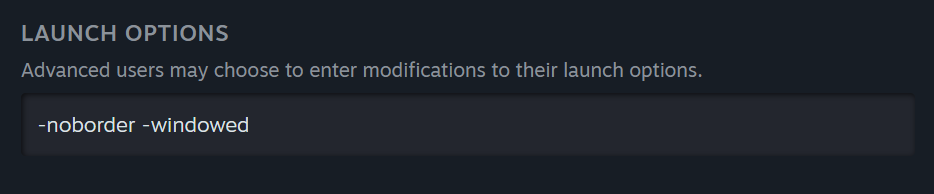 (Or just copy/paste: -noborder -windowed)
In game view
Congratulations!
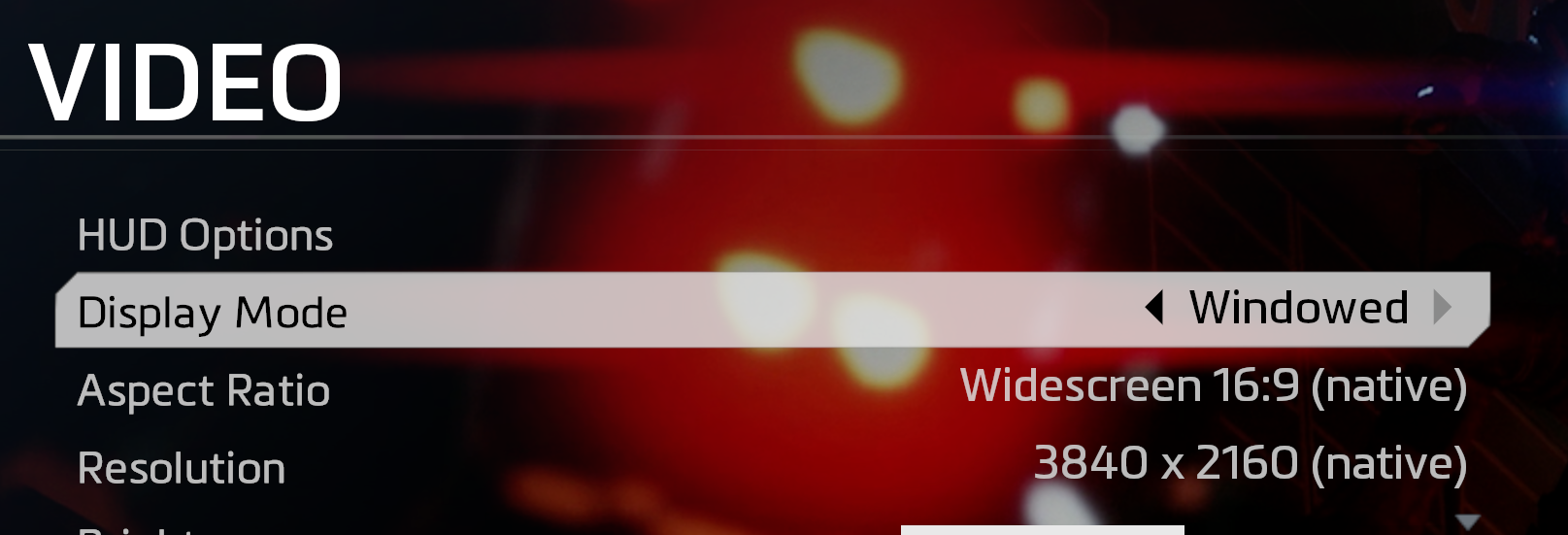
Now, your game will launch in borderless windowed mode by default!
It will display as "windowed" in game, but it doesn't have a border, so it's awesome.
This may slightly affect your game's performance, but I haven't personally noticed any differences on my end.
Have fun now being able to alt-tab out of a source game!
This is my first guide, tell me if it's good!
More Titanfall® 2 guides
- How to cheat in Titanfall 2★ 5 (2.1k)39k views167 ♥1 min
- (𝗘𝗡𝗚) 100% Achievement Guide★ 5 (1.7k)36k views3k ♥6 minUpdated Feb 2, 2022
- HOW TO OPEN THE GAME★ 5 (1.7k)29k views318 ♥1 minBulgarian
- How to kill grunts with no guilt★ 5 (938)29k views289 ♥1 minUpdated Aug 16, 2021
- How to get a GF while playin Titanfall 2★ 5 (774)27k views270 ♥1 min
- Quick Advice for those with a Beast PC★ 5 (280)26k views334 ♥1 min


🔥 Popular guides
- Upgrading to PremiumTeam Fortress 2★ 5 (20k)1441k views11k ♥6 minUpdated May 11, 2022
- No More Room in Hell Official ManualNo More Room in Hell★ 5 (2.8k)569k views2.1k ♥29 minUpdated Apr 22, 2019
- NMRiH Community Hosting GuidesNo More Room in Hell★ 5 (526)351k views653 ♥1 minUpdated Aug 10, 2022
- Лучшие кооперативные игры SteamPAYDAY 2★ 5 (1.5k)315k views2.1k ♥56 minRussianUpdated Apr 27, 2025
- Desert Eagle Heat Treated | Blue GemCounter-Strike 2★ 5 (1.6k)292k views1.5k ♥2 minUpdated Jan 16
- Treasure Hunt Puzzle SolutionsTotal War: WARHAMMER II★ 5 (6.9k)281k views15k ♥3 minUpdated Aug 19, 2021






This guide was created by its original author on the Steam Community. Are you the author and want it removed? Request removal.