How to make a Cavanagh's Bar Matchbook.
What you'll need
You will need:
A colour printer,
A pair of scissors or a guillotine (Something that can cut straight),
A stapler and a staple,
The .PNG files, included at the bottom of this section
and some matches. (Optional! Don't play with matches, kiddos.)
Files:


A colour printer,
A pair of scissors or a guillotine (Something that can cut straight),
A stapler and a staple,
The .PNG files, included at the bottom of this section
and some matches. (Optional! Don't play with matches, kiddos.)
Files:
Printing and cutting the matchbook.
You'll want your printer's paper intake thing to be calibrated well
(The thingies that keep your paper straight) or you may get a white line down one of the sides!
You may need to run some printing tests to see which side of the paper your printer prints on!
I used card stock to make mine but regular paper should be fine.
First print out the 'Matchbook outside'. Make sure you print it in the very center of the page.
Then you'll need to put the same piece of paper, the opposite side up to the first time back in the printer and print the other side. ('Matchbook inside')
then accurately use a pair of scissors or a guillotine to cut it out.
Check that the print is inline on both sides and then move on to the next step!
(The thingies that keep your paper straight) or you may get a white line down one of the sides!
You may need to run some printing tests to see which side of the paper your printer prints on!
I used card stock to make mine but regular paper should be fine.
First print out the 'Matchbook outside'. Make sure you print it in the very center of the page.
Then you'll need to put the same piece of paper, the opposite side up to the first time back in the printer and print the other side. ('Matchbook inside')
then accurately use a pair of scissors or a guillotine to cut it out.
Check that the print is inline on both sides and then move on to the next step!
Folding the matchbook
The matchbook is supposed to be folded 40mm down from the top of the matchbook
(the end with the logo on it) and 80mm down from the top, It should look like this:
I got the white line of death because i didnt calibrate my printer :P
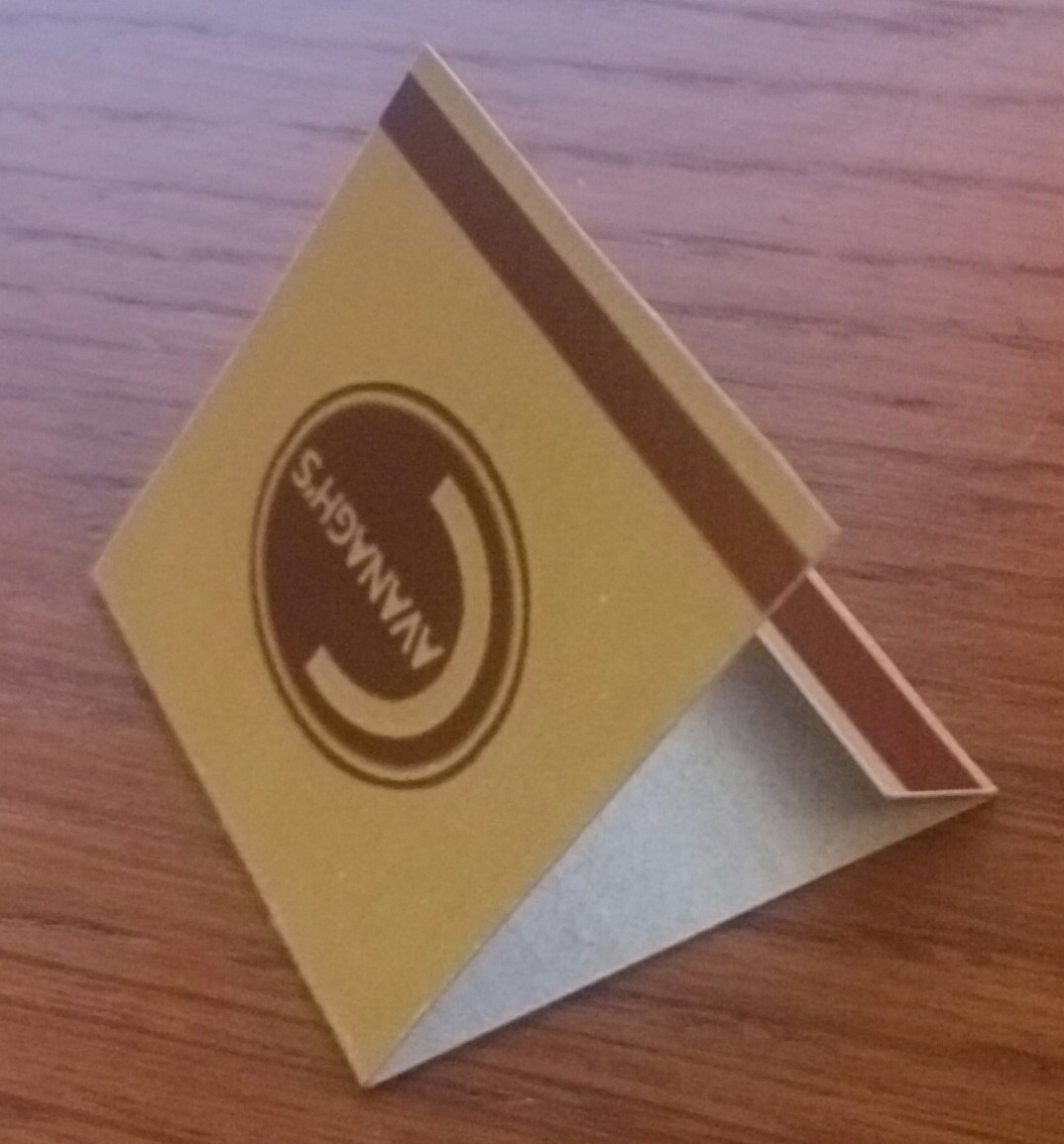
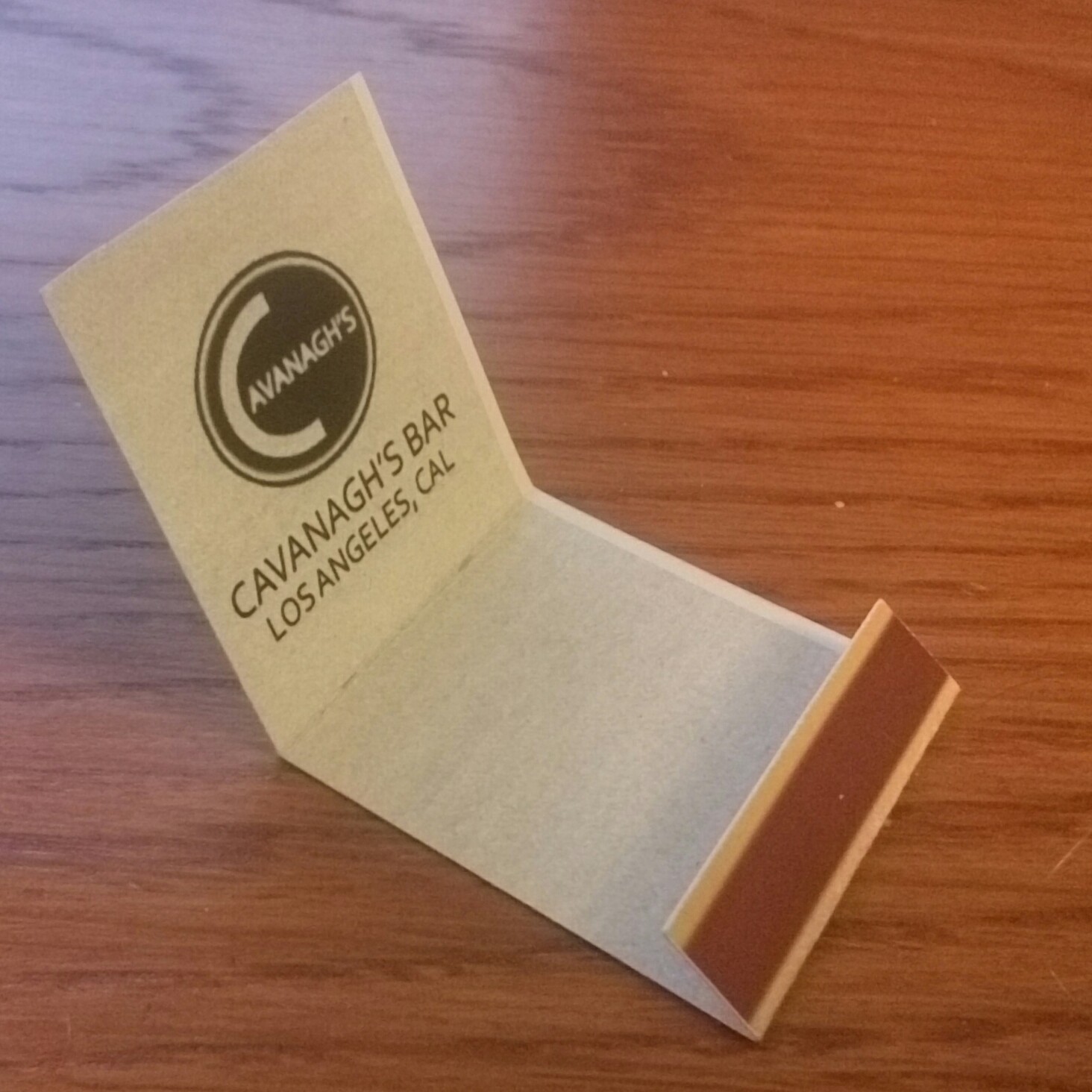
(the end with the logo on it) and 80mm down from the top, It should look like this:
I got the white line of death because i didnt calibrate my printer :P
Adding the matches and staple
To add the matches, simply glue 14 matches together, side by side.
then place these matches into the small fold and staple them in place.
You are done! Have fun!
then place these matches into the small fold and staple them in place.
You are done! Have fun!
More L.A. Noire guides
- L.A. Noire All Interrogation Question's & Answers★ 5 (1.9k)68k views3.5k ♥10 minUpdated Mar 10, 2015
- L.A. Noire 100% Walkthrough★ 5 (3k)63k views5.6k ♥39 minUpdated Oct 5, 2018
- L.A. Noire 60 FPS!★ 5 (539)54k views576 ♥1 minUpdated Jul 1, 2021
- How to Fix L.A Noire PC (2024 Updated)★ 5 (318)46k views573 ♥2 minUpdated Oct 20, 2024
- Все улики, допросы, газеты. И местоположение всего что надо найти + DLC★ 5 (3.3k)38k views4.2k ♥27 minRussianUpdated May 18, 2020
- Question/Interrogation Solutions★ 5 (969)33k views1.4k ♥8 minUpdated Jul 1, 2014



This guide was created by its original author on the Steam Community. Are you the author and want it removed? Request removal.