How to make CIV BE run on Windows 10/11
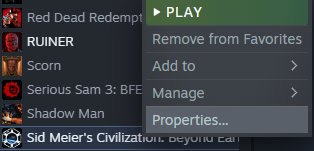
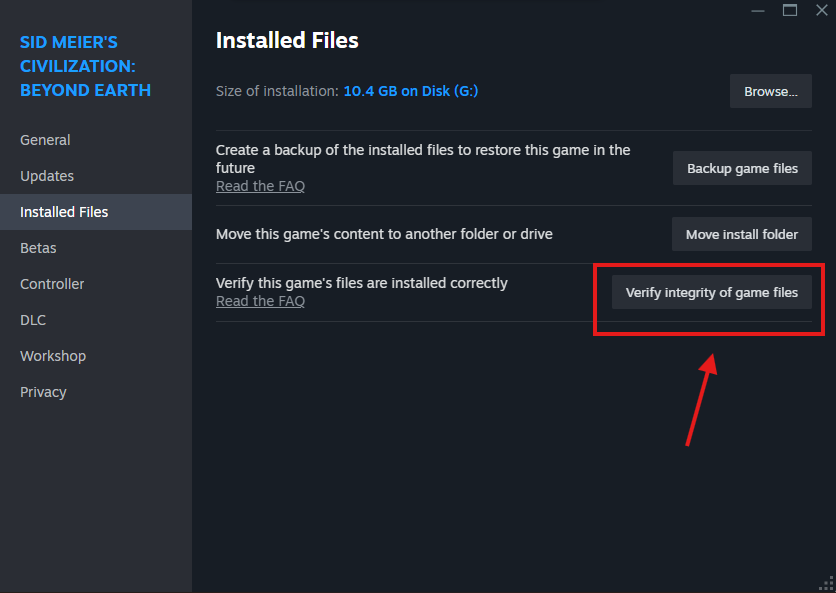
First step:Verifying the integrity of game files
Right click on your game in the Library,select Properties...,select Installed Files, on the down right you will see "Verify this game's files are installed correctly" on the right of this press "Verify integrity of game files"and once it's done you will see that it wil say in the 'Installed Files' tab "2 files failed to validate and will be reaquired" that means that two files or more were corrupted and the files will be downloaded again to replace the corrupt ones.

![]()
Second step:Disabling fullscreen optimizations,Run as Administrator,Compatibility mode
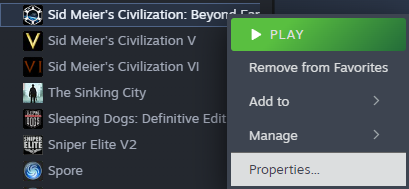
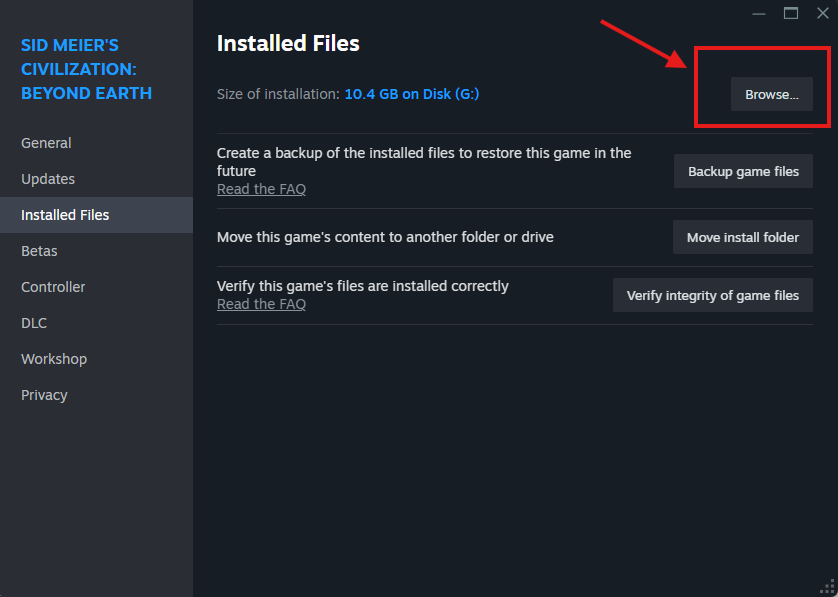
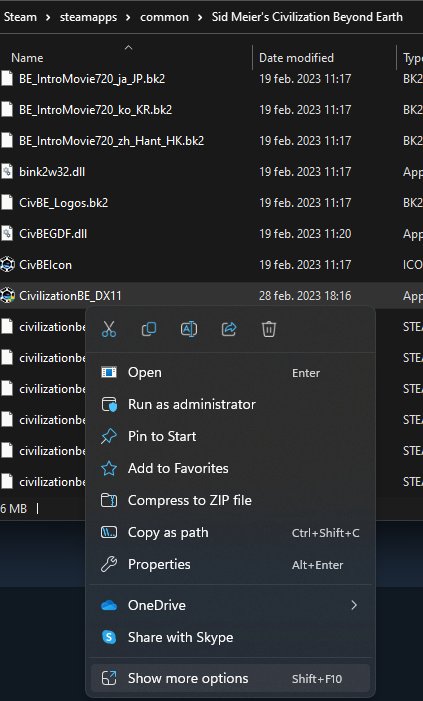
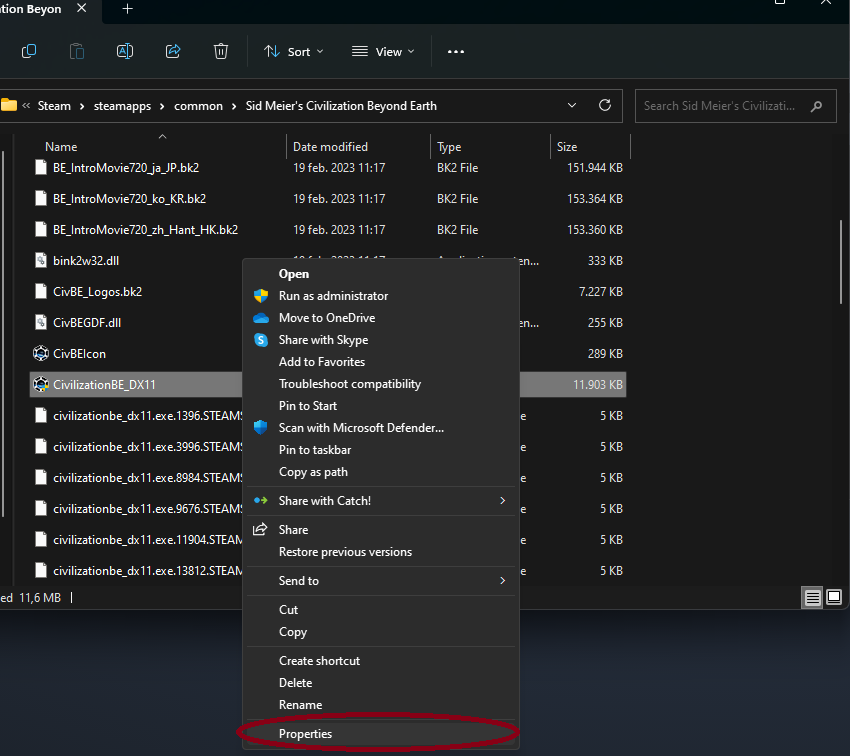
Right click again the game from your Library,select 'Properties',select 'Installed Files' and on the up right is 'Browse' click 'Browse'.Scroll down in the opened folder till you find 'CivilizationBE_DX11',right click the 'CivilizationBE_DX11' file and select 'Properties' or 'Advanced settings' depending on your system.If you have Windows 11,right click 'CivilizationBE_DX11' and you will find 'Show more options',click on 'Show more options' and then 'Properties'
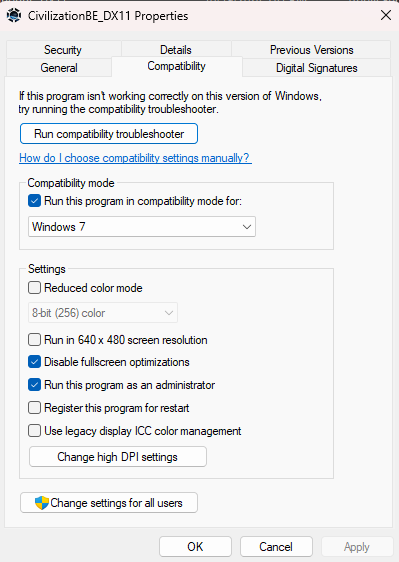
- In the 'Properties' tab click on 'Compatibility'
- Tick the following boxes:
- Run this program in compatibility mode for: select Windows 7 from the drop down menu
- Disable fullscreen optimizations
- Run this program as an administrator
From this point on,the game will launch and you will be able to play.
- In the 'Properties' tab click on 'Compatibility'
- Tick the following boxes:
- Run this program in compatibility mode for: select Windows 7 from the drop down menu
- Disable fullscreen optimizations
- Run this program as an administrator
From this point on,the game will launch and you will be able to play.
P.S.
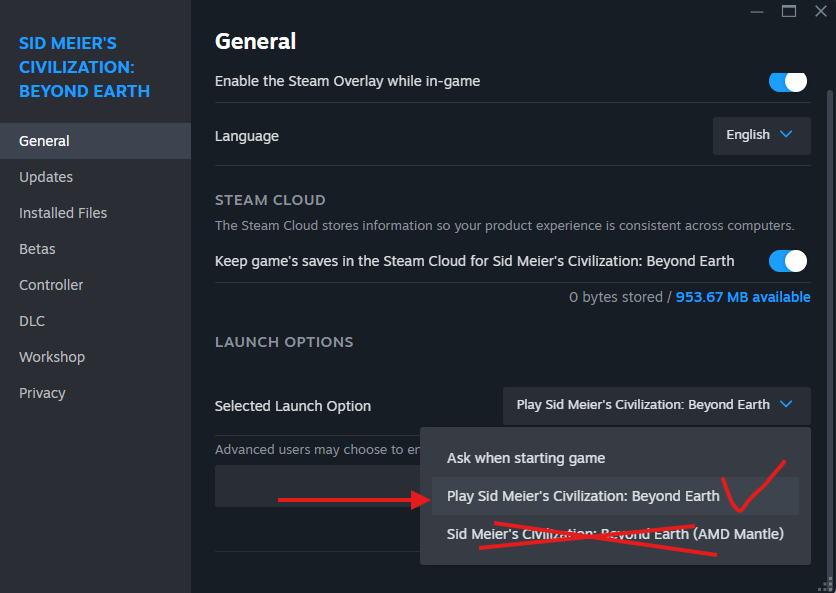
If you make the changes and it doesn't work,just restart Steam and run the game simple,not with AMD MANTLE.You just need to right click again the game from your Library,select 'Properties...' and on the left side is GENERAL and then on the bottom right is Launch Options,then is Selected Launch Option, on the right tab, select 'Play Sid Meier's Civilization : Beyond Earth'.That's all.Hope it helps and have fun.
More Sid Meier's Civilization: Beyond Earth guides
- Wonders in the Techtree★ 5 (352)25k views368 ♥1 minUpdated Oct 29, 2014
- How to boost your FPS and remove input lag (Beyond 60FPS)★ 5 (219)18k views288 ♥3 minUpdated Oct 28, 2014
- Unlock extra starting options and maps for Beyond Earth (official Starships bonuses)★ 4 (96)15k views151 ♥1 minUpdated Oct 9, 2015
- Beyond Earth Achievement Guide★ 5 (306)14k views454 ♥14 minUpdated Dec 31, 2014
- Become the Neighborhood Bully★ 4 (149)13k views179 ♥6 minUpdated Nov 1, 2014
- Unit and Affinity Guide★ 4 (92)12k views101 ♥11 minUpdated Dec 9, 2014


This guide was created by its original author on the Steam Community. Are you the author and want it removed? Request removal.