How to play Brutal Half-Life V3
Intro
Third version of Brutal Half-Life just released, after years of waiting! Here's how to play it.
Instructions
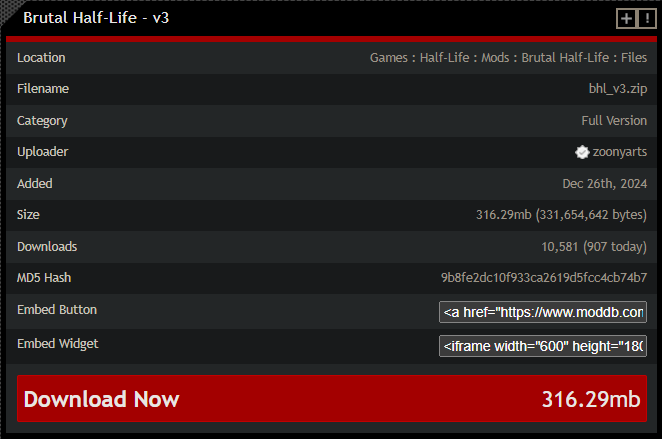
1.Go to ModDB and download the latest version of the mod by pressing the big red "download" button.
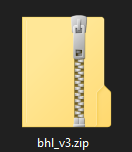
 the file you'll download will look like this:
⠀
2. Create a folder named "bhl_v3" in your Steam\steamapps\common\Half-Life folder.

![]()
⠀
3. Copypaste all files from the .zip file you downloaded to that folder.
⠀
4. Right click on the Half-Life in your Steam library, choose "Properties"
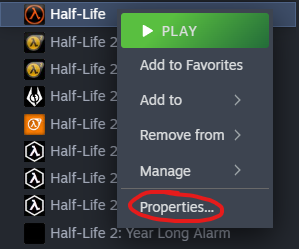
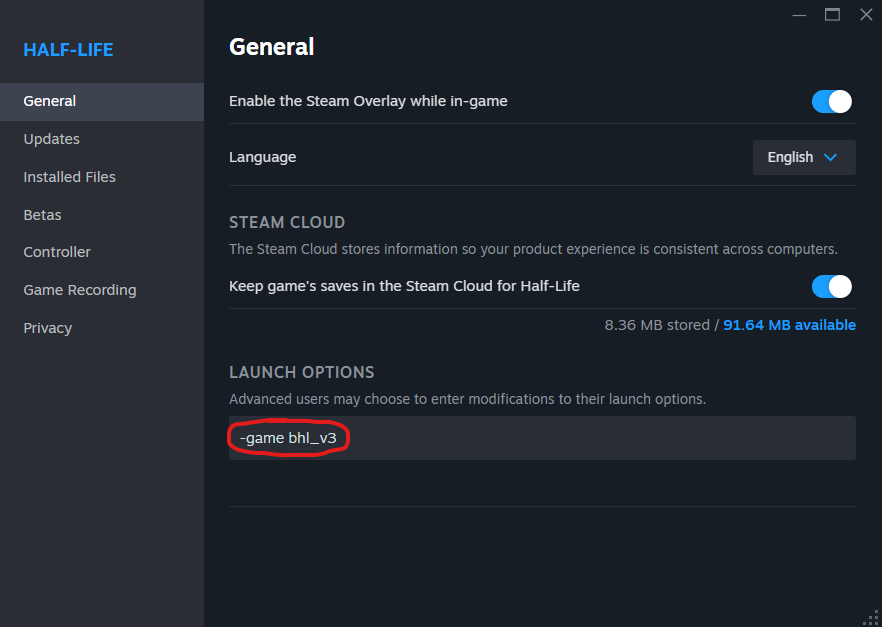
then put "-game bhl_v3" in Launch options (without quotes).
⠀
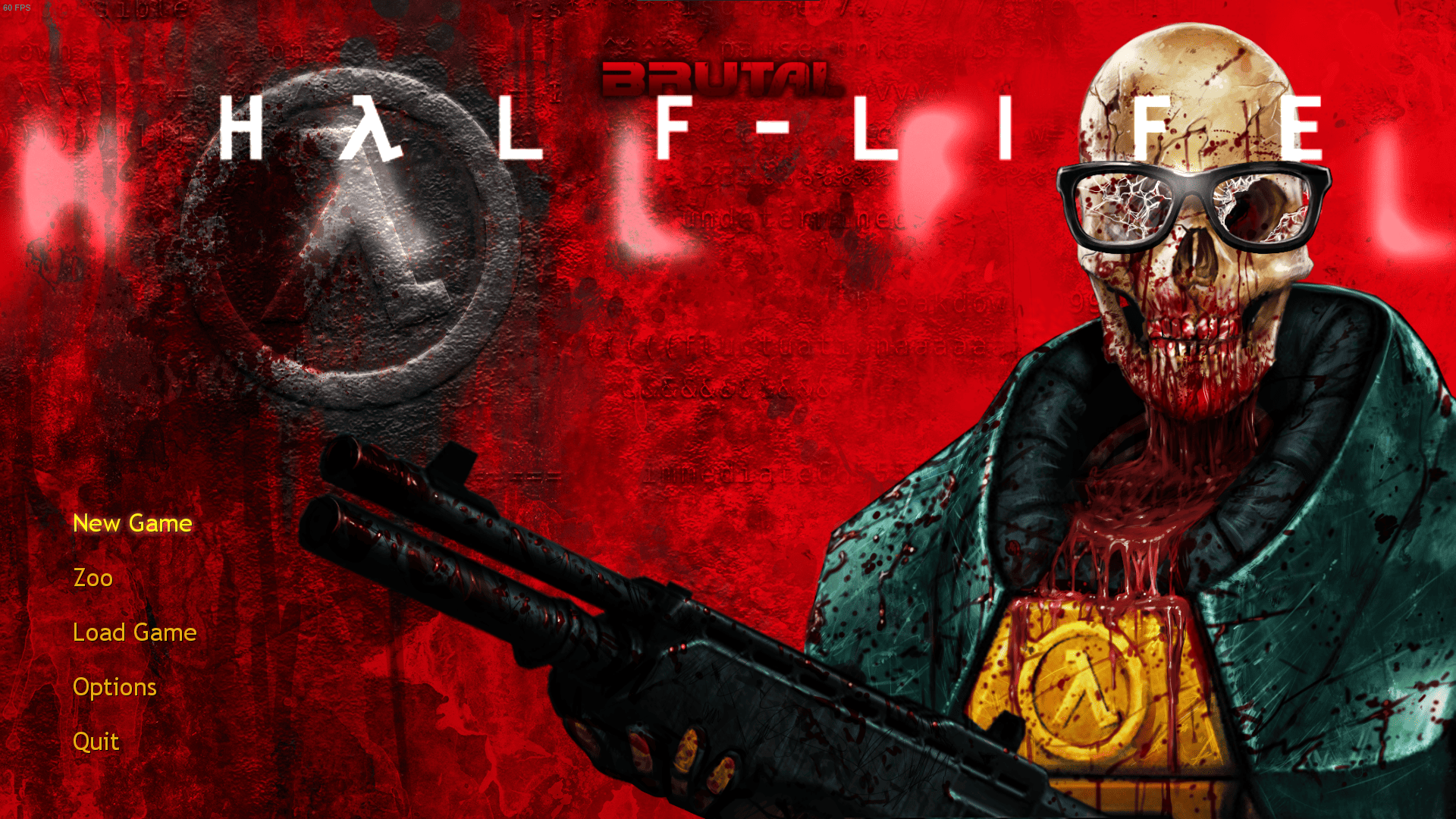
5. Launch the game! If you did everything right main menu will look like this:
⠀
⠀
If you wish to play normal Half-Life again, just delete the launch option, there's no need to remove the folder. Or better play Half-Life: MMod. Its far better than Valve's "remaster" anyways.
https://store.steampowered.com/app/1761270/HalfLife_MMod/
⠀
⠀
Please keep in mind that I am not a developer of this mod. I most likely won't be able to help if you encounter any technical issues with it. It is still in beta and may be unstable/unplayable on some specs. The best thing you can do is to contact the developer and explain the problem you encountered to him.
⠀
If you're experiencing crashes too often try unpacking contents of this archive [drive.google.com] into Brutal Half Life folder. It's a user-discovered solution, but it seems to work just fine. Special thanks to ⲆИӾ for the tip!
For every smartass that appears in comment section once in a while only to say: "You just gotta restart the Steam bro why would you use the launch parameters, there's literally no need to do so", yes, I'm talking about YOU, this paragraph is for YOU specifically. Steam doesn't count your in-game (Half-Life) hours if you play it as a mod installed from elsewhere and not the base game itself.
⠀
the file you'll download will look like this:⠀
2. Create a folder named "bhl_v3" in your Steam\steamapps\common\Half-Life folder.
⠀
3. Copypaste all files from the .zip file you downloaded to that folder.
⠀
4. Right click on the Half-Life in your Steam library, choose "Properties"
then put "-game bhl_v3" in Launch options (without quotes).
⠀
5. Launch the game! If you did everything right main menu will look like this:
⠀
⠀
If you wish to play normal Half-Life again, just delete the launch option, there's no need to remove the folder. Or better play Half-Life: MMod. Its far better than Valve's "remaster" anyways.
https://store.steampowered.com/app/1761270/HalfLife_MMod/
⠀
⠀
Please keep in mind that I am not a developer of this mod. I most likely won't be able to help if you encounter any technical issues with it. It is still in beta and may be unstable/unplayable on some specs. The best thing you can do is to contact the developer and explain the problem you encountered to him.
⠀
If you're experiencing crashes too often try unpacking contents of this archive [drive.google.com] into Brutal Half Life folder. It's a user-discovered solution, but it seems to work just fine. Special thanks to ⲆИӾ for the tip!
For every smartass that appears in comment section once in a while only to say: "You just gotta restart the Steam bro why would you use the launch parameters, there's literally no need to do so", yes, I'm talking about YOU, this paragraph is for YOU specifically. Steam doesn't count your in-game (Half-Life) hours if you play it as a mod installed from elsewhere and not the base game itself.
⠀
More Half-Life guides
- The Great HλLF-LIFE Mods List★ 5 (1.8k)55k views3k ♥26 minUpdated Nov 23, 2023
- Полный русификатор (текст + озвучка) v4.1 от 17.06.2025г.★ 5 (649)38k views1.4k ♥1 minRussianUpdated Jun 17, 2025
- Half-Life 100% Achievement Guide★ 5 (1.2k)22k views290 ♥1 minBulgarianUpdated Jul 1, 2023
- Самые сексуальные фото Гордона Фримена★ 5 (1.3k)22k views576 ♥1 minRussianUpdated Aug 6, 2020
- How to install Afraid of Monsters: Director's Cut on Steam★ 5 (380)20k views725 ♥1 minUpdated Nov 18, 2023
- Русификатор Half-Life (2026) // 2.0.2★ 5 (462)17k views764 ♥1 minRussianUpdated Dec 29, 2025


This guide was created by its original author on the Steam Community. Are you the author and want it removed? Request removal.