How to play Saints Row 2 online in 2023, and probably 2024 [Fixing Openspy]
Important
This guide has merged with my other guide, Saints Row 2: The Purgatory Guide. If you want the definitive SR2 experience, check it out.
https://steamcommunity.com/sharedfiles/filedetails/?id=3148058457
https://steamcommunity.com/sharedfiles/filedetails/?id=3148058457
Introduction
A couple months ago while I was trying to play Co-op with a friend, I noticed that Openspy wasn't working anymore. I could see their game, but I couldn't connect to it. This went for everyone else I tried playing with, until I decided to bite the bullet and install Radmin VPN. Recently, I tried playing with a friend again, but we had issues while using Radmin. Eventually I said screw it, and did some research in the Openspy discord server. To my surprise, I found a solution.
Fixing Co-op/Openspy
IMPORTANT: For this to work, you must use a modded executable. This one adds Openspy compatibility and doubles the amount of virtual memory the game can use, which is required if you are using DXVK. It can be found here[drive.google.com] or here.[mega.nz]
- Download Openspy from Here[github.com].
- Extract and open the zip file. (I personally use 7-Zip, but the Windows built in "Extract All" tool should work fine.)
- Take "openspy.x86.dll" and throw it into your Saints Row 2 folder, then rename it to "dinput8.dll".
- Boot up Saints Row 2, go to Co-op, online, and select create account.
- Create an openspy account, make sure the email address ends with "@openspy.net".
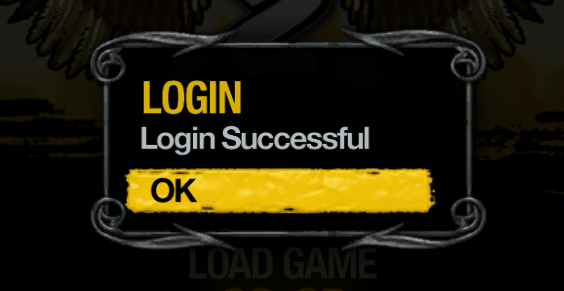
- Once you've made it, log in. (The game will save your info, you will just need to log in when you want to play Co-op/Multiplayer)
Conclusion
Congratulations! Openspy is now up and running, you should be able to create and join games now. I tested Co-op with a friend and it worked great. Shoutout to user kebabstorm for making a much more detailed guide in the Openspy discord server. If you have any problems, I recommend going to the Openspy discord server for help, they know more about this ♥♥♥♥ than I ever will.
More Saints Row 2 guides
- Prevent Crashes And Fix FPS In Saints Row 2 (2025 Update)★ 5 (1.3k)76k views2.4k ♥12 minUpdated Apr 10
- 2025 Saints Row 2 PC Fix (Performance, Crashes)★ 5 (790)54k views1.7k ♥3 minUpdated Jun 1
- Доведение до ума (русификатор, баг фиксы)★ 5 (649)21k views724 ♥2 minRussianUpdated Aug 27, 2021
- Unlockables for the Gentlemen of the Row★ 5 (219)17k views514 ♥6 minUpdated Jun 3, 2024
- How To Fast Travel (Hidden gameplay mechanic)★ 5 (260)15k views326 ♥1 minUpdated Dec 30, 2025
- Phone Numbers Guide★ 5 (273)14k views526 ♥1 min


This guide was created by its original author on the Steam Community. Are you the author and want it removed? Request removal.