How to regen resources
Info
This trick requires you to edit the game files, and it will completely regen all resources/scannables/loot crates in your save file. (They may regenerate in different locations) I believe this works by regenerating any changes that you have made to the world (it won't delete your base) WARNING: This should also regenerate all entities and sealed doors that you have opened, so keep that in mind.
The Trick
Go to subnautica: Below Zero in your Steam library and click settings> manage> browse local files
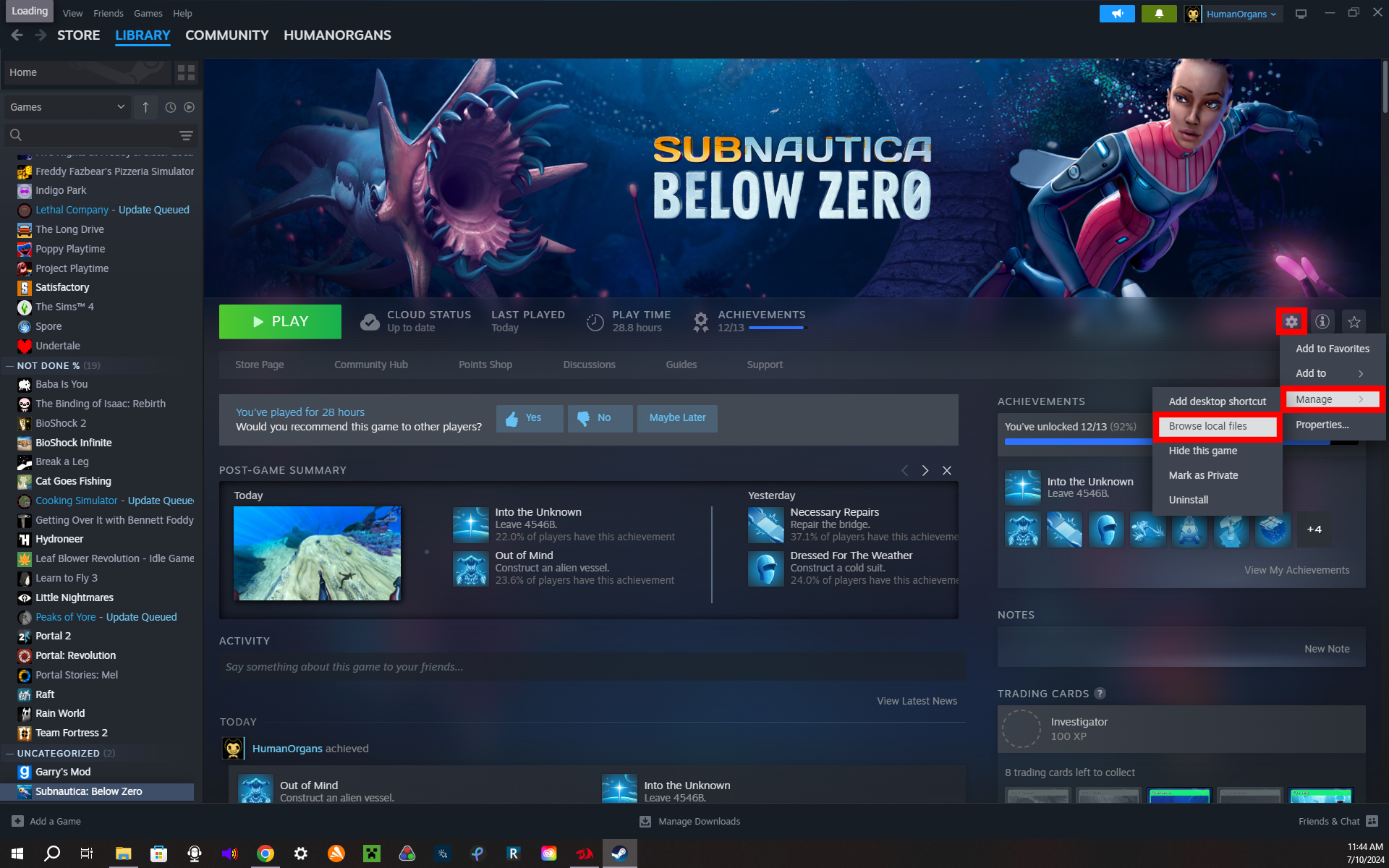
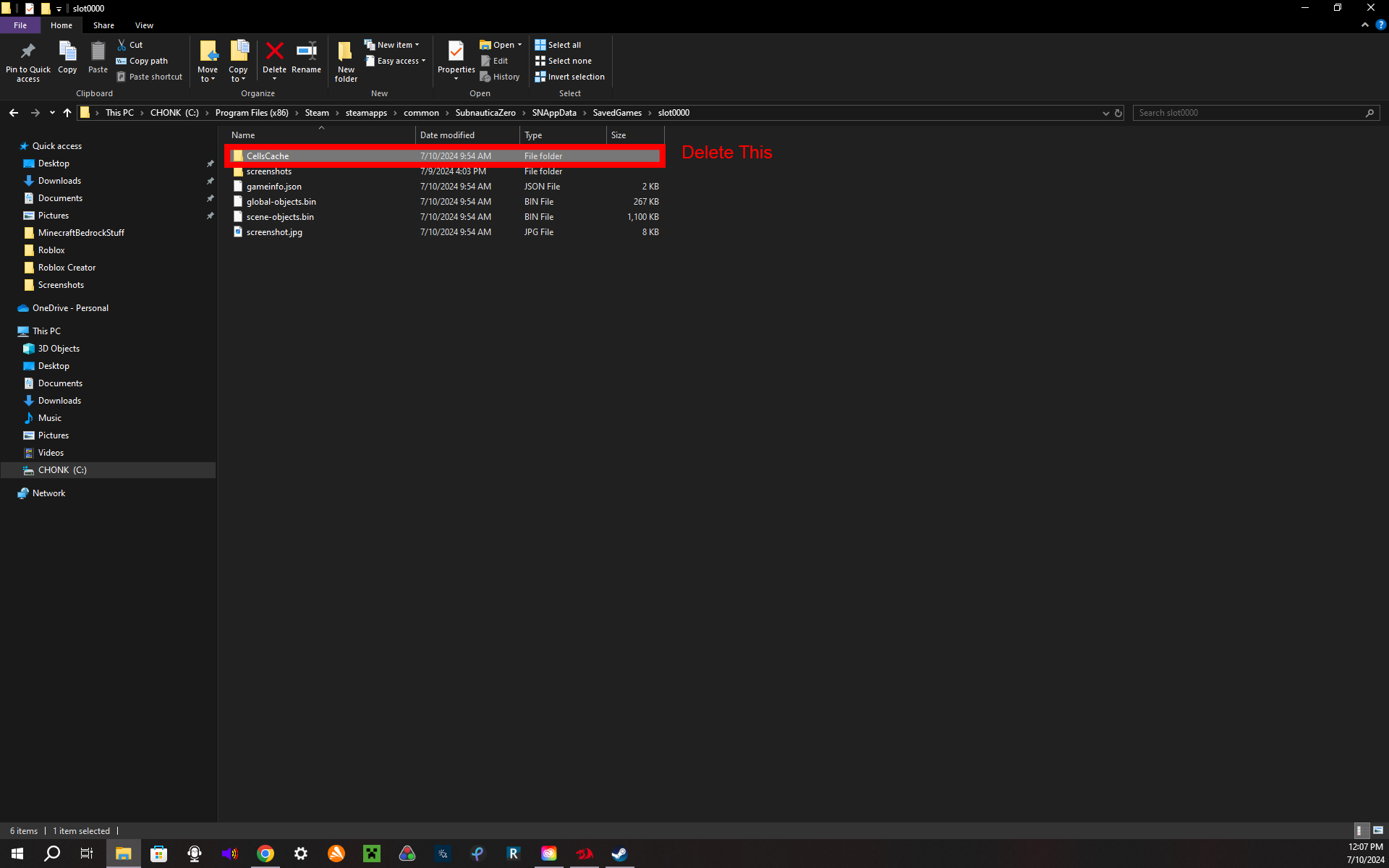
Once here, go to SNAppData> Saved games. here you will see a file for each of your games in Below Zero. The first game that you started will be here under the name slot0000, if you made a second save file that would be slot 0001, etc. These are named chronologically, so slot0000 would be your first game file. Open whichever file you want to regen the resources in and you should see a folder called CellsCache. You want to delete this.
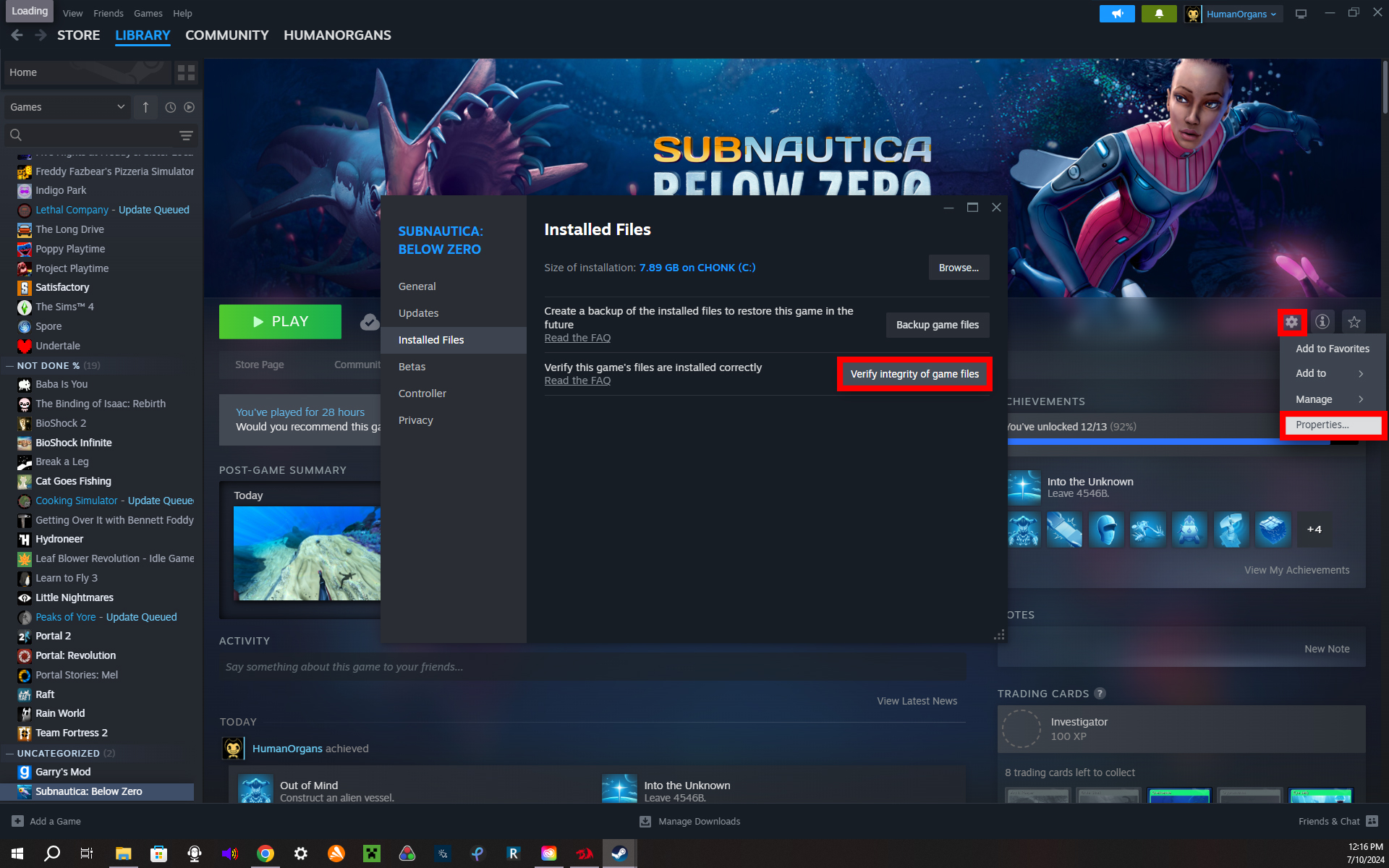
Next, go back to Subnautica: Below Zero in your Steam library and click settings> properties> installed files> verify the integrity of game files. once this finishes, launch the game and you're done :D do this process each time you want to regen the resources.
More Subnautica: Below Zero guides
- Complete Walkthrough [Subnautica Below Zero]★ 5 (438)32k views1.1k ♥26 minUpdated Jun 11
- Material Locations★ 5 (631)31k views1.3k ♥5 minUpdated Aug 29, 2025
- Subnautica: Below Zero 100% Achievement Guide★ 5 (514)27k views949 ♥8 minUpdated Jun 26
- Console Commands (Cheats)★ 5 (526)22k views1.3k ♥9 minUpdated Sep 24, 2021
- Русская озвучка Subnautica: Below Zero от GamesVoice★ 5 (567)21k views735 ♥1 minRussianUpdated Apr 12, 2022
- Simple Walkthrough★ 5 (314)20k views649 ♥9 minUpdated Jul 11, 2023


🔥 Popular guides
- Upgrading to PremiumTeam Fortress 2★ 5 (20k)1441k views11k ♥6 minUpdated May 11, 2022
- No More Room in Hell Official ManualNo More Room in Hell★ 5 (2.8k)569k views2.1k ♥29 minUpdated Apr 22, 2019
- NMRiH Community Hosting GuidesNo More Room in Hell★ 5 (526)351k views653 ♥1 minUpdated Aug 10, 2022
- ULTIMATE GUIDE FOR GAME DEV TYCOONGame Dev Tycoon★ 5 (5.8k)326k views10k ♥4 minUpdated 23 Jan, 2014
- How to 'Git Gud' Soon™MORDHAU★ 5 (2k)318k views3k ♥68 minUpdated Nov 16, 2024
- Лучшие кооперативные игры SteamPAYDAY 2★ 5 (1.5k)315k views2.1k ♥56 minRussianUpdated Apr 27, 2025






This guide was created by its original author on the Steam Community. Are you the author and want it removed? Request removal.