How to still do the Festival Playlist after it ended (Works till some extent)
✅ Before you do!
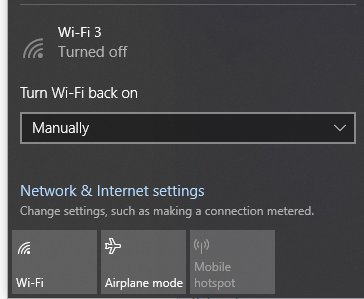
- Make sure you turn off your WiFi before starting this
✅ Changing Date & Time
- Go to Settings
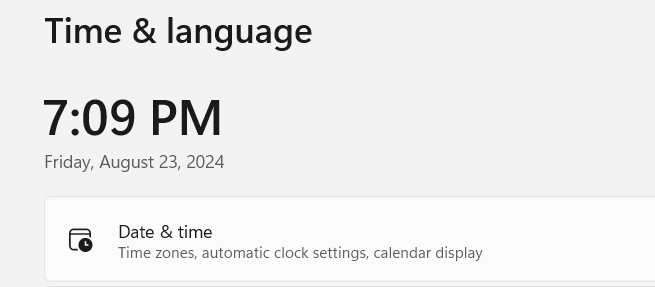
- Go to Time & Language
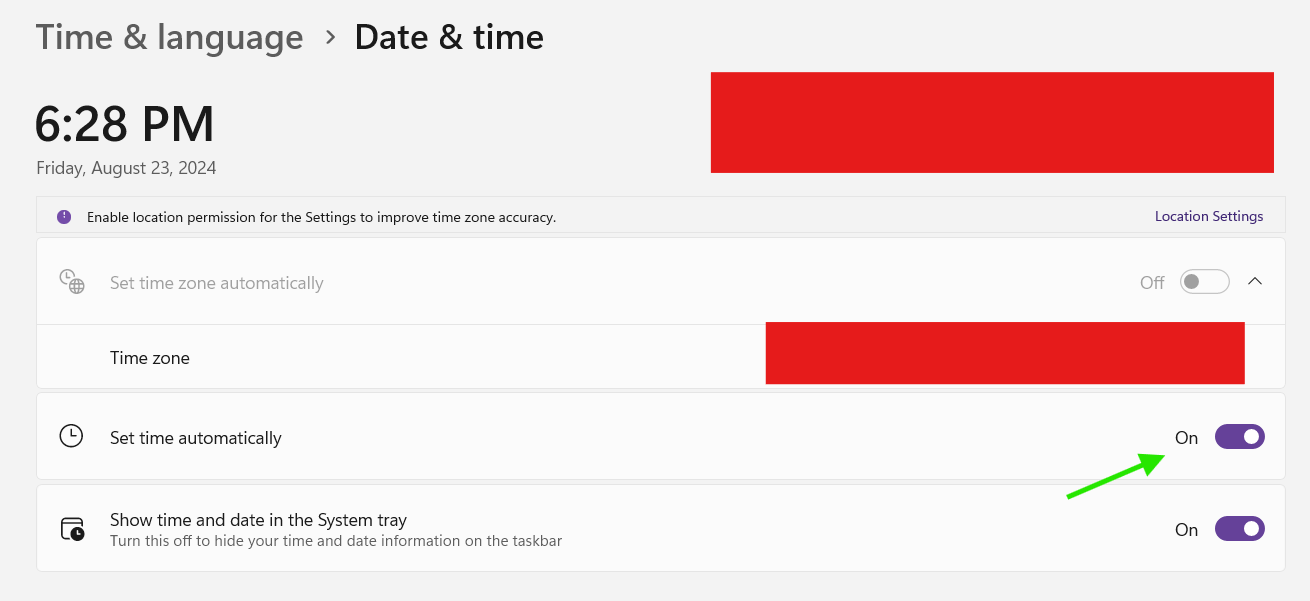
- Select Date & Time
- Disable "Set time automatically"
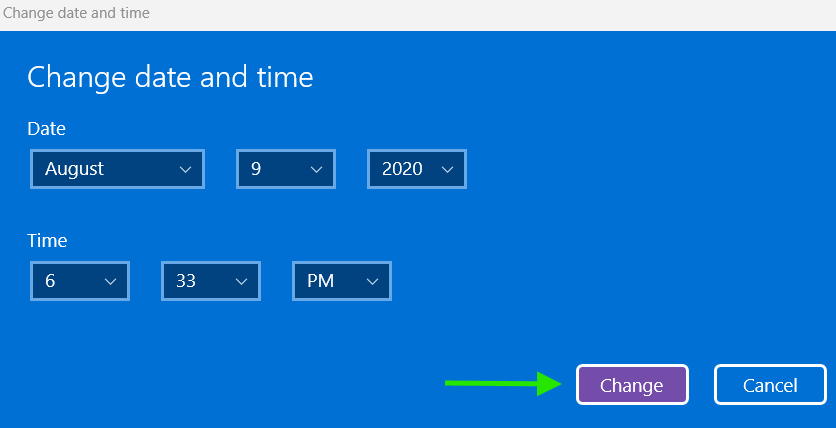
- Set the date & time manually
- Change the date to any previous date you want (September 28, 2018 to August 22, 2024 was the duration of Festival Playlist so choose any date between this)



✅ Launch Forza Horizon 4
Remember, your WiFi should be closed before launching the game.
✅ In Game
From the date i've put, I am now in Series 25.
You can access the Festival Playlist when the game boots up and even from the main menu
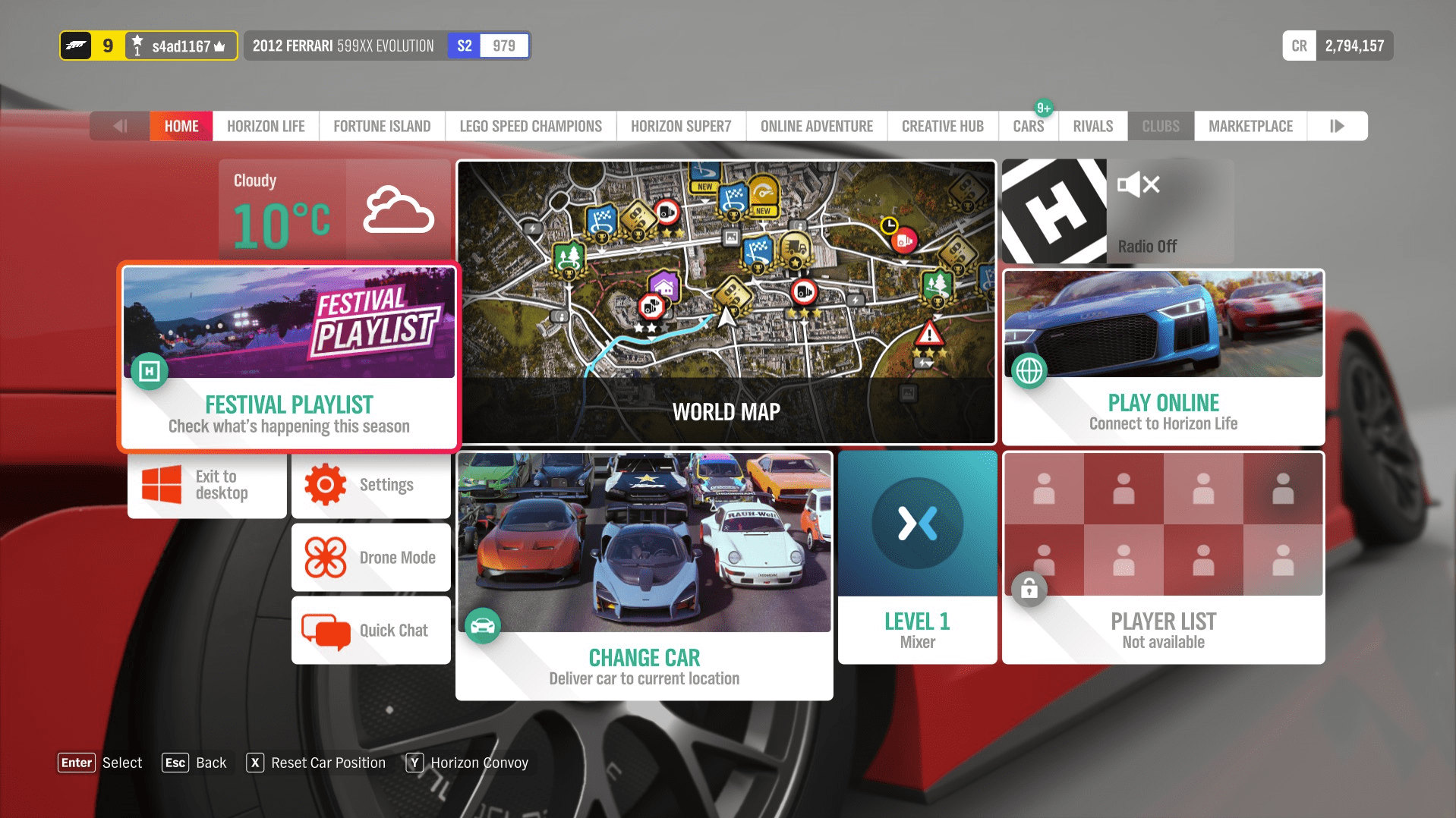
This is what it looks like
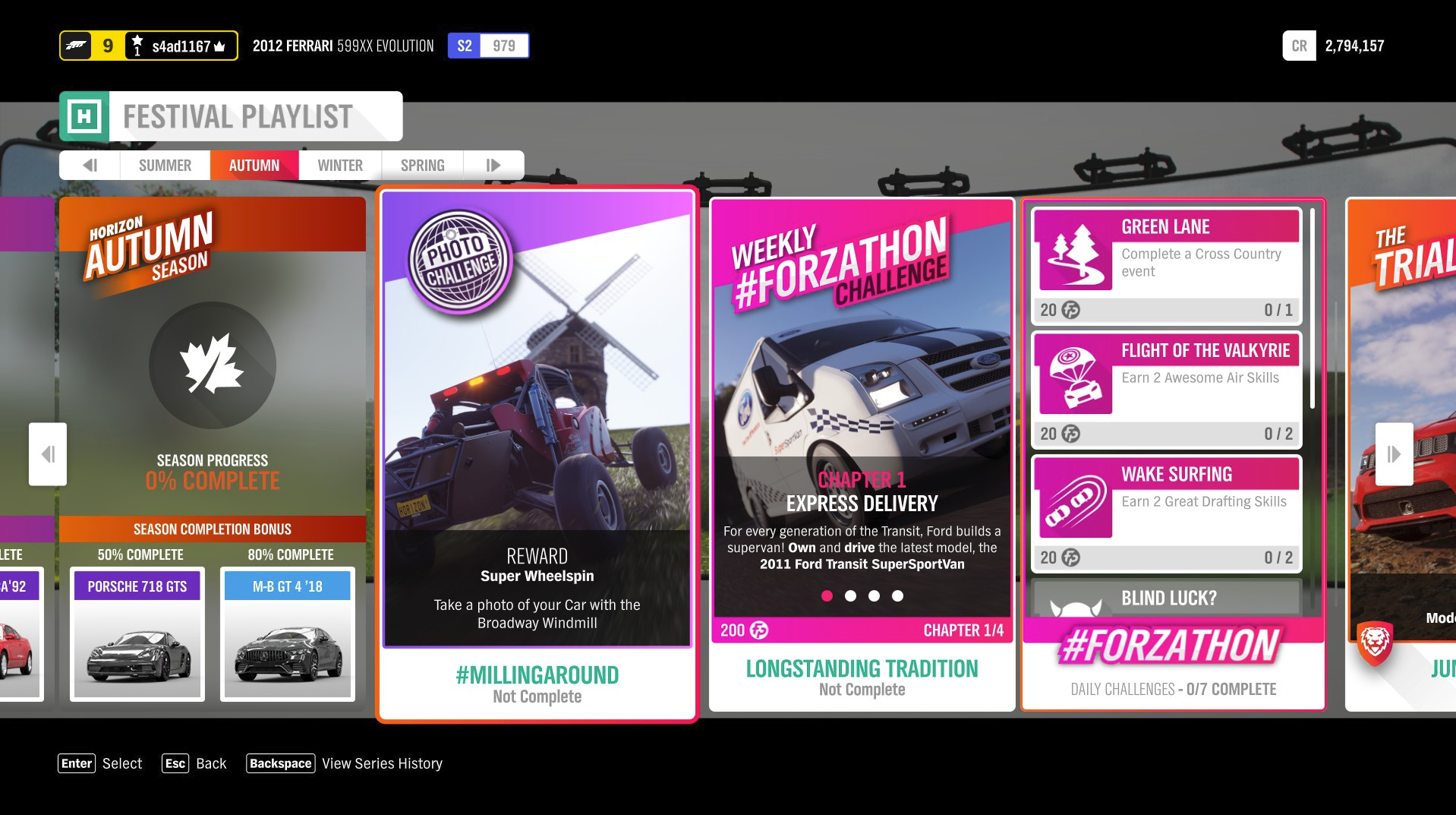
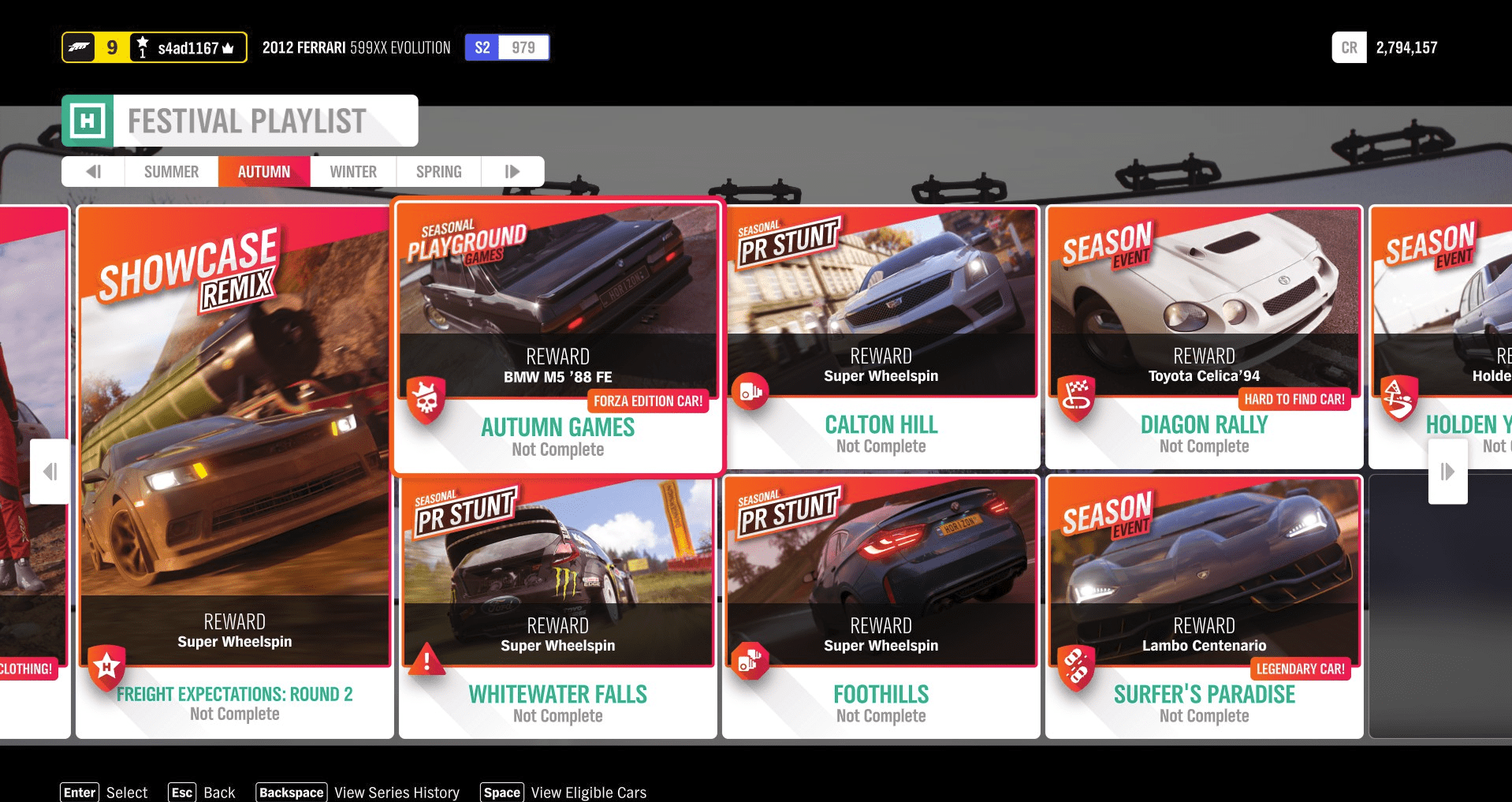
You can access the Festival Playlist when the game boots up and even from the main menu
This is what it looks like
✅ Notes :)
- Obviously, don't even try doing the online stuff (Playground Games, Racing)
- Turn on the internet when done.
- After you want to get to the original date and time to play the real FH4, just go to settings and click set time & date automatically.
- Steam will show "retry cloud sync", no need to worry. Just hit retry sync (Make sure you are in the original date and WiFi turned on)
✅ Thank you!
Thank you for visiting and reading this guide, means a lot for me as this is my first guide ever on Steam.
Like this guide if you can and share it to others if needed.
If you liked it, then try awarding me!
Thanks guys!
Love you all!
More Forza Horizon 4 guides
- Достижения Forza Horizon 4★ 5 (987)26k views1.9k ♥53 minRussianUpdated Jun 29
- Модификация и тюнинг★ 5 (698)23k views1.5k ♥80 minRussianUpdated Oct 29, 2024
- Все раритеты в Forza Horizon 4★ 5 (224)23k views474 ♥1 minRussianUpdated Sep 27, 2023
- Настройки графики★ 5 (414)22k views690 ♥2 minRussianUpdated Apr 6, 2021
- All Influence and Fast Travel boards in Forza Horizon 4★ 5 (400)19k views722 ♥1 minUpdated Sep 12, 2023
- Руководство по дрифт-тюнингу в Forza Horizon 4★ 5 (278)15k views665 ♥10 minRussian



🔥 Popular guides
- Upgrading to PremiumTeam Fortress 2★ 5 (20k)1441k views11k ♥6 minUpdated May 11, 2022
- No More Room in Hell Official ManualNo More Room in Hell★ 5 (2.8k)569k views2.1k ♥29 minUpdated Apr 22, 2019
- NMRiH Community Hosting GuidesNo More Room in Hell★ 5 (526)351k views653 ♥1 minUpdated Aug 10, 2022
- How to 'Git Gud' Soon™MORDHAU★ 5 (2k)318k views3k ♥68 minUpdated Nov 16, 2024
- Лучшие кооперативные игры SteamPAYDAY 2★ 5 (1.5k)315k views2.1k ♥56 minRussianUpdated Apr 27, 2025
- Desert Eagle Heat Treated | Blue GemCounter-Strike 2★ 5 (1.6k)293k views1.5k ♥2 minUpdated Jan 16





This guide was created by its original author on the Steam Community. Are you the author and want it removed? Request removal.