Mods & Maps (1.0+)
Hook?
A guide for all those out there with File Explorer, but this shouldn’t stop you. Just replace File Explorer with whatever program you run. Follow the instructions thoroughly, and read them before you execute your modding spree.
Resources
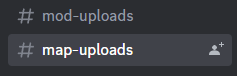
- Brick Rigs Discord[discord.gg] -> #map uploads #mod-uploads
These are the two OLD channels for mods and maps.Please note what version of Brick Rigs they are for.
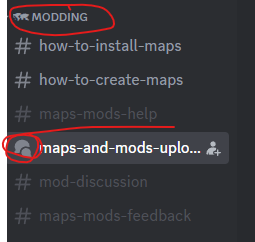
Here is the new one:
Ok, the link may be removed, so its the BRD discord, find it on steam.The link should be the official one so you should be fine.
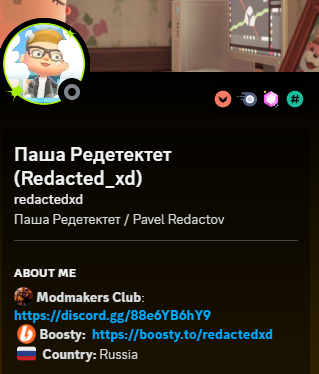
Mod Maker's Club discord [discord.gg]
The link should also be the official one so you should be fine.
In the event that this link does not work, click on This man's PFP (Redacted_XD) Which is found in the BRD Discord (you can use the search function at the top right of the screen)
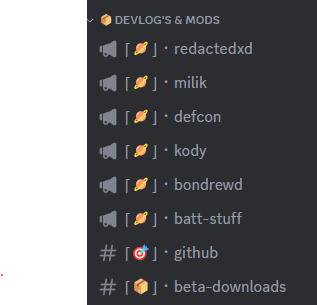
Where find mods? HERE:For all that is holy, PLEASE DO NOT ASK OUT OF THE GATE, "WHERE CAN I FIND MODS?????!??!!?!?!" YOU HAVE EYES, USE THEM!
The Guide part
- Download the Mod and place it on your home screen for safekeeping.
- Go to your Library and select Brick Rigs on the slider
- Right Click Brick Rigs and select Properties
- Go to your Local Files and click Browse.
- A File Explorer File will appear for Brick Rigs. (if you use windows. Windows 10 superiority)
- Click on the BrickRigs Folder. Yes, there is No Space.
- Click on Content, then Click on Paks
- Drag the desired Mod into the Paks Folder. DO NOT UNZIP
- Restart Brick Rigs if you had it open.
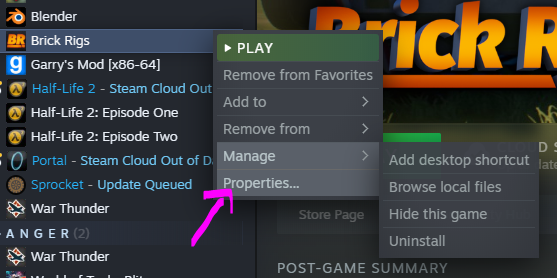
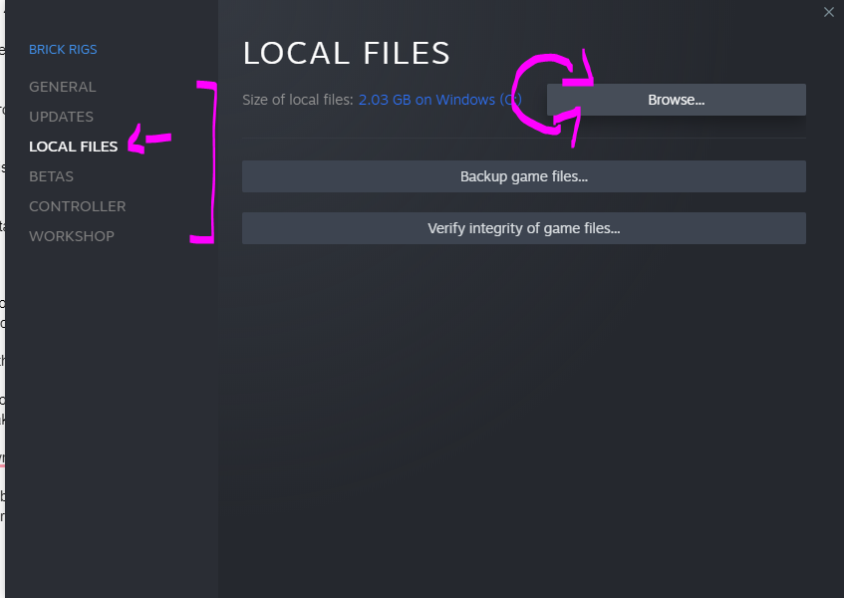
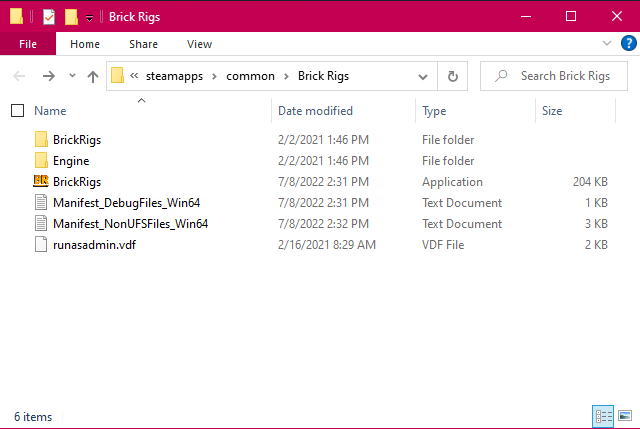
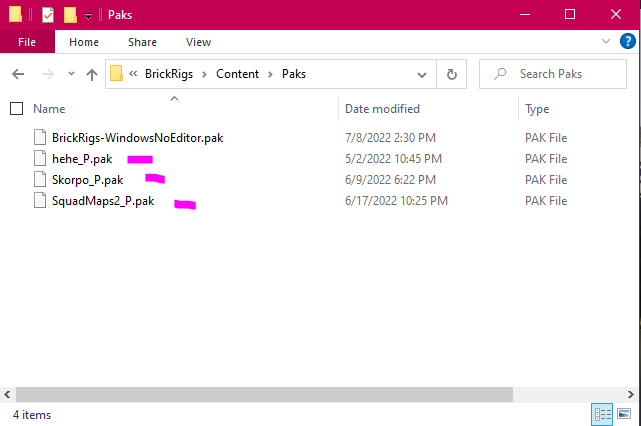
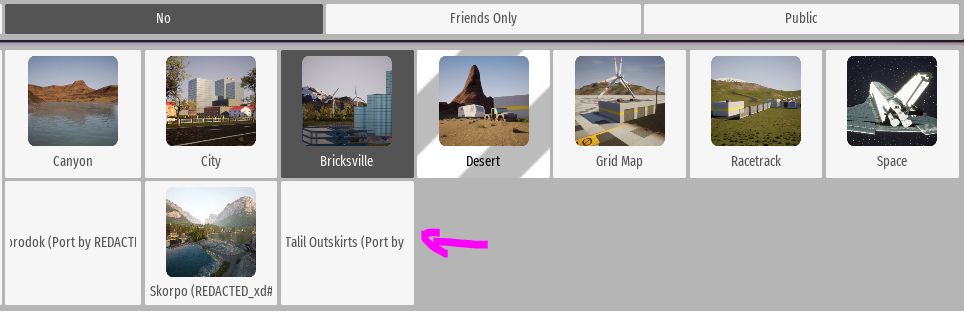
The File explorer Pathway: Brick Rigs\BrickRigs\Content\Paks
PAKS VS. literally-anything-else-that-isn't-a-pak (.ZIP)
Whats the difference between PAKS and .ZIP? Idfk. But looking into .ZIP, it appears to just be a file folder containing a pak, WindowsNoEditor, and a .uplugin.
Yeah i don't understand ether, but just remember that .ZIP files MUST be EXTRACTED. We will get there when we get there.
it has a funky purple square for an Icon:

This is a .ZIP:
It has a folder Icon:

For .ZIP (this is VERY important), you may have to create a Mods folder.
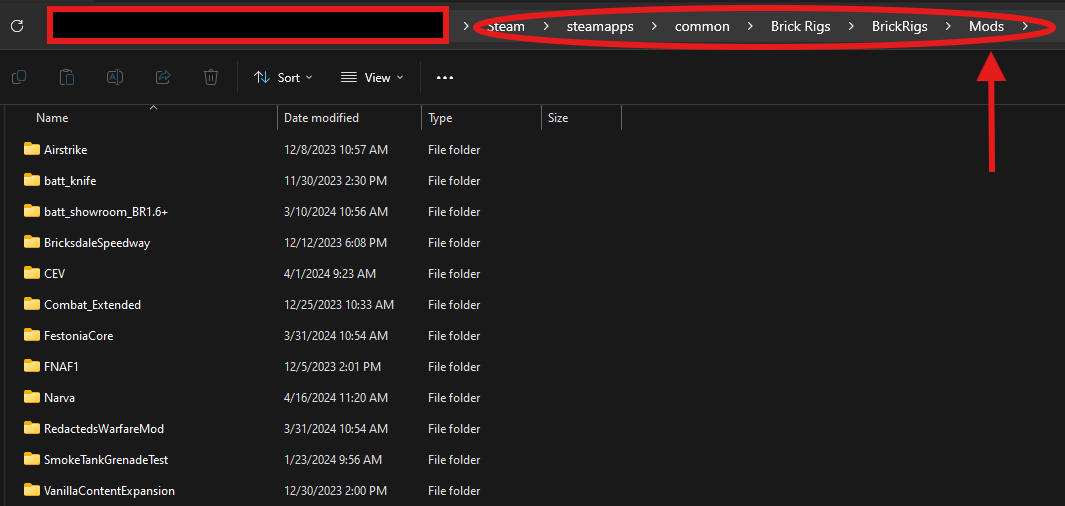
Mods, Capitale M, lowercase o, d, s.
Please for the love of god follow this example I still have faith in some of you.
Please take note that you WILL have to EXTRACT .ZIP files. IF YOU DON't BRICK RIGS CANNOT READ IT.
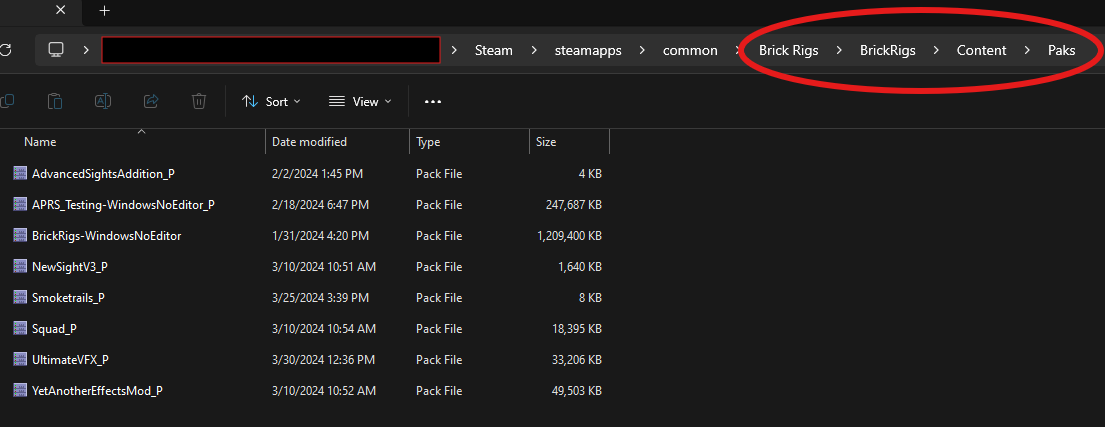
Enjoy.
Removing your desired mod
The File explorer Pathway: Brick Rigs\BrickRigs\Content\Paks
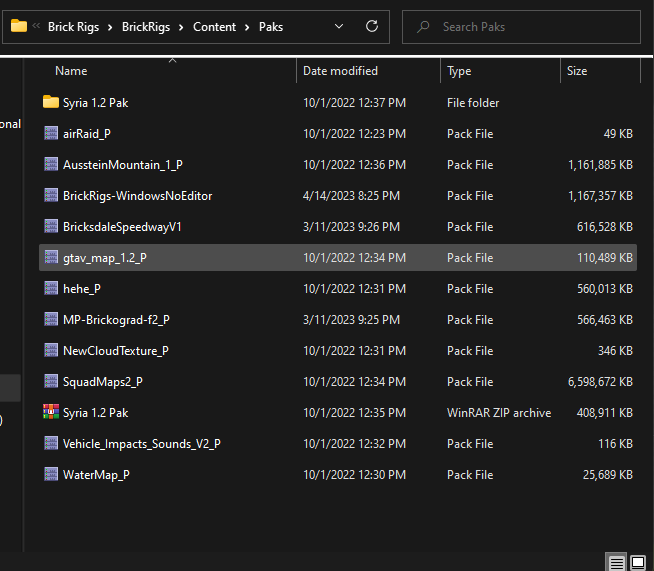
- Select your chosen mod to remove.
- You have the choice of permanently deleting the mod, so that's what we will do. I hope to Christ that you know how to delete files.
- If not, its Shift delete to permanently delete, so you don't have to go to trash to delete it.
- Load up Brick Rigs again and make sure the mod is removed.
tadaaaaaaaaa is gone.
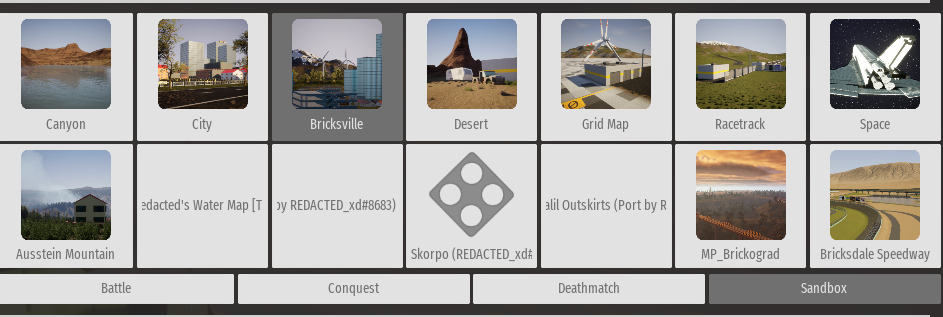
End
If you have any problems, tell me. Have a great day.
- Things that you shouldn't do in Brick Rigs (For yours, and everyone else's sanity)★ 5 (290)13k views222 ♥7 minUpdated Feb 17, 2020
- Тайный сюжет Brick Rigs (даже Лукас о нём не знал)★ 4 (157)9.9k views130 ♥5 minRussianUpdated Sep 21, 2020
- Русификатор Brick Rigs (не актуально с версии 1.9.0)★ 5 (176)8.7k views324 ♥1 minRussianUpdated Sep 9, 2025
- COMBAT EXTENDED MOD /// 1.6 ONLY★ 4 (90)6.6k views175 ♥1 minUpdated Mar 5, 2024
- Типы игроков которые ломают игру★ 4 (134)5.1k views53 ♥1 minRussianUpdated Sep 13, 2021
- 👬☣Как развлечься с другом в брик риксе☣👬★ 5 (230)5k views89 ♥1 minRussianUpdated Mar 26, 2022




- Upgrading to PremiumTeam Fortress 2★ 5 (20k)1441k views11k ♥6 minUpdated May 11, 2022
- No More Room in Hell Official ManualNo More Room in Hell★ 5 (2.8k)569k views2.1k ♥29 minUpdated Apr 22, 2019
- NMRiH Community Hosting GuidesNo More Room in Hell★ 5 (526)351k views653 ♥1 minUpdated Aug 10, 2022
- Лучшие кооперативные игры SteamPAYDAY 2★ 5 (1.5k)315k views2.1k ♥56 minRussianUpdated Apr 27, 2025
- Desert Eagle Heat Treated | Blue GemCounter-Strike 2★ 5 (1.6k)292k views1.5k ♥2 minUpdated Jan 16
- Treasure Hunt Puzzle SolutionsTotal War: WARHAMMER II★ 5 (6.9k)281k views15k ♥3 minUpdated Aug 19, 2021






This guide was created by its original author on the Steam Community. Are you the author and want it removed? Request removal.