Parametrizing train station names
Blueprint creation
- Place a train stop and name it. The system can only replace icons, so it is important to use an icon in the name.
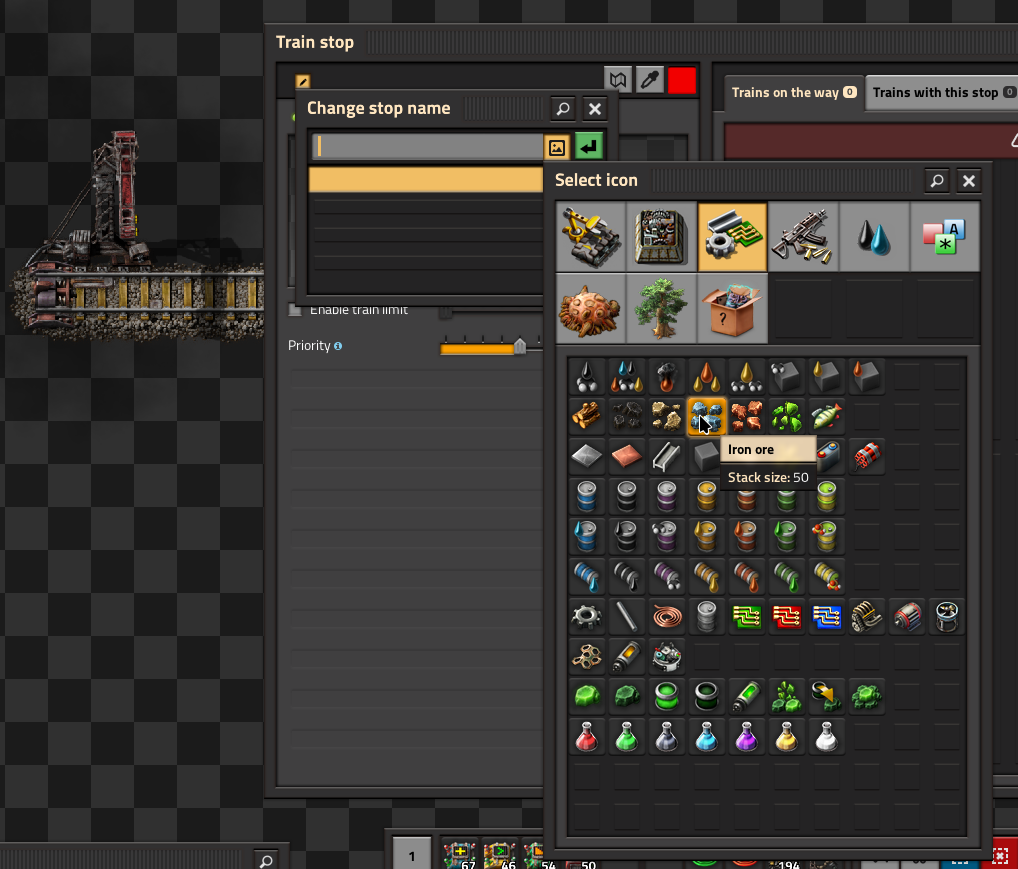
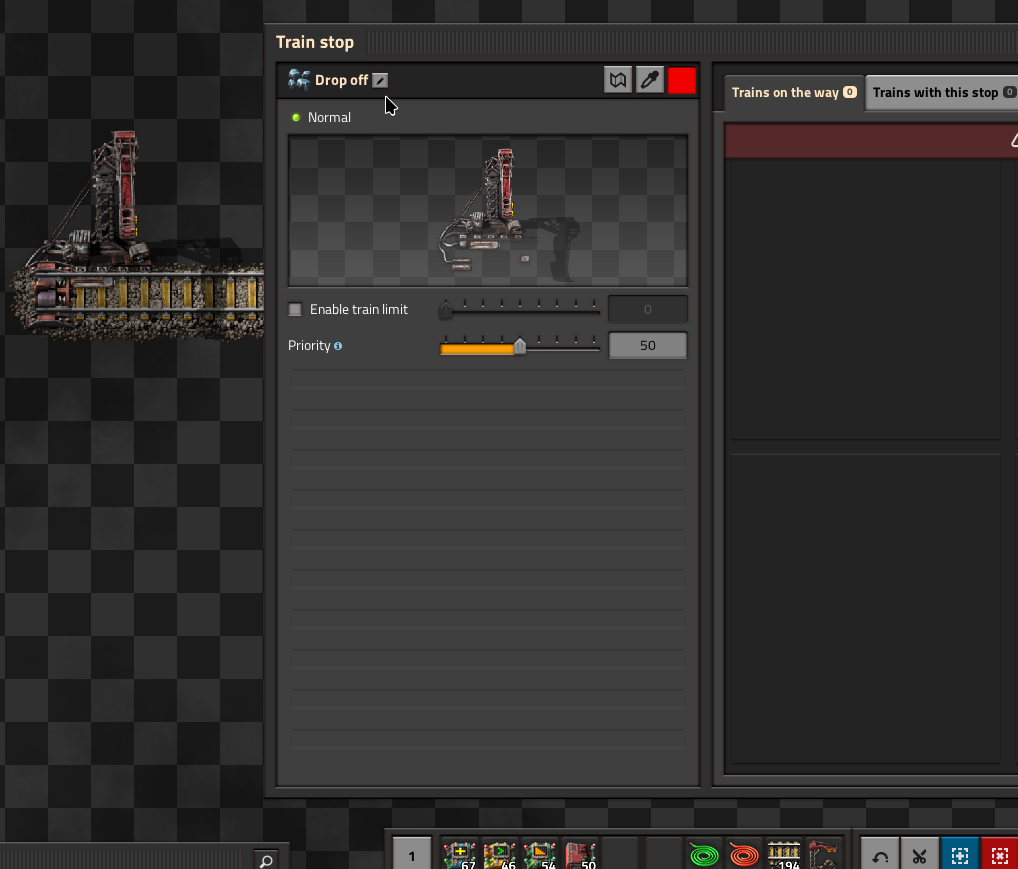
- Now create a blueprint:
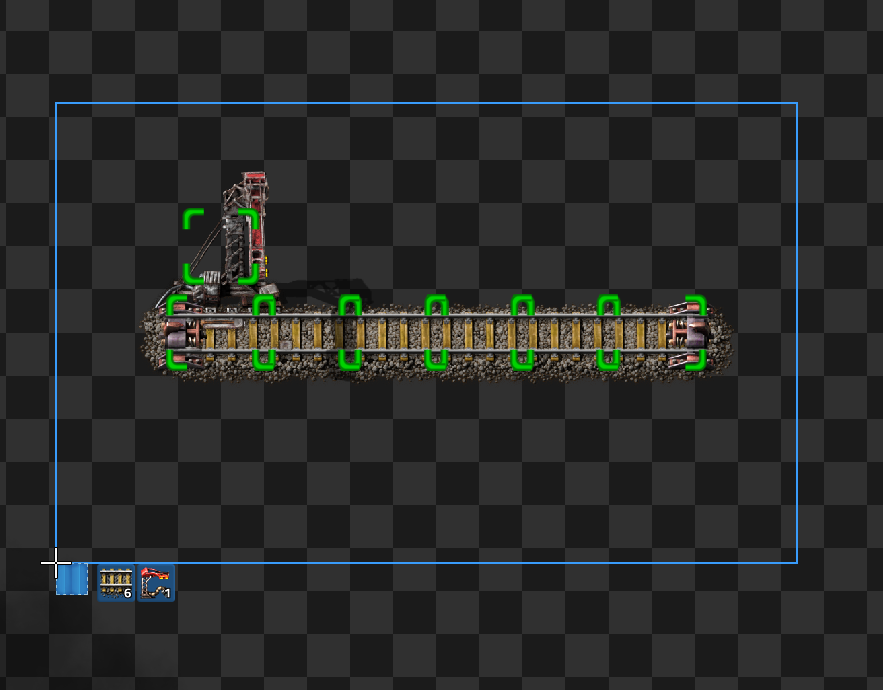
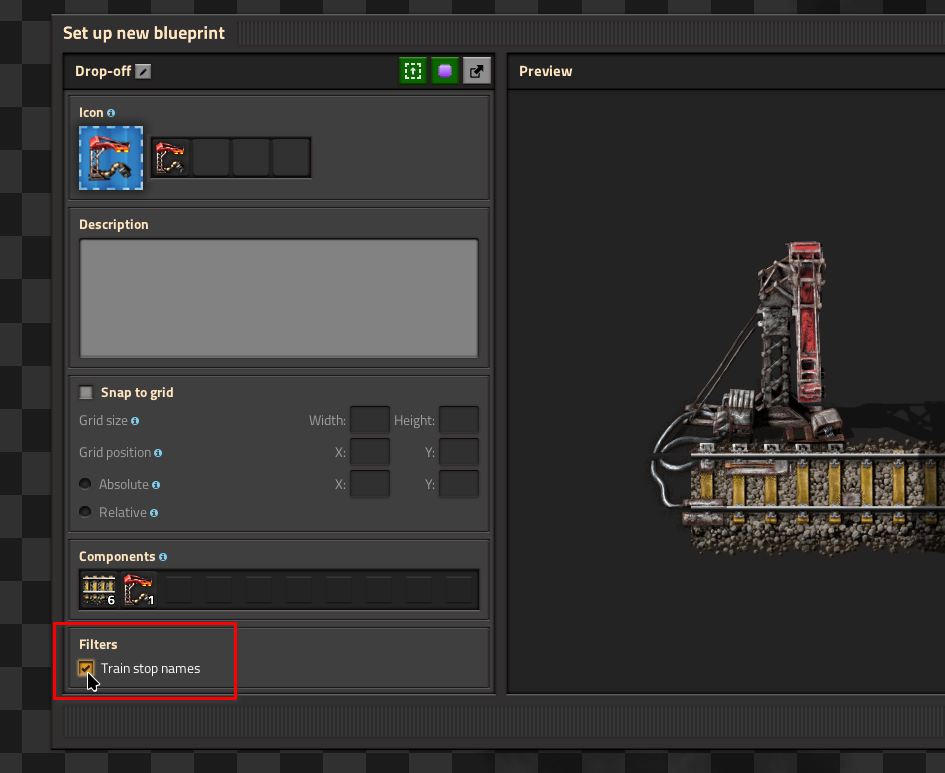
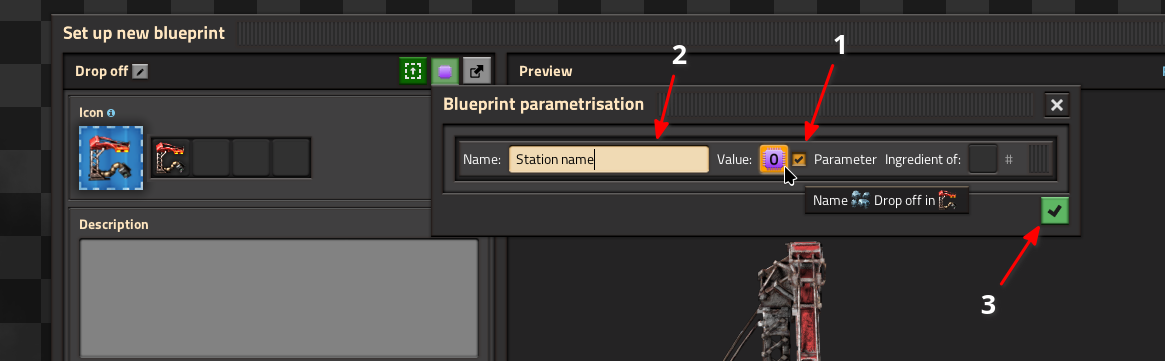
Enable the "Train stop names" option. (Important):
Click the
 parametrization button.
In the list of possible parameters (only one shown in the screenshot), enable the parameter replacing the icon in the station name, and give it a name. Then confirm the pop-up via the green button and save the blueprint. You are done.
Additional notes:- In case there are multiple instances of the same icon, the tooltip on the "value" shows, which instance of the icon you replace.
- When you enable "Parameter", the original icon is replaced with a parameter placeholder.
- The name you enter will be shown as a window title when placing the blueprint.
The blueprint created by following this guide:
0eNqNk9FuhCAQRX/FzDMmFXWtJvu2f9DHzaZBZbckChSwqTH+ewdt7G5jG55gYDj3JtyZoO4Gr
o2QDqoJRKOkheo8gRU3yTp/JlnPoQJnmJCxdUrDTEDIln9Clcxkp1UzgxvHTfx010vnCwEunXCCrx
pLMb7Koa+5QRjZ0SKglcUnSnoBxMRZTmCEqkwR3QrDm/UyoQSsY2sBZ+F4f7wzcolORulIXa/gP
f+Sppu09dq3Nxfj0v2jnj+qZzvQNByaBkOzcGgSDM2DoWkZDD2EQ4tgaBEO/eujMIVbLtYculF7om
hho7+sSYqWkvirx1gTeB9Yh85inJh2E/4+xGapTM+8r0b1/qFT6B6OMHt9H06sfkaPQMdqjjMEW0oJ
fKC/hZsfaJmVZZ7RIqXPyTx/AVTDOgY=
Placing parametrized blueprints
Placing the blueprint created in the last step opens a selection window. The parameter name assigned is used as the window title:
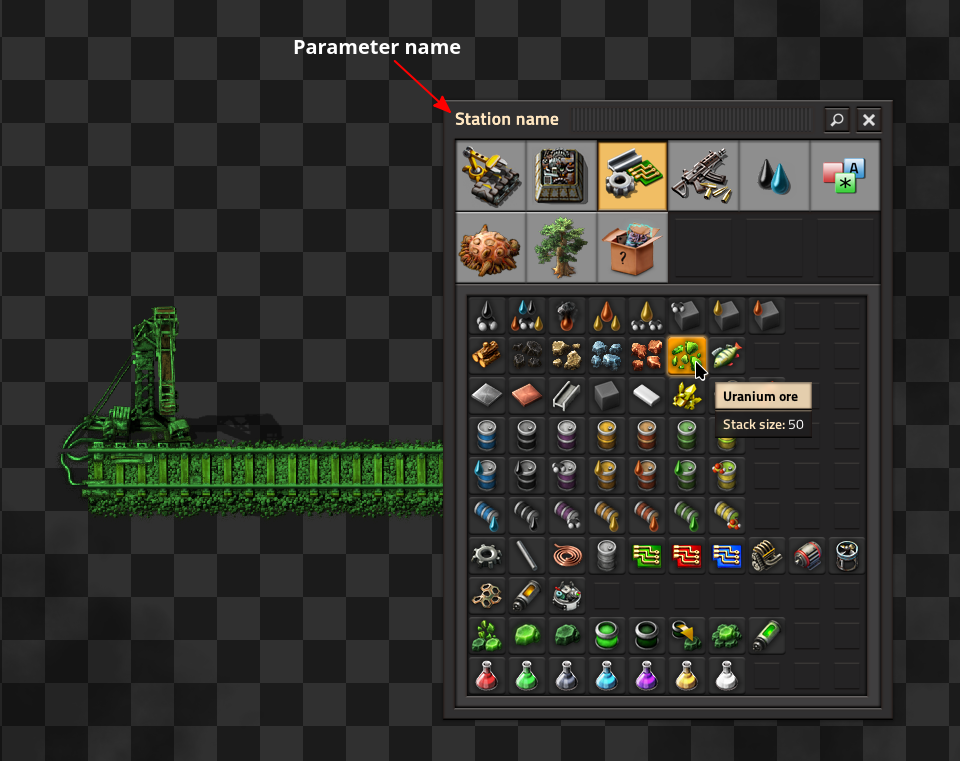
Here, I selected Uranium Ore, which created this station:
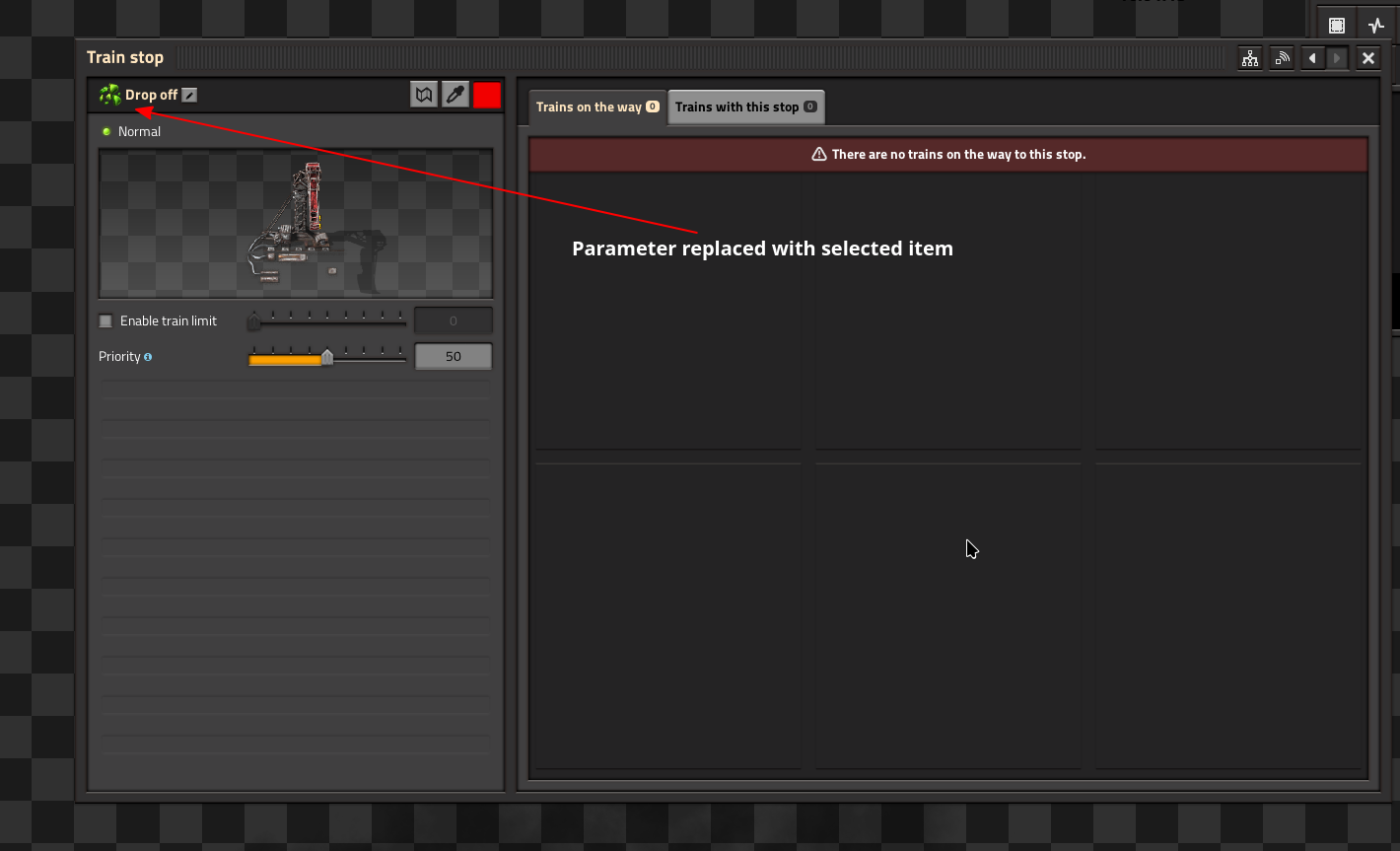
Here, I selected Uranium Ore, which created this station:
More Factorio guides
- Factorio: How to Build a Main Bus★ 5 (6k)231k views15k ♥15 minUpdated Aug 31, 2025
- Factorio: Observations, Tips, Tricks, & Efficiency★ 5 (3.2k)111k views7.1k ♥85 minUpdated Aug 4, 2020
- Blueprints for early, mid and lategame (updated)★ 5 (757)83k views2.4k ♥3 minUpdated Sep 3, 2022
- Factorio - Everything To Do With Smelting: Belt & Bot Based★ 5 (629)80k views1.6k ♥16 min
- Factorio Builds★ 5 (1.1k)63k views2.7k ♥5 minUpdated Jun 7, 2021
- High-Level Strategy for New Players★ 5 (880)62k views2.8k ♥43 minUpdated Oct 15, 2025

🔥 Popular guides
- Upgrading to PremiumTeam Fortress 2★ 5 (20k)1441k views11k ♥6 minUpdated May 11, 2022
- No More Room in Hell Official ManualNo More Room in Hell★ 5 (2.8k)569k views2.1k ♥29 minUpdated Apr 22, 2019
- NMRiH Community Hosting GuidesNo More Room in Hell★ 5 (526)351k views653 ♥1 minUpdated Aug 10, 2022
- ULTIMATE GUIDE FOR GAME DEV TYCOONGame Dev Tycoon★ 5 (5.8k)326k views10k ♥4 minUpdated 23 Jan, 2014
- How to 'Git Gud' Soon™MORDHAU★ 5 (2k)318k views3k ♥68 minUpdated Nov 16, 2024
- Лучшие кооперативные игры SteamPAYDAY 2★ 5 (1.5k)315k views2.1k ♥56 minRussianUpdated Apr 27, 2025






This guide was created by its original author on the Steam Community. Are you the author and want it removed? Request removal.