Solution to resolution stuck at 1536x864
Step 1
Go to steam> Library> Ori and the Blind Forest Definitive Edition> Properties> Browse Local Files
Step 2
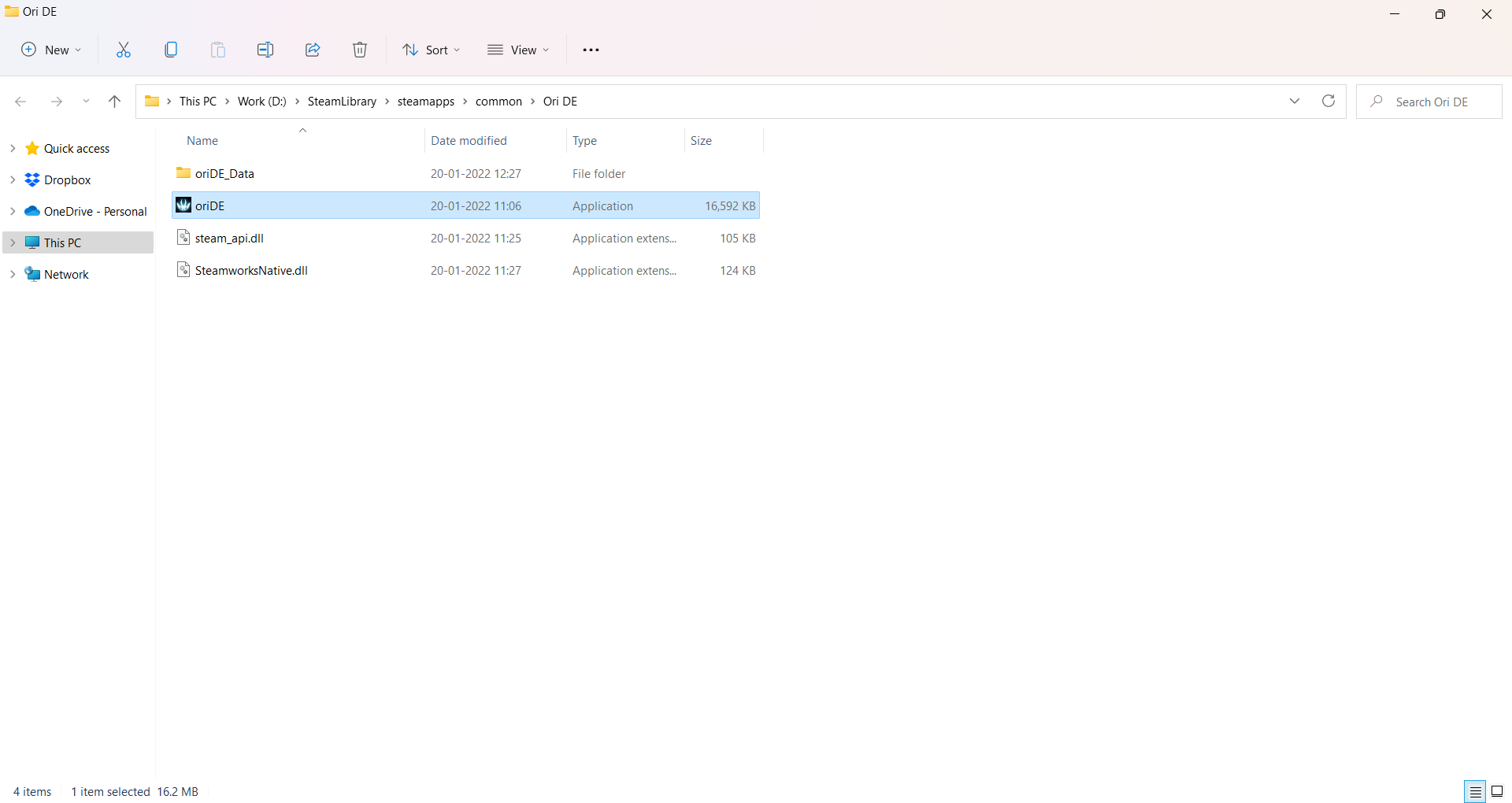 Select OriDE.exe and right click to open properties. Left click once to select and then right click to open Properties, otherwise you won’t see the “Compatibility” option.
Step 3
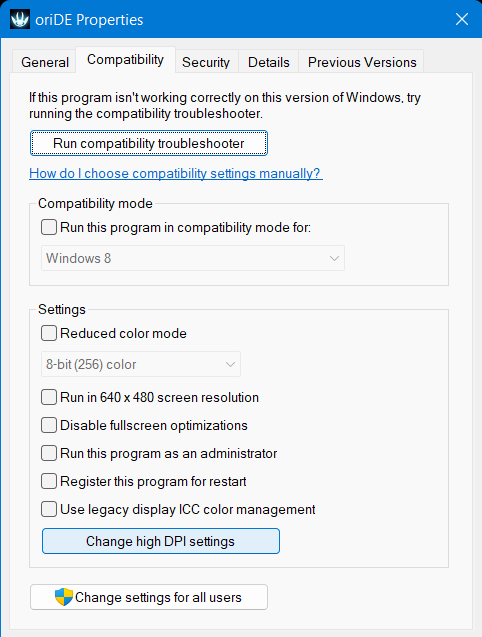 [/previewicon]Click on Change high DPI settings
Step 4
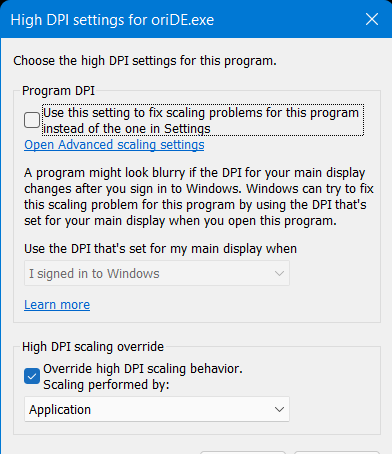 Then check or uncheck Override high DPI scaling behavior.
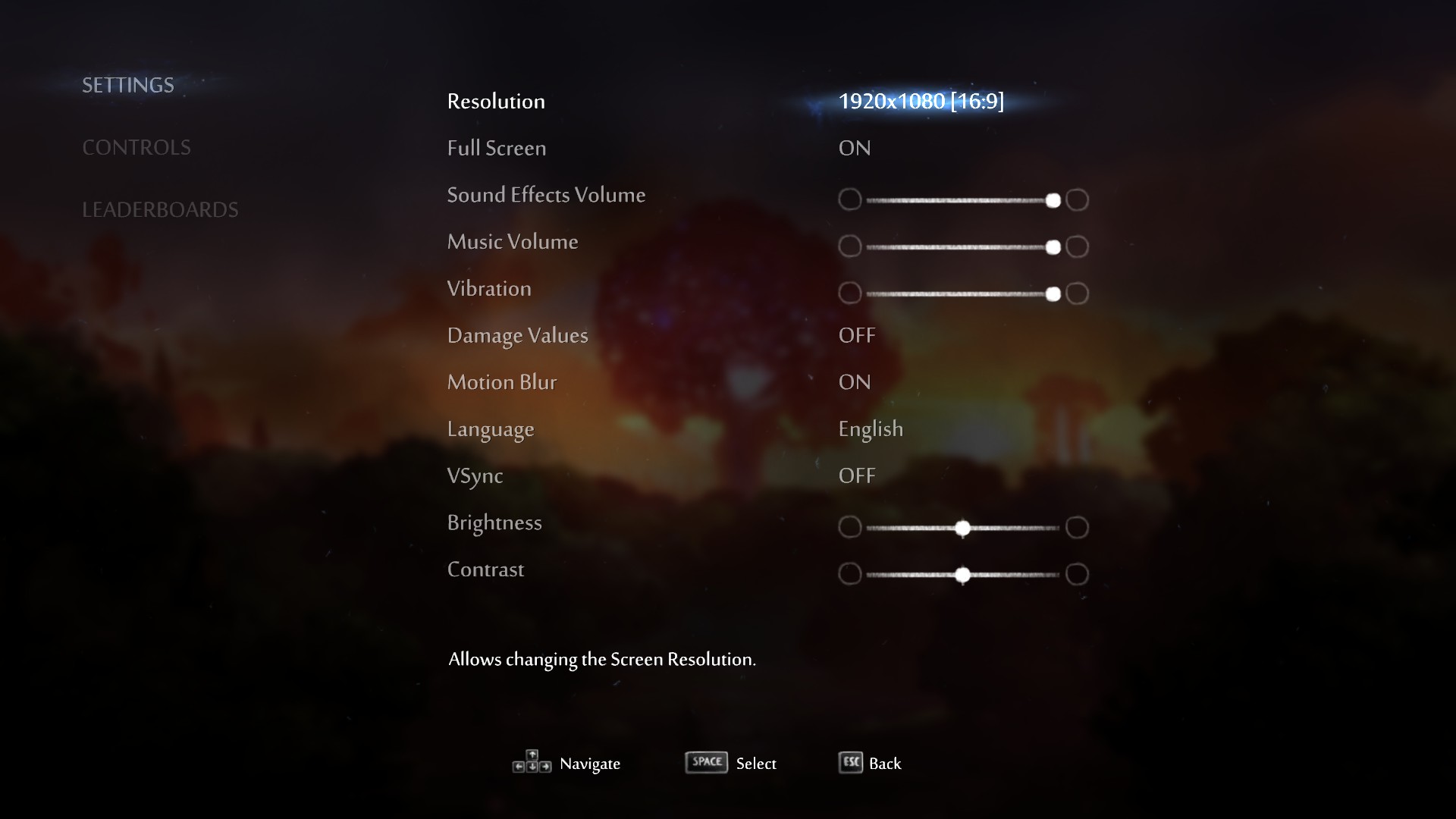
 In my case it was unchecked. After checking ✔ it, I was able to change the resolution to 1920x1080p.
finally
More Ori and the Blind Forest: Definitive Edition guides
- Full Achievement Guide for Ori and the Blind Forest: Definitive Edition★ 5 (901)41k views1.2k ♥4 minUpdated May 6, 2016
- One Life Difficulty and Unhinged Achievement★ 5 (500)27k views733 ♥11 minUpdated Mar 14, 2021
- Ori 1终极版最全简体/繁體汉化指南★ 5 (416)25k views467 ♥1 minSimplified ChineseUpdated Oct 19, 2023
- Ori and the Blind Forest: Definitive Edition collectible map\奥日终极版全收集地图★ 5 (372)22k views423 ♥1 minSimplified ChineseUpdated May 5, 2016
- Карта мира и пояснения к достижениям "Лесничий" и "Под каждым камушком"★ 5 (349)21k views405 ♥1 minRussianUpdated Aug 16, 2024
- Простой фарм опыта★ 5 (261)16k views205 ♥1 minRussianUpdated Mar 1, 2021




🔥 Popular guides
- Upgrading to PremiumTeam Fortress 2★ 5 (20k)1441k views11k ♥6 minUpdated May 11, 2022
- No More Room in Hell Official ManualNo More Room in Hell★ 5 (2.8k)569k views2.1k ♥29 minUpdated Apr 22, 2019
- NMRiH Community Hosting GuidesNo More Room in Hell★ 5 (526)351k views653 ♥1 minUpdated Aug 10, 2022
- How to 'Git Gud' Soon™MORDHAU★ 5 (2k)318k views3k ♥68 minUpdated Nov 16, 2024
- Лучшие кооперативные игры SteamPAYDAY 2★ 5 (1.5k)315k views2.1k ♥56 minRussianUpdated Apr 27, 2025
- Desert Eagle Heat Treated | Blue GemCounter-Strike 2★ 5 (1.6k)292k views1.5k ♥2 minUpdated Jan 16





This guide was created by its original author on the Steam Community. Are you the author and want it removed? Request removal.