The Remaster Within (Fixing the PC port)
Step 1 - Set Launch Options
In your Steam library, Right click The Evil Within > Properties > Set Launch Options.
Copy and paste the list below.
+com_allowconsole 1 +com_skipIntroVideo 1 +vt_maxaniso 4
NOTE If you intend to play the game above 60FPS, ADD +r_swapinterval 0 to the end, this will unlock the framerate.
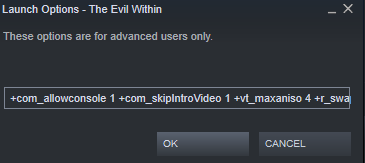 Explanation -
 - +com_allowconsole 1 - Enables the console in game (Press INSERT to use)
- +com_skipIntroVideo 1 - Skips the long start up video
- +vt_maxaniso 4 - Increase the Anistropic Filtering scale to 4x (4x is the max in this engine)
- +r_swapinterval 0 - Unlocks the Framerate. NOTE - Unlocking the framerate can cause MINOR Issues such as, Enemy attacks draining health slightly faster, and a slight increase to enemy attack speed.
Step 2 - Download Flawless Widescreen (Increase FOV, Fix Aspect Ratio, Bloom etc.)
Download and Install Flawless Widescreen [www.flawlesswidescreen.org]
Set the path to where your steam library is located - C:\Program Files (x86)\Steam\steamappsSay yes to the next pop-up. Scroll to The Evil Within and click it. This will download the preset, fiddle with the sliders if you want to increase the FOV, I usually just max them both.
Remember to run this software and click on The Evil Within preset BEFORE launching the game.
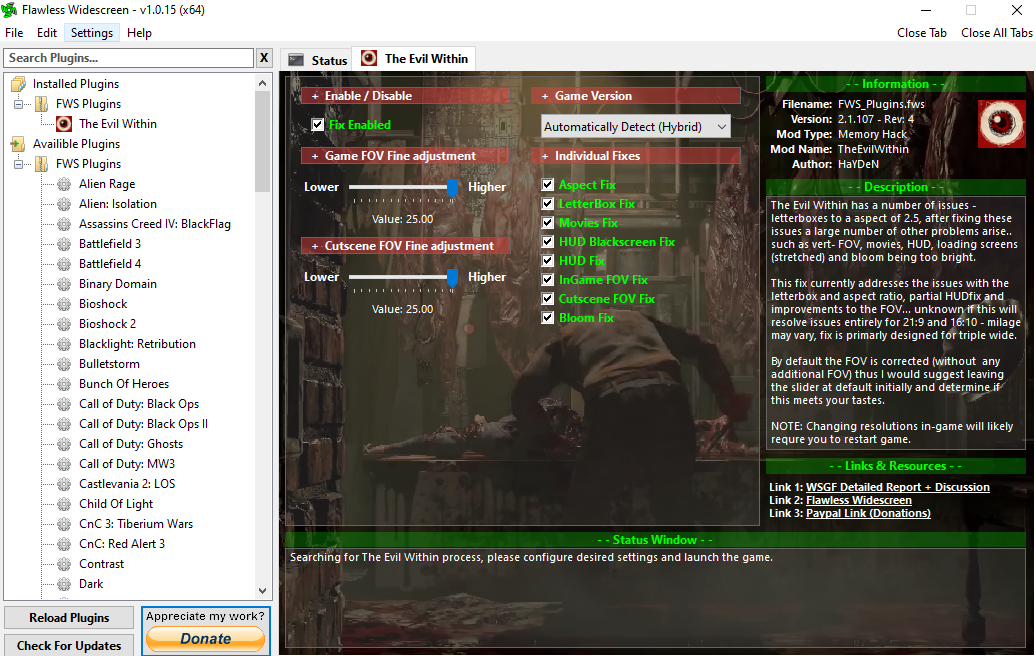
Step 3 - In Game Console Commands
Launch the game and press INSERT to activate console. Type out the commands below and hit ENTER
- r_skipglare 1 - Disables the Post Processing effects.
- m_smooth 0 - Disables mouse acceleration.
r_skipglare 1 Massively improves performance but will change how the game looks. In my opinion it actually looks better in most scenes anyway, but ultimately it comes down to personal preference, it's entirely up to you. But if you are struggling for frames, use the r_skipglare 1 command.
Try both r_skipglare 1 and r_skipglare 0 and see what you prefer.
r_skipglare 0 (default)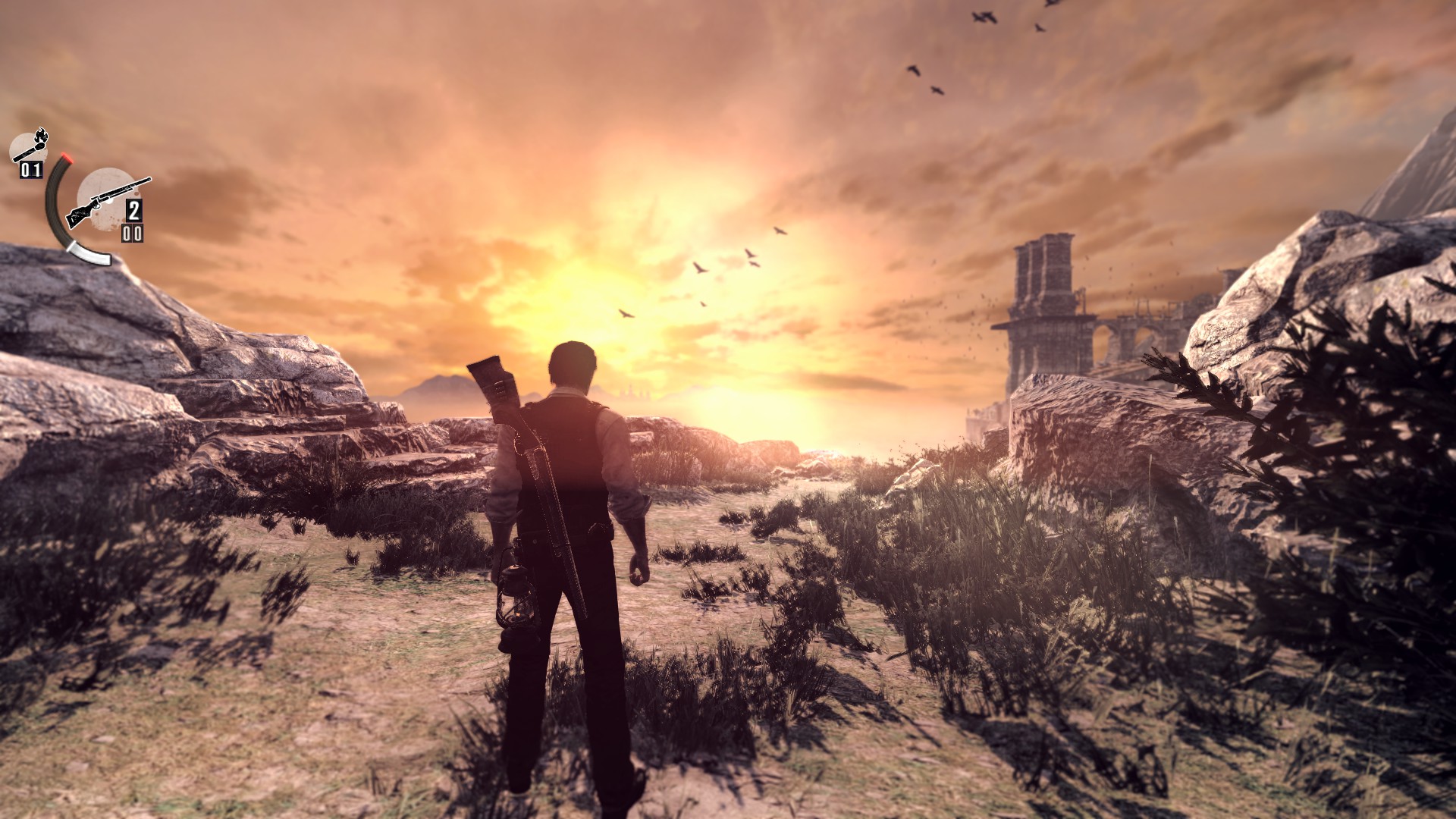 r_skipglare 1
 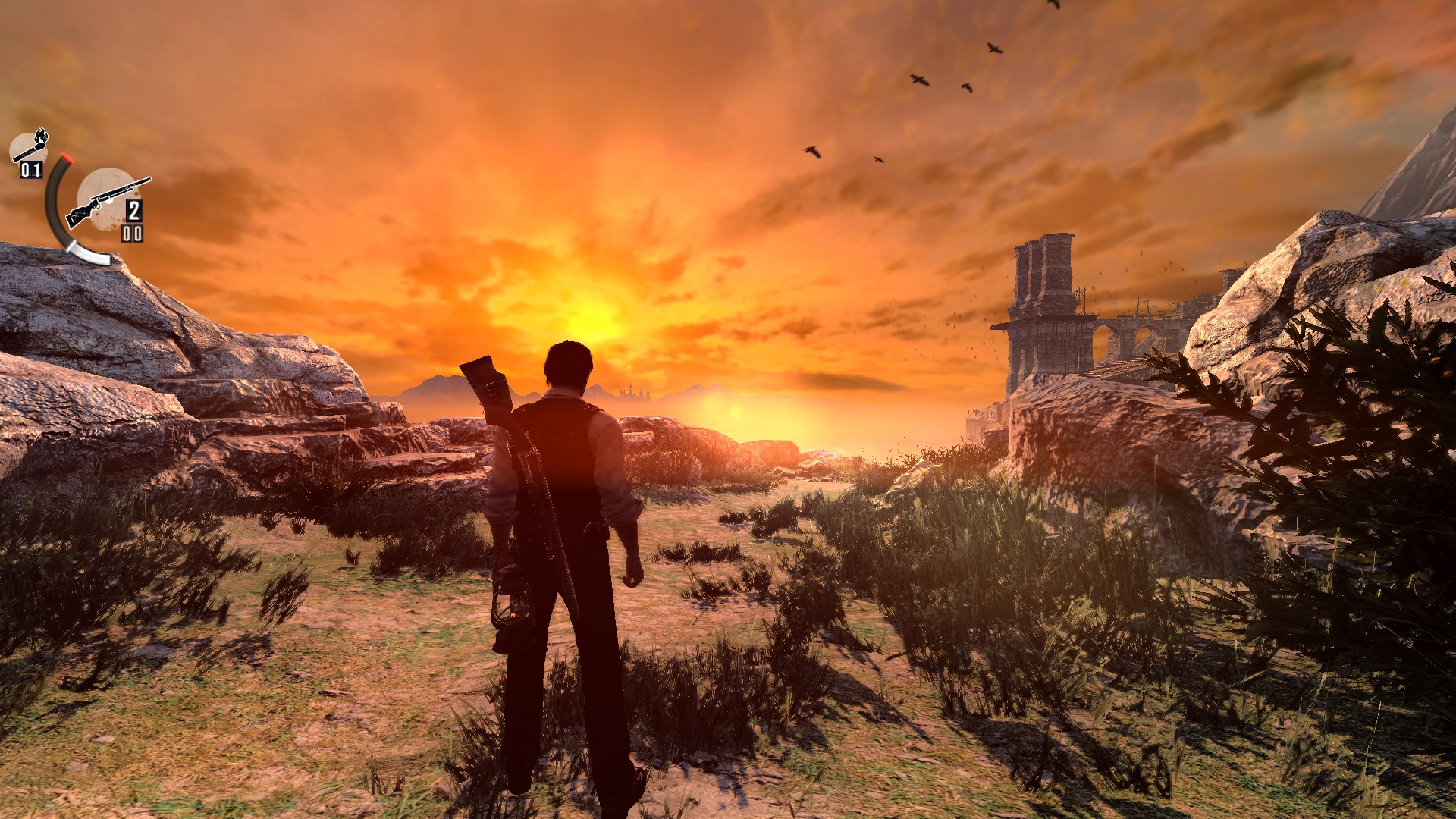 r_skipglare 0 (default)
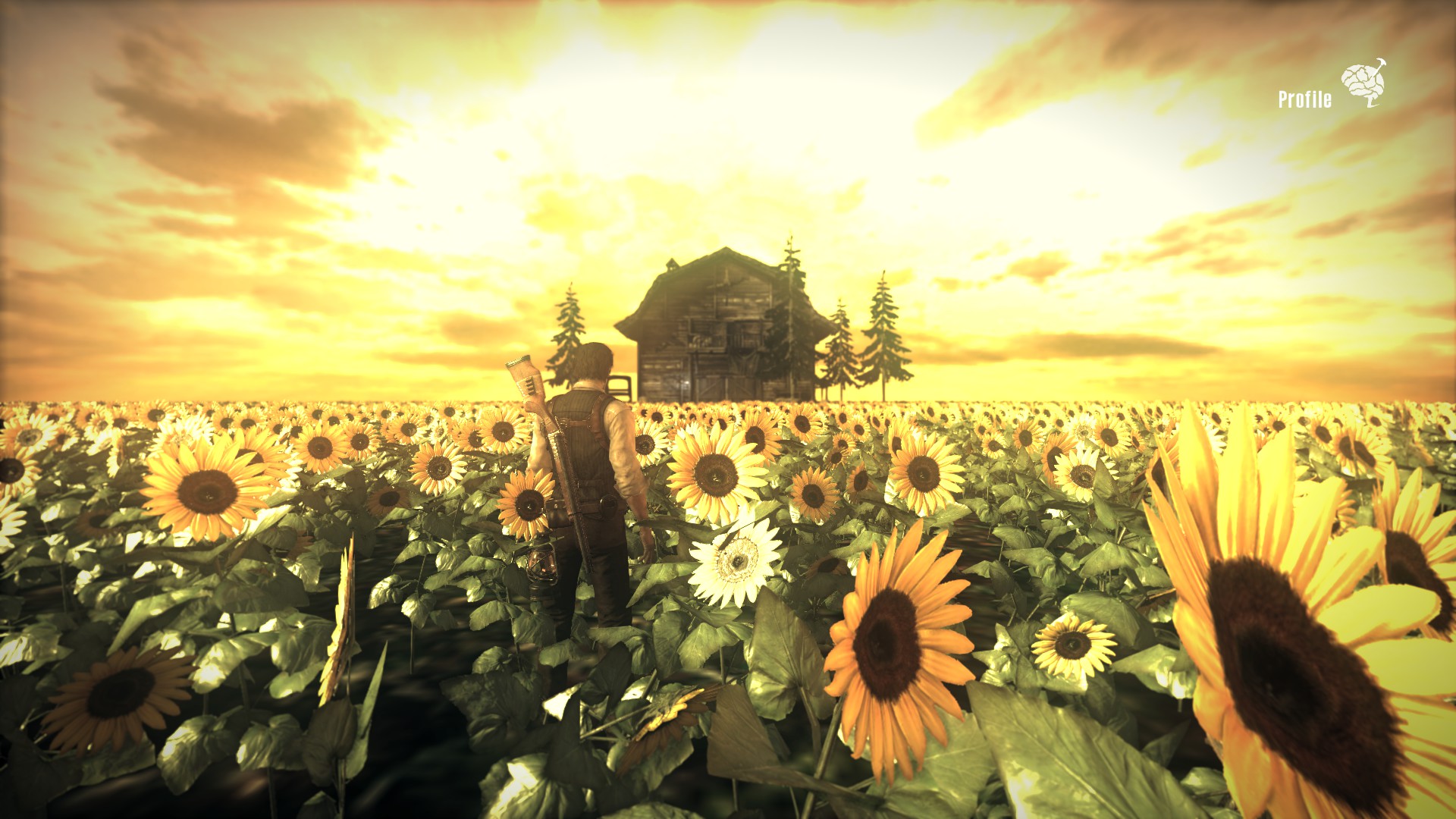 r_skipglare 1
And That's it :) <3
- [Main game + DLC] All Achievements Guide★ 5 (1.2k)21k views1.9k ♥112 minUpdated 11 Sep, 2016
- Как заставить The Evil Within работать лучше (магия ПК гейминга)★ 5 (543)20k views448 ♥1 minRussianUpdated 27 Nov, 2015
- Достижения The Evil Within + 3 DLC★ 5 (1.5k)17k views1.5k ♥19 minRussianUpdated 3 Feb, 2019
- Получение всех достижений в игре The Evil Within!★ 5 (826)16k views946 ♥8 minRussianUpdated 23 May, 2024
- HOW TO BEAT THE GOD_DAMNED GAME★ 4 (471)14k views167 ♥1 minUpdated 2 Oct, 2020
- The Evil Within 100% achievements by Biohazard Lord [EN/PL]★ 5 (342)12k views765 ♥34 minPolishUpdated 4 Mar




- Upgrading to PremiumTeam Fortress 2★ 5 (20k)1441k views11k ♥6 minUpdated May 11, 2022
- No More Room in Hell Official ManualNo More Room in Hell★ 5 (2.8k)569k views2.1k ♥29 minUpdated Apr 22, 2019
- NMRiH Community Hosting GuidesNo More Room in Hell★ 5 (526)351k views653 ♥1 minUpdated Aug 10, 2022
- ULTIMATE GUIDE FOR GAME DEV TYCOONGame Dev Tycoon★ 5 (5.8k)326k views10k ♥4 minUpdated 23 Jan, 2014
- How to 'Git Gud' Soon™MORDHAU★ 5 (2k)318k views3k ♥68 minUpdated Nov 16, 2024
- Лучшие кооперативные игры SteamPAYDAY 2★ 5 (1.5k)315k views2.1k ♥56 minRussianUpdated Apr 27, 2025






This guide was created by its original author on the Steam Community. Are you the author and want it removed? Request removal.