Unlimited Height and Depth Camera for Rome II, Attila, Shogun, Empire, Napoleon and TOB
Editing the preferences.script
This is an easy guide on how to change the depth and height of the camera you can use in the listed games
I'm not sure if this works on games purchased with Activation code
For sure though if you bought the game off steam or anywhere where it installs local files you can use this guide
Step 1:
Open your file explorer
Step 2:
Navigate to the folder
C:\Users\[Your Username]\AppData\Roaming\The Creative Assembly\Attila\scripts
Step 3:
Open the Script via Notepad
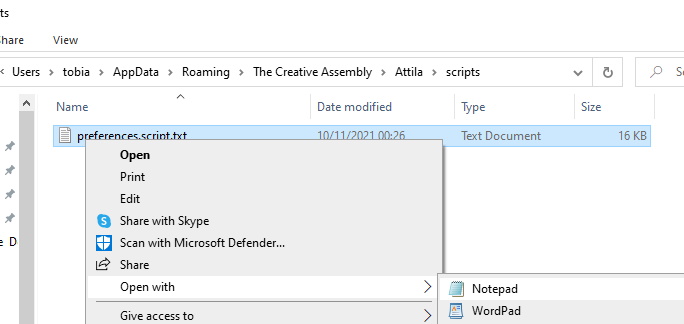
What you'll see is a looong list of gfx values and other graphical settings
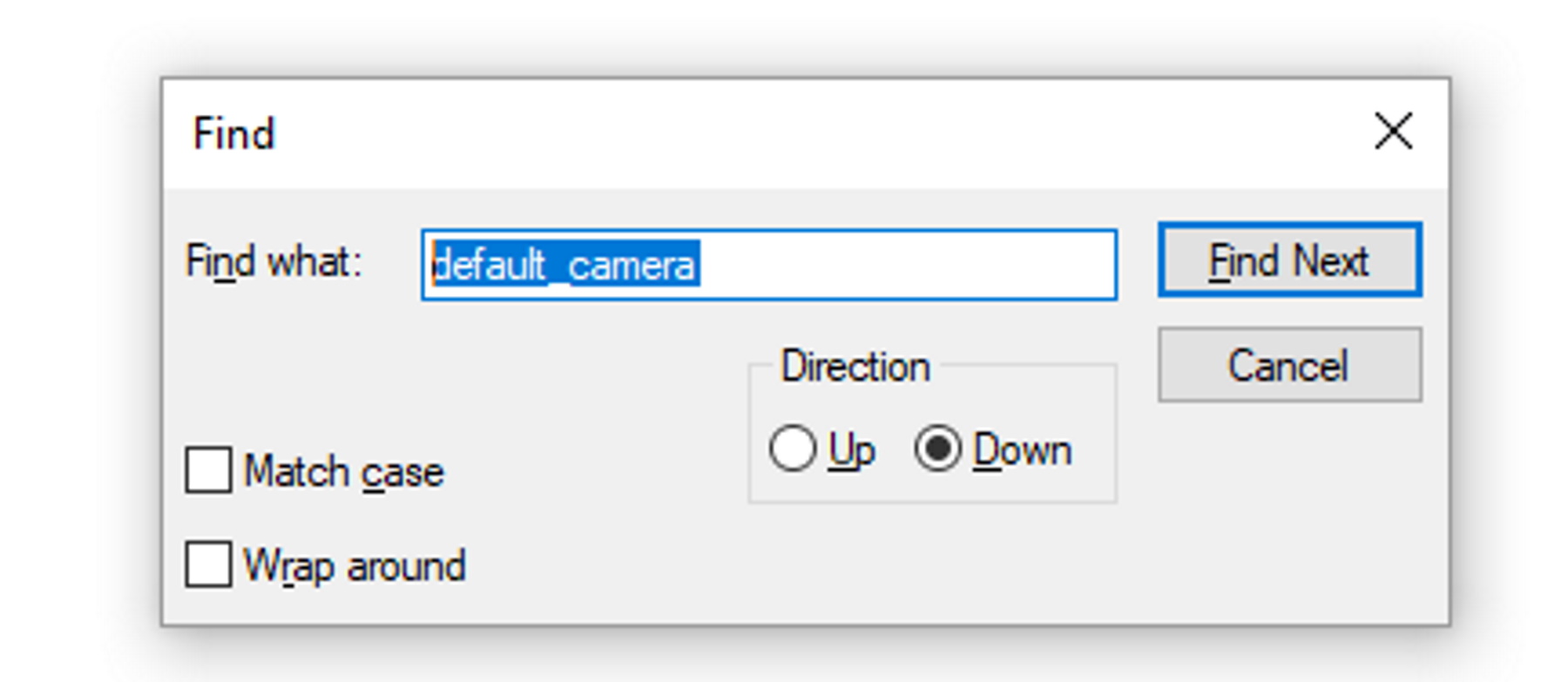
What you need to next; Press Left CTRL + F to search and type the keywords "default_camera" It will find a line for you that either says
default_camera_type 2 default_camera_type 1
default_camera_type 0; # default_battle_camera <card32>, default battle camera: 0-totalwar 1-rts 2-debug #
default_camera_type 0; = Classic total war camera
default_camera_type 1; = RTS camera
default_camera_type 2; = debug
Debug is the one you need because it has no limitations
Simply edit the line "default_camera_type 0;" replace the 0 with "2:"

Start up your total war game via steam, this does not work if you use geforce experience. Nvidia geforce will auto edit the tiny change back to it's original value.
Start up your game via steam or total war launcher or Desktop shortcut, and play any battle, as long as you don't change any settings in the "controls" section, the camera value will not change back.
Enjoy your unlimited camera!
- Western Roman Empire: Opening Moves★ 5 (1.2k)40k views1.6k ♥26 minUpdated Mar 5, 2015
- The Obscure mechanics of Attila.★ 5 (304)34k views410 ♥6 minUpdated Sep 27, 2020
- Total War: Attila - The Overall Guide★ 5 (582)33k views1.1k ♥30 minUpdated Mar 16, 2018
- Understanding politics in Attila★ 5 (275)32k views241 ♥3 min
- [HUGE DISCOVERY] How to bring ToB optimization to Attila★ 5 (239)28k views528 ♥3 minUpdated Dec 18, 2018
- How to change your capital city!★ 5 (203)25k views292 ♥2 minUpdated Jul 9, 2015





- Upgrading to PremiumTeam Fortress 2★ 5 (20k)1441k views11k ♥6 minUpdated May 11, 2022
- No More Room in Hell Official ManualNo More Room in Hell★ 5 (2.8k)569k views2.1k ♥29 minUpdated Apr 22, 2019
- NMRiH Community Hosting GuidesNo More Room in Hell★ 5 (526)351k views653 ♥1 minUpdated Aug 10, 2022
- ULTIMATE GUIDE FOR GAME DEV TYCOONGame Dev Tycoon★ 5 (5.8k)326k views10k ♥4 minUpdated 23 Jan, 2014
- How to 'Git Gud' Soon™MORDHAU★ 5 (2k)318k views3k ♥68 minUpdated Nov 16, 2024
- Лучшие кооперативные игры SteamPAYDAY 2★ 5 (1.5k)315k views2.1k ♥56 minRussianUpdated Apr 27, 2025






This guide was created by its original author on the Steam Community. Are you the author and want it removed? Request removal.