Watch_Dogs 1 Online Multiplayer Fix | Gain Access
No Online? Contact Ubisoft Support!
Hello fellow hackers!
Have you tried to play Watch_Dogs online but you cannot connect to the Ubisoft servers?
The problem is that your Ubisoft account does not have the online authorization to play. Follow these steps to get a code from Ubisoft to get access!
1. You will need some evidence before you start. Gather the following before contacting support to make it easier on you.-1a. Screenshot: In-Game Error of not being able to connect to servers.
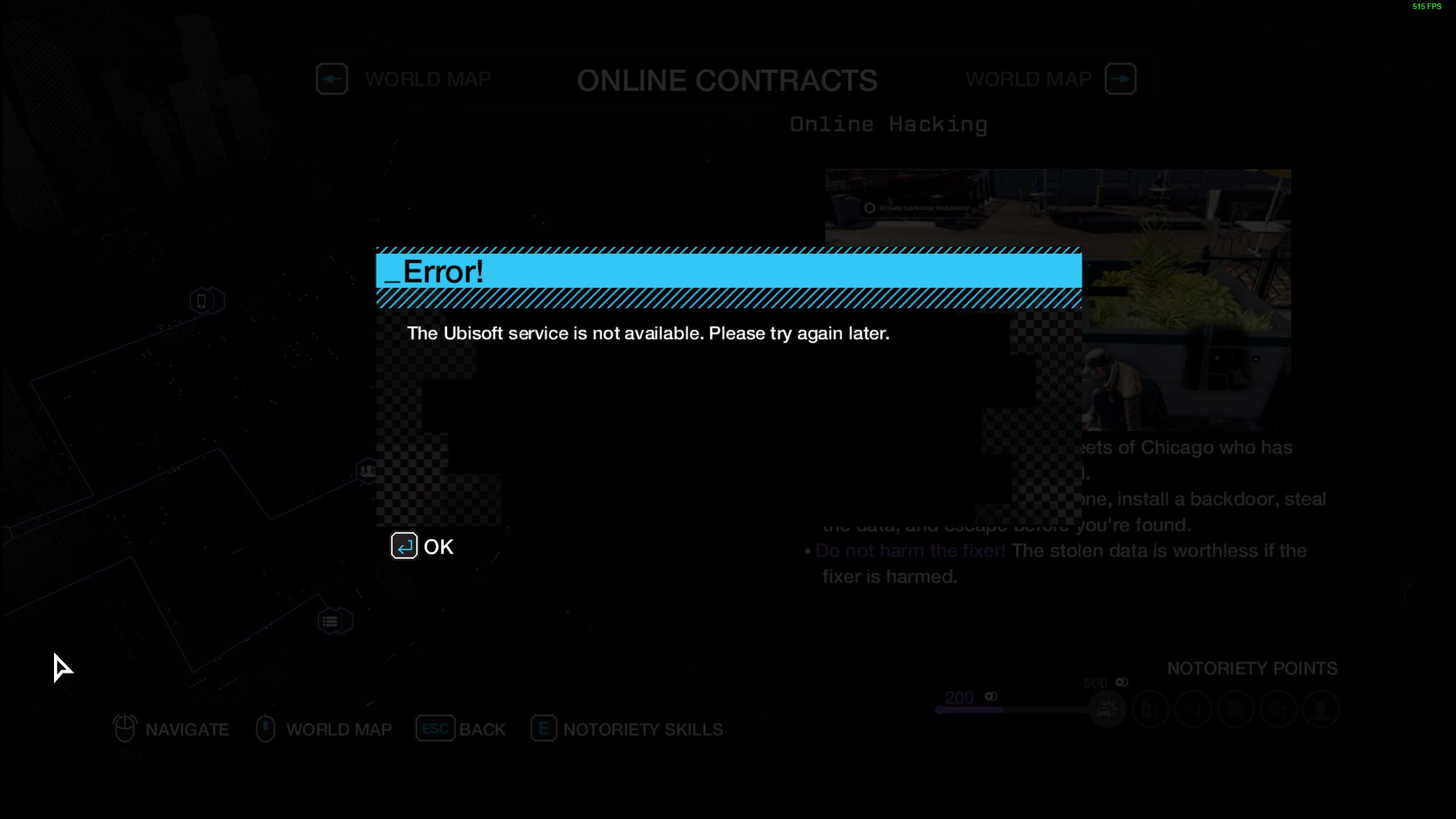
-1b. Screenshot: Watch_Dogs Steam Purchase Receipt. This screenshot must show the Steam window maximized with the desktop taskbar in view. Personally, I also provided a screenshot of the other Steam receipt you can get via a link in the first one but it may not be required.
-1c. Video: Main menu to gameplay showing you progressed past the mission "2XTheTap" (just fully complete Act 1 first because the progression tree does not show the mission), then attempt to connect online, finishing the video at the error. Upload the video to a YouTube account and set it to public visibility.
- Contact Ubisoft Support while logged into the account you play with. Choose support for Watch_Dogs 1 and PC then be detailed about the error and ask for a DLC Code for Online Play. <- This is important!!!! You need to ask for the DLC Code!!!
2a. Provide both screenshots in the file uploader and the link to your YouTube video. - Ubisoft will contact for more info or to tell you they escalated your case to someone else. You will then receive a code that will grant you access to online play. CHECK YOUR EMAIL OR THE CASE, I DIDN'T NOTICE IT UNTIL THEY CLOSED MY CASE
3a. Use that code on Ubisoft Connect before launching the game. - Profit, now go start matchmaking for Racing and Decryption.
- Watch_Dogs — Improve Graphics + Performance★ 5 (370)28k views574 ♥1 minUpdated May 28, 2014
- Повышаем фпс и графон \ Lets UP FPS and Graphics★ 4 (252)18k views393 ♥1 min
- Watch Dogs - ALL easter eggs!★ 5 (194)13k views206 ♥5 minBulgarian
- Все достижения в Watch_Dogs (Uplay)★ 5 (198)9.3k views583 ♥7 minRussianUpdated Nov 1, 2019
- Как троллить вторженцев.★ 4 (98)7.1k views86 ♥1 minRussianUpdated Dec 16, 2019
- A Way to Quickly and Drastically Boost FPS★ 4 (88)6.4k views133 ♥1 min





- Upgrading to PremiumTeam Fortress 2★ 5 (20k)1441k views11k ♥6 minUpdated May 11, 2022
- No More Room in Hell Official ManualNo More Room in Hell★ 5 (2.8k)569k views2.1k ♥29 minUpdated Apr 22, 2019
- NMRiH Community Hosting GuidesNo More Room in Hell★ 5 (526)351k views653 ♥1 minUpdated Aug 10, 2022
- ULTIMATE GUIDE FOR GAME DEV TYCOONGame Dev Tycoon★ 5 (5.8k)326k views10k ♥4 minUpdated 23 Jan, 2014
- How to 'Git Gud' Soon™MORDHAU★ 5 (2k)318k views3k ♥68 minUpdated Nov 16, 2024
- Лучшие кооперативные игры SteamPAYDAY 2★ 5 (1.5k)315k views2.1k ♥56 minRussianUpdated Apr 27, 2025






This guide was created by its original author on the Steam Community. Are you the author and want it removed? Request removal.