Weapon porting and proper scripting
Only for for Single-Player and host, so far.
As much as i hate to say this, But it seems that the Multiplayer can't seem to make the scripts function right, thus making a big glitch on reloading and shooting at times.
Also the host can have the addons, but other player's addons may be glitchy as well.
I am doing my best to figure out this problem ASAP. So please bare with me. and if you have happend to actually be able to help, please do so. I would really appreciate it!
Reminder
Choose your weapon!
I would want the MP5K replaced by the M4A1. so lets go ahead and download the mod
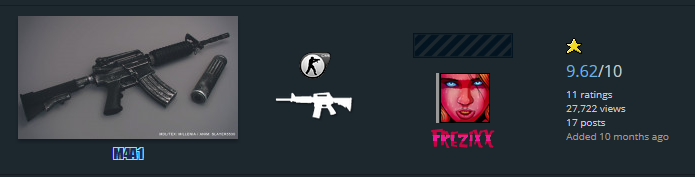
For this tutorial I'll chose this mod.
Making a folder
Make a folder and have the VPK convertor with you like this:
 So you can transfer the VPK file to the custom folder.
If you do plan on making a folder on custom:
Make a folder on the custom folder
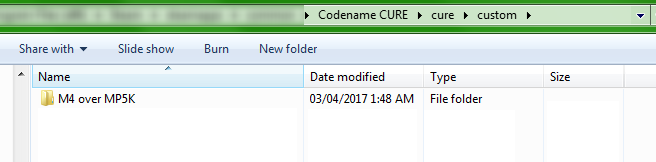 This will make scripting much easier without having to do the hassle of the use of VPK
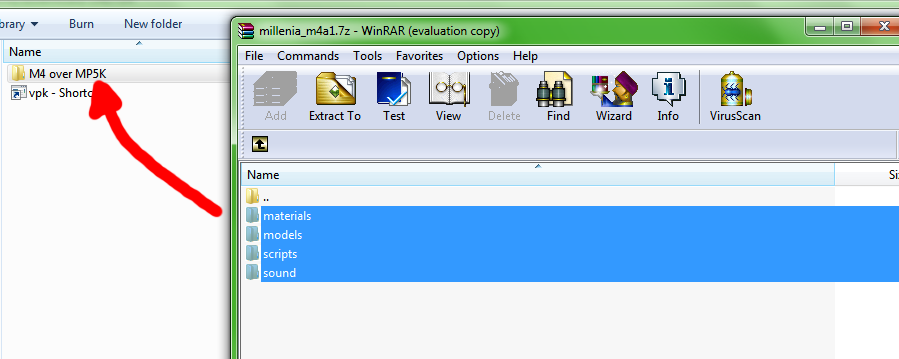
 After downloading, unzip the files to the file of the weapon:
Changing the model files of the weapon
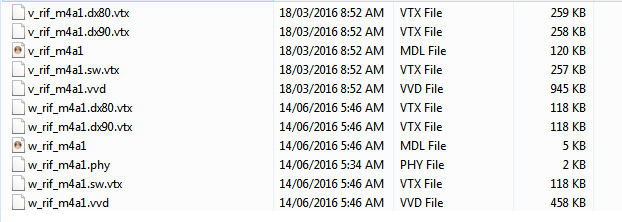
Since we're going to move it to the MP5K
Go inside models\weapons
We would want to rename the
Before
 After
After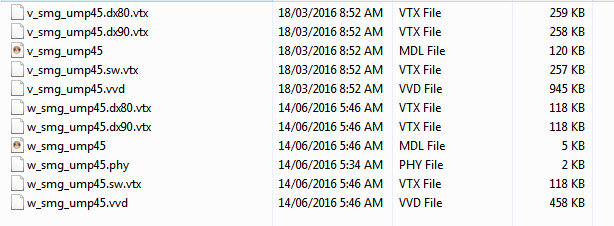
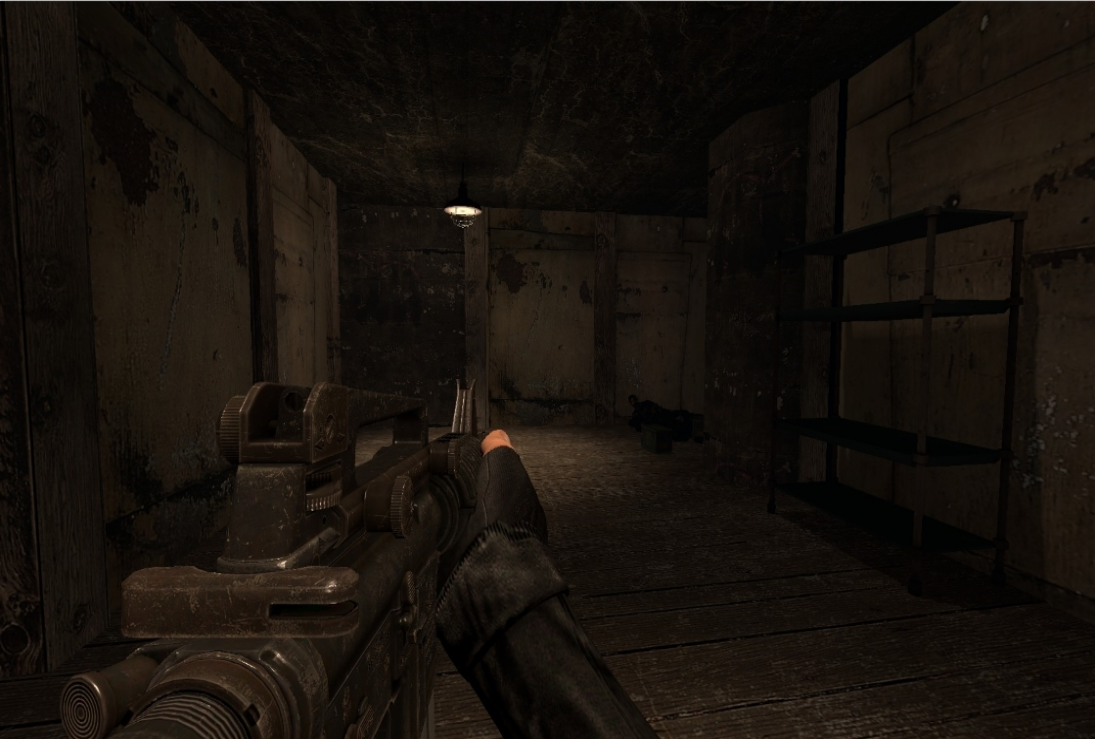 This is what it looks like incase you're wondering.
Scripting: Sound tweaking
Now that we got the renaming done, We will want to script the weapon so it won't force you to be left handed as i previously showed.
If you perfer the left handed, That is no problem!
But we still need to script the sounds for fire sound. Reload sound still functions, but script is confused on what to use for the fire. That's where this script will come in handy.
If the folder already has a script by any chance, Then good. just go inside the folder and keep reading.
You'll want to have 2 scripts:Though it's best if you get the script originally from the game itself, it can be found under:
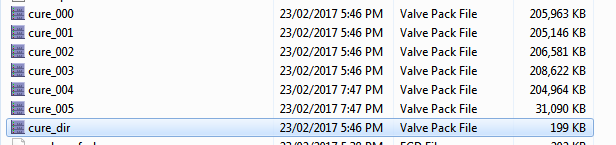
Drag both of those to the script folder. You will also will come across 3 files that the mod came from, since it was for CSS. It will look like this:

remove the 2, but keep "weapon" folder. That will be the M4's weapon scripting, renaming it to game_sounds_weapon_mp5k also works too, and just rename the file inside the folder, drag the file out of the "weapon" folder. remove the folder. And it should look like this:

After all this, go inside the game_sounds_weapon_mp5k file; originally it will be like this:
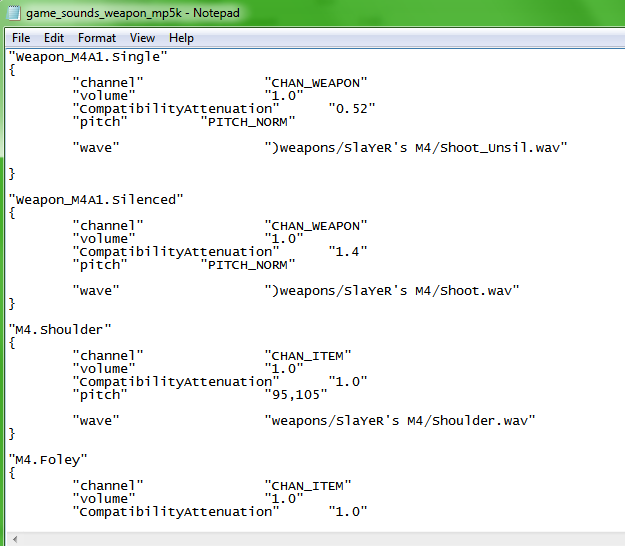 Be sure to make it so that it detects as a MP5K. To make the script function the shot fire like the MP5K.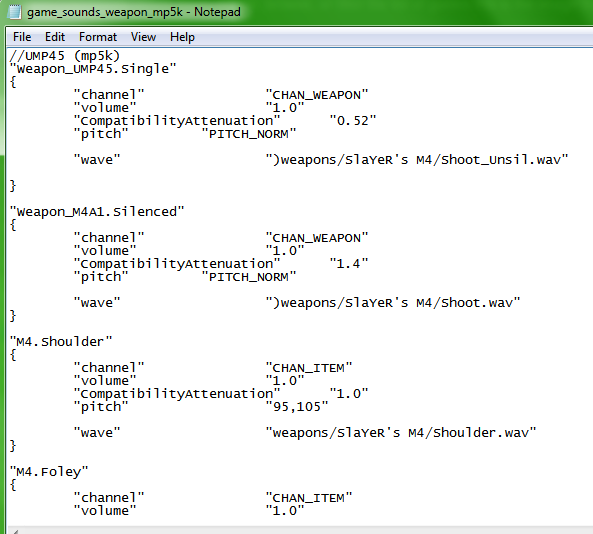
The sound will now function as a weapon since the script thinks you're using a MP5K weapon instead of the M4. but you're tricking the script.
Scripting: Right hand weapon
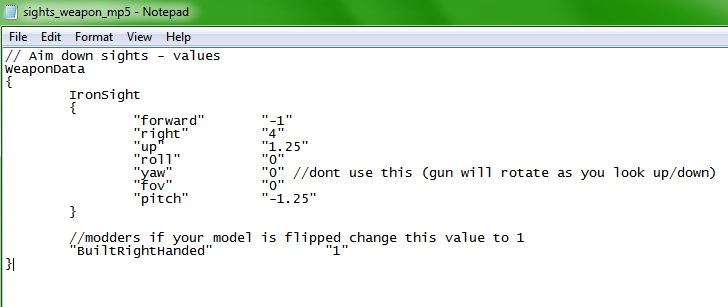
If you perfer left handed, Just leave it to "0"
Scripting: Aim down sight adjustment
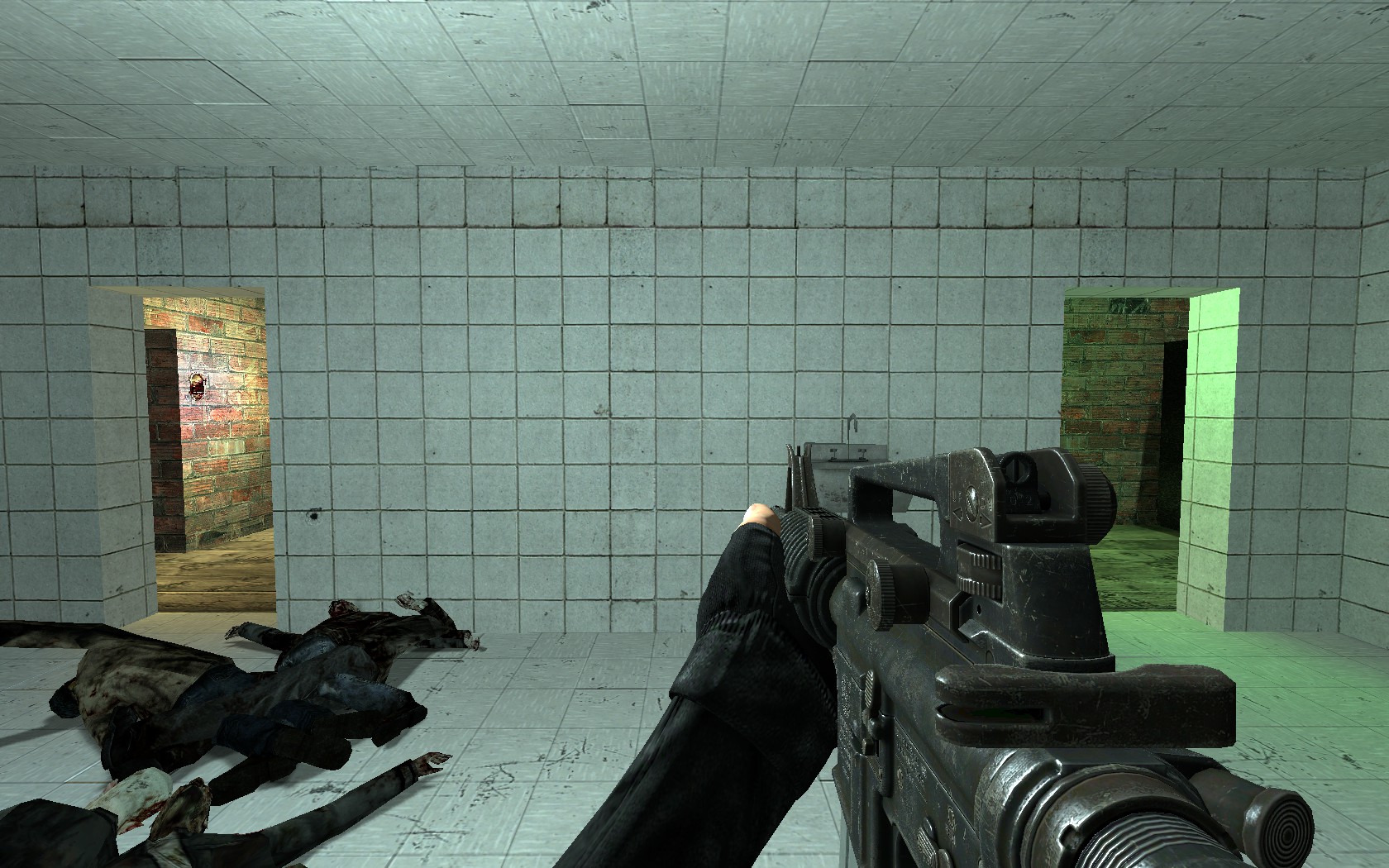 You are almost close to finish!
Not all weapons you import are gonna aim down sights properly,
and that's ok.
With the script we looked at earlier sights_weapon_mp5. We can adjust it to anyway we like. Though for most, it's best to have it what Codename CURE originally had it as.
As the script shows:Aim sight is set to the MP5K's aim sight setting. and we all know right away it won't aim down right. As shown: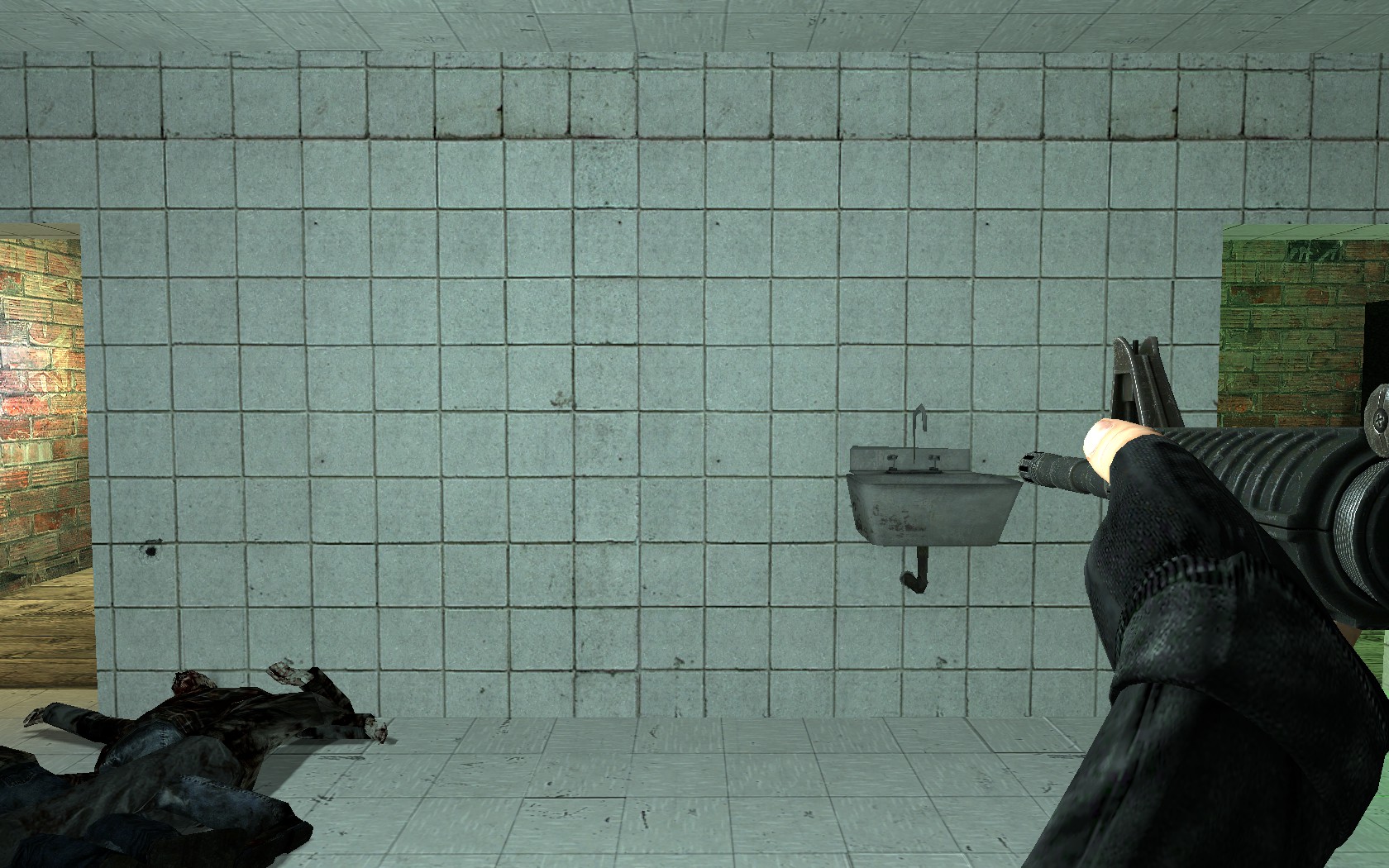
Most of the time, you'll be adjusting for abit, but it'll pay off in the end.
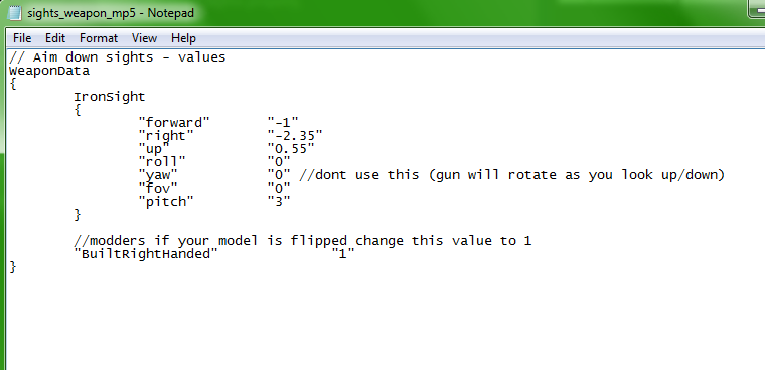
with the fixed numbers, It will now look like this!
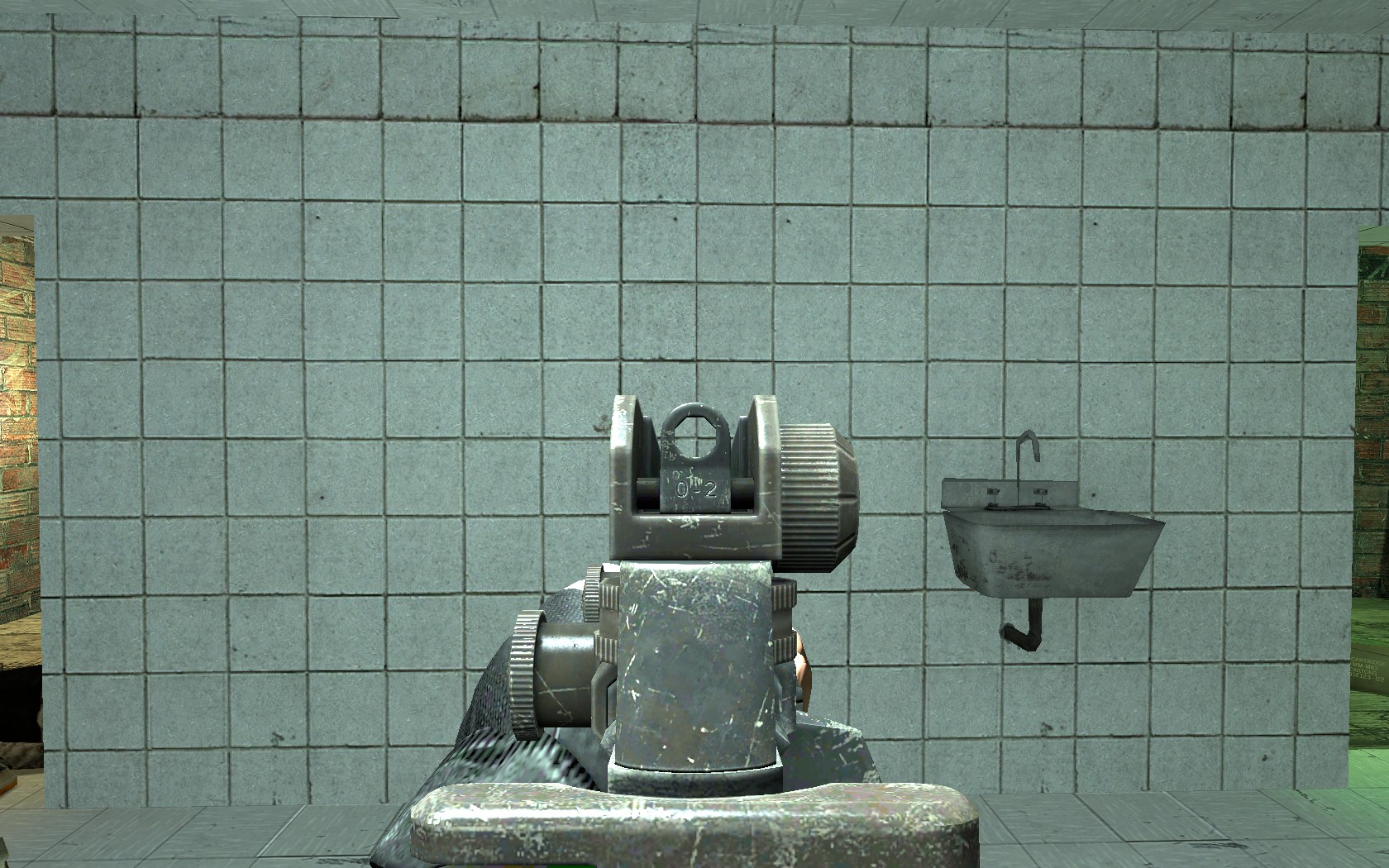
End
This can happend to any kind of weapon you wish to be in any kind of slot.
For example: AK-47 over Galil, Or TMP over MP5K, Or even a AUG over the MP5K!
And that's all you do! It's pretty simple and pretty fun to do, Some may find this very hard and confusing and it's understandable, You can take the time to read all of this carefully, and if i happend to miss a detail. I can clearly edit it in to make things easier!
And acoridng to some, The script may not exaclty work for Multiplayer on their end. and it can be just cause mostly of conflicting issues with other mods. I will look more into details hopfully about the whole reload glitches that some fans were having issues with.
Happy modding! and be sure to credit the original modder who made the weapon.
M4 over MP5K is also released!
- Console Commands cheat list★ 5 (209)13k views373 ♥2 minUpdated 17 Nov, 2019
- Помощь новичкам (06.01.16)★ 4 (112)5.7k views72 ♥4 minRussianUpdated 6 Jan, 2016
- Codename CURE - достижения (05.01.16)★ 4 (147)3.6k views155 ♥4 minRussianUpdated 6 Jan, 2016
- CURE - Workshop Guide★ 4 (72)2.8k views106 ♥8 minUpdated 14 Jul, 2022
- Улучшение игры!!★ 4 (46)2.5k views74 ♥1 minRussianUpdated 17 Apr, 2020
- Creating A Dedicated Server (18.09.17)★ 4 (35)2.4k views47 ♥3 minUpdated 18 Sep, 2017





- Upgrading to PremiumTeam Fortress 2★ 5 (20k)1441k views11k ♥6 minUpdated May 11, 2022
- No More Room in Hell Official ManualNo More Room in Hell★ 5 (2.8k)569k views2.1k ♥29 minUpdated Apr 22, 2019
- NMRiH Community Hosting GuidesNo More Room in Hell★ 5 (526)351k views653 ♥1 minUpdated Aug 10, 2022
- ULTIMATE GUIDE FOR GAME DEV TYCOONGame Dev Tycoon★ 5 (5.8k)326k views10k ♥4 minUpdated 23 Jan, 2014
- How to 'Git Gud' Soon™MORDHAU★ 5 (2k)318k views3k ♥68 minUpdated Nov 16, 2024
- Лучшие кооперативные игры SteamPAYDAY 2★ 5 (1.5k)315k views2.1k ♥56 minRussianUpdated Apr 27, 2025






This guide was created by its original author on the Steam Community. Are you the author and want it removed? Request removal.