Access the Developer Menu in Enclave
Introduction
In this small guide, I want to show you how to access Enclave's Dev Menu and small description of what it contains.
Instruction
To access Developer Menu first you should have access to the game's console, if you have it enabled skip the instruction till 3)
- You need to open the file "Environment.cfg". You can find it in your Enclave folder, for example my Enclave installed there:
- Add the following line to the file:
Save the file.
- Run Enclave and press tilde "~" and enter the command:
If you're troubling with finding where the button is, usually it's located on upper-left side of your keyboard, between "Escape" and "Tab" buttons.
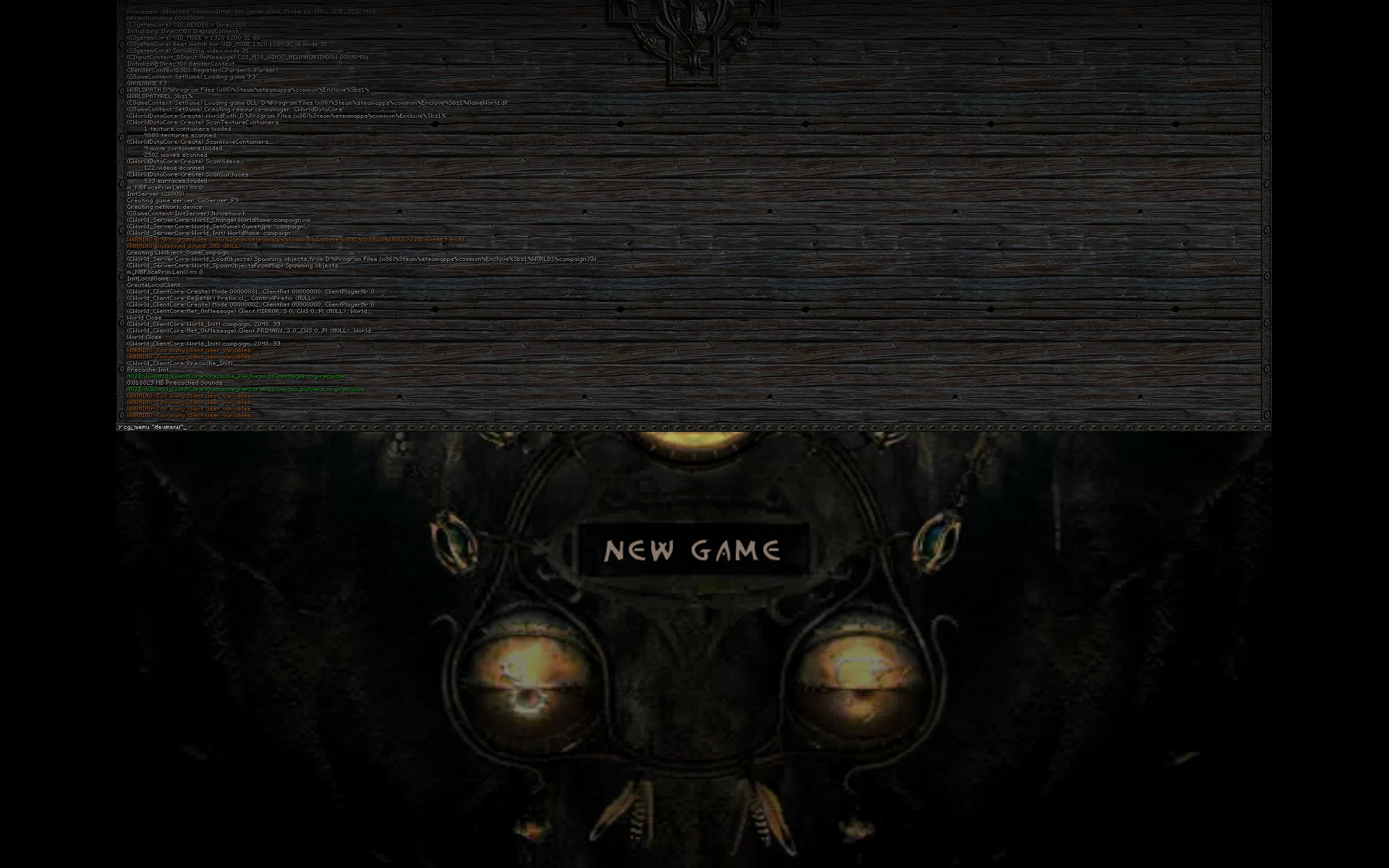
Note: Does not matter where you'll access Dev Menu, while playing in-game or from main menu.
Description
If you did everything right then you must be seeing the screen like this:
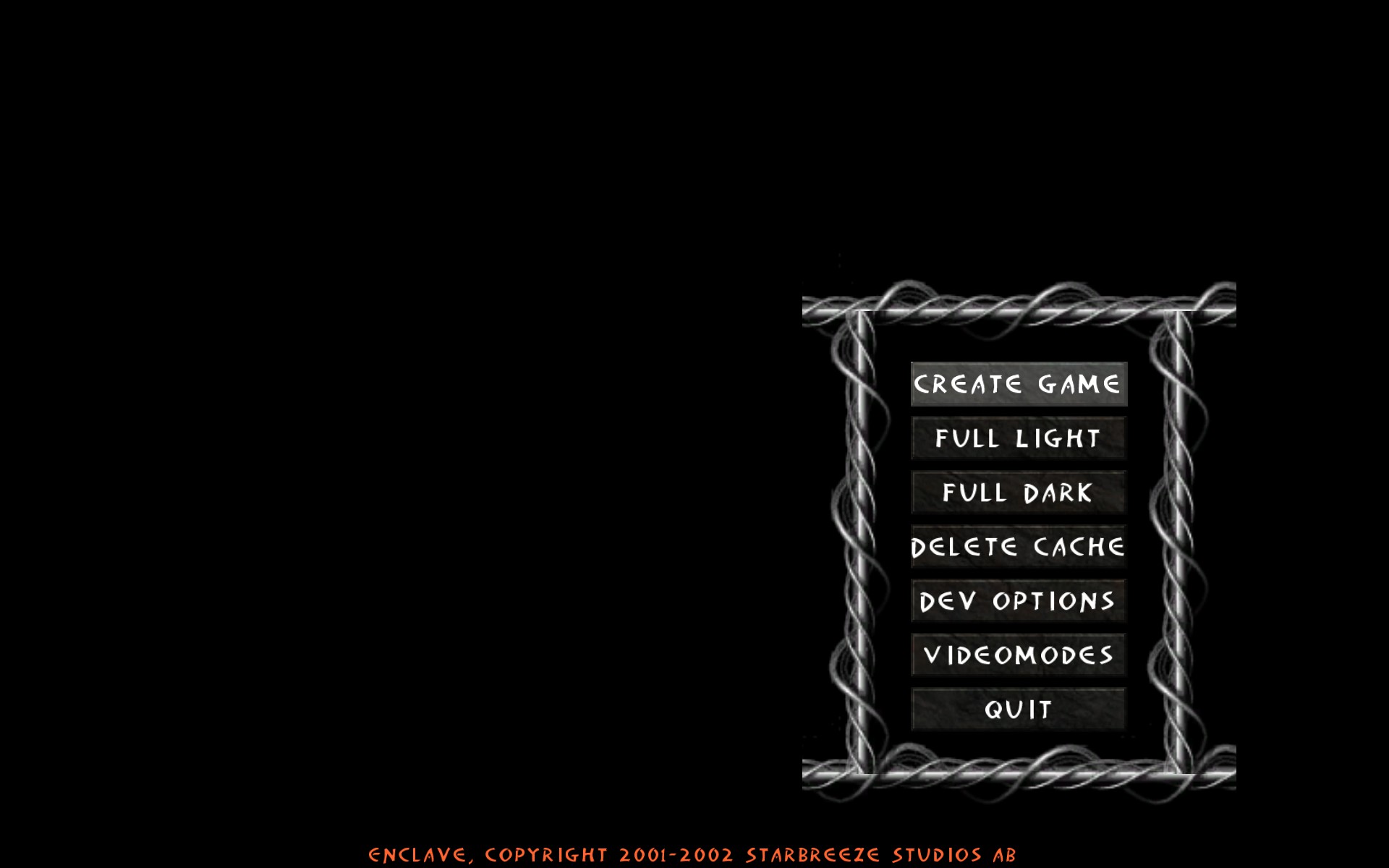
CREATE GAME - Shows the list of all levels what Enclave could locate in it own directory (user made too) you can pick one and play for both teams. Note that some level designers made for them own maps decent description, the number of supposed players in DM, good view static camera or flying around camera which shows the level when you choose what class to play or turn into spectator mode, etc.
List of levels which might be interesting to check or have confused names:
- CAMPAIGN - That level is probably being in use when we see character's model in equipment and class change menu.
- CHECKPOINTS - Test-level with six save checkpoints.
- CSD01-08 - Cut-scene levels for Dark Campaign.
- CSL01 - Cut-scene level when we first time arrive to Queen of Celenheim's Palace in Light Campaign.
- CSL02 - Cut-scene level after killing the demon Valor in the final level of Light Campaign.
- EAM2 - Deathmatch version of original survival level from SP. Has some problems with textures and access able way on roof.
- EAM3 - Deathmatch version of original survival level from SP. Background changed to blackone and the level set in dark time.
- EAM4 - Unused level in game, probably for duels in planned MP or SP.
- FAST - Test level with two iron tree-alike models.
- FASTC - Catapult and trebuchet testing level with minor cut-scene when you hit the wall in middle.
- GISHDM1 - Leftover level from the time when Enclave supposed to be Quake 3 clone game.
- MORDESSA - Mordessa's pit can be seen during cut-scenes in Dark Campaign, now you can fly around here.
- P3DM1 - Leftover level from the time when Enclave supposed to be Quake 3 clone game, can be seen on trailer.
- PELLEDARKMODELS - The level with various game models with different textures. Try to use view from first person mode here :P
- RAMP - Test level with wooden ramp in the middle. Probably for testing fall damage.
- TOM - The level crashes once as the game attempts to load it. I'm not sure, but it's that level where you can see horse mounted by Goblin from early Enclave trailer.
- WEAPONLIST - Test level, developers were checking the ability to pick up new weapon and replace the old one if it's in same weapon class.
FULL DARK - Same as "Full Light".
DELETE CACHE - removes cache caused by textures loading (?)
DEV OPTIONS - Be careful, changing settings here might cause game's crash.
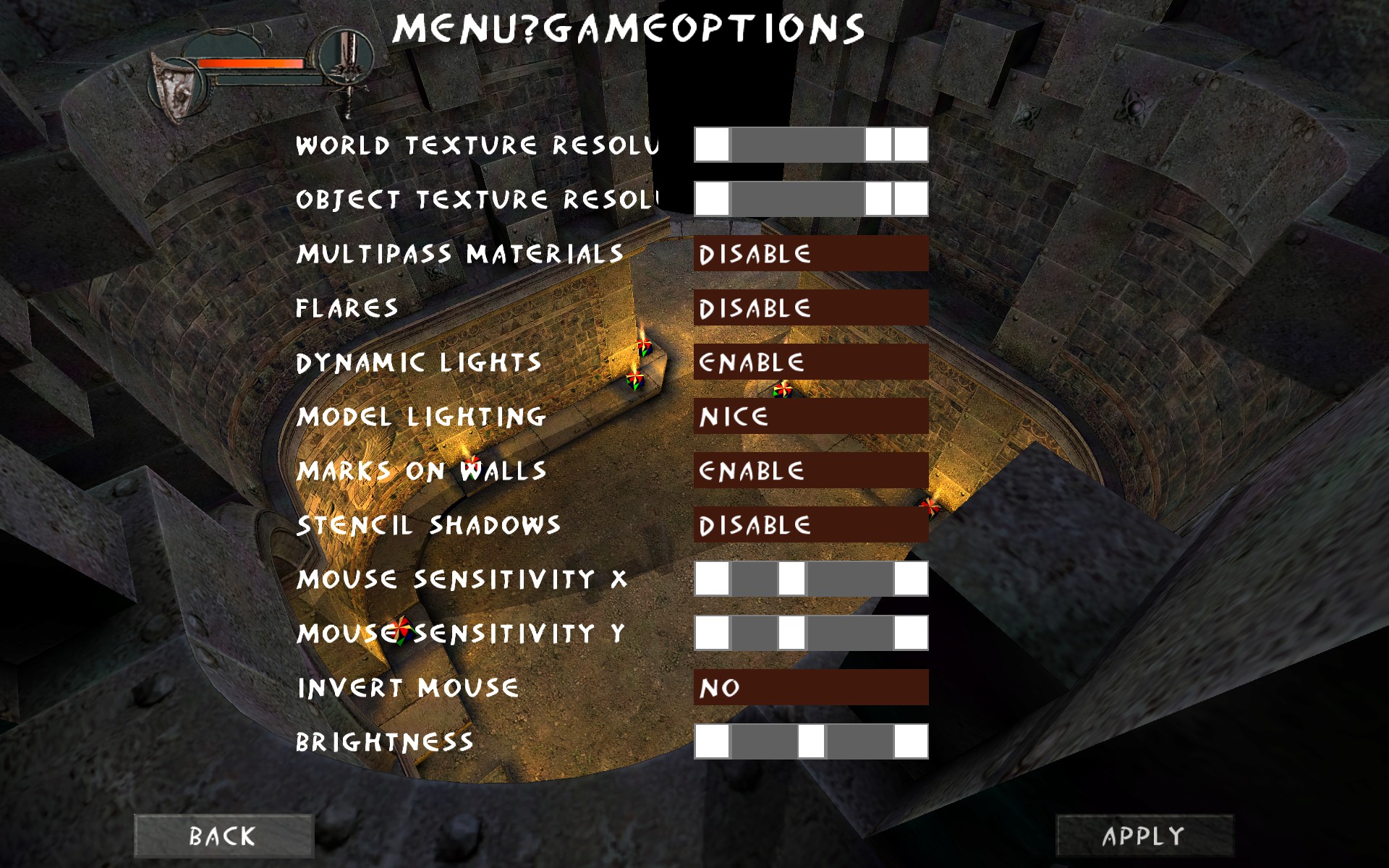
VIDEOMODES - Unworkable menu with supposed game resolutions choose, the only one thing which works here is button "back" which returns back to Dev Menu.
QUIT - Quits the game without showing developer credits.
Use command ( cg_menu "menu" ) to return back to the standard game's main menu once as you've done with Dev Menu. But I'd restart the game just for being sure that the game won't crash.
P.S. I'd really appreciate if you help me to find grammar mistakes in the text above to improve my knowledge of English as the language, not as the tool of international communication. If you've got anything else to add about Enclave Dev Menu, please feel free to write in comments.
- Русификатор ~ Enclave от Акелла★ 5 (398)14k views337 ♥1 minRussianUpdated 18 Oct, 2025
- Свет и Тьма (Обзор, Описание, Прохождение, Секреты, Читы, Гайд)★ 5 (452)8.9k views344 ♥60 minRussianUpdated 8 May, 2017
- Enclave Easter Eggs★ 5 (183)6.1k views119 ♥7 minUpdated 15 Oct, 2024
- Enclave - Misc FIXES 🔨★ 4 (74)5.5k views84 ♥6 minUpdated 20 Feb
- How To Enable The Console And Cheats For Enclave.★ 4 (60)3.7k views61 ♥2 minUpdated 15 Sep, 2014
- Cheatcodes for the game Enclave / Чит.коды к игре Анклав.★ 4 (71)3.5k views60 ♥1 minUpdated 8 Dec, 2016


- Upgrading to PremiumTeam Fortress 2★ 5 (20k)1441k views11k ♥6 minUpdated May 11, 2022
- No More Room in Hell Official ManualNo More Room in Hell★ 5 (2.8k)569k views2.1k ♥29 minUpdated Apr 22, 2019
- NMRiH Community Hosting GuidesNo More Room in Hell★ 5 (526)351k views653 ♥1 minUpdated Aug 10, 2022
- ULTIMATE GUIDE FOR GAME DEV TYCOONGame Dev Tycoon★ 5 (5.8k)326k views10k ♥4 minUpdated 23 Jan, 2014
- How to 'Git Gud' Soon™MORDHAU★ 5 (2k)318k views3k ♥68 minUpdated Nov 16, 2024
- Лучшие кооперативные игры SteamPAYDAY 2★ 5 (1.5k)315k views2.1k ♥56 minRussianUpdated Apr 27, 2025






This guide was created by its original author on the Steam Community. Are you the author and want it removed? Request removal.