Add Different Colors to your Name/Classes
Explanation
The code works by applying a hex to the characters after the code is typed. So after the hex is input, it changes the colors of ALL characters after the hex, until another hex is typed.
The hex key is the caret key or
eg.
but
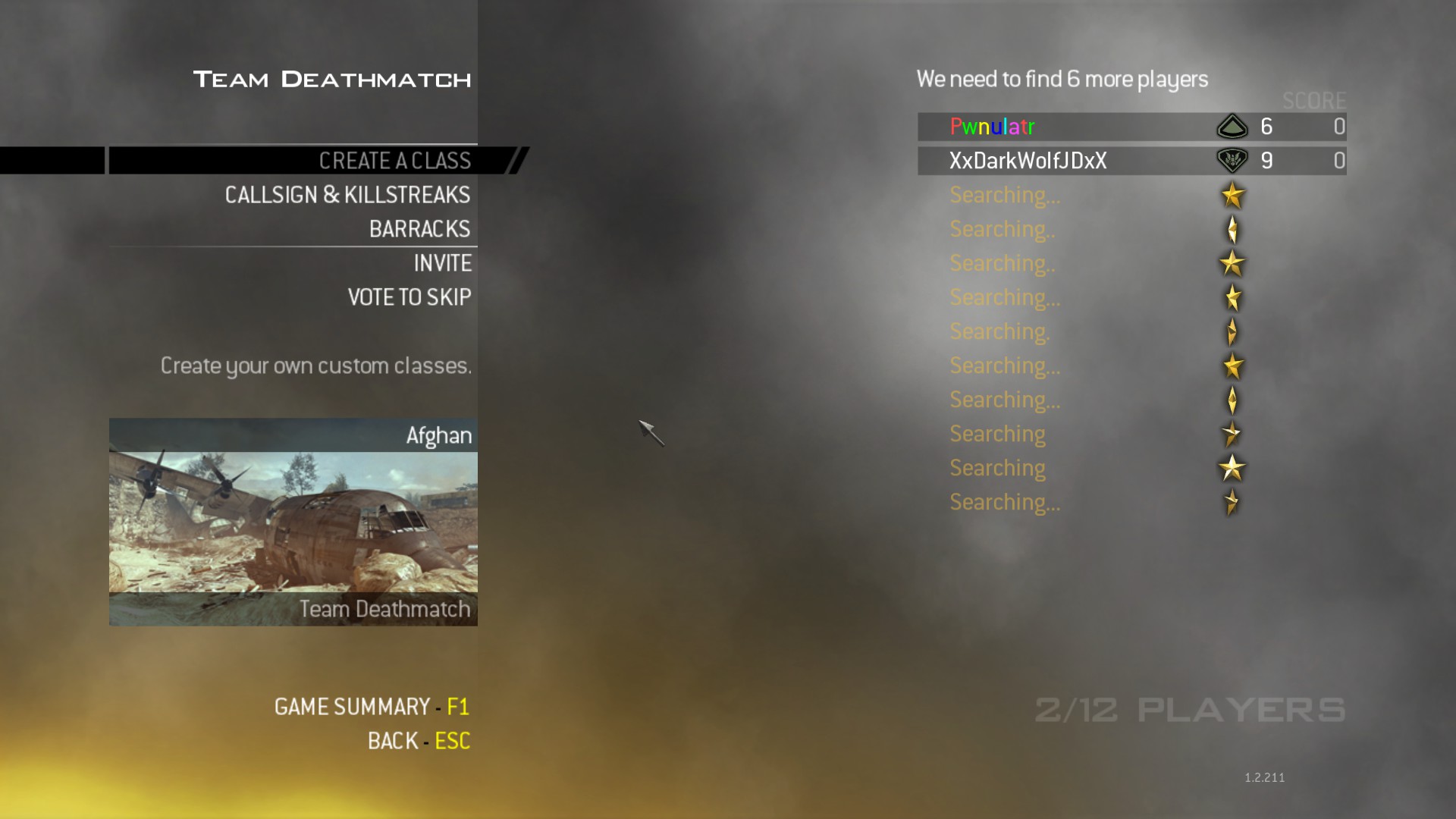
Here is what I input for my name in this screenshot
The hex key is the caret key or
^
which can be typed using Shift+6. The hex is followed by a number, which will determine the color of the characters following the hex.eg.
^1Pwnulatr
will make "Pwnulatr" completely red.but
^1Pwn^2ulatr
will make "Pwn" red and "ulatr" green.Here is what I input for my name in this screenshot
^1P^2w^3n^4u^5l^6a^1t^2r
Different Colors
Hex
Color
^1
Red
^2
Green
^3
Yellow
^4
Blue
^5
Cyan
^6
Pink
^7
White
^8
Depends on Map
^9
Gray
^0
Black
FAQ
Question
Will this get me VAC banned?Answer
NO. It was a feature included in the game as an easter egg, so it will not get you banned. However, people who don't know how to do it will accuse you of being a hacker a lot of the time, which I'm sure you can deal with ;)Question
Will the Hex (eg. ^2) be visible in my name?Answer
When someone views your Steam profile, YES, but in-game, NO.Question
How/Where do I apply the code?Answer
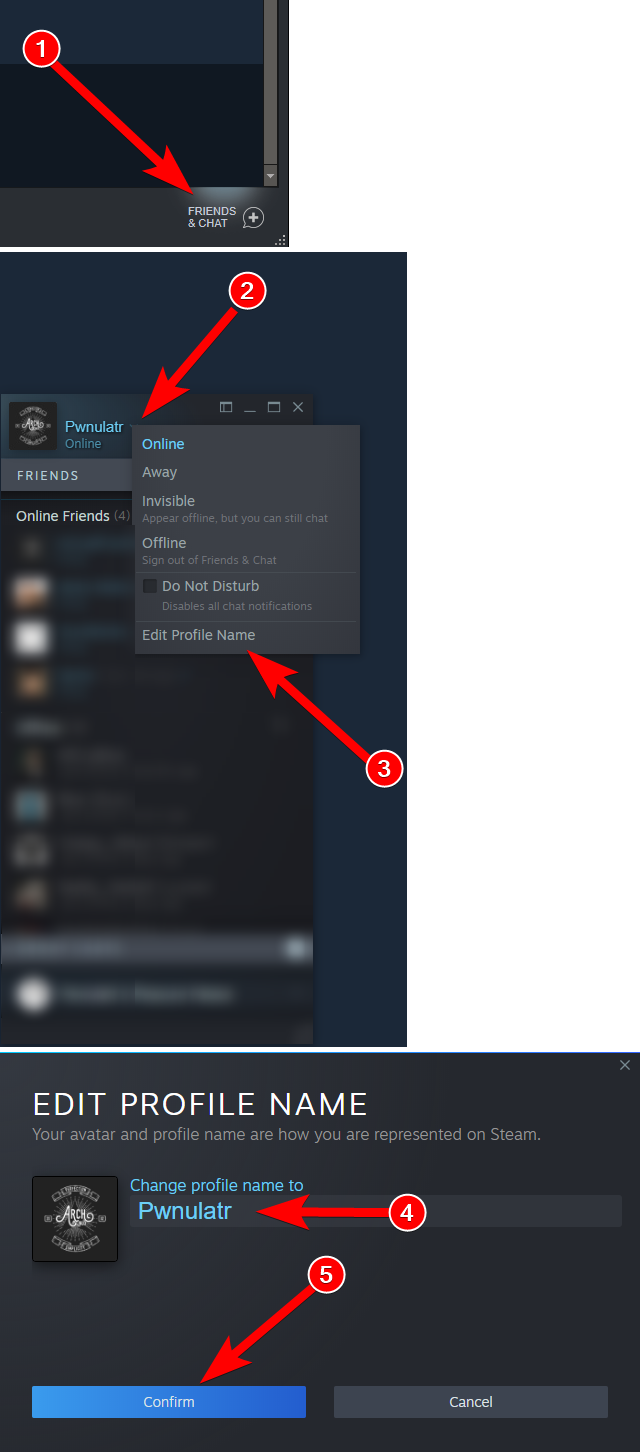
You apply this code to your ingame name, through Steam, or when you rename your classes. Note When you enter the code into your class name, the ^ and number will disappear and you will type in the color you input.Here is how to change your name through Steam.
More Call of Duty: Modern Warfare 2 (2009) - Multiplayer guides
- Changing Name Color★ 5 (291)47k views311 ♥1 minUpdated Dec 22, 2020
- How to use your UAV★ 5 (501)37k views200 ♥3 minBulgarianUpdated May 26, 2016
- Little-Known Tube Rifle Secret★ 5 (588)27k views248 ♥2 minUpdated Oct 4, 2017
- Changing your FoV (Field of view) [Guide restored and updated]★ 4 (166)26k views215 ♥3 minBulgarianUpdated Aug 6, 2023
- HOW TO -- Never Rejoin a Modded Lobby Again EZ★ 4 (224)26k views267 ♥7 minUpdated Nov 12, 2019
- How to use a controller on MW2 (360/XB1/XSX, PS3/PS4/PS5)★ 4 (118)22k views128 ♥2 minUpdated Jul 19, 2023



This guide was created by its original author on the Steam Community. Are you the author and want it removed? Request removal.