Ballmer Baller achievement, step by step
foreword
u both gaythat achievement sucksno u
it is a straightforward guide on how to install VirtualBox + Zorin OS (Linux distro) in order to get that splendid achievement
just follow every step closely and pay attention to the screenshots. you will get that achievement in ~60min
requirements:
- at least 13GB of free space
- 4GB RAM
- 256MB VRAM
⚠️ important ⚠️
if you managed to "stuck" inside VirtualBox, then:
...press WINKEY (right of CTRL)
...or RIGHT CTRL
...or RIGHT CTRL + C
...or RIGHT CTRL + H
VirtualBox
⠀⤷ download
download that archive[drive.google.com]
it is a portable VirtualBox. I already configured everything and created a profile for future Linux installment - you don't need to manually edit anything
that variant of VirtualBox doesn't modify your PC's network and leaves no services in startup
it is a portable VirtualBox. I already configured everything and created a profile for future Linux installment - you don't need to manually edit anything
that variant of VirtualBox doesn't modify your PC's network and leaves no services in startup
⠀⤷ unpack
you need 7-zip[www.7-zip.org] to unpack the archive
any folder will go, but better unpack closer to root folder like so and on SSD:
any folder will go, but better unpack closer to root folder like so and on SSD:
C:\ Portable \ VirtualBox \
⠀⤷ launch
look inside the archive for Portable-VirtualBox.exe file, double-click
it will launch the program, no need to install anything
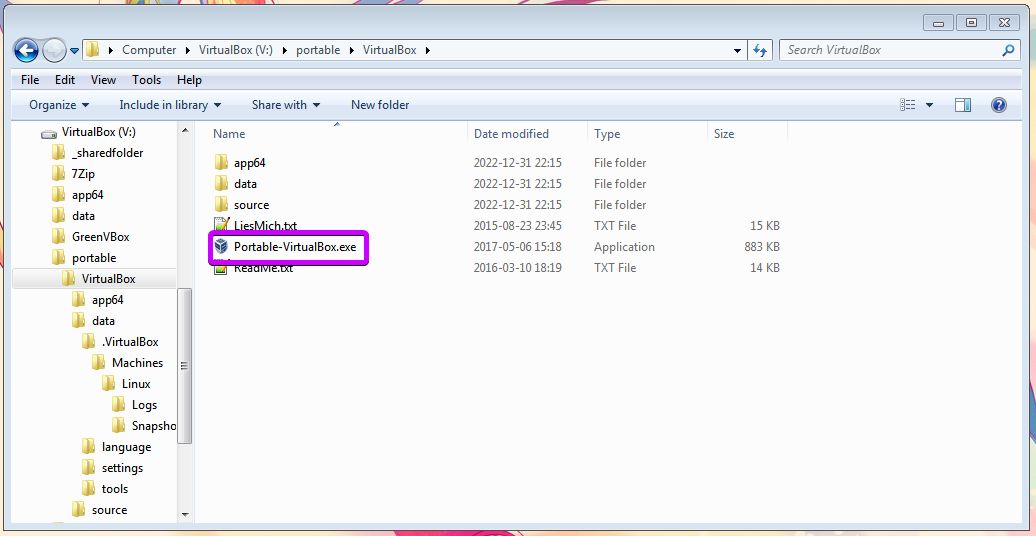
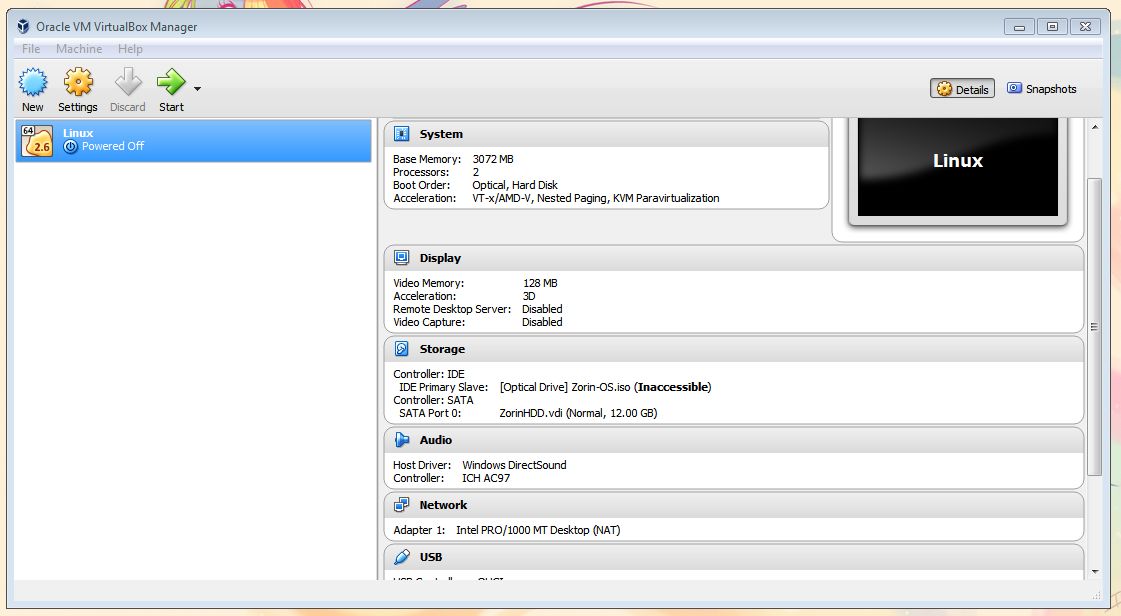
it will launch the program, no need to install anything
Zorin OS
⠀⤷ download ISO
Zorin OS is a slick Linux distro that resembles Windows a lot. you don't need to be a terminal-guru to run that baby effectively
download ISO of Zorin OS Lite from official Zorin OS site. it is of ~2.7GB
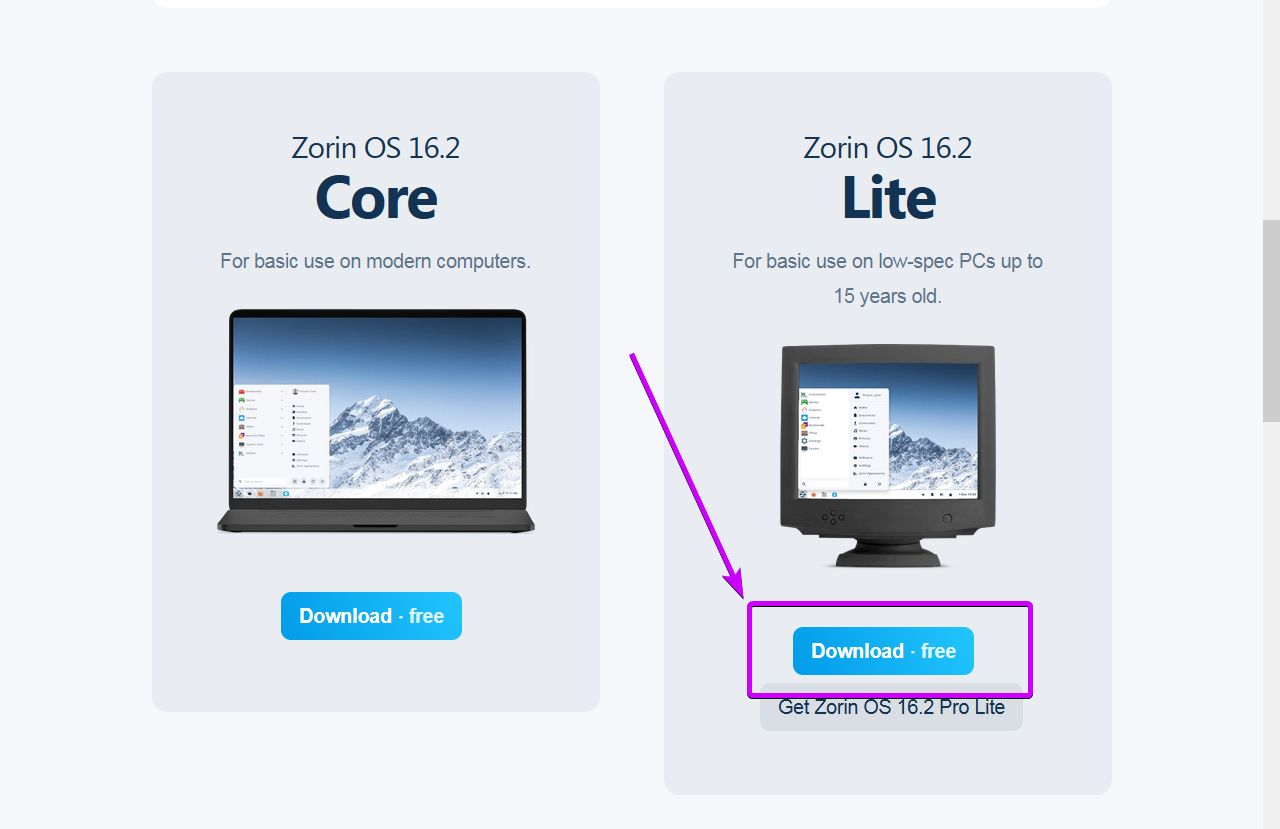
download ISO of Zorin OS Lite from official Zorin OS site. it is of ~2.7GB
⠀⤷ set ISO to VirtualBox
switch back to VirtualBox and look for bold black "Inaccessible" string in the middle
click on it ➞ "Choose Disk Image" ➞ select newly downloaded Zorin OS ISO
if you did it right then "Inaccessible" will go away and instead it will tell the size of ISO
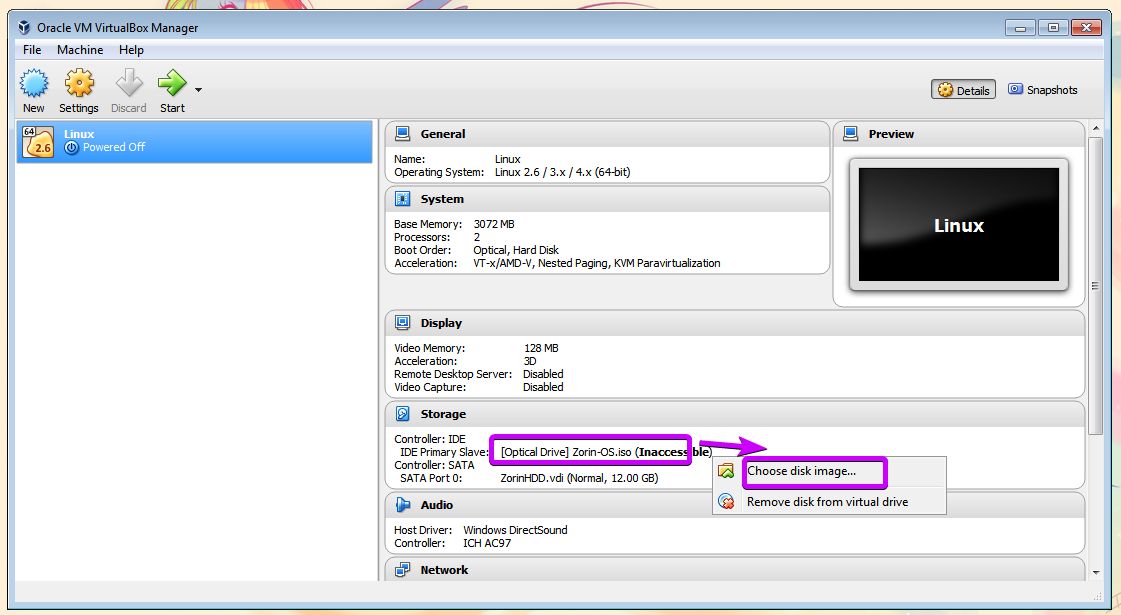
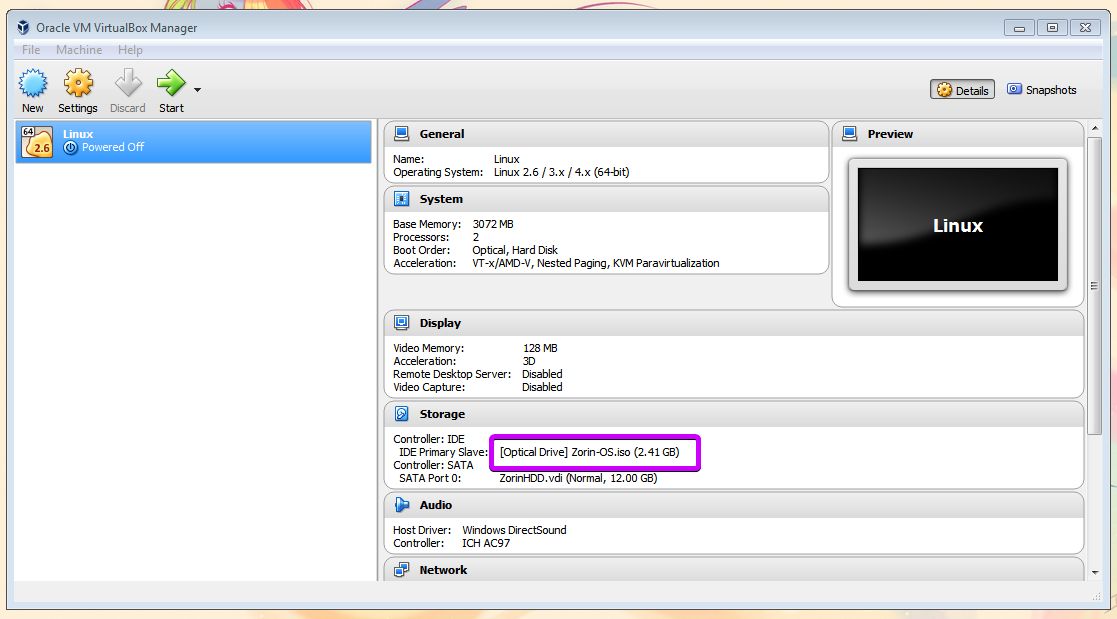
(IDE primary slave: [Optical-Drive] Zorin-OS.iso (Inaccessible)"
click on it ➞ "Choose Disk Image" ➞ select newly downloaded Zorin OS ISO
if you did it right then "Inaccessible" will go away and instead it will tell the size of ISO
⠀⤷ start
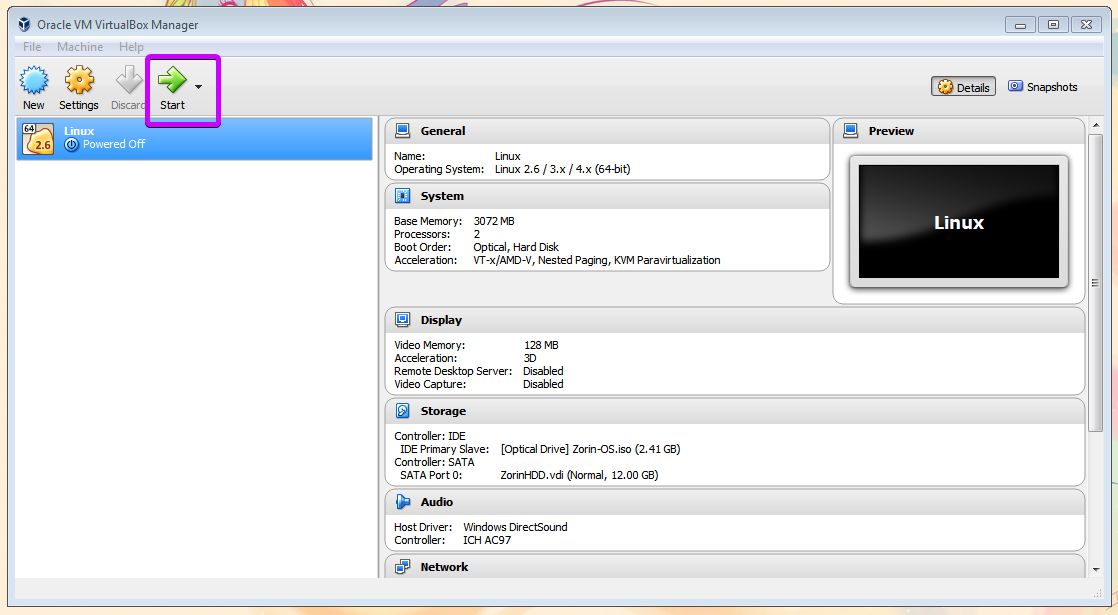
now just press the big green "START" button
installation
⠀⤷ launch
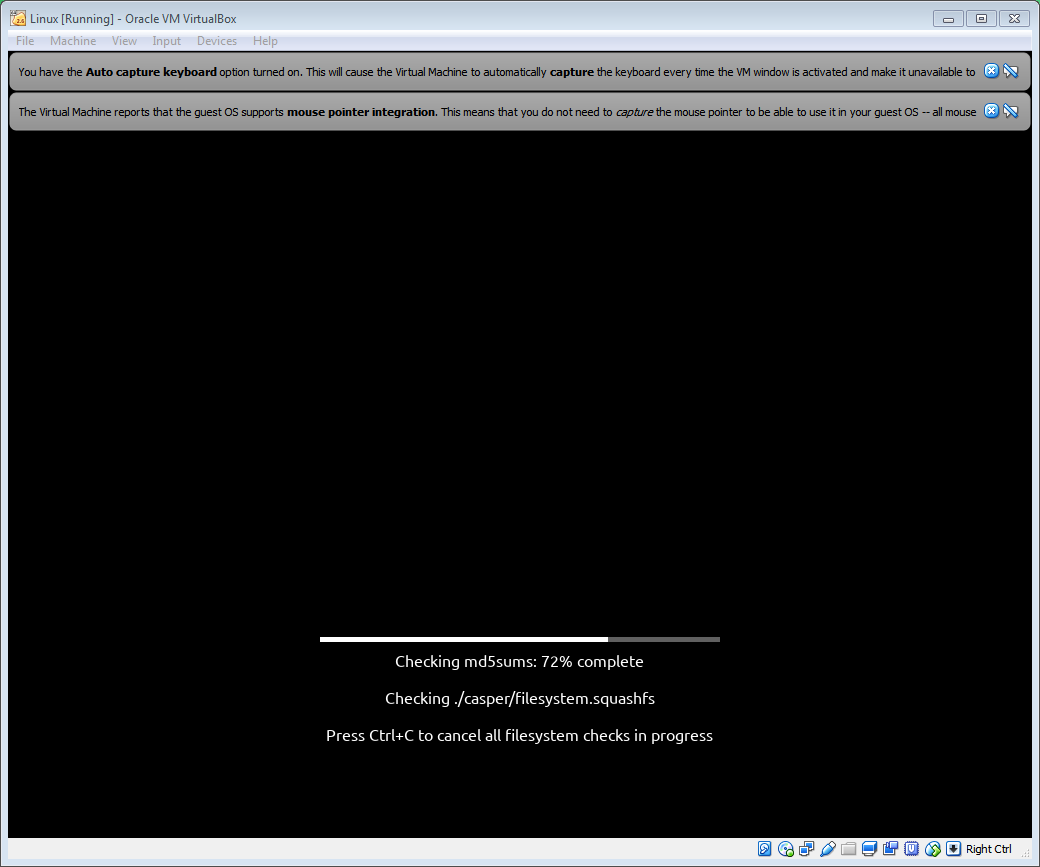
you will see black screen with a loading bar. leave it be
after that you will be asked whether you want to try OS or install it. select "Install Zoris OS"
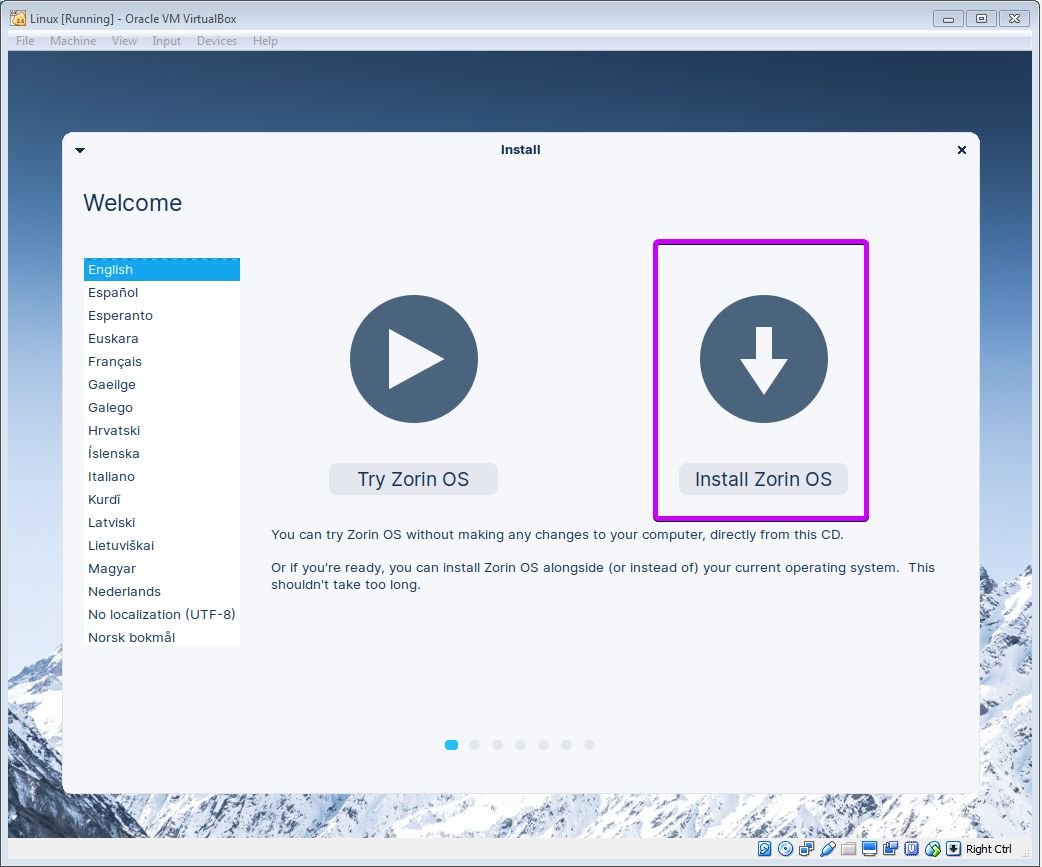
after that you will be asked whether you want to try OS or install it. select "Install Zoris OS"
⠀⤷ language and updates
first you will be asked for language. pick whatever you want or stick with English master-lingo
then you will be asked about updates and third-party drivers - deselect everything, you don't need them
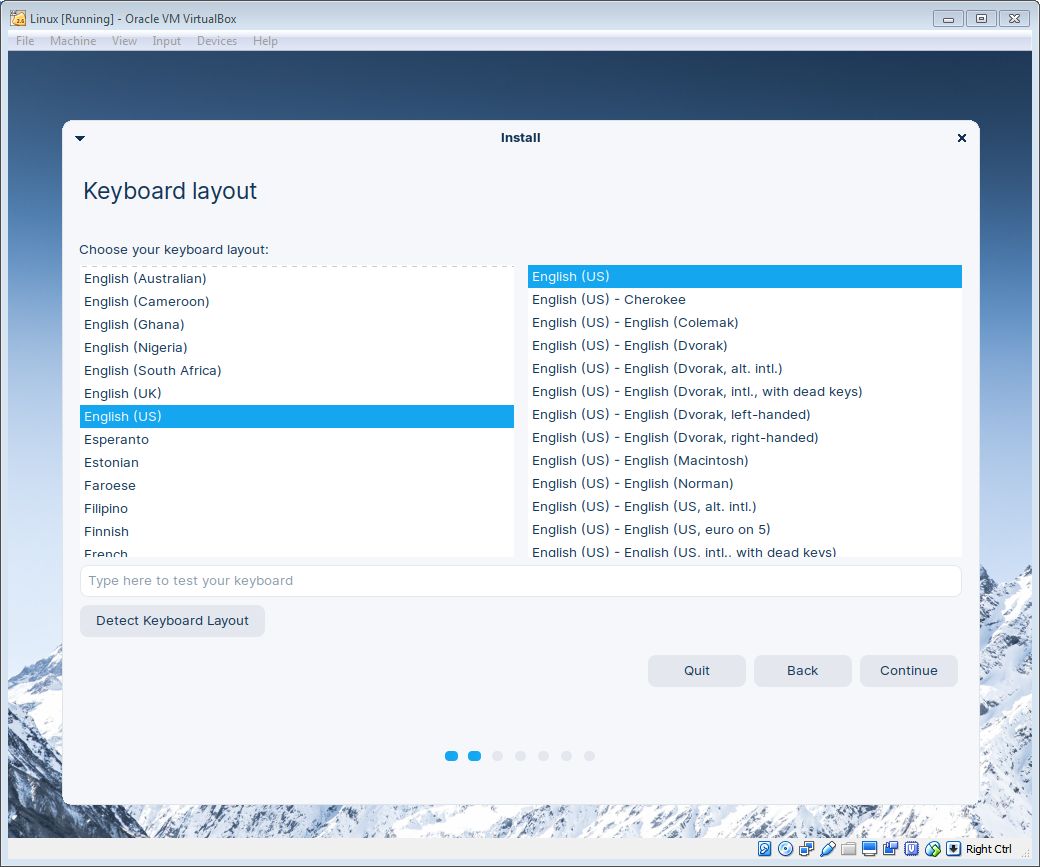
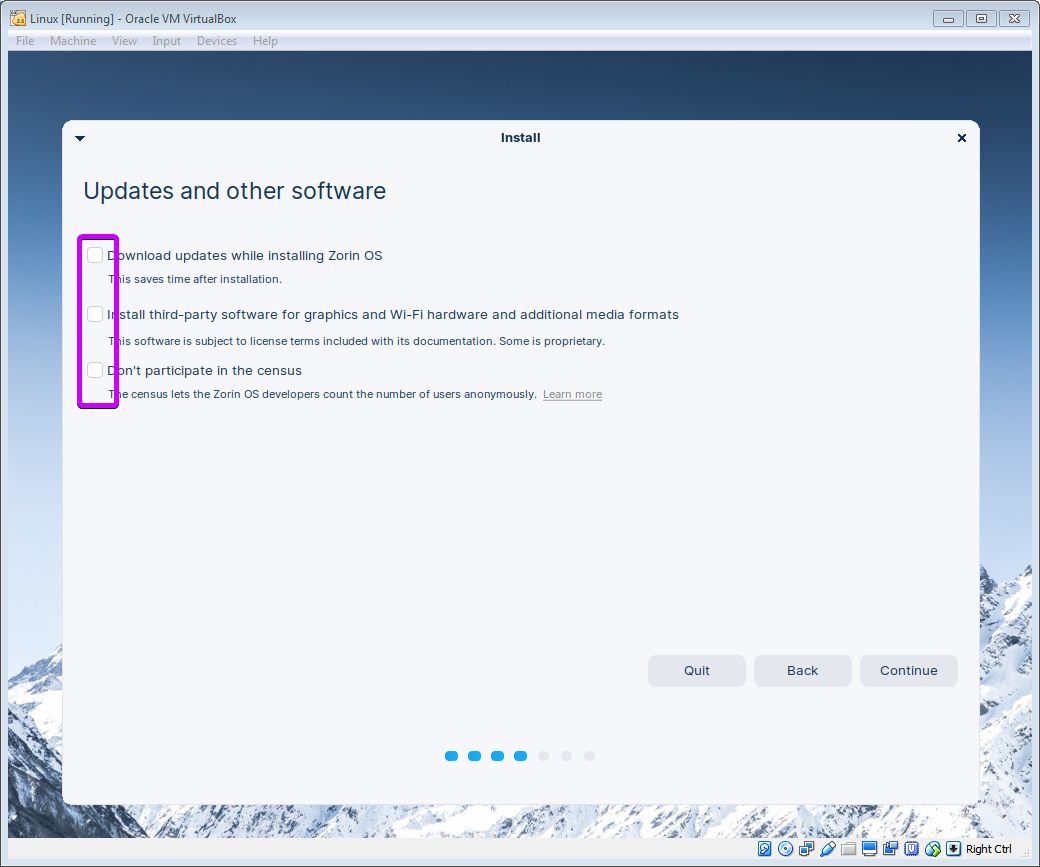
then you will be asked about updates and third-party drivers - deselect everything, you don't need them
⠀⤷ partition
next, the installer will ask the location of files
select "Erase disk and install Zorin OS", and continue further
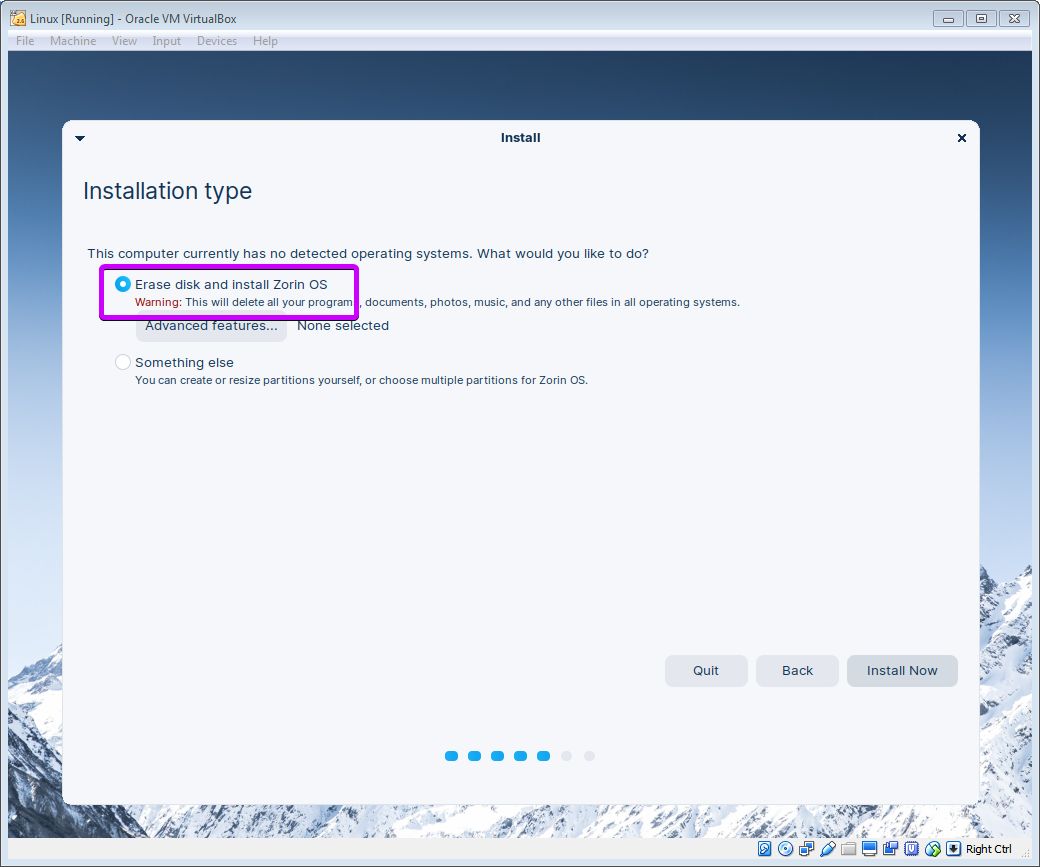
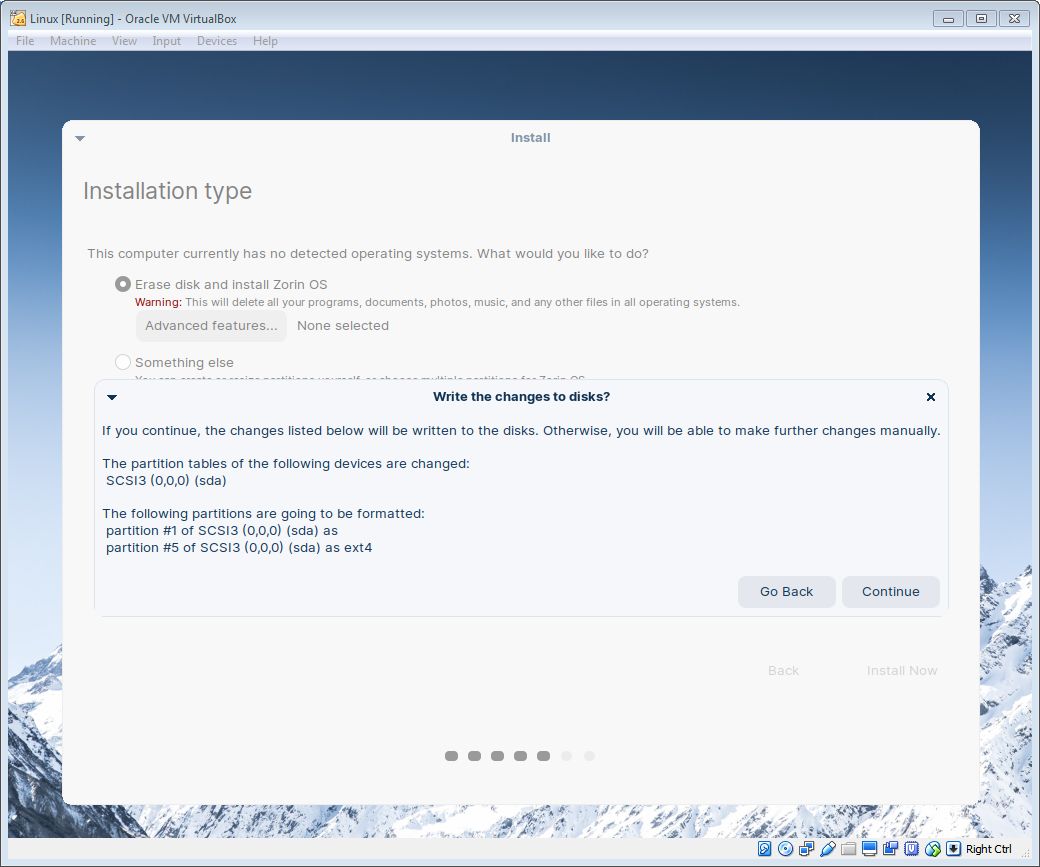
select "Erase disk and install Zorin OS", and continue further
⠀⤷ timezone and account
next step - pick your time zone
and finally create an account and password. use very simple password, like "1234", don't go fancy
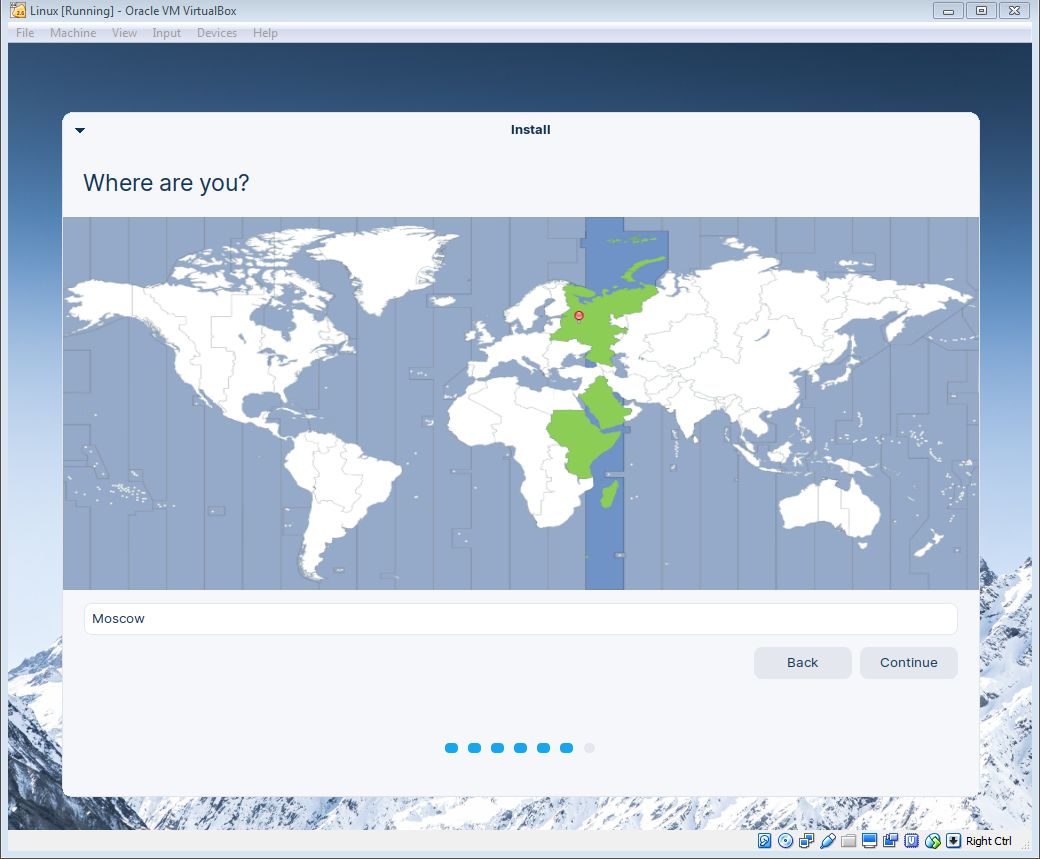
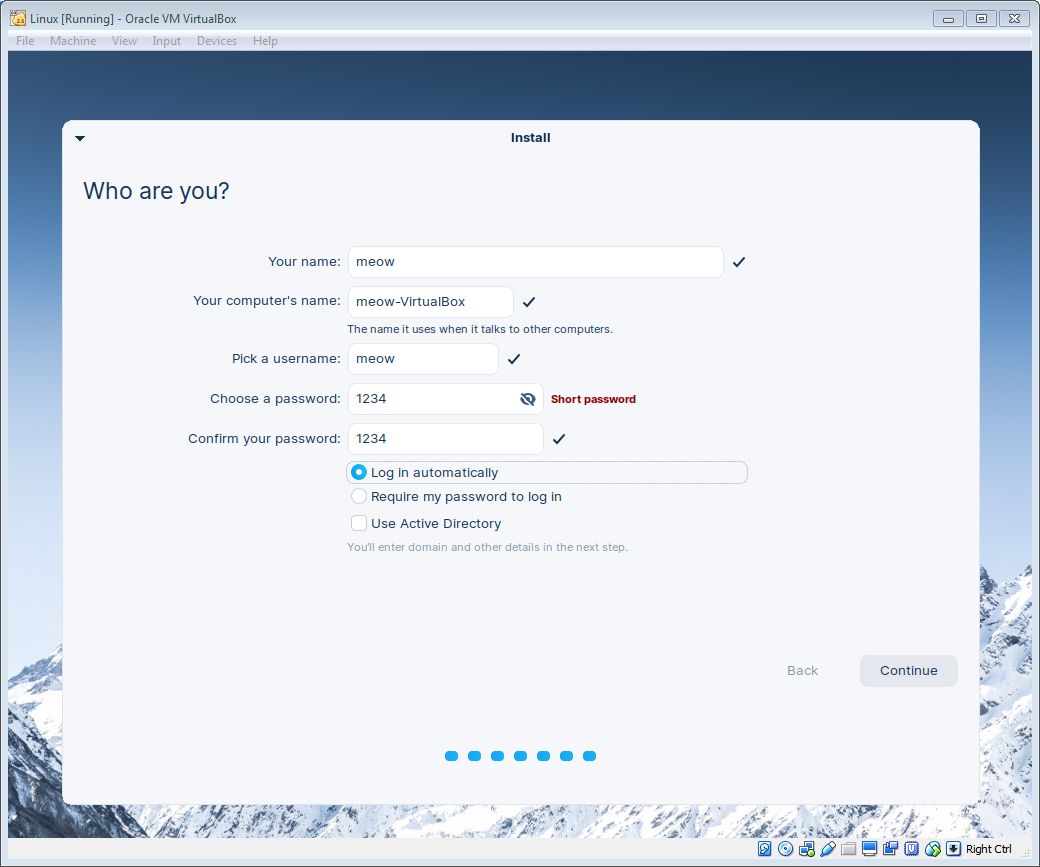
and finally create an account and password. use very simple password, like "1234", don't go fancy
⠀⤷ installation
and finally just wait for the installation to finish
at the end you will be asked to restart. click the only button there is
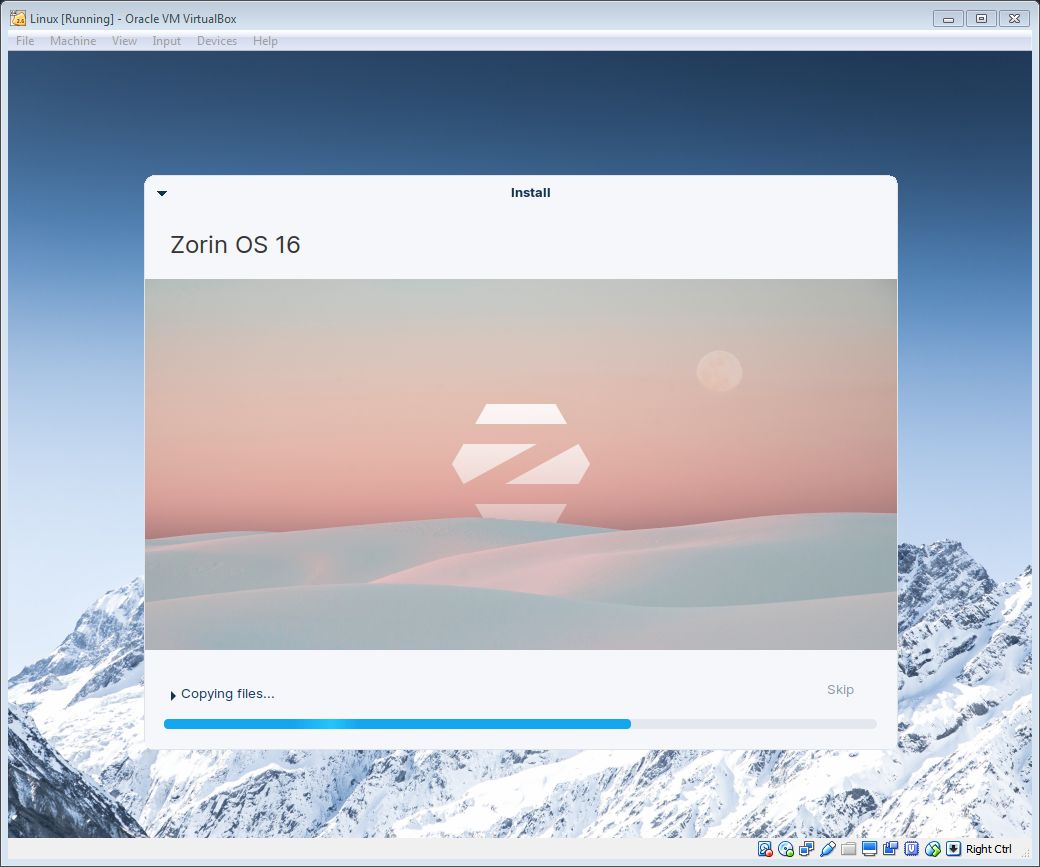
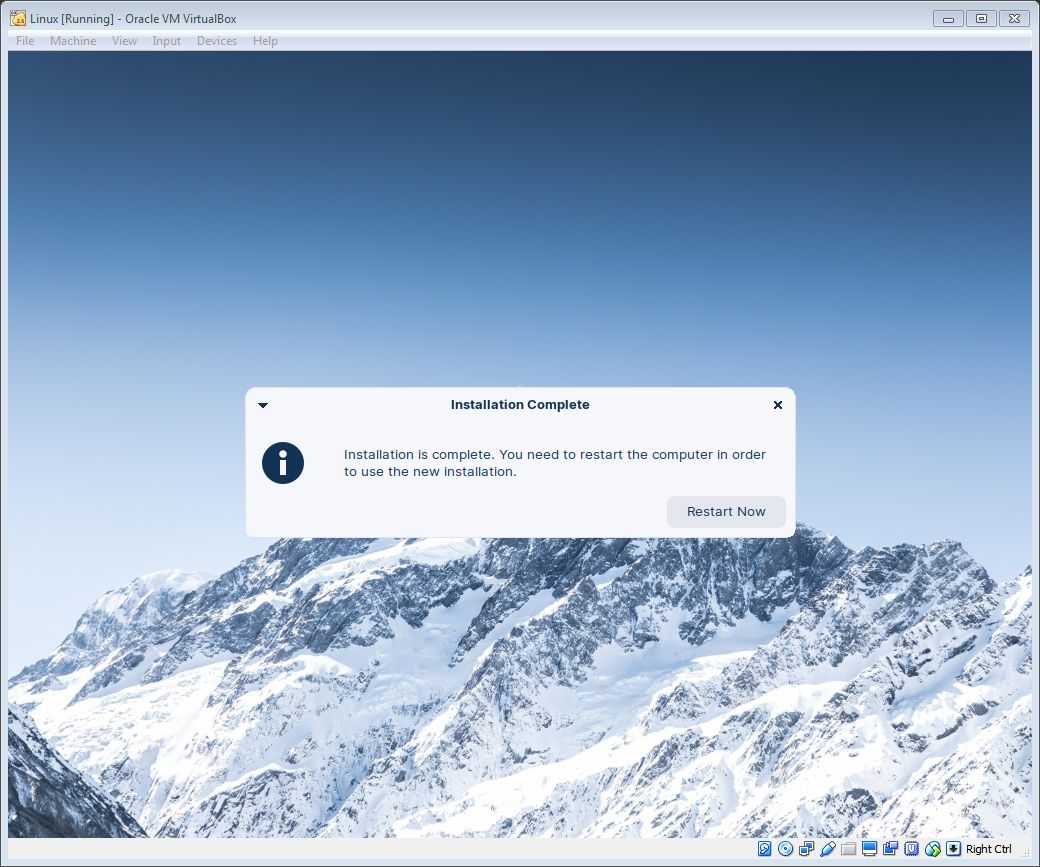
at the end you will be asked to restart. click the only button there is
repository
⠀⤷ remove ISO
Zorin OS will ask you to remove installation medium. select above
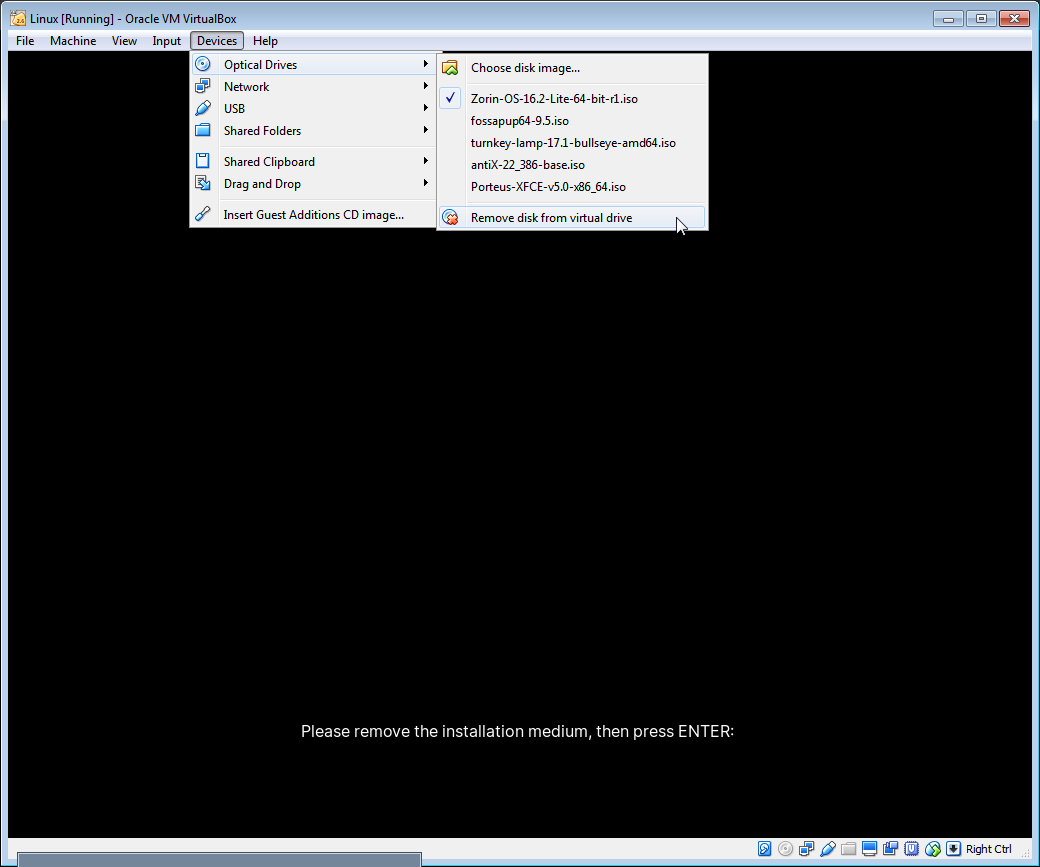
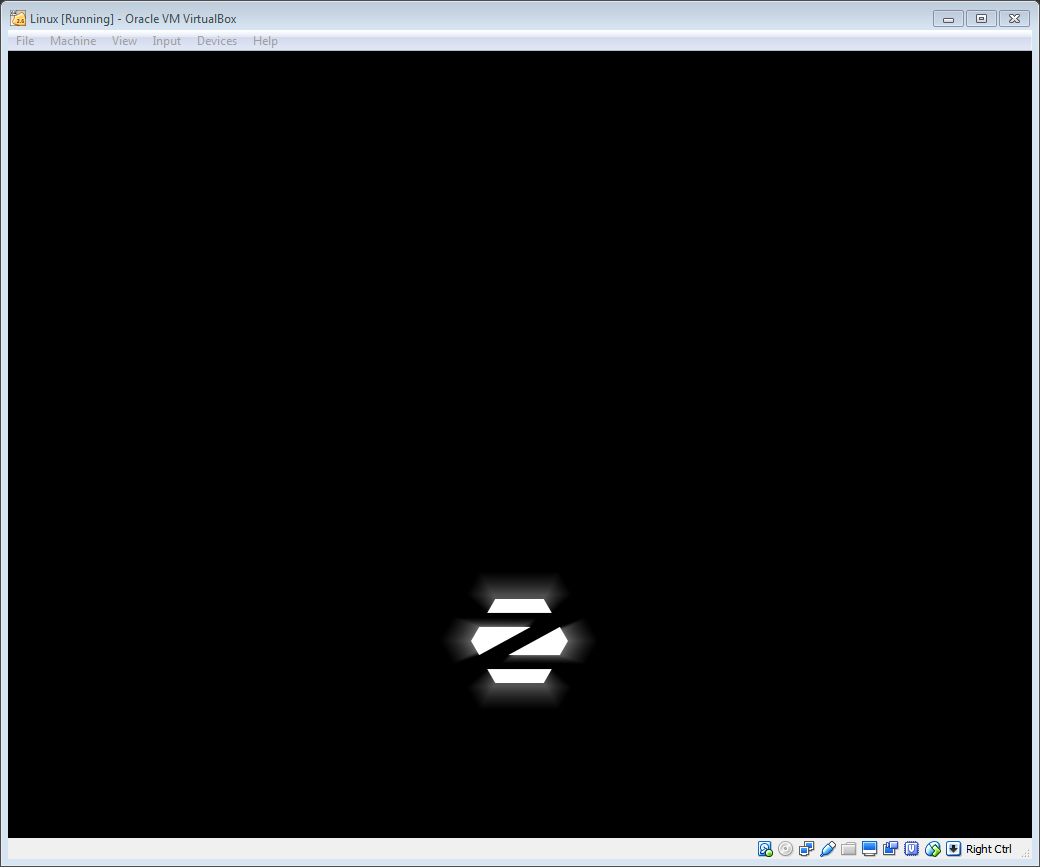
"Device" ➞ "Optical Drives" ➞ "Remove disk from virtual drive"
then press ENTER
⠀⤷ authentication
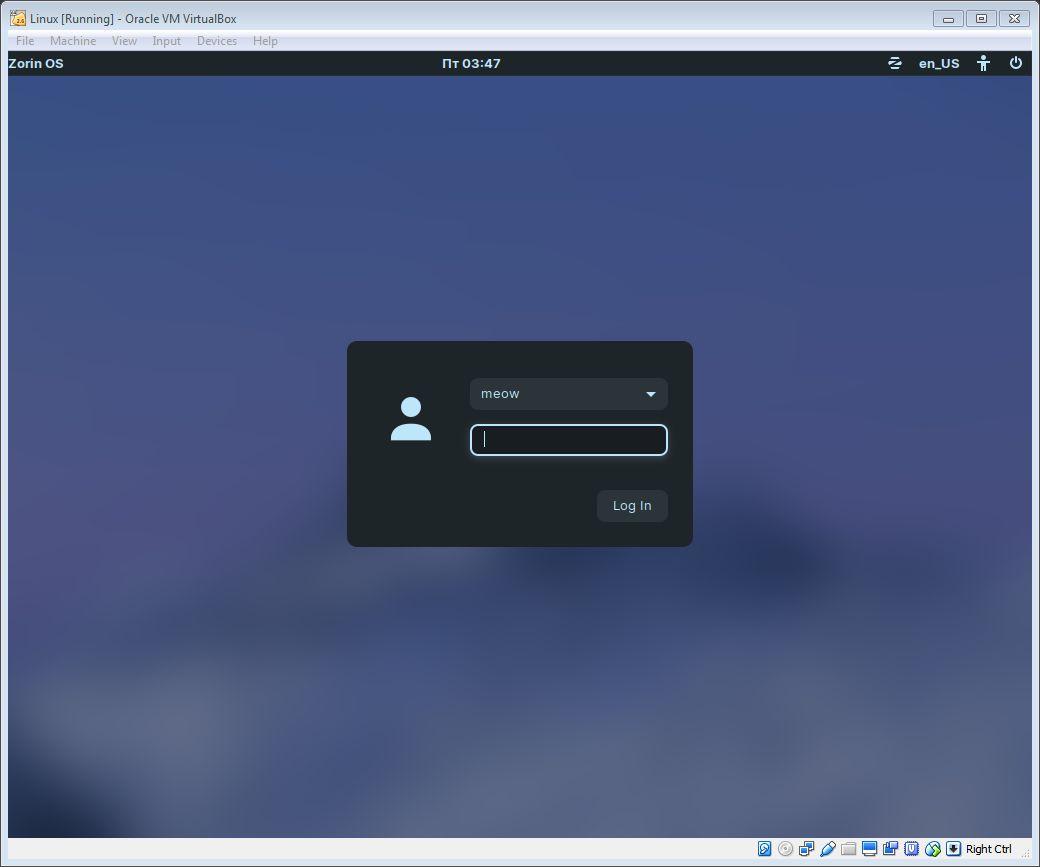
you will be asked to type your password, do it and behold your cutesy-whimsy Linux machine
select "No thanks" to the suggestion to show you off
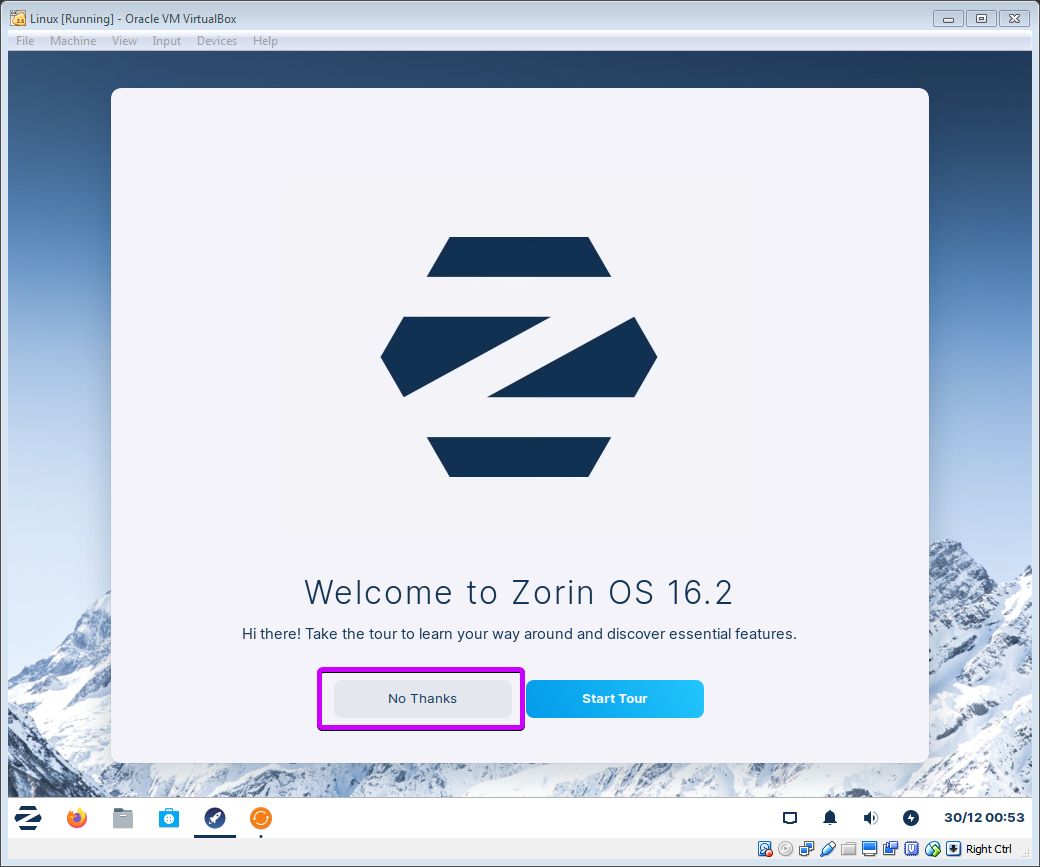
select "No thanks" to the suggestion to show you off
⠀⤷ launch repo
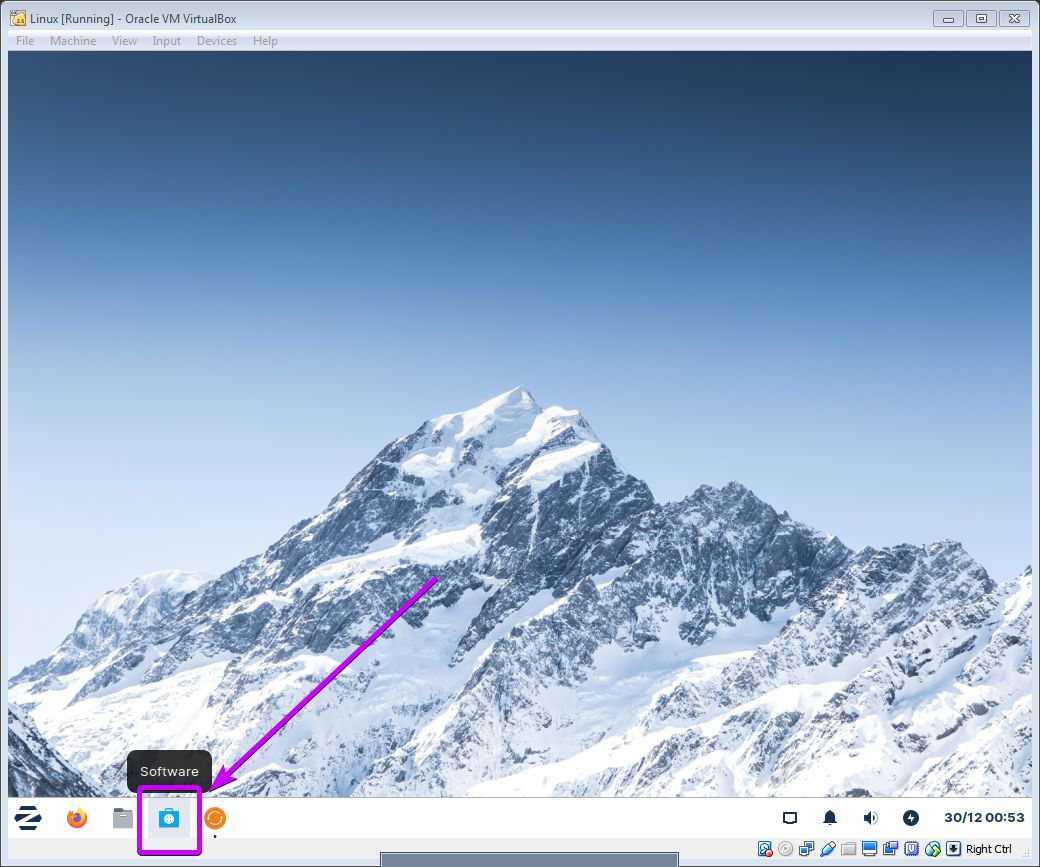
in the bottom left-corner look for "Software" icon, click it
your will be welcomed with big flashy popup. select "Let's go shopping"
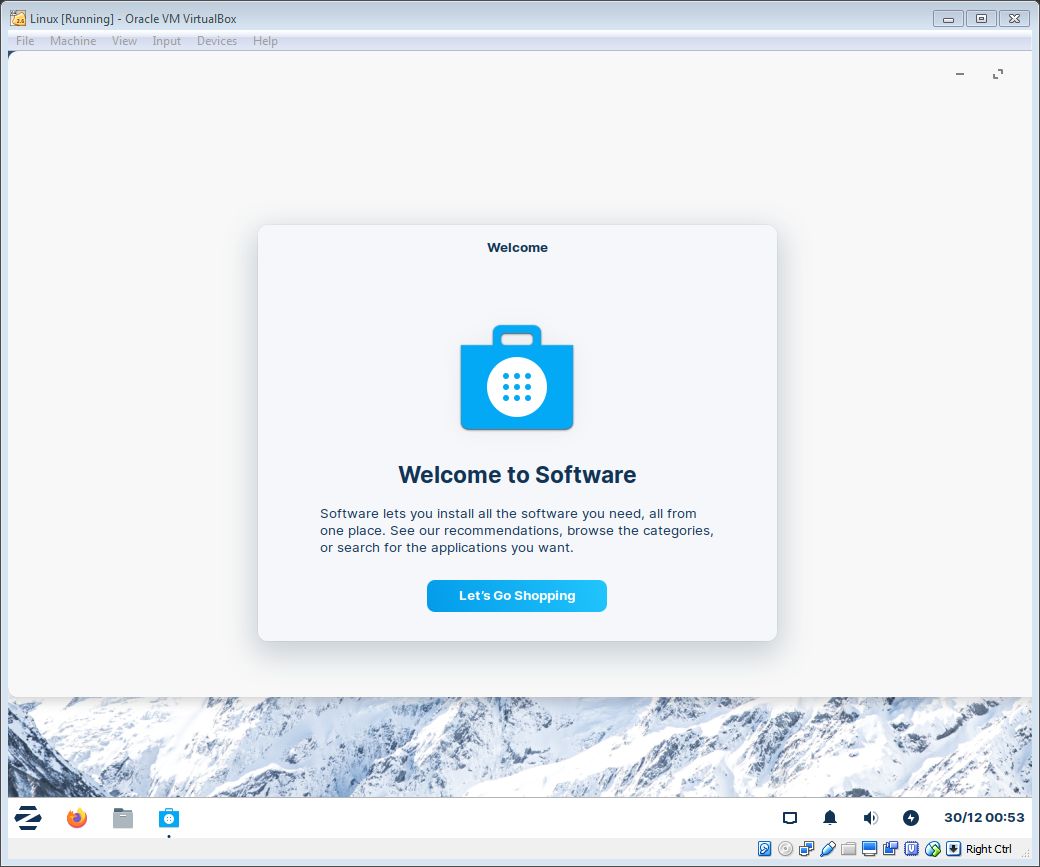
your will be welcomed with big flashy popup. select "Let's go shopping"
⠀⤷ sync repo
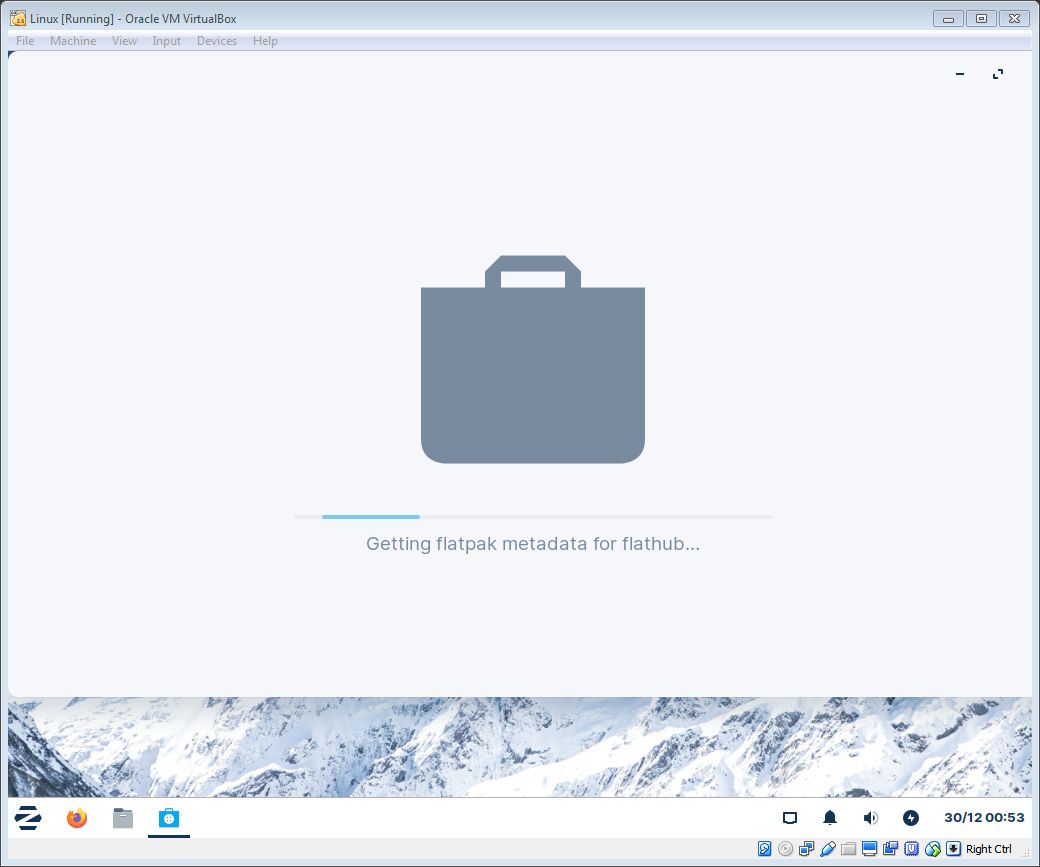
Zorin OS will sync its software database with servers, give a minute
Steam
⠀⤷ search for
wait until sync is done. click on magnifying glass icon in top-left and type "Steam"
click on its entry.
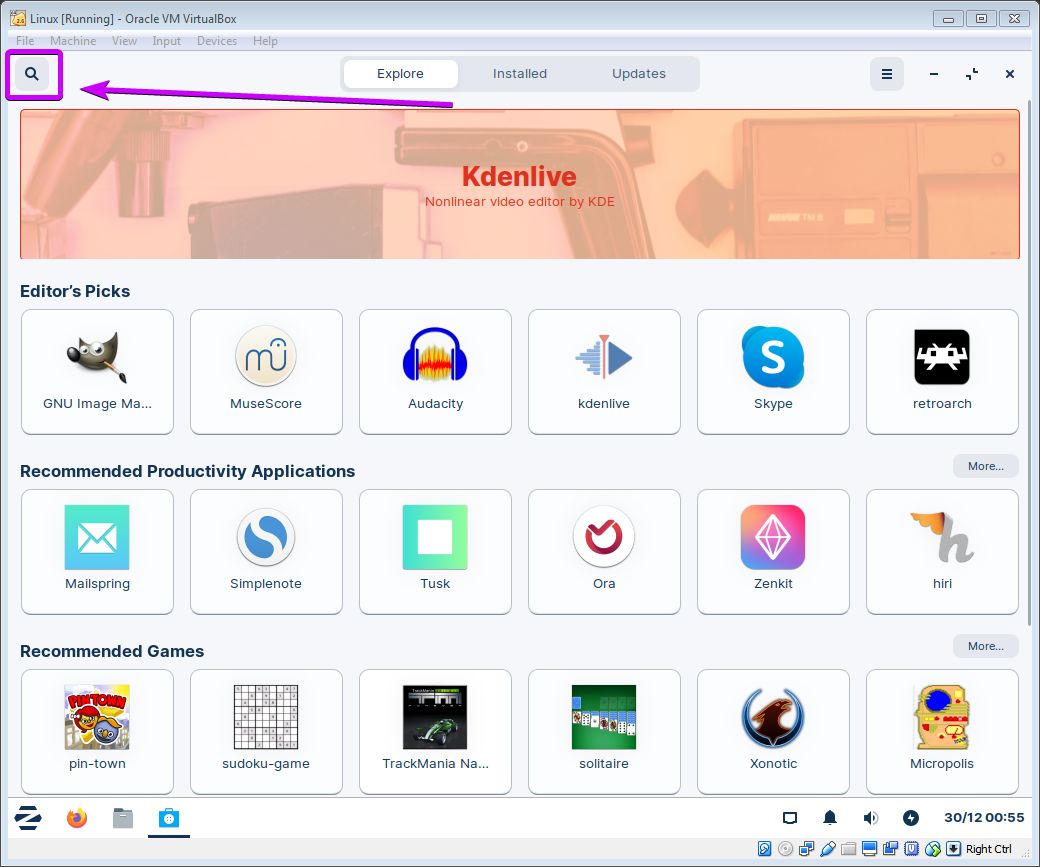
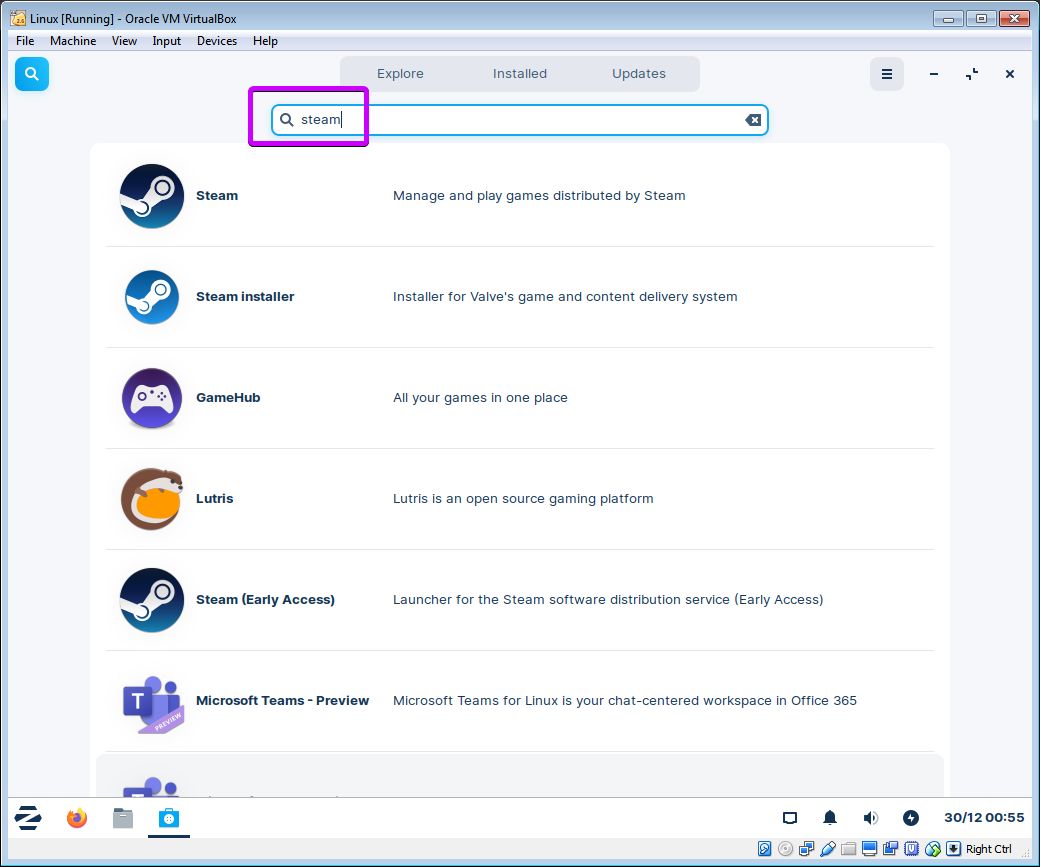
click on its entry.
⚠️ you need "Steam" not "Steam Installer"
⠀⤷ install
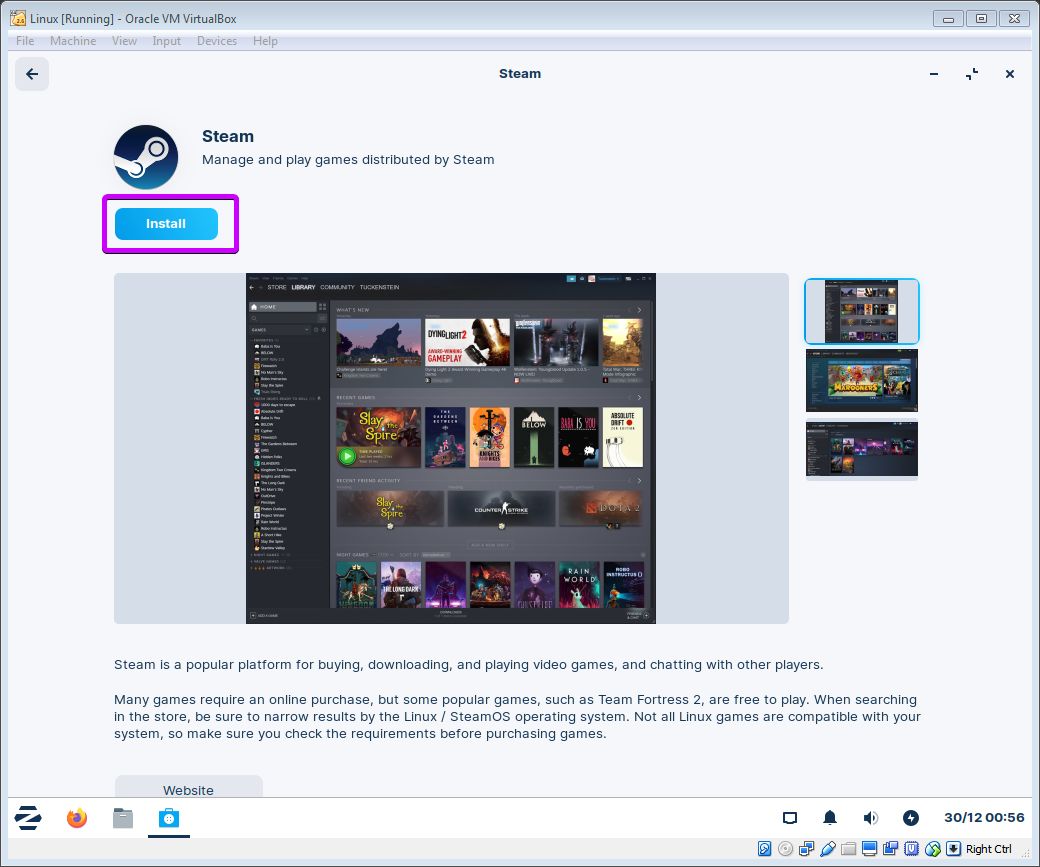
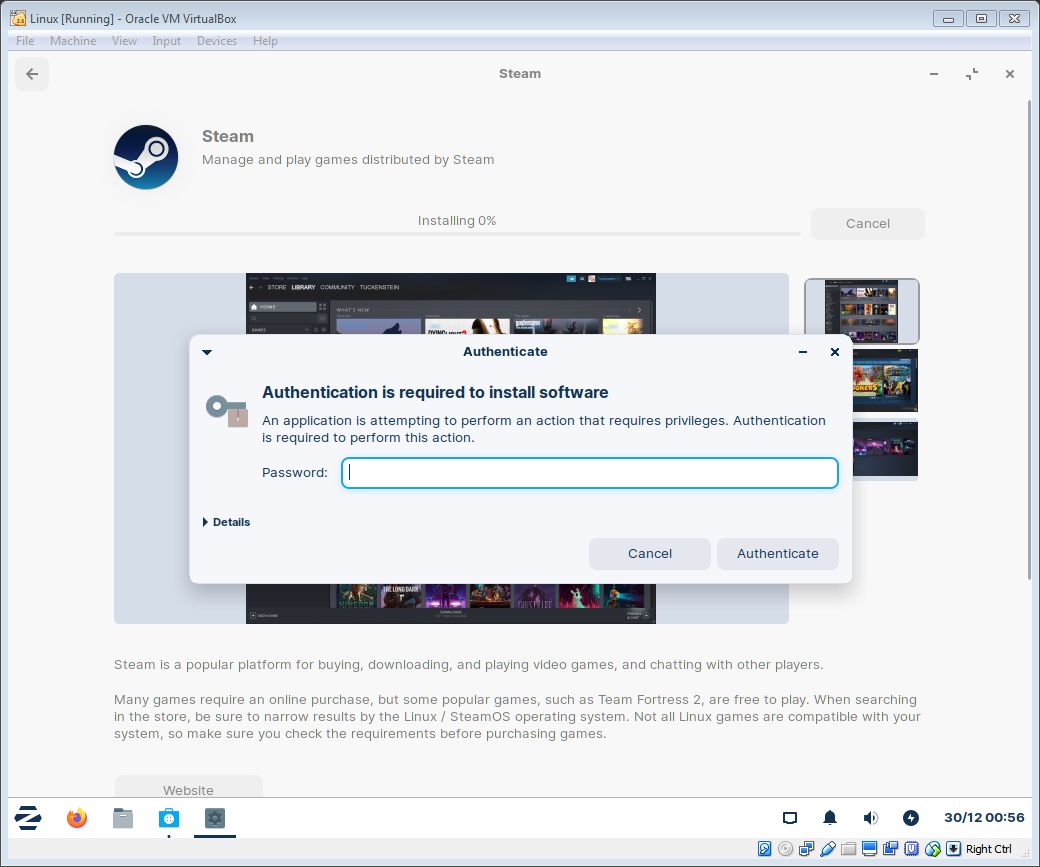
click on "Install" button and type your password again
⠀⤷ launch
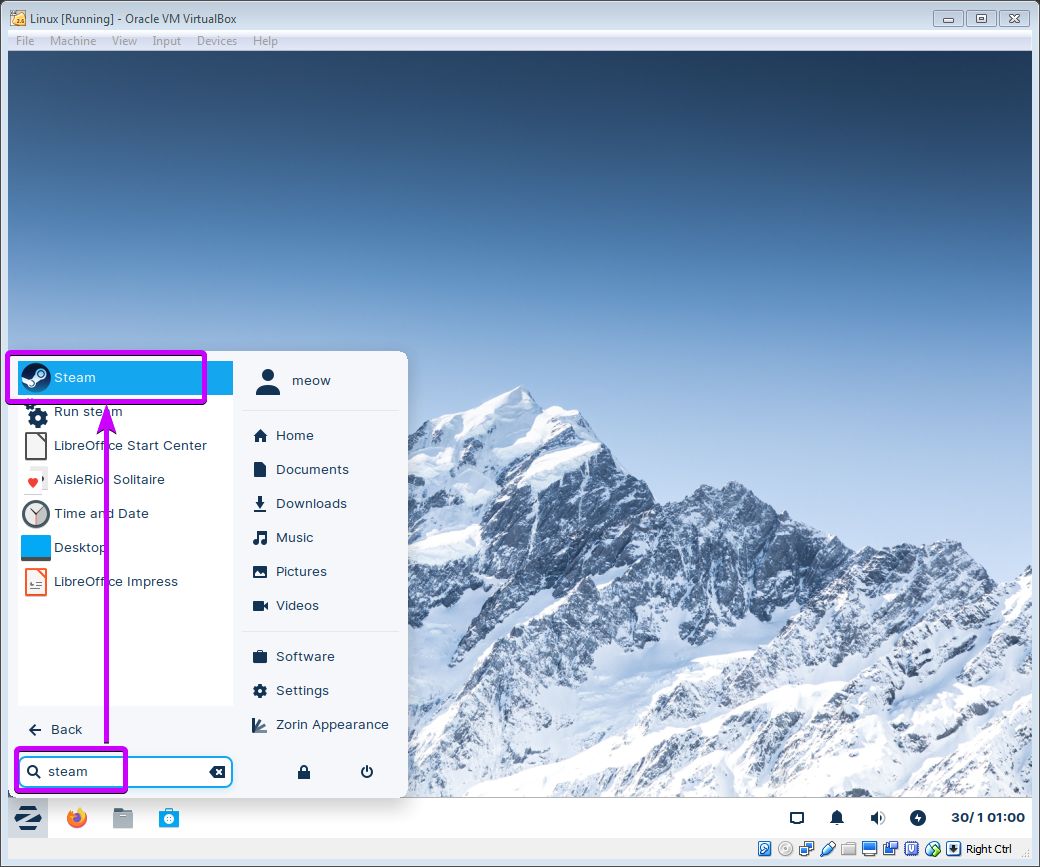
when installation is completed, click on "Launch" button,
or just launch it from "Start" menu, as in Windows
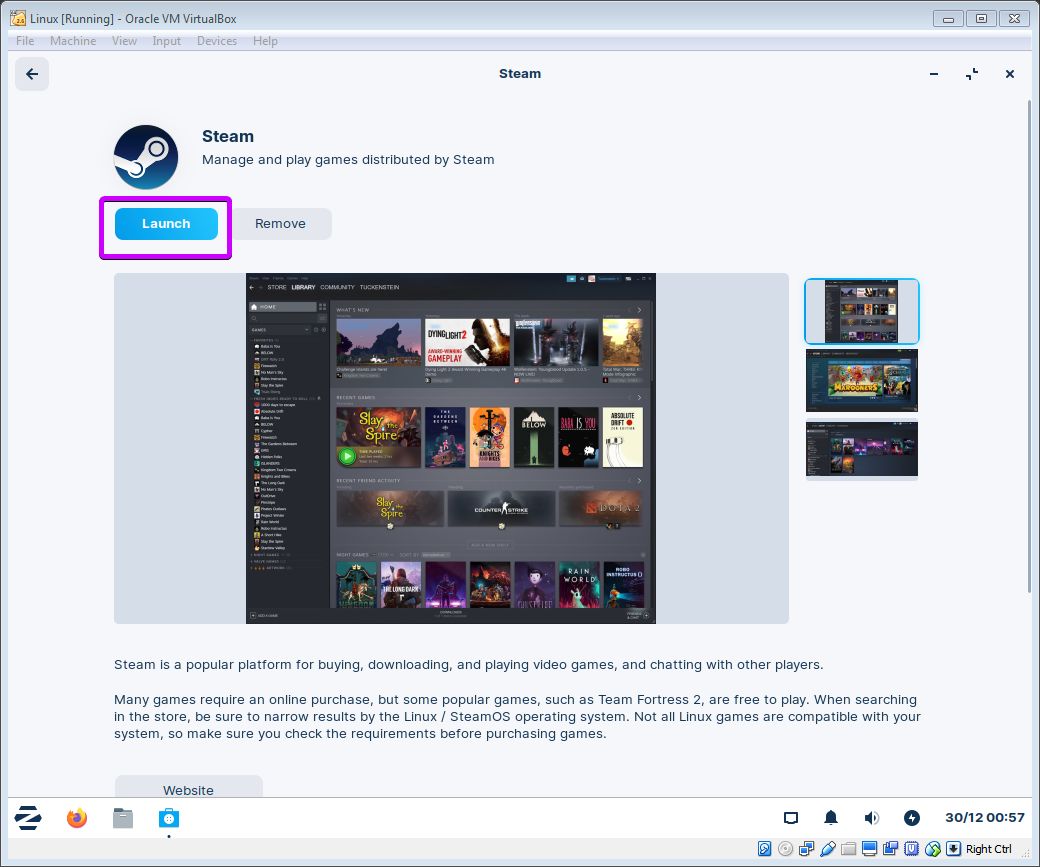
or just launch it from "Start" menu, as in Windows
⠀⤷ update and account
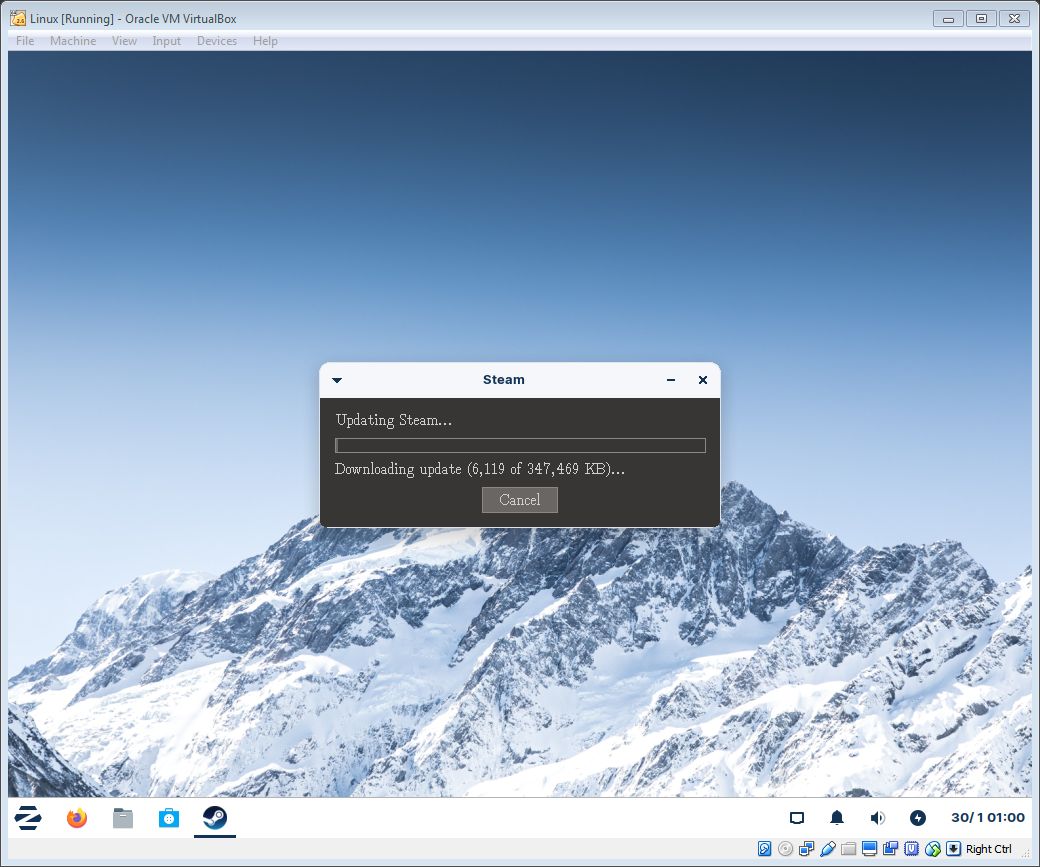
as usual let Steam client to update itself
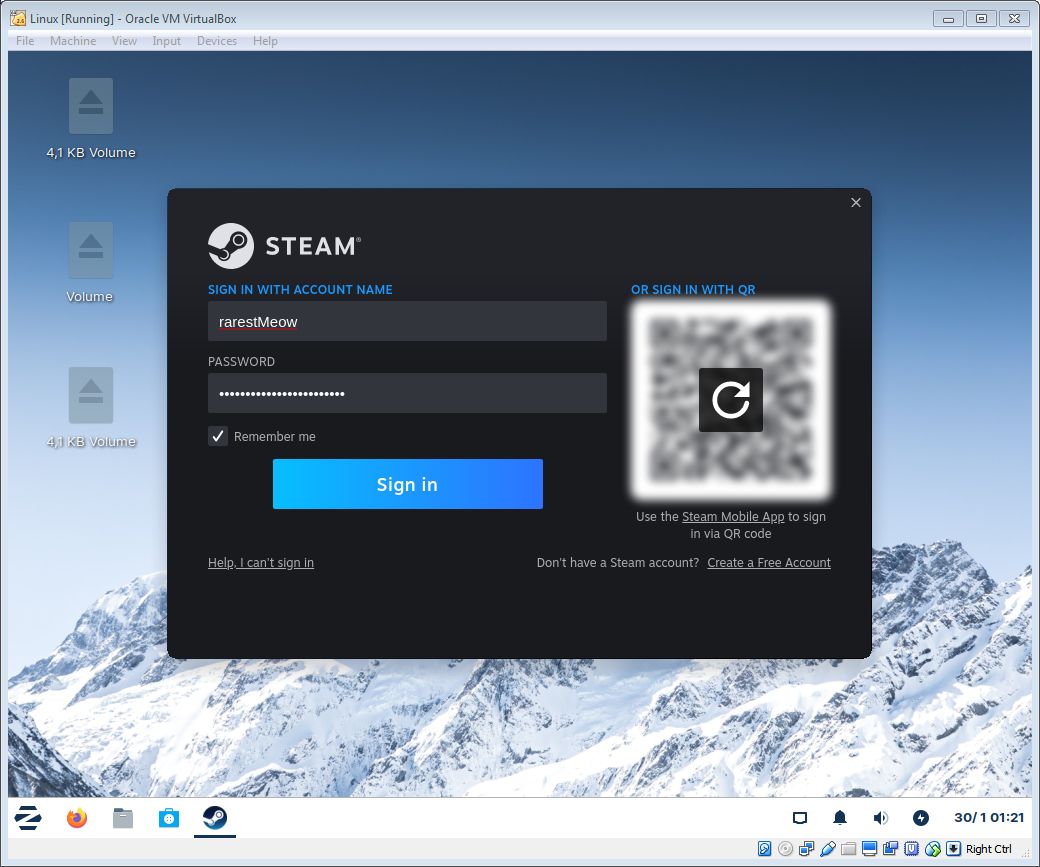
and enter your credentials afterwards
and enter your credentials afterwards
⠀⤷ ...and finally Postal
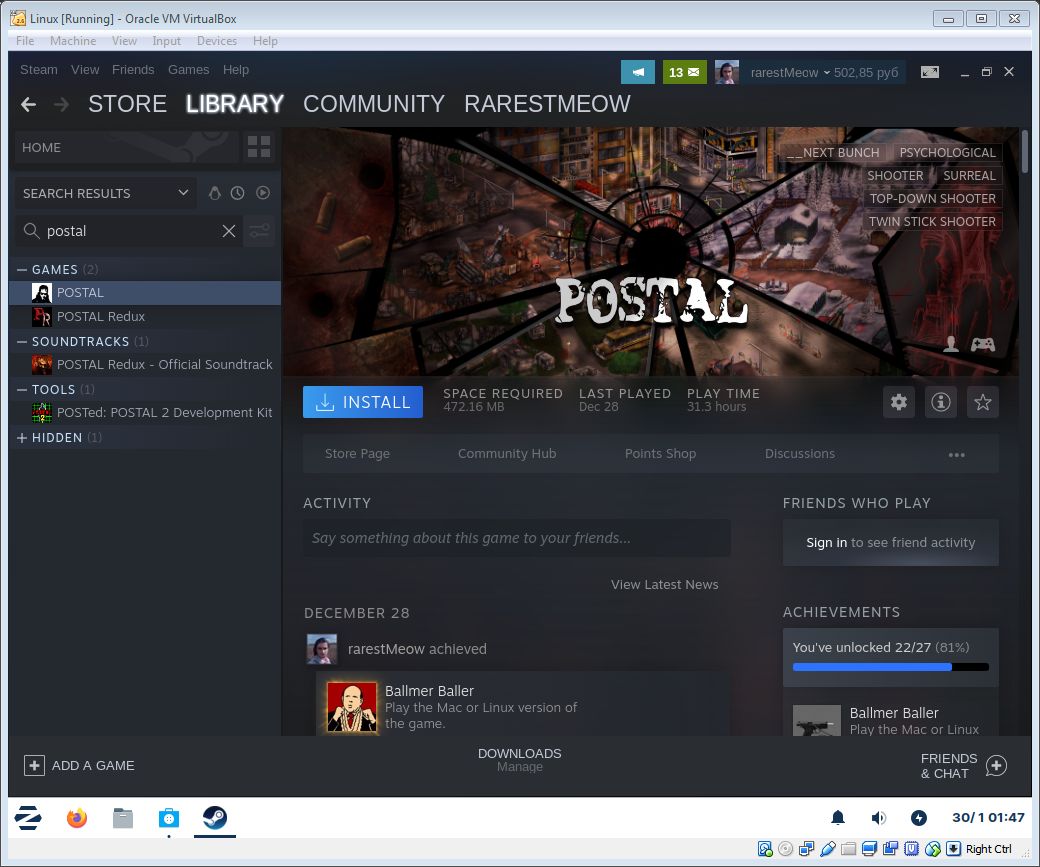
now the only thing left is to visit your Library, download Postal and launch that game
you will get an achievement as soon as you enter main menu
afterwards, just close VirtualBox:
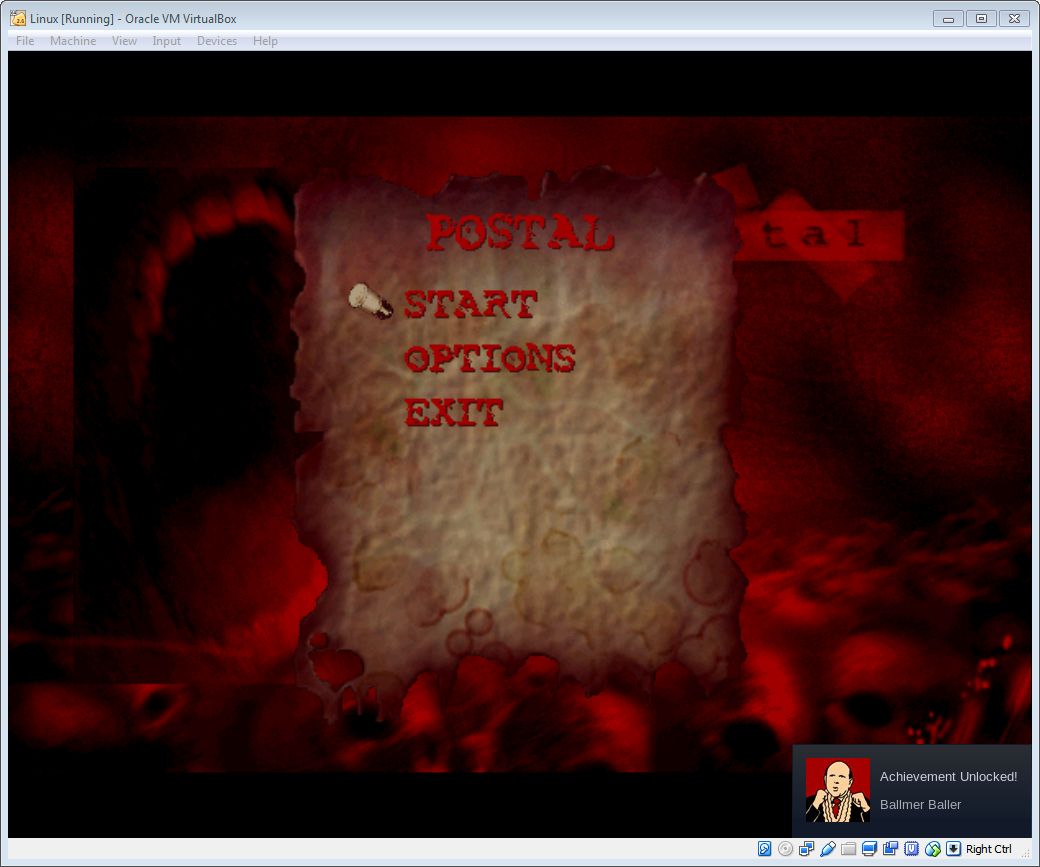
you will get an achievement as soon as you enter main menu
afterwards, just close VirtualBox:
"File" ➞ "Close" ➞ "Power Off the Machine"
troubleshooting
in case if repository cannot be updated or Steam isn't been downloading...
...check that Network is online ("Device" -> "Network" -> "Connect Network Adapter")
...check that Zorin OS is connected to your Network
...check that your Firewall/Antivirus doesn't block VirtualBox's traffic
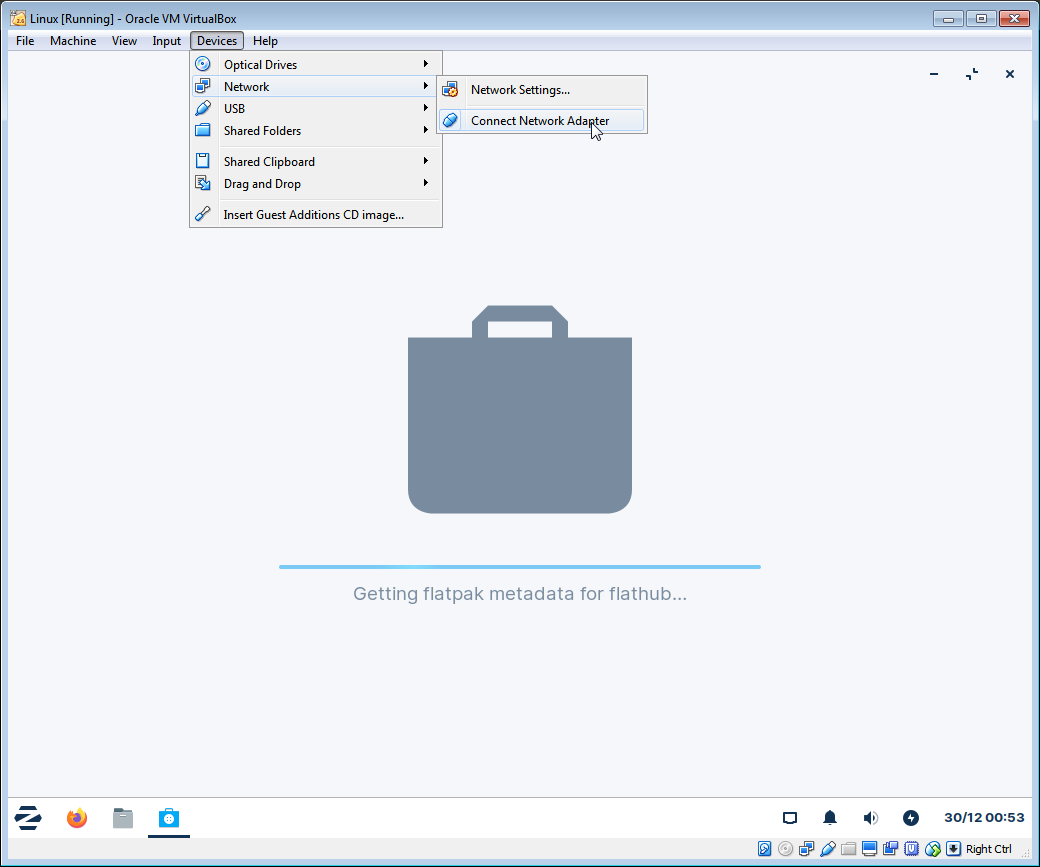
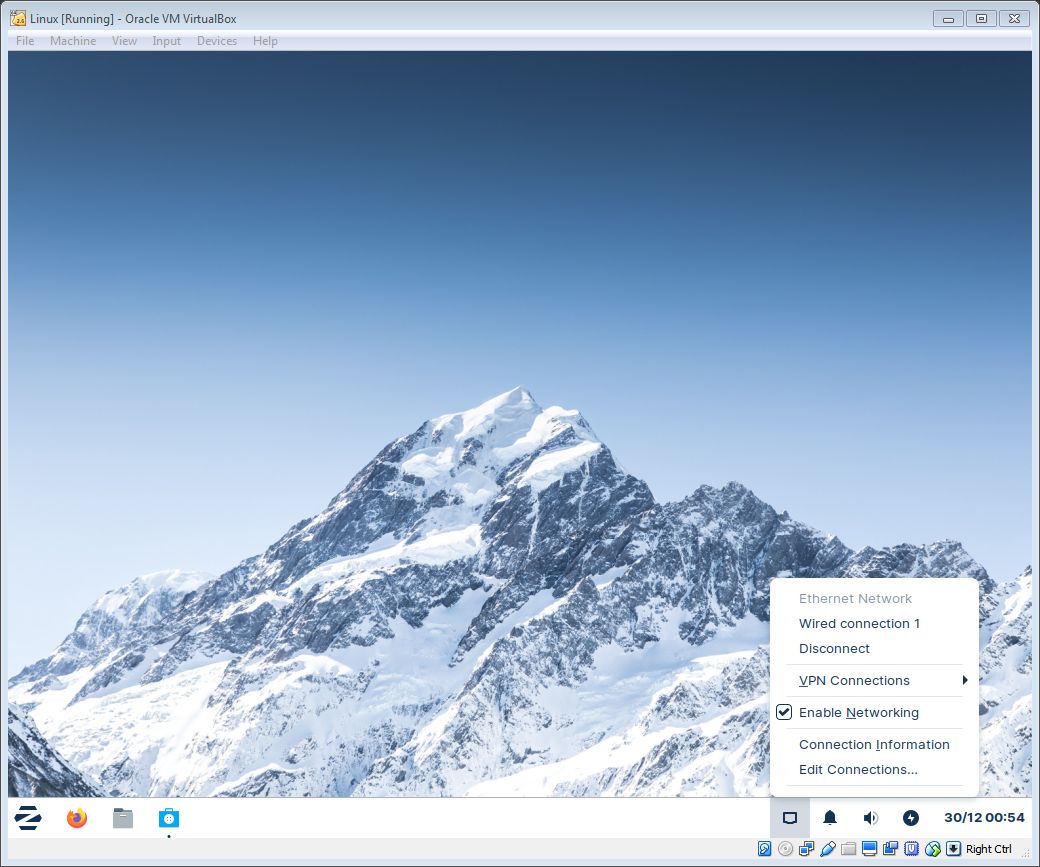
...check that Network is online ("Device" -> "Network" -> "Connect Network Adapter")
...check that Zorin OS is connected to your Network
...check that your Firewall/Antivirus doesn't block VirtualBox's traffic
🏆
Beat POSTAL's achievements?
Flex it — let your friends know you pulled it off.
More POSTAL guides
- POSTAL Achievements★ 5 (809)20k views785 ♥3 minUpdated Sep 3, 2013
- Достижения POSTAL★ 5 (848)16k views932 ♥7 minRussianUpdated Jan 23, 2016
- POSTAL 100% Achievement Guide★ 5 (353)13k views592 ♥3 minUpdated Oct 17, 2023
- All Achievements★ 5 (388)10k views642 ♥7 minUpdated Aug 5, 2022
- The Ultimate POSTAL Guide (Overhaul in progress!)★ 5 (283)9k views379 ♥16 minUpdated Jan 28
- The Story of POSTAL★ 5 (247)6.7k views294 ♥3 minUpdated Jan 28


This guide was created by its original author on the Steam Community. Are you the author and want it removed? Request removal.