Beat Saber Modding with the OCULUS. (2025)
Downloading The Sofware
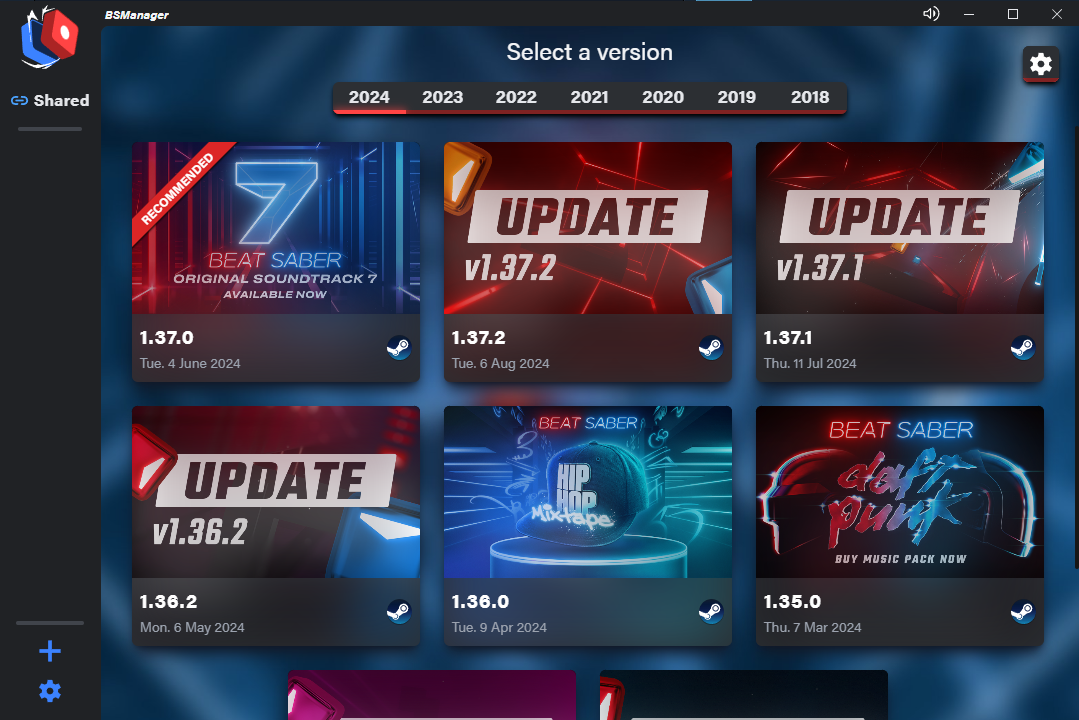
It shows what the best version of Beat Saber you should use and automatically updates it if you want it to.
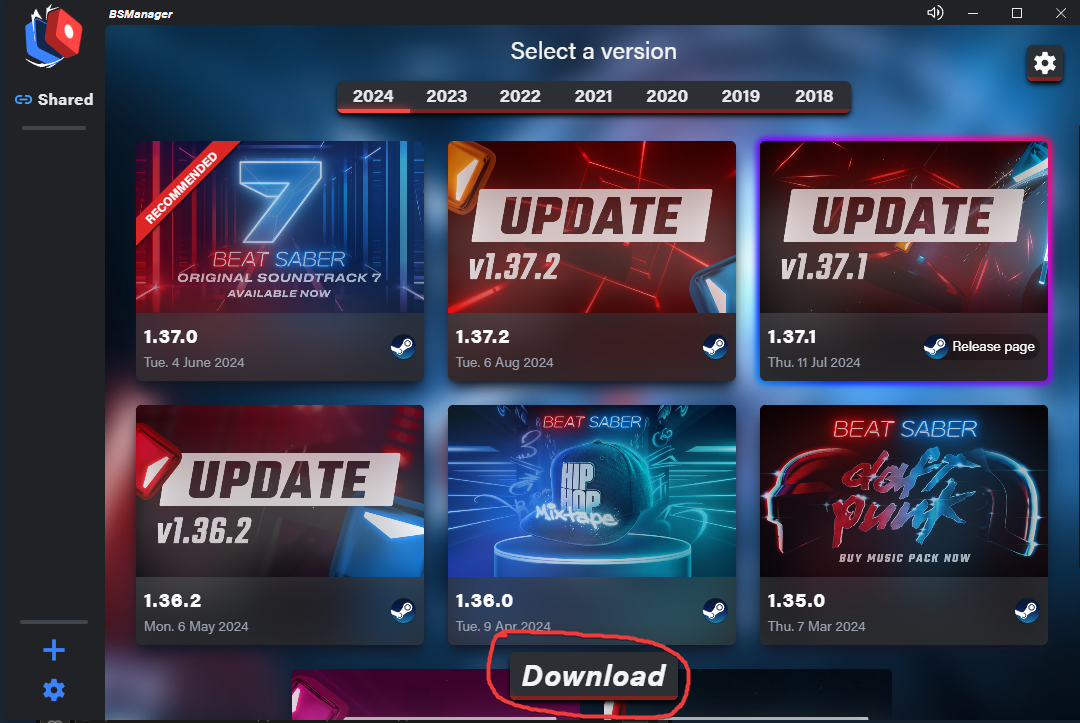
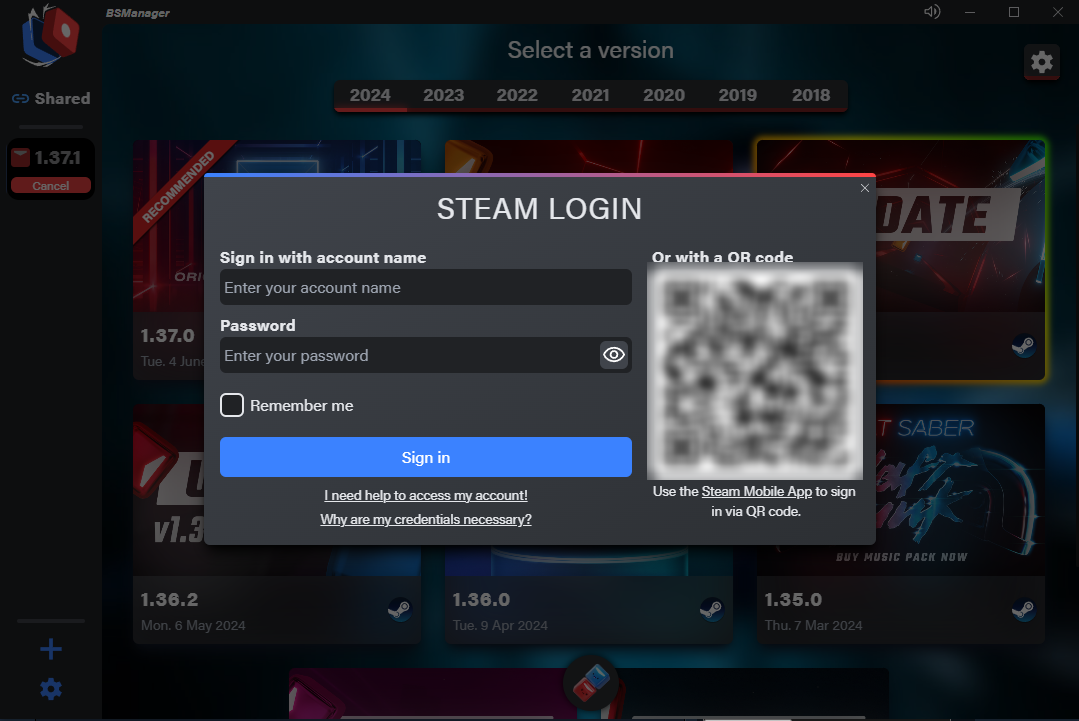
Setting it up
The installation is simple.
After you download the installer, open it and run it.
Once the application is open follow the steps below.
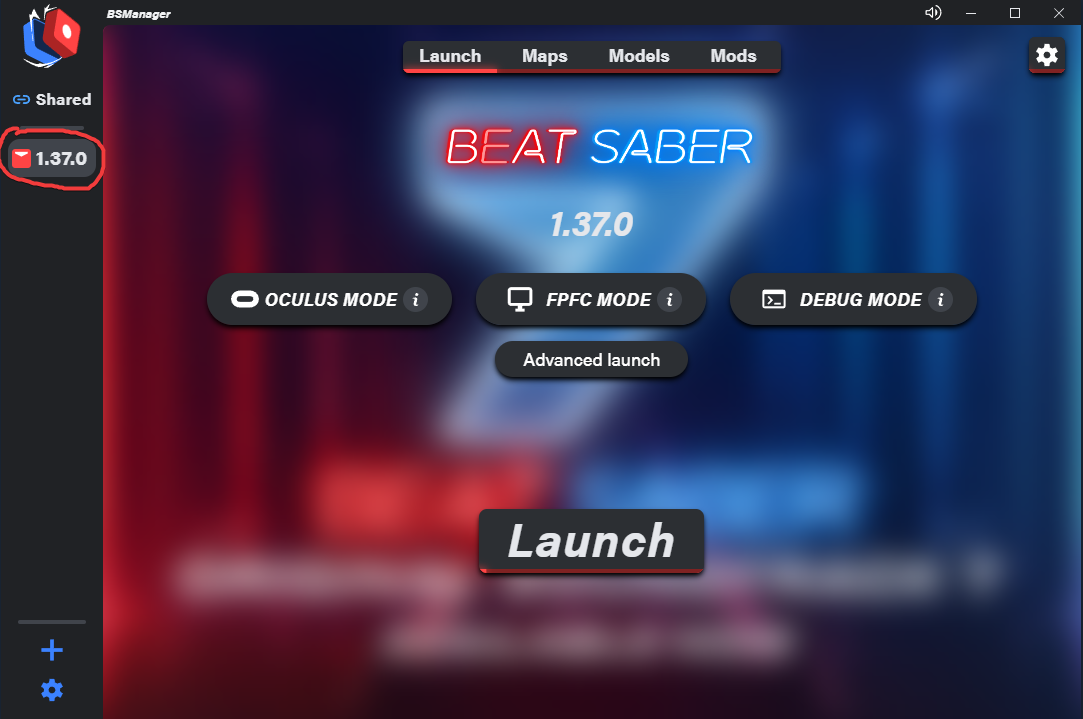
Installing Mods
To play custom songs you will need to install the mods to allow it alongside any other mods you may want.
Once you have done this it will prompt you to download the default mods needed for you so all you have to do is click on Install or Update at the bottom right of the screen.
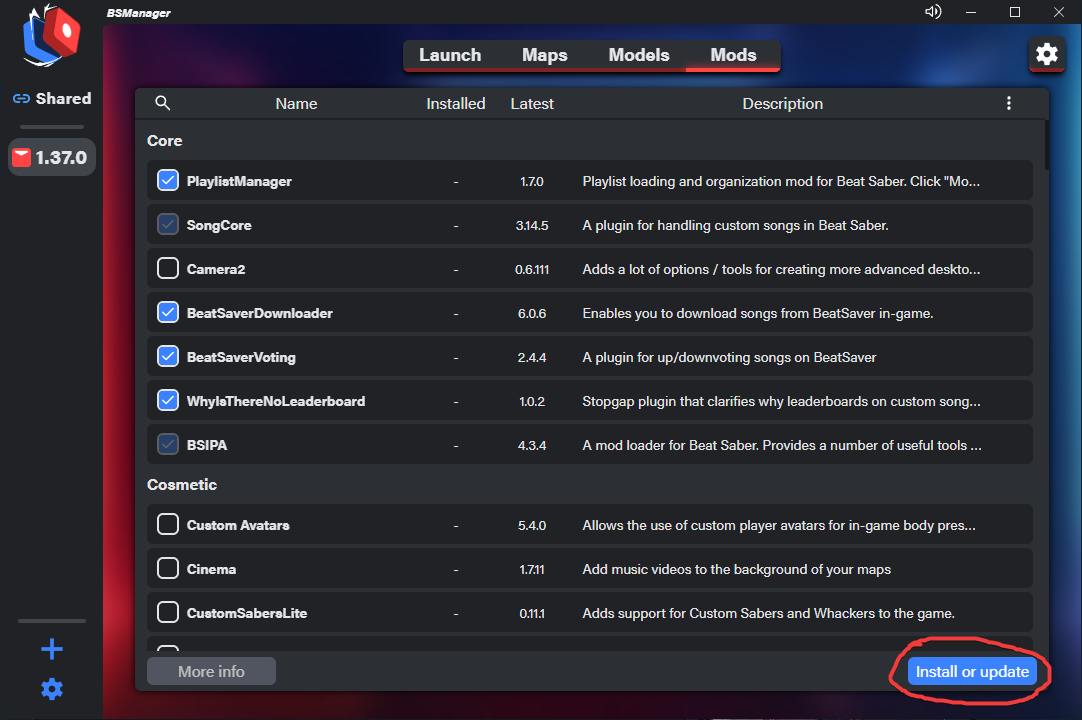
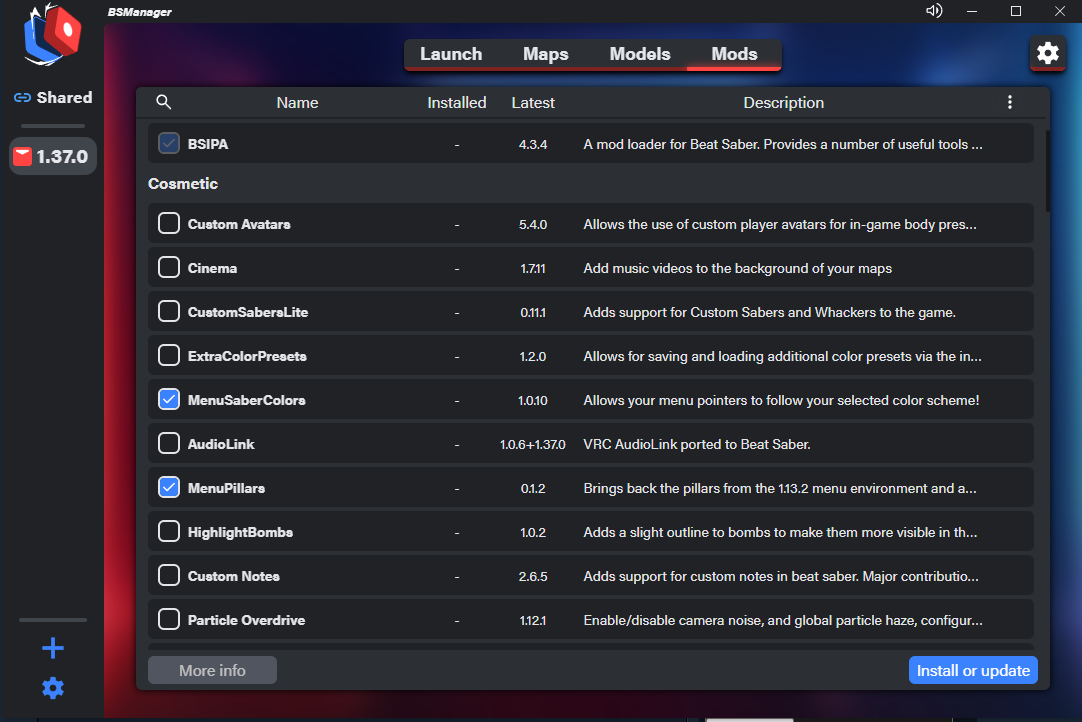
On this page you can now click on additional mods you would like to add and just click install or update once again to add them in.
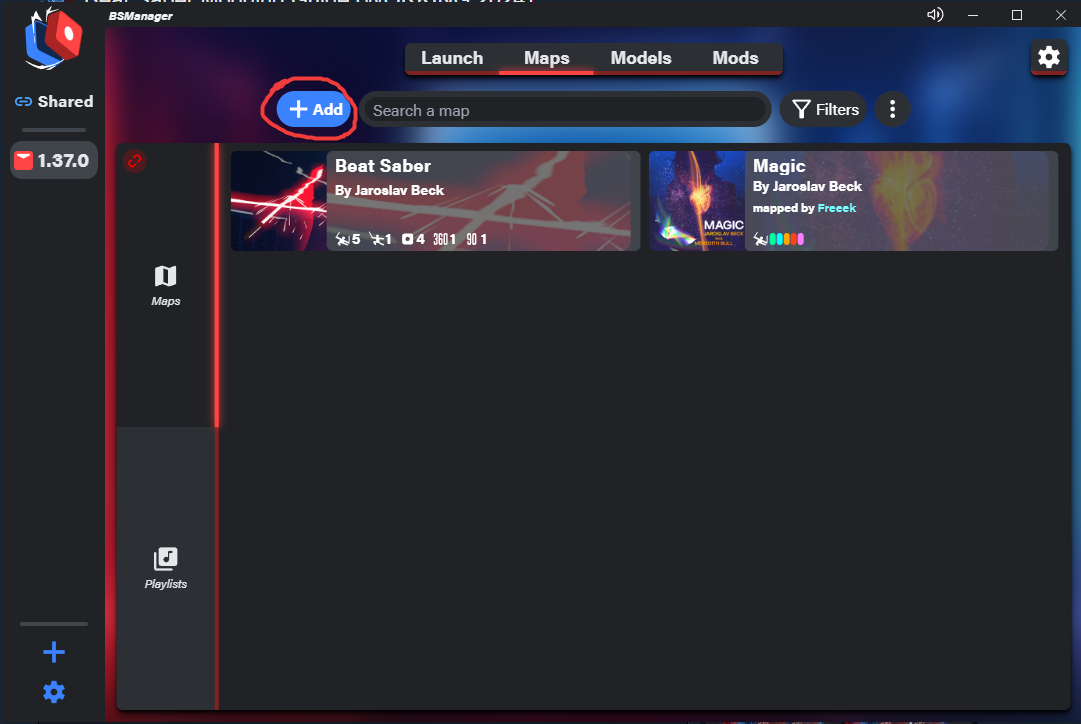
Installing Songs
Installing songs is easy! Just follow the steps below:
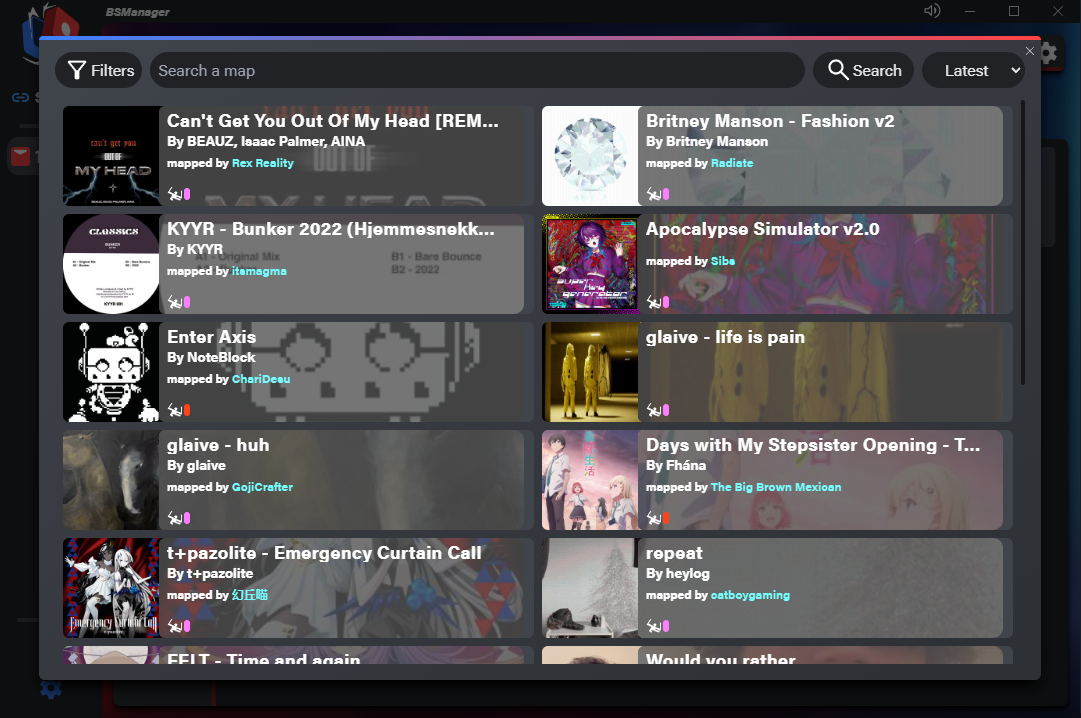
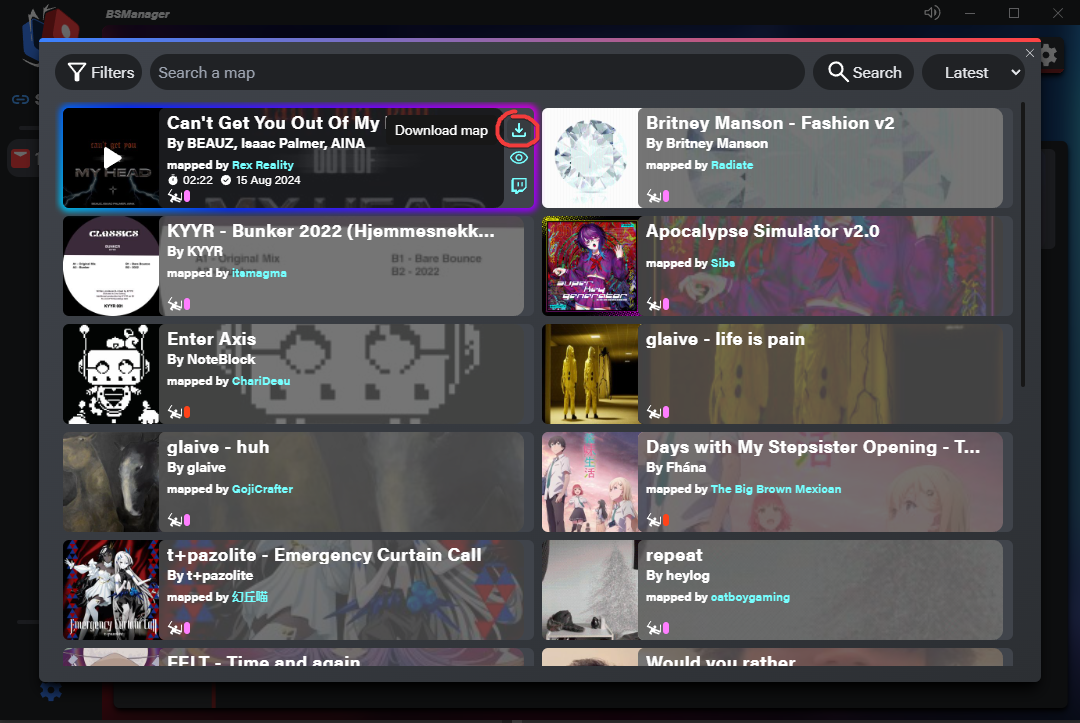
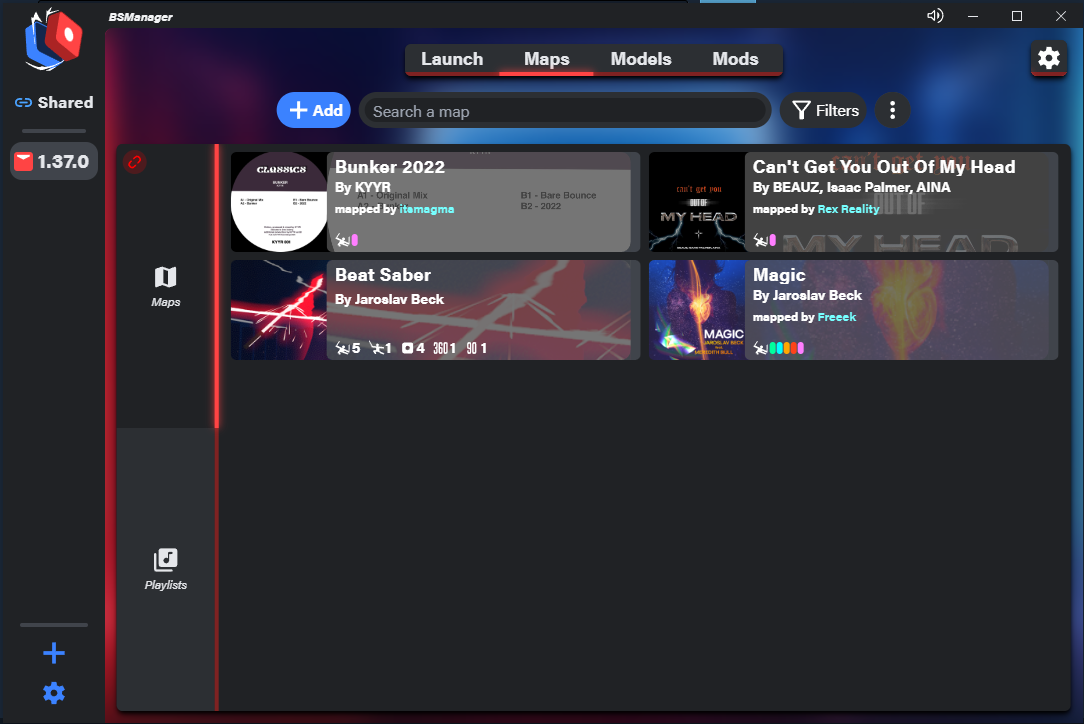
If you would prefer a YouTube tutorial here is a great video which will explain step by step on how to download and use BSManager:
Using the Oculus
When it comes to using a wireless headset such as the Oculus Quest 3 to use BSManager you have to do these steps.
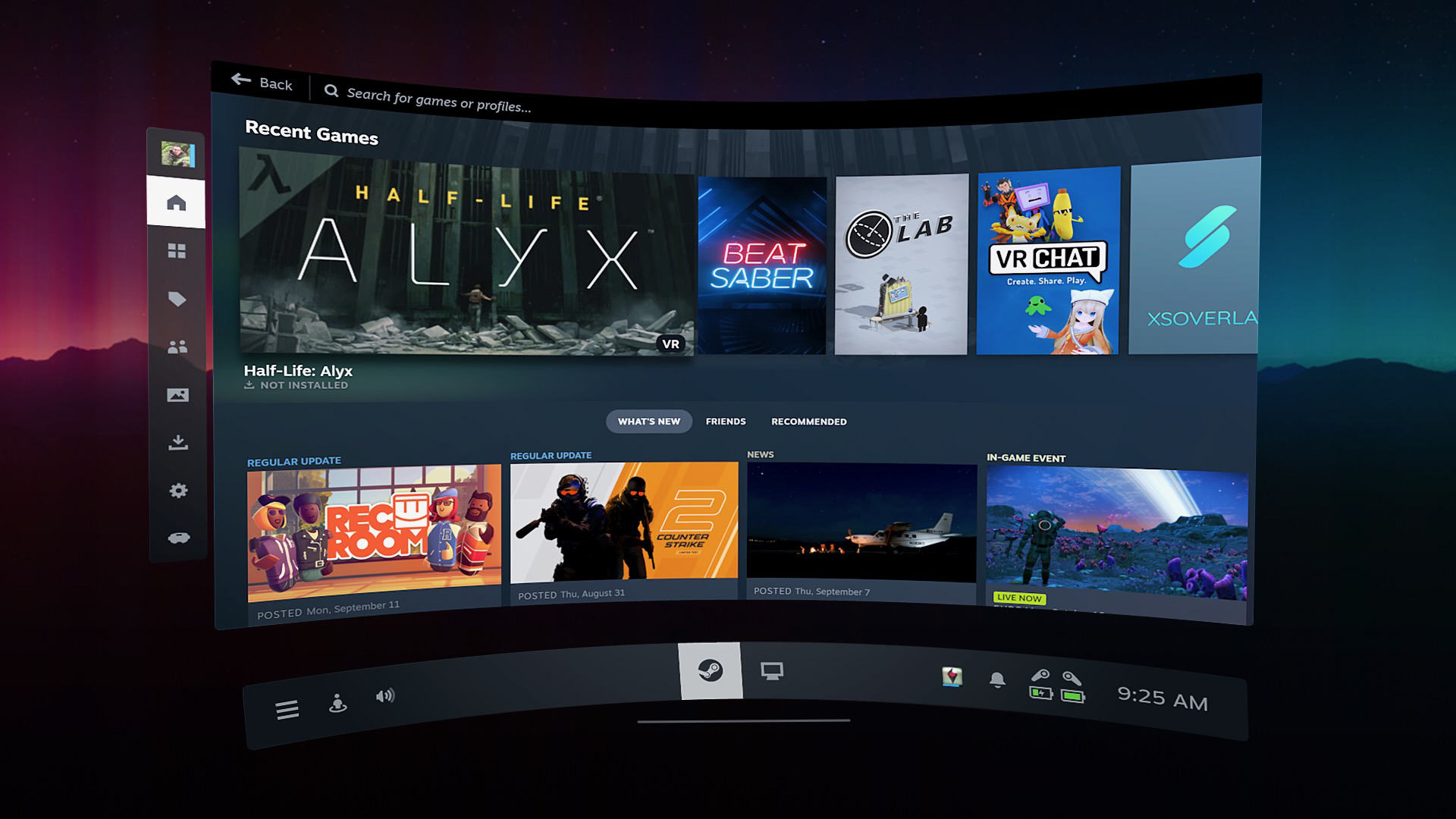
This should put you into desktop view where you are able to view your desktop through your headset and use it through your headset. If you do not have this then you can consider downloading a paid application such as Virtual Desktop to achieve the same result.
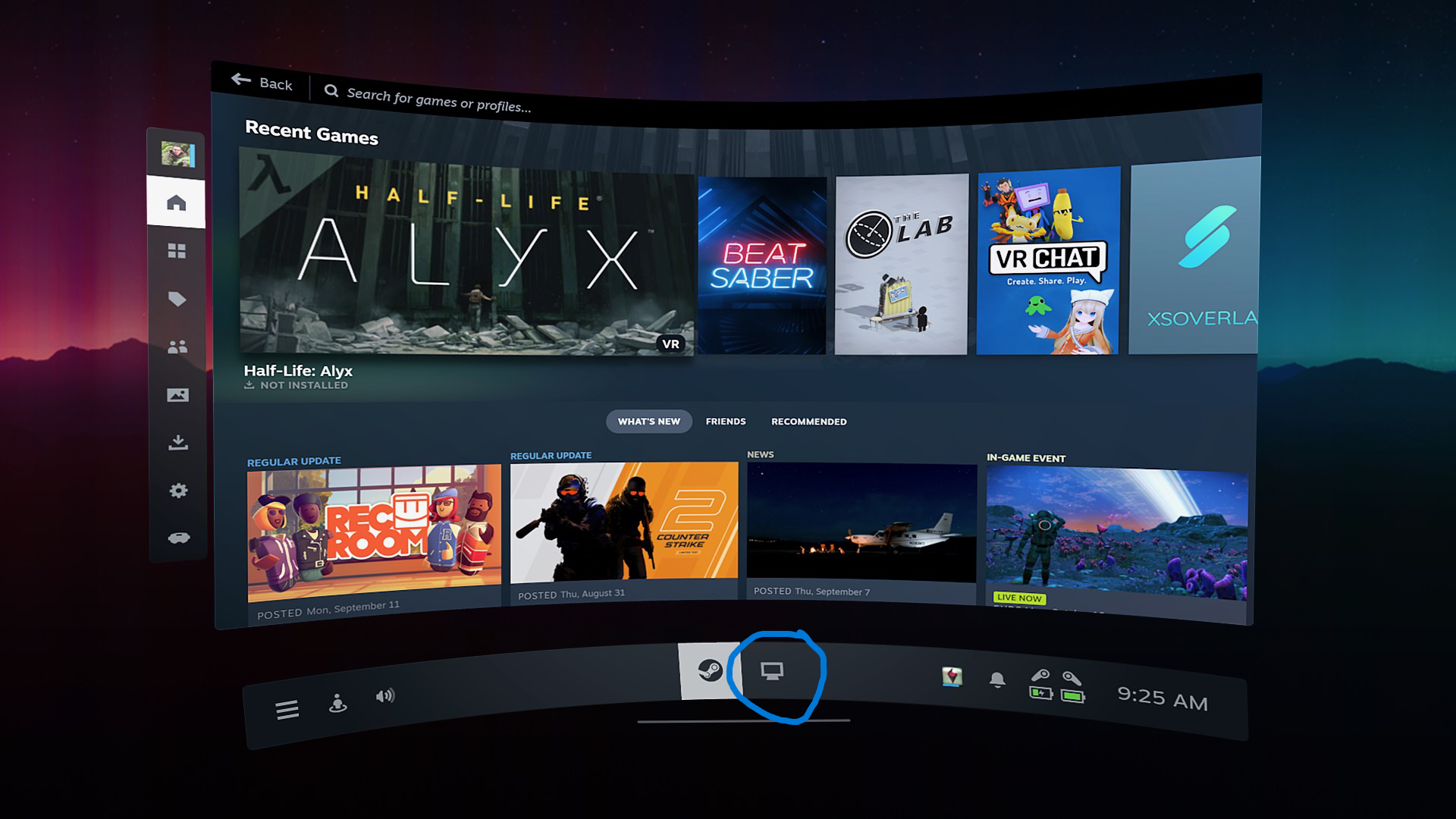
Once your here ensure that you have enabled Oculus Mode
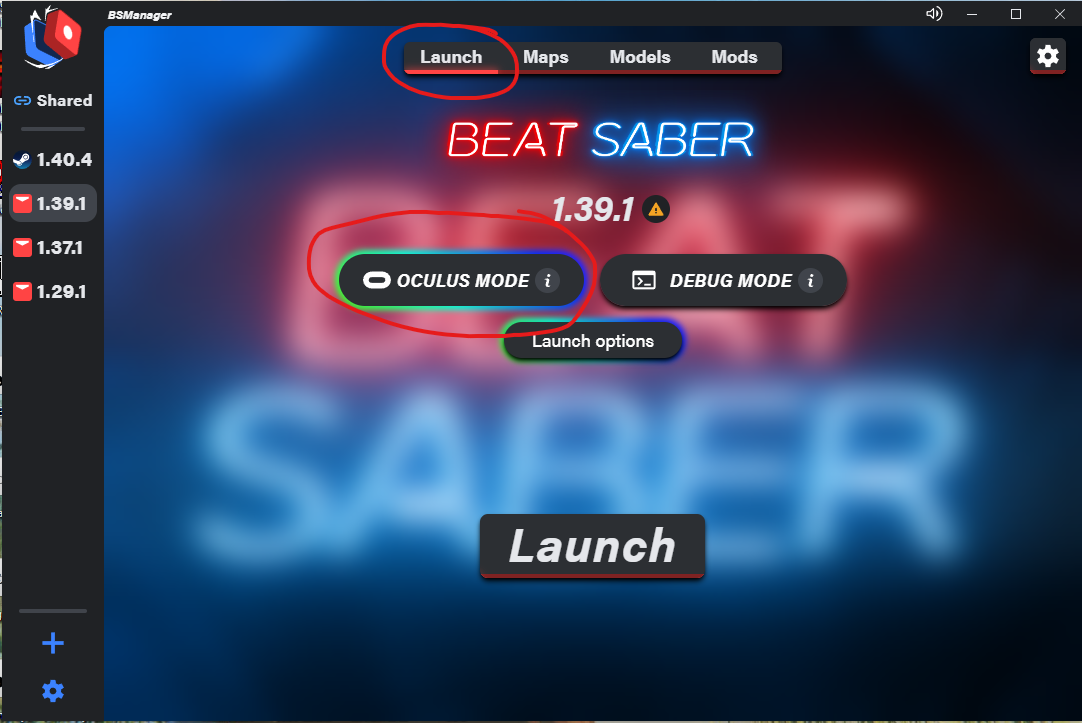
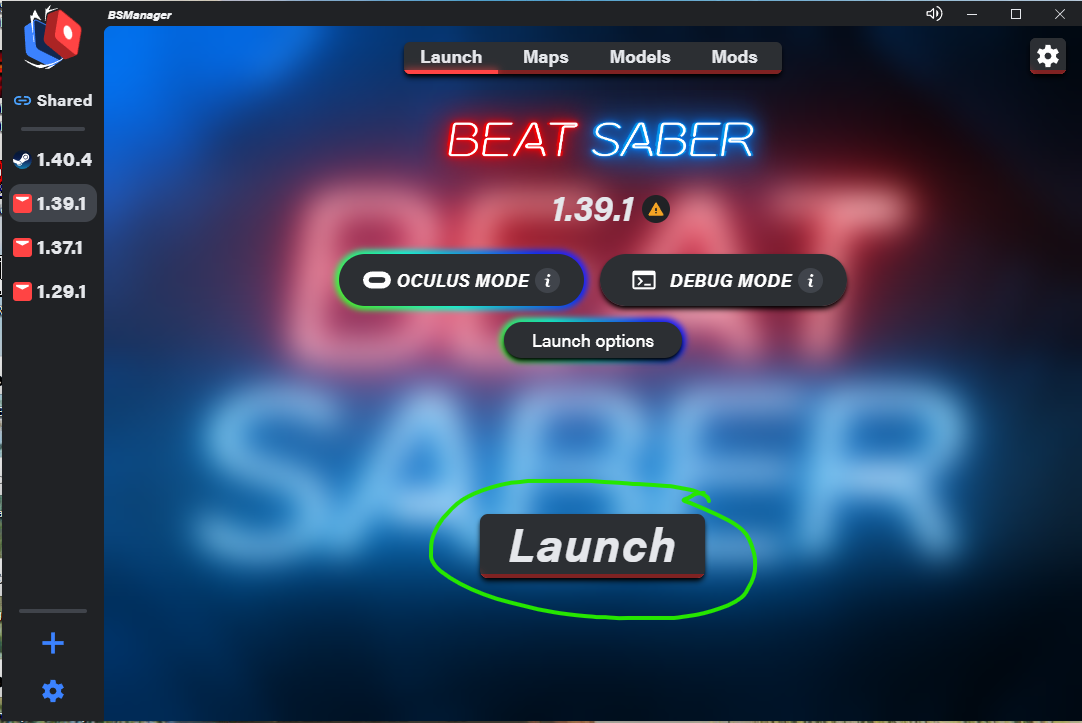
Once you have launched you can exit desktop view, or it may kick you out automatically and you should be in Beat Saber on your Oculus without having to connect it to your PC via a quest link or a wire!
Thank You
If you are reading this then I hope this guide has helped you in modding BeatSaber.
If you have any questions or would like further guides on more niche areas in the game feel free to comment or add me on Steam. If you have concerns do comment on this guide too!
Many Thanks, Ed.
- How to install older versions of Beat Saber using Steam★ 5 (1.4k)90k views2.4k ♥11 minUpdated May 28
- Beat Saber Modding Guide [upd. 2019/03/26]★ 4 (149)58k views240 ♥1 minUpdated Aug 5, 2021
- How to prevent Beat Saber from updating★ 5 (369)28k views719 ♥2 min
- Beat Saber - Добавление музыки и модов в игру с помощью Mod assistant★ 4 (77)22k views149 ♥1 minRussianUpdated Sep 30, 2024
- How to get better at Beat Saber★ 5 (457)21k views84 ♥1 minUpdated Nov 12, 2020
- 🩺 Quick Warm-Up for Beat Saber (2 mins)★ 5 (1.1k)18k views1.7k ♥4 minUpdated Jan 31, 2023



- Upgrading to PremiumTeam Fortress 2★ 5 (20k)1441k views11k ♥6 minUpdated May 11, 2022
- No More Room in Hell Official ManualNo More Room in Hell★ 5 (2.8k)569k views2.1k ♥29 minUpdated Apr 22, 2019
- NMRiH Community Hosting GuidesNo More Room in Hell★ 5 (526)351k views653 ♥1 minUpdated Aug 10, 2022
- How to 'Git Gud' Soon™MORDHAU★ 5 (2k)318k views3k ♥68 minUpdated Nov 16, 2024
- Лучшие кооперативные игры SteamPAYDAY 2★ 5 (1.5k)315k views2.1k ♥56 minRussianUpdated Apr 27, 2025
- Desert Eagle Heat Treated | Blue GemCounter-Strike 2★ 5 (1.6k)293k views1.5k ♥2 minUpdated Jan 16





This guide was created by its original author on the Steam Community. Are you the author and want it removed? Request removal.