Crispy graphics settings (no Reshade)
Crispy graphics settings
Washed out gfx for the vanilla game without Reshade or similar post-processing tools?
No more!
🎨 Here are the best gfx settings I could create for Crysis (classic), and... it's not bad at all. Just try it.
Crispier, better lighting, better colors and contrast compared to standard vanilla settings.
r_VSync is optional. On my config completely removed any tearing.
The only downside is that some dark and night areas may look quite dark for some users (it also depends on your display quality), but... remember you have the "I" key for Night Vision, or you can always adjust them in the game to suit your needs, starting from these settings. IMHO, this offers the best balance and color/light settings for vanilla game without 3rd party post-processing tools.
No more!
🎨 Here are the best gfx settings I could create for Crysis (classic), and... it's not bad at all. Just try it.
HOW TO
Just edit your "%USERPROFILE%\Documents\My Games\Crysis\Profiles\<profile_name>\attributes.xml" like this:<Attributes Version="8">
...
<Attr name="OptionCfg.r_Brightness" value="0.38"/>
<Attr name="OptionCfg.r_Contrast" value="0.97"/>
<Attr name="OptionCfg.r_Gamma" value="1.46"/>
<Attr name="OptionCfg.r_MotionBlurShutterSpeed" value="0.0062"/>
<Attr name="OptionCfg.r_VSync" value="1"/>
...
</Attributes>
Before:Result (after):
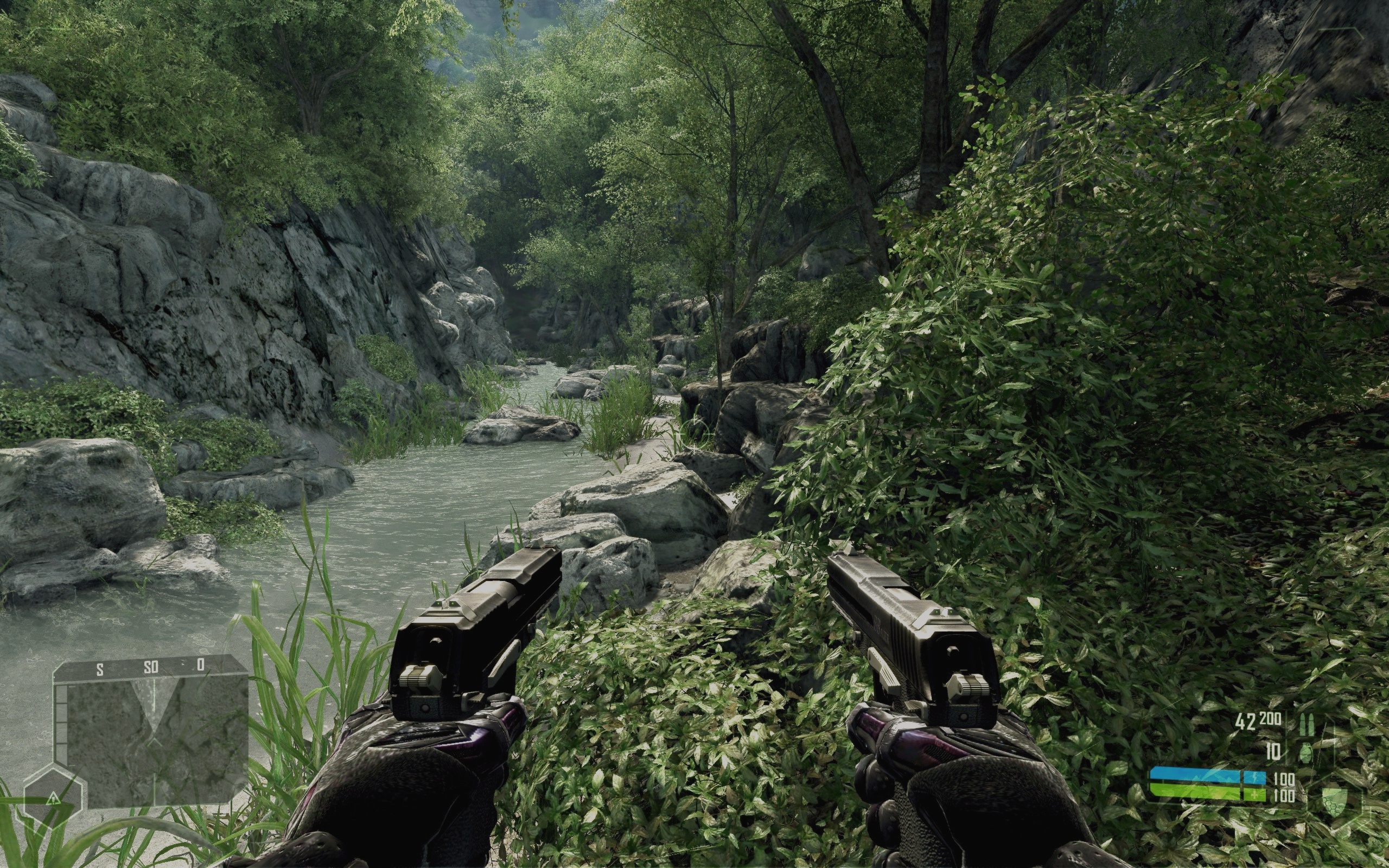
BEFORE - AFTER (click here)[imgsli.com]
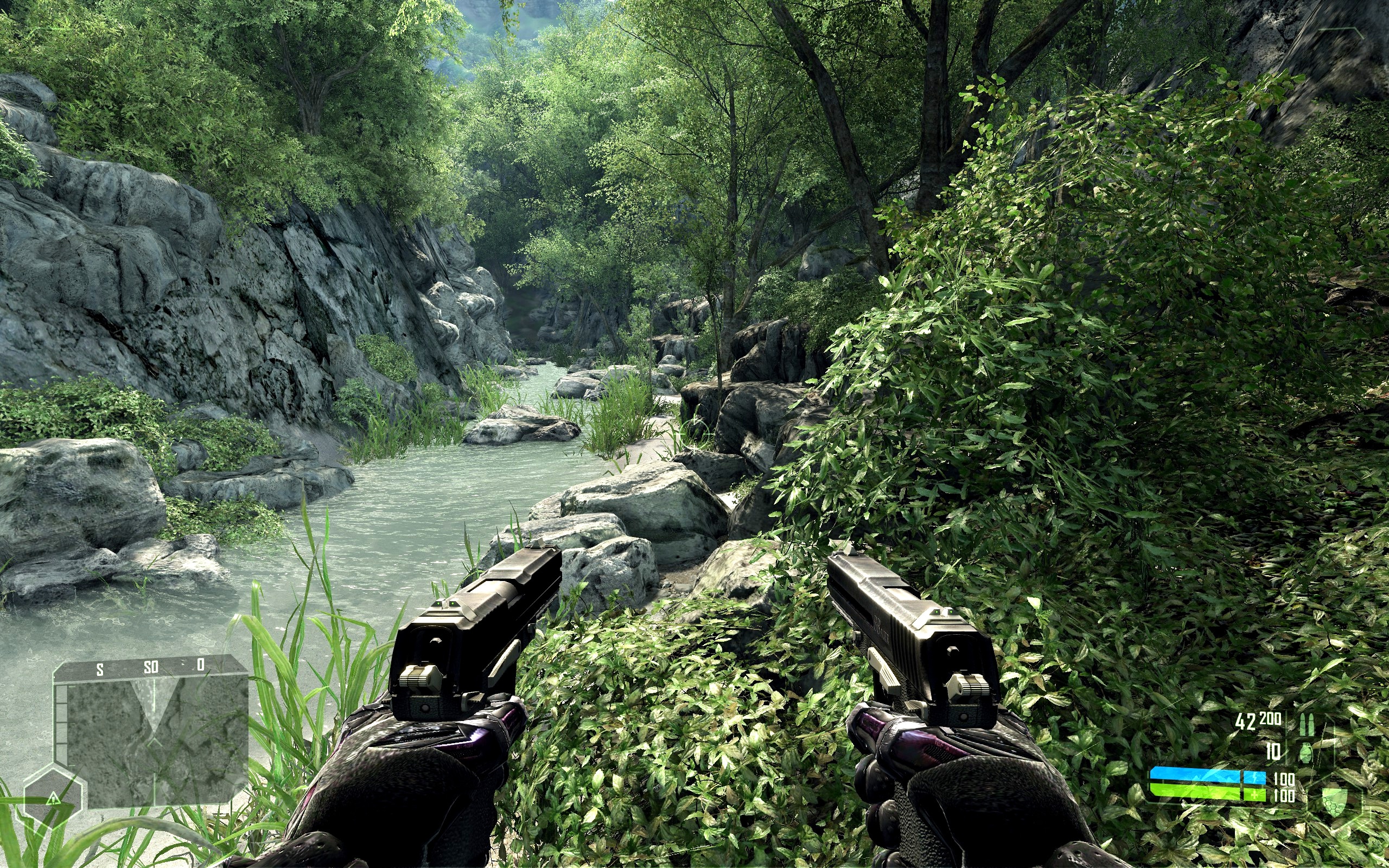
Crispier, better lighting, better colors and contrast compared to standard vanilla settings.
r_VSync is optional. On my config completely removed any tearing.
The only downside is that some dark and night areas may look quite dark for some users (it also depends on your display quality), but... remember you have the "I" key for Night Vision, or you can always adjust them in the game to suit your needs, starting from these settings. IMHO, this offers the best balance and color/light settings for vanilla game without 3rd party post-processing tools.
NOTES
It's hard to get a screenshot with new colors in game because applied Video settings are usually ignored on capture and the resulting screenshots will show standard basic tint.
More Crysis guides
- Fix for launching Crysis on Windows 7/8/10 (64-bit) [English guide/Русское руководство]★ 5 (756)35k views692 ♥5 minUpdated Feb 12, 2023
- Crysis Console Commands★ 5 (412)24k views691 ♥2 minUpdated Feb 6, 2013
- Не запускается Crysis, небольшой фикс и запуск на 64-битной системах...★ 5 (517)22k views476 ♥2 minRussianUpdated Dec 4, 2023
- Windows 10 64Bit - How to make this game work★ 5 (313)20k views424 ♥3 minUpdated Feb 12, 2023
- Crysis HUD off | Free Camera | HD Textures | Tiledshot★ 5 (523)13k views336 ♥3 minBulgarianUpdated Apr 29, 2016
- Чит консольные команды Crysis на Русском★ 5 (203)12k views267 ♥1 minUpdated Mar 3, 2013



This guide was created by its original author on the Steam Community. Are you the author and want it removed? Request removal.