Windows 10 64Bit - How to make this game work
Intro
I tested this game on my previous PC years ago, when I have created this guide. It worked well.
A few years later, I replaced my computer with a newer and better one, and since I'm a cool guy, I wasted my time to clarify what I already knew - My guide works! Even on completely different PC! (manufacturers, core amount etc). Installed the game again just to test it and to dispel all "not working" myths and fairy tales. I didn't had to follow "AMD" steps, since my current PC is Intel. Only different executable and black screen on start steps. No errors or anything.
I even made a screenshot after starting new game: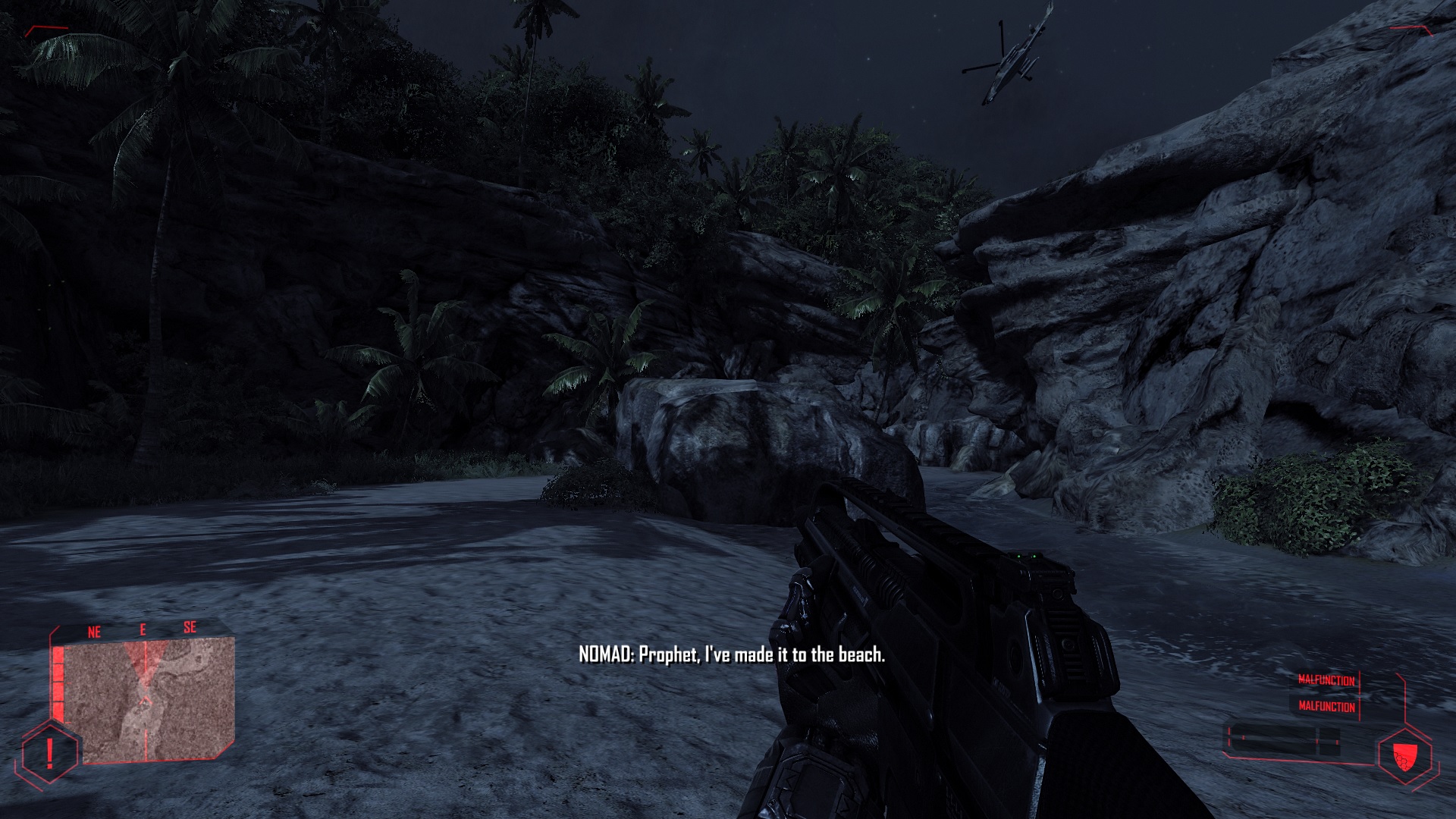
No need for admiration. A simple "Thank You" is enough.
To all the lost souls, I would like to say - If you can't use this incredibly simple guide, the problem is on your end!. Do not spread BS and do not accuse the author of the fact that you cannot do something so simple.
From now on, comments with advertising or any kind of BS (insults, misinformation, etc.) will be deleted.
A few years later, I replaced my computer with a newer and better one, and since I'm a cool guy, I wasted my time to clarify what I already knew - My guide works! Even on completely different PC! (manufacturers, core amount etc). Installed the game again just to test it and to dispel all "not working" myths and fairy tales. I didn't had to follow "AMD" steps, since my current PC is Intel. Only different executable and black screen on start steps. No errors or anything.
I even made a screenshot after starting new game:
No need for admiration. A simple "Thank You" is enough.
To all the lost souls, I would like to say - If you can't use this incredibly simple guide, the problem is on your end!. Do not spread BS and do not accuse the author of the fact that you cannot do something so simple.
From now on, comments with advertising or any kind of BS (insults, misinformation, etc.) will be deleted.
Black screen on launch
At the moment of testing, I had Windows 10 64Bit with AMD FX CPU.
Solution I found is very simple.
Option 1
1. All you need to do is copy Bin64 folder from Crysis Warhead (yes) and paste it to your Crysis game folder.
2. Run the game using new "Crysis64.exe", from the folder I mentioned above.
3. Create a desktop shortcut for your Crysis64.exe, to make it easier to launch.
You can get Crysis Warhead Bin64 folder from the installed game folder or you can download my file below.
Option 2 (if first option didn`t worked for some reason, or you just prefer this method)
1. Replace files in Crysis Bin32 folder with those from Bin64 (Warhead) folder.
2. Rename or backup Crysis.exe and rename Crysis64.exe to Crysis.exe
Tested myself - Can confirm that it works on 64Bit version of Windows 10, with older AMD CPU.
Download link (replace word "DOT" with ".") :
https://wwwDOTmediafireDOTcom/file/2efvaqo68l8qz38/CrysisWarheadBin64.rar/file
Solution I found is very simple.
Option 1
1. All you need to do is copy Bin64 folder from Crysis Warhead (yes) and paste it to your Crysis game folder.
2. Run the game using new "Crysis64.exe", from the folder I mentioned above.
3. Create a desktop shortcut for your Crysis64.exe, to make it easier to launch.
You can get Crysis Warhead Bin64 folder from the installed game folder or you can download my file below.
Option 2 (if first option didn`t worked for some reason, or you just prefer this method)
1. Replace files in Crysis Bin32 folder with those from Bin64 (Warhead) folder.
2. Rename or backup Crysis.exe and rename Crysis64.exe to Crysis.exe
Tested myself - Can confirm that it works on 64Bit version of Windows 10, with older AMD CPU.
Download link (replace word "DOT" with ".") :
https://wwwDOTmediafireDOTcom/file/2efvaqo68l8qz38/CrysisWarheadBin64.rar/file
Black screen on launch (Warhead)
1. Rename, delete or move Bin32 folder. Make a backup, if you wish.
2. Now rename Bin64 folder to Bin32.
2. Now rename Bin64 folder to Bin32.
Black screen when starting New Game
1. After you started new game, press "~" on your keyboard (below "Esc" button). This will open Console menu. If console didn't appear, then try using English keyboard layout. I was using US version.
2. Type con_restricted 0, then press Enter button.
3. Type map island and press Enter.
According to the messages on the internet, problem is related to the New Game only. You can Load your save file later, without problems.
Tested myself - Can confirm that it works on Windows 10 64Bit with AMD CPU.
2. Type con_restricted 0, then press Enter button.
3. Type map island and press Enter.
According to the messages on the internet, problem is related to the New Game only. You can Load your save file later, without problems.
Tested myself - Can confirm that it works on Windows 10 64Bit with AMD CPU.
AMD CPU
After you copied 64Bin folder from Crysis Warhead, add this command via game (Steam) launch options. Right click on game name in your Steam library. Select "properties". There you will see "set launch options".
These paths are default.
Ex: C:\Windows (or where your OS is installed). If you have it on another drive, then change "C" with D, E etc.
Second line is for your game installation folder.
For CPU with 8 cores:
C:\Windows\System32\cmd.exe /C start "" /affinity FE "D:\Steam\steamapps\common\Crysis\Bin64\Crysis64.exe" %command%
For CPU with 6 cores:
C:\Windows\System32\cmd.exe /C start "" /affinity 3E "C:\Program Files (x86)\Steam\steamapps\common\Crysis\Bin32\Crysis.exe" %command%
For CPU with 4 cores:
C:\Windows\System32\cmd.exe /C start "" /affinity E "C:\Program Files (x86)\Steam\steamapps\common\Crysis\Bin32\Crysis.exe" %command%
C:\Windows\System32\cmd.exe /C start "" /affinity FE "D:\Steam\steamapps\common\Crysis\Bin64\Crysis64.exe" %command%
Solution was found on Steam forums. Without this command, you will most likely have a black screen on launch.
These paths are default.
Ex: C:\Windows (or where your OS is installed). If you have it on another drive, then change "C" with D, E etc.
Second line is for your game installation folder.
For CPU with 8 cores:
C:\Windows\System32\cmd.exe /C start "" /affinity FE "D:\Steam\steamapps\common\Crysis\Bin64\Crysis64.exe" %command%
For CPU with 6 cores:
C:\Windows\System32\cmd.exe /C start "" /affinity 3E "C:\Program Files (x86)\Steam\steamapps\common\Crysis\Bin32\Crysis.exe" %command%
For CPU with 4 cores:
C:\Windows\System32\cmd.exe /C start "" /affinity E "C:\Program Files (x86)\Steam\steamapps\common\Crysis\Bin32\Crysis.exe" %command%
C:\Windows\System32\cmd.exe /C start "" /affinity FE "D:\Steam\steamapps\common\Crysis\Bin64\Crysis64.exe" %command%
Solution was found on Steam forums. Without this command, you will most likely have a black screen on launch.
Credits
Toquinha - for his helpful thread with commands for AMD CPU's.
https://steamcommunity.com/app/17300/discussions/0/351660338694333489/

Note: I can't test this game any longer, because I have replaced my PC. Different CPU, GPU etc. Also, Crysis Remastered was released. In case you didn't know.
https://steamcommunity.com/app/17300/discussions/0/351660338694333489/
Note: I can't test this game any longer, because I have replaced my PC. Different CPU, GPU etc. Also, Crysis Remastered was released. In case you didn't know.
More Crysis guides
- Fix for launching Crysis on Windows 7/8/10 (64-bit) [English guide/Русское руководство]★ 5 (756)35k views692 ♥5 minUpdated Feb 12, 2023
- Crysis Console Commands★ 5 (412)24k views691 ♥2 minUpdated Feb 6, 2013
- Не запускается Crysis, небольшой фикс и запуск на 64-битной системах...★ 5 (517)22k views476 ♥2 minRussianUpdated Dec 4, 2023
- Crysis HUD off | Free Camera | HD Textures | Tiledshot★ 5 (523)13k views336 ♥3 minBulgarianUpdated Apr 29, 2016
- Чит консольные команды Crysis на Русском★ 5 (203)12k views267 ♥1 minUpdated Mar 3, 2013
- Crysis CD Key Registration Verification Fix★ 5 (313)11k views257 ♥3 minUpdated Oct 22, 2022




This guide was created by its original author on the Steam Community. Are you the author and want it removed? Request removal.