Crysis CD Key Registration Verification Fix
ᅠᅠᅠᅠᅠᅠ

Intro
 Even in 2021, we are having difficulty playing Crysis, which asked us the question "Will my computer remove it" in 2007. In this guide, when we try to open Crysis, we will get rid of the CD Key Registration screen.
Attention
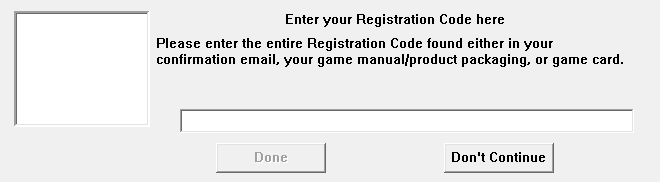
I suggest you check the image below to make sure you are in the right guide before proceeding with our operations. If you encounter a screen like the image, you can continue.
Step 1
Let's check if our operating system is x86 or x64. You can learn how to check it in the video below.
https://www.youtube.com/watch?v=MIXO6TyNvoY
https://www.youtube.com/watch?v=MIXO6TyNvoY
Step 2
Download the file suitable for your operating system from the links I shared with you.


Yandex Link - x64[disk.yandex.com.tr]
Dropbox Link - x64[www.dropbox.com]
Go File Link - x64[gofile.io]
Google Drive Link - x86[drive.google.com]
Yandex Link - x86[disk.yandex.com.tr]
Dropbox Link - x86[www.dropbox.com]
Yandex Link - x64[disk.yandex.com.tr]
Dropbox Link - x64[www.dropbox.com]
Go File Link - x64[gofile.io]
Google Drive Link - x86[drive.google.com]
Yandex Link - x86[disk.yandex.com.tr]
Dropbox Link - x86[www.dropbox.com]
Step 3
Let's go to the folder where the game is installed.
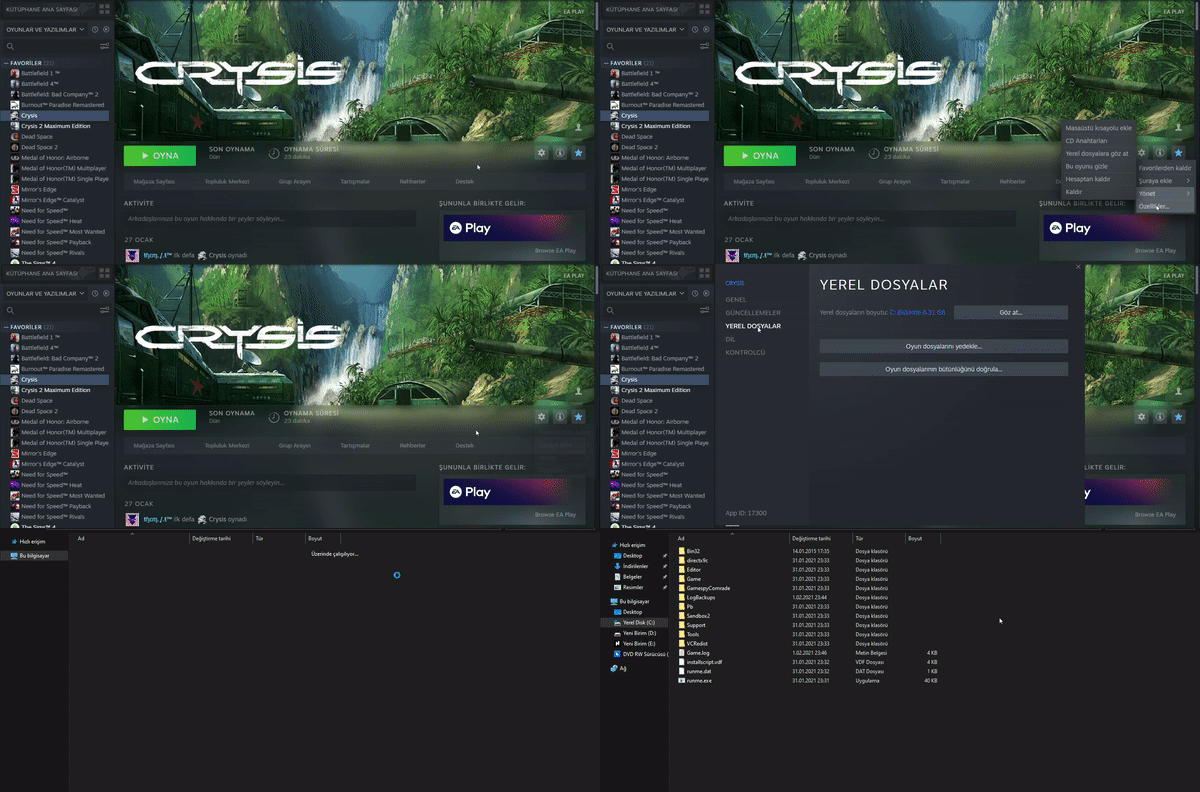
I strongly recommend that you make a backup of the Bin32 folder. This way, you can revert the folder back in case of any error.
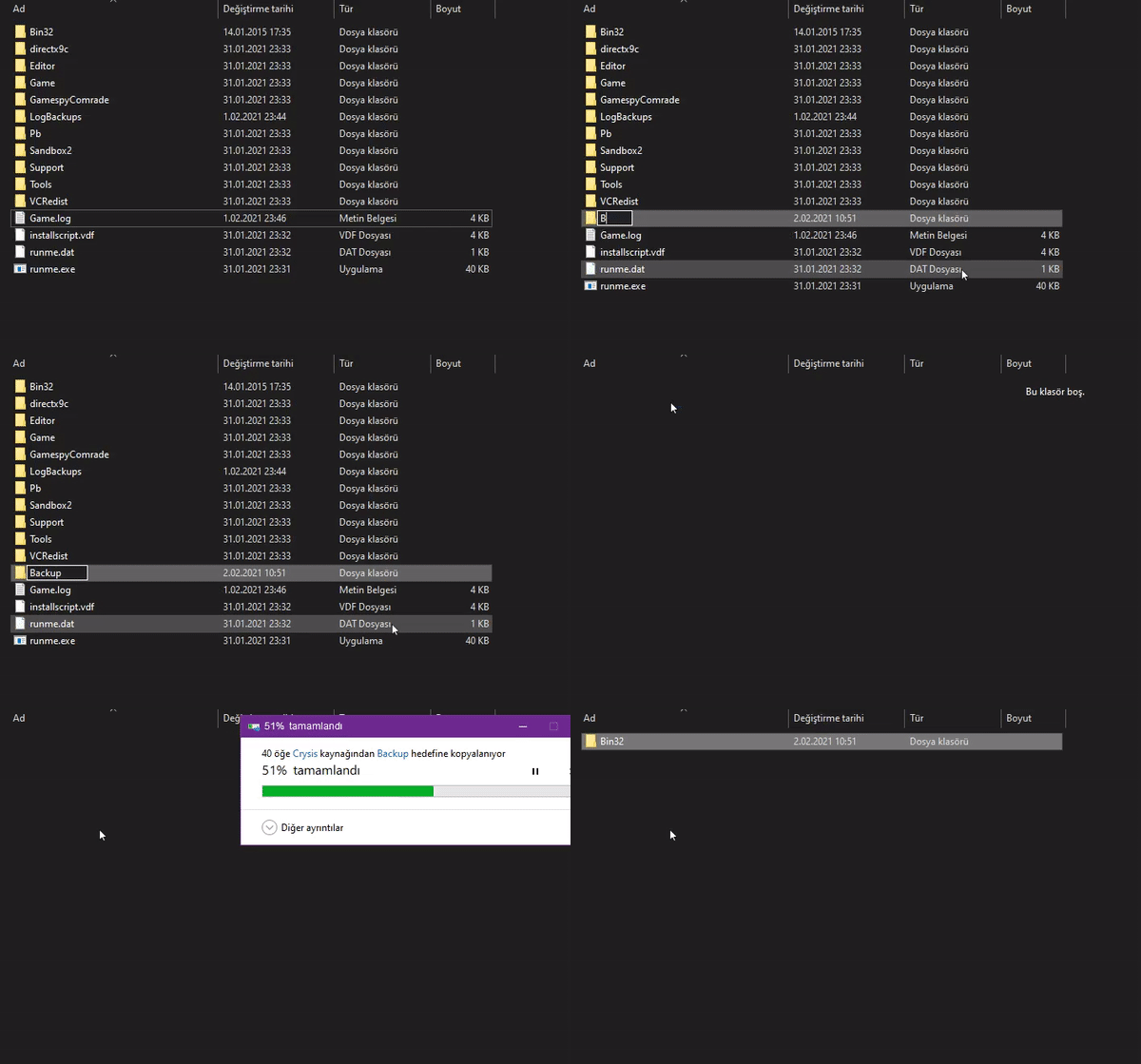
I strongly recommend that you make a backup of the Bin32 folder. This way, you can revert the folder back in case of any error.
Step 4
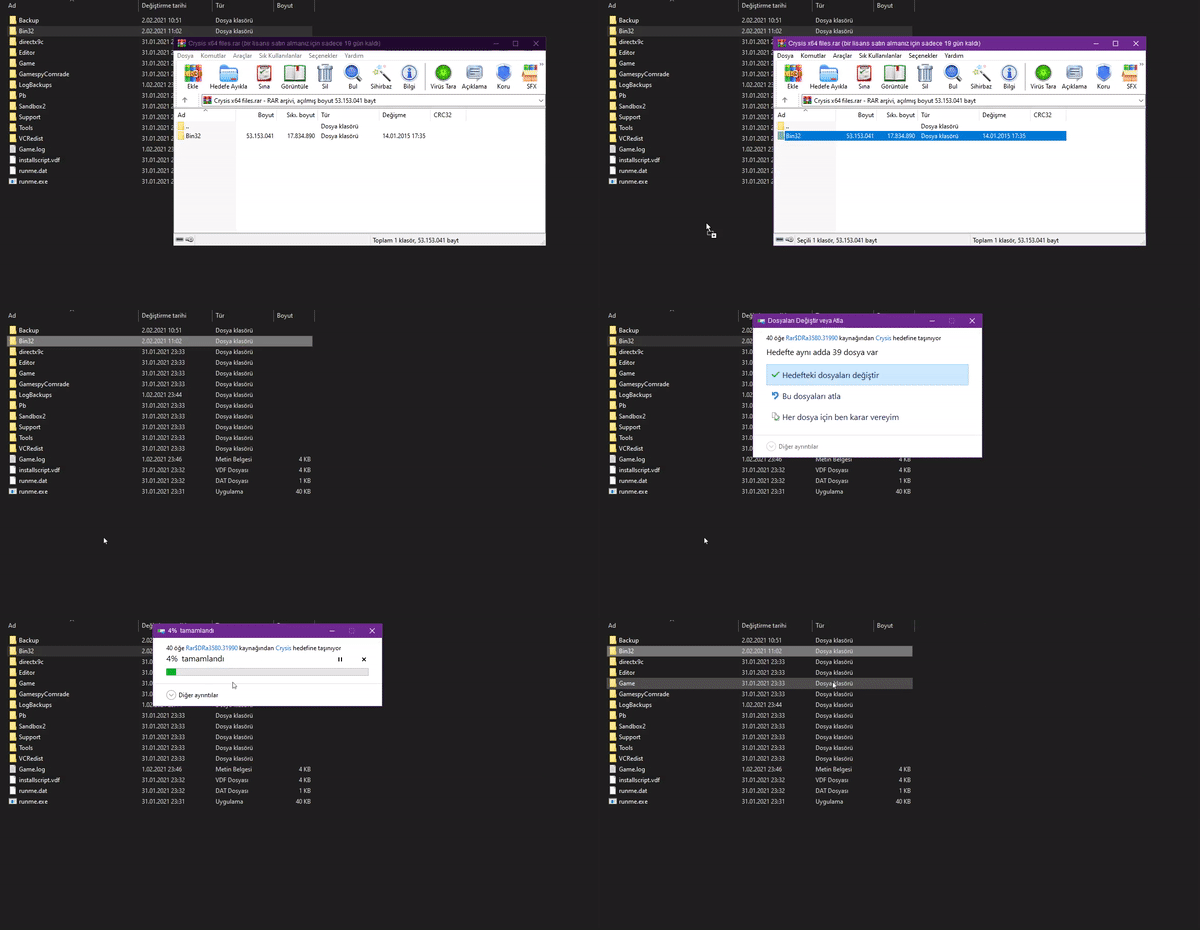
Replace the file you downloaded from the link I gave you with the files in the folder where the game is installed. Now you can easily play your game.
Bonus
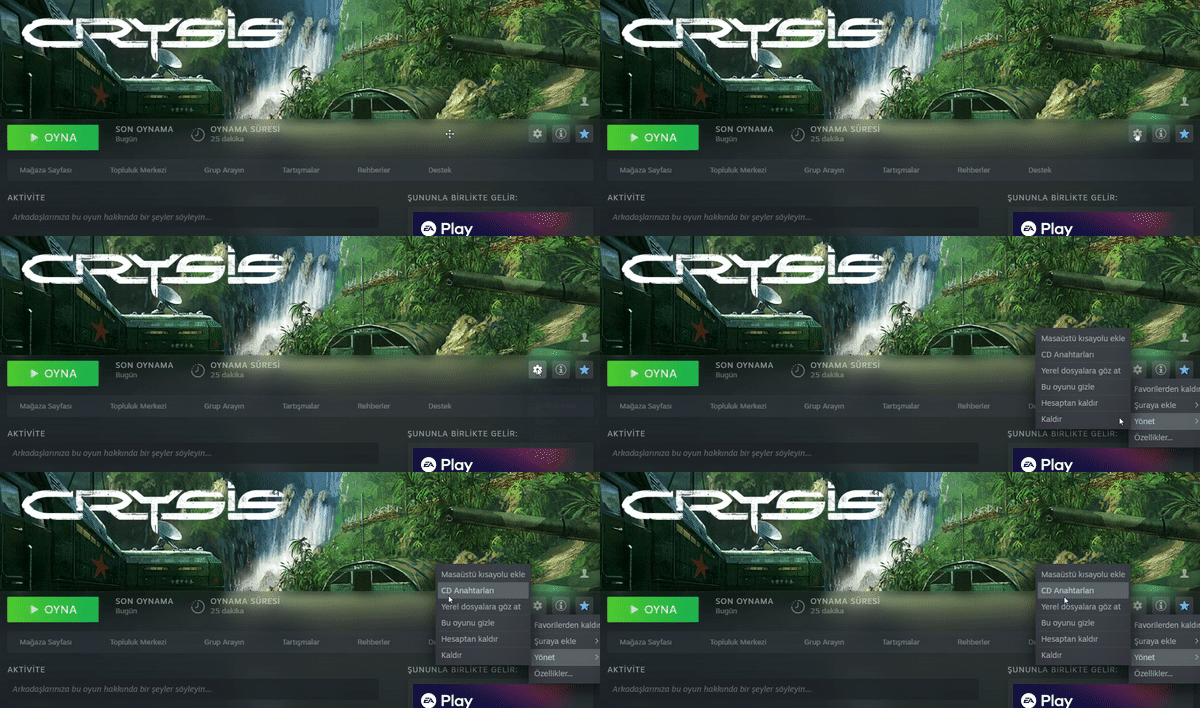
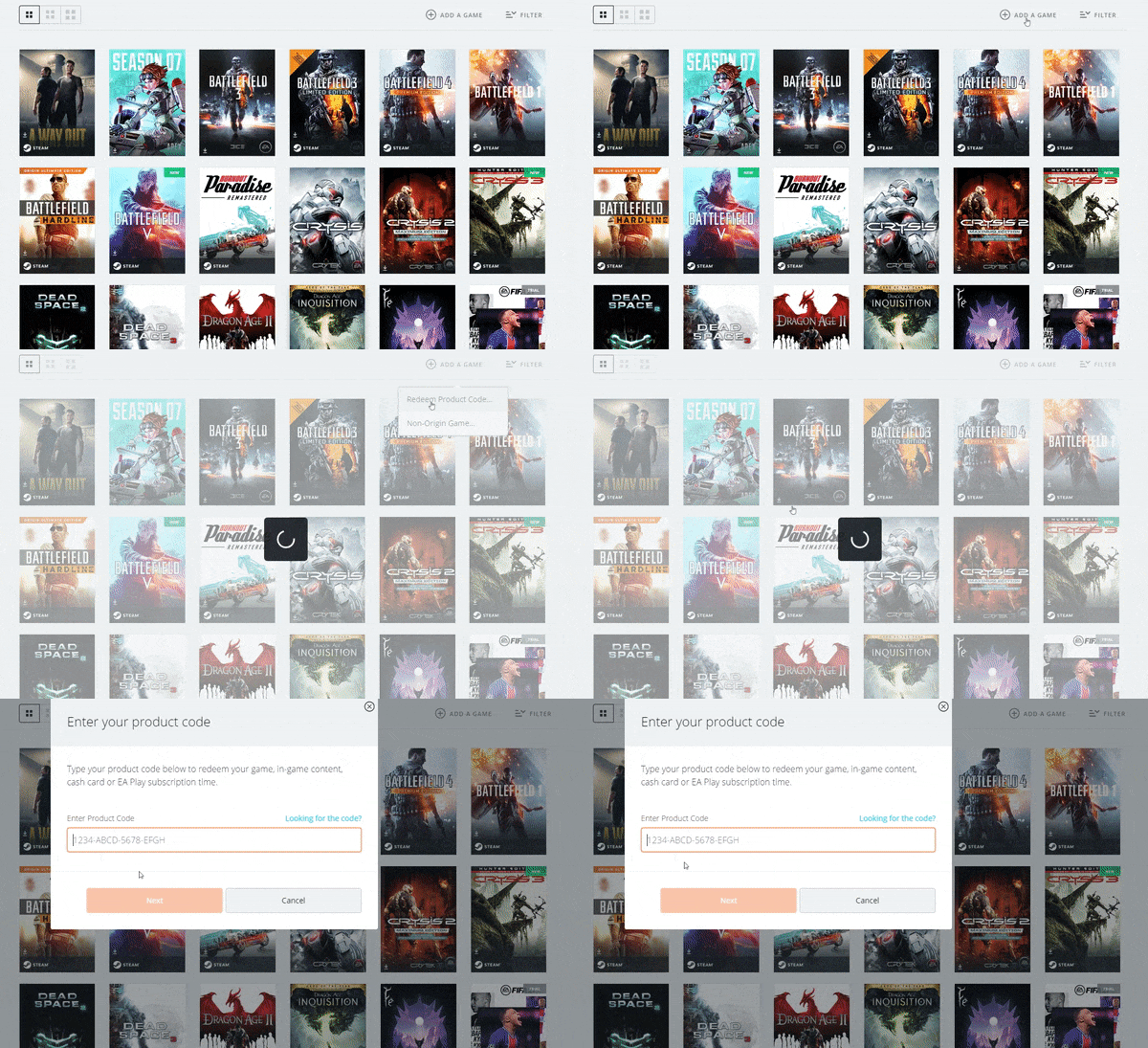
If you do not want to deal with all these processes, you can play Crysis from Origin by using the CD Key you bought from Steam in Origin.
FREQUENTLY ASKED QUESTIONS
♦ Will the files I download harm my computer?
No, the files you download are completely safe and won't harm your computer.
♦ When I open Crysis I get a black screen error. How can I solve it?
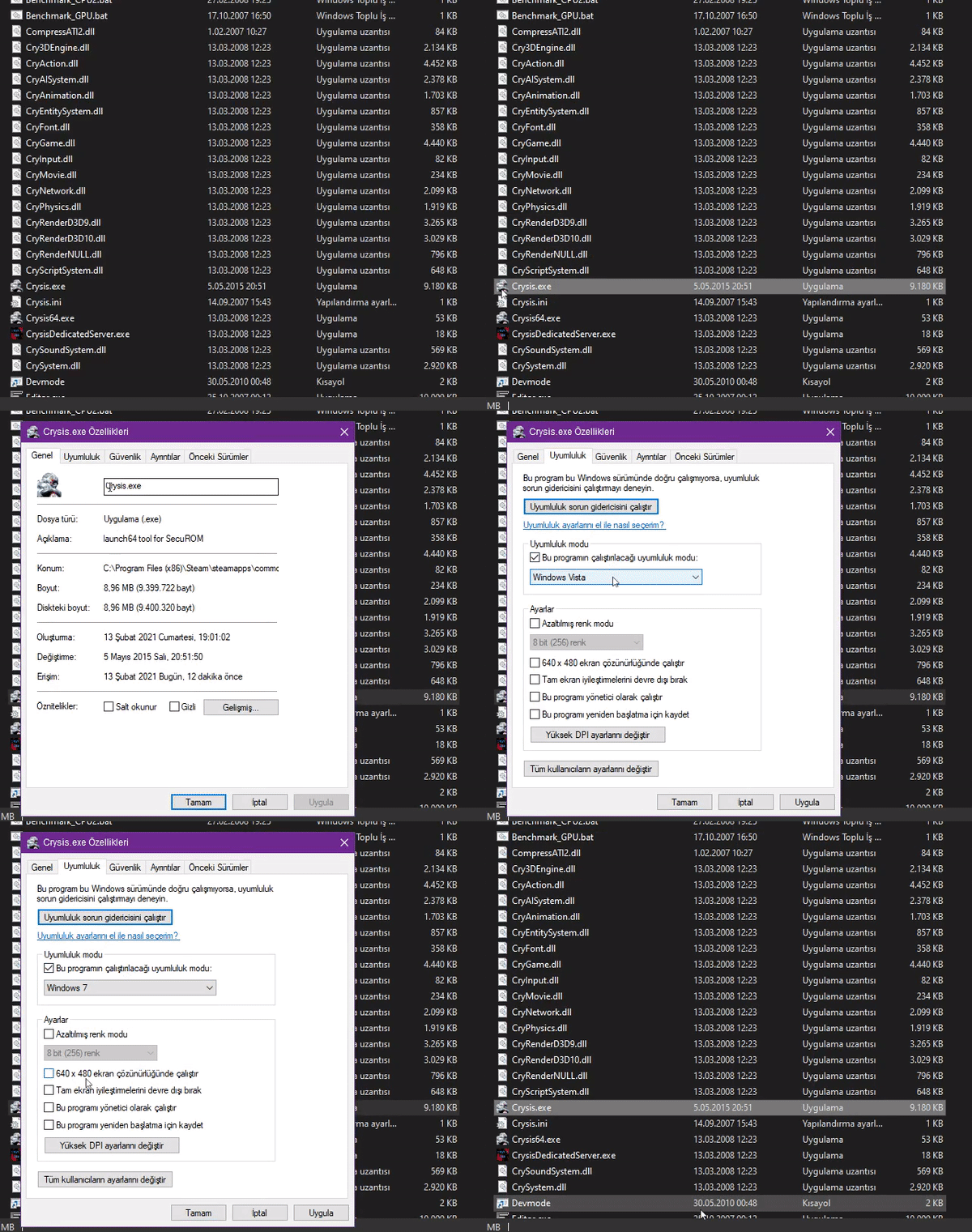
Black screen error is usually caused by compatibility issue. Some of our users still get this error even though we have updated our files to solve the mentioned compatibility problem. To solve this problem, you should open the Bin32 folder from the folder where the game is installed, right click on Crysis.exe and open properties. Try again after changing the compatibility setting to "Windows 7" in the compatibility menu. If you are still experiencing the same issue, we strongly recommend that you contact us.
♦ I want to activate my game from Origin, but I cannot get my CD key from Steam. Why is that?
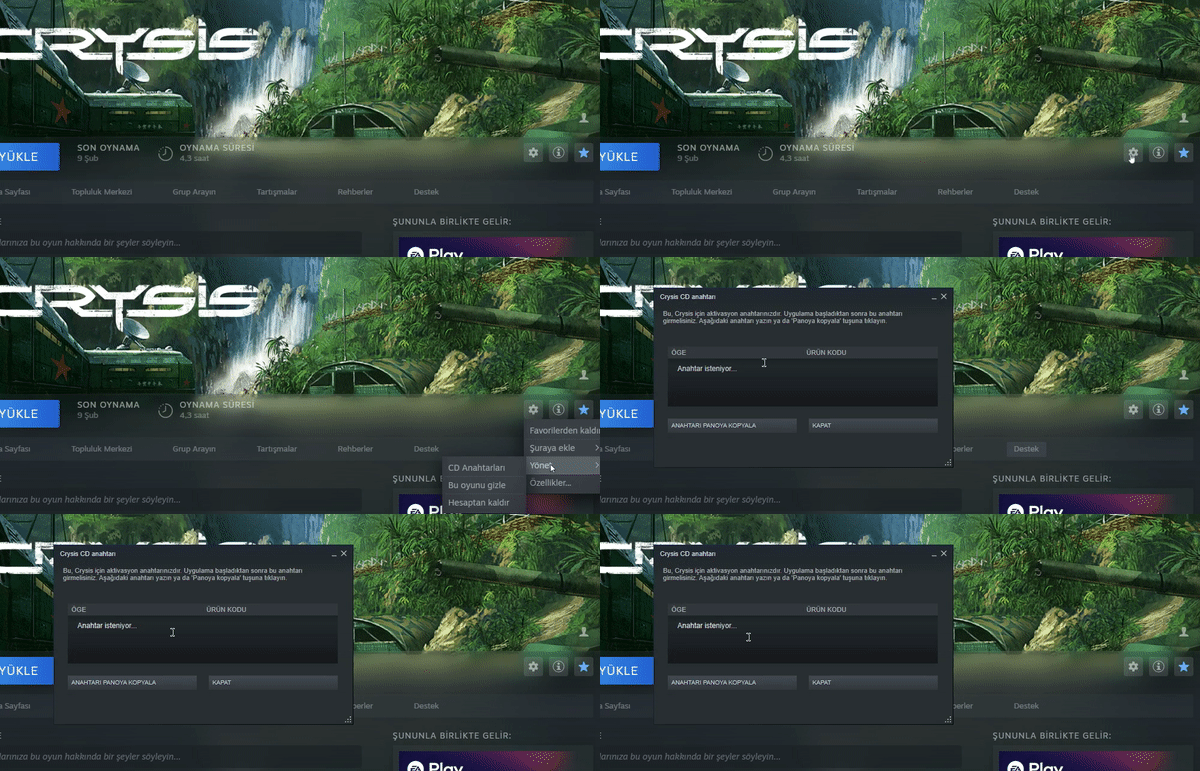
Electronic Arts is removing the CD keys one by one from Steam. Yet there are still users who can access the CD key. If you also cannot access your CD key, you will not be able to activate your game from Origin. Instead, you can access the game using the other option in the guide.
♦ I was able to log into the game but I cannot access multiplayer servers, why?
Crysis GameSpy servers were shut down on May 31, 2014. Therefore, you cannot access official multiplayer servers. Still, there are methods that allow you to login to unofficial servers. There is a guide for this on Steam. You can find the guide below.
Warning: Since the guide is not mine, I do not have the information that can help you with the multiplayer servers, but I suggest you backup your files.
The guide I mentioned: https://steamcommunity.com/sharedfiles/filedetails/?id=597643920
Closing
In this guide, I showed you how to get rid of the Crysis CD Key Registration screen. If you like my guide, you can rate it and add it to your favorites. You can express your thoughts about the guide and any problem you have in the comments. Finally, if you think he really deserves it, you can reward my guide. See you in another guide and wish you a pleasant day.
More Crysis guides
- Fix for launching Crysis on Windows 7/8/10 (64-bit) [English guide/Русское руководство]★ 5 (756)35k views692 ♥5 minUpdated Feb 12, 2023
- Crysis Console Commands★ 5 (412)24k views691 ♥2 minUpdated Feb 6, 2013
- Не запускается Crysis, небольшой фикс и запуск на 64-битной системах...★ 5 (517)22k views476 ♥2 minRussianUpdated Dec 4, 2023
- Windows 10 64Bit - How to make this game work★ 5 (313)20k views424 ♥3 minUpdated Feb 12, 2023
- Crysis HUD off | Free Camera | HD Textures | Tiledshot★ 5 (523)13k views336 ♥3 minBulgarianUpdated Apr 29, 2016
- Чит консольные команды Crysis на Русском★ 5 (203)12k views267 ♥1 minUpdated Mar 3, 2013



This guide was created by its original author on the Steam Community. Are you the author and want it removed? Request removal.