[EN] [NVIDIA] How to remove Crysis 2/3 FPS limit?
Entry
Welcome to my first guide in Steam. I will instruct how to remove FPS limit in Crysis 2/3. It works only NVIDIA graphic cards. I didn't try for AMD GPU.

Disabling V-Sync
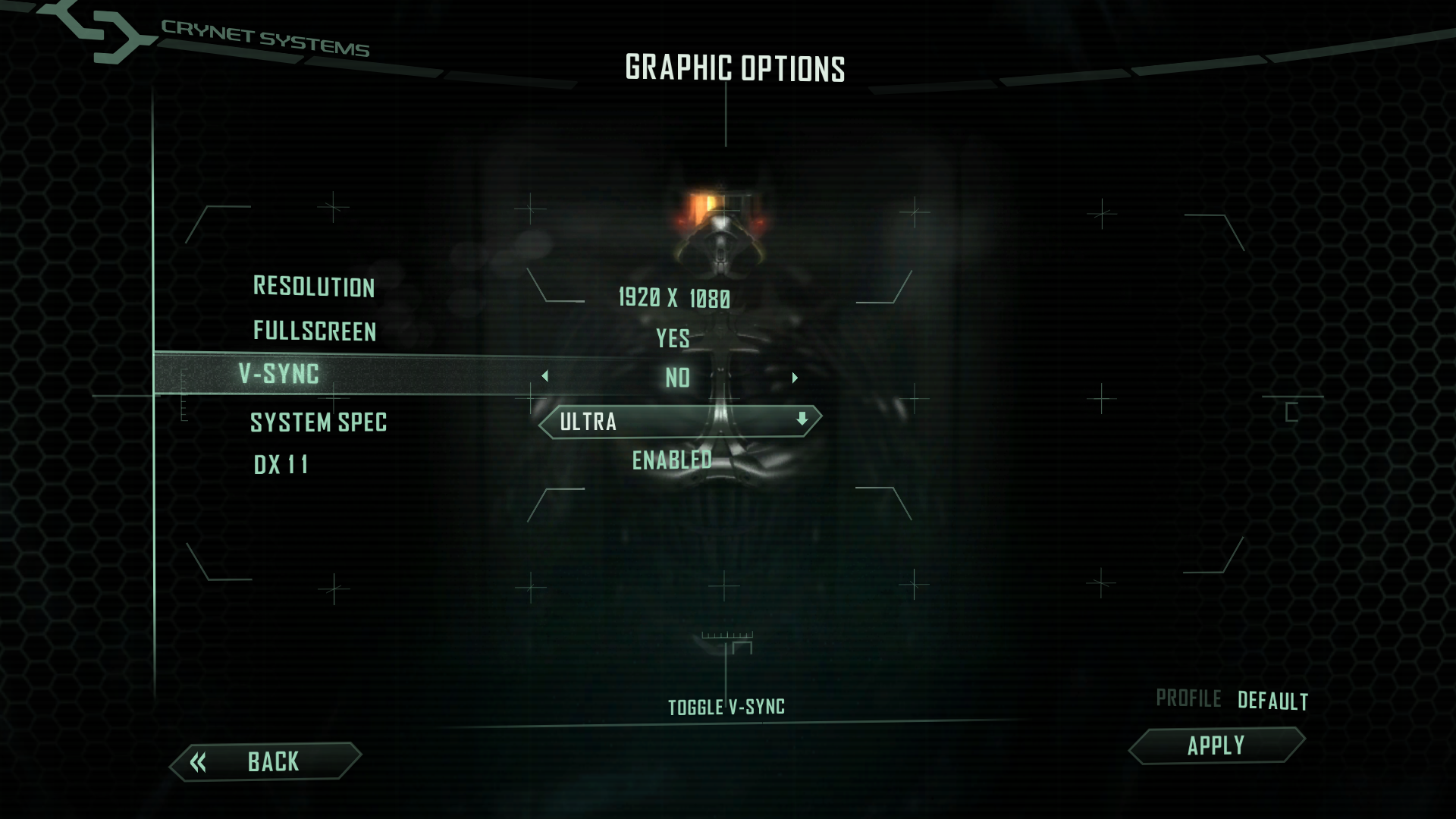
Disable V-Sync in Crysis 2/3 Graphic settings.
Run NVIDIA Control Panel
Run NVIDIA Control Panel.
Manage 3D Settings
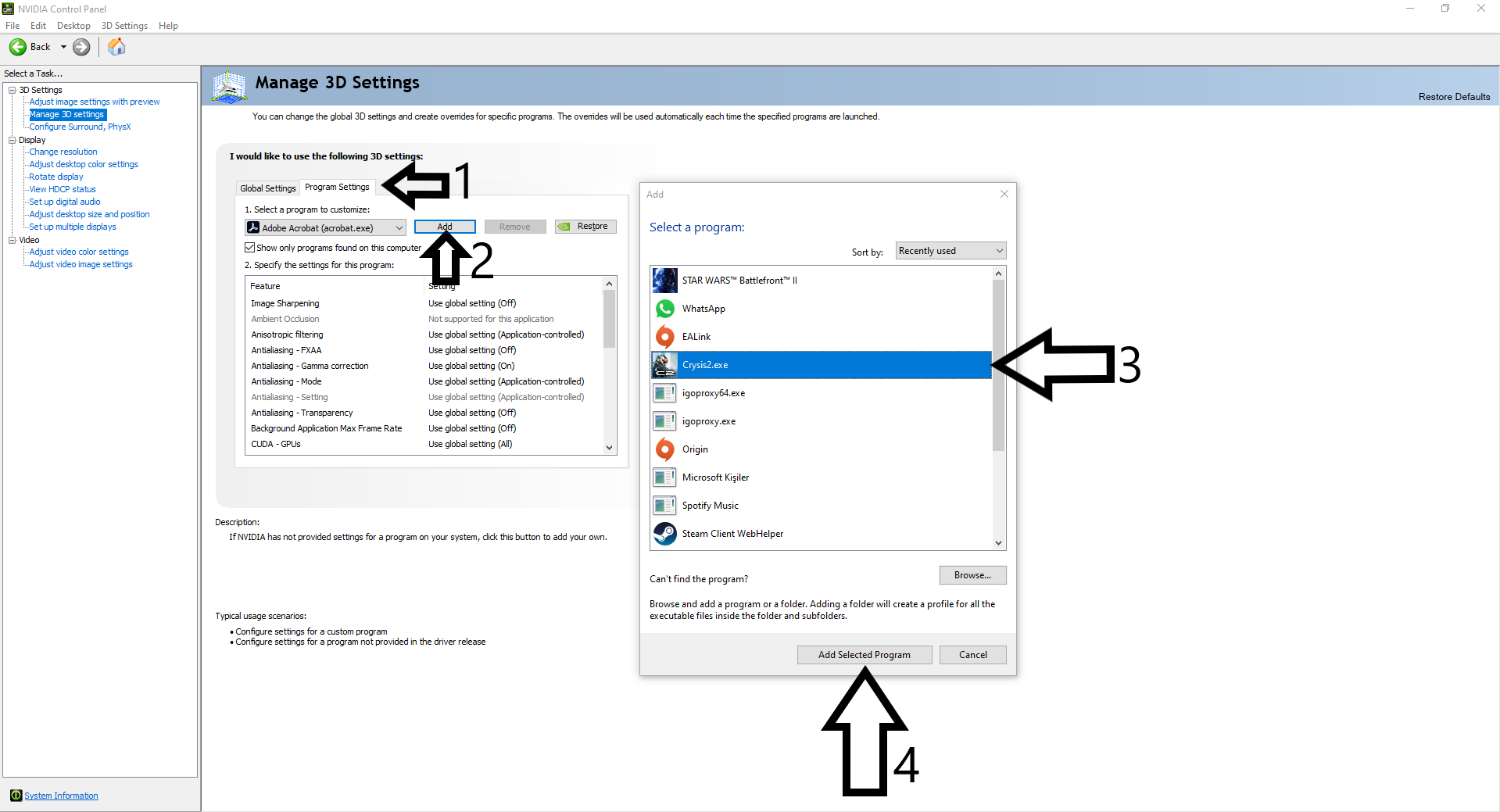
Select "Manage 3D Settings" and click on Program Settings.
Click on "Add", find Crysis 2 and select "Add Selected Program". If you can't find Crysis 2, select browse.
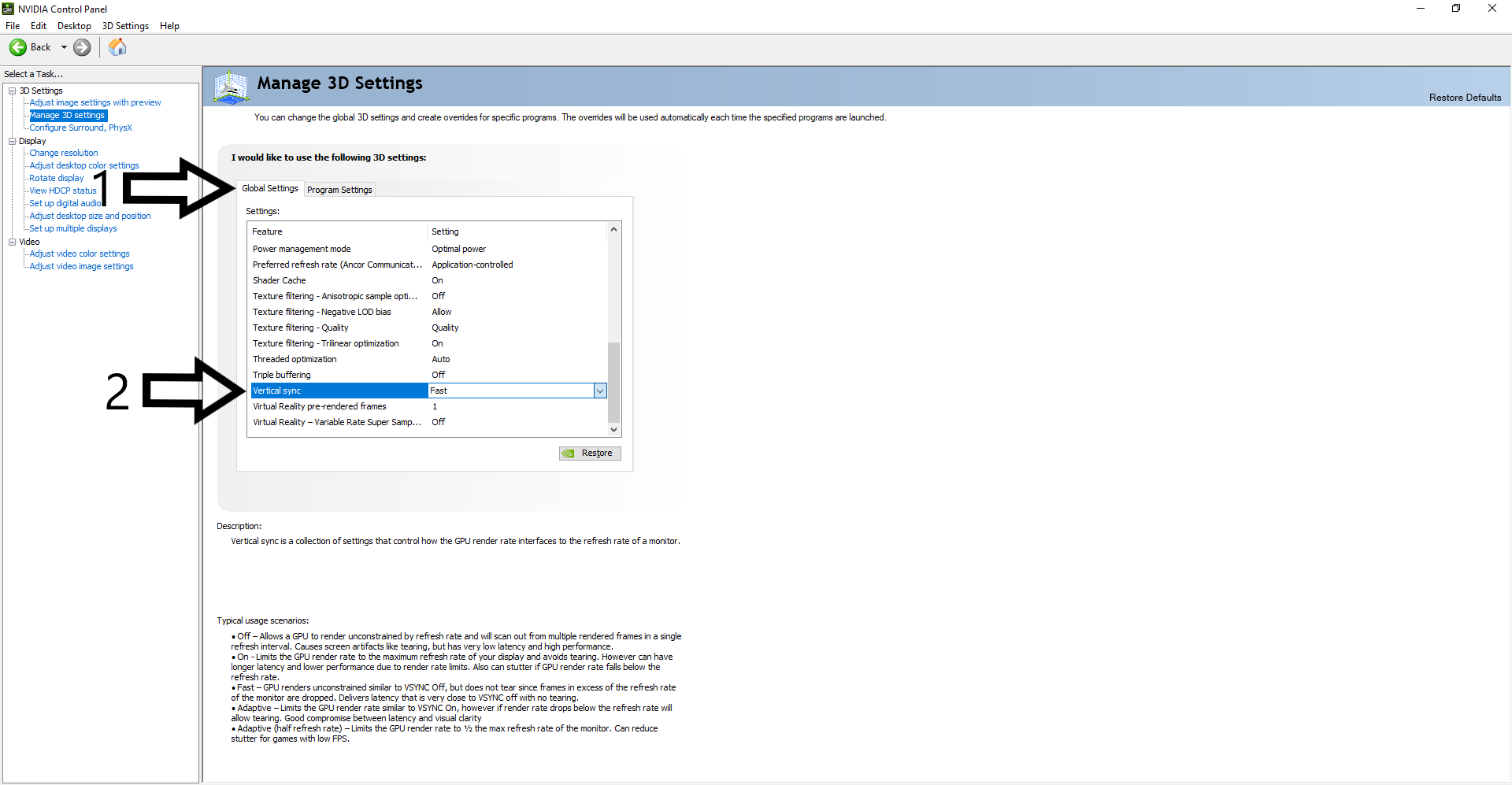
Click on "Global Settings" and find "Vertical Sync". Select "Fast" setting.
Applying Changes
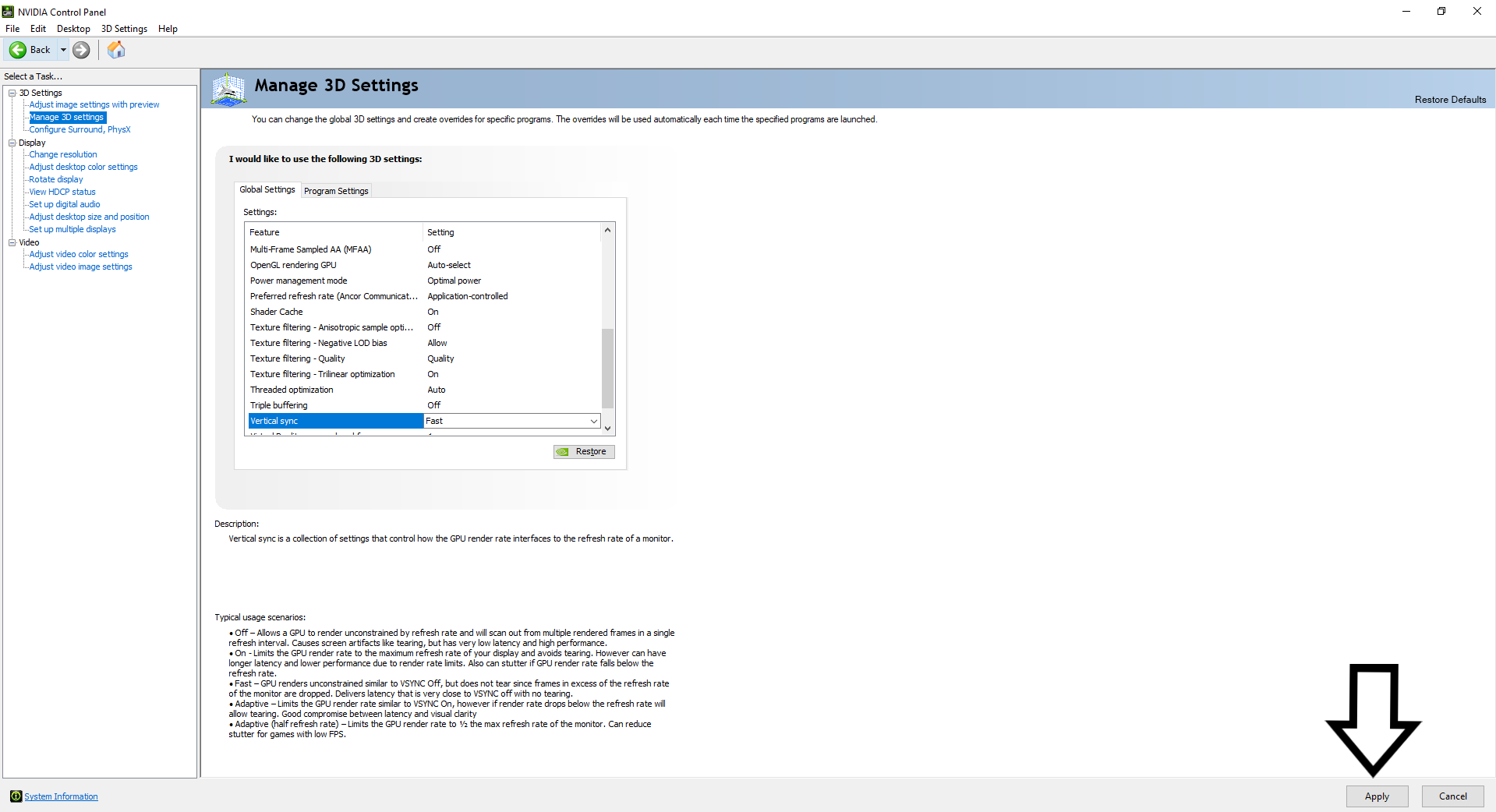
Finally, click on "Apply" and save your changes.
Ending
Now, you can play Crysis 2/3 with unlimited FPS. Thanks for reading my guide. :) If you have questions, you can add me.
More Crysis 2 Maximum Edition guides
- CRYSIS 3 BOW IN CRYSIS 2★ 5 (285)26k views233 ♥1 minUpdated Oct 13, 2016
- Crysis 2 Easter Eggs★ 4 (149)14k views62 ♥1 minUpdated Feb 21, 2021
- Crysis 2 Ultra HD Texture, Tessellation and DirectX 11 mod★ 4 (108)12k views96 ♥1 minUpdated Jun 5, 2020
- Как разблокировать все находки в игре (кампания) | How to find all souvenirs in campaign★ 5 (465)10k views589 ♥10 minUpdated Jul 6, 2020
- TF2 Classes in Crysis 2★ 4 (97)9.4k views56 ♥2 minUpdated Feb 15, 2014
- Получение всех оружейных модулей в одиночной кампании игры Crysis 2★ 5 (213)7.3k views251 ♥2 minRussianUpdated May 8, 2024






This guide was created by its original author on the Steam Community. Are you the author and want it removed? Request removal.