Equipping Conflicting Accessories v2
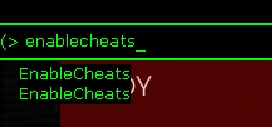
Step 1: enable cheats
Open your console with ~ or whatever you set your bind to. If this part is too hard for you... Oh buddy, just stop here then.
Step 2: whip your log out
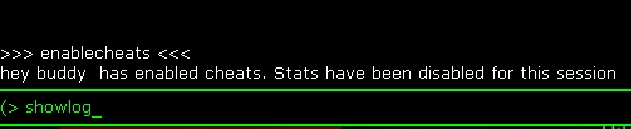
now enter 'showlog' without quotes. This will open a cmd prompt outside the game. Don't close it.
Step 3: Cosmetic info
The first thing you want to is to type 'Printoutcharactercosmeticinfo' (without the quotes, dummy) for any accessory you want to know that info for.
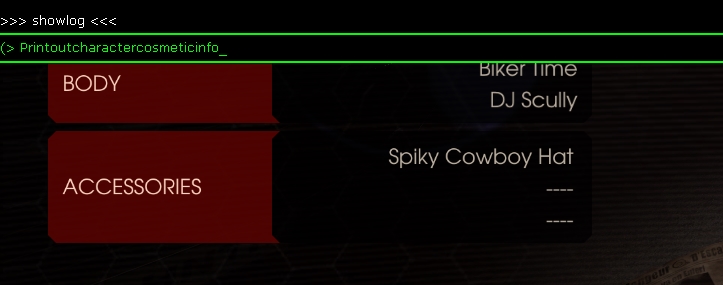
For this example, I'm using our favourite Nordic buddy's cowboy hat. You're going to notice these three parameters: Mesh index, Slot index, and Skin index, with this hat having a skin index of 2 and a mesh index of 10.
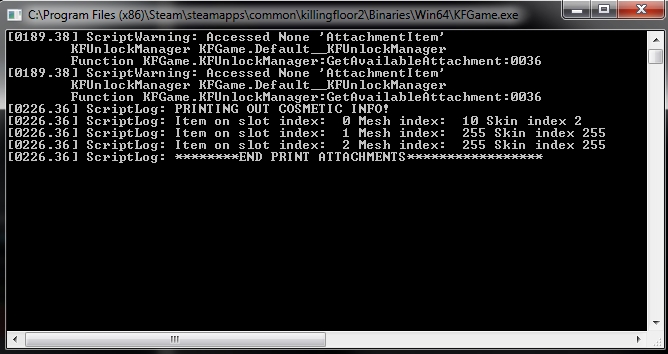
Now you might be asking "Hey buddy, you didn't tell us about the SLOT INDEX!" and that's because I've noticed some forum posts where people don't get what this is. Oh boy, lesson time!
The slot index represents 1 of the 3 accessory slots, ranging from 0 to 2. 0 being the first and 2 being the third. So the first item equipped would be 0, second 1, third 2 While your mesh and skin index will be exactly as the printout says. Make sure you don't set cosmetics to the same slot index or it won't work
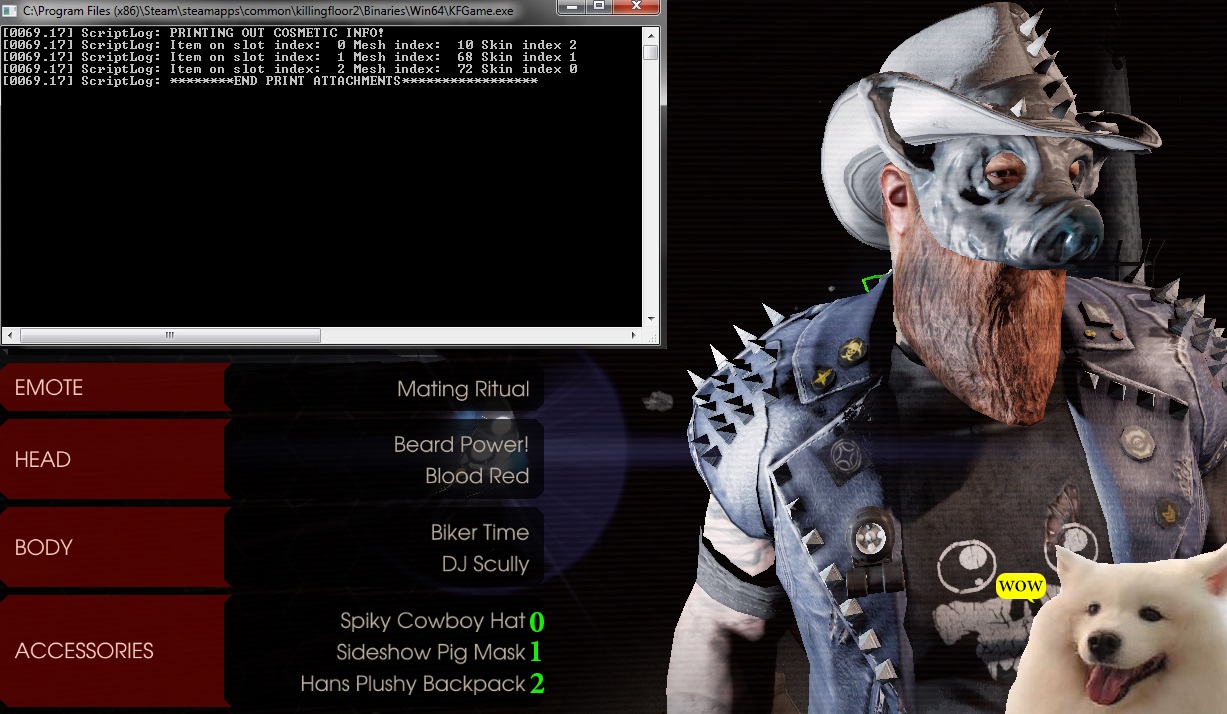
For this example, I'm using our favourite Nordic buddy's cowboy hat. You're going to notice these three parameters: Mesh index, Slot index, and Skin index, with this hat having a skin index of 2 and a mesh index of 10.
Now you might be asking "Hey buddy, you didn't tell us about the SLOT INDEX!" and that's because I've noticed some forum posts where people don't get what this is. Oh boy, lesson time!
The slot index represents 1 of the 3 accessory slots, ranging from 0 to 2. 0 being the first and 2 being the third. So the first item equipped would be 0, second 1, third 2 While your mesh and skin index will be exactly as the printout says. Make sure you don't set cosmetics to the same slot index or it won't work
Step 4: Equipping
Now that you know the mesh and skin index for the cosmetic you want equipped, go back into the console and type
SetCharacterAttachment
and type the number of the mesh, the skin, and then a slot from 0 to 2 and then TRUE
 example using the cowboy hat again: SetCharacterAttachment 10 2 0 TRUE
Do this for any accessory that you know will conflict.
Remember that you absolutely need to write TRUE at the end or it won't work.
SetCharacterAttachment
and type the number of the mesh, the skin, and then a slot from 0 to 2 and then TRUE
example using the cowboy hat again: SetCharacterAttachment 10 2 0 TRUEDo this for any accessory that you know will conflict.
Remember that you absolutely need to write TRUE at the end or it won't work.
Quick Method and FAQ
The easiest way to do this fast is to equip whichever non conflicting accessories you want to use the normal way, and then going through all the console commands you need to do for the conflicting skin. If you know you only have one cosmetic that will conflict, you don't have to remember what slot you need it to be, and you don't have to use the console to type out the other two accessories. just set the slotindex to 2 and you're good.
Example: I've equipped two accessories in game which automatically set them to slot 0 and 1
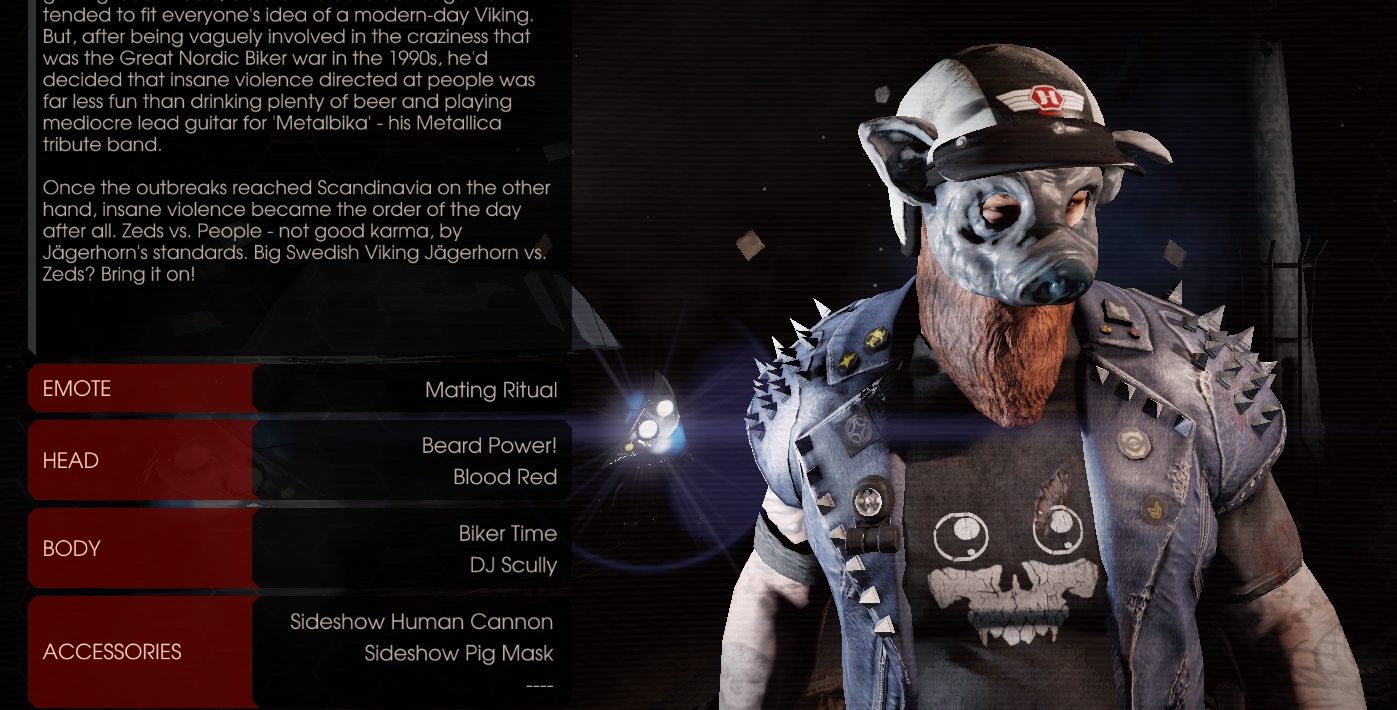
Now I want my third cosmetic, which happens to conflict with one or both of my other ones. So I go and equip it normally so I can check my log to find out its mesh and skin index. But we already know that so we just (here's the tl;dr)
If you already had two pieces equipped, your slot will probably need to be 2. Since I'm equipping the fleshpound visor:

Press enter and BAM:
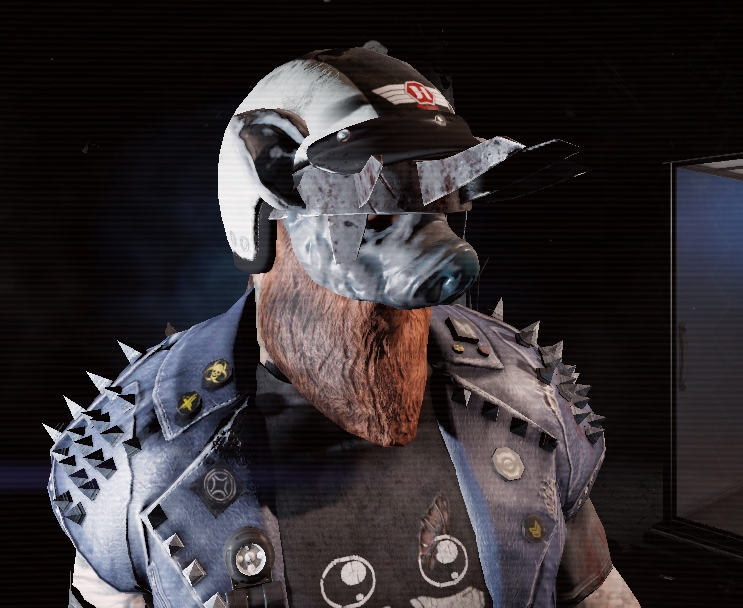 Now you can be as pretty or disgusting as you want, buddy!
Be sure to restart the game when you're done, since you won't be able to play while cheats is enabled.
Q: I write in the three numbers I need, and it did nothing, but had no errors!
A: Make sure to write TRUE at the end of Setcharacterattachment
Q: I had some items written down for one character, but it's not working for anyone else!
A: Each character has unique numbers for cosmetic items. This is because each cosmetic added has to be individually placed in the correct part of the face by the dev team, which is different for every character.
Q: Why can't I equip these hats to my DAR?
A: Because you can't.
Q: Will this get me banned?
A: No. You're allowed to do whatever you want in the console, and if the devs didn't know about these sets of console commands they wouldn't have made them so clean and incredibly simple to use.
Q: I'm going to add you to my friends list because I need tech support on this.
A: Kill me God.
Q: Can you put on items you don't have unlocked?
A: I doubt it, but I don't recommend trying.
Q: I can't join a game after I do this!
A: Restart your game.
Q: Do my cosmetics show up for everyone else?
A: Yes.
Kudos to the original guide that was taken down and please let me know in the comments if I need to fix anything like typos, if parts are too long, or if I forgot anything. I unfortunately did this as fast as I could while on the magic power of an entire pot of coffee. And apologies in advance if this makes anyone salty but you can go rub yourself on my popcorn so it gets tastier.
Example: I've equipped two accessories in game which automatically set them to slot 0 and 1
Now I want my third cosmetic, which happens to conflict with one or both of my other ones. So I go and equip it normally so I can check my log to find out its mesh and skin index. But we already know that so we just (here's the tl;dr)
OPEN THE CONSOLE AND TYPE:
1: enablecheats
2: showlog (if you don't know the meshindex and skinindex of the item)
3: printoutcharactercosmeticinfo (if you don't know the meshindex and skinindex of the item)
4: setcharacterattachment (mesh) (skin) (slot) TRUE
1: enablecheats
2: showlog (if you don't know the meshindex and skinindex of the item)
3: printoutcharactercosmeticinfo (if you don't know the meshindex and skinindex of the item)
4: setcharacterattachment (mesh) (skin) (slot) TRUE
If you already had two pieces equipped, your slot will probably need to be 2. Since I'm equipping the fleshpound visor:
Press enter and BAM:
Now you can be as pretty or disgusting as you want, buddy!Be sure to restart the game when you're done, since you won't be able to play while cheats is enabled.
FAQ:
Q: I write in the three numbers I need, and it did nothing, but had no errors!
A: Make sure to write TRUE at the end of Setcharacterattachment
Q: I had some items written down for one character, but it's not working for anyone else!
A: Each character has unique numbers for cosmetic items. This is because each cosmetic added has to be individually placed in the correct part of the face by the dev team, which is different for every character.
Q: Why can't I equip these hats to my DAR?
A: Because you can't.
Q: Will this get me banned?
A: No. You're allowed to do whatever you want in the console, and if the devs didn't know about these sets of console commands they wouldn't have made them so clean and incredibly simple to use.
Q: I'm going to add you to my friends list because I need tech support on this.
A: Kill me God.
Q: Can you put on items you don't have unlocked?
A: I doubt it, but I don't recommend trying.
Q: I can't join a game after I do this!
A: Restart your game.
Q: Do my cosmetics show up for everyone else?
A: Yes.
Kudos to the original guide that was taken down and please let me know in the comments if I need to fix anything like typos, if parts are too long, or if I forgot anything. I unfortunately did this as fast as I could while on the magic power of an entire pot of coffee. And apologies in advance if this makes anyone salty but you can go rub yourself on my popcorn so it gets tastier.
More Killing Floor 2 guides
- Killing Floor 2 Startup Crashes and Startup Problems★ 5 (761)33k views798 ♥8 minUpdated Apr 20, 2023
- Killing Floor 2 все предметы / all collectibles★ 5 (688)17k views676 ♥3 minUpdated Sep 22, 2023
- «От А до Я» или не совсем коротко о перках.★ 5 (642)14k views942 ♥31 minRussianUpdated Oct 3, 2019
- More FPS on ANY Computer | KF2★ 5 (442)14k views570 ♥10 minUpdated Jan 11, 2025
- How to predict which boss★ 5 (362)12k views569 ♥1 minUpdated Mar 21, 2025
- Достижения Killing Floor 2★ 5 (741)12k views721 ♥26 minRussianUpdated May 13, 2020



This guide was created by its original author on the Steam Community. Are you the author and want it removed? Request removal.