Far Cry 2022 (Win 10 64-bit)
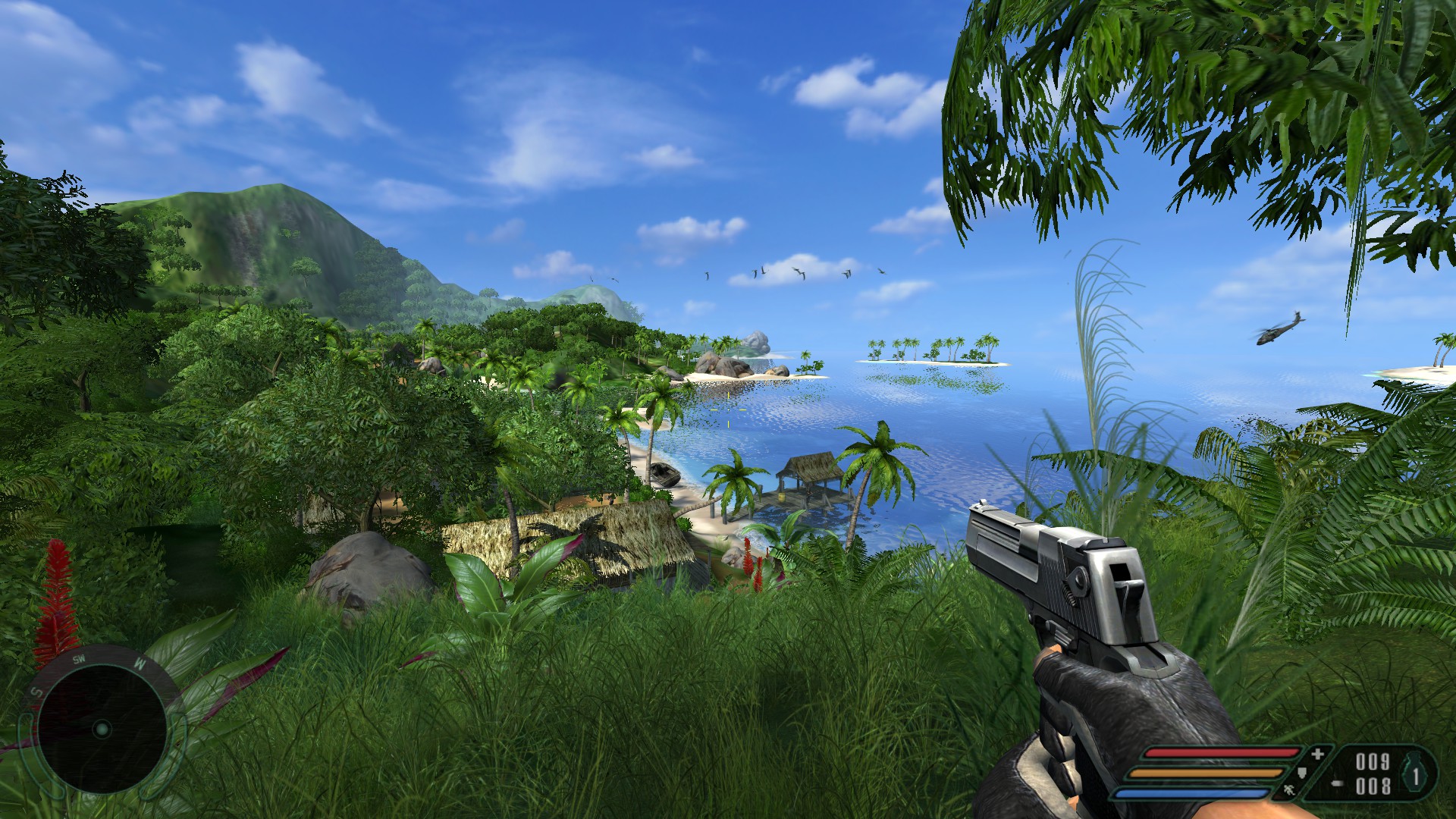
Screenshot of Final Product
Downloads Required
We are going to download 3 files found here:
- PC Gaming Wiki https://www.pcgamingwiki.com/wiki/Far_Cry
- Unofficial Patch 1.41 https://www.moddb.com/games/far-cry/downloads/patch-1-41-unofficial
- FarOut Widescreen https://www.moddb.com/mods/farout-widescreen/downloads/farout-widescreen-10-final
- Far Cry Fix https://www.moddb.com/games/far-cry/downloads/far-cry-fix-32-bit
Installation
Install the modifications in the following order and everything should be ok.
Start by opening your installation folder, usually located here:
C:\Program Files (x86)\Steam\steamapps\common\FarCry
Patch 1.41:
Drop patch141.exe into the installation folder and run it, follow the instructions it gives you.
FarOut Widescreen:
Drop FarOut_Widescreen_1.0_Final.exe into your installation folder and run it. When asked, which components you would like select all 4:
Far Cry Fix:
IMPORTANT: This mod is not fully compatible with the other mods, we only want to extract one file from far_cry_fix.zip.
Extract system.cfg into your installation folder.
This file will set all the the "Advanced Options" under "Video Options" to their highest possible values, this mitigates a lot of pop-in issues that the game has when settings are set to maximum manually.
Skip intro videos:
Finally check out this section from the PC Gaming Wiki page if you would like to automatically skip the intro videos: https://www.pcgamingwiki.com/wiki/Far_Cry#Skip_intro_videos
Start by opening your installation folder, usually located here:
C:\Program Files (x86)\Steam\steamapps\common\FarCry
Patch 1.41:
Drop patch141.exe into the installation folder and run it, follow the instructions it gives you.
FarOut Widescreen:
Drop FarOut_Widescreen_1.0_Final.exe into your installation folder and run it. When asked, which components you would like select all 4:
- FarOut Widescreen
- Letterboxing Support
- Tent AI Bug Fix
- Silent Patch
Far Cry Fix:
IMPORTANT: This mod is not fully compatible with the other mods, we only want to extract one file from far_cry_fix.zip.
Extract system.cfg into your installation folder.
This file will set all the the "Advanced Options" under "Video Options" to their highest possible values, this mitigates a lot of pop-in issues that the game has when settings are set to maximum manually.
Skip intro videos:
Finally check out this section from the PC Gaming Wiki page if you would like to automatically skip the intro videos: https://www.pcgamingwiki.com/wiki/Far_Cry#Skip_intro_videos
In Game Tweaks
Finally you'll probably want to set your screen resolution to native and increase anti-aliasing to 8x in game.
Final Warning
For some reason they made the game extremely unforgiving at times and difficulty cannot be changed on the fly. This will be especially true if like me you want to play without manual saving. For these reasons I would recommend your first play through be on a lower difficulty than you would normally choose.
More Far Cry guides
- Far Cry Cheats★ 5 (205)22k views315 ♥1 minUpdated Nov 7, 2017
- Русификация игры Far Cry★ 5 (303)20k views582 ♥2 minRussianUpdated Apr 24
- Far Cry Fix [Widescreen Fix | AI Fix | SilentPatch | Quick Save & Load | 64-Bit]★ 5 (335)15k views592 ♥2 minUpdated Mar 29, 2024
- Исправление Far Cry [Widescreen Fix | AI Fix | SilentPatch | Quick Save & Load | 64-Bit | Русификатор]★ 5 (411)13k views710 ♥2 minRussianUpdated May 15, 2024
- Spolszczenie Far Cry [879MB] [DUBBING+NAPISY]★ 4 (125)6.7k views125 ♥1 minPolishUpdated Jun 3, 2021
- Как вспомнить и поиграть в Far Cry с новым дыханием★ 4 (87)6.5k views165 ♥13 minUpdated Apr 23, 2023


This guide was created by its original author on the Steam Community. Are you the author and want it removed? Request removal.