First-Time Playing Guide
Resolution
To use a resolution higher than 1920x1200, navigate to the following file (Hidden items must be enabled) in the Personal folder ("C:\Users"):
"...\AppData\Local\CAPCOM\Resident Evil - biohazard@HD REMASTER\config.ini"
Open the file using Notepad and change the resolution to that of your screen like in the example below:
Resolution=3840x2160
Display
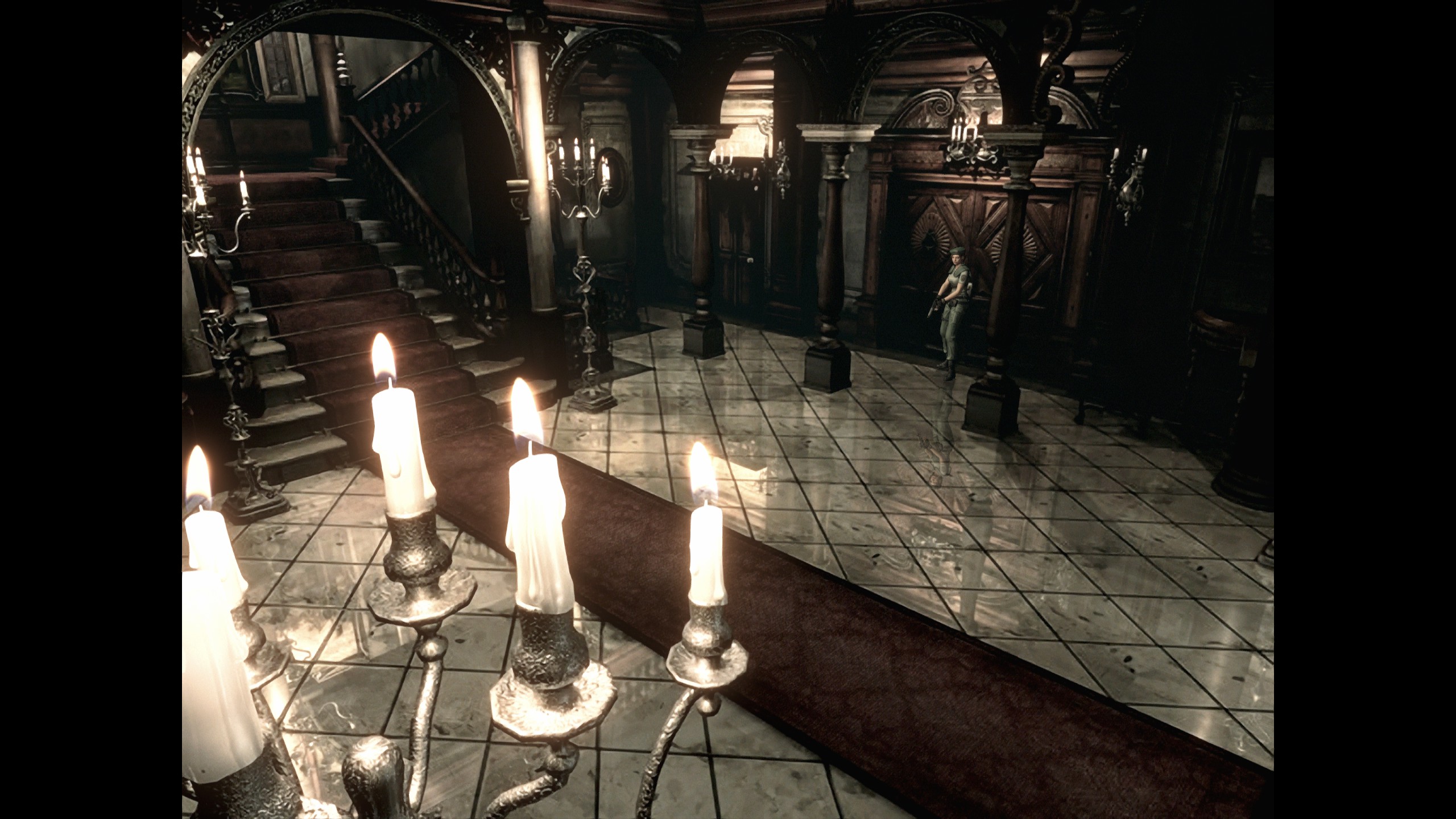
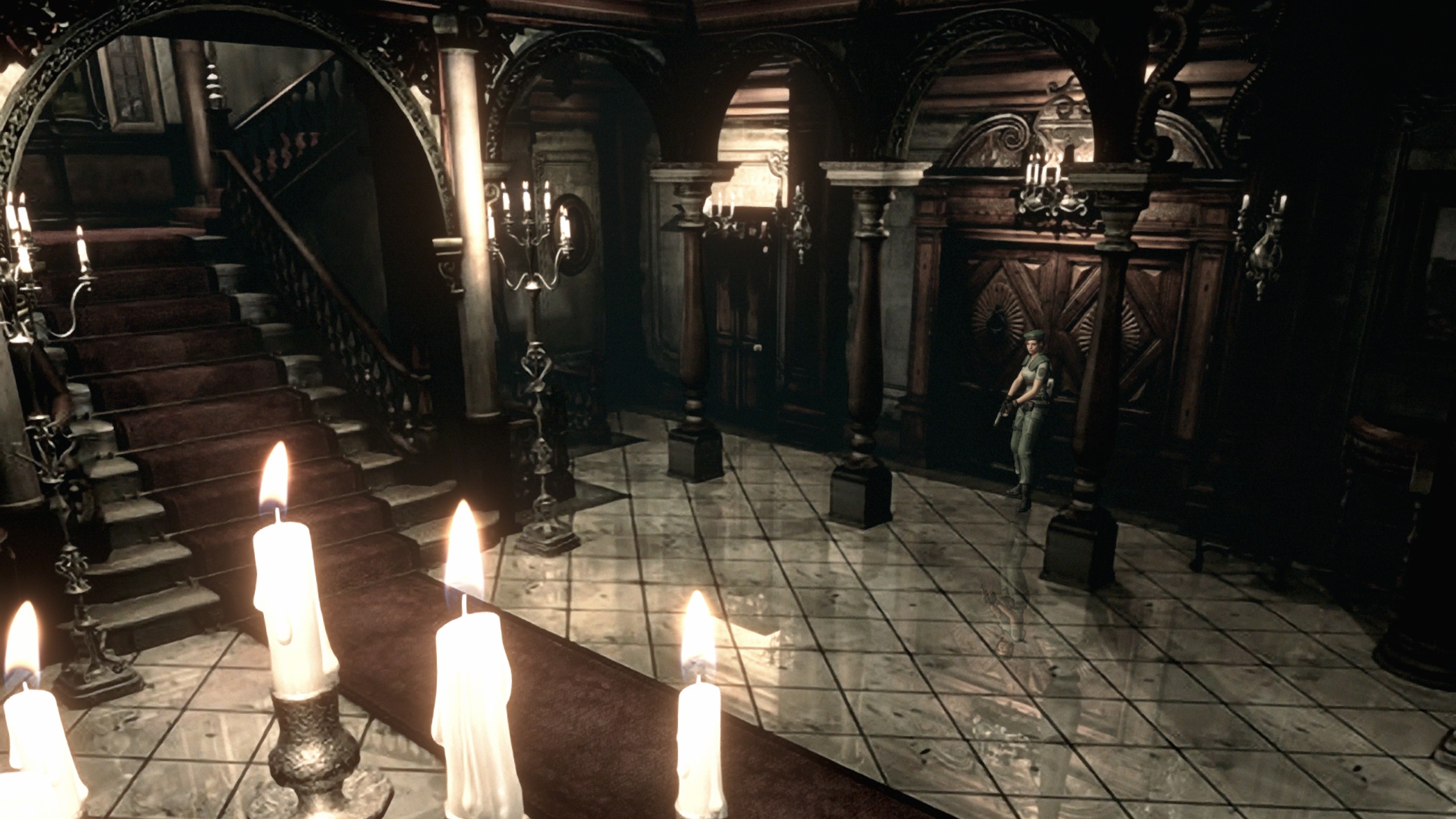
Below is a comparison of Original and Wide to demonstrate the problem with cropping (notice the cut-off at the bottom of the lower image):
Controls
Original controls are relative to the character rather than the camera angle (Alternate) and this is how classic Resident Evil games work. Additionally, difficulty of the games is optimized with this control scheme in mind, resulting in a more fair and balanced experience.
With this control scheme, movement is more fluid and consistent since controls are independent from camera angles which often change. With the Alternate control scheme, orientation from the scene in which a movement key was initially pressed is preserved until the key is released and only then are the controls are updated to match the new scene with a different camera angle. For example, if moving away from the camera by holding W and the camera angle suddenly changes by 180 degrees, continuing to hold W would have no effect on the original direction (now toward the camera) despite the new orientation, but releasing and pressing W again would suddenly result in going the opposite way. This is not the case with the Original control scheme.
As for Defensive Items, Manual might offer more flexibility, but Automatic should be perfectly fine.
Difficulty
I. Like climbing a mountain. - Despite being at the top of the list (not to mention the description), this is actually Normal difficulty which is the default and the most balanced one in nearly all games, as is the case here. Hard difficulty is unlocked after completing the game for the first time.
II. Like going on a hike. - Easy difficulty.
III. Like taking a walk. - Very Easy difficulty.
Characters
Tips
1) The game can be seen as one big puzzle where every aspect of it (such as combat) is just a piece of that puzzle and an obstacle for you to figure out how to work around, so it is best not to know anything in advance to avoid ruining the experience. Everything can be figured out by simply playing the game and paying attention. For example, remember to make use of maps and environments, do not just skip through notes, examine all inventory items thoroughly (everything exists for a reason) and so on.
2) Trial and error or even having to restart the game (just at the very beginning, until you familiarize yourself with how things work) is perfectly normal and expected. This is not "bad game design", just a different design philosophy from a different era. It gets easier.
3) All resources in the game are limited.
4) Some inventory items can be returned to their original locations.
5) Using Alt + Tab should be avoided as it might cause the game to crash, which is especially problematic since progress can only be saved manually, as well as a limited number of times.
Manual
Arachnophobia Disclaimer
There are 8 giant and detailed spiders in total, found in the following locations:
1) Two in the Residence 1F room past the wooden box, with one appearing from above immediately upon entering.
2) Three in Mansion B1 after opening a secret passage elsewhere.
3) Three in the room followed by the typewriter in the linear path in Courtyard B1, including a special variant.
Navigating to Video settings and changing Window Setting to Window at 1024x768 can be helpful, especially ahead of the third encounter.
Image Source
- Step by Step Main Objectives★ 5 (1.2k)48k views3.2k ♥15 minUpdated 27 Dec, 2025
- Door skip mod★ 5 (736)41k views636 ♥1 minUpdated 6 Mar, 2021
- The Do's and Don'ts (Tips )of RE HD Remake.★ 5 (503)31k views461 ♥7 minUpdated 1 Sep, 2020
- Resident Evil - Chris and Jills Walkthrough [English] [UPDATED]★ 5 (974)27k views1.7k ♥98 minUpdated 7 Feb, 2015
- Maps & Items★ 5 (618)27k views1.1k ♥1 min
- Ultimate Guide★ 5 (481)26k views1.1k ♥5 minUpdated 15 Oct, 2018




- Upgrading to PremiumTeam Fortress 2★ 5 (20k)1441k views11k ♥6 minUpdated May 11, 2022
- No More Room in Hell Official ManualNo More Room in Hell★ 5 (2.8k)569k views2.1k ♥29 minUpdated Apr 22, 2019
- NMRiH Community Hosting GuidesNo More Room in Hell★ 5 (526)351k views653 ♥1 minUpdated Aug 10, 2022
- How to 'Git Gud' Soon™MORDHAU★ 5 (2k)318k views3k ♥68 minUpdated Nov 16, 2024
- Лучшие кооперативные игры SteamPAYDAY 2★ 5 (1.5k)315k views2.1k ♥56 minRussianUpdated Apr 27, 2025
- Desert Eagle Heat Treated | Blue GemCounter-Strike 2★ 5 (1.6k)293k views1.5k ♥2 minUpdated Jan 16





This guide was created by its original author on the Steam Community. Are you the author and want it removed? Request removal.