How to attach a garage to a foundation
Introduction
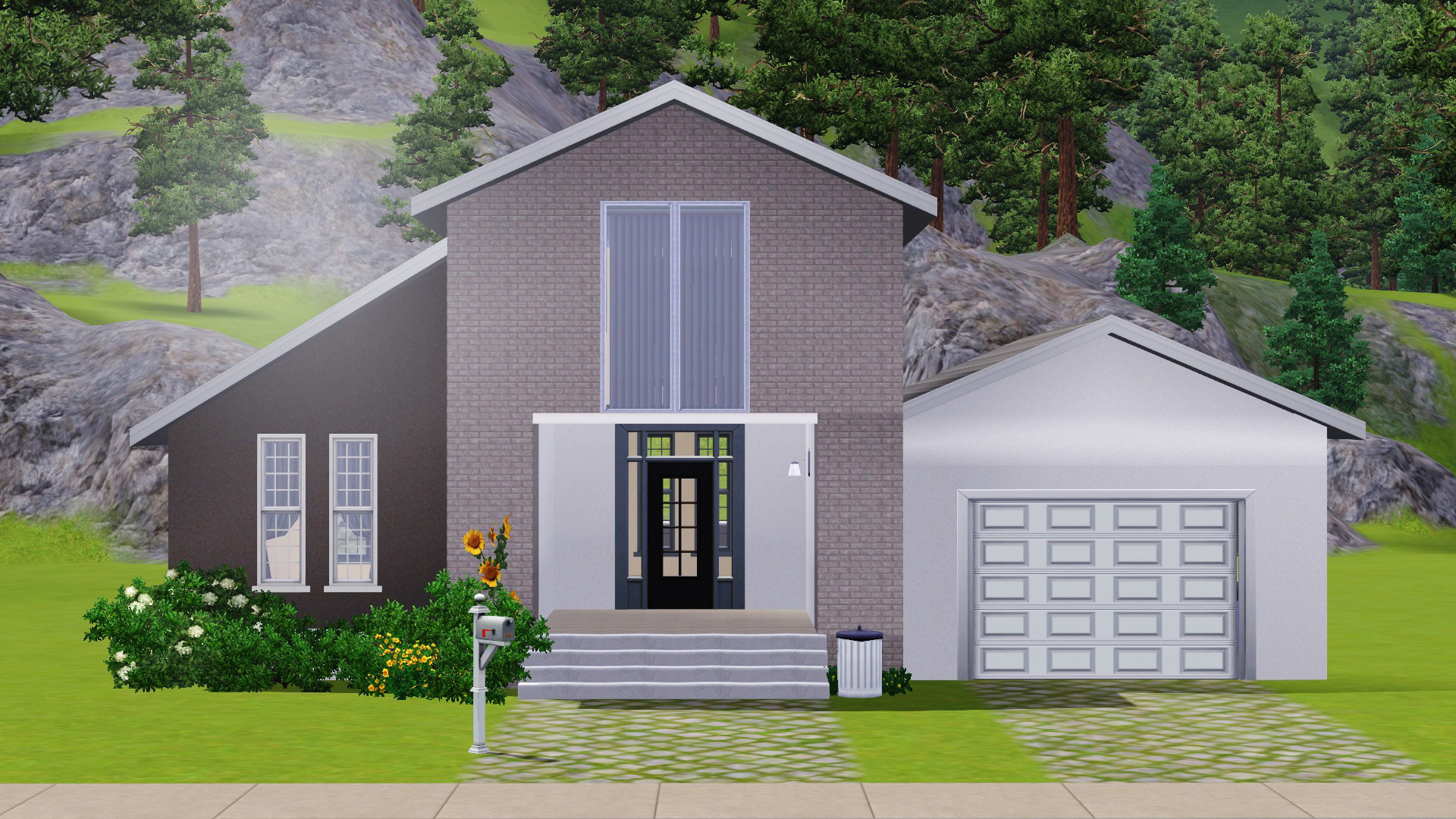
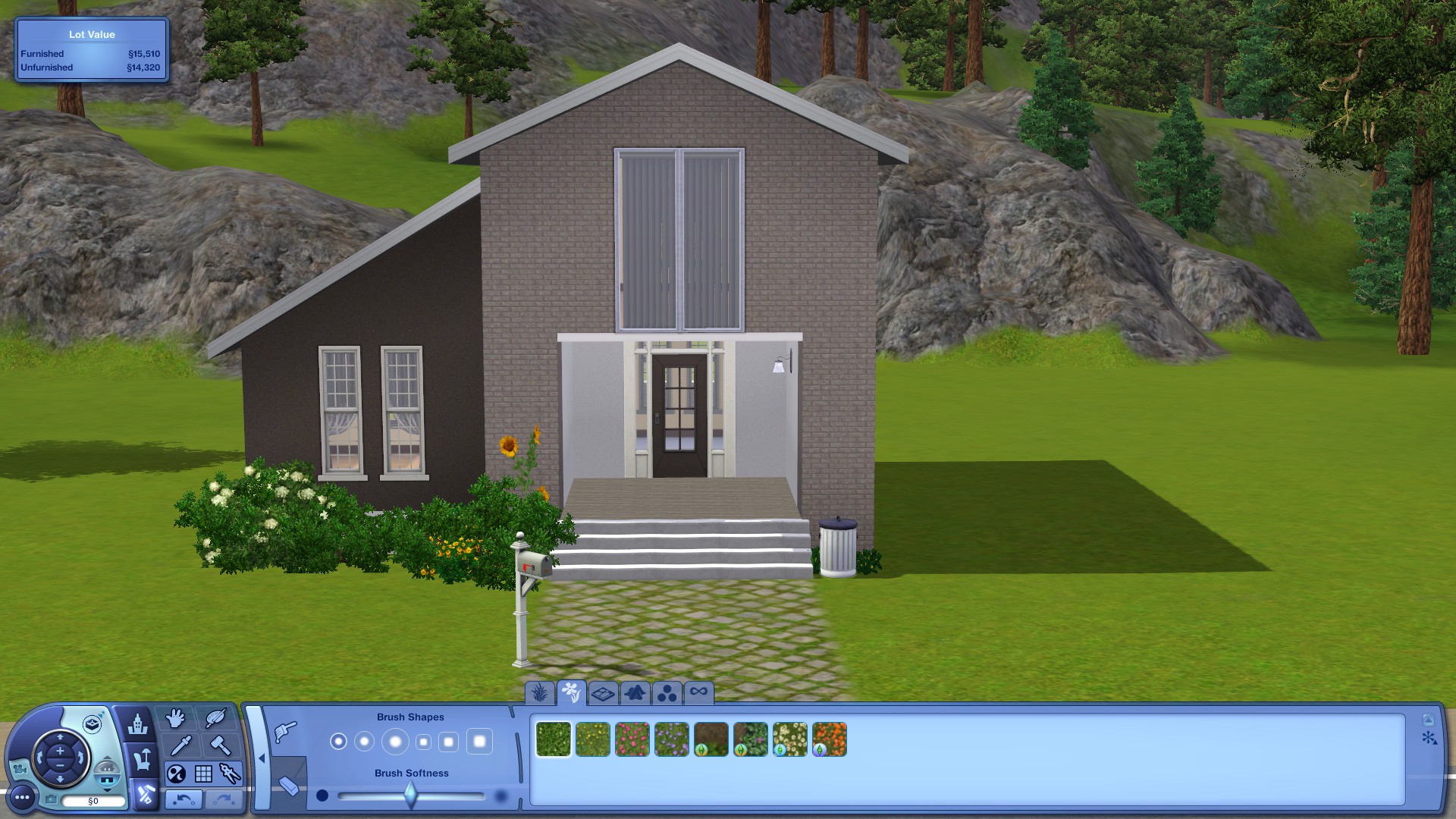 I built this very simple and small house for this guide. I will be adding a garage to the right side of it in just a few steps. The game doesn't allow players to directly attach a normal wall to the foundation, but it is possible with a simple cheat code (and fast too).
If you wish to know how to do this, keep reading! :}
Step 1
Apply the Cheat Code
First of all, you need to activate the cheat. Simply press [CTRL] + [SHIFT] + C to display the console window. Type constrainfloorelevation false to force terrain adjustments regardless of objects, Sims, and other structures. Hit [ENTER] and you're good to go!

Step 2
Add the Base
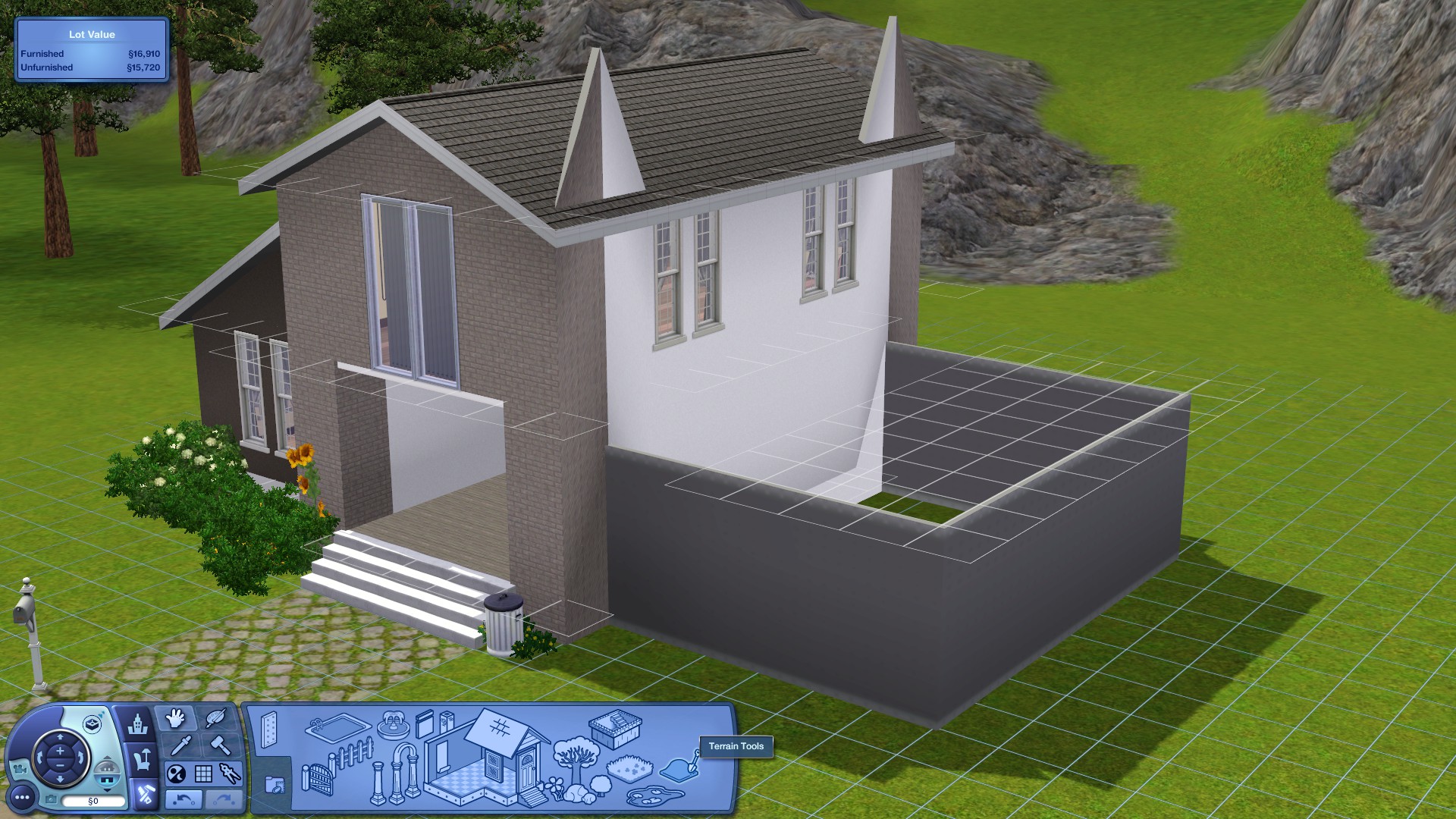
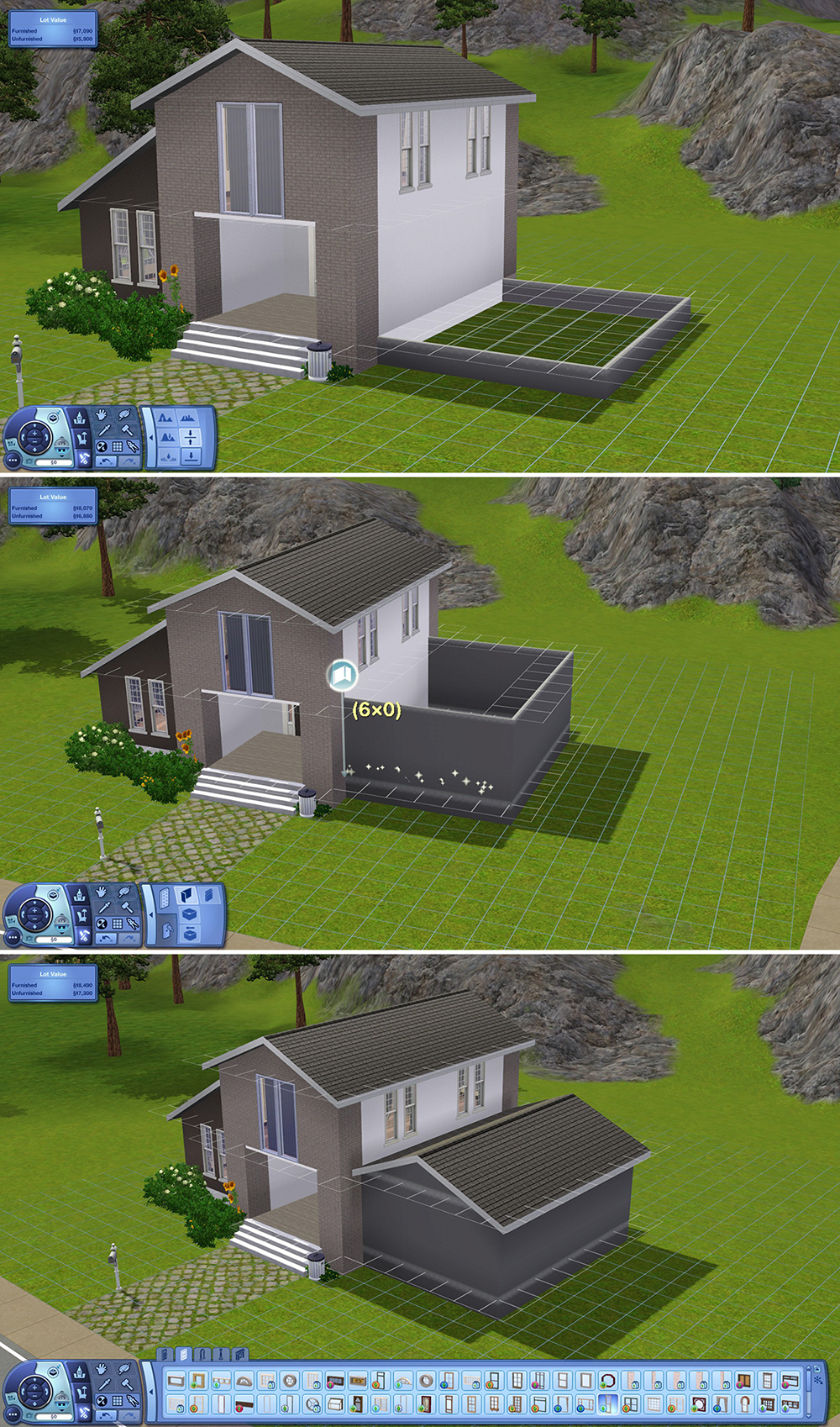
Now that we have the cheat enabled, build the walls of your garage and attach it all the way to the foundation wall. Please remember that the garage door is 4 squares long, so make sure you have enough squares. I prefer 6 squares.
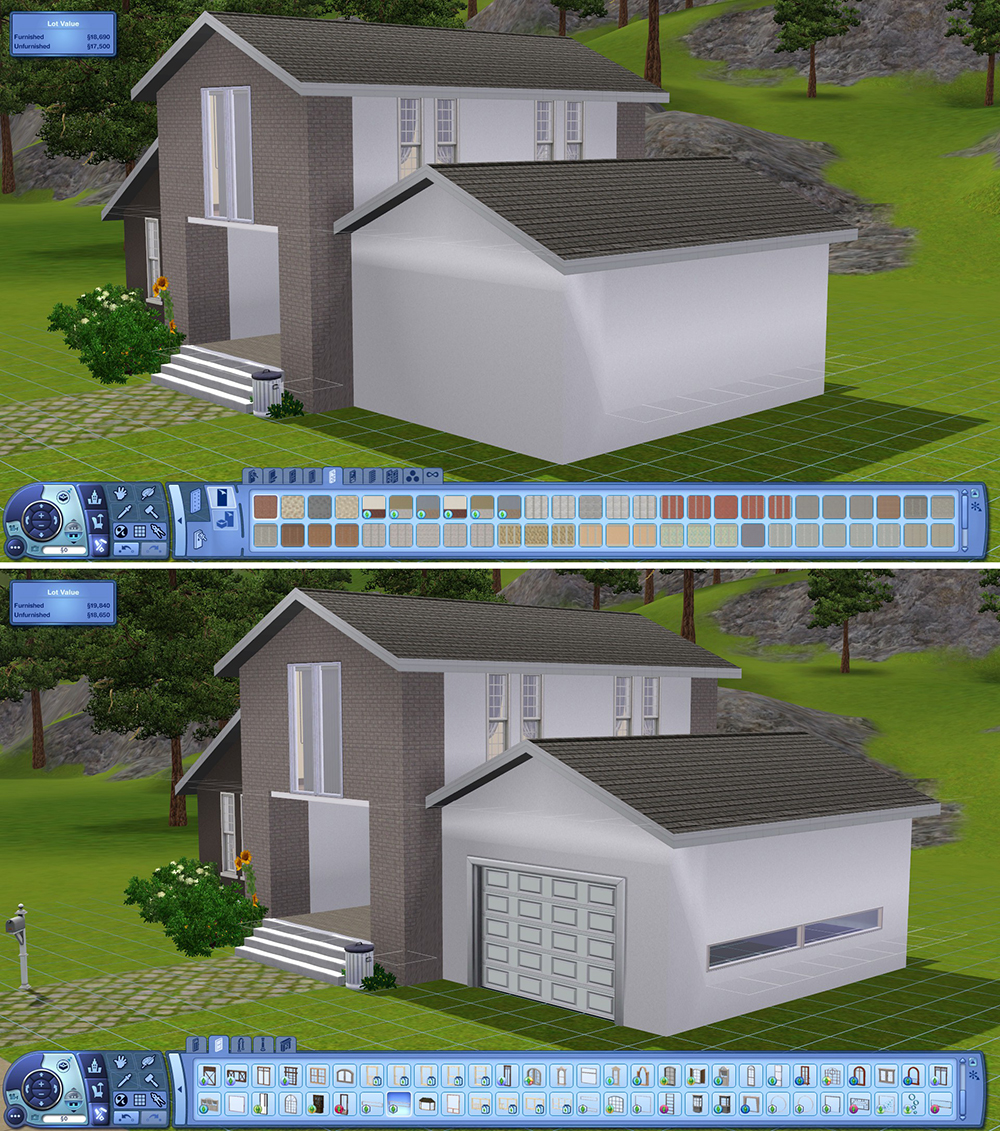
Once you have placed your walls, you will notice that the roof and walls look weird and funny (see picture below), but we will fix that in just a second!
____________________________________________________________________________
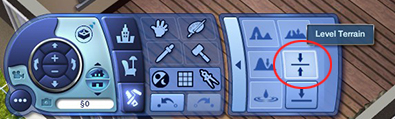
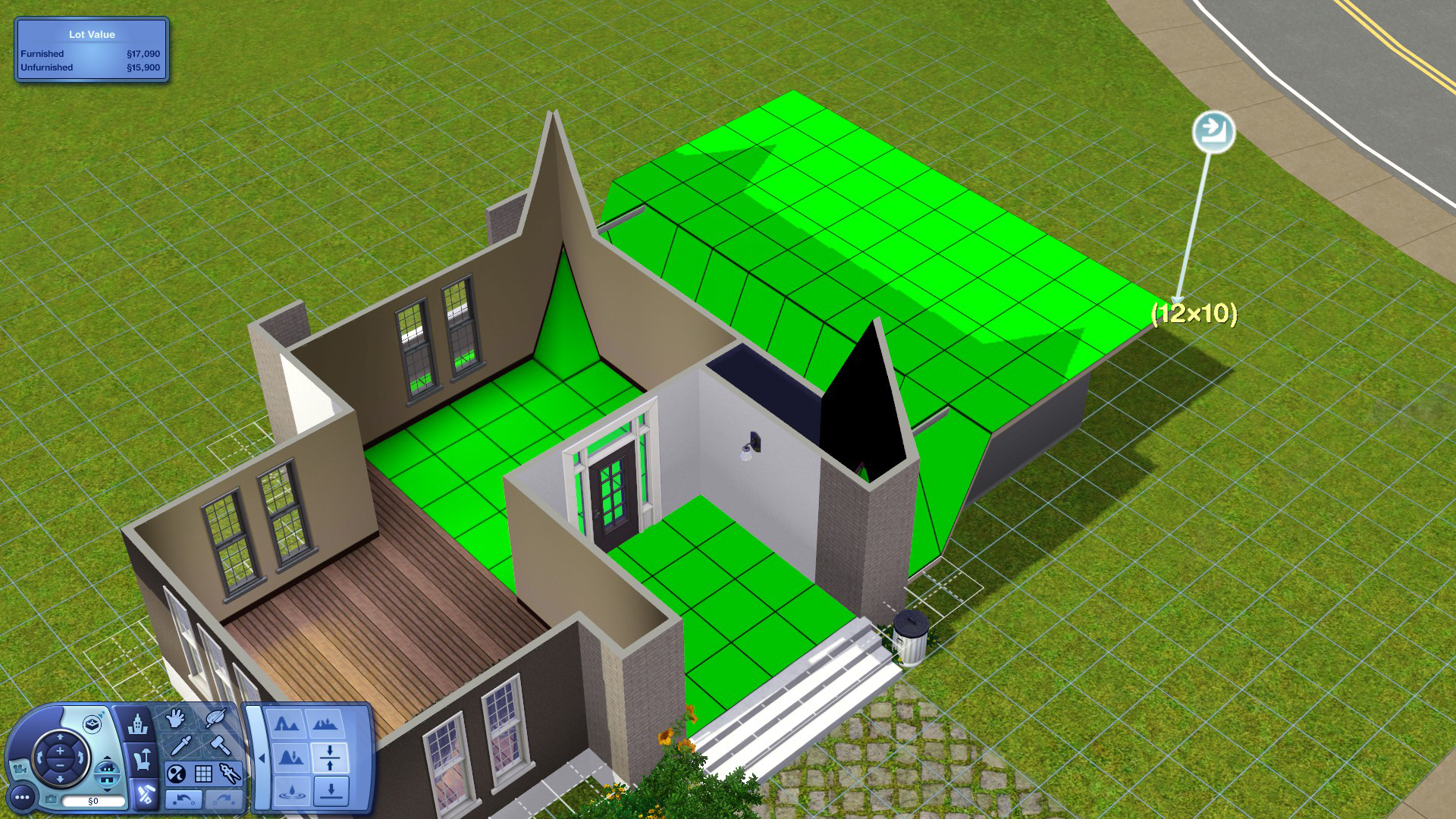
To fix that spikey wall peeking out of the roof, select the Level Terrain Tool shown above, click on the floor and drag it across starting from the inside of the house all the way to the outside of the garage walls (see picture below).
____________________________________________________________________________
As you can see on the picture below, the walls you have built have the size of the foundation of the house. This is basically the foundation of your garage now. Build the walls on top of that and add a roof.
Step 3
Fix the Wall of the Garage Door
If you try to add a door now, you will realise that the bottom wall is way too short and the wall at the top is too high to place a door. In order to add a garage door correctly, we will have to get rid of the bottom garage foundation first.
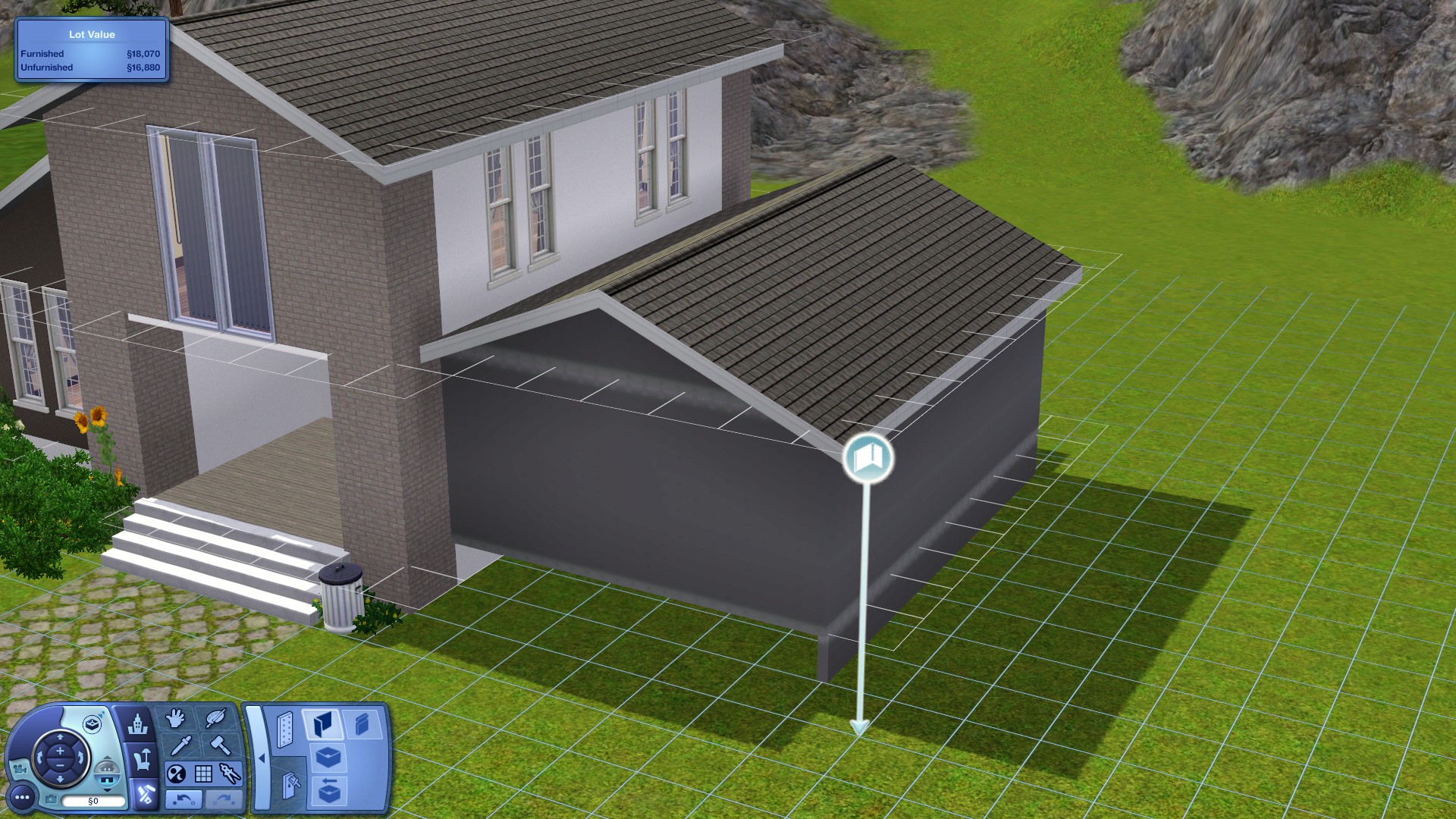 Hold [CTRL] and click & drag across the wall you want to delete. Remember to only delete the side of the wall of where you want the door to be.
_____________________________________________________________________________
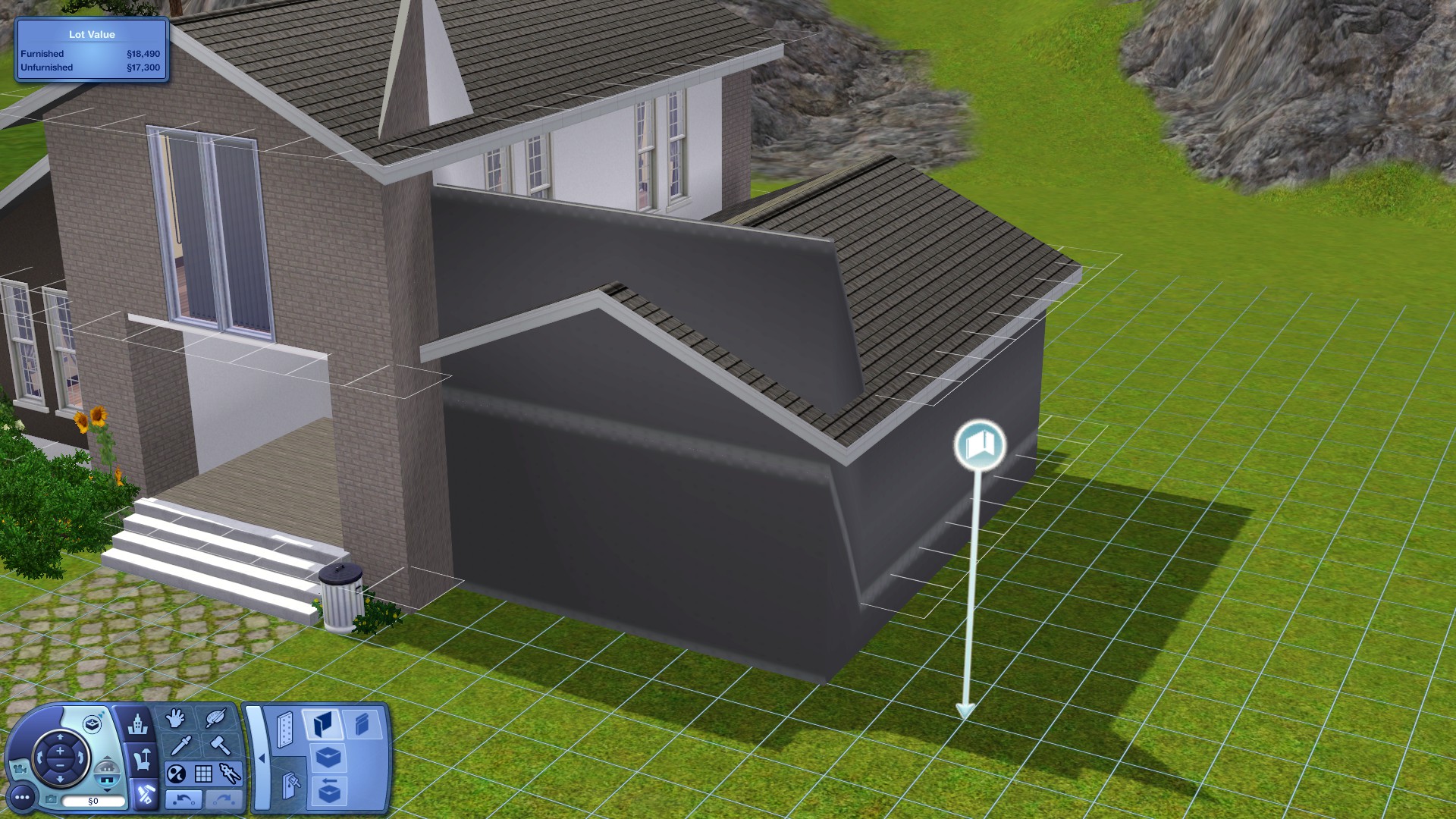 Now add back the wall you just deleted (see picture below) and you will notice that the wall has the perfect height for the door, but everything looks so weird again!
_____________________________________________________________________________
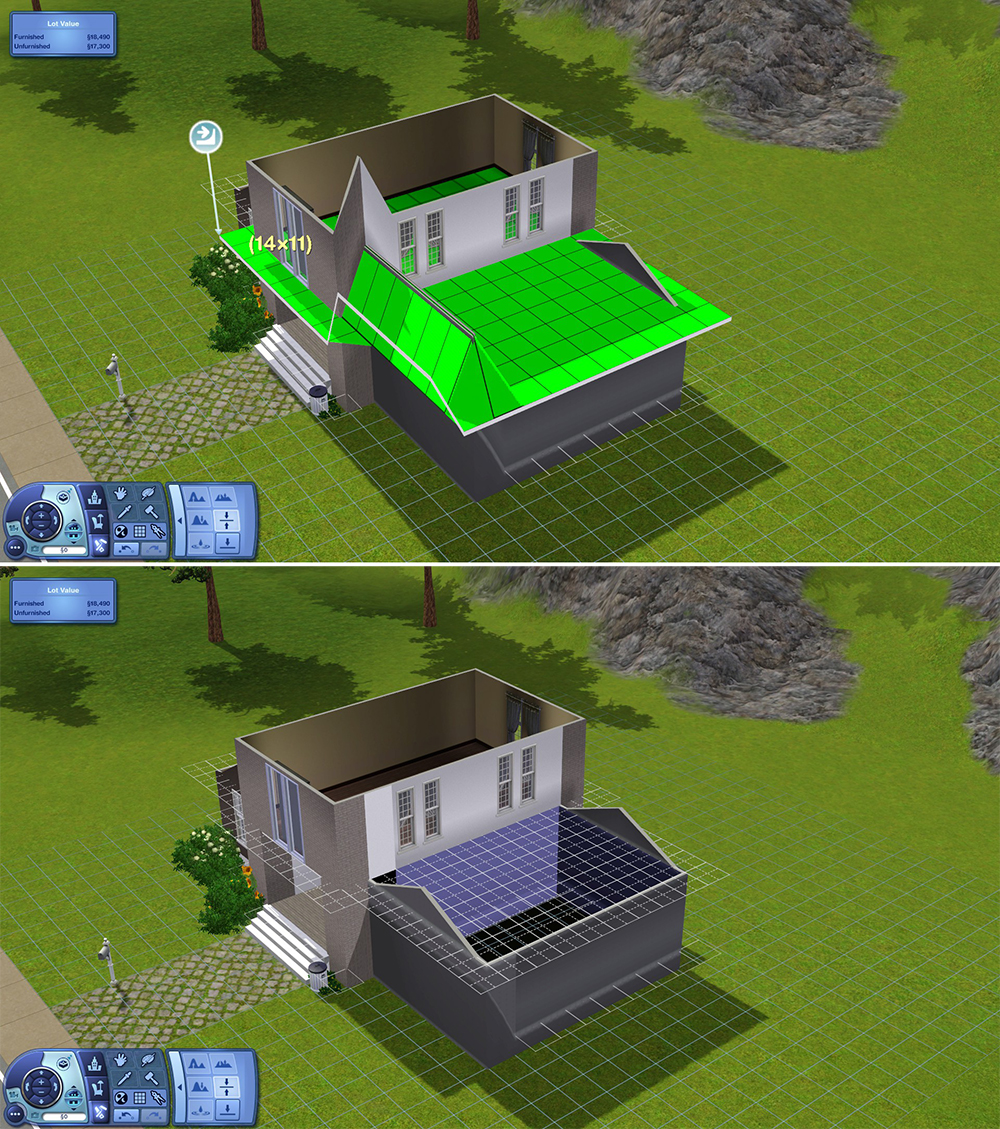
But just like in the previous step, simply flatten the top walls using the Level Terrain Tool.
Step 4
Finalisation
Now that we're done, we can disable the terrain cheat by pressing [CTRL] + [SHIFT] + C to display the console window and typing constrainfloorelevation TRUE.
Now add some paint to the walls as well as the garage door & maybe some windows.
And you are done! :}
____________________________________________________________________
If you'd like to know how to lighten up your dark garage (because it will be buggy using lights the normal way), just click here to check out my second guide!
Was it helpful?
I hope you found this tutorial helpful. It's my first time writing a guide and I'm usually really bad at explaining things (especially in English because it's my third language), but I hope I explained myself well enough to help you :}
Please leave a comment if you have any requests, if you are stuck or just have other questions. I would love to help you out.
Thanks a lot for reading, good luck & HAPPY SIMMING!
PS: Feel free to check out my Sims YouTube Channel!
More The Sims™ 3 guides
- The Sims 3 Performance & Bug Fix Guide 2026★ 5 (2.6k)108k views7.1k ♥41 minUpdated Jul 17
- Very Basic & Useful Mods★ 5 (612)46k views1.2k ♥7 minUpdated Jan 17, 2021
- The Sims(TM) 3 Cheats★ 5 (921)39k views1.8k ♥4 minUpdated Jun 5, 2016
- Toubleshooting for The Sims 3★ 5 (457)29k views983 ♥45 minUpdated Jan 2, 2022
- How to make Mac & Cheese According to the Sims 3★ 5 (1.2k)26k views671 ♥5 minUpdated Aug 28, 2016
- The Sims 3 Enhanced Vanilla Graphics★ 5 (235)24k views696 ♥10 minUpdated Jun 3






This guide was created by its original author on the Steam Community. Are you the author and want it removed? Request removal.