How to be hatty. (Now with cat heads!)
The basics of being hatty.
Wanna be hatty? well you need to buckle your pants first! After you do that....you now need to get a hatty head.  So after you get the face. go find where you put your steam content in. now you may wanna...well move on to the next part of the guide
So after you get the face. go find where you put your steam content in. now you may wanna...well move on to the next part of the guide
The section where you can be hatty i think.
So you still wanna be hatty? good. so now since you found the steam location file thing. go find  this folder inside it. then inside SteamApps go in common. you will see your games. you wanna click Battleblock theater
 Now go to game data in battleblock theater then click UserFaces
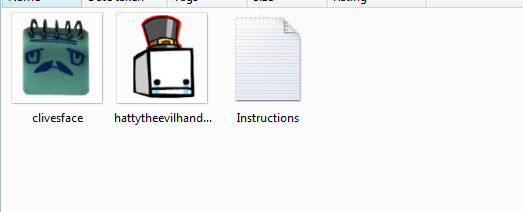 You will see the instructions only if you didnt put pictures in there. drag the hatty face in there. Now play the game and....go to next part!
this folder inside it. then inside SteamApps go in common. you will see your games. you wanna click Battleblock theater Now go to game data in battleblock theater then click UserFaces You will see the instructions only if you didnt put pictures in there. drag the hatty face in there. Now play the game and....go to next part!
Final part of being hatty. (EDITED!)
Ok now go in battle block theater. You wanna click on that.
 Click on settings. its the disc with a wrench under it
  ENABLE USER FACES! IF YOU DISABLE THAT. YOU WONT SEE ANYONES CUSTOM FACE OR YOURS!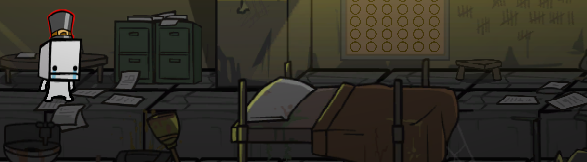
TADAH! YOUR HATTY HATTINGTON! Now you can go on making this theater.
You wanna click on that. Click on settings. its the disc with a wrench under it ENABLE USER FACES! IF YOU DISABLE THAT. YOU WONT SEE ANYONES CUSTOM FACE OR YOURS! TADAH! YOUR HATTY HATTINGTON! Now you can go on making this theater.
Thanks for viewing!
Thanks for viewing! you can be hatty now anyway, So i wish you luck, GOODBYE! 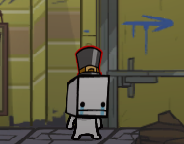
[BONUS] Cat Heads!
HEY THERE! If you somehow still play BattleBlock Theater in 2018, you might be thinking
"HEY I WISH I COULD BE THAT CAT GUARD IN THAT ONE LEVEL WHERE THEY CARRY GEMS,"
Now you can! Thanks to many hours of insanity, We have ripped the cat heads out of the game and into this dumb imgur album![imgur.com] Now you can shut your faces and be those things for some reason.
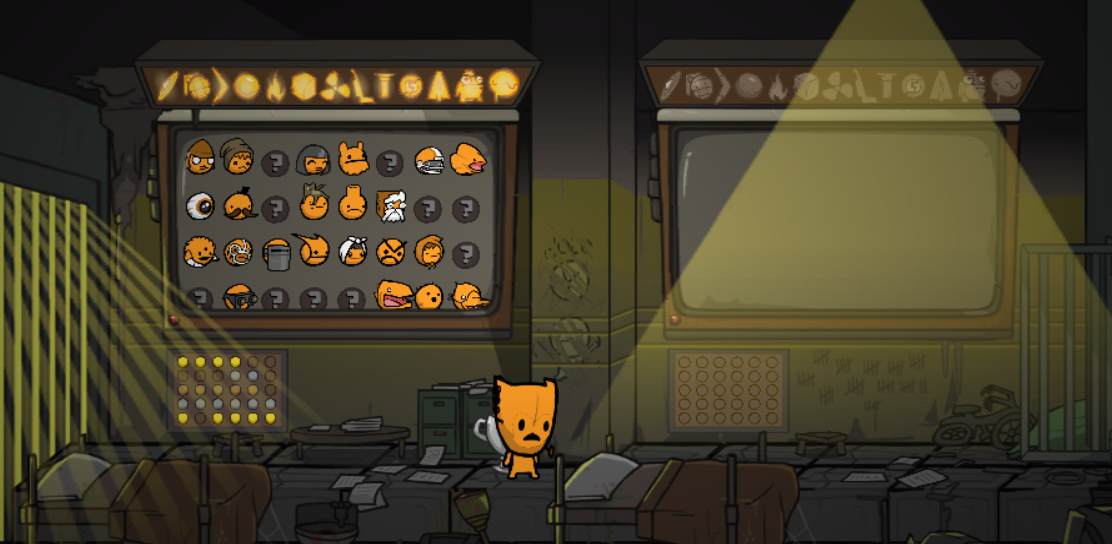
Head size might be wrong LEAVE ME ALONE
"HEY I WISH I COULD BE THAT CAT GUARD IN THAT ONE LEVEL WHERE THEY CARRY GEMS,"
Now you can! Thanks to many hours of insanity, We have ripped the cat heads out of the game and into this dumb imgur album![imgur.com] Now you can shut your faces and be those things for some reason.
Head size might be wrong LEAVE ME ALONE
[2026] QUALITY OF LIFE UPDATE NONSENSE
This sure is a guide that has been up for a decade I feel old
First things first, if you want to locate userfaces you can find it by right clicking on Battleblock Theater, going to Installed Files on the side and clicking Browse. you can then find it by going to data/userfaces
Secondly, since the hatty head in this guide is incredibly old and crusty, i've prepared a new one that uses that new fancy feature so you can have Hatty in many different Color! Use it by saving the HEAD as any filename such as "gimmegems.png" and any additional attachments as "gimmegems_decal.png"


More BattleBlock Theater guides
- Create your own Head!★ 5 (1.2k)37k views1.2k ♥2 minUpdated Jul 5, 2024
- (Unabridged) Guide to Star-Heads/Special Prisoners [FINAL/DISCONTINUED]★ 5 (380)17k views521 ♥33 minUpdated Jul 16, 2016
- Руководство по достижениям: BattleBlock Theater.★ 5 (566)12k views554 ♥3 minRussianUpdated Jul 5, 2018
- Get the "Chicken Toucher" achievement with other players!★ 4 (154)12k views141 ♥1 minUpdated Feb 20, 2025
- Solo & Co-Op Secret Levels Guide★ 5 (349)12k views492 ♥17 minUpdated Nov 23, 2020
- [Spanish] Obtener Gemas infinitas.★ 5 (259)11k views202 ♥1 minSpanishUpdated Mar 20, 2016





🔥 Popular guides
- Upgrading to PremiumTeam Fortress 2★ 5 (20k)1441k views11k ♥6 minUpdated May 11, 2022
- No More Room in Hell Official ManualNo More Room in Hell★ 5 (2.8k)569k views2.1k ♥29 minUpdated Apr 22, 2019
- NMRiH Community Hosting GuidesNo More Room in Hell★ 5 (526)351k views653 ♥1 minUpdated Aug 10, 2022
- How to 'Git Gud' Soon™MORDHAU★ 5 (2k)318k views3k ♥68 minUpdated Nov 16, 2024
- Лучшие кооперативные игры SteamPAYDAY 2★ 5 (1.5k)315k views2.1k ♥56 minRussianUpdated Apr 27, 2025
- Desert Eagle Heat Treated | Blue GemCounter-Strike 2★ 5 (1.6k)293k views1.5k ♥2 minUpdated Jan 16





This guide was created by its original author on the Steam Community. Are you the author and want it removed? Request removal.