How to change menu background | Как поменять задний фон меню
Делаем дело (мне лень делать разделы)
Всем привет, сегодня покажу быстро и наглядно как сменить задний фон в меню игры. Стандартный фон мог вам сильно надоесть :)
Hello everyone, today I will show you quickly and clearly how to change the background in the game menu. The standard background could bore you a lot :)
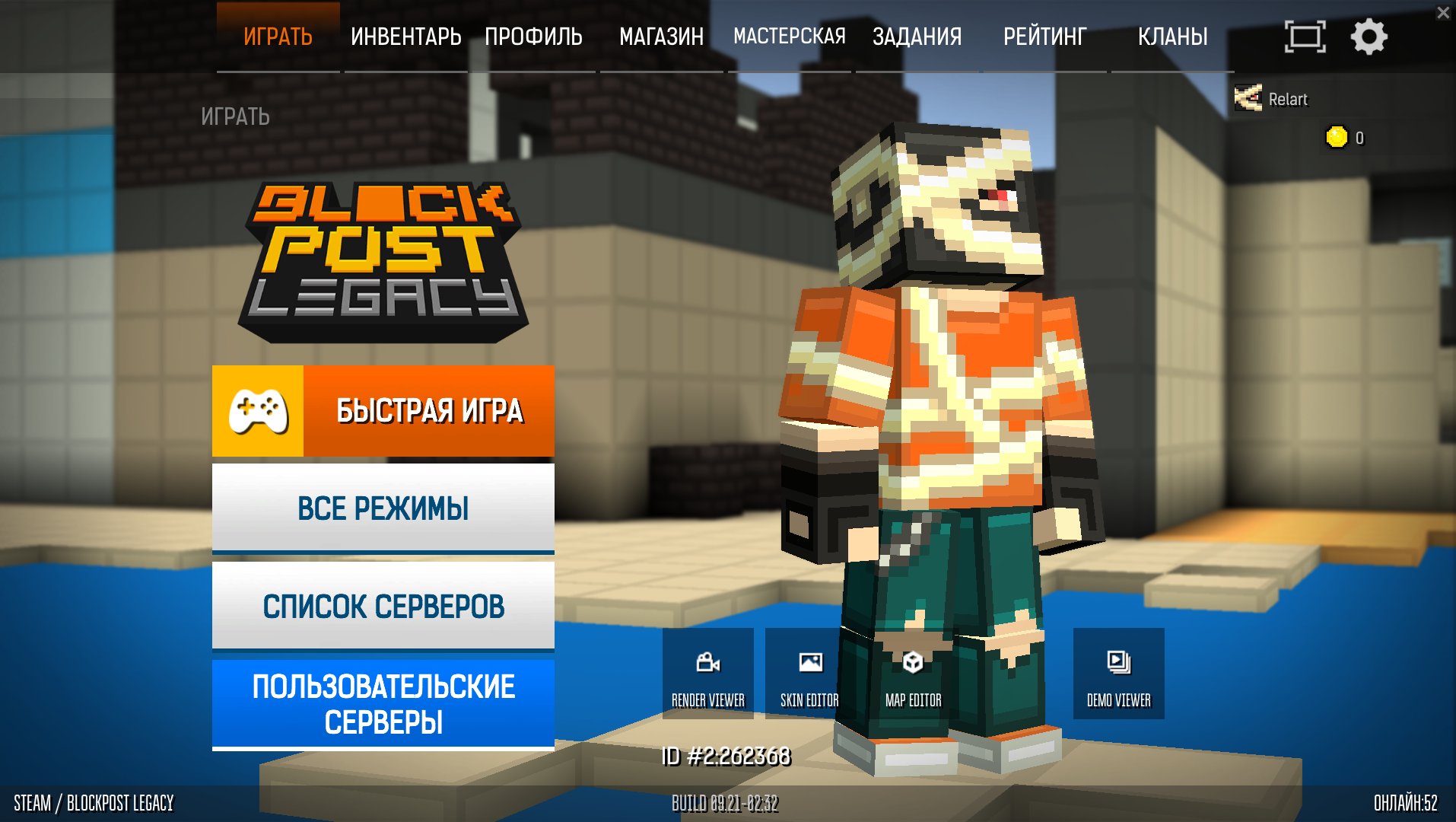
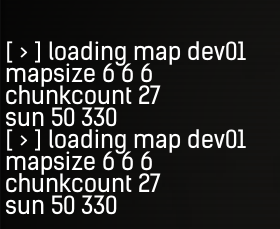
Для начала: в меню используется одна и та же карта которая подгружается каждый раз когда вы заходите в игру или же возвращаетесь с других вкладок. В стим-версии игры карта называется dev01. В версии для VK (Skullcap Launcher) карта так и называется menu.
To begin with: the menu uses the same map that is loaded every time you enter the game or return from other tabs. In the steam version of the game, the map is called dev01. In the version for VK (Skullcap Launcher), the map is called menu.
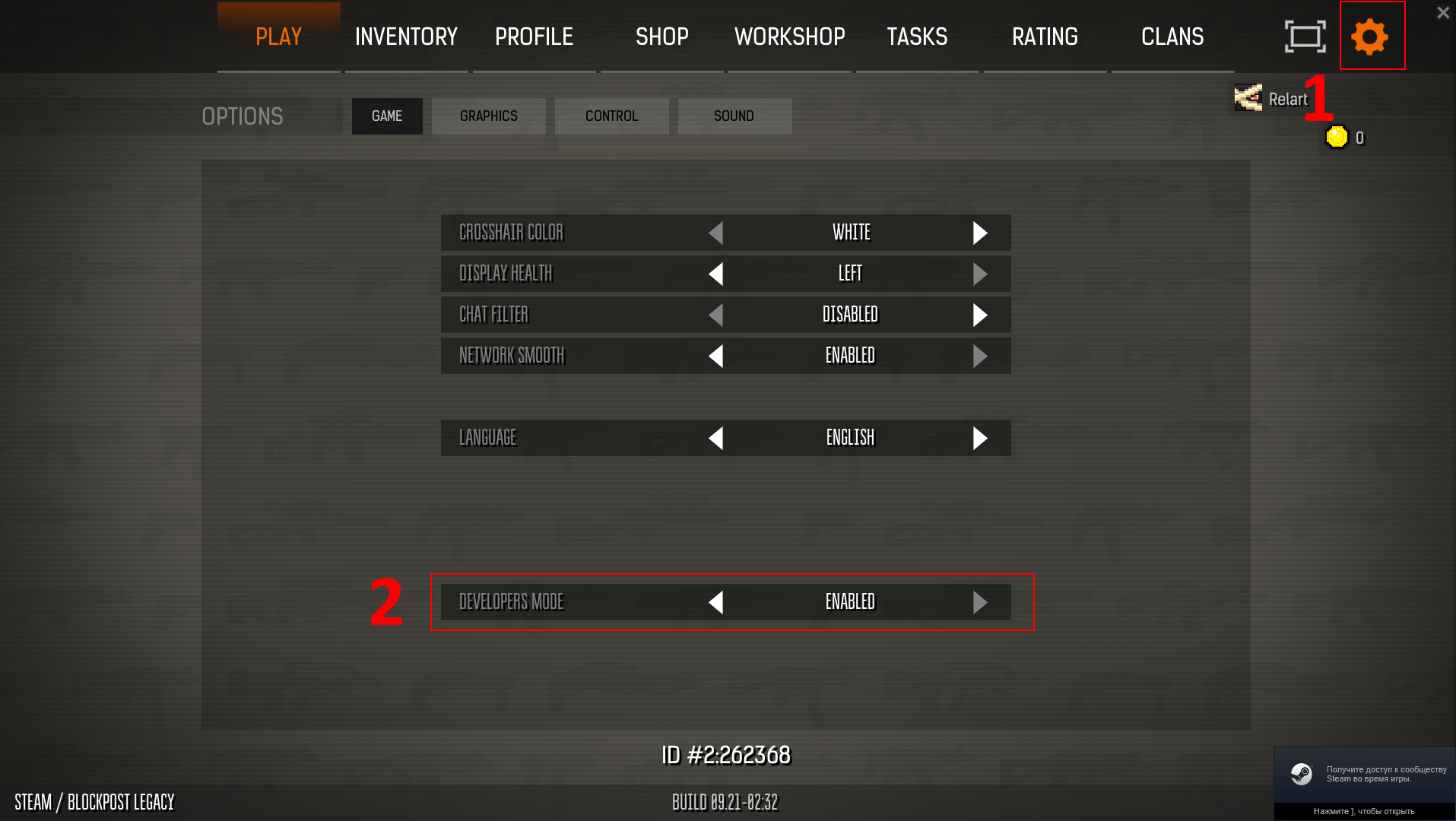
Как же нам поменять карту так, чтобы она смотрелась прекрасно? Включаем режим разработчика игры если он еще у вас не включен (а это имба)
How do we change the card so that it looks great? Turn on the game developer mode if you haven't turned it on yet (and this is so OP)
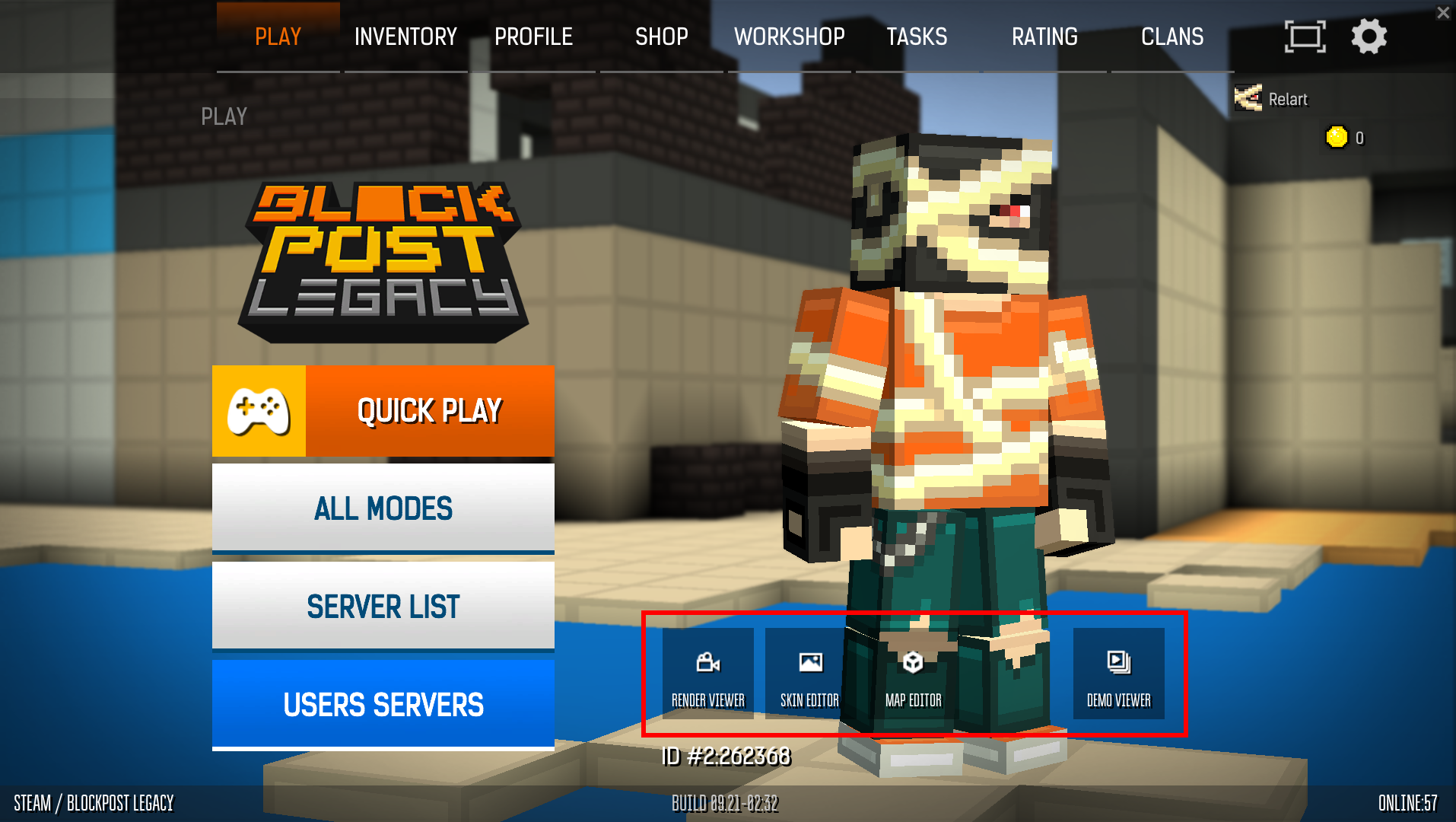
Далее у вас в меню должны появится такие крутые вкладки, в которых нам потребуется Map Editor:
Next, you should have such cool tabs in the menu, in which we will need a Map Editor:
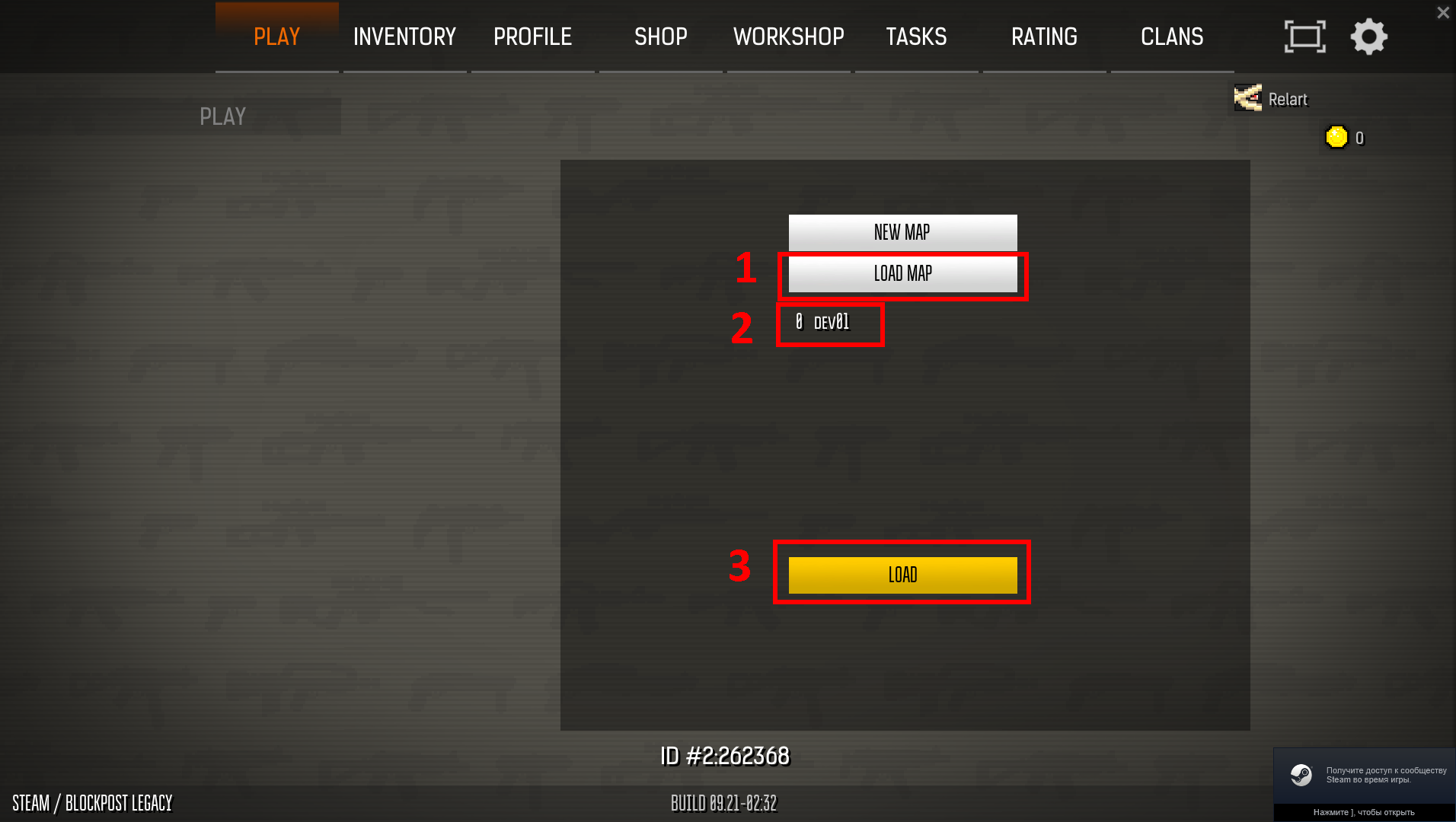
Заходим в Map Editor и выбираем "Загрузить карту" далее карту dev01 или menu в зависимости от версии игры и заходим:
Go to the Map Editor and select "Load map" then map dev01 or menu depending on the version of the game and go:
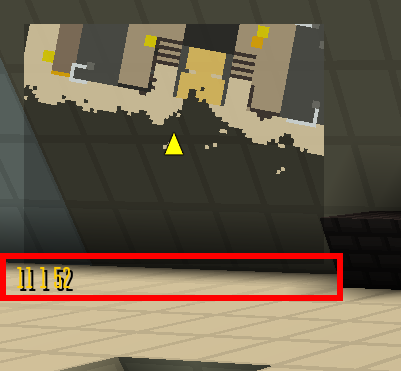
Тут мы видим интерфейс мап мейкера, красным блоком я отметил местоположение игрока. Координаты его местоположения: 11 1 52. Вы можете увидеть координаты слева сверху прямо под картой:
Here we see the mapmaker interface, I marked the player's location with a red block. The coordinates of its location: 11 1 52. You can see the coordinates on the top left right under the map:
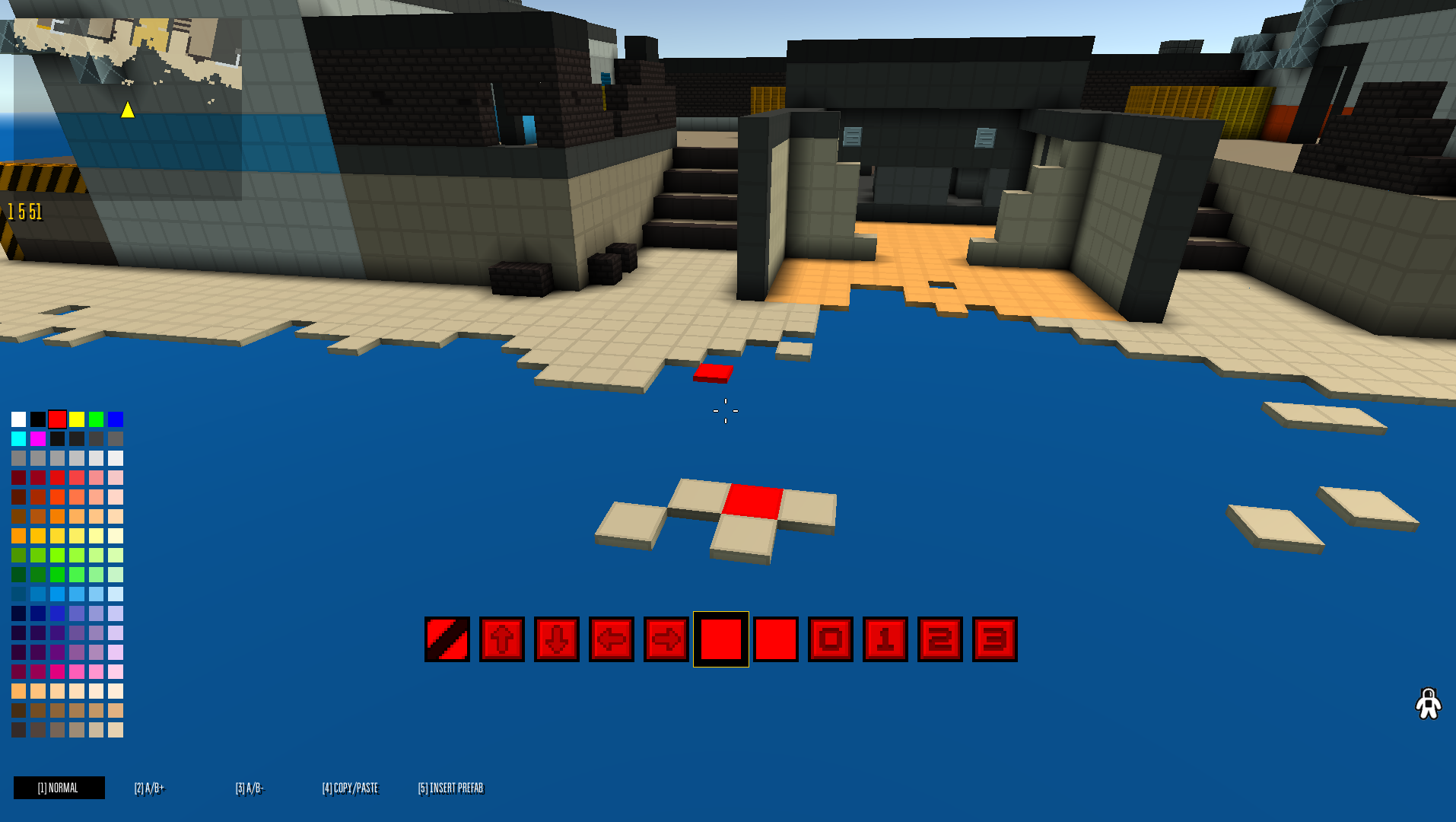
Угол обзора идет примерно с 7 0 50, просто для понимания. Далее вам нужно либо отредактировать эту карту, либо же взять уже существуюую и закинуть в корень игры переименовав в dev01 для стима или menu для VK.
The viewing angle goes from about 7 0 50, just for understanding. Next, you need to either edit this map, or take an existing one and throw it into the root of the game, renaming it to dev01 for steam or menu for VK.
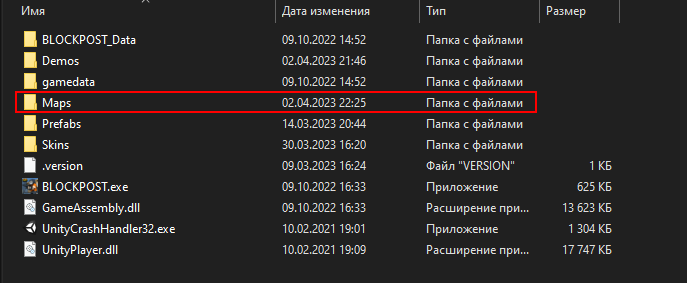
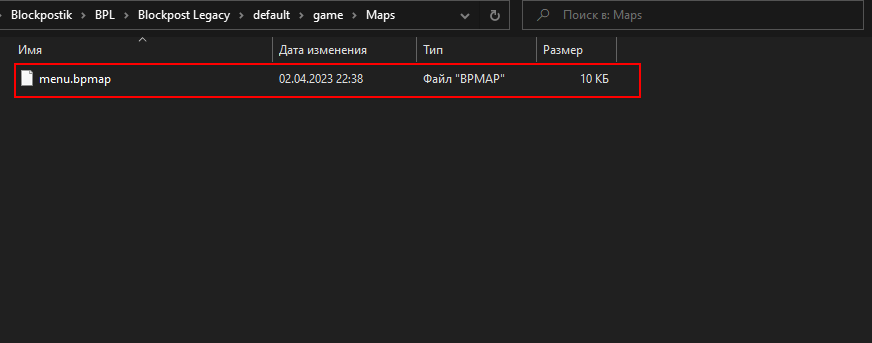
Вот наша карта меню в папке с кастомными картами. Я зашел в корень игры из лаунчера (не стим):
Here is our menu map in the folder with custom maps. I went to the root of the game from the launcher (not steam):
Выбираем любую карту которая у вас есть, если лень делать свои карты можно найти любые на просторах стима или в группах вк:
We choose any map that you have, if you are too lazy to make your own maps, you can find any on steam or in VK groups:
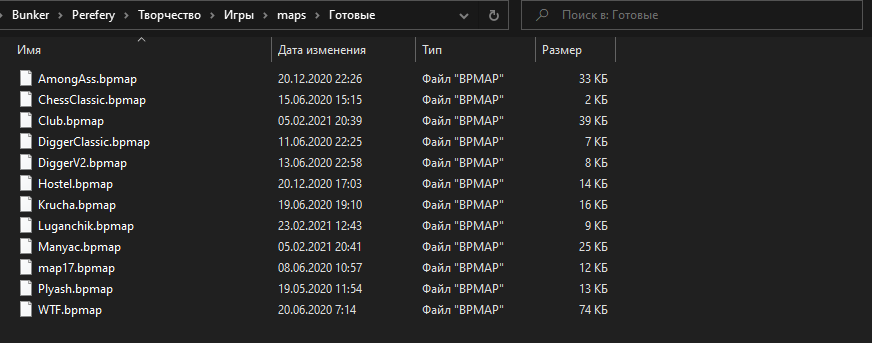
Просто меняем название оригинальной карты menu или dev01 на любое, а карты которую закинули на dev01 или menu в зависимости от версии игры
Just change the name of the original map on menu or dev01 to any one, and the maps that were thrown to dev01 or menu, depending on the version of the game

После замены естественно все может выглядеть плохо, т.к. координаты персонажа фиксированы и он вообще может оказаться под землей, например:
After the replacement, of course, everything may look bad, because the coordinates of the character are fixed and he may even be underground, for example:
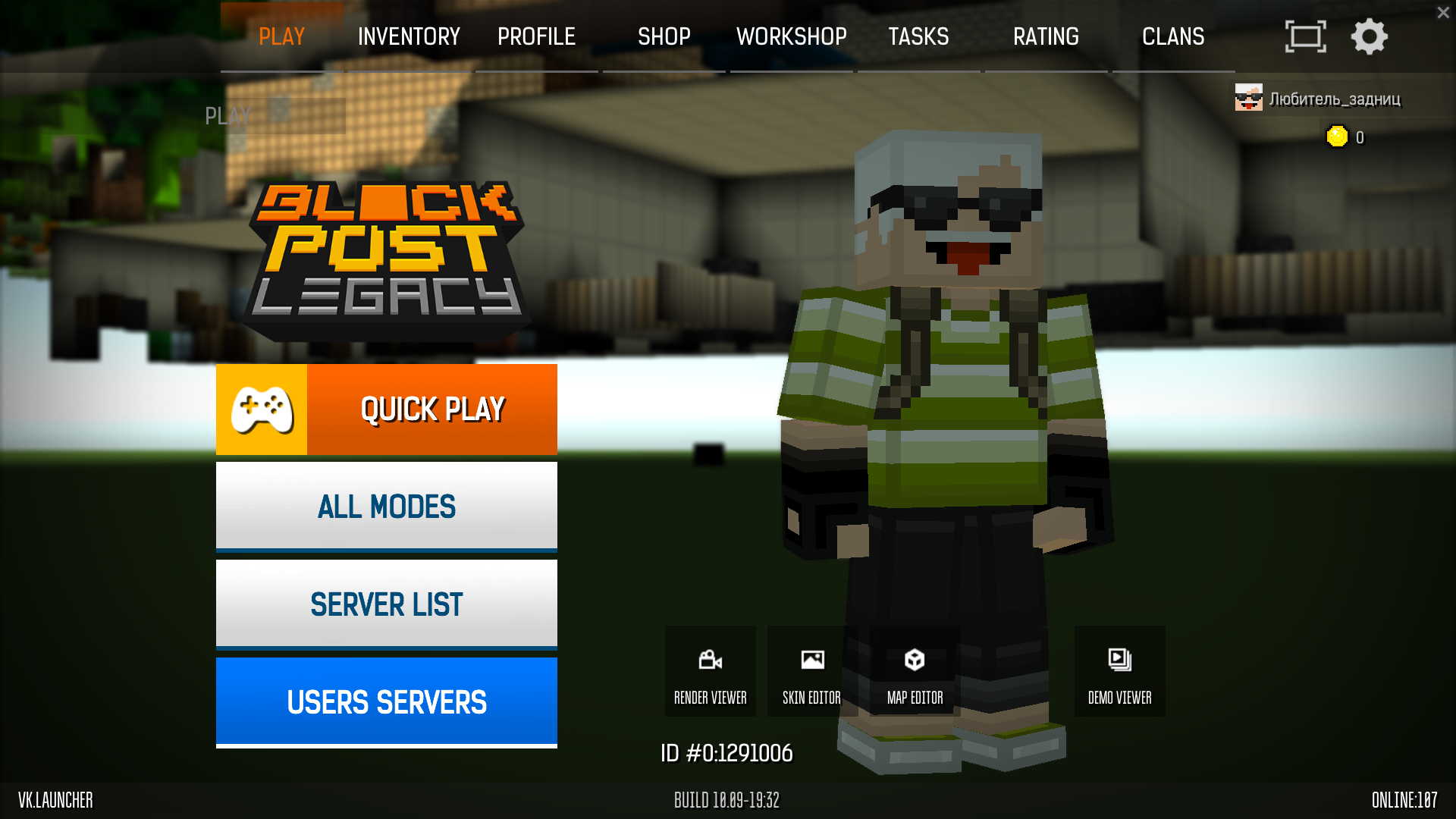
На самом деле это уже неплохой результат, но вам же нужен хороший, для этого мы самостоятельно редактируем карту в мап мейкере таким образом чтобы получилось красиво с учетом координат игрока и угла обзора. Гайды на мап мейкер вы можете найти самостоятельно, сам по себе он интуитивно понятен. Там может быть пару багов с пропажей блоков но фиксятся они тем, что вы просто ставите рядом другие и удаляете, ничего страшного.
После всех махинаций с картами, получаем примерно такой результат:
In fact, this is already a good result, but you need a very good one, for this we independently edit the map in the map maker so that it turns out beautifully taking into account the coordinates of the player and the viewing angle. Guides on map maker you can find yourself, by itself it is intuitive. There may be a couple of bugs with missing blocks, but they are fixed by the fact that you just put others next to each other and delete, it's okay.
After all the map manipulations, we get the following result:
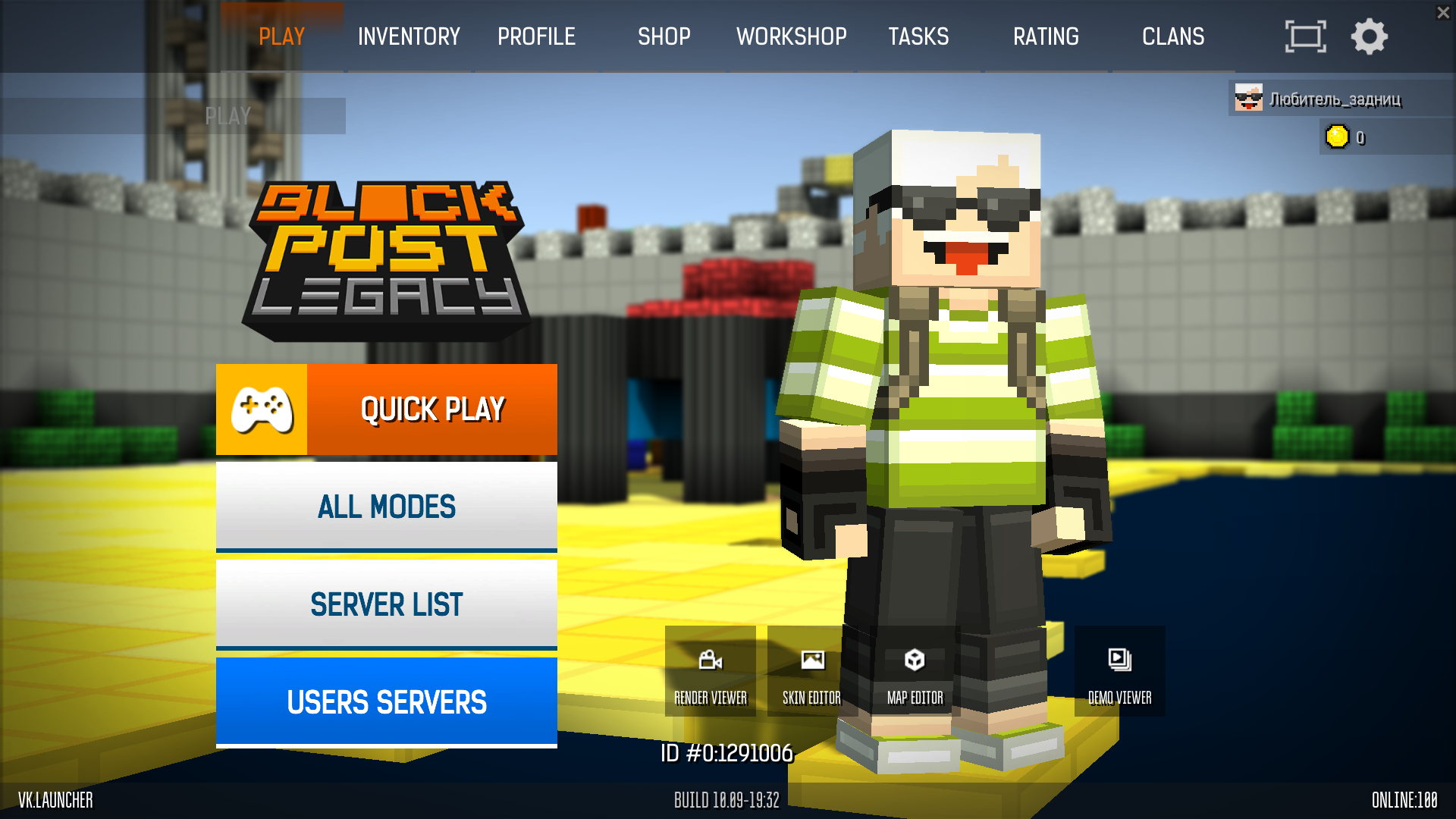
Можно также поменять положение солнца командой sun x y (где x y координаты солнца). Достаточно лишь в самом меню открыть консоль на f10 и написать команду с вашими цифрами. Но после перезахода игра выставляет по умолчанию sun 160 160.
You can also change the position of the sun with the command sun x y (where x y coordinates of the sun). It is enough just to open the console on f10 in the menu itself and write a command with your numbers. But after re-entry, the game sets sun 160 160 by default.
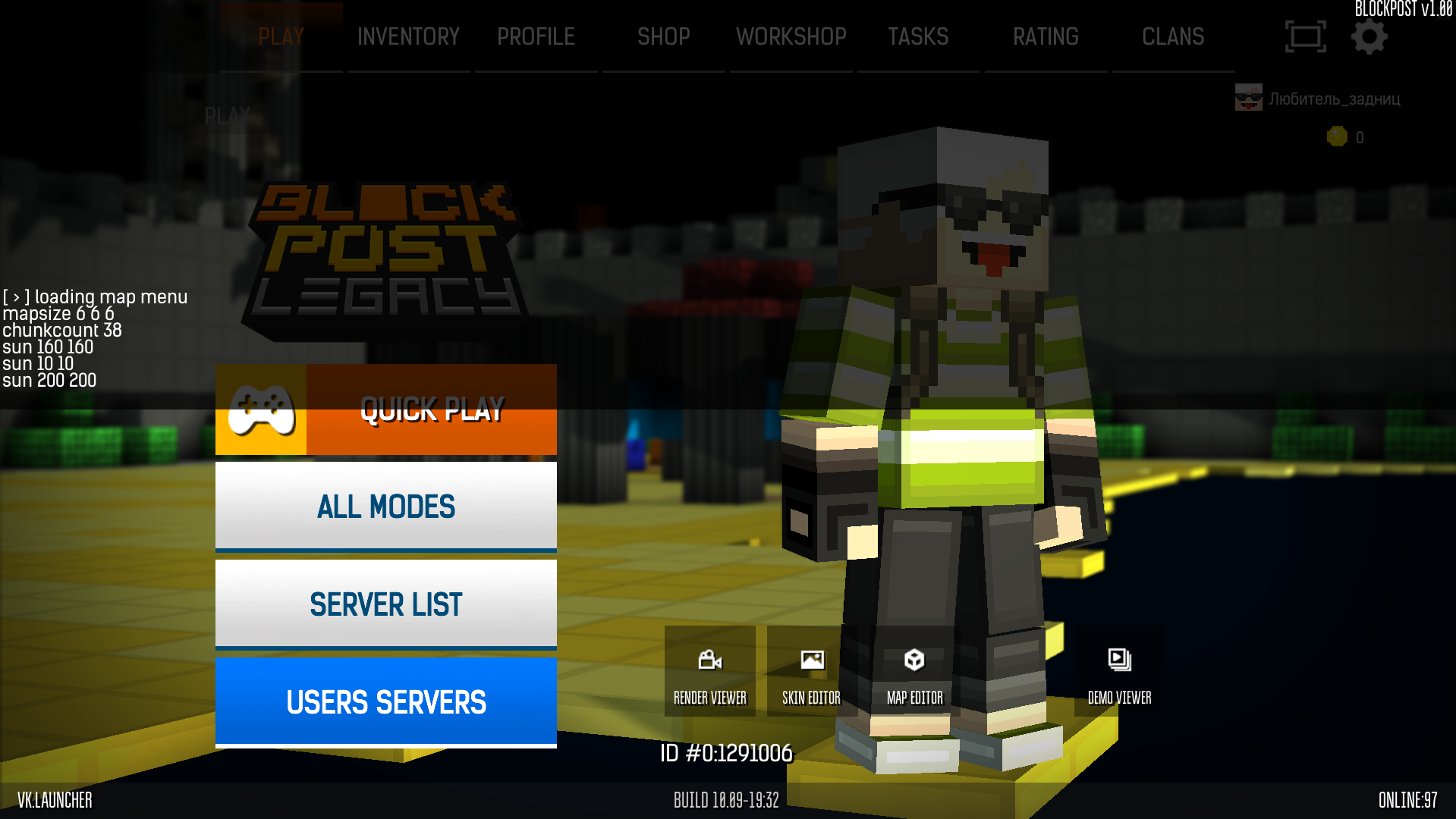
Также если вы скачали чужую карту не забудьте прописать в консоли clearent для удаления всех точек спавна игроков, они тоже отображаются в меню и могут испортить весь вид.
Всем красоты на задний фон! :)
Also, if you downloaded someone else's map, do not forget to remove all spawn points of players with command "clearent", they are also displayed in the menu and can spoil the whole view.
Beauty in the background for all of us! :)
- Заработок на игре!★ 4 (391)10k views24 ♥1 minRussian
- > Weapon Stats <★ 5 (284)8.5k views309 ♥25 minUpdated 12 Jan, 2025
- Фарм★ 4 (148)8k views54 ♥1 minRussian
- (Сиквел) Отличные пушки до 5 рублей.★ 4 (41)5.9k views47 ♥4 minRussianUpdated 1 May, 2020
- Список преступников BLOCKPOST★ 4 (60)4.9k views35 ♥1 minRussianUpdated 31 Jul, 2021
- ALL console commands | ВСЕ консольные команды★ 4 (99)4.6k views92 ♥3 min




- Upgrading to PremiumTeam Fortress 2★ 5 (20k)1441k views11k ♥6 minUpdated May 11, 2022
- No More Room in Hell Official ManualNo More Room in Hell★ 5 (2.8k)569k views2.1k ♥29 minUpdated Apr 22, 2019
- NMRiH Community Hosting GuidesNo More Room in Hell★ 5 (526)351k views653 ♥1 minUpdated Aug 10, 2022
- How to 'Git Gud' Soon™MORDHAU★ 5 (2k)318k views3k ♥68 minUpdated Nov 16, 2024
- Лучшие кооперативные игры SteamPAYDAY 2★ 5 (1.5k)315k views2.1k ♥56 minRussianUpdated Apr 27, 2025
- Desert Eagle Heat Treated | Blue GemCounter-Strike 2★ 5 (1.6k)293k views1.5k ♥2 minUpdated Jan 16





This guide was created by its original author on the Steam Community. Are you the author and want it removed? Request removal.