How to change your Field Of View in Call of Duty 4.
First method (the simple one)
The first method is really simple, but not really usefull.
1. Go to Options > Game options > Enable Console
Make sure that its on YES.
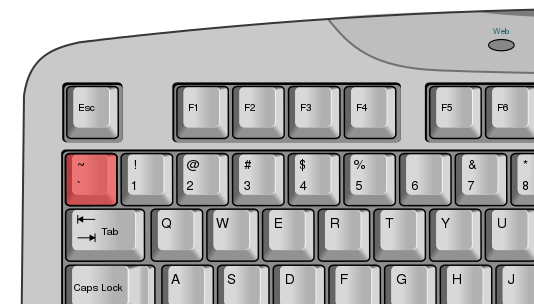
2. Press the tilde key of your keyboard
.
3.Then you just need to write this command and press enter:
/cg_fov 80
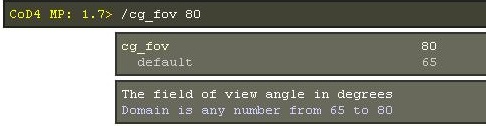
And it's done !
1. Go to Options > Game options > Enable Console
Make sure that its on YES.
2. Press the tilde key of your keyboard
.
3.Then you just need to write this command and press enter:
/cg_fov 80
And it's done !
Second Method (the best one)
First of all you need to have a developping program called Notepad++
Its free: http://notepad-plus-plus.org/
Click on the download button on the left.
*This method works on CoD WaW (Thanks to PenguinGaming77 !)
1. Go in Program Files (x86) > Steam > Steamapps > common > Call of Duty 4
Then you need to edit the iw3mp file with Notepad++
2. When Notepad++ will be open, press CTRL+F to search something.
3.Search for sv_cheats
4.Change sv_cheats for sj_cheats
5. Open your game
6. Enter this command into the console
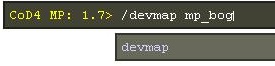
7.When the map is loaded, enter this command:
/bind F1 cg_fovScale 1.4
F1: can be replace with any other keys
1.4: Can be replace with any values between 1.1 and 2
Also, you can put fullbright to get better performance and higher fps
/bind F1 toggle r_fullbright 1
N.B.: The binds will only work if you Devmap mp_bog each time you open the game. But you dont need to rebind it everytime.
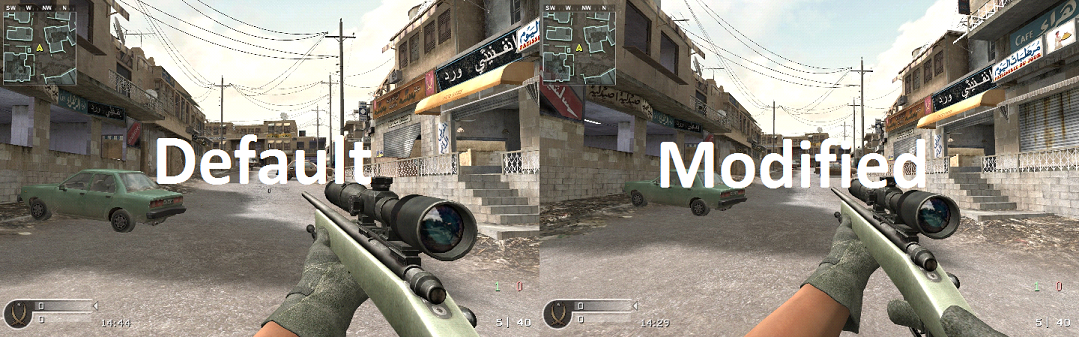
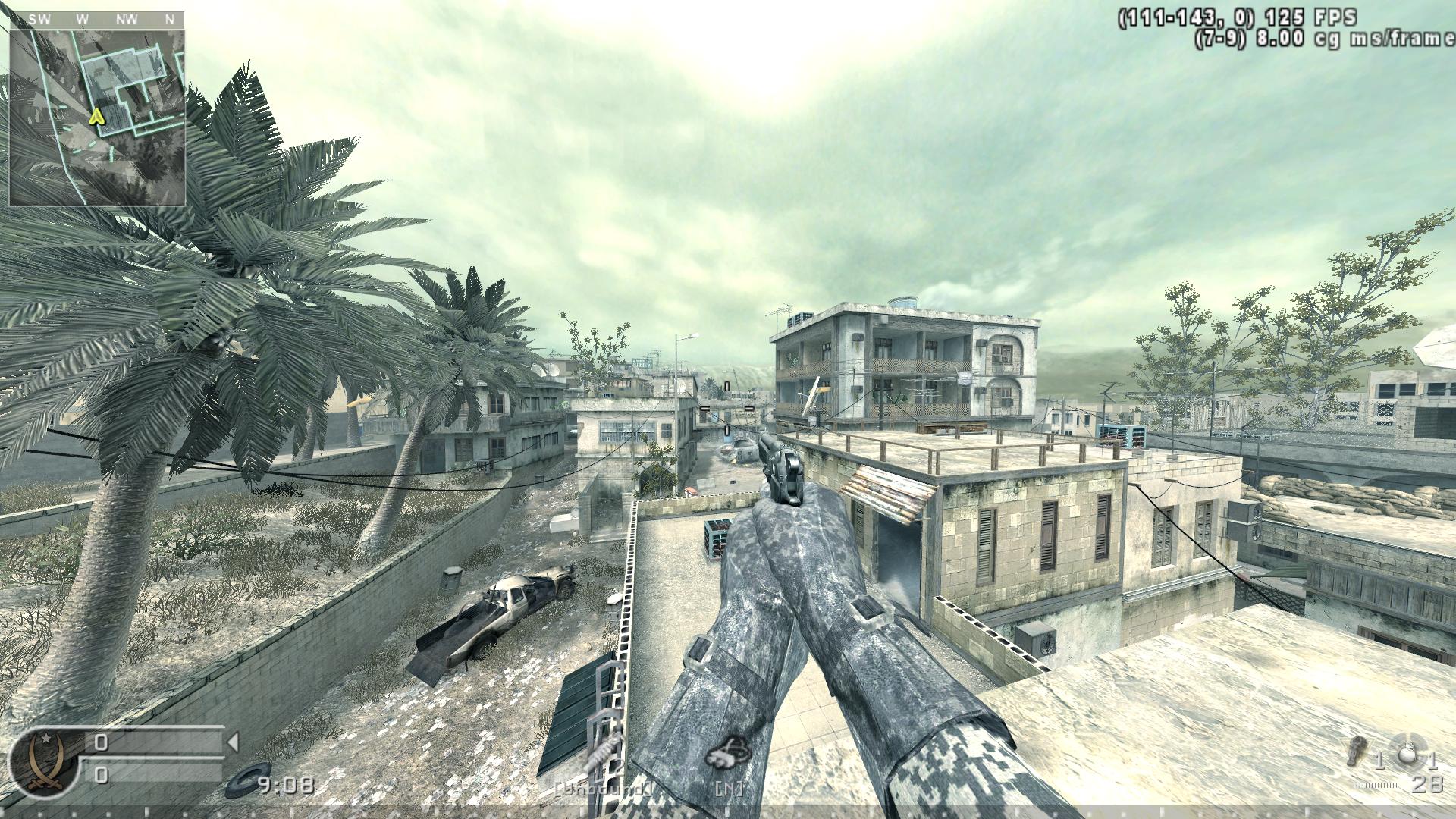
Here is a comparison of the normal FoV and the modified FoV (cg_fovScale 1.5)
Normal FoV:
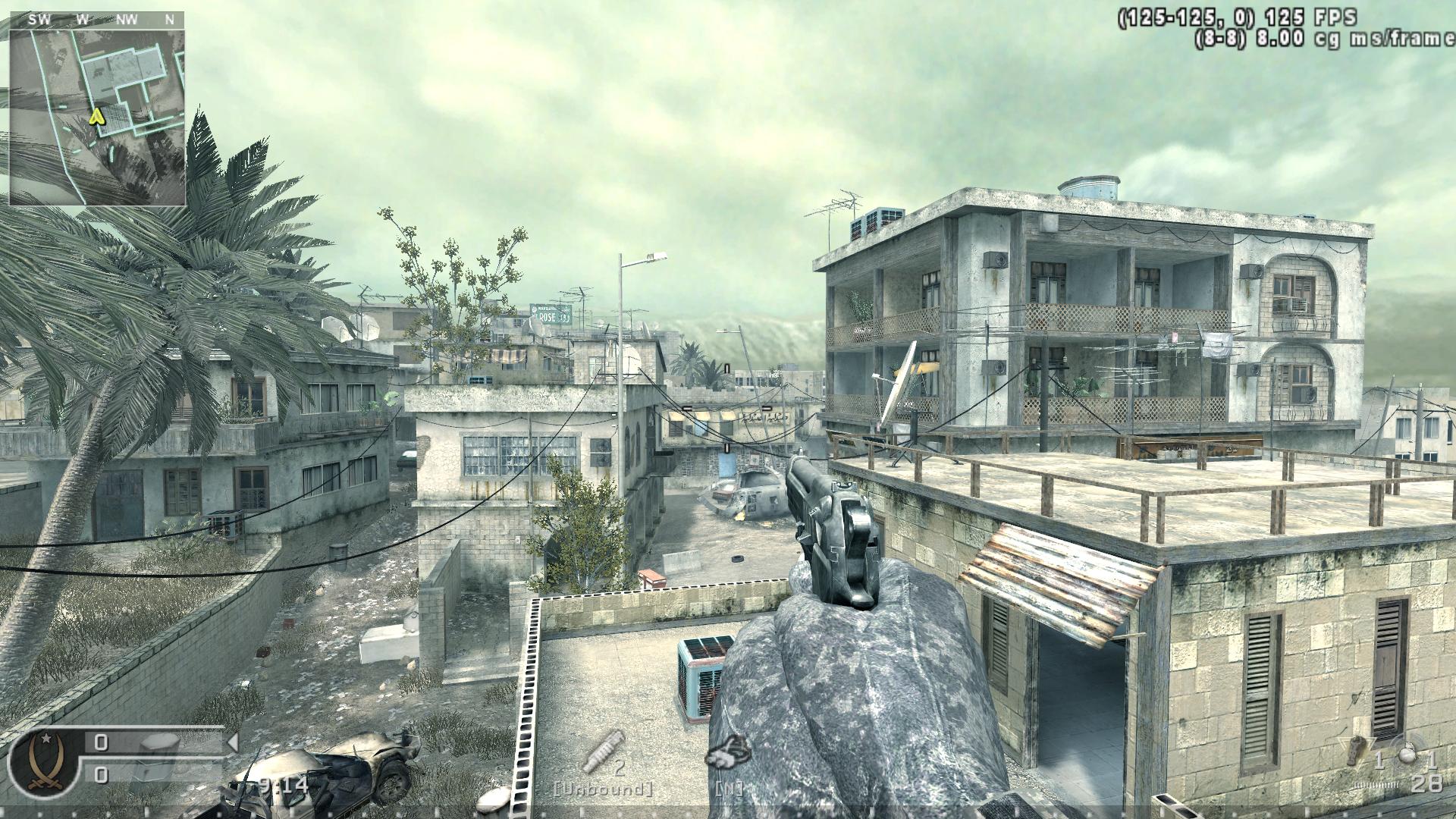
Modified FoV:
Its free: http://notepad-plus-plus.org/
Click on the download button on the left.
*This method works on CoD WaW (Thanks to PenguinGaming77 !)
1. Go in Program Files (x86) > Steam > Steamapps > common > Call of Duty 4
Then you need to edit the iw3mp file with Notepad++
2. When Notepad++ will be open, press CTRL+F to search something.
3.Search for sv_cheats
4.Change sv_cheats for sj_cheats
5. Open your game
6. Enter this command into the console
7.When the map is loaded, enter this command:
/bind F1 cg_fovScale 1.4
F1: can be replace with any other keys
1.4: Can be replace with any values between 1.1 and 2
Also, you can put fullbright to get better performance and higher fps
/bind F1 toggle r_fullbright 1
N.B.: The binds will only work if you Devmap mp_bog each time you open the game. But you dont need to rebind it everytime.
Here is a comparison of the normal FoV and the modified FoV (cg_fovScale 1.5)
Normal FoV:
Modified FoV:
Useful command
There's a command that change the position of the gun and you can do it in some servers.
*You don't need Notepad++ to do this*
Just write: /cg_gun_x_10
The number 10 can be replaced by any value
Normal position:
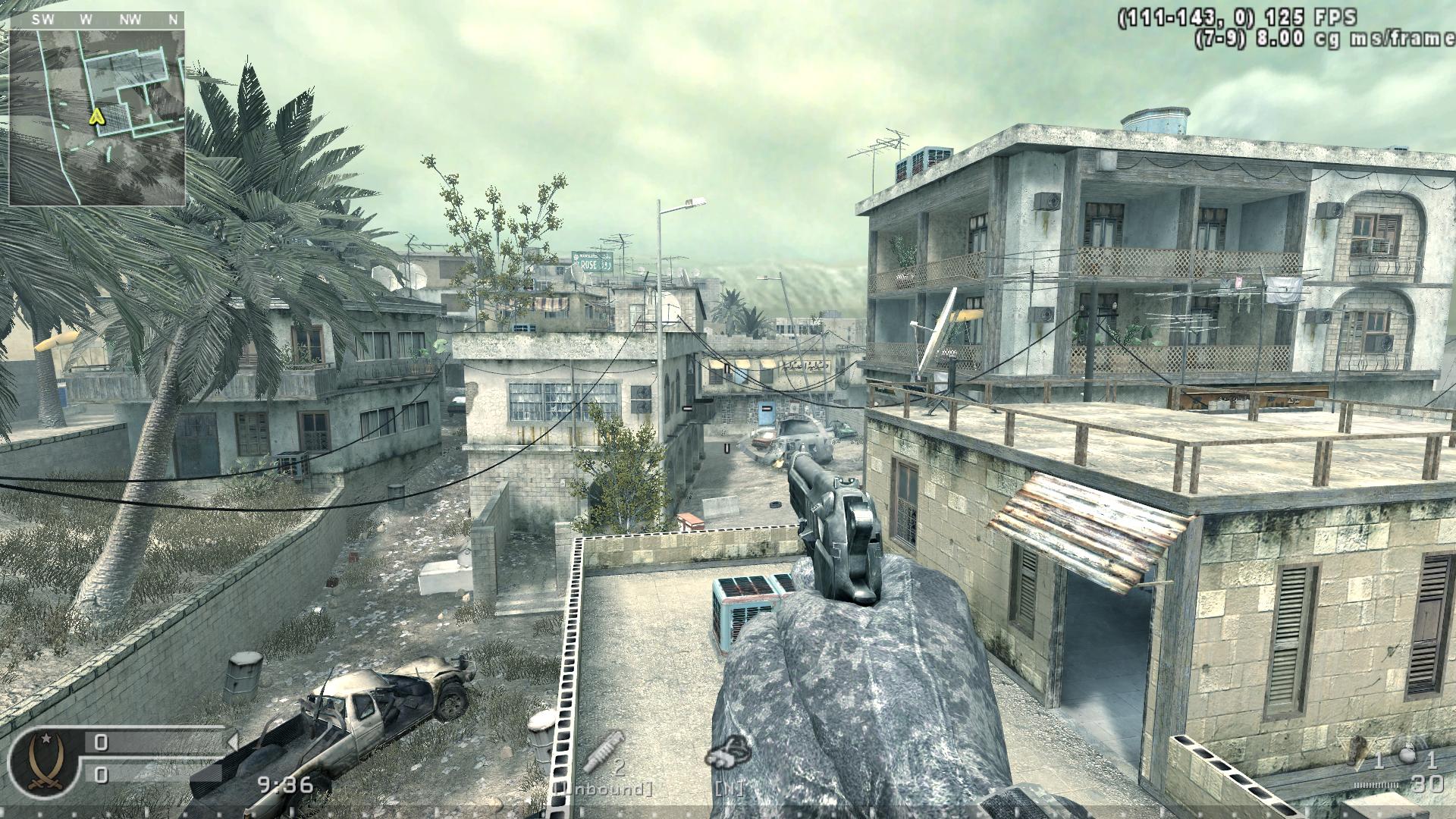
Modified position:
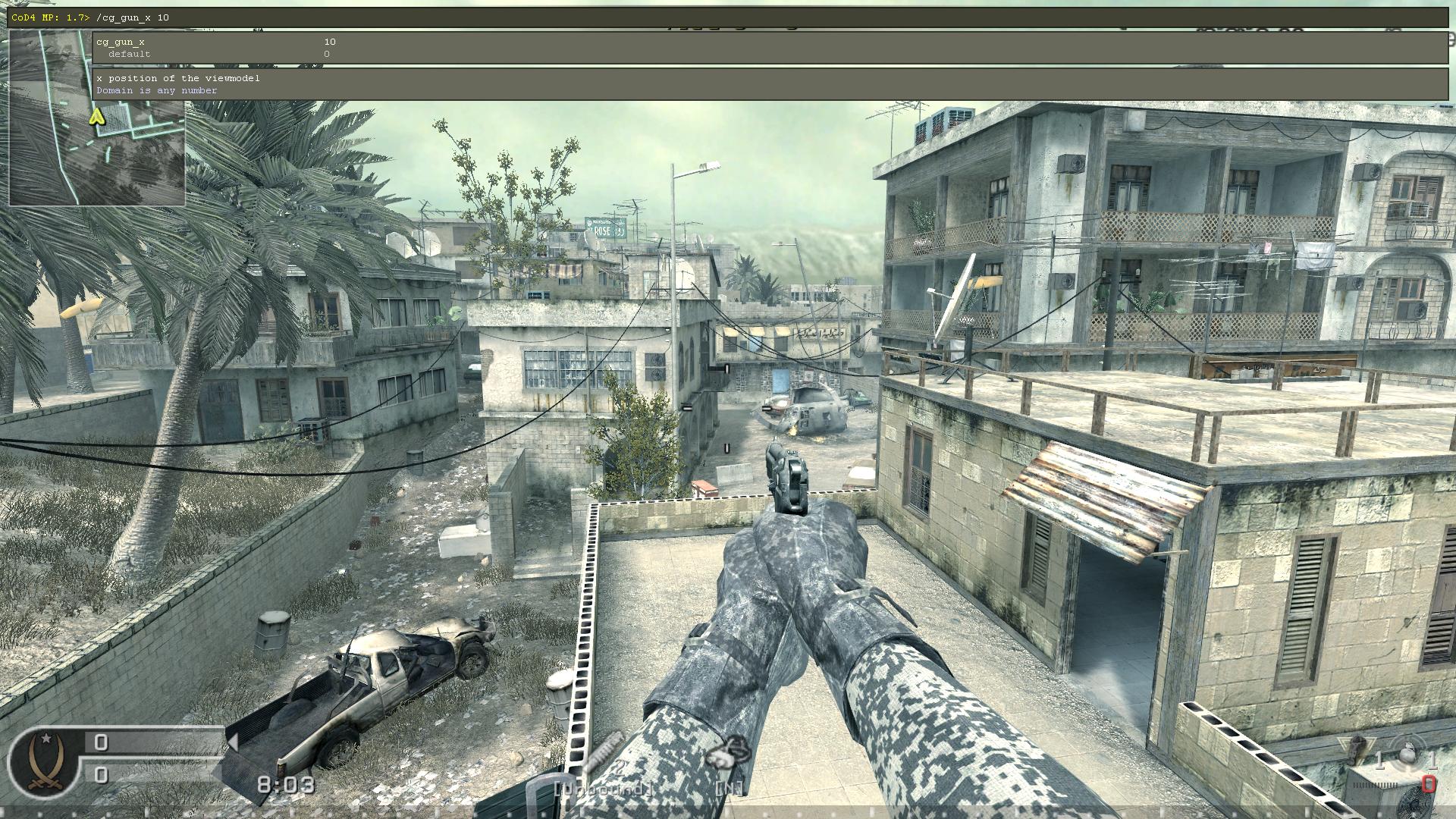
*This method won't change your FoV*
*You don't need Notepad++ to do this*
Just write: /cg_gun_x_10
The number 10 can be replaced by any value
Normal position:
Modified position:
*This method won't change your FoV*
Thank you !
Thanks for reading, leave a comment if you have any questions and i'll answer the best as i can.
More Call of Duty 4: Modern Warfare (2007) guides
- Русификатор Call of Duty 4: Modern Warfare [v1.7.568]★ 5 (953)38k views1.4k ♥1 minRussianUpdated Jul 20, 2024
- Intel Laptops locations★ 5 (653)18k views1.1k ♥8 minUpdated Jul 3, 2023
- How to install and play Star Wars: Galactic Warfare★ 5 (245)17k views527 ♥3 minUpdated May 17, 2017
- PezBOT Setup: How to play Bot Matches offline!★ 5 (319)16k views713 ♥3 minUpdated Nov 26, 2019
- COD4 Console Commands & CFGs★ 4 (126)14k views255 ♥1 minUpdated Jun 15, 2025
- How to create "Binds"★ 5 (163)14k views196 ♥7 minUpdated Mar 23, 2016



This guide was created by its original author on the Steam Community. Are you the author and want it removed? Request removal.