PezBOT Setup: How to play Bot Matches offline!
Step 1: Download PezBOT file from ModDB
Click on the link below to download the latest version of PeZBOT for Call of Duty 4 Modern Warfare.
PeZBOT for Call of Duty 4: Modern Warfare (Vanilla)
PeZBOT for Call of Duty 4: Modern Warfare (Vanilla)
Special thanks to @da_bez_man for notifying me about the previous link not working correctly. The current link should be working now.
Step 2: Exact the file to your "Mods" folder
Disclaimer: I neglected to mention that Call of Duty 4's "Mods" folder is usually missing when you install the Steam version. All you have to do is go to the install directory for CoD 4 and create a new folder called "Mods"
Once you have downloaded the file, extract it to your "Mods" folder in your Call of Duty 4: Modern Warfare install directory. It depends on where each user installs their games, but it is usually something like
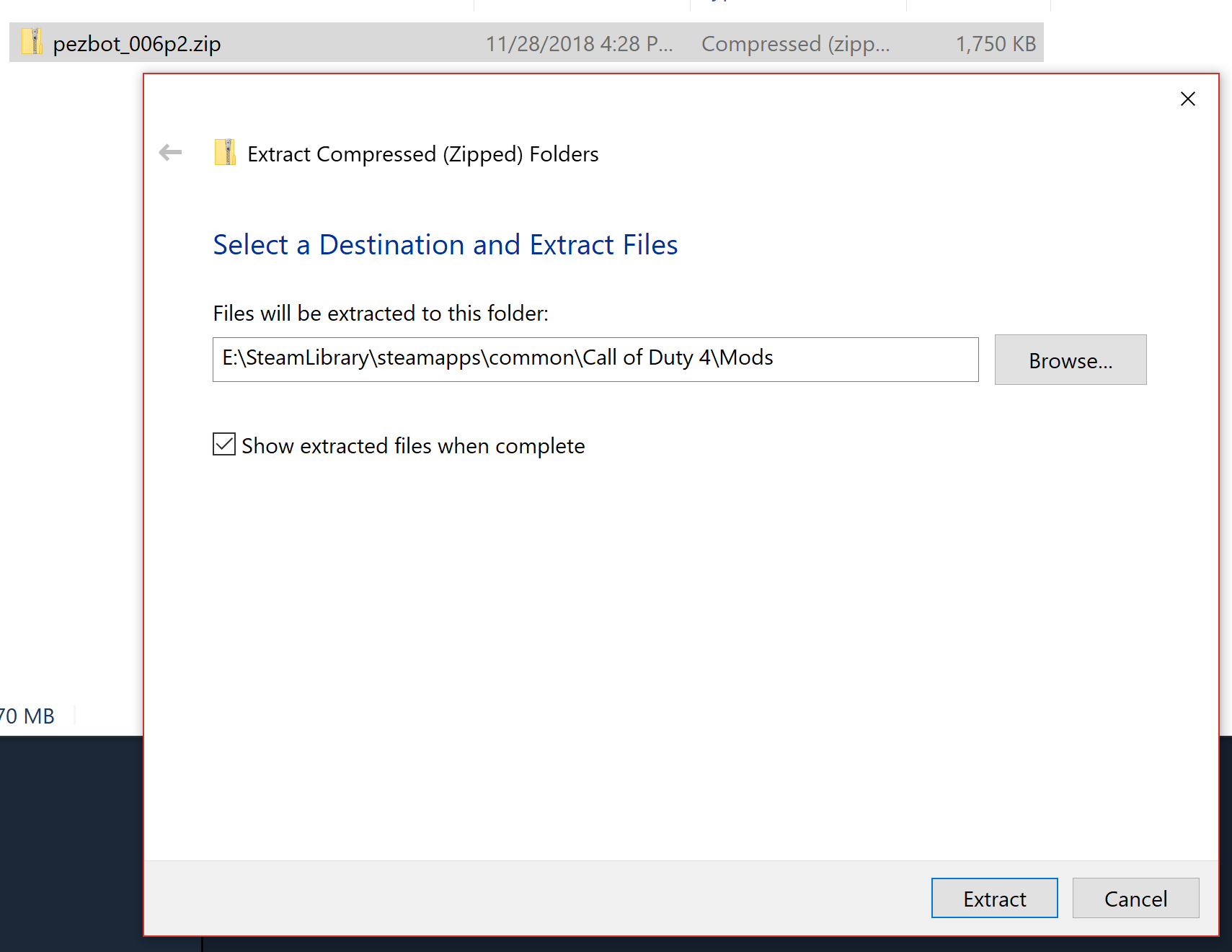
Or, if you'd prefer to simply drap-and-drop an extracted file, just make sure you select the filei] inside of the extracted Zip file named "PeZBOT", as well as all of the files inside of it, and drag it into the "Mods" folder.
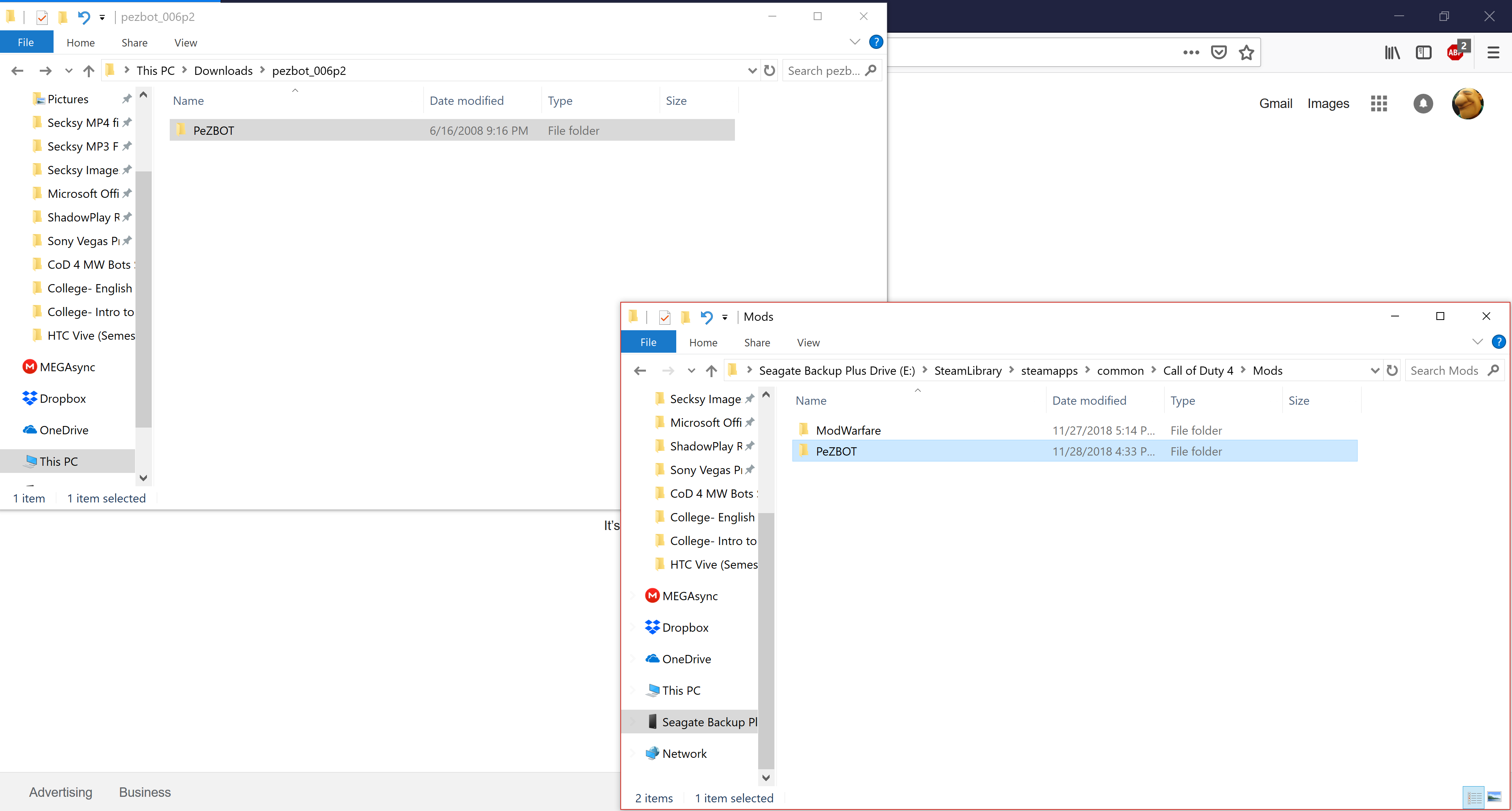
Both methods will work perfectly fine, however i decided to include both because I, personally, prefer the latter option, although the former is muc simpler and less likely for the user to make a mistake
Once you have downloaded the file, extract it to your "Mods" folder in your Call of Duty 4: Modern Warfare install directory. It depends on where each user installs their games, but it is usually something like
"C:\Program Files (x86)\Steam\steamapps\common\Call of Duty 4\Mods"
Or, if you'd prefer to simply drap-and-drop an extracted file, just make sure you select the filei] inside of the extracted Zip file named "PeZBOT", as well as all of the files inside of it, and drag it into the "Mods" folder.
Both methods will work perfectly fine, however i decided to include both because I, personally, prefer the latter option, although the former is muc simpler and less likely for the user to make a mistake
Step 3: Launch Multiplayer, then enable the mod in-game
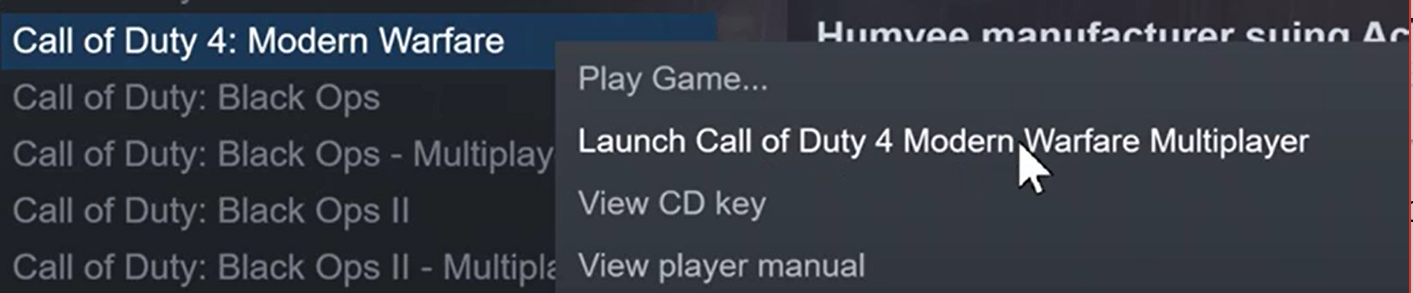
Once you have done everything, then launch the Multiplayer executable for Modern Warfare. You can either launch the game normally then select Multiplayer from the in-game menu, or right-click the game and select "Launch... Multiplayer"
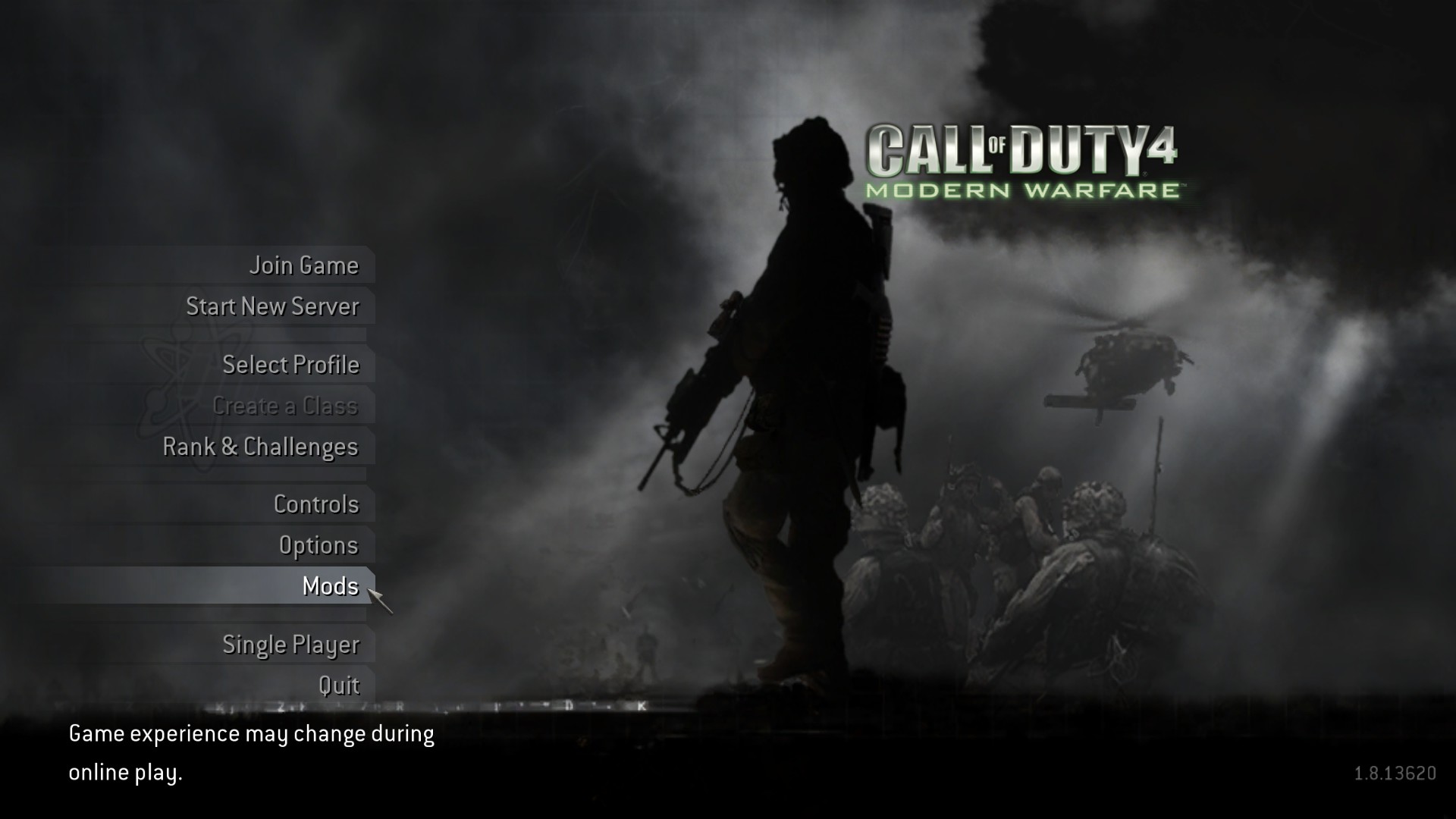
Once you are in CoD 4's Multiplayer mode, click on "Mods"...
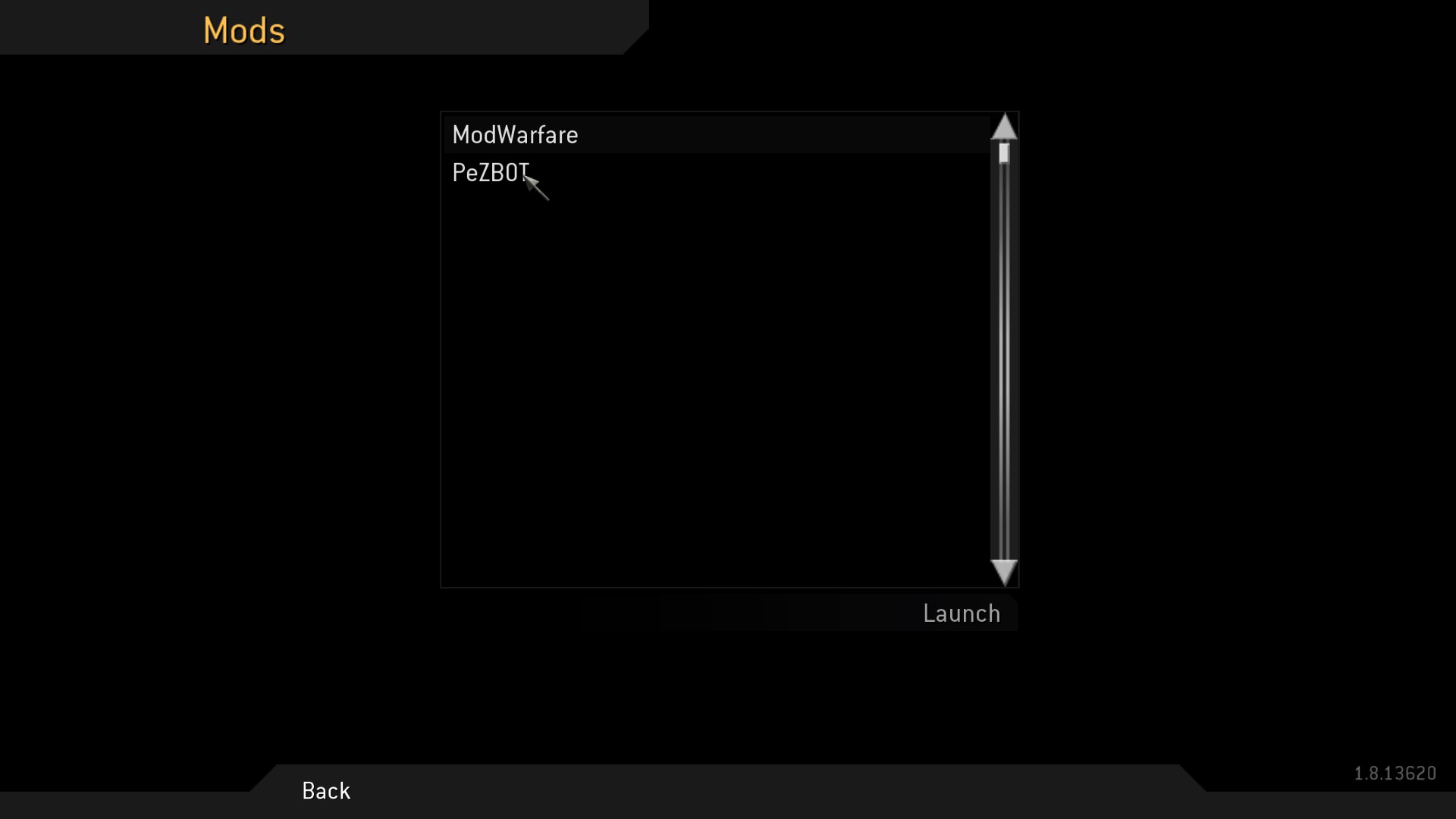
...then double-click "PeZBOT" to launch the mod.
Once you are in CoD 4's Multiplayer mode, click on "Mods"...
...then double-click "PeZBOT" to launch the mod.
Step 4: Create a private, offline game with Punkbuster disabled
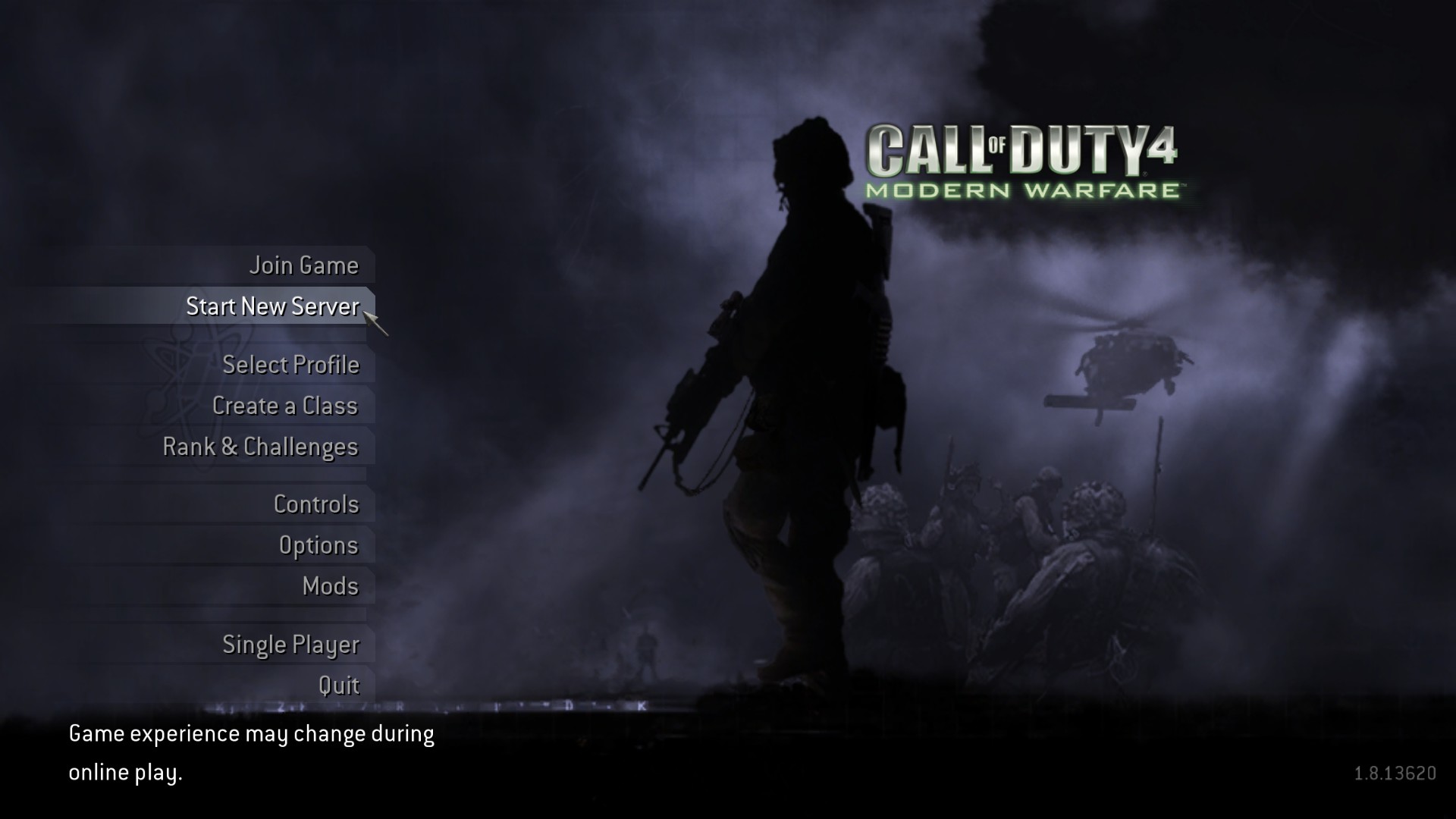
Once you have launched the mod, it should have a darker, night background to indicate that the user is playing a modified version of CoD 4's multiplayer. Click on "Start New Server"
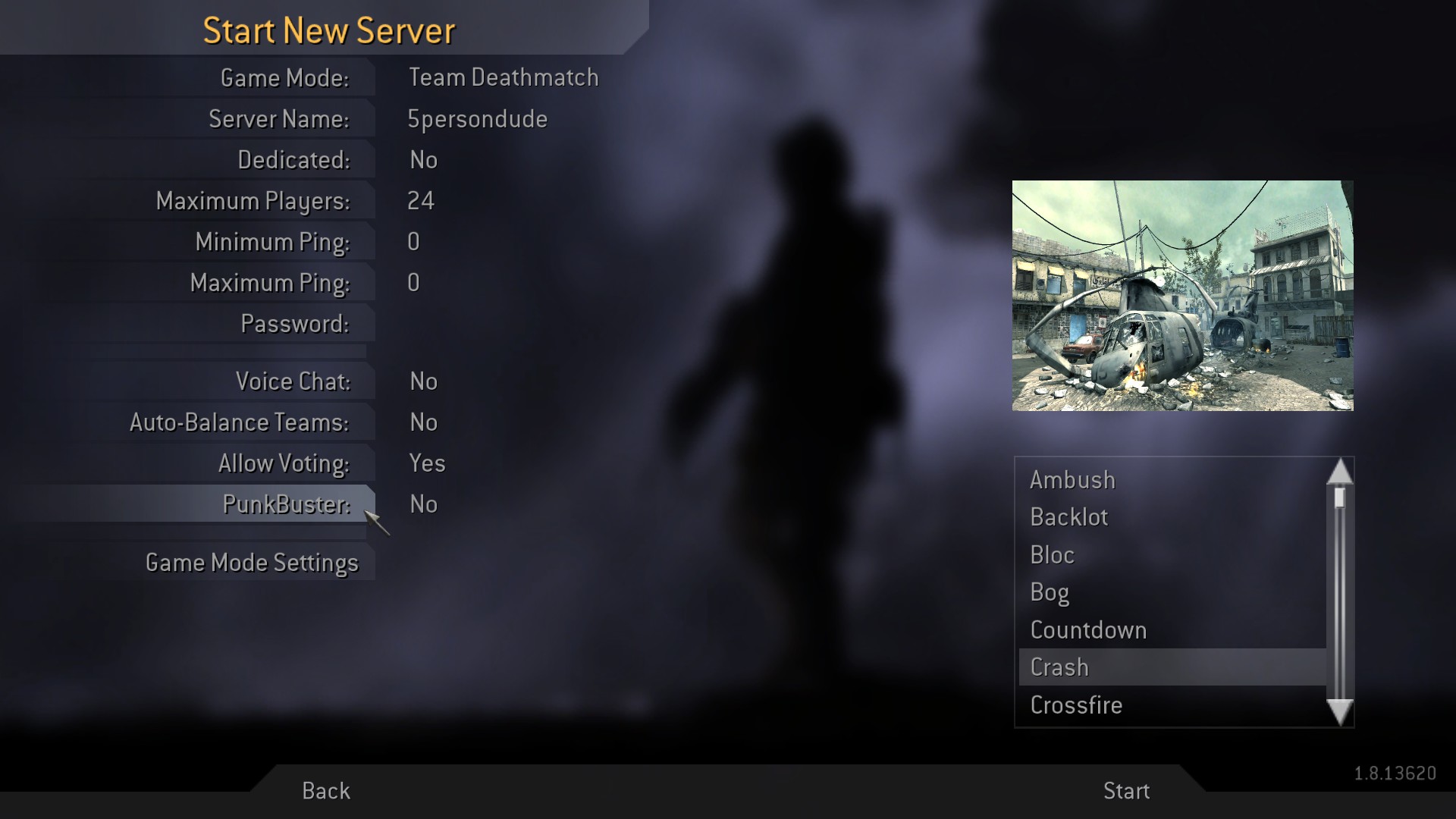
You can change and tweak the settings as you wish, however be warned that having too many bots can cause severe framerate problems even on modern hardware, so i would recommend about 12-16 Maximum Players to start out with. Once you have finished tweaking the rules to your liking, start the game.
It is very important that you make sure that Punkbuster is disabled! You can disable it from the Match Setup screen
You can change and tweak the settings as you wish, however be warned that having too many bots can cause severe framerate problems even on modern hardware, so i would recommend about 12-16 Maximum Players to start out with. Once you have finished tweaking the rules to your liking, start the game.
Step 5: Start spawning Bots!
After you launch the game, you may notice that there are no bots. Do not be alarmed! The mod simply requires one console command!
Type the following command into the Developer Console:
After that, Bots will spawn in and start fighting! The best part is that you will be able to progress and gain XP as you would in the Ranked multiplayer, so have fun with some good-old fasioned CoD Multiplayer grinding!
Type the following command into the Developer Console:
/set svr_pezbots XX
with the "XX" replaced by how many Bots you want in that current matchAfter that, Bots will spawn in and start fighting! The best part is that you will be able to progress and gain XP as you would in the Ranked multiplayer, so have fun with some good-old fasioned CoD Multiplayer grinding!
Additional Notes
On the download page, the author left some additional notes about extra command lines for the Developer Console, known bugs, etc.
I will plan on implementing those details into this guide in the near future. If not, then I'm just as lazy as i was when i made my DSFix guide a few years back =P
I will plan on implementing those details into this guide in the near future. If not, then I'm just as lazy as i was when i made my DSFix guide a few years back =P
More Call of Duty 4: Modern Warfare (2007) guides
- Русификатор Call of Duty 4: Modern Warfare [v1.7.568]★ 5 (953)38k views1.4k ♥1 minRussianUpdated Jul 20, 2024
- How to change your Field Of View in Call of Duty 4.★ 5 (333)34k views495 ♥1 minUpdated Dec 4, 2018
- Intel Laptops locations★ 5 (653)18k views1.1k ♥8 minUpdated Jul 3, 2023
- How to install and play Star Wars: Galactic Warfare★ 5 (245)17k views527 ♥3 minUpdated May 17, 2017
- COD4 Console Commands & CFGs★ 4 (126)14k views255 ♥1 minUpdated Jun 15, 2025
- How to create "Binds"★ 5 (163)14k views196 ♥7 minUpdated Mar 23, 2016


This guide was created by its original author on the Steam Community. Are you the author and want it removed? Request removal.