How to install and play Star Wars: Galactic Warfare
Introduction
This is a complete guide from start to finish, where I will go through the installation progress of Star Wars: Galactic Warfare step-by-step. The progress is rather simple, and won't take too much of your time. Star Wars: Galactic Warfare's multiplayer is not so active, but I do find servers with a few players on from time to time.
I will also include a part explaining how to get bots to your own games, so you don't have to rely on other people to play this mod.
Mod trailer:
I will also include a part explaining how to get bots to your own games, so you don't have to rely on other people to play this mod.
Mod trailer:
Chapter 1 (Preparing & downloading)
Before we start, make sure that you have the following:
The files for Star Wars: Galactic Warfare are in total 693 megabytes.
- a clean installation of Call of Duty 4: Modern Warfare
- a program to unzip the mod (winRAR, 7-zip..)
- the latest version of CoD4 (1.7)
The files for Star Wars: Galactic Warfare are in total 693 megabytes.
Chapter 2 (Installing SW:GW)
After you have downloaded the mod files for Star Wars: Galactic Warfare, locate your Call of Duty 4: Modern Warfare installation folder.
If you installed the game through Steam, you should find it here:
C:\Program Files (x86)\Steam\steamapps\common\Call of Duty 4
Now, with your prefered unzipping tool, open the file you downloaded in Chapter 1 (cod4_swm_gw1.zip), and transfer the 'usermaps' and the 'mods' folder into the root of the Call of Duty 4 folder.
If you installed the game through Steam, you should find it here:
C:\Program Files (x86)\Steam\steamapps\common\Call of Duty 4
Now, with your prefered unzipping tool, open the file you downloaded in Chapter 1 (cod4_swm_gw1.zip), and transfer the 'usermaps' and the 'mods' folder into the root of the Call of Duty 4 folder.
Chapter 3 (Installing PeZBOT, for bots)
If you want to play with bots, you will need:
Just like last chapter, locate where your installation file of Call of Duty 4 is, and open up the 'Mods' folder, and from there open the 'swm_gw1' folder
C:\Program Files\Steam\steamapps\common\call of duty 4\mods\swm_gw1
Open up the downloaded PeZBOT file with your prefered unzipping program, and unzip 'pezbots.cfg', 'pezbot_dev.cfg' and 'z_swm_pezbot.iwd' to the 'swm_gw1' folder.
Now, both the Star Wars: Galactic Warfare and PeZBOT mods are installed to your game! Congratulations!
- the PeZBOT mod, modified for Star Wars: Galactic Warfare. Download it here.
Just like last chapter, locate where your installation file of Call of Duty 4 is, and open up the 'Mods' folder, and from there open the 'swm_gw1' folder
C:\Program Files\Steam\steamapps\common\call of duty 4\mods\swm_gw1
Open up the downloaded PeZBOT file with your prefered unzipping program, and unzip 'pezbots.cfg', 'pezbot_dev.cfg' and 'z_swm_pezbot.iwd' to the 'swm_gw1' folder.
Now, both the Star Wars: Galactic Warfare and PeZBOT mods are installed to your game! Congratulations!
Chapter 3 (Ease of use + setting up a match with bots)
To get the bots to work, you must add a few couple launch options to Call of Duty 4: Modern Warfare.
If you don't want Star Wars: Galactic Warfare to launch when you start up CoD4, remove the '+set fs_game "mods/swm_gw1' launch option.
Easy! Start up your game after following Chapters 1 and 2, set the following launch commands mentioned earlier, and open up your console. By default, you can open the console with the '§' key.
To start a map, type:
Adding bots is just as easy as starting a map.
After loading your map, just type:
After loading Star Wars: Galactic Warfare, you should be able to open up the console (§) and connect to a Galactic Warfare server via it's IP. You can find multiple servers here[www.gametracker.com]
- Right-click on the game title under the Library in Steam and select Properties.
- Under the General tab click the Set launch options... button.
- Add the following launch options: +set fs_game "mods/swm_gw1" +exec pezbot.cfg
If you don't want Star Wars: Galactic Warfare to launch when you start up CoD4, remove the '+set fs_game "mods/swm_gw1' launch option.
How do I start my own local match with bots?
Easy! Start up your game after following Chapters 1 and 2, set the following launch commands mentioned earlier, and open up your console. By default, you can open the console with the '§' key.
To start a map, type:
- /devmap [mapname]
- mp_anchorhead
- mp_bestine
- mp_cloud_city
- mp_jundland
- mp_jundland_dusk
- mp_not_a_cave
- mp_tatooine
What about the bots? Where are the bots?
Adding bots is just as easy as starting a map.
After loading your map, just type:
- /svr_pezbots (and the amount of bots you want)
What if I want to play online with real people?
After loading Star Wars: Galactic Warfare, you should be able to open up the console (§) and connect to a Galactic Warfare server via it's IP. You can find multiple servers here[www.gametracker.com]
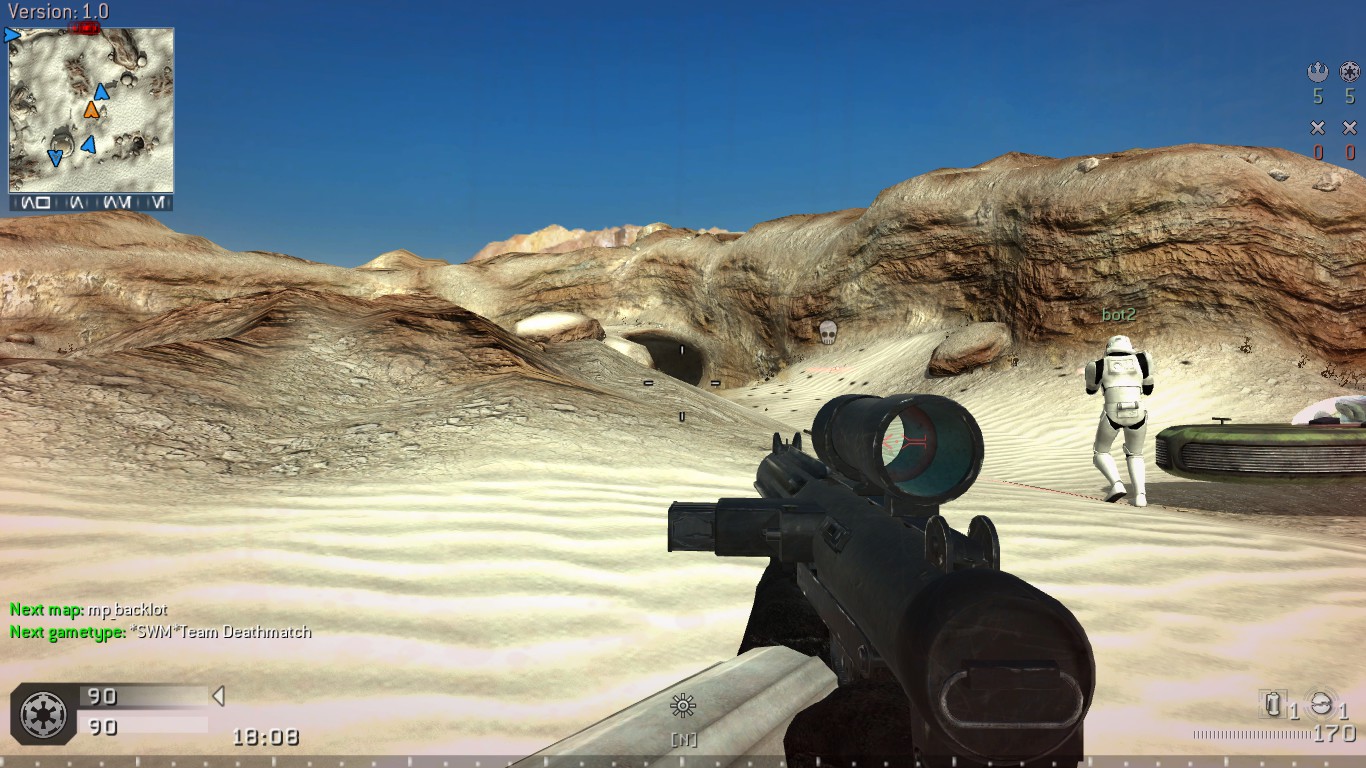
Screenshots



Credits & Contact Info
Thanks to:
If you have suggestions, questions, or really anything, feel free to comment them down below.
- the PeZBOT team, for making PeZBOT
- Blackmonkeys.de, for creating this amazing mod
If you have suggestions, questions, or really anything, feel free to comment them down below.
More Call of Duty 4: Modern Warfare (2007) guides
- Русификатор Call of Duty 4: Modern Warfare [v1.7.568]★ 5 (953)38k views1.4k ♥1 minRussianUpdated Jul 20, 2024
- How to change your Field Of View in Call of Duty 4.★ 5 (333)34k views495 ♥1 minUpdated Dec 4, 2018
- Intel Laptops locations★ 5 (653)18k views1.1k ♥8 minUpdated Jul 3, 2023
- PezBOT Setup: How to play Bot Matches offline!★ 5 (319)16k views713 ♥3 minUpdated Nov 26, 2019
- COD4 Console Commands & CFGs★ 4 (126)14k views255 ♥1 minUpdated Jun 15, 2025
- How to create "Binds"★ 5 (163)14k views196 ♥7 minUpdated Mar 23, 2016



This guide was created by its original author on the Steam Community. Are you the author and want it removed? Request removal.