How to close the game
Step One:
Once you're on the game's menu, press "s" five times (Or "w" one time) to reach the correct option:
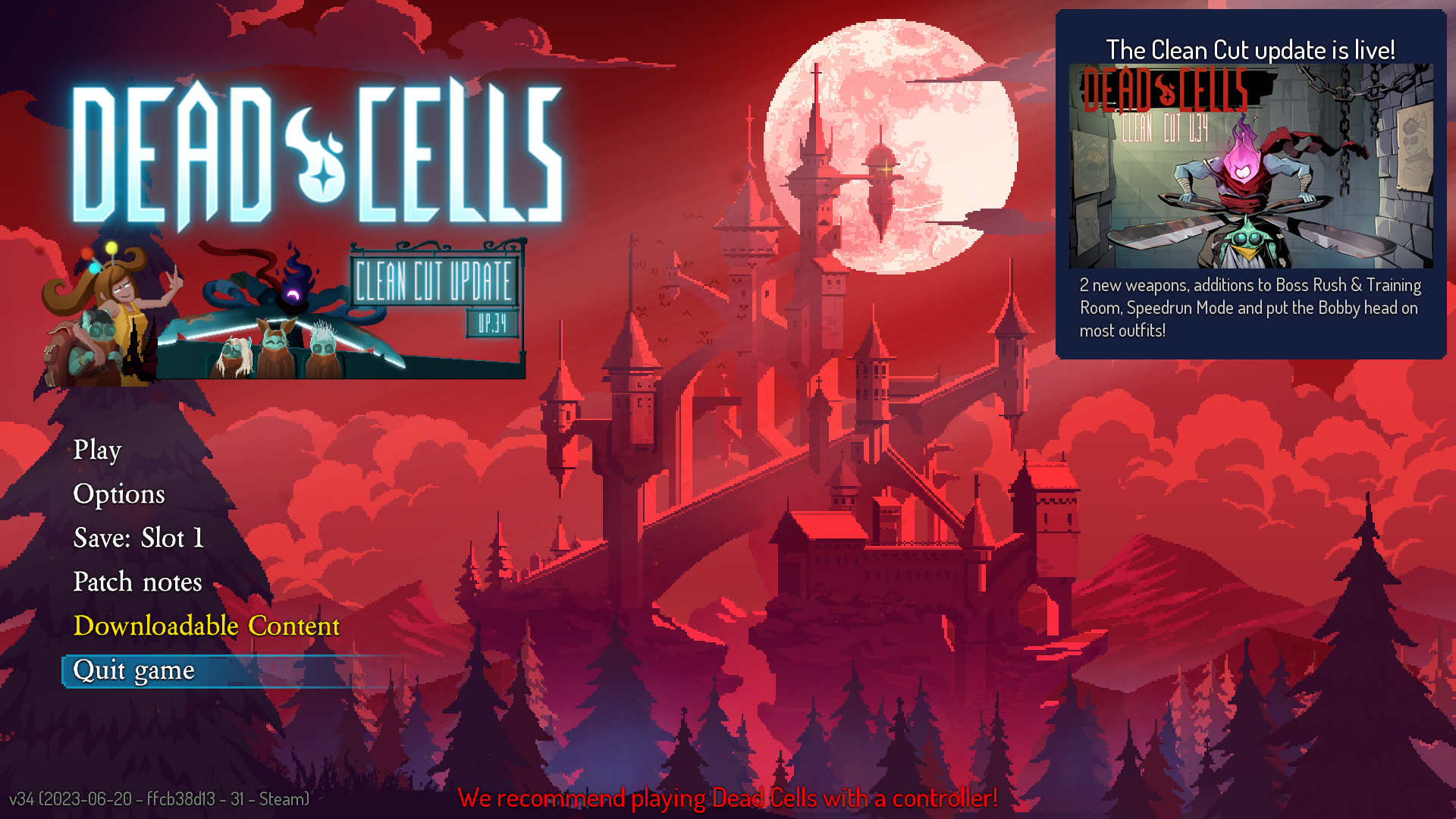
Step two:
Press the space bar on your keyboard to confirm that you wish to quit the game. In case you don't remember/know what a space bar is, here's an example of it:
Congratulations, you did it!
You closed the game successfully! Now have fun with whatever you're gonna do now, before you go, don't forget to rate this guide and have a good life.

More Dead Cells guides
- [How to] Dead Cells★ 5 (1.1k)50k views1.1k ♥19 minUpdated 3 Jan, 2019
- Секретные чертежи и их местонахождение★ 5 (1.1k)44k views2.2k ♥9 minRussianUpdated 23 Oct, 2023
- Complete Achievements Guide★ 5 (674)35k views1.3k ♥18 minUpdated 21 Jul, 2020
- [EN/FR]Dead Cells Biome Map - V3.5★ 5 (436)25k views961 ♥1 minUpdated 20 Aug, 2024
- [Beginner Guide] New Game Routing (a.k.a.: Going to the correct maps)★ 5 (394)22k views1k ♥3 minUpdated 24 Jul, 2024
- Ultimate Guide - Everything you need!★ 5 (389)17k views578 ♥1 minUpdated 27 May





🔥 Popular guides
- Upgrading to PremiumTeam Fortress 2★ 5 (20k)1441k views11k ♥6 minUpdated May 11, 2022
- No More Room in Hell Official ManualNo More Room in Hell★ 5 (2.8k)569k views2.1k ♥29 minUpdated Apr 22, 2019
- NMRiH Community Hosting GuidesNo More Room in Hell★ 5 (526)351k views653 ♥1 minUpdated Aug 10, 2022
- ULTIMATE GUIDE FOR GAME DEV TYCOONGame Dev Tycoon★ 5 (5.8k)326k views10k ♥4 minUpdated 23 Jan, 2014
- How to 'Git Gud' Soon™MORDHAU★ 5 (2k)318k views3k ♥68 minUpdated Nov 16, 2024
- Лучшие кооперативные игры SteamPAYDAY 2★ 5 (1.5k)315k views2.1k ♥56 minRussianUpdated Apr 27, 2025






This guide was created by its original author on the Steam Community. Are you the author and want it removed? Request removal.