HOW TO FIX FPS DROPS
Solution
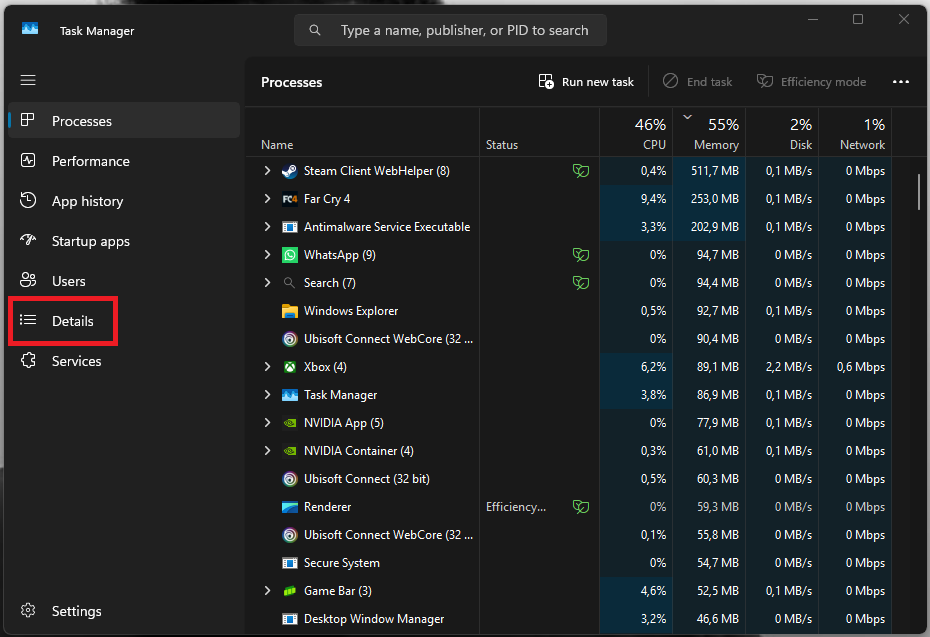
1: While the game is running, open Task Manager.
2: From the menu on the left, select Details.
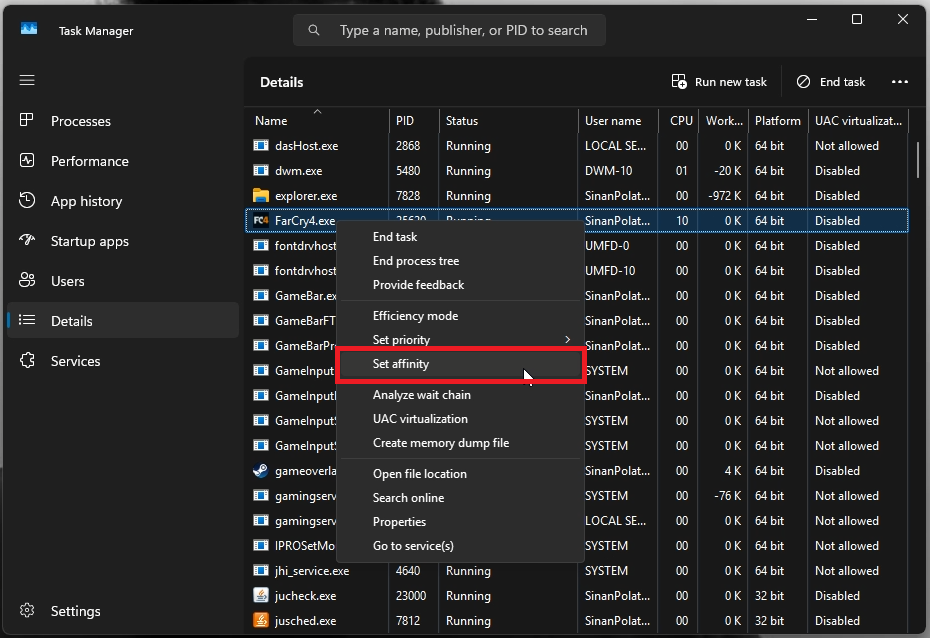
3: Find Far Cry 4 in the list and right-click it.
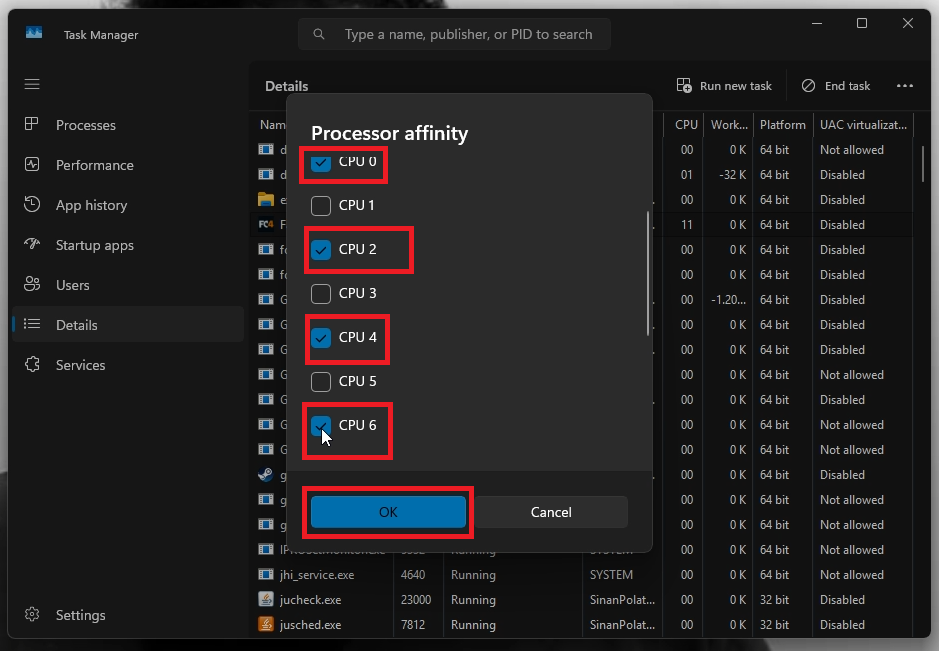
4: In the menu that appears, select Set Affinity.
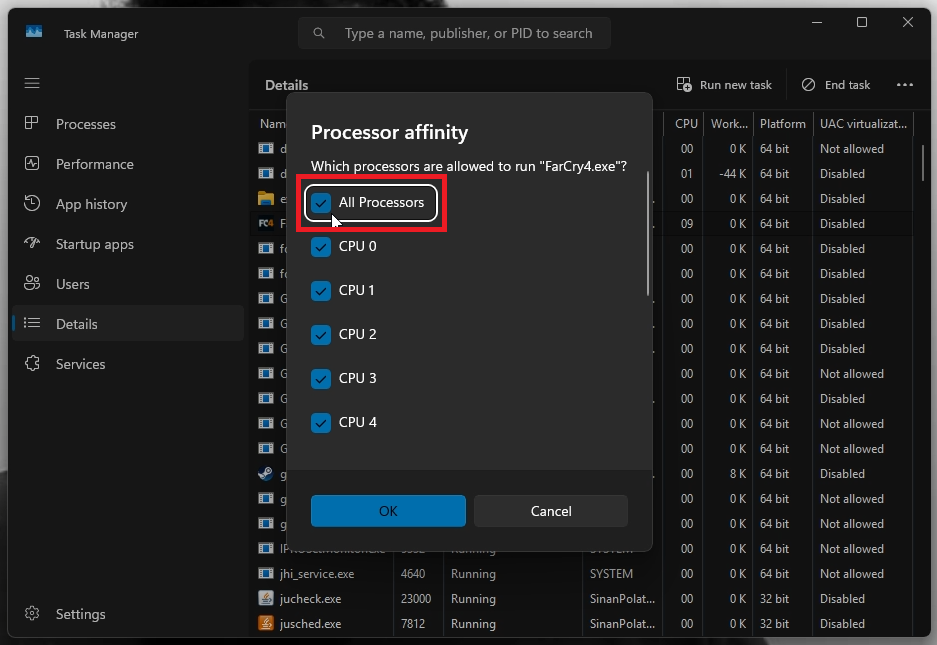
5: In the new window, uncheck the All Processors option.
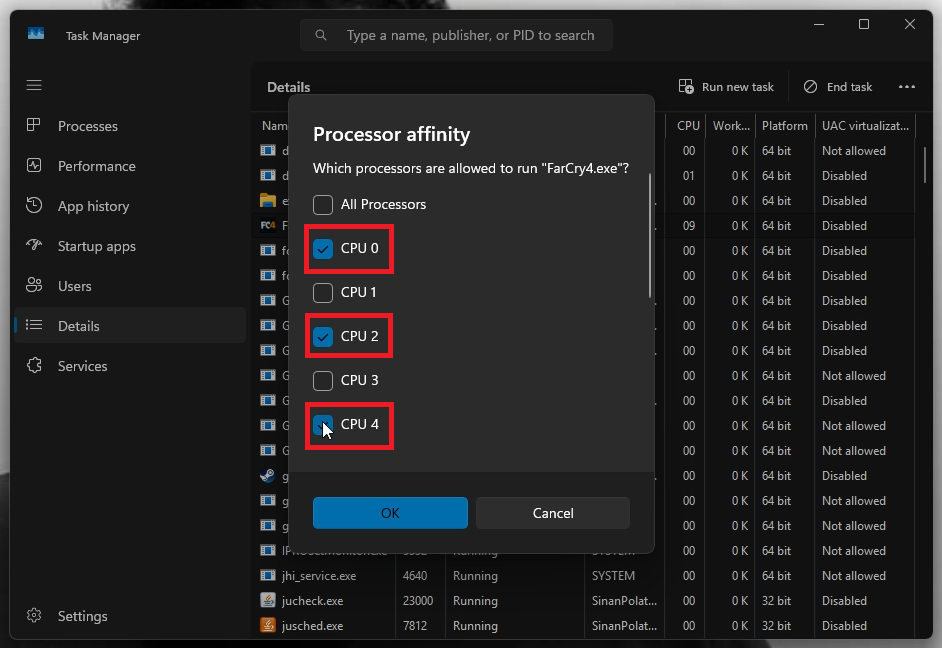
6: Leave only CPU 0 / 2 / 4 / 6 enabled, and make sure all the other options are disabled.
7: Click OK. Your game should now run properly without FPS drops.
More Far Cry 4 guides
- Skip Intros★ 5 (546)34k views233 ♥1 min
- Снайперка Z93 В начале игры.★ 5 (423)26k views434 ♥1 minRussianUpdated Apr 6, 2017
- РУСИФИКАТОР Far Cry 4 - замена озвучки на русскую.★ 5 (426)25k views532 ♥4 minRussianUpdated Jan 11
- ПОЛНЫЕ ФАКТЫ ОБ ОСНОВНЫХ ПЕРСОНАЖАХ - FAR CRY 4.★ 5 (420)13k views316 ♥52 minRussianUpdated Nov 14, 2019
- Far Cry 4 - 100% Achievement Guide★ 5 (252)13k views622 ♥16 minUpdated Feb 10, 2025
- Миллионы на шкурах (Абузим Мясо)★ 5 (186)12k views255 ♥1 minRussian


🔥 Popular guides
- Upgrading to PremiumTeam Fortress 2★ 5 (20k)1441k views11k ♥6 minUpdated May 11, 2022
- No More Room in Hell Official ManualNo More Room in Hell★ 5 (2.8k)569k views2.1k ♥29 minUpdated Apr 22, 2019
- NMRiH Community Hosting GuidesNo More Room in Hell★ 5 (526)351k views653 ♥1 minUpdated Aug 10, 2022
- ULTIMATE GUIDE FOR GAME DEV TYCOONGame Dev Tycoon★ 5 (5.8k)326k views10k ♥4 minUpdated 23 Jan, 2014
- How to 'Git Gud' Soon™MORDHAU★ 5 (2k)318k views3k ♥68 minUpdated Nov 16, 2024
- Лучшие кооперативные игры SteamPAYDAY 2★ 5 (1.5k)315k views2.1k ♥56 minRussianUpdated Apr 27, 2025






This guide was created by its original author on the Steam Community. Are you the author and want it removed? Request removal.