How to fix the 0 relations bug
Introduction
Today I've taken the time to read the source code as well as the serialized save data in order to find the fix.
You're welcome. Enjoy
(btw this guide won't fix you being stuck with 0 relations in real life)
Why it's bugged
How to fix it
Okay, clearly the game is bugged as tarnation, but don't panic! Here's the fix.
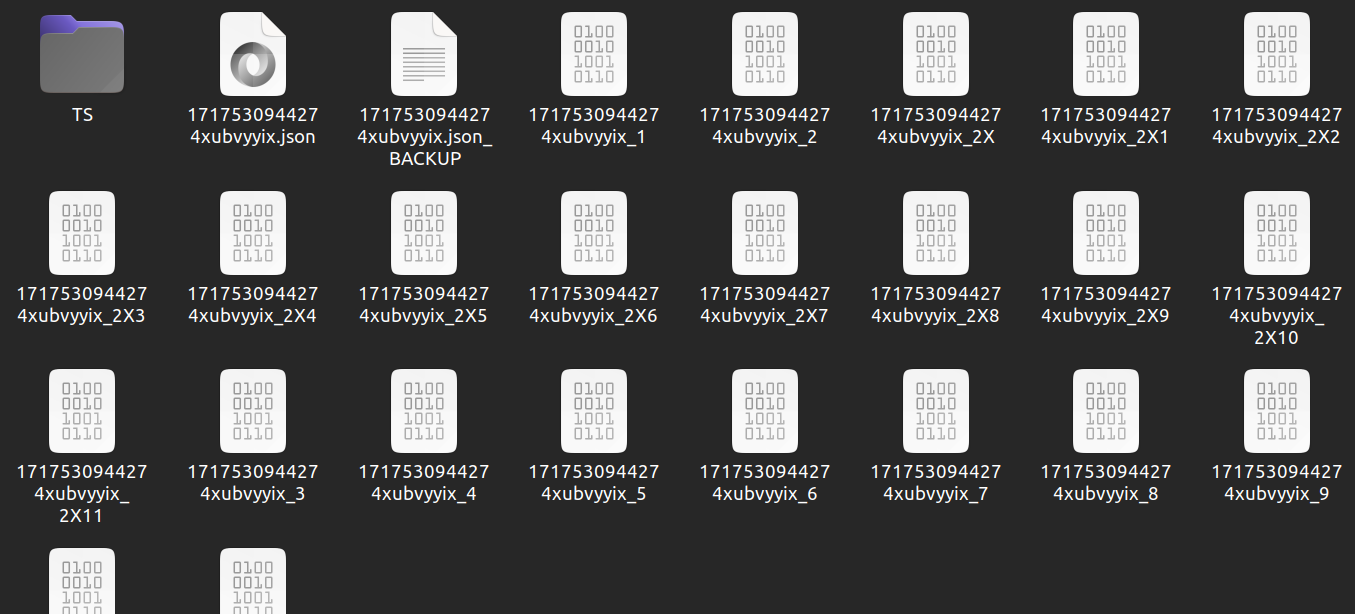
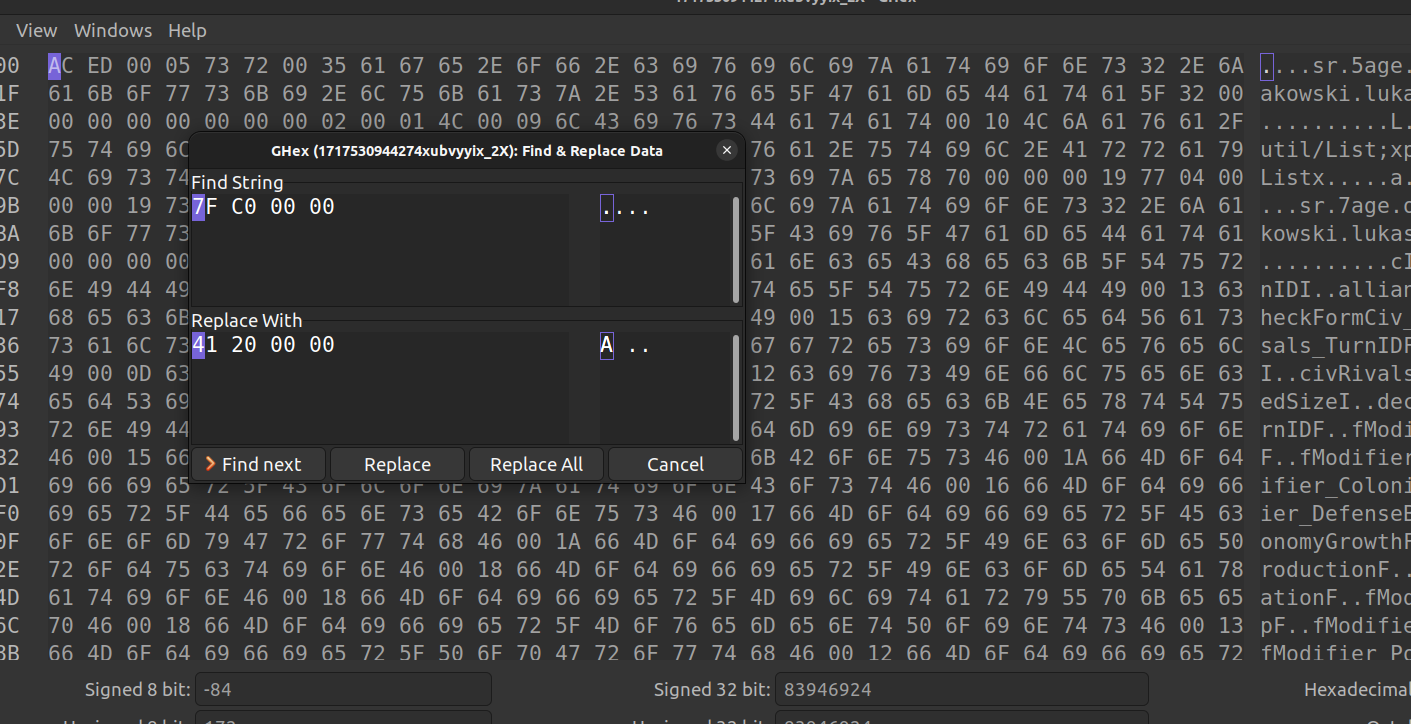
Because we're only overwriting NaNs, it will only replace the bugged relations: the relations that aren't bugged won't change.
Remember to do this in all the files that end in _2X!!!
How to fix it, the easy way
Well, manually replacing bytes in a bunch of files is a lot of work, isn't it?
I think so too.
So I made an app that automatically does all the work for you.
You can leave it open while playing, and if you see bugged relations, you save your game, you click the big "Fix 0 relations bug" button on my app, and you reload your game and you're done!
You can download it here:
https://github.com/SamTheBlow/aoh2-tools
It's open source, so you can read the code yourself if you don't trust it, and you can contribute your own code too.
How to fix it PERMANENTLY?
Okay, so we just fixed our save file, but uhhh won't the bug come back eventually?
Yeah, it will.
We can't just change the source code itself. Only Łukasz can.
So this final part is for you Łukasz. Here's how you can fix this bug for everyone permanently with just two lines of code.
In the Civilization class, in both the getRelation and setRelation functions, add these two lines of code:Okayyy that's three lines if you count the closing bracket... But HEY this fix is so easy to add, there's no excuse!! Just do it right now!!!
- [Cheats] All Console Commands★ 5 (361)20k views491 ♥4 minUpdated Mar 8, 2021
- Age of Civilizations II - Базовые Знания★ 4 (112)8.5k views142 ♥7 minRussianUpdated Jan 27, 2019
- The only tutorial you need for aoh2★ 4 (98)7.4k views156 ♥28 minUpdated Jun 22, 2024
- Jak łamać prawa człowieka w age of history?★ 5 (212)7.4k views126 ♥5 minPolish
- How to have fun in ages of history 2★ 4 (111)7.3k views39 ♥1 min
- Как скачать Addon+★ 4 (72)5.2k views82 ♥1 minRussianUpdated Dec 5, 2023





- Upgrading to PremiumTeam Fortress 2★ 5 (20k)1441k views11k ♥6 minUpdated May 11, 2022
- No More Room in Hell Official ManualNo More Room in Hell★ 5 (2.8k)569k views2.1k ♥29 minUpdated Apr 22, 2019
- NMRiH Community Hosting GuidesNo More Room in Hell★ 5 (526)351k views653 ♥1 minUpdated Aug 10, 2022
- How to 'Git Gud' Soon™MORDHAU★ 5 (2k)318k views3k ♥68 minUpdated Nov 16, 2024
- Лучшие кооперативные игры SteamPAYDAY 2★ 5 (1.5k)315k views2.1k ♥56 minRussianUpdated Apr 27, 2025
- Desert Eagle Heat Treated | Blue GemCounter-Strike 2★ 5 (1.6k)293k views1.5k ♥2 minUpdated Jan 16





This guide was created by its original author on the Steam Community. Are you the author and want it removed? Request removal.