How to Locate Any Character
Overview
Have you ever wanted to find a unique recruit, travel to the ends of the world and still unable to find them? With this guide you will be to locate and find those recruit!
Prerequisites
- 1. YOU MUST HAVE BEEN IN THE TOWN THEY SPAWN IN . This is so that they are physically loaded in
- Note: Once you do find the unique recruit, they will spawn there for any future save/new game due to how the seed works.
- 2. You are going need to have Notepad ++ installed to locate the person
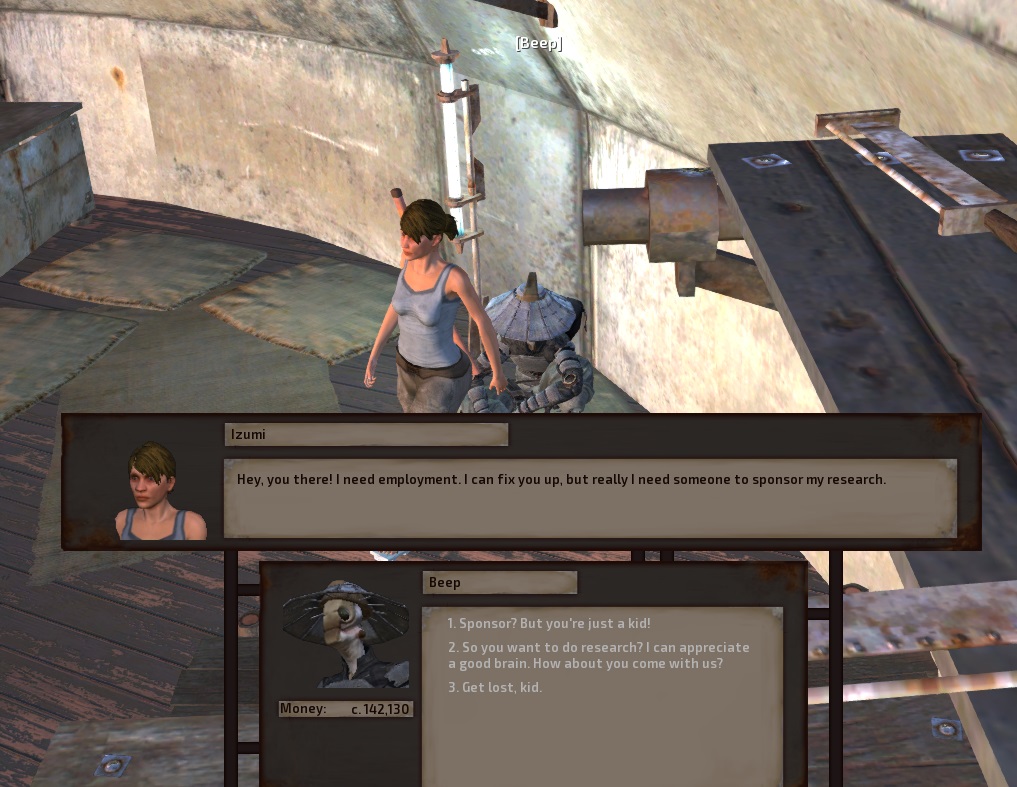
- 3. The person's name you want to locate. For the example its Izumi
- 4. Locating your save file which should be in Users\"username"\AppData\Local\kenshi\save "username" being your actual username
- For the finer details use this guide Save Editing 101
- 4. The platoon files should be read/open with notepad
Locating The Person
- 1. Open Notepad ++ go to search > Find in Files...
- 2. Within find what: insert the name of the person. For Directory: insert your save file. Then click Find All
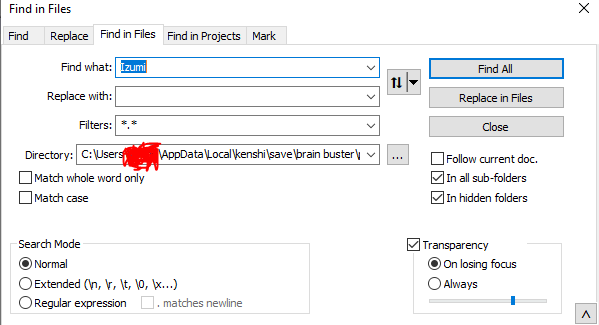
- 3. With in the logs take note of the platoon's name. This is where the person is located

- 4. Launch the FCS. This is the Launch Modding Tool option when loading kenshi
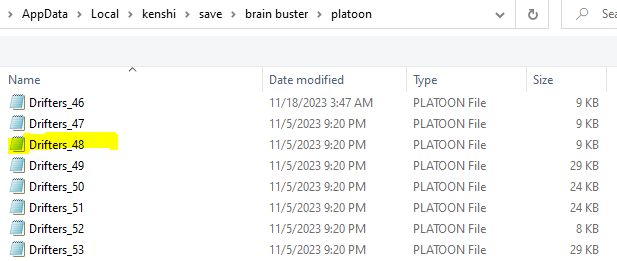
- 5. Click the Done option, Then click Open Any on the top right. Navigate to your save file. Within the save click Platoon. Note the platoon name before, find it and select it.
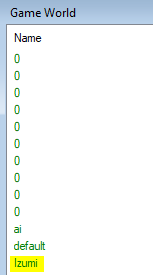
- You know you're in the right place if the name shows up in the Game World window.
- 6. Once you found to correct one click Change on top > INSTANCE_COLLECTION > INGAME
- Note: You may have multiple INGAME tabs. If so, go through each one and scroll down to see their name
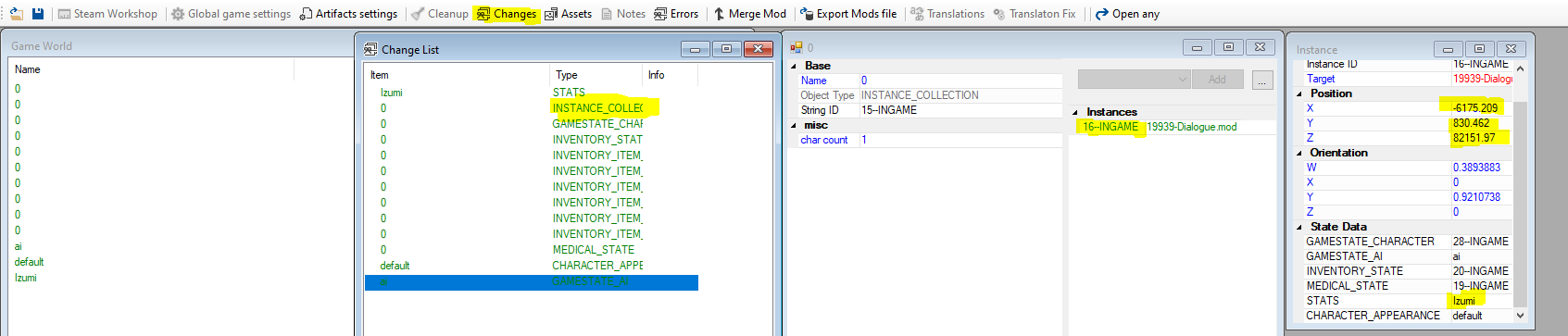
- CONGRATULATION YOU FOUND YOUR TARGET
Going to the Target
There two ways of approaching this:
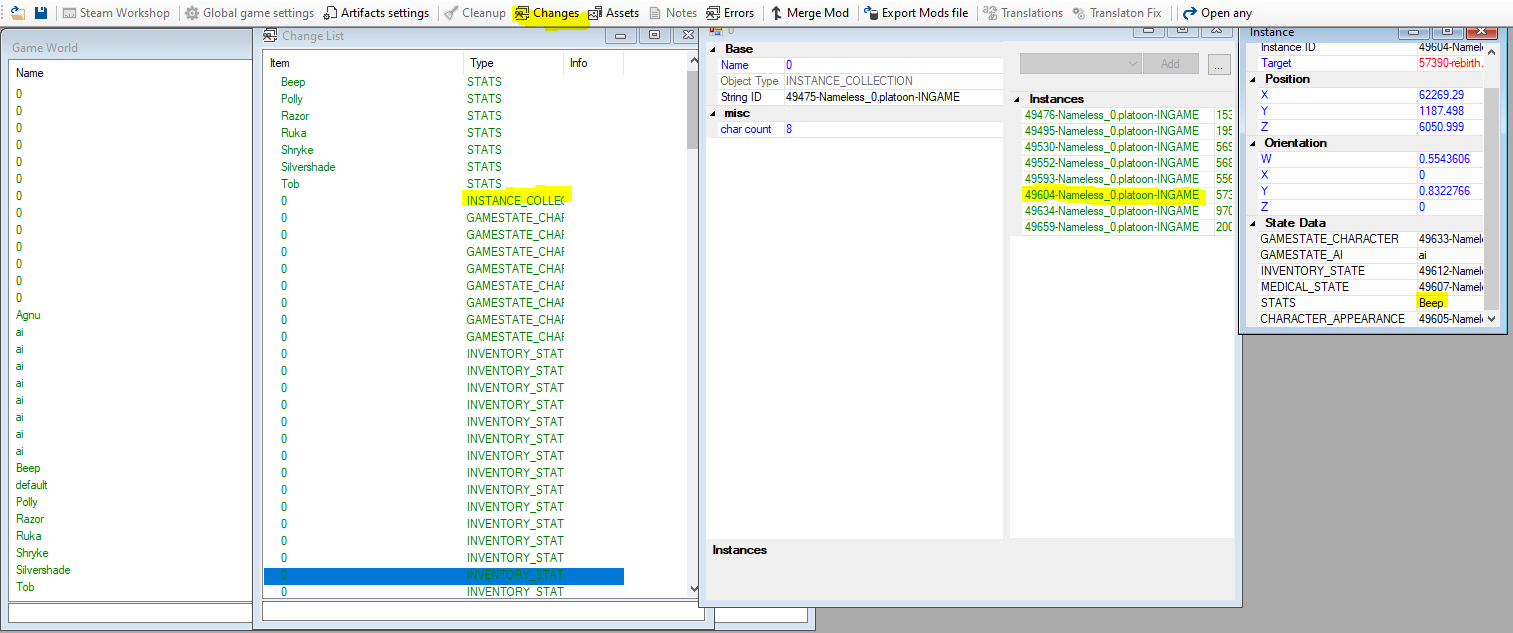
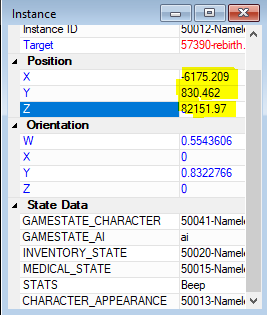
- 1. With the XYZ cords you can manually and try to triangulate them in-game, using the Shift - F12, the in-game editor, to get the relative position.
- 2. More easier, just teleport to them which soon be explained
- If deciding to chose this option i recommend doing on another save, encase of something jank occurs.
Teleporting to the Target
- 1. While in the FCS go to Open Any Navigate to your save file. > Platoon > Nameless_0. This is where your active player is.
- Note: Even if you chance the party's name, it would still be name Nameless_0.
- 2. As before go to Change > COLLECTION_INSTANCE > INGAME. While looking through INGAME look for the person you want to be teleported. In this example its Beep.
- 3. Replace your character XYZ to your target's XYZ. Exit and Save
- CONGRATULATION YOUR AT YOUR TARGET
After Notes
This is my first guide made. Most of my information i got from was Save Editing 101. check it out if you want to learn more. Also I don't know much of the finer detail of game. Most of this come from pure observation and tinkering. After all, this guide is just finding a name in a game file, and tinkering with numbers. Hope this helps!
More Kenshi guides
- Proper Load Order & You.★ 5 (1.8k)78k views3.6k ♥10 minUpdated 20 Oct, 2022
- Save Editing 101★ 5 (729)51k views1.6k ♥28 minUpdated 16 Aug, 2025
- Roadmap for New Players and Basebuilding (Up-to-date)★ 5 (807)51k views2.4k ♥76 minUpdated 23 Apr, 2019
- Tips and Tricks of a Veteran Kenshi Player★ 5 (551)38k views1k ♥15 minUpdated 18 Nov, 2024
- Quickstart Newbie Walkthrough 1.0★ 5 (562)35k views1.5k ♥54 minUpdated 20 May, 2025
- Новички, я научу Вас выживать и наслаждаться КЕНШИ!★ 5 (380)23k views789 ♥34 minRussianUpdated 28 Oct, 2025


🔥 Popular guides
- Upgrading to PremiumTeam Fortress 2★ 5 (20k)1441k views11k ♥6 minUpdated May 11, 2022
- No More Room in Hell Official ManualNo More Room in Hell★ 5 (2.8k)569k views2.1k ♥29 minUpdated Apr 22, 2019
- NMRiH Community Hosting GuidesNo More Room in Hell★ 5 (526)351k views653 ♥1 minUpdated Aug 10, 2022
- ULTIMATE GUIDE FOR GAME DEV TYCOONGame Dev Tycoon★ 5 (5.8k)326k views10k ♥4 minUpdated 23 Jan, 2014
- How to 'Git Gud' Soon™MORDHAU★ 5 (2k)318k views3k ♥68 minUpdated Nov 16, 2024
- Лучшие кооперативные игры SteamPAYDAY 2★ 5 (1.5k)315k views2.1k ♥56 minRussianUpdated Apr 27, 2025






This guide was created by its original author on the Steam Community. Are you the author and want it removed? Request removal.