How to make Tanks,Raptors,and Horses
Open TABS
Before we start, I just wanna say thank you for all the support on this guide. It seems that stuff I am making is exploding with popularity, which is unexpected. Again, thanks for the support.
First things first, you gotta open TABS. Go to the unit creator,and create a unit. Don't give it weapons or it might break it. You can give the raptor miniguns though. Give it a desired voice(optional),skills,and stats if you want. Save it,and exit TABS. Right click TABS and go to local files,under manage. Then,you go to totallyaccuratebattlesimulator_data,then click on custom content. Go to custom units,and sort by date. Click on the first one,and then you should see your character's icon and a file next to it. click the file in notepad form and you should see this:
{
“m_name”: “unit name here”,
“m_icon”: “”,
“m_id”: {
“m_modID”: -2,
“m_ID”: 704085066
},
“m_unitBase”: {
“m_modID”: -1,
“m_ID”: “numbers”
Go to where it says unitBase,and replace the numbers in “m_unitBase”:{ “m_ID” with...
First things first, you gotta open TABS. Go to the unit creator,and create a unit. Don't give it weapons or it might break it. You can give the raptor miniguns though. Give it a desired voice(optional),skills,and stats if you want. Save it,and exit TABS. Right click TABS and go to local files,under manage. Then,you go to totallyaccuratebattlesimulator_data,then click on custom content. Go to custom units,and sort by date. Click on the first one,and then you should see your character's icon and a file next to it. click the file in notepad form and you should see this:
{
“m_name”: “unit name here”,
“m_icon”: “”,
“m_id”: {
“m_modID”: -2,
“m_ID”: 704085066
},
“m_unitBase”: {
“m_modID”: -1,
“m_ID”: “numbers”
Go to where it says unitBase,and replace the numbers in “m_unitBase”:{ “m_ID” with...
Raptor
replace the numbers in “m_unitBase”:{ “m_ID” with 162532997. Now that you done that, you can exit out of the notepad. YOU HAVE TO SAVE IT. Or else it won't work. Go back to TABS,and put your new raptor in a custom faction you've made if you have one. Go to sandbox and pick a random map. Place the character,and it should look like a raptor. If it does not, make another character and do the same thing,or just reverse what you did. You can give it accessories,but they glitch out and are super big. You can give it weapons if you want,like axes,knives,guns. You can even give it a rider if you want. To give it a rider, you gotta first creator the rider,doesn't matter how you do it. Then, make a normal unit,like the raptor,and add the rider to him. Then,you have to do the same thing with the files and change the unit into a raptor. Place it in game,and there ya go!
https://steamuserimages-a.akamaihd.net/ugc/1849298164240841885/228574F8367DF8E4D794A5764DDA5206B0D05B51/?imw=256&&ima=fit&impolicy=Letterbox&imcolor=%23000000&letterbox=false Here's what a simple raptor looks like. (Notice I gave the 2 on the side P90s to show that you can give them weapons.)
https://steamuserimages-a.akamaihd.net/ugc/1849298164240841885/228574F8367DF8E4D794A5764DDA5206B0D05B51/?imw=256&&ima=fit&impolicy=Letterbox&imcolor=%23000000&letterbox=false Here's what a simple raptor looks like. (Notice I gave the 2 on the side P90s to show that you can give them weapons.)
Tanks
Tanks! Basically the same thing with the raptors, but a different code. Open TABS,and create a unit. Don't make it too fast,and don't give it weapons. When your done,close Tabs and right click TABS,click on local files,blah blah blah. When you get to the notepad, Put "1620026876" in the unitBase section. And,if you want to make it shoot, find the “m_rightWeapon” parameter and set its “m_modID” value to -1 and its “m_ID” value to whatever weapon you need by using the weapon ids from the file (Only if the unit has a weapon to begin with, like a catapult or a tank). 749475673 for ballista, 689856330 for the tank and 842884168 for the hwacha. (Note: You are free to experiment with those, but if you use an invalid weapon id, like a bow for a ballista, the unit will break and you’ll have to close the game and try again with a different weapon id. Hence, I recommend that you use only the right weapon for those units and change the projectile instead.
Open TABS,put your tank in a faction,then put him on the battlefield and voila!
Open TABS,put your tank in a faction,then put him on the battlefield and voila!
Horses
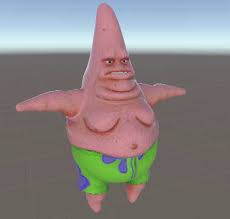
Now onto horses. It's the same thing,except diff code. Here ya go: 1146934227.
https://steamuserimages-a.akamaihd.net/ugc/1849298164240846447/E367546D4D57E42302DFA8D7DE1335A0C2497738/?imw=256&&ima=fit&impolicy=Letterbox&imcolor=%23000000&letterbox=false Here's what the horse should look like.
Goodbye
Hope you enjoyed this guide and I hope it helped you. This is my first guide,so no hate. Anyways,goodbye!have a nice day!
More Totally Accurate Battle Simulator guides
- Secret Unit Locations: Updated for Full Release★ 5 (2.5k)99k views3.9k ♥17 minUpdated 9 Sep, 2024
- Местонахождение всех секретных юнитов★ 5 (1.1k)55k views1.7k ♥7 minRussianUpdated 23 Jan
- 100% Achievement Guide★ 5 (646)27k views1.5k ♥15 minUpdated 27 Dec, 2023
- How many Halflings it takes to kill each unit (Not finishing! LOL!!!)★ 5 (319)22k views200 ♥1 minUpdated 5 Feb
- All Legacy units locations★ 4 (147)18k views173 ♥1 min
- The Unit Creator: How to make good units★ 5 (358)16k views503 ♥7 min




🔥 Popular guides
- Upgrading to PremiumTeam Fortress 2★ 5 (20k)1441k views11k ♥6 minUpdated May 11, 2022
- No More Room in Hell Official ManualNo More Room in Hell★ 5 (2.8k)569k views2.1k ♥29 minUpdated Apr 22, 2019
- NMRiH Community Hosting GuidesNo More Room in Hell★ 5 (526)351k views653 ♥1 minUpdated Aug 10, 2022
- How to 'Git Gud' Soon™MORDHAU★ 5 (2k)318k views3k ♥68 minUpdated Nov 16, 2024
- Лучшие кооперативные игры SteamPAYDAY 2★ 5 (1.5k)315k views2.1k ♥56 minRussianUpdated Apr 27, 2025
- Desert Eagle Heat Treated | Blue GemCounter-Strike 2★ 5 (1.6k)292k views1.5k ♥2 minUpdated Jan 16





This guide was created by its original author on the Steam Community. Are you the author and want it removed? Request removal.