How to play Crysis 2 Multiplayer?
Steam and EA
Crysis 2 OpenSpy Mod Setup Guide
By following this guide step by step, you can install the OpenSpy mod and join Crysis 2 Multiplayer.
The CRYSIS 2 MAXIMUM EDITION (Steam/EA) is required. Multiplayer does not work on Crysis 2 Remastered.
1. Download the Launcher[maxcrysiscom.privatedns.org]
2. Put the Launcher to the Crysis 2 folder
When your download completes, put the launcher to your Crysis 2 installation folder, then run it as administrator.
Important! You should put the Launcher in the Crysis 2 folder, not bin32. Otherwise it won't work.
The Launcher will download and install the mod when you run it as admin. Make sure OpenSpy Mod is enabled when you open the game.
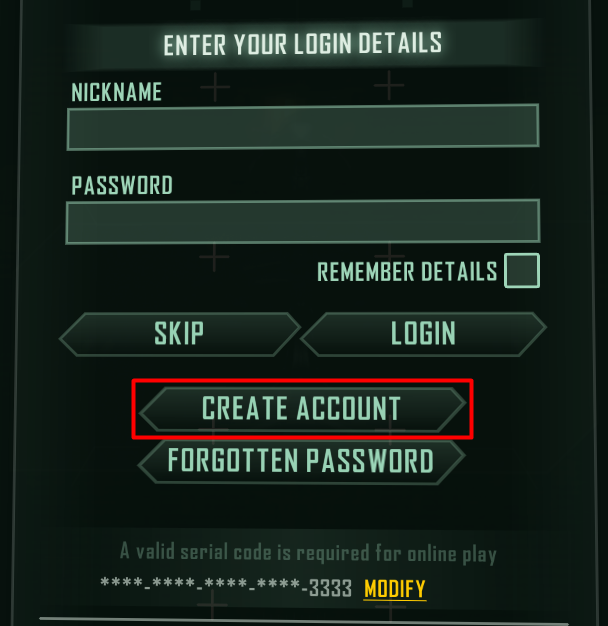
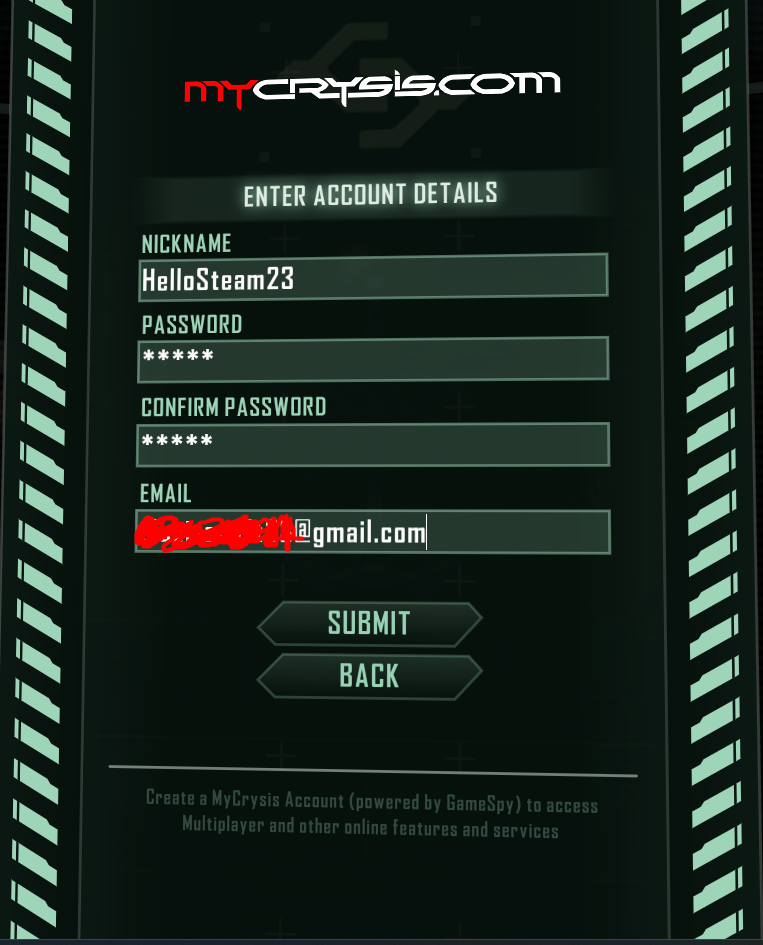
3. Create an account in game.
Fill in the serial code section randomly. Sometimes it may not accept numbers. In this case, delete it and try a new combination. After entering the serial code, set the username and password. Don't forget the password you used to log in! If you lose your password, you will have to create a new account.
4. Turn off DirectX 11 from the settings.
The game runs more stable when DX11 is disabled. Turning off is recommended. If you can't turn it off in the game settings, add -dx9 to the advanced launch options.
By following this guide step by step, you can install the OpenSpy mod and join Crysis 2 Multiplayer.
The CRYSIS 2 MAXIMUM EDITION (Steam/EA) is required. Multiplayer does not work on Crysis 2 Remastered.
1. Download the Launcher[maxcrysiscom.privatedns.org]
2. Put the Launcher to the Crysis 2 folder
When your download completes, put the launcher to your Crysis 2 installation folder, then run it as administrator.
Important! You should put the Launcher in the Crysis 2 folder, not bin32. Otherwise it won't work.
The Launcher will download and install the mod when you run it as admin. Make sure OpenSpy Mod is enabled when you open the game.
3. Create an account in game.
Fill in the serial code section randomly. Sometimes it may not accept numbers. In this case, delete it and try a new combination. After entering the serial code, set the username and password. Don't forget the password you used to log in! If you lose your password, you will have to create a new account.
4. Turn off DirectX 11 from the settings.
The game runs more stable when DX11 is disabled. Turning off is recommended. If you can't turn it off in the game settings, add -dx9 to the advanced launch options.
More Crysis 2 Maximum Edition guides
- CRYSIS 3 BOW IN CRYSIS 2★ 5 (285)26k views233 ♥1 minUpdated Oct 13, 2016
- Crysis 2 Easter Eggs★ 4 (149)14k views62 ♥1 minUpdated Feb 21, 2021
- Crysis 2 Ultra HD Texture, Tessellation and DirectX 11 mod★ 4 (108)12k views96 ♥1 minUpdated Jun 5, 2020
- Как разблокировать все находки в игре (кампания) | How to find all souvenirs in campaign★ 5 (465)10k views589 ♥10 minUpdated Jul 6, 2020
- TF2 Classes in Crysis 2★ 4 (97)9.4k views56 ♥2 minUpdated Feb 15, 2014
- Получение всех оружейных модулей в одиночной кампании игры Crysis 2★ 5 (213)7.3k views251 ♥2 minRussianUpdated May 8, 2024






This guide was created by its original author on the Steam Community. Are you the author and want it removed? Request removal.