How to play with your language text while keeping the English voices
Your game in your language
Download the game in your language (by setting the proper option in steam). For me, it's french
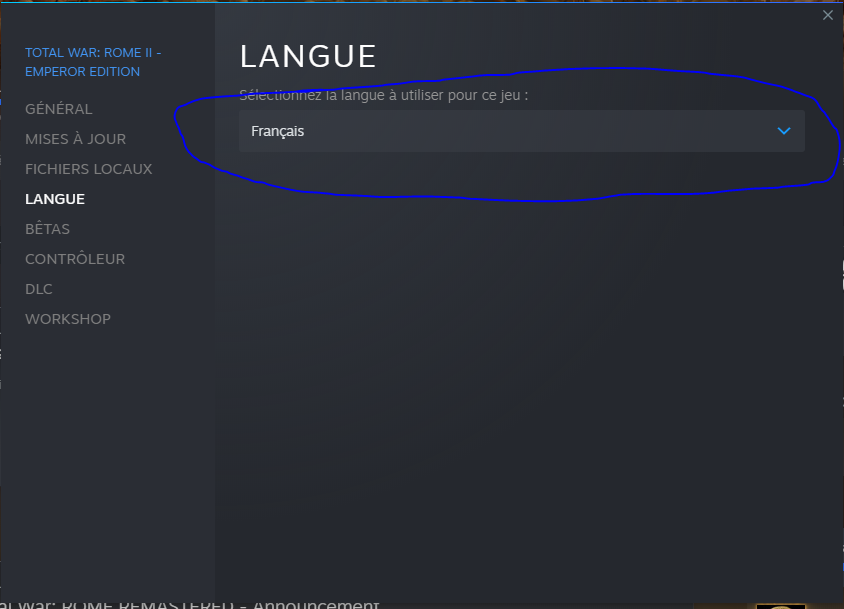
Backup the needed file
Go in your game folder
steamapps\common\Total War Rome II\data
Backup the file named "local_**.pack" (for me it's local_fr.pack)
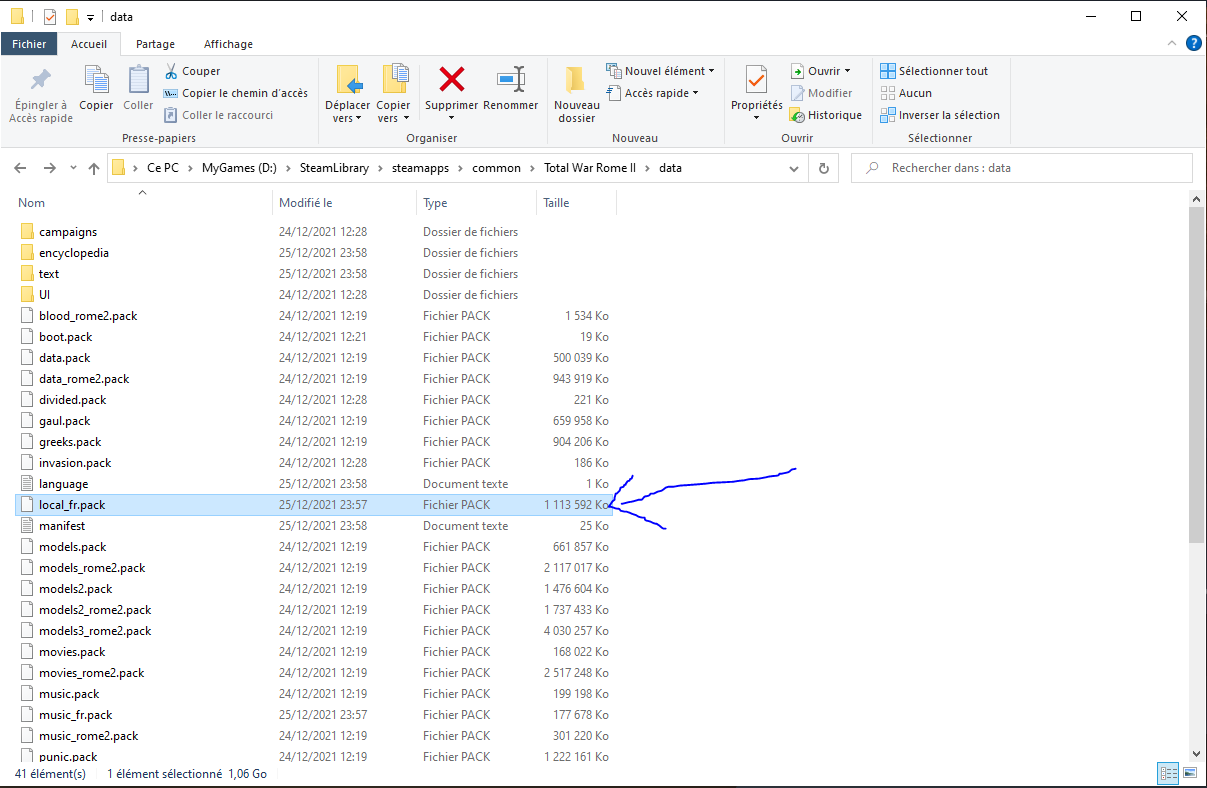
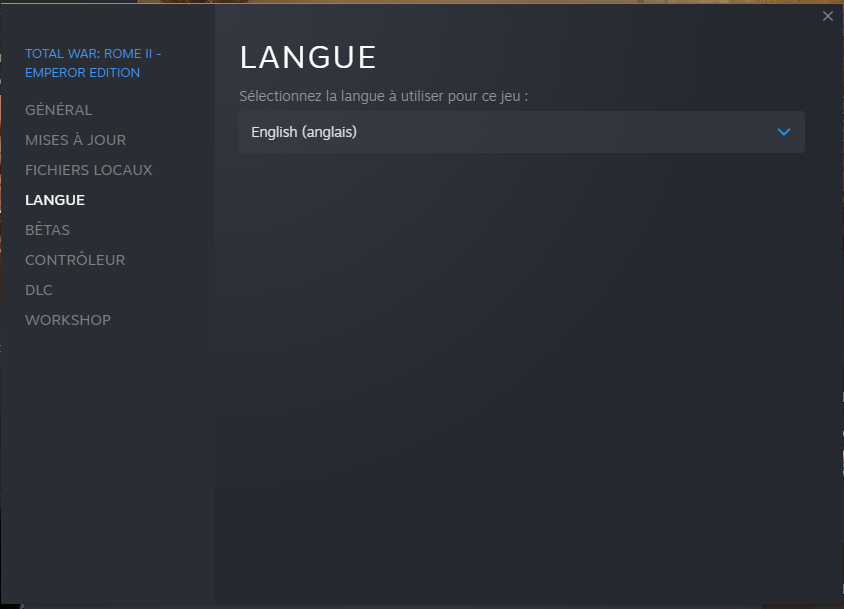
Set the game to english
Now change the language to English in steam and let the update download the new files.
Replace the EN file with your one
Once it's done, replace the local_en.pack with the one you've save earlier (don't worry if your one is bigger...That's what she said)
 [/previewimg]

[/previewimg]
Enjoy !
That's all, now you should have your own language for the text, and english actor voices, enjoy !
TheCrazyHeadGamer [twitch.tv]
TheCrazyHeadGamer [twitch.tv]
More Total War: ROME II - Emperor Edition guides
- The Noob's Guide To: Taking A City Without Going Into "Total War"★ 5 (758)57k views667 ♥4 minUpdated Aug 15, 2021
- Rome 2: Formations (unit control tips)★ 5 (1k)49k views1.5k ♥5 minUpdated Sep 21, 2013
- ROME 2... EMPEROR EDITION. Easy public order and money income guide★ 5 (1.4k)47k views2.9k ♥33 minUpdated Feb 1, 2019
- A Comprehensive Guide to the Power & Politics System★ 5 (575)45k views1.1k ♥13 minUpdated Jul 5, 2018
- The one and only mod list for Rome II★ 5 (649)44k views1.6k ♥7 minUpdated Oct 19, 2023
- Late Republic and Principate Army Composition (Historical)★ 5 (729)30k views1.3k ♥25 min


🔥 Popular guides
- Upgrading to PremiumTeam Fortress 2★ 5 (20k)1441k views11k ♥6 minUpdated May 11, 2022
- No More Room in Hell Official ManualNo More Room in Hell★ 5 (2.8k)569k views2.1k ♥29 minUpdated Apr 22, 2019
- NMRiH Community Hosting GuidesNo More Room in Hell★ 5 (526)351k views653 ♥1 minUpdated Aug 10, 2022
- ULTIMATE GUIDE FOR GAME DEV TYCOONGame Dev Tycoon★ 5 (5.8k)326k views10k ♥4 minUpdated 23 Jan, 2014
- How to 'Git Gud' Soon™MORDHAU★ 5 (2k)318k views3k ♥68 minUpdated Nov 16, 2024
- Лучшие кооперативные игры SteamPAYDAY 2★ 5 (1.5k)315k views2.1k ♥56 minRussianUpdated Apr 27, 2025






This guide was created by its original author on the Steam Community. Are you the author and want it removed? Request removal.