Rome 2: Formations (unit control tips)
Formations
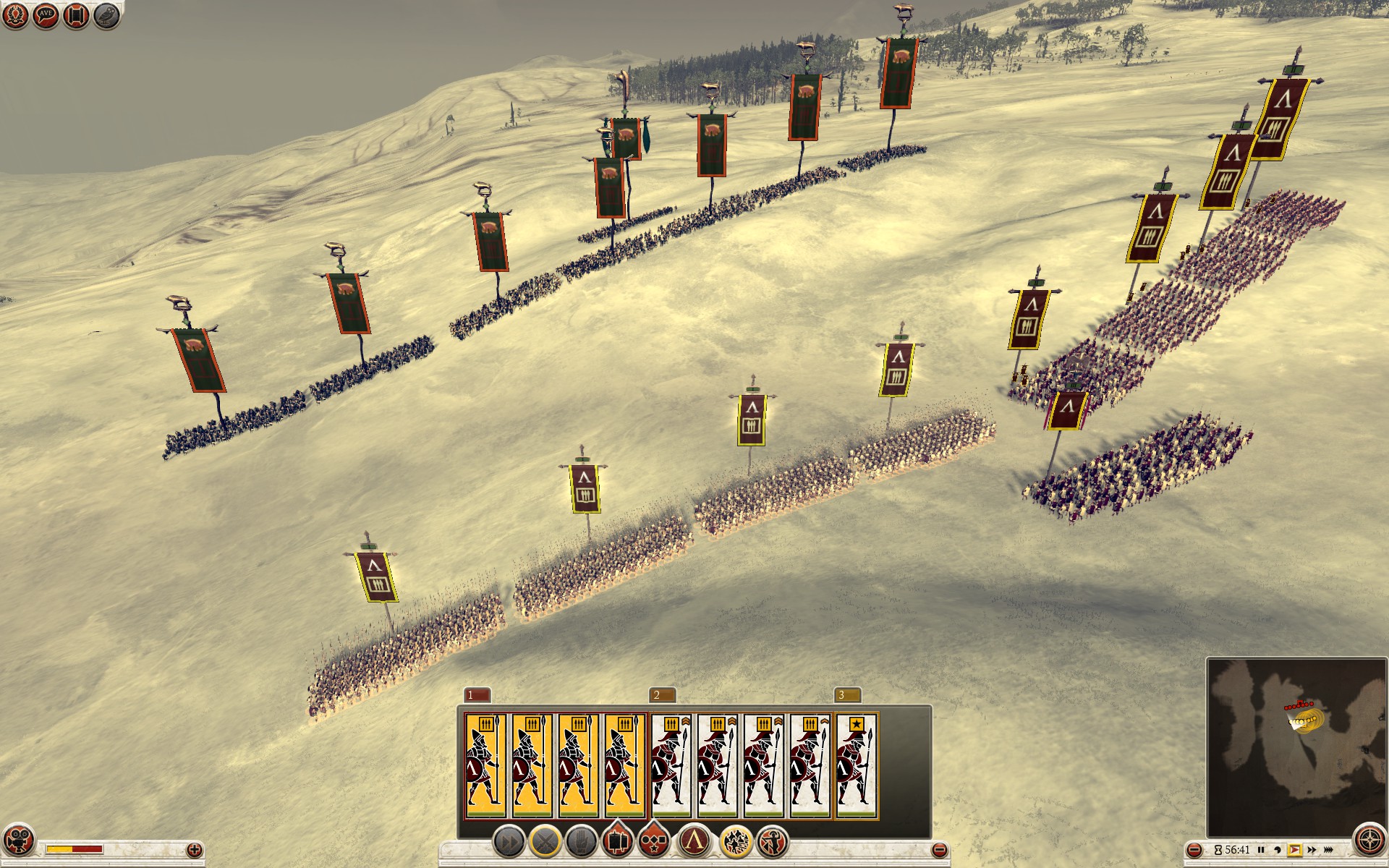 Lets take a Spartan army which relies heavily on pikemen and hoplite phalanxes in battle. I have 4 units of Spartan pikemen on the left and 4 units of Spartan hoplites on the right. All of them formed into phalanxes.
Attack order
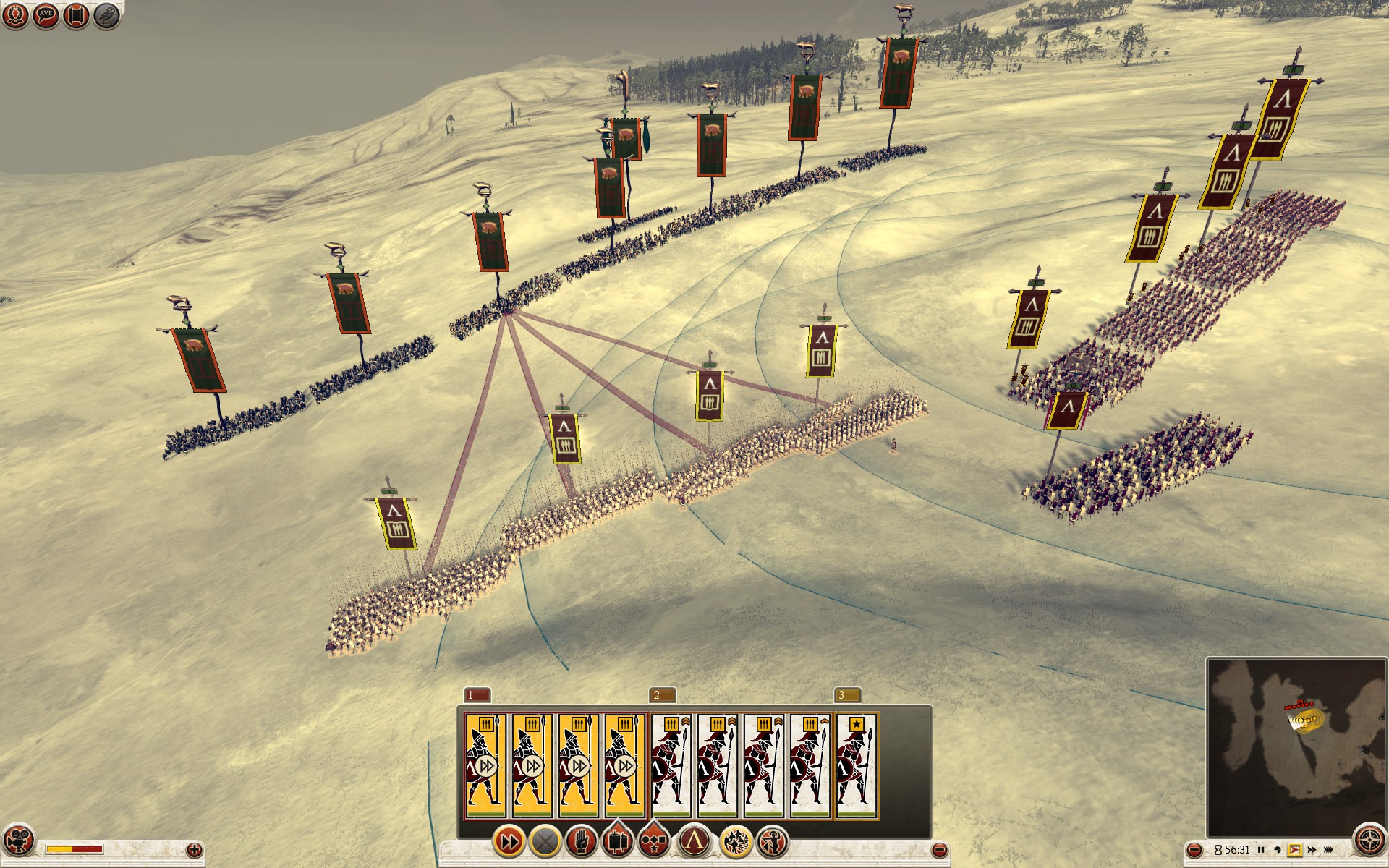 If you issue a simple attack order your phalanxes will all clump up and intermix before they reach the enemy line.
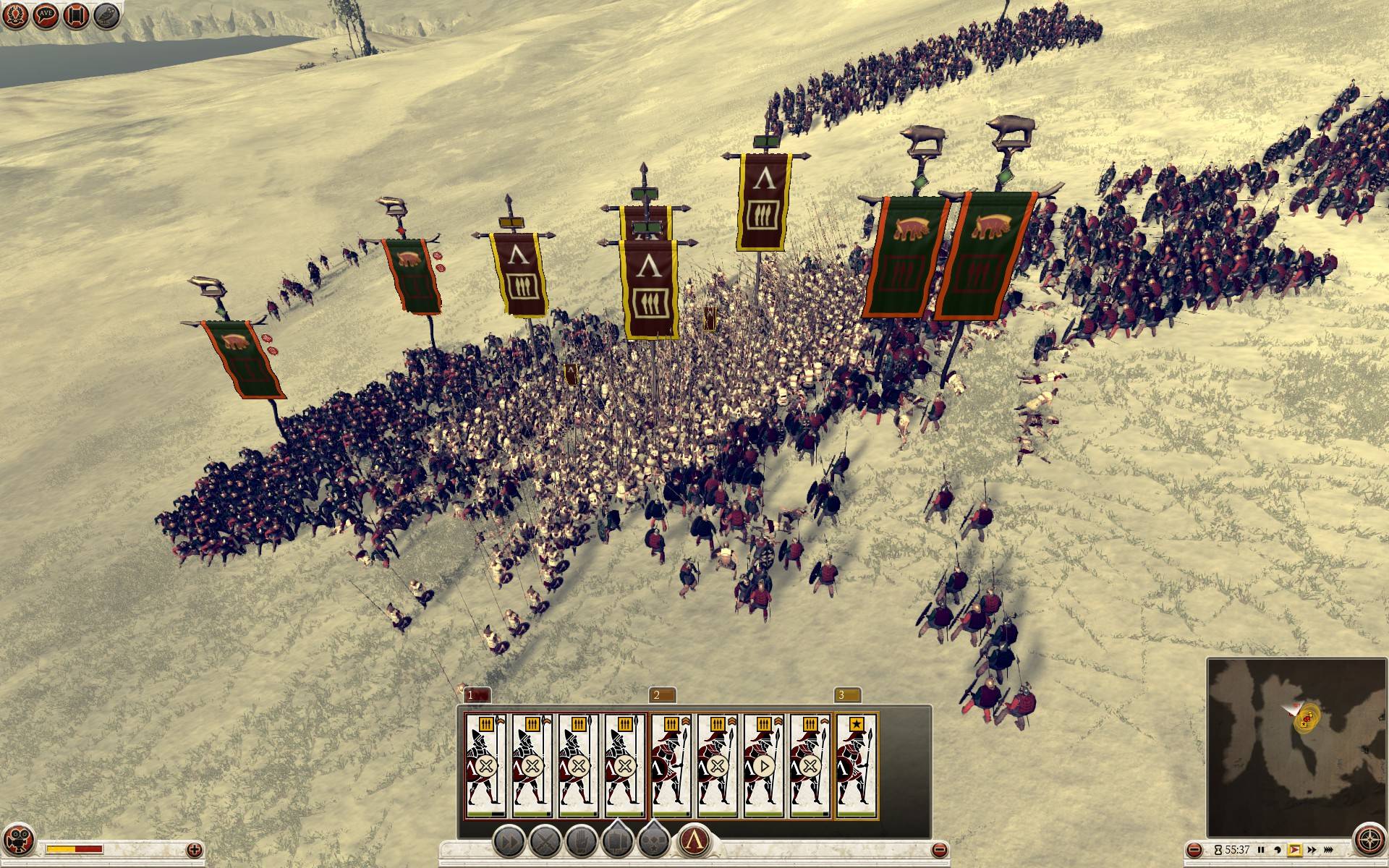 They will lose their formations and chaos ensues. It's a mess (on top of that hoplite phalanx is disabled when you do a fast attack or move order by using double right-click, pike phalanx is not).
Move order
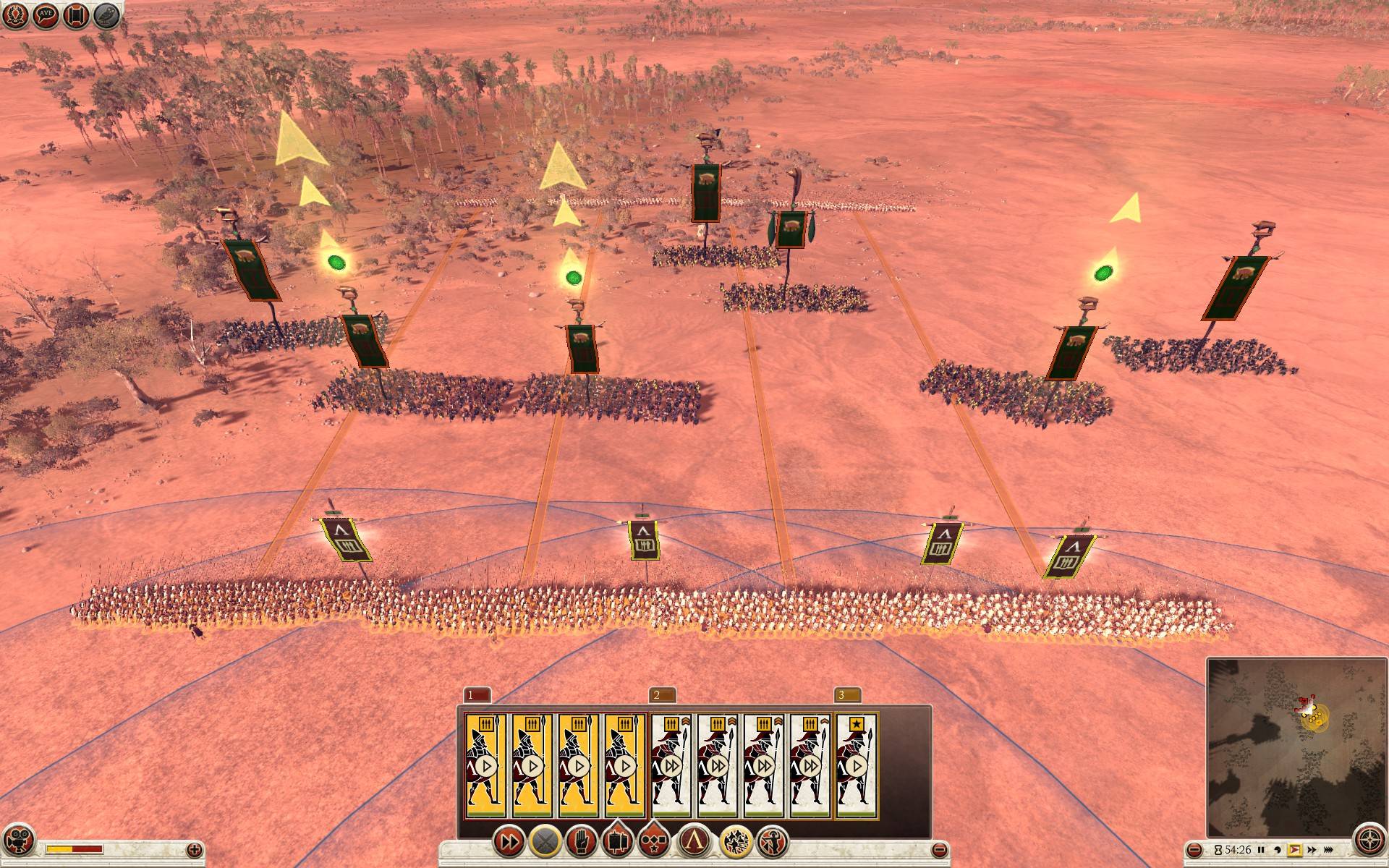 If you order your troops to slowly advance towards enemy lines (ctrl + right-click on the ground or ctrl + right-drag on the ground or using the up-arrow) they will orderly march while keeping their phalanx formations and relative distances between units. They will also automatically engage any enemy soldiers.
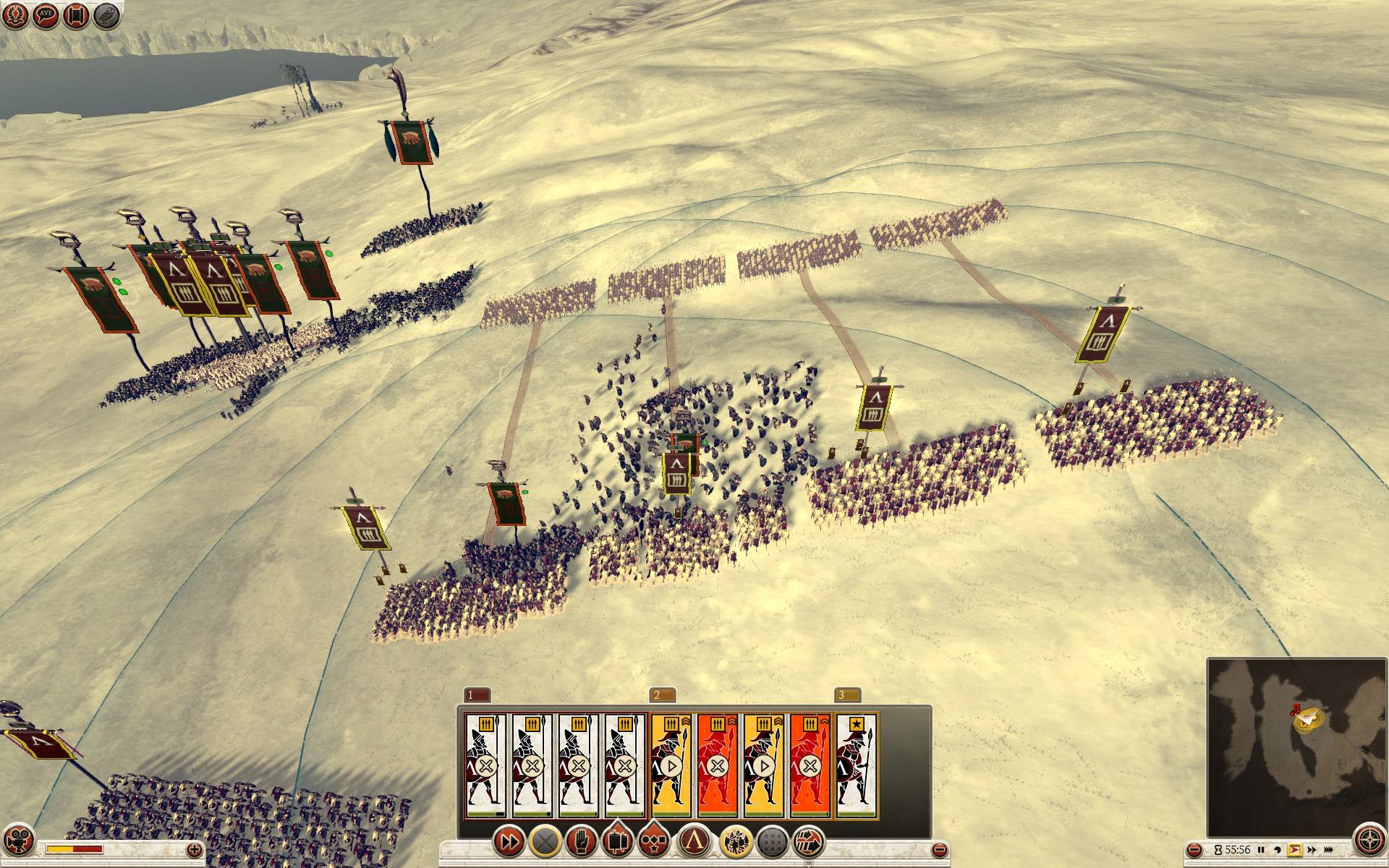 It's a good idea to stop the advance by pressing backspace when one of your units engages enemies. It prevents shifting and warping of your battle line, units not in combat would otherwise keep advancing.
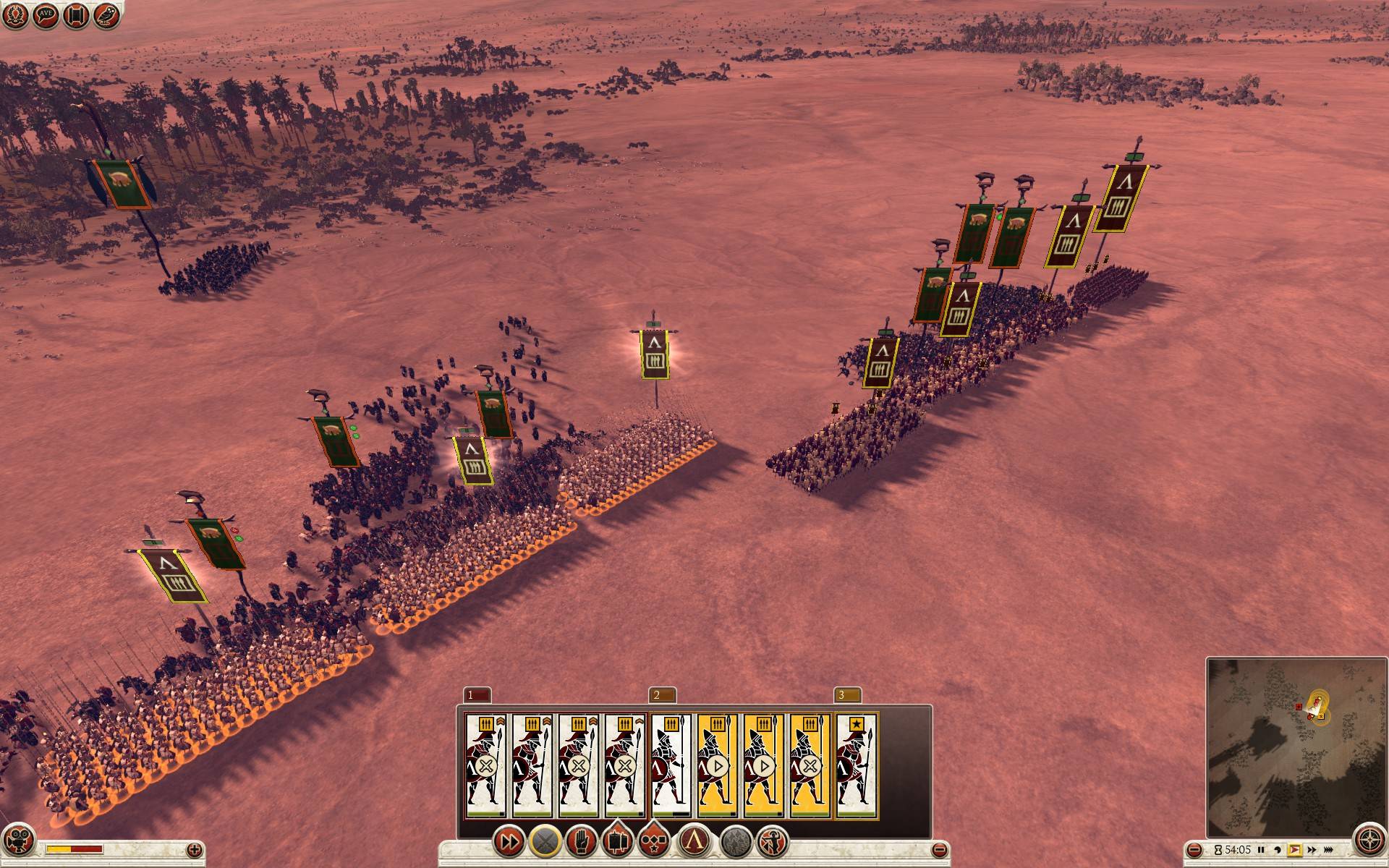 Try using the slow move order and keep those battle lines straight and tight. You can slowly advance and sweep whole battlefields of enemy units. Nothing can break a Spartan phalanx head-on! Well, except a lot of skirmishers, flanking, artillery, horse archers... so don't forget to support your Spartan heroes :).
Group Management and Hotkeys
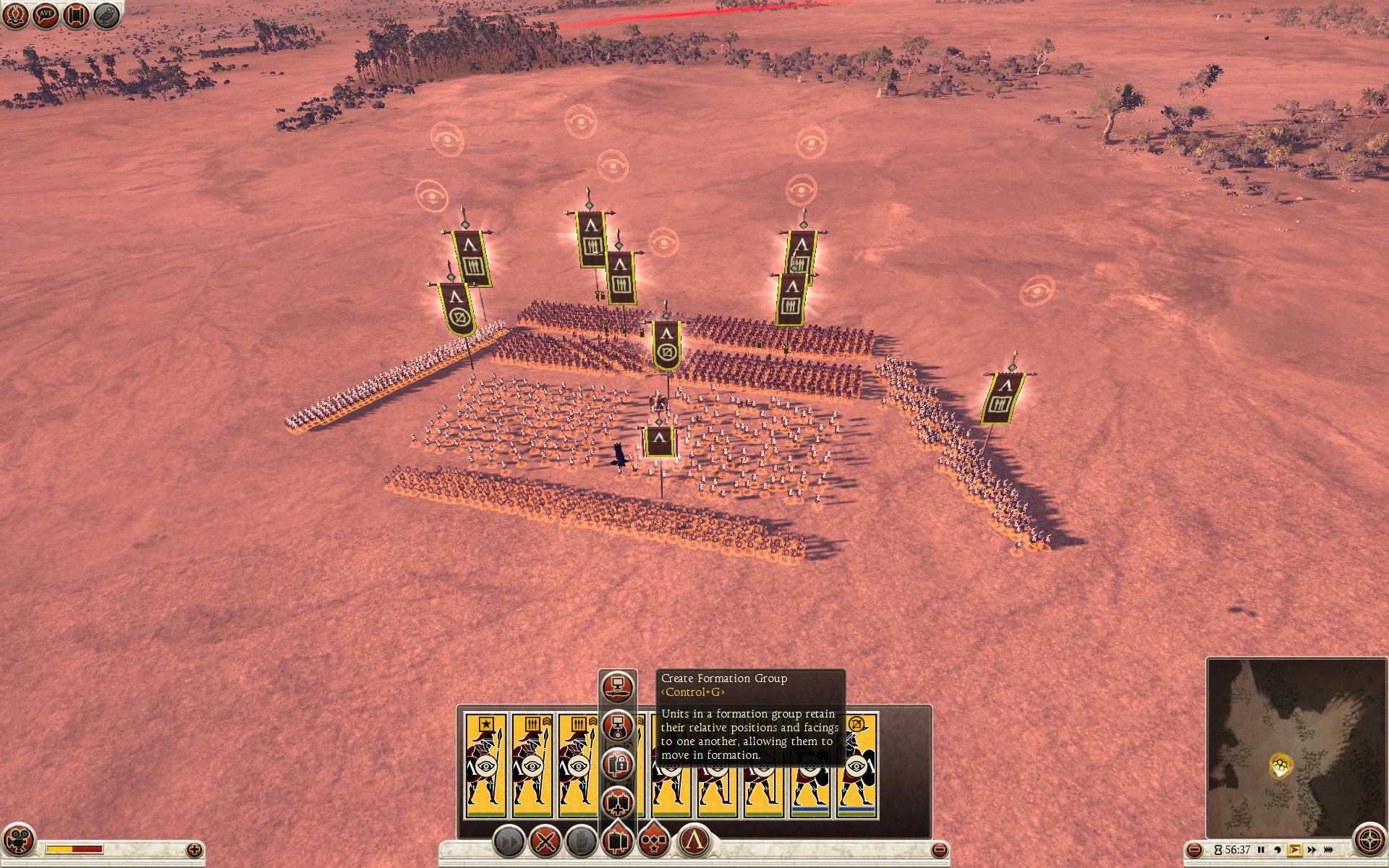 Arrange your troops into a formation you like and press ctrl + g. They will be locked into a formation group. Whenever you give them a move or attack order they will keep their facing, distances and relative position to each other. You can also quickly access this group by using a hotkey on your keyboard (1-9).
There are two types of grouping - selection group (select units and press ctrl + 1, 2, 3, 4...) which won't save formations (units can be freely rearranged) and formation group (select units and press ctrl + g) which will save their initial formation. Units in formation groups are marked by a small lock icon next to their hotkey number.
Moving and facing
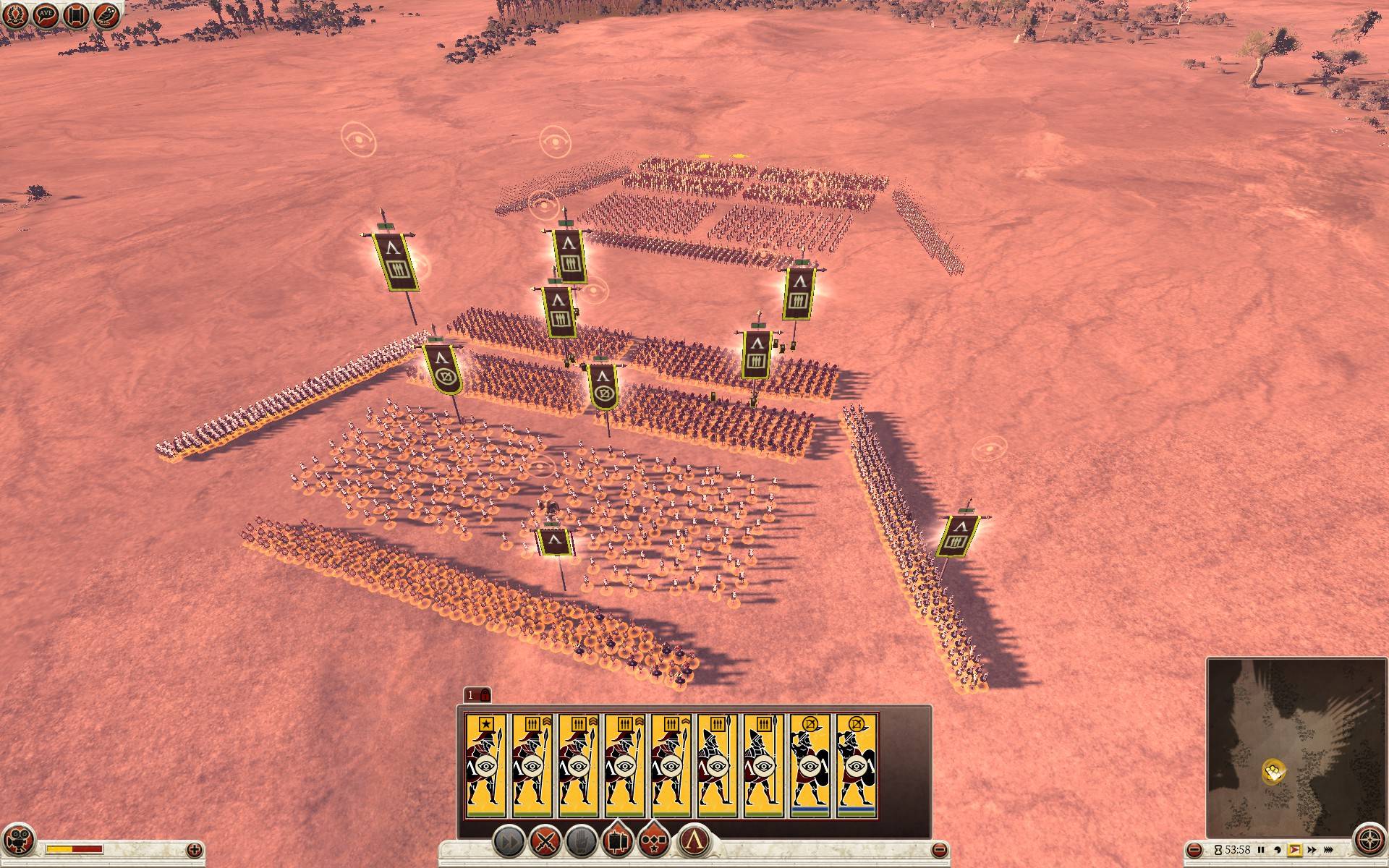 First select your units and create a formation group by pressing ctrl + g. If you select them by pressing 1 and give them a move order, they will stay in that formation. Right-clicking on the ground will move them and if you hold the right mouse button and drag, you can change their facing. Holding alt while dragging will center the formation on your mouse cursor.
Alternative move order
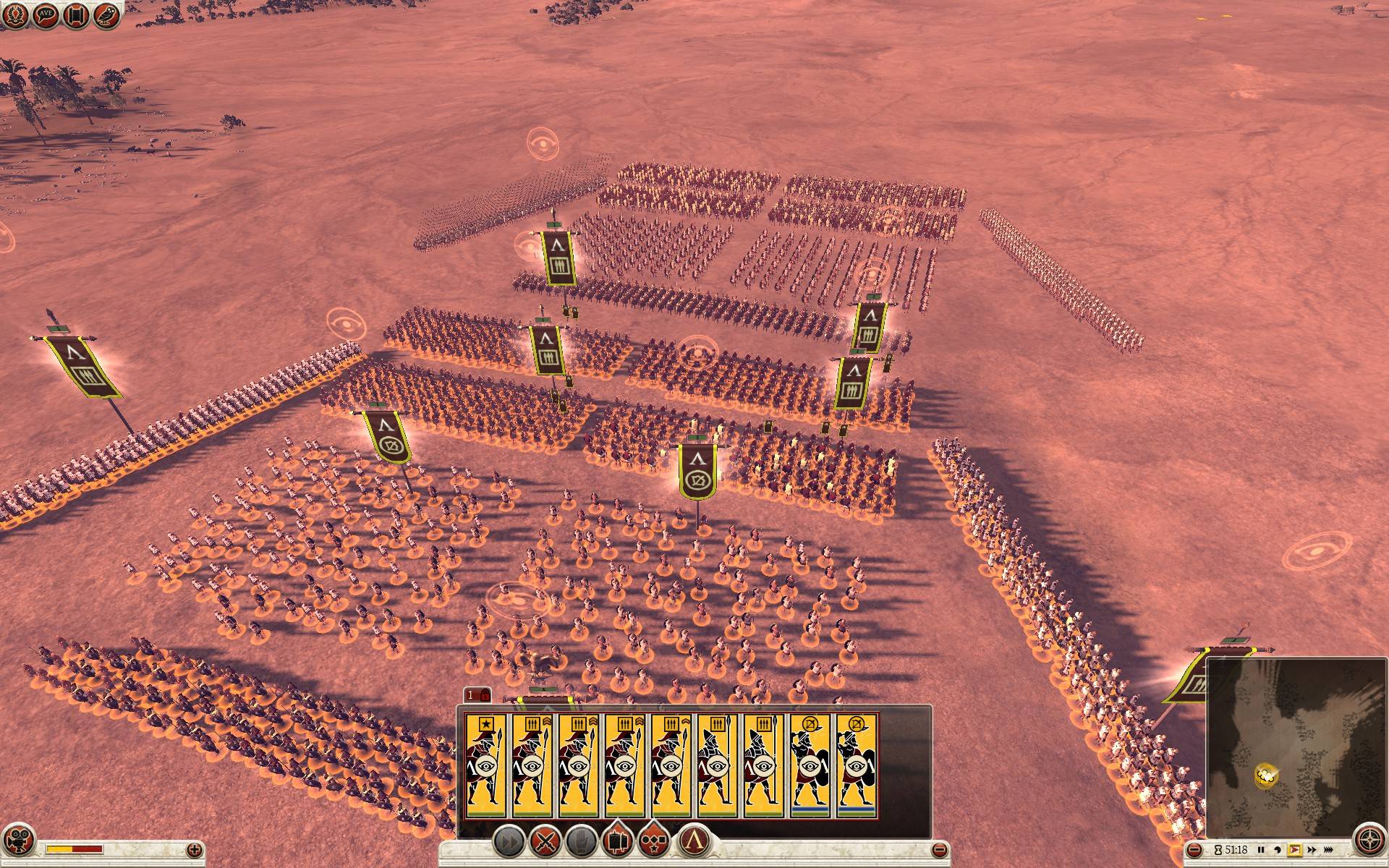 Another way to move your formation group is to select it by pressing 1 and then clicking and holding the left mouse button (click and hold on any unit or any banner in your selection) until it changes into a cross and then move that selection to a new position.
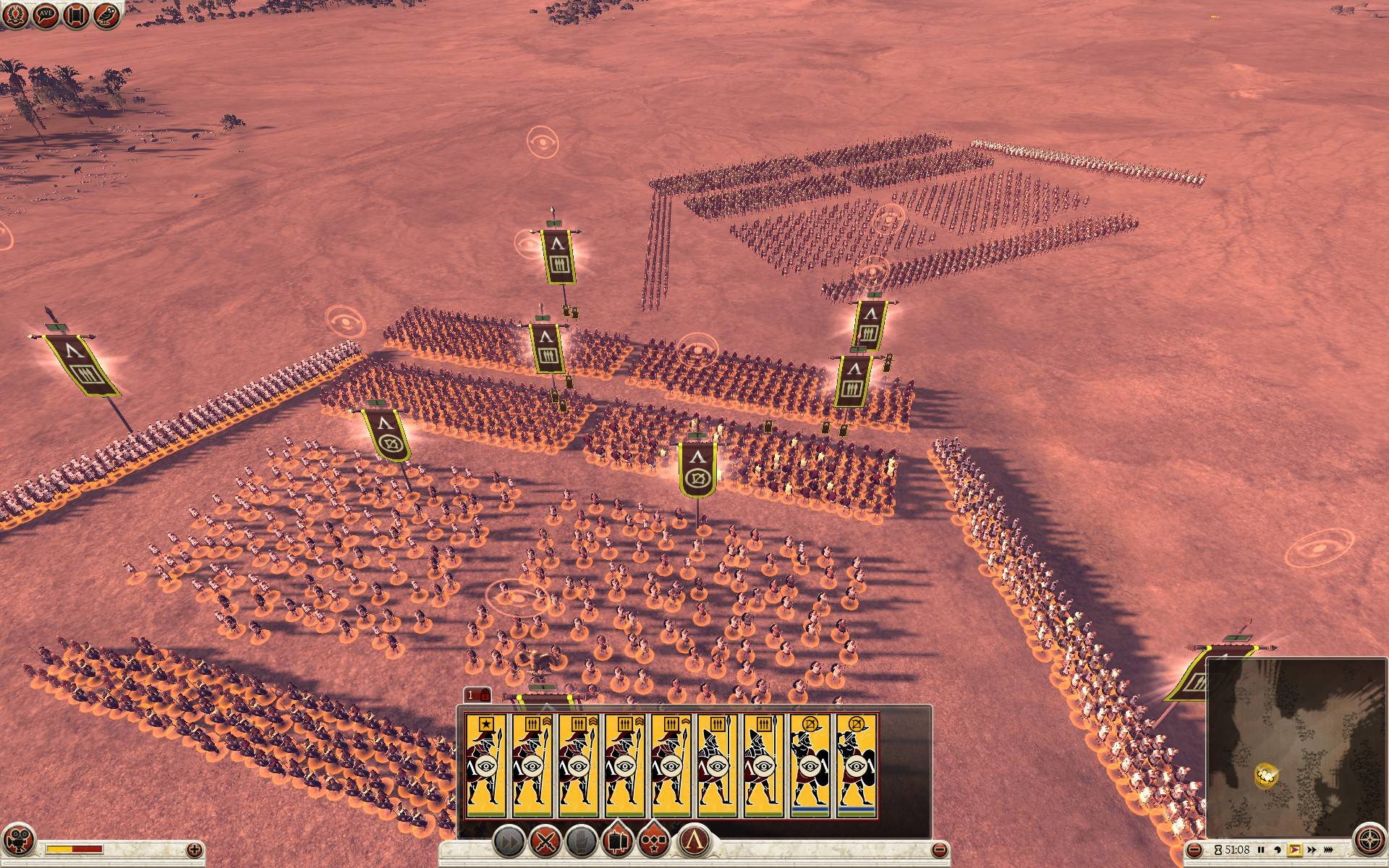 If you hold ctrl while still holding the left mouse button you can adjust their facing.
Yet another movement method is using the arrow keys on your keyboard. It will move the formation relative to your camera without changing its facing. Holding ctrl while using the arrow keys will allow you to change its facing (ctrl + left/right) and stretch your line (ctrl + up/down).
Formation group attack order
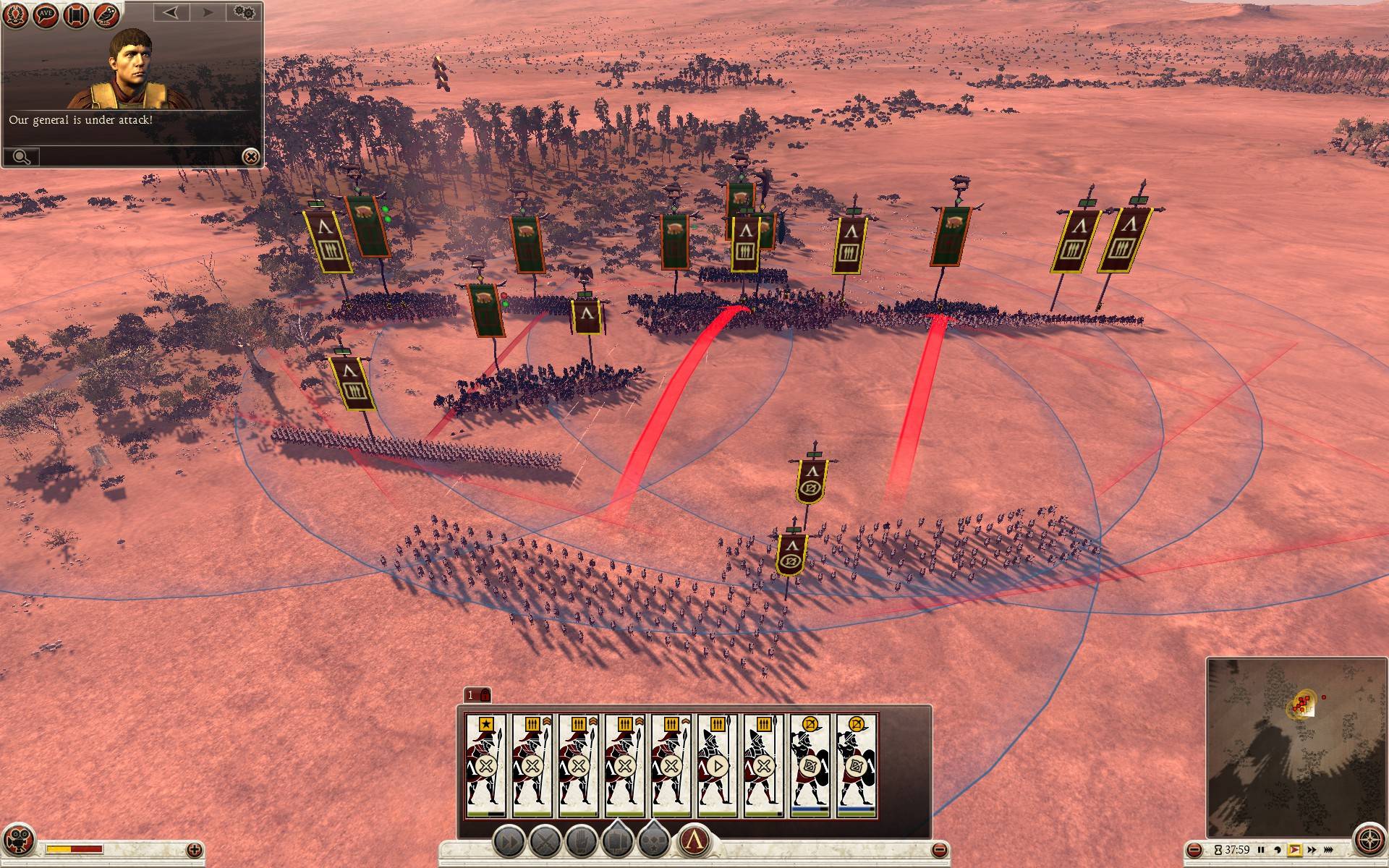 If you give an attack order to a formation group they will try to stay in that formation and automatically pick different enemy units to attack. It's not ideal and you'll get better results by microing individual units so experiment with different control methods and find a style which suits you best.
Don't forget the move order behind enemy lines and pressing backspace when one of your units engages enemies trick, that still works with formation groups.
Pressing g will ungroup your units, r switches between running and walking, j turns them around 180° quickly (great for unexpected cavalry charges), holding space highlights movement orders, attack orders and ranged units range.
AI Assistant
AI Assistant - Attacking
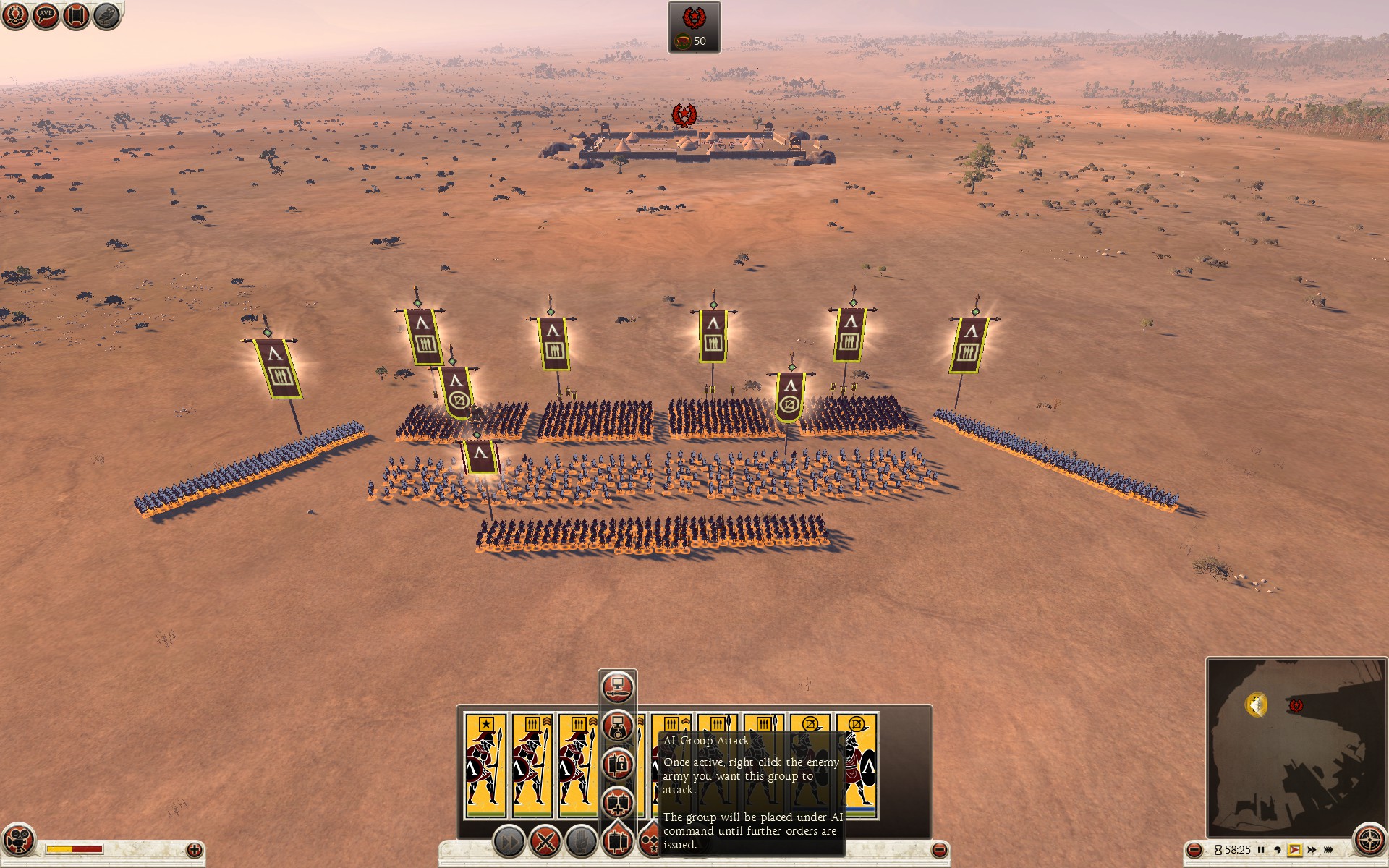 You can delegate command of part of your army to AI assistant. Select units, arrange them into a formation (or pick a predefined one from the formation panel on the bottom) and then click AI Group Attack. Symbol next to their hotkey number changes to a small computer screen icon while AI is in control.
You can move them around like a formation group, but when you try to give them an attack order, you will notice the mouse cursor icon for attack is different (small computer sceen with a sword). This means your AI partner will take control while attacking and micromanage during battle.
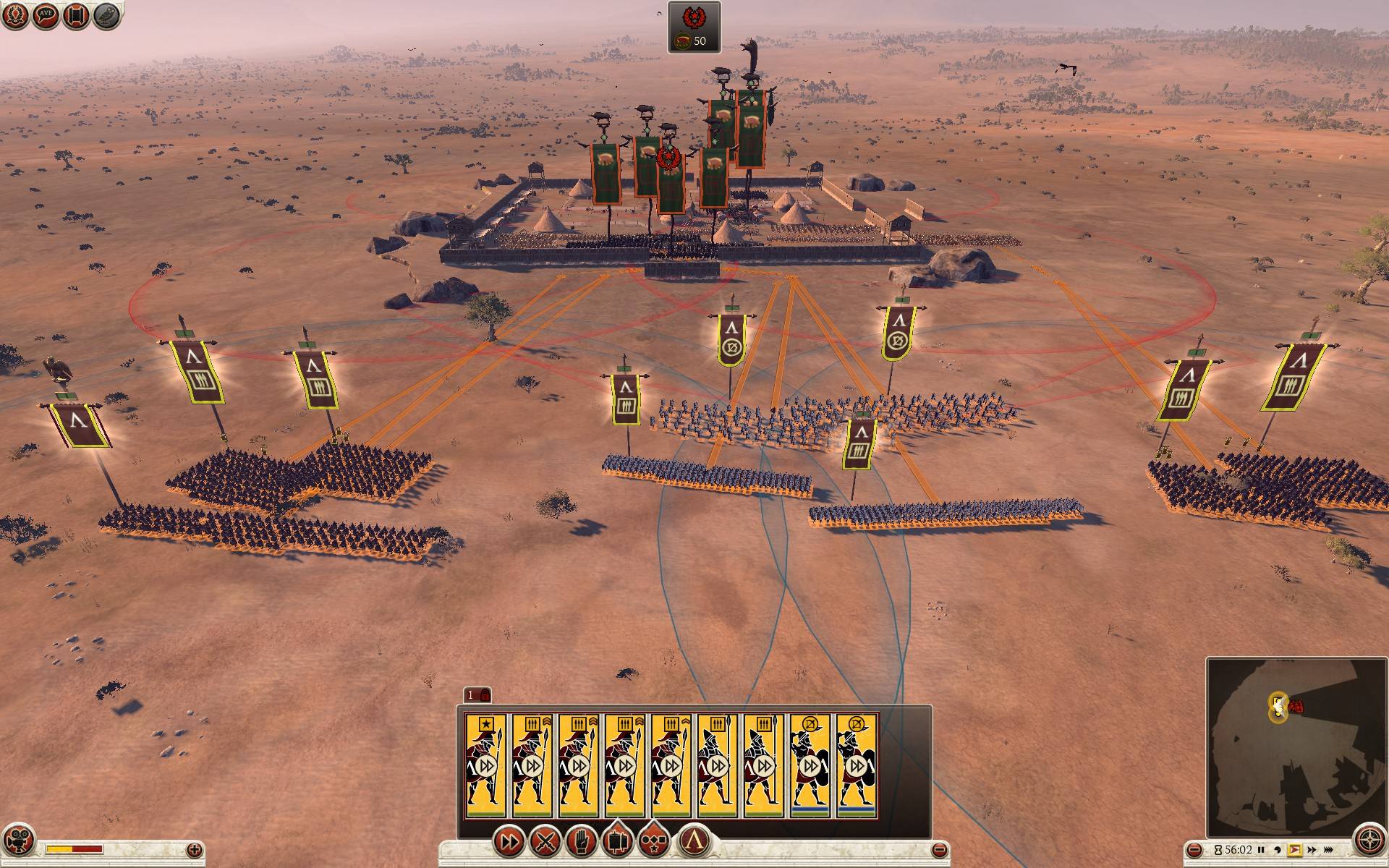 Direct control is, of course, way better, but this function might be useful for reinforcing armies if you want to focus 100% on your main army. Your AI partner is also pretty good at skirmisher harassment, give him 3 units of Velites and see how annoying he can be :).
AI Assistant - Defending
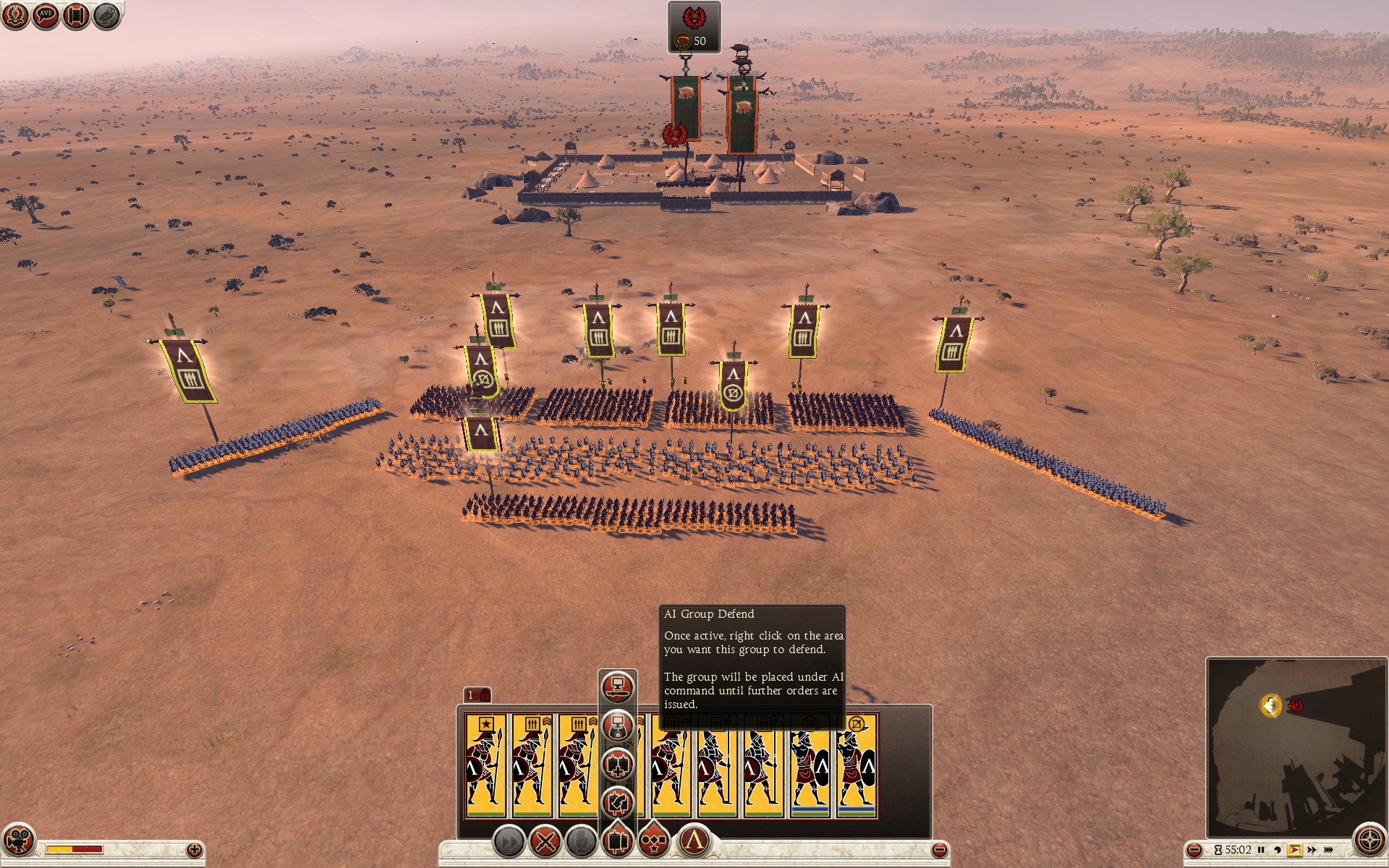 Similar to AI Group Attack. Select units you want to delegate, arrange them and press AI Group Defend button. When you click on the ground you will notice different icon (small yellow computer screen). This means your AI partner will defend the location you clicked on and micromanage in battle.
This is a very useful function for defending control points during siege battles. Pick a few tired units who suffered casaulties (e.g. those you retired from your frontline and want to preserve for future battles) and put them on a control point in AI Group Defend for the rest of the battle.
More Total War: ROME II - Emperor Edition guides
- The Noob's Guide To: Taking A City Without Going Into "Total War"★ 5 (758)57k views667 ♥4 minUpdated Aug 15, 2021
- ROME 2... EMPEROR EDITION. Easy public order and money income guide★ 5 (1.4k)47k views2.9k ♥33 minUpdated Feb 1, 2019
- A Comprehensive Guide to the Power & Politics System★ 5 (575)45k views1.1k ♥13 minUpdated Jul 5, 2018
- The one and only mod list for Rome II★ 5 (649)44k views1.6k ♥7 minUpdated Oct 19, 2023
- Late Republic and Principate Army Composition (Historical)★ 5 (729)30k views1.3k ♥25 min
- Pikeman's Guide★ 5 (358)26k views323 ♥12 minUpdated Aug 26, 2020


This guide was created by its original author on the Steam Community. Are you the author and want it removed? Request removal.