Как удалить Рекламу | How to remove Advertising
1. Как удалить рекламу | RUS
- Перейти в папку игры -
\Steam\steamapps\common\BorderlandsPreSequel\WillowGame\CookedPCConsole
- UI_Frontend_Upsell_SF.upk
- UI_Frontend_Upsell_Texture_DEU_SF.upk
- UI_Frontend_Upsell_Texture_ESN_SF.upk
- UI_Frontend_Upsell_Texture_FRA_SF.upk
- UI_Frontend_Upsell_Texture_INT_SF.upk
- UI_Frontend_Upsell_Texture_ITA_SF.upk
- UI_Frontend_Upsell_Texture_JPN_SF.upk
- UI_Frontend_Upsell_Texture_KOR_SF.upk
- UI_Frontend_Upsell_Texture_RUS_SF.upk
- Вы великолепны.
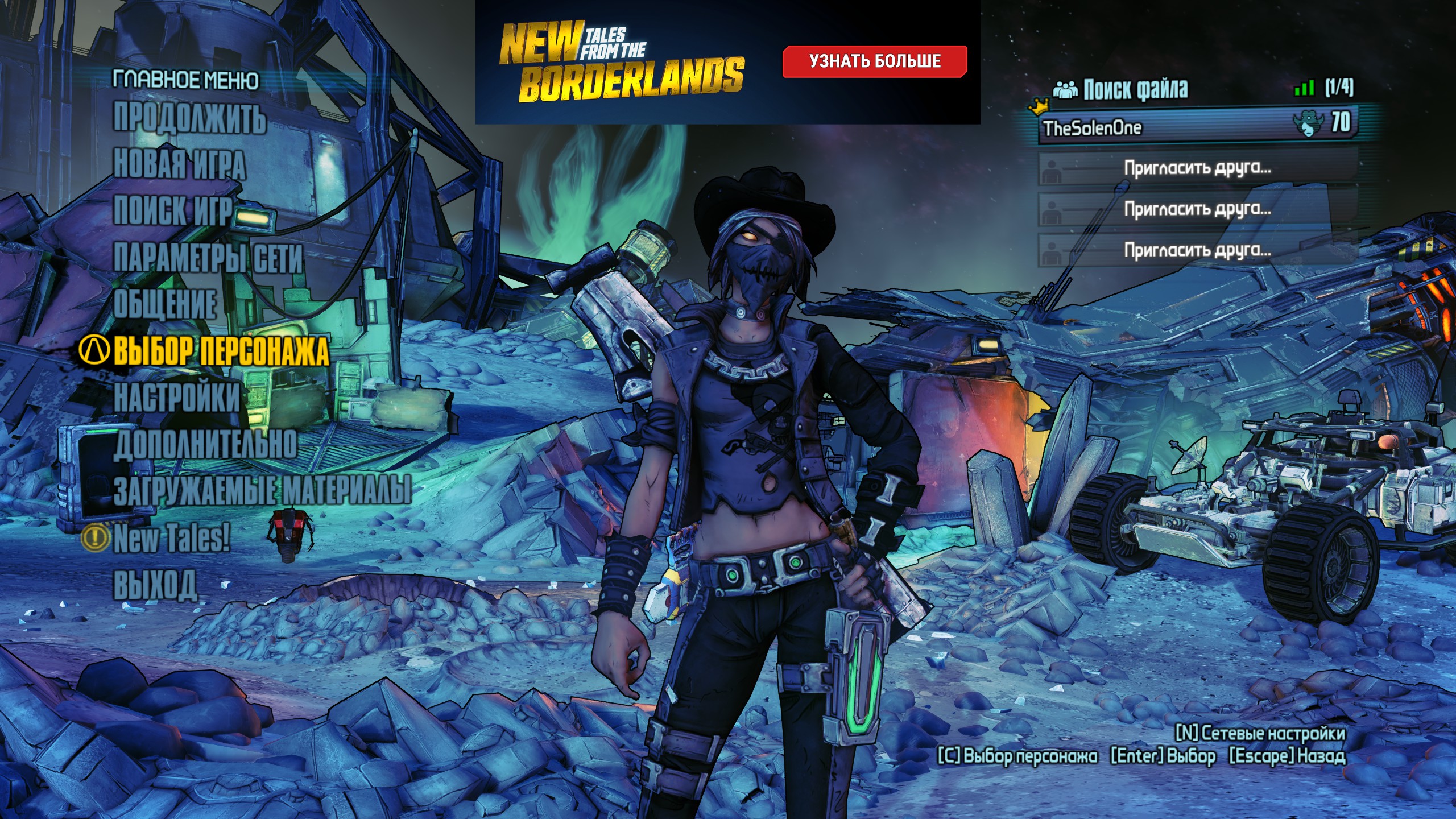 После: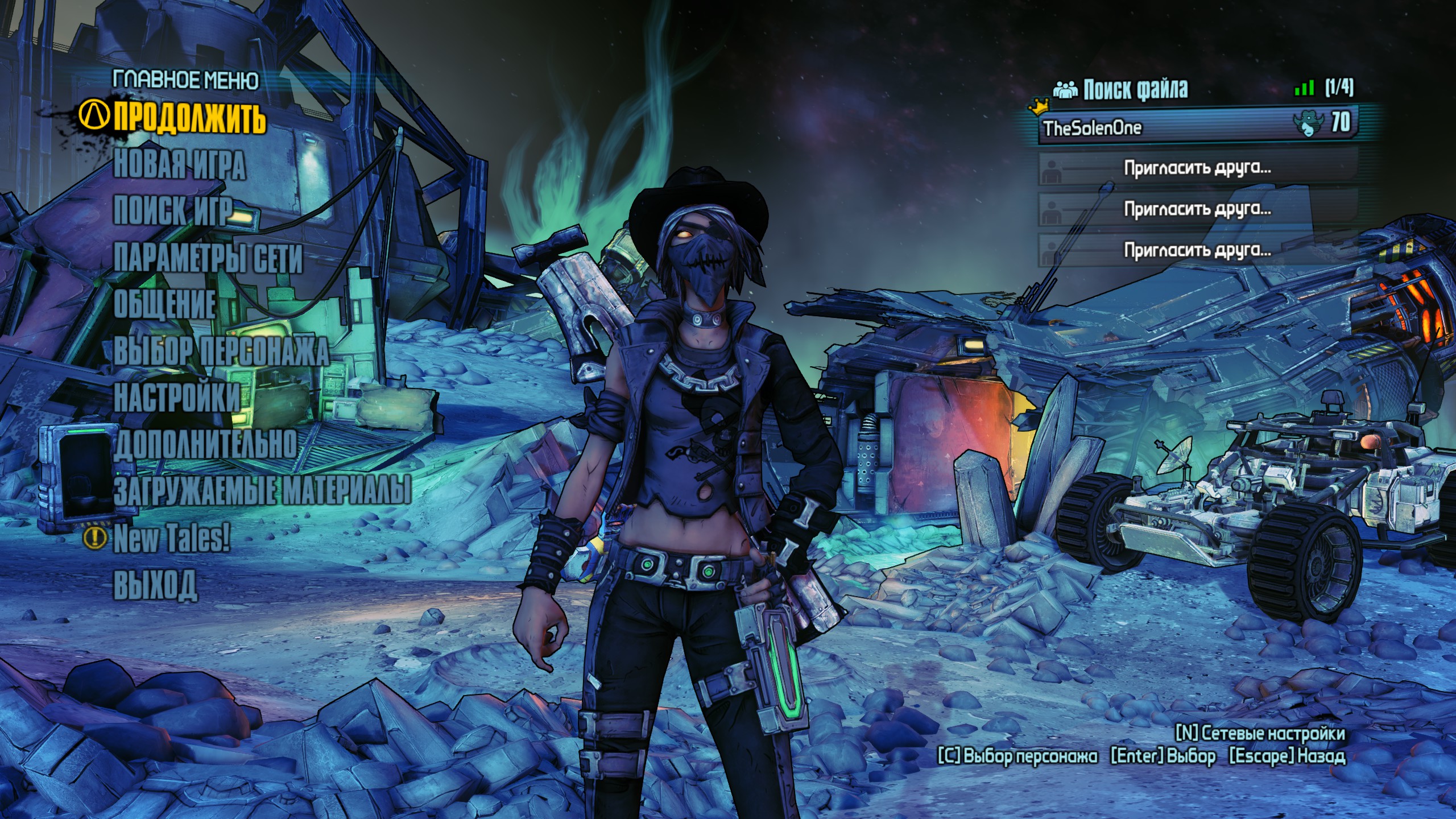
P.S. К сожалению удалить строку меню "New Tales!" нельзя.
2. Как пропустить видео-вступления | RUS
- Перейти в папку игры - \Steam\steamapps\common\BorderlandsPreSequel\WillowGame\Movies
- 2K_logo.bik
- Gearbox_logo.bik
- NVidia.bik
Альтернативный способ
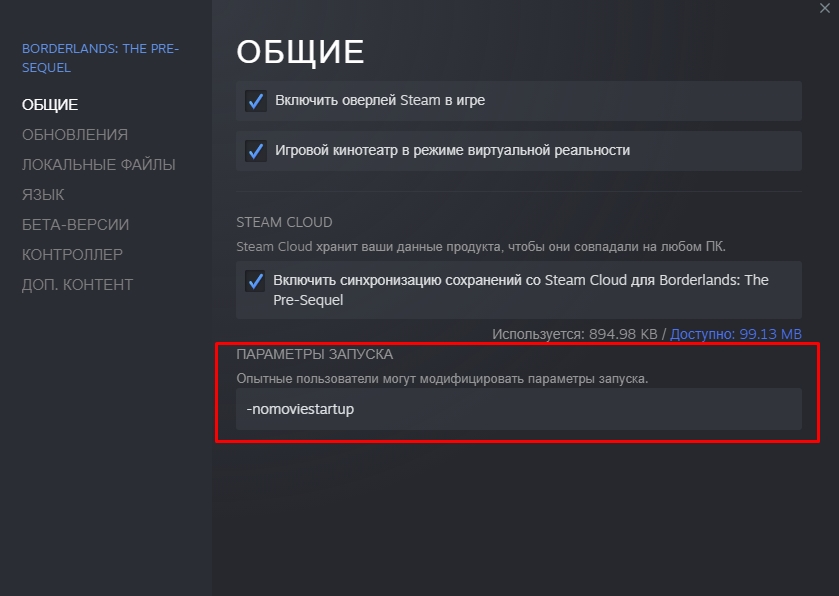
ВНИМАНИЕ! Добавление этого параметра запуска может сломать скрипты некоторых сюжетных миссий, из-за чего вы не сможете продолжить прохождение, также это может вызвать необратимые последствия, лучше не используйте это. 1. Использовать параметр запуска -nomoviestartup
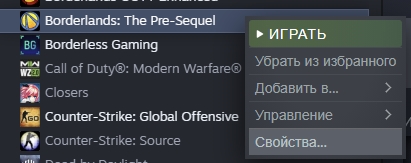
ПКМ по Borderlands: The Pre-Sequel в библиотеке --> Свойства --> Общие --> Параметры запуска
3. Как пропустить лаунчер | RUS
1. Используем параметр запуска -nolauncher
ПКМ по Borderlands: The Pre-Sequel в библиотеке --> Свойства --> Общие --> Параметры запуска
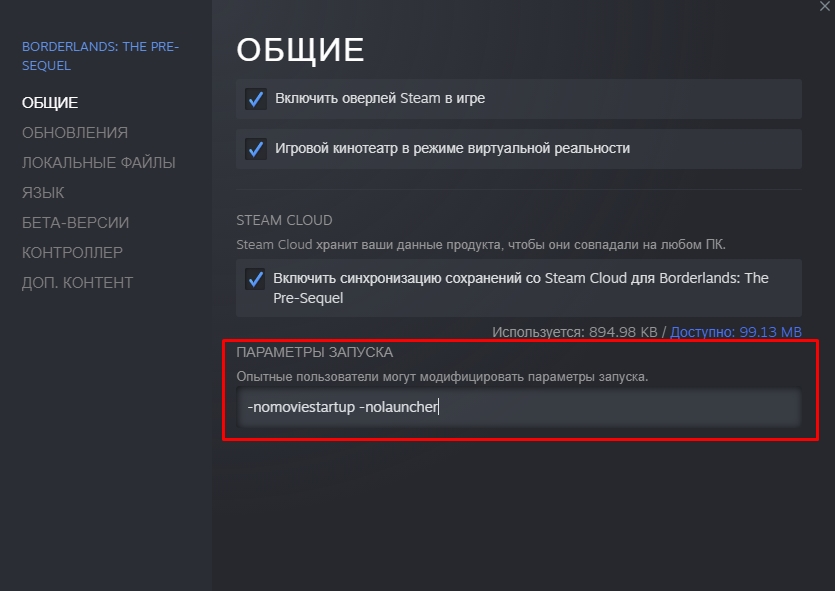
ПКМ по Borderlands: The Pre-Sequel в библиотеке --> Свойства --> Общие --> Параметры запуска
- Вы великолепны.
1. How to remove advertising | ENG
- Open game folder - \Steam\steamapps\common\BorderlandsPreSequel\WillowGame\CookedPCConsole
- UI_Frontend_Upsell_SF.upk
- UI_Frontend_Upsell_Texture_DEU_SF.upk
- UI_Frontend_Upsell_Texture_ESN_SF.upk
- UI_Frontend_Upsell_Texture_FRA_SF.upk
- UI_Frontend_Upsell_Texture_INT_SF.upk
- UI_Frontend_Upsell_Texture_ITA_SF.upk
- UI_Frontend_Upsell_Texture_JPN_SF.upk
- UI_Frontend_Upsell_Texture_KOR_SF.upk
- UI_Frontend_Upsell_Texture_RUS_SF.upk
After:P.S. Unfortunately, the "New Tales!" menu bar cannot be removed.
2. How to skip video intros | ENG
- Go to the game folder - \Steam\steamapps\common\BorderlandsPreSequel\WillowGame\Movies
- 2K_logo.bik
- Gearbox_logo.bik
- NVidia.bik
Alternative way
ATTENTION!
Adding this startup option may break the scripts of some story missions, due to which you will not be able to continue the passage, it may also cause irreversible consequences, it is better not to use it. 1. Use the startup option -nomoviestartup
RMB on Borderlands: The Pre-Sequel in Library --> Properties --> General --> Launch Options
3. How to skip launcher | ENG
1. We will use startup option -nolauncher
RMB on Borderlands: The Pre-Sequel in Library --> Properties --> General --> Launch Options
RMB on Borderlands: The Pre-Sequel in Library --> Properties --> General --> Launch Options
- You are wonderfull.
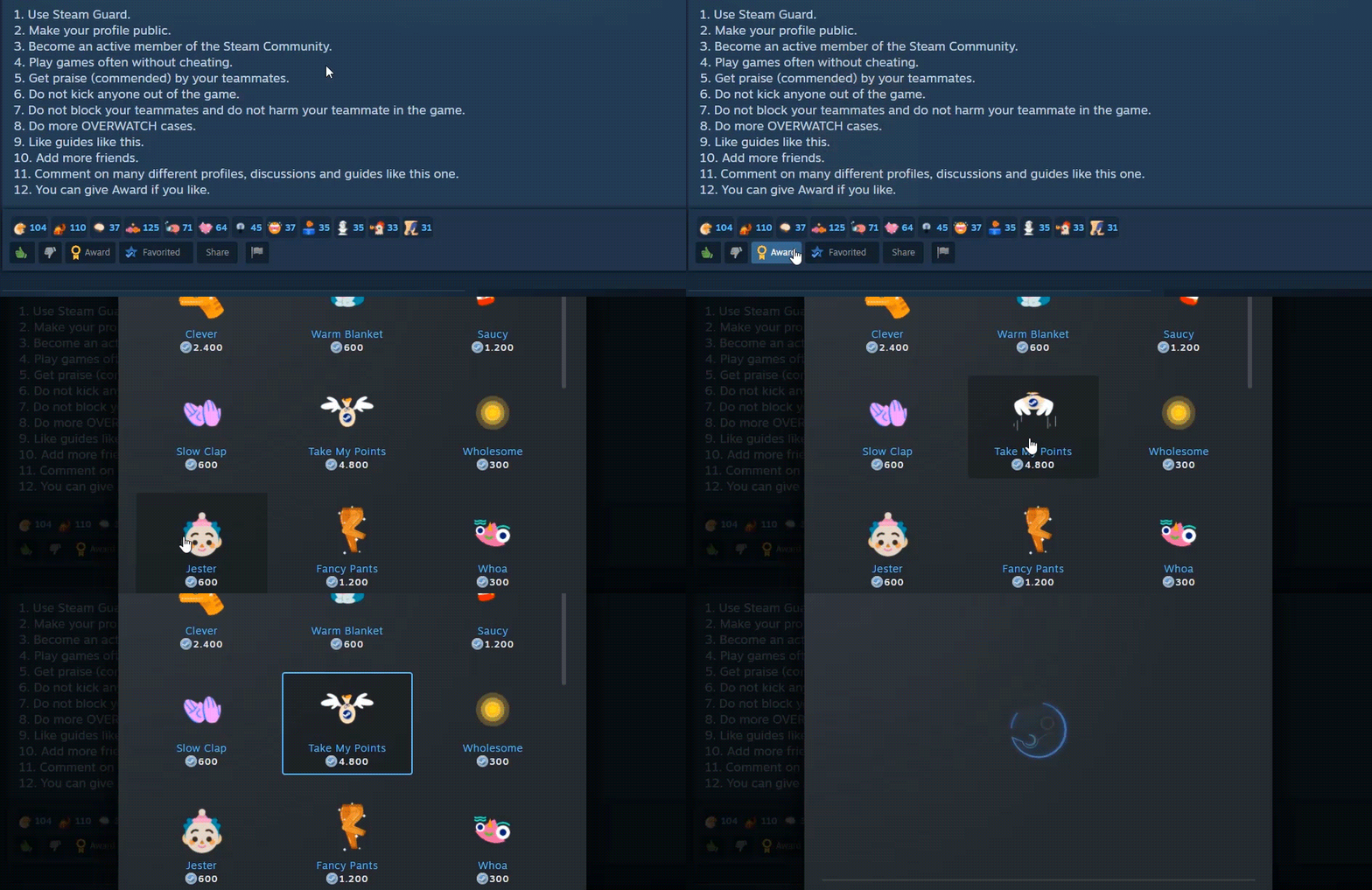
Сказать "Спасибо" | Say "thank you" to me
Ссылки | Links
More Borderlands: The Pre-Sequel guides
- SHiFT Codes★ 5 (4.8k)123k views9.2k ♥3 minUpdated Jul 28, 2017
- Grinder Recipes★ 5 (2.1k)77k views4.2k ♥8 minUpdated Apr 3, 2018
- 100% BL:TPS Achievement Guide - Descriptions, Details and Hints included.★ 5 (1.3k)30k views2.2k ♥15 minUpdated Dec 27, 2015
- "Goddess of the Storm" - An Athena Build★ 5 (482)29k views1.5k ♥18 minUpdated Dec 19, 2016
- R4MB0-TP!!! A Fragtrap Build★ 5 (582)28k views1.5k ♥21 minUpdated Jan 8, 2019
- Vault Symbols, ECHOs, and Other Collectibles Location Guide★ 5 (1.2k)23k views2.5k ♥21 minUpdated Feb 20, 2016



🔥 Popular guides
- Upgrading to PremiumTeam Fortress 2★ 5 (20k)1441k views11k ♥6 minUpdated May 11, 2022
- No More Room in Hell Official ManualNo More Room in Hell★ 5 (2.8k)569k views2.1k ♥29 minUpdated Apr 22, 2019
- NMRiH Community Hosting GuidesNo More Room in Hell★ 5 (526)351k views653 ♥1 minUpdated Aug 10, 2022
- ULTIMATE GUIDE FOR GAME DEV TYCOONGame Dev Tycoon★ 5 (5.8k)326k views10k ♥4 minUpdated 23 Jan, 2014
- How to 'Git Gud' Soon™MORDHAU★ 5 (2k)318k views3k ♥68 minUpdated Nov 16, 2024
- Лучшие кооперативные игры SteamPAYDAY 2★ 5 (1.5k)315k views2.1k ♥56 minRussianUpdated Apr 27, 2025






This guide was created by its original author on the Steam Community. Are you the author and want it removed? Request removal.