How to run Deus Ex in your modern PC 2025 - ULTIMATE GUIDE
Choosing the right render
First of all you will need a render upgrade for can run game in better quality & performance
i'd recommend the OpenGL Render or Direct 9 for better performance
i dont recommend Direct10 or newer due to bad optimization problems
https://www.moddb.com/mods/deus-ex-enhanced/downloads/deus-ex-enhanced-v13-dx9opengl (only download if you are going to play the original vanilla verison Game of Year Edition)
if you are going to play Deus Ex Revision it dont need download this one, because it's both included
the mod Deus Ex Revision also has a great option for several renders to be used as Engine Render
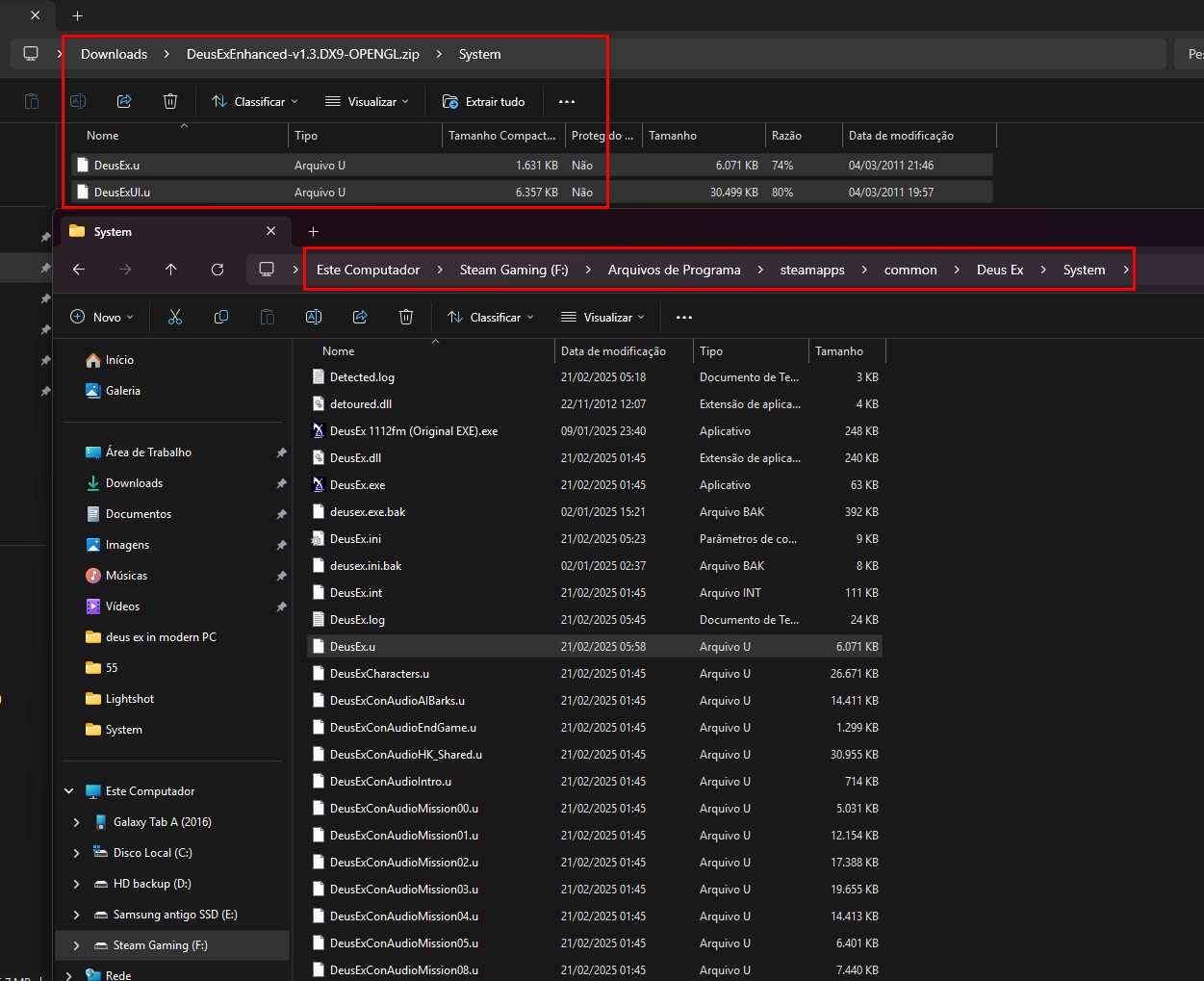
if you go for original Deus Ex then extract folder deus-ex-enhanced-v13-dx9opengl or just copy DeusExUI.u + DeusEx.u and put it on Deus Ex's system folder
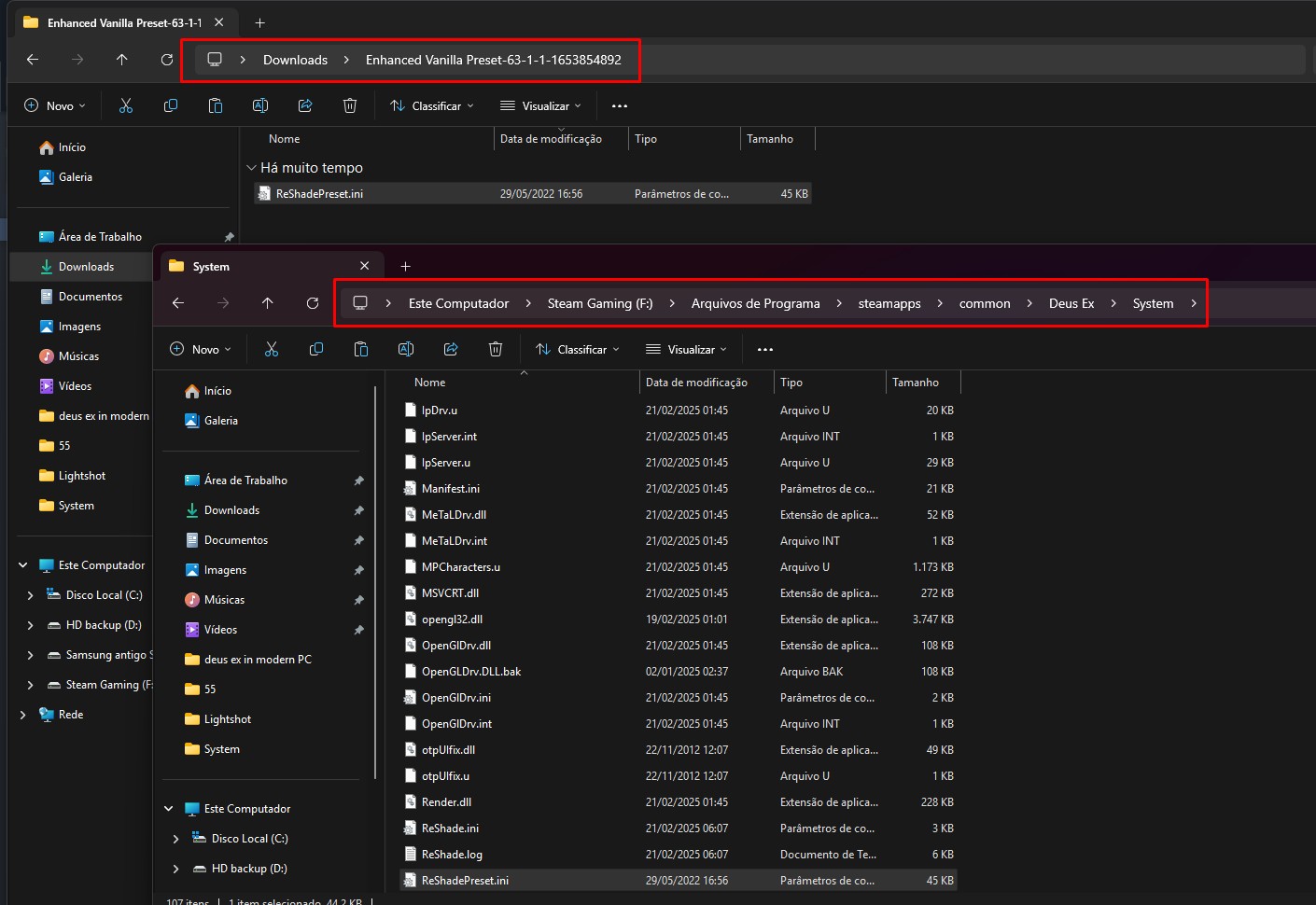
it should be like this: F:\Arquivos de Programa\steamapps\common\Deus Ex\System (exemple)
then run the game and should show the option to you go with OpenGL
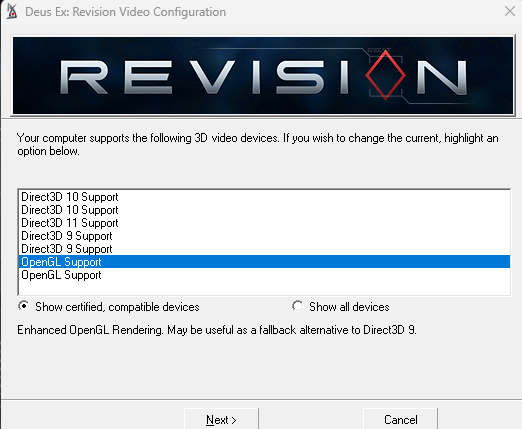
The Display Configuration aka Render Changer should be this to you
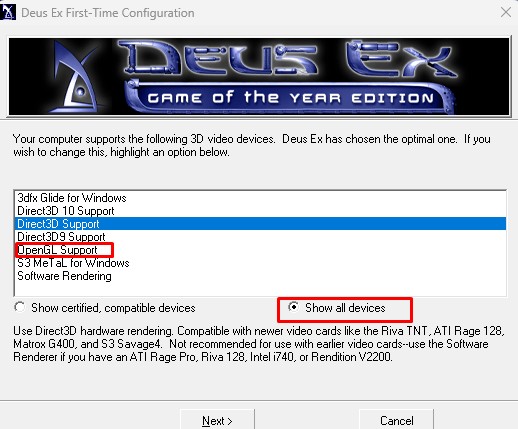
Normally the original Deus Ex's Display Configuration won't show to you OpenGL as option but you can click in Show all devices
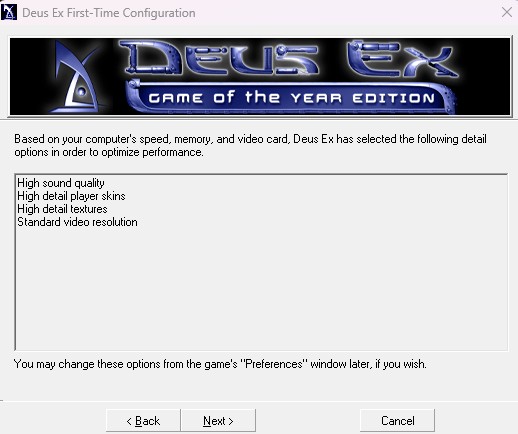
choosing OpenGL or Directx 9 then you are all done to play the game
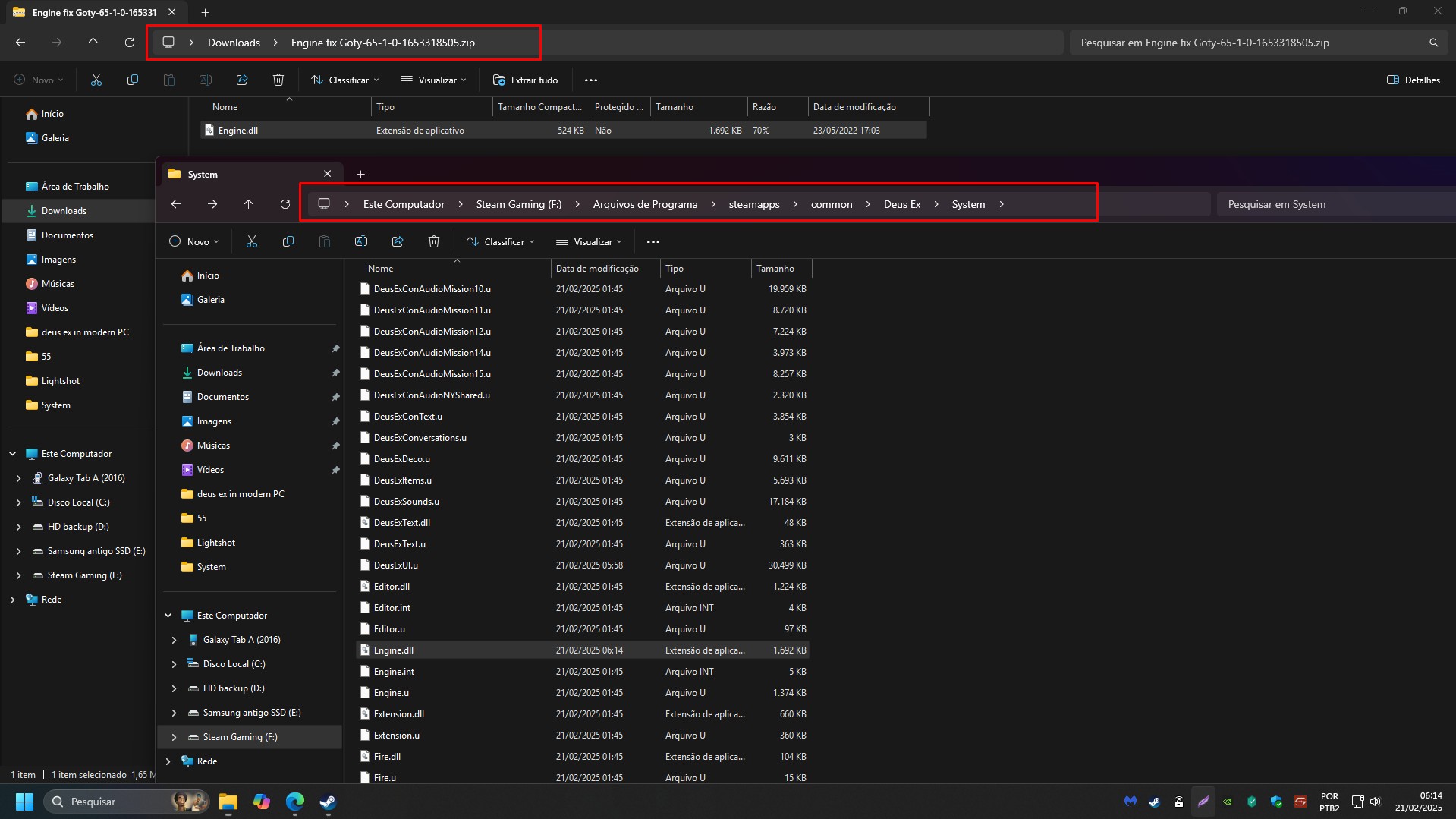
Other stuff i recommend download, it's a file at which i do believe improve the game's performance and stability
https://www.nexusmods.com/deusex/mods/65?
Just copy Engine.dll and put it on folder F:\Arquivos de Programa\steamapps\common\Deus Ex\System
the same goes to mod Revision, you just put the file there F:\Arquivos de Programa\steamapps\common\Deus Ex\Revision\System
that's all
i'd recommend the OpenGL Render or Direct 9 for better performance
i dont recommend Direct10 or newer due to bad optimization problems
https://www.moddb.com/mods/deus-ex-enhanced/downloads/deus-ex-enhanced-v13-dx9opengl (only download if you are going to play the original vanilla verison Game of Year Edition)
if you are going to play Deus Ex Revision it dont need download this one, because it's both included
the mod Deus Ex Revision also has a great option for several renders to be used as Engine Render
if you go for original Deus Ex then extract folder deus-ex-enhanced-v13-dx9opengl or just copy DeusExUI.u + DeusEx.u and put it on Deus Ex's system folder
it should be like this: F:\Arquivos de Programa\steamapps\common\Deus Ex\System (exemple)
then run the game and should show the option to you go with OpenGL
The Display Configuration aka Render Changer should be this to you
Normally the original Deus Ex's Display Configuration won't show to you OpenGL as option but you can click in Show all devices
choosing OpenGL or Directx 9 then you are all done to play the game
Other stuff i recommend download, it's a file at which i do believe improve the game's performance and stability
https://www.nexusmods.com/deusex/mods/65?
Just copy Engine.dll and put it on folder F:\Arquivos de Programa\steamapps\common\Deus Ex\System
the same goes to mod Revision, you just put the file there F:\Arquivos de Programa\steamapps\common\Deus Ex\Revision\System
that's all
How to change & use any Render
if the Render Option does not open to you when you start Deus Ex Revision or Original Deus Ex Game of Year Edition
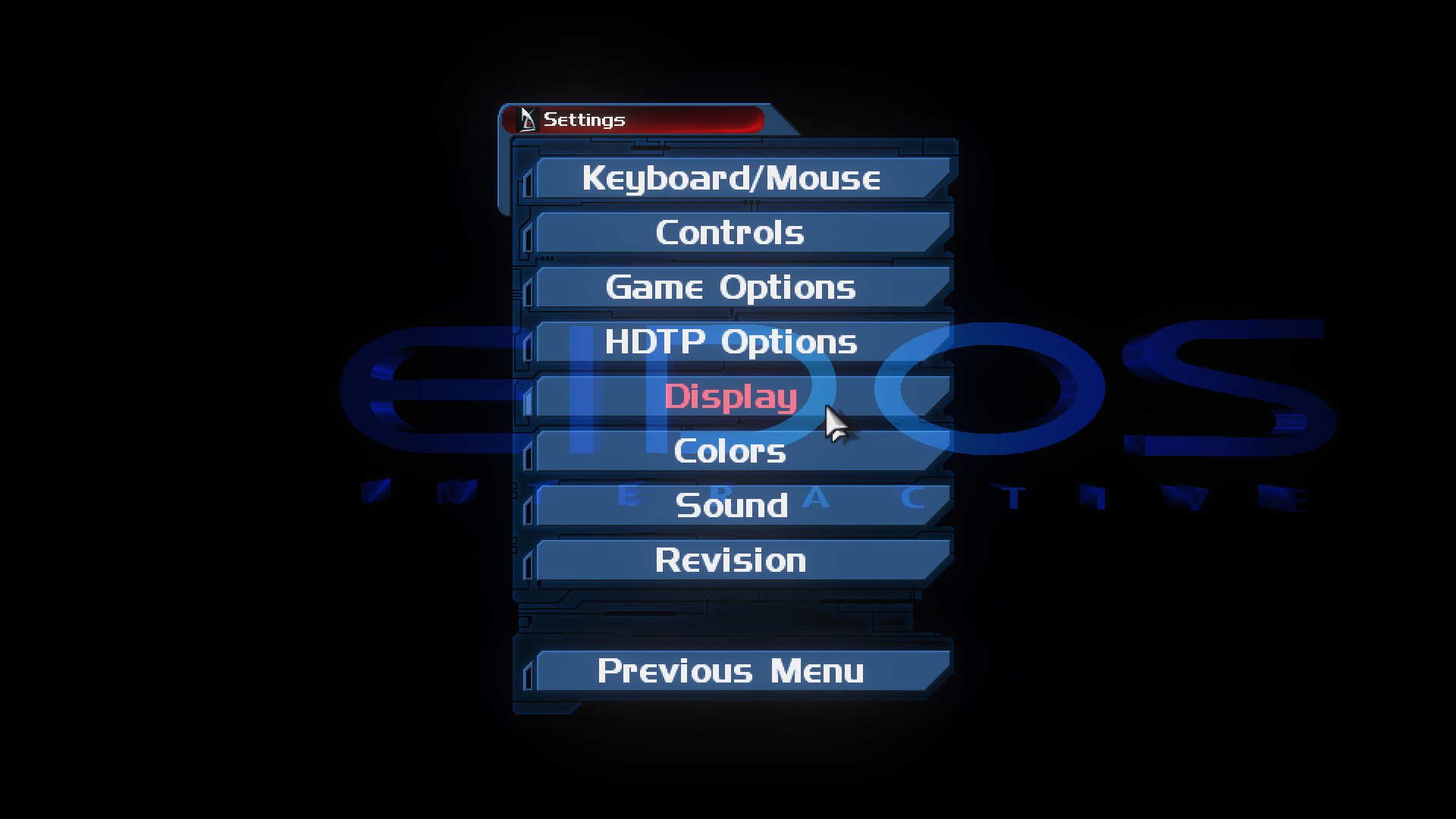
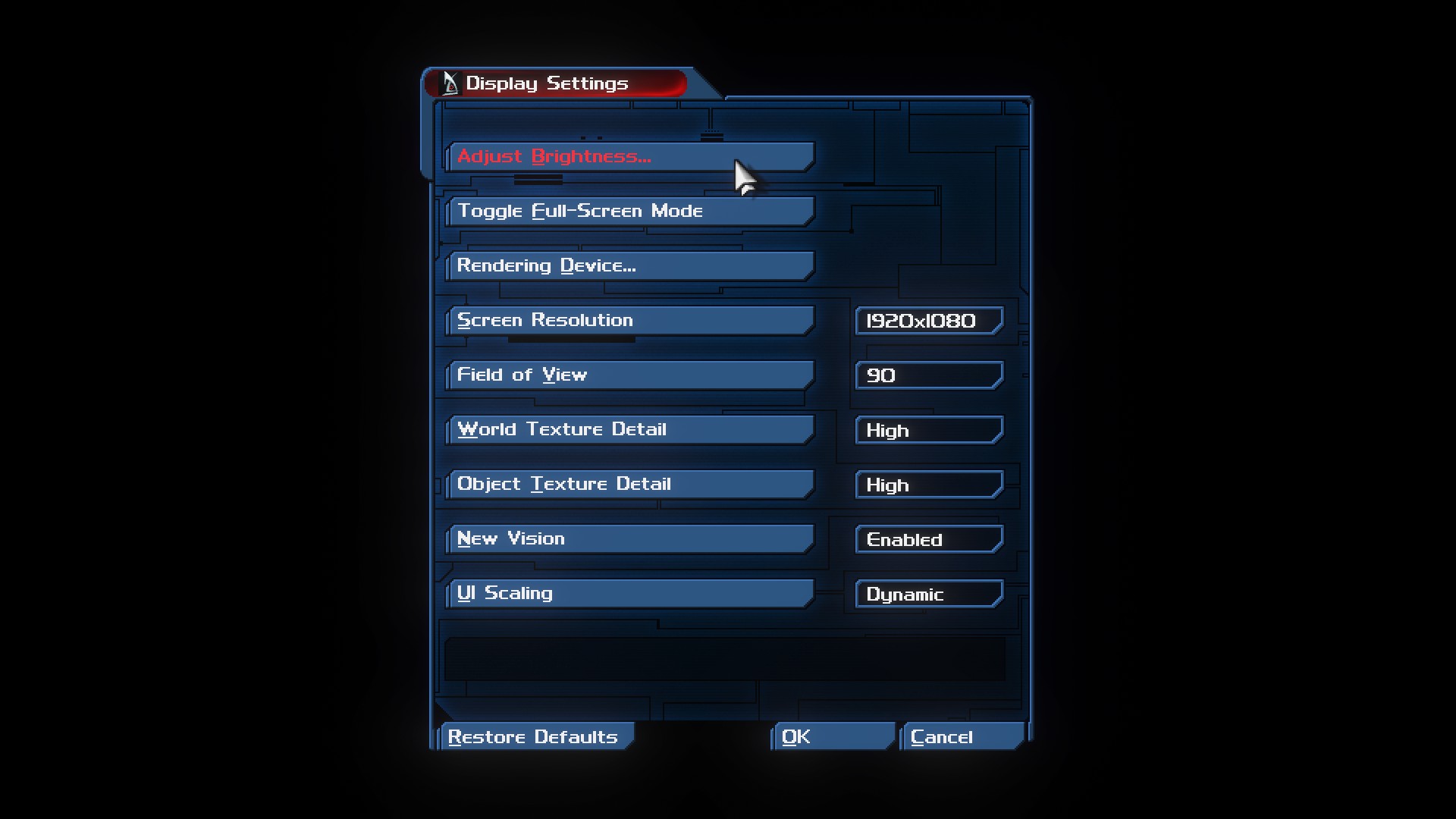
if you are on Revision Mod, then go to game's settings select display option and then click Rendering Device.
it will ask you to restart and then just click in yes, then the render option should be there too known as Video Configuration
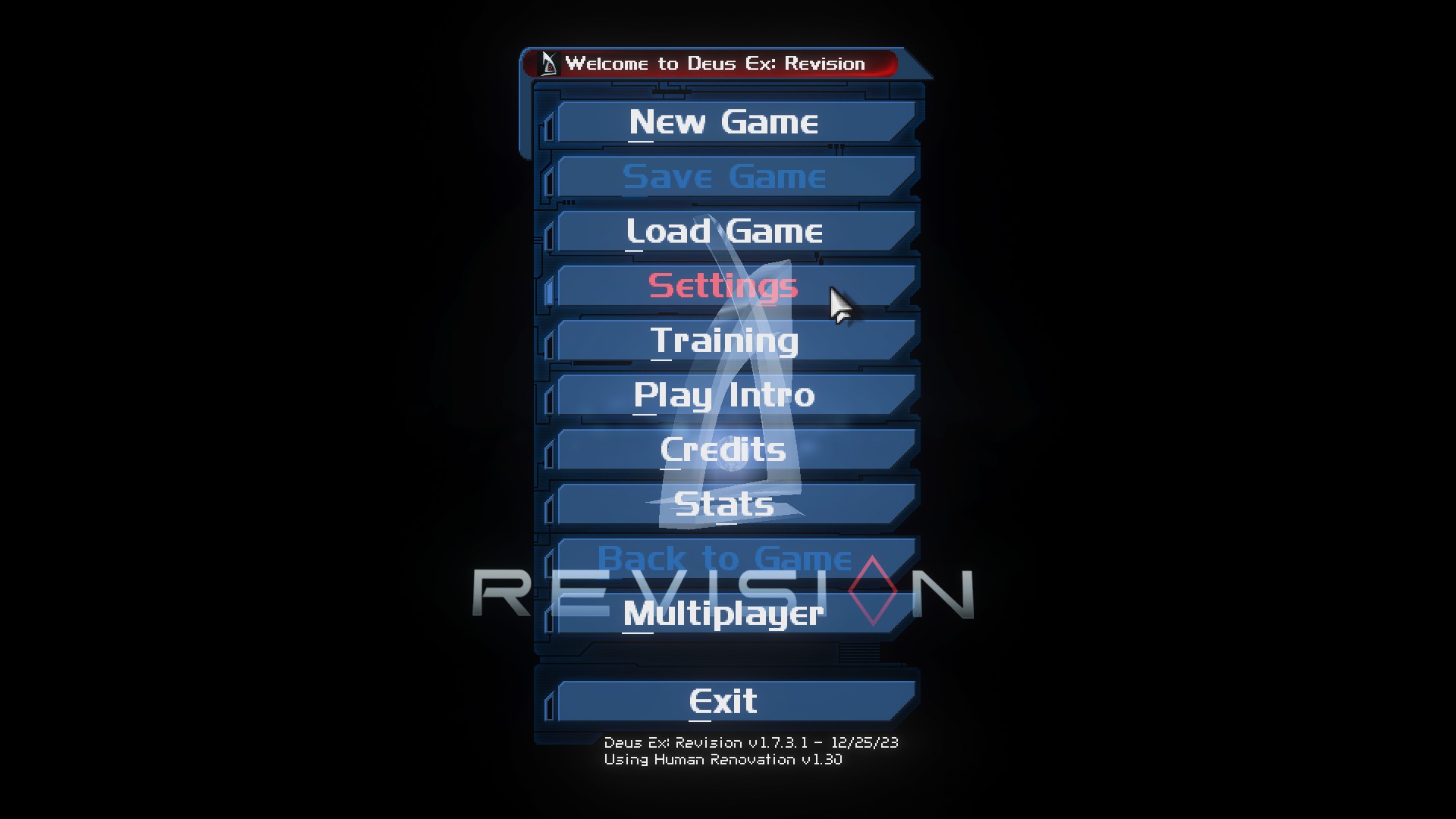
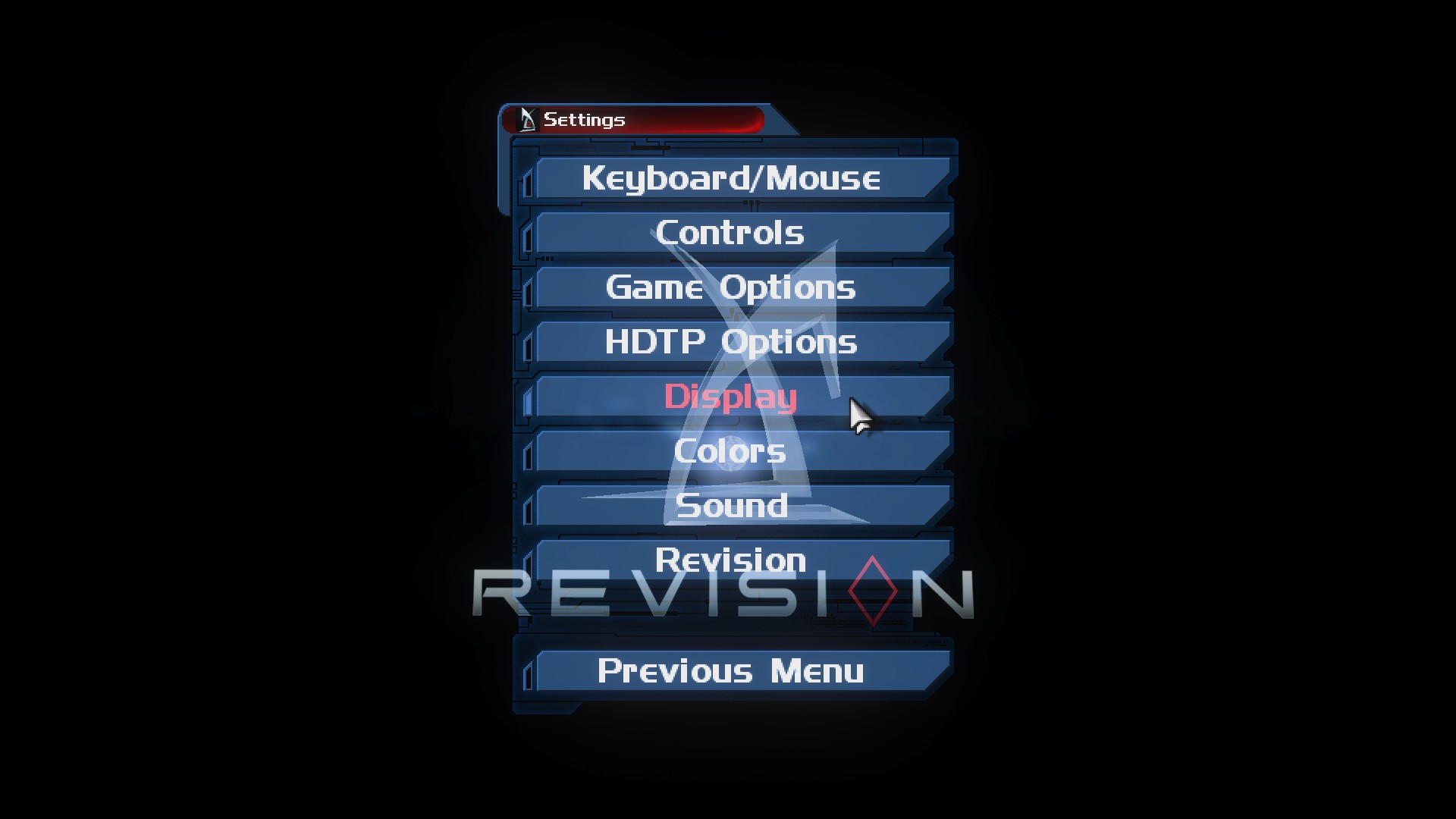
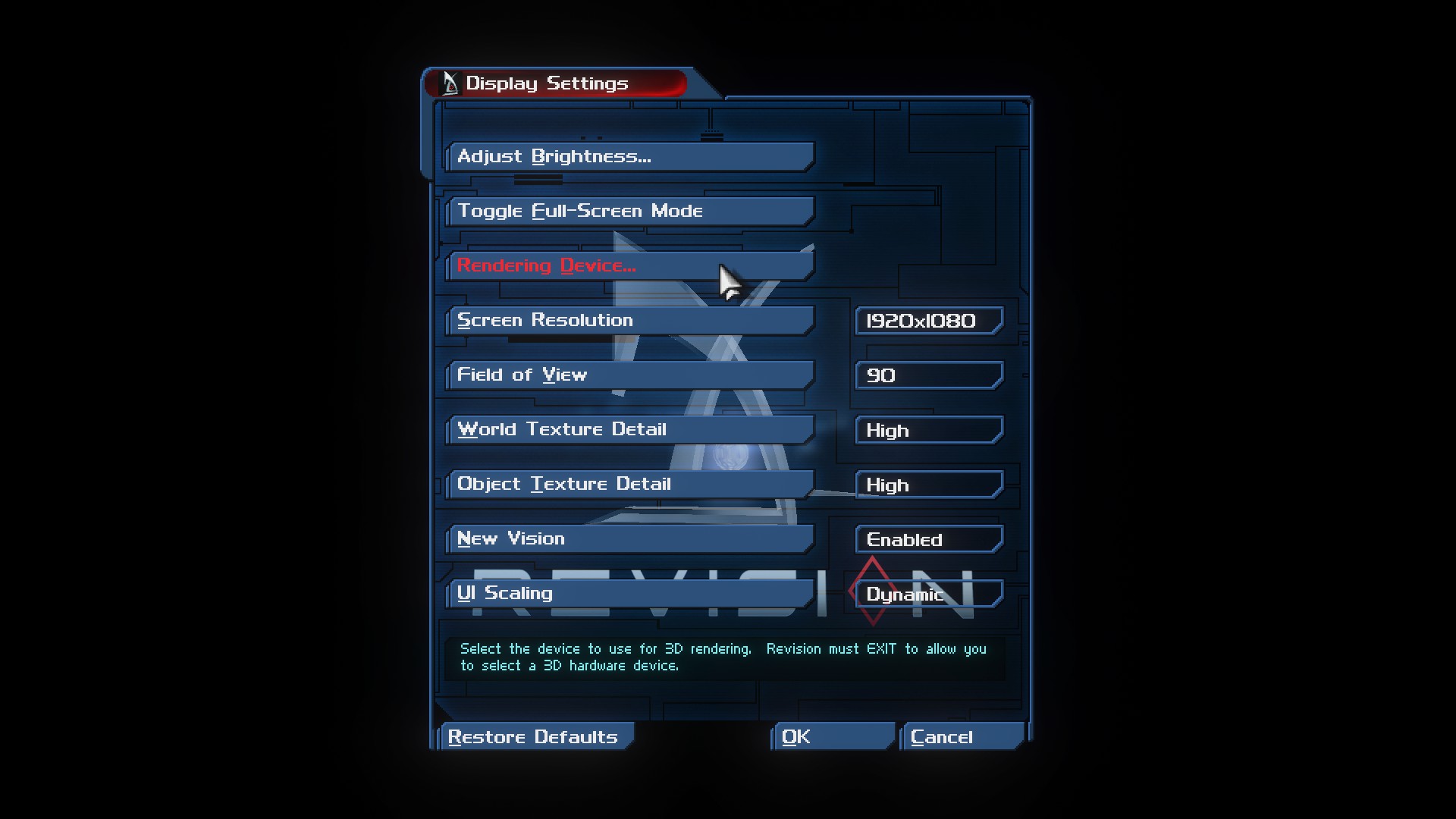
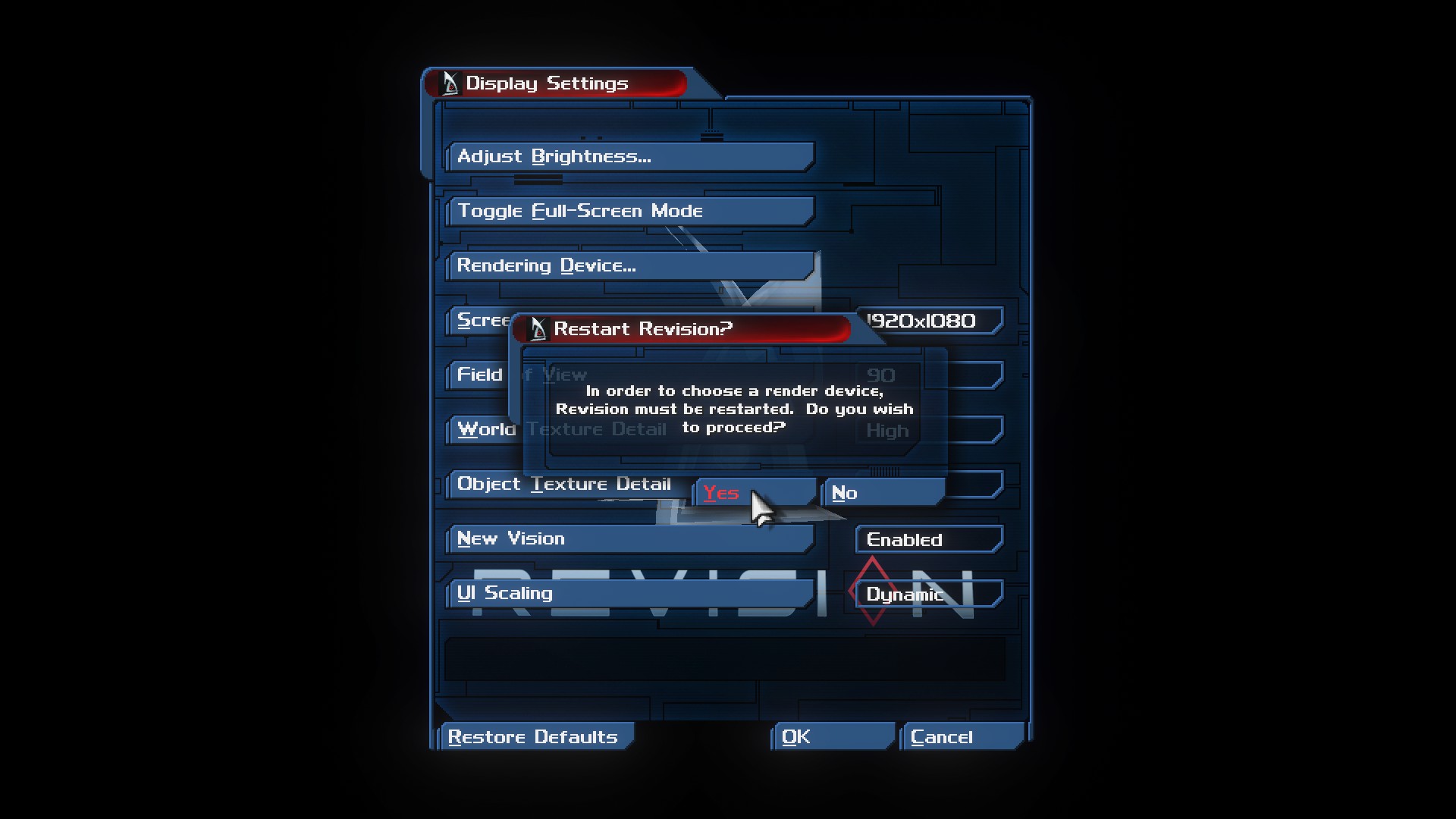
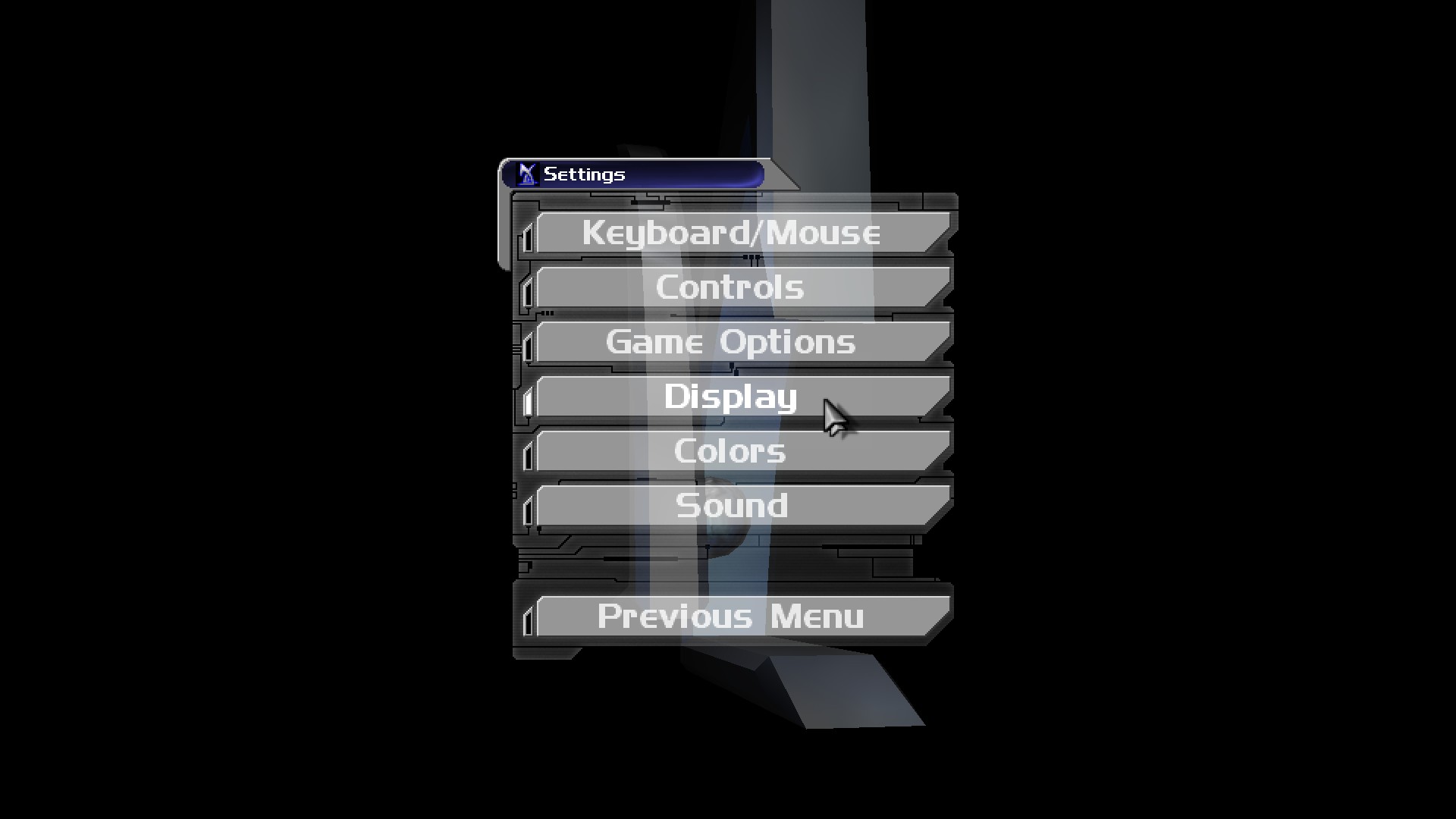
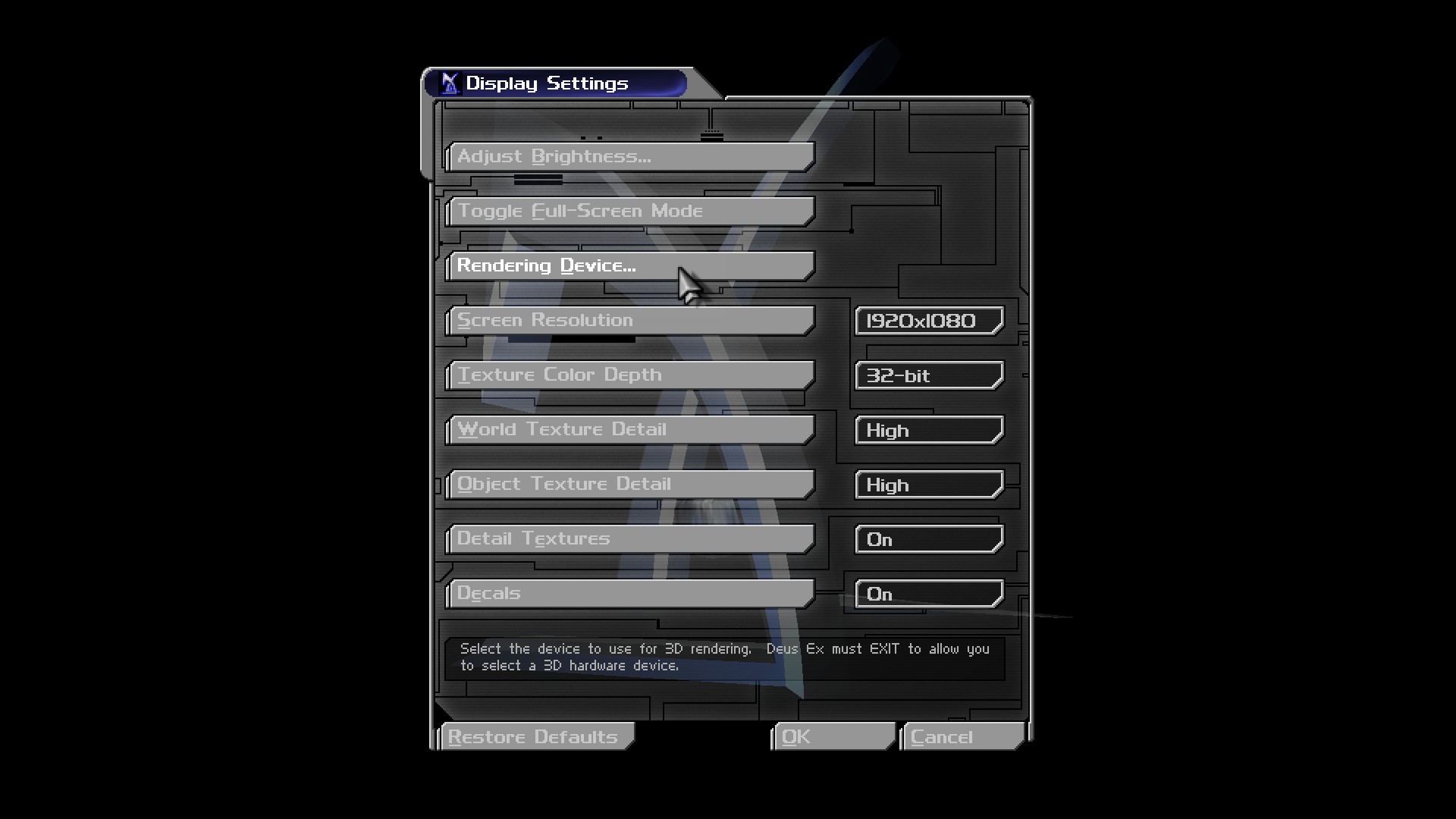 if you are on Original Deus Ex, it's literally same thing go to Game's settings then click Display and Click in Rendering Device
Also i'd recommend you select Texture Color Depth to 32 bits for complete colors light.
if you are on Revision Mod, then go to game's settings select display option and then click Rendering Device.
it will ask you to restart and then just click in yes, then the render option should be there too known as Video Configuration
if you are on Original Deus Ex, it's literally same thing go to Game's settings then click Display and Click in Rendering DeviceAlso i'd recommend you select Texture Color Depth to 32 bits for complete colors light.
improve & Fix Brightness issue
i realize not much people talk about the real problem of this outdated game
For me the major problem it's poor brightness, maybe more problematic than the mechanics and physics of game
i highly recommend this Reshade mod https://www.nexusmods.com/deusex/mods/63
You will need otherwise you won't be able to see nothing, since the game is very dark and has no lightning at all for any reason
Before install the reshade mod you will need download this one https://reshade.me/
then you done
run the ReShade_Setup_6.4.0_Addon.exe
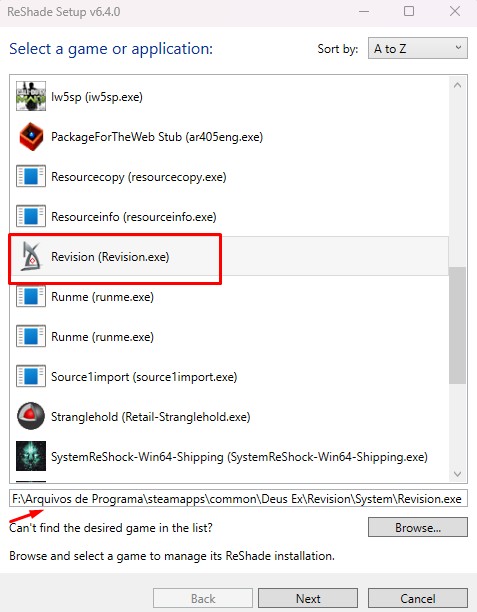
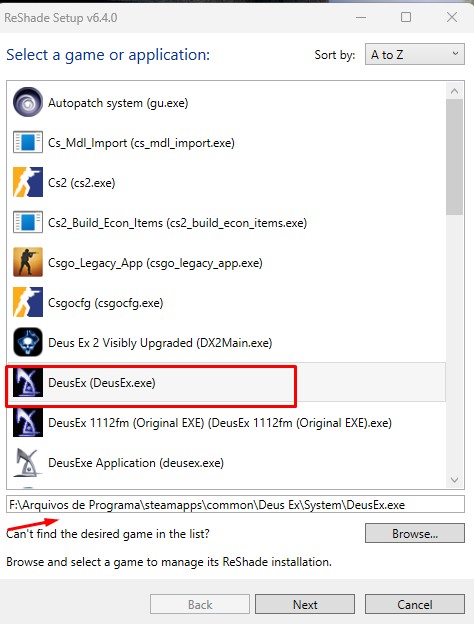
Select Revision if you are going to play the mod Revision or select Deus Ex if you are going to play the original verison Game of The Year Edition
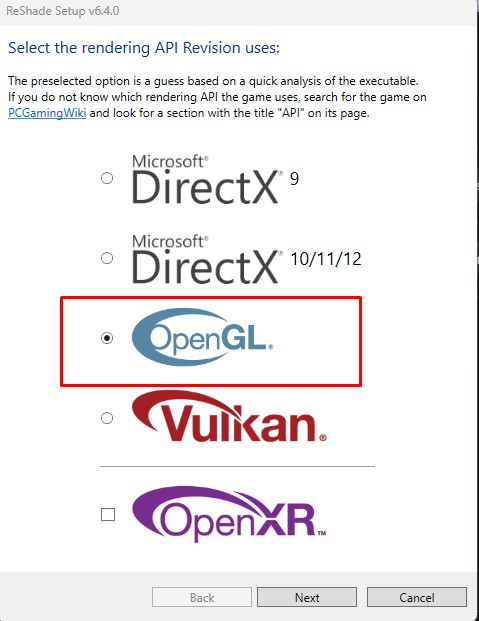
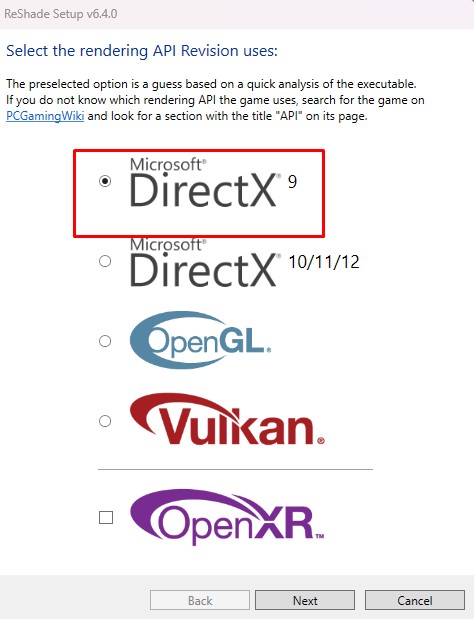
Then select the renders, in start of this guide i recommend OpenGL but you can try Direct 9 or 10, though Direct 10 is bad optimized for both original game and maybe any mod, i recommend only OpenGL or Direct 9 so it's up to you, the reshade mod can work with both OpenGL as well any verison of Directx
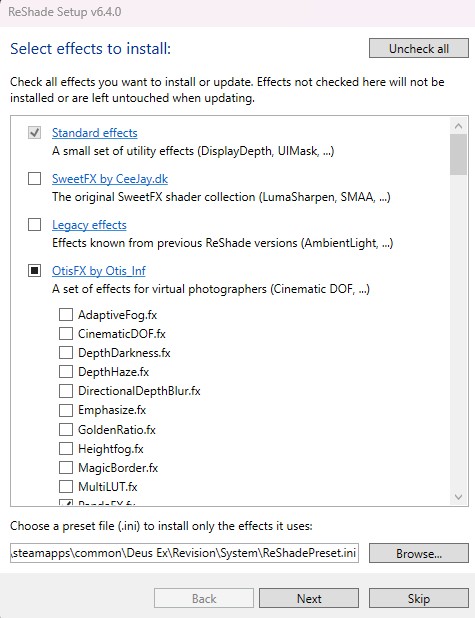
Then next page click in Browse and ignore the additional effects
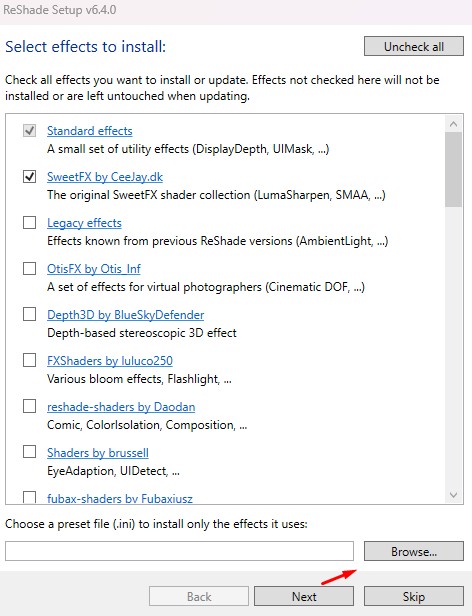
The only thing you need do is select ReShadePreset.ini
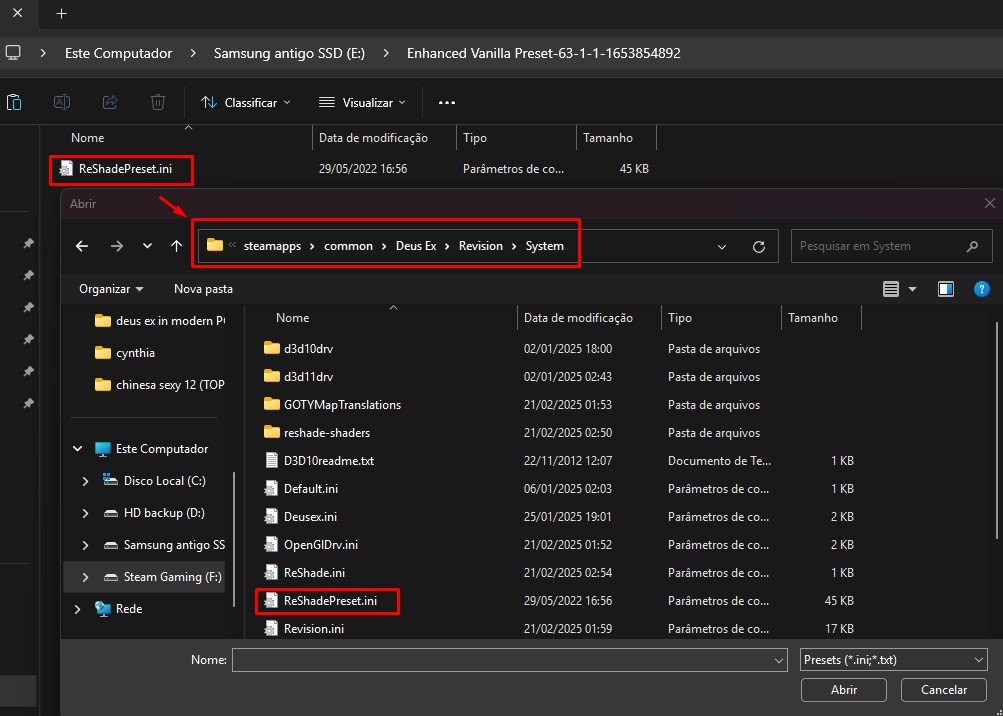
But please make sure you have put the file ReShadePrsent.ini inside of Deus Ex's system folder
it should be something like this one: F:\Arquivos de Programa\steamapps\common\Deus Ex\Revision\System
Again saying if you are going to play Revision or original Deus Ex
the original Deus Ex's folder should be something like this one: F:\Arquivos de Programa\steamapps\common\Deus Ex\System
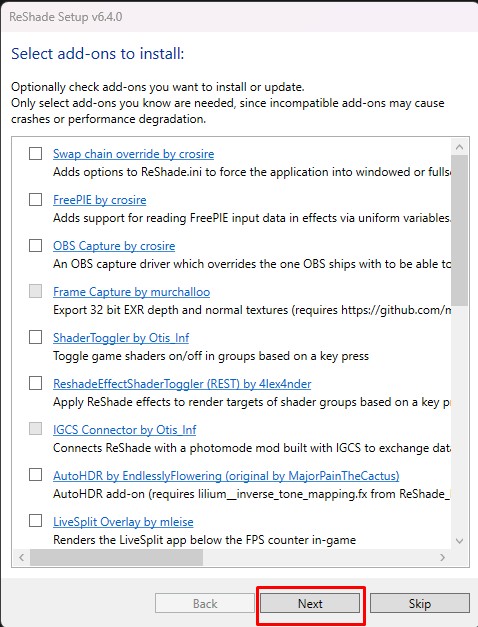
On next page You can ignore the ''Select add-ones to install''
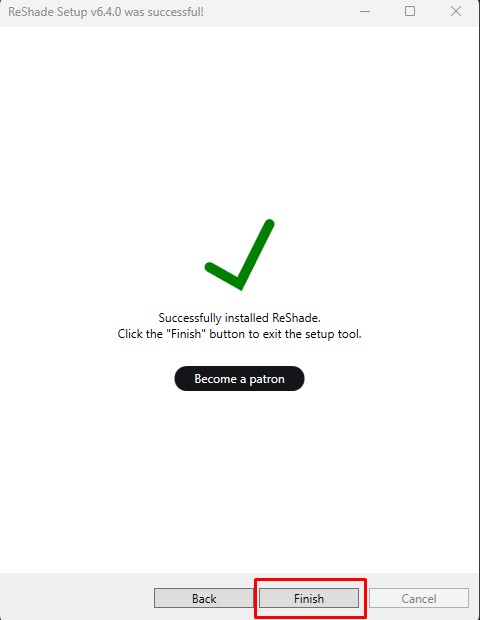 Successfully installed, you can enjoy with better lightning quality in the game.
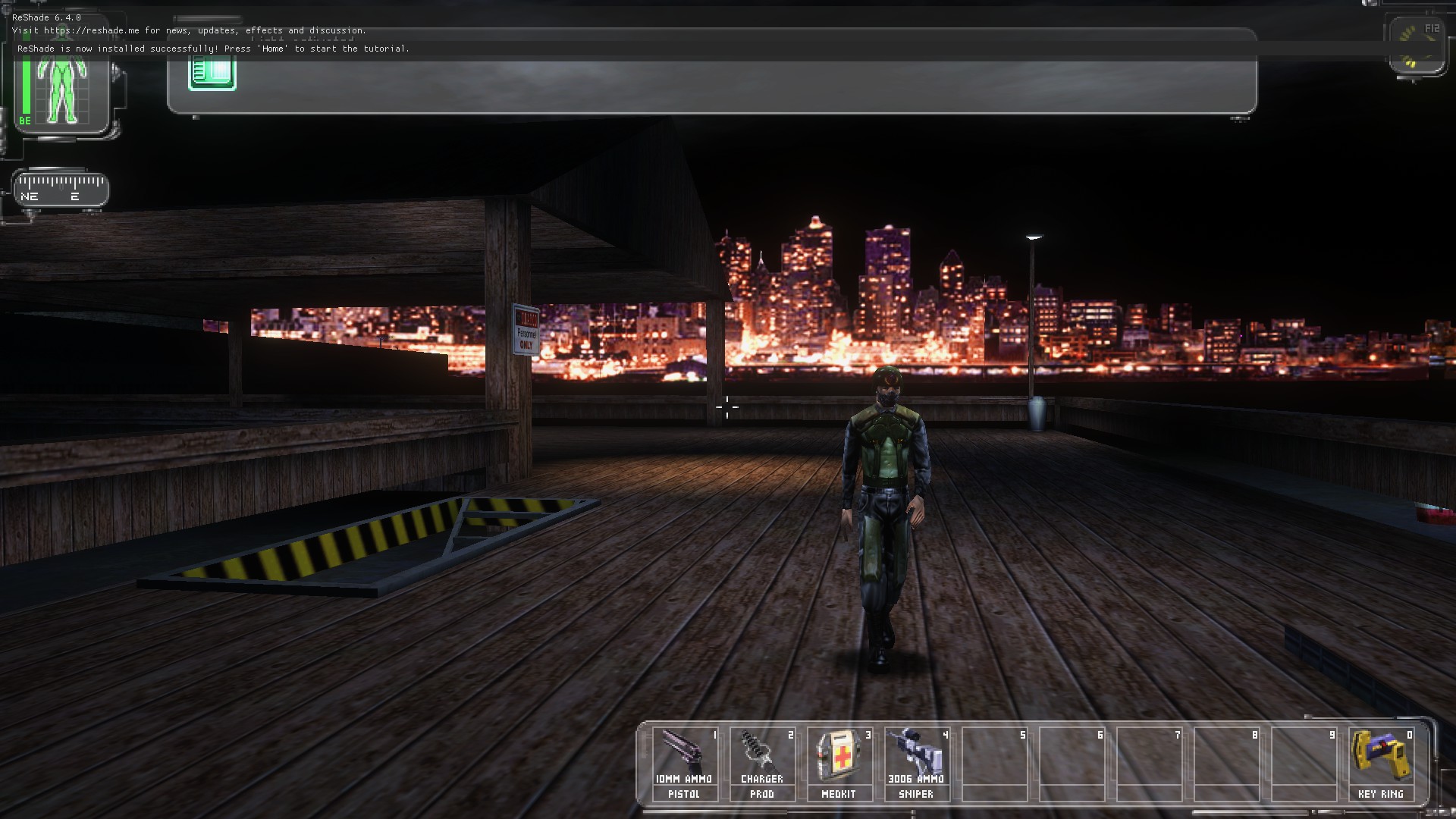
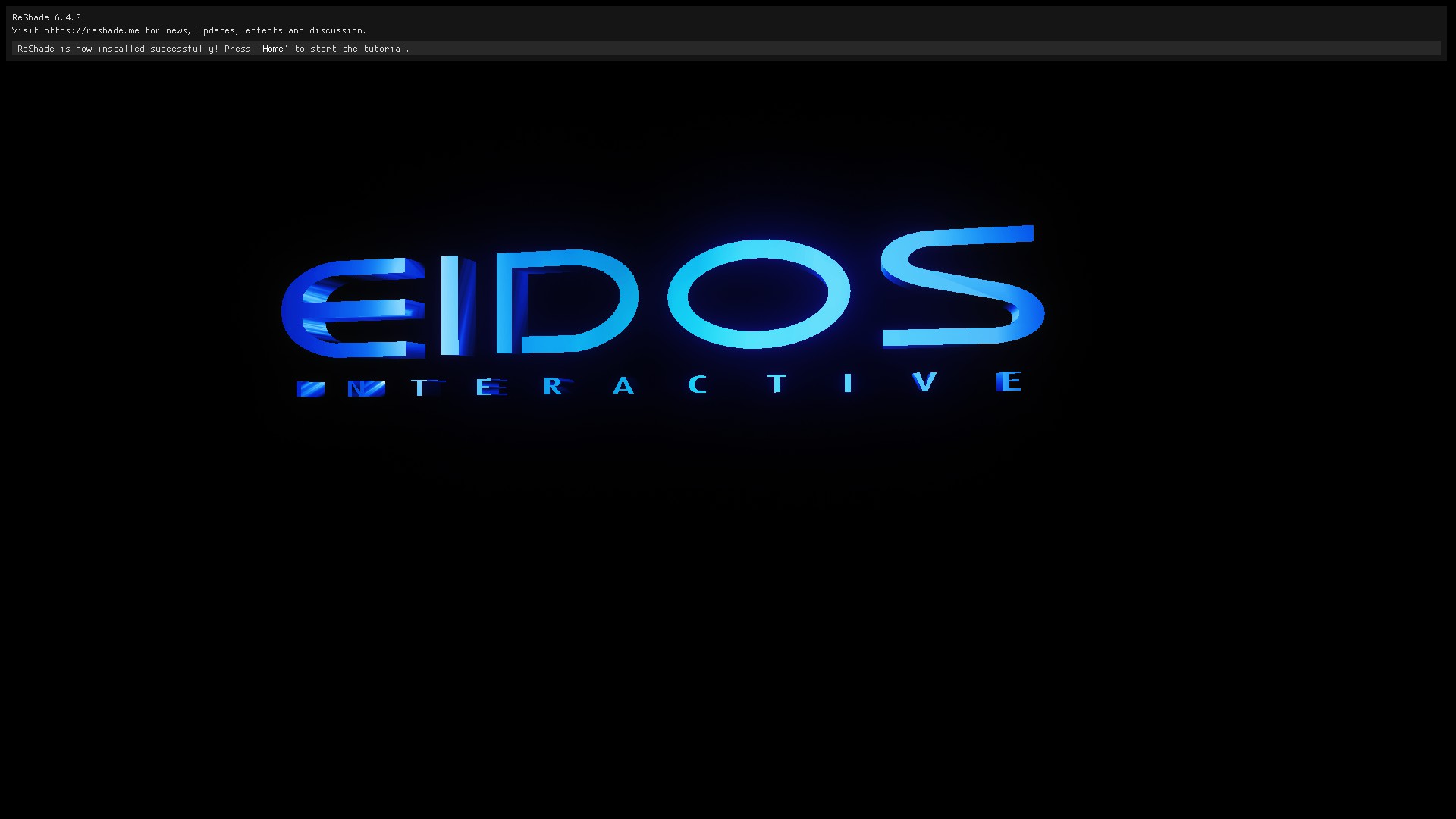 in-game make sure that Reshade was really installed in your game, if appears the message like equal in my screenshot then its 100% installed
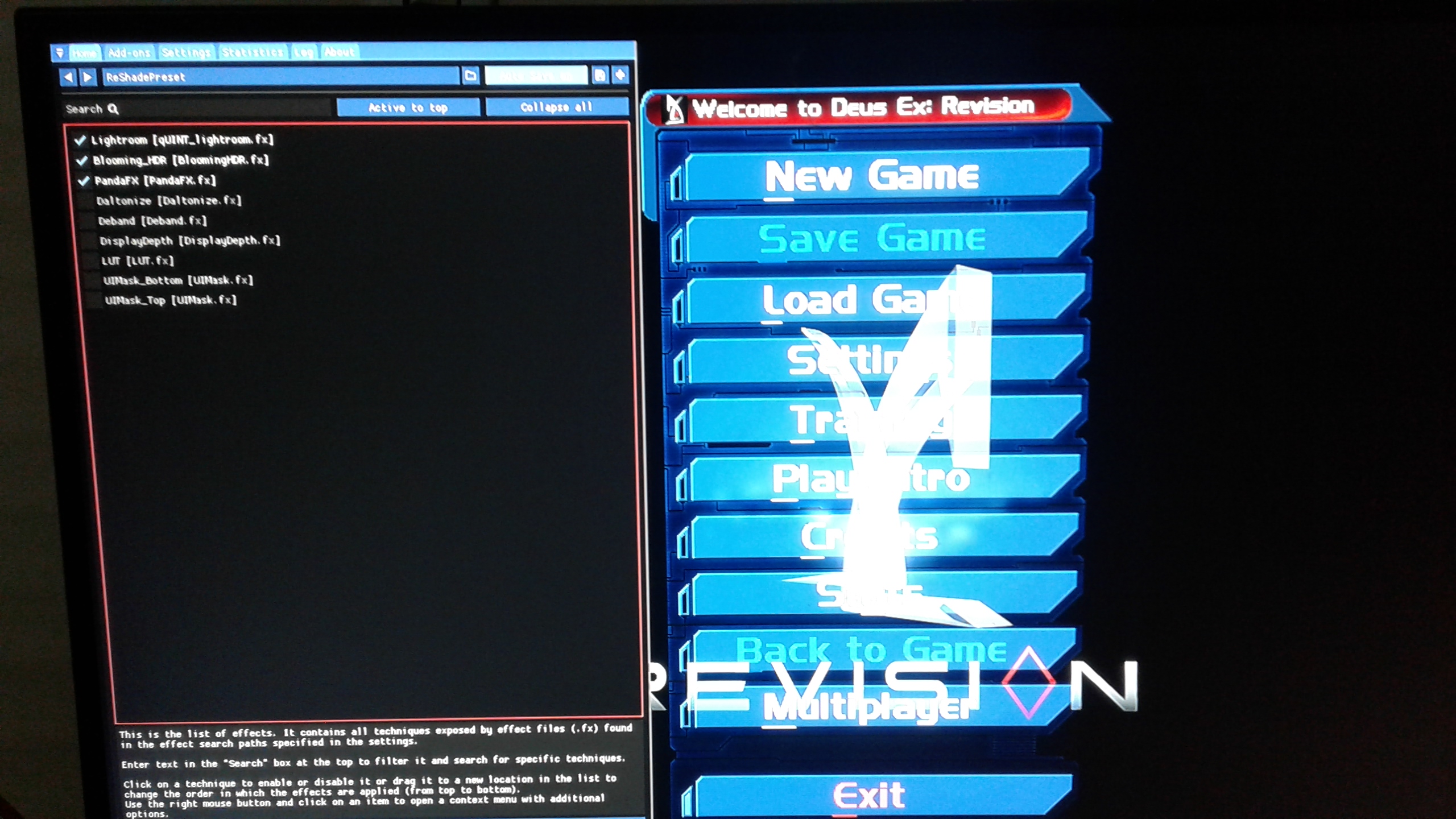 Also make sure to select the 3 options in-game for make lightning work, you can select more to test and see if brightness is fine to you for exemple
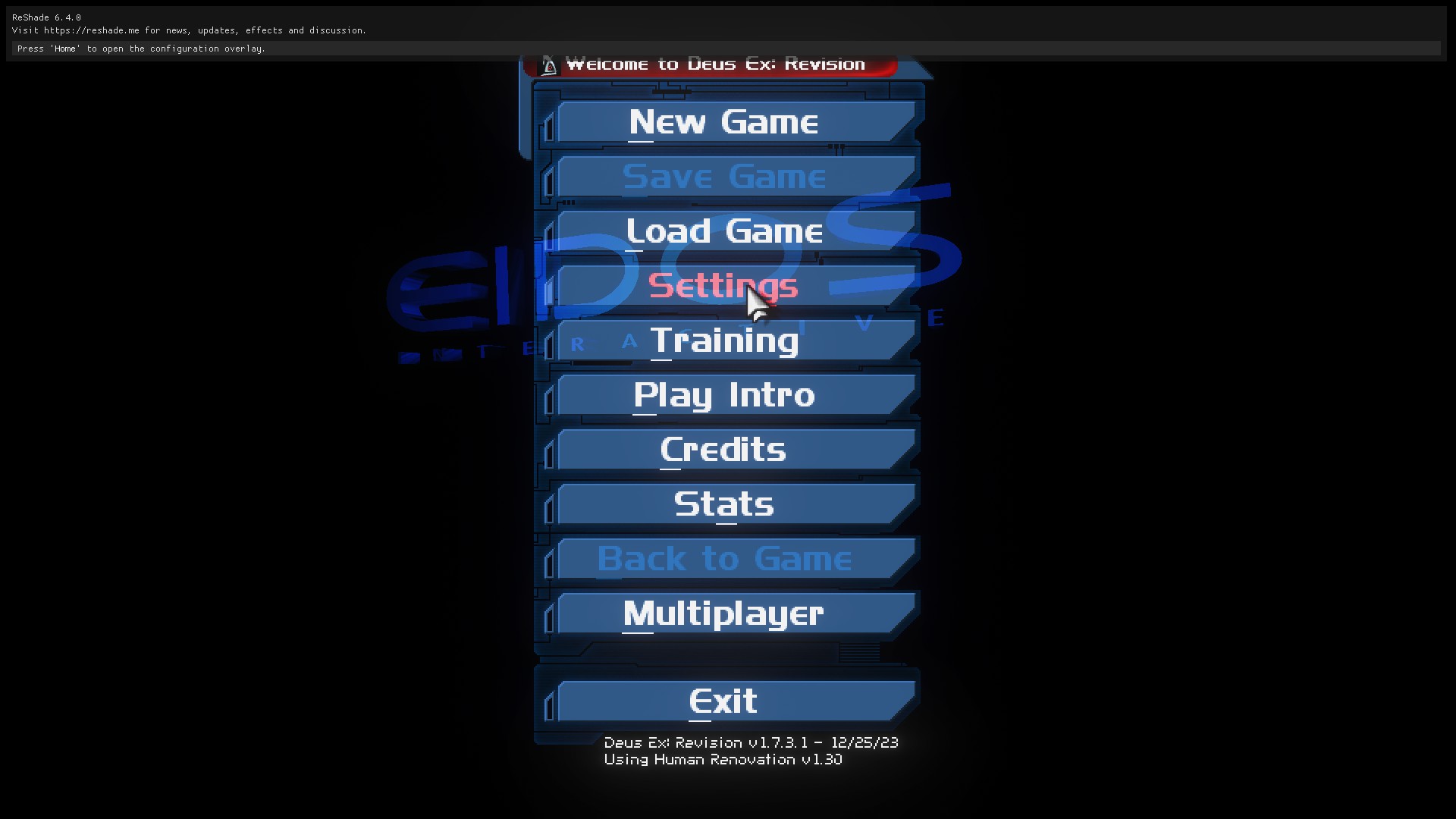
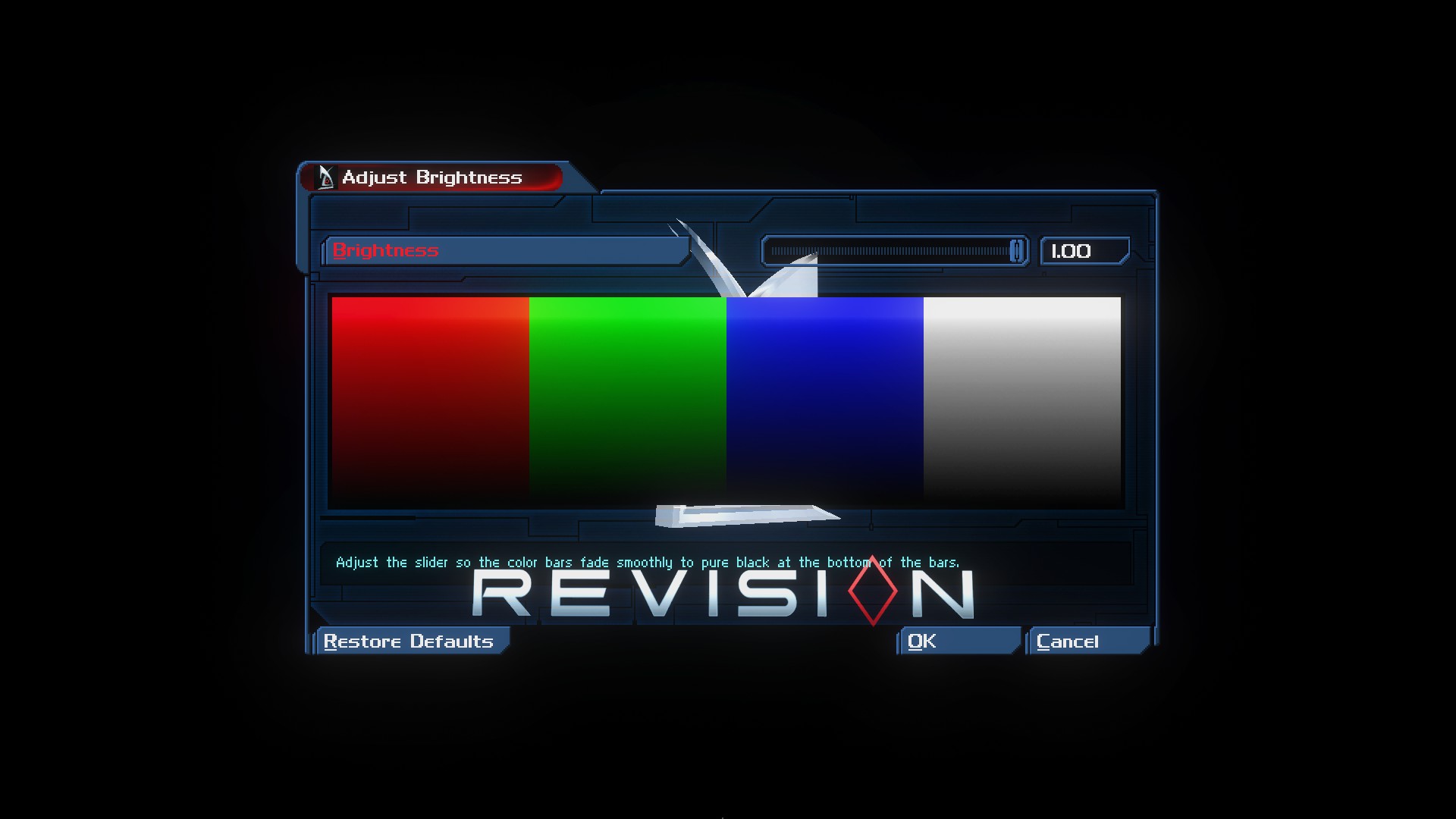
As well in-game again go to settings and select display option then found Brightness and put to maxium 1.00 or to some point that you think its fine enough to you, that's all for now.
For me the major problem it's poor brightness, maybe more problematic than the mechanics and physics of game
i highly recommend this Reshade mod https://www.nexusmods.com/deusex/mods/63
You will need otherwise you won't be able to see nothing, since the game is very dark and has no lightning at all for any reason
Before install the reshade mod you will need download this one https://reshade.me/
then you done
run the ReShade_Setup_6.4.0_Addon.exe
Select Revision if you are going to play the mod Revision or select Deus Ex if you are going to play the original verison Game of The Year Edition
Then select the renders, in start of this guide i recommend OpenGL but you can try Direct 9 or 10, though Direct 10 is bad optimized for both original game and maybe any mod, i recommend only OpenGL or Direct 9 so it's up to you, the reshade mod can work with both OpenGL as well any verison of Directx
Then next page click in Browse and ignore the additional effects
The only thing you need do is select ReShadePreset.ini
But please make sure you have put the file ReShadePrsent.ini inside of Deus Ex's system folder
it should be something like this one: F:\Arquivos de Programa\steamapps\common\Deus Ex\Revision\System
Again saying if you are going to play Revision or original Deus Ex
the original Deus Ex's folder should be something like this one: F:\Arquivos de Programa\steamapps\common\Deus Ex\System
On next page You can ignore the ''Select add-ones to install''
Successfully installed, you can enjoy with better lightning quality in the game.in-game make sure that Reshade was really installed in your game, if appears the message like equal in my screenshot then its 100% installedAlso make sure to select the 3 options in-game for make lightning work, you can select more to test and see if brightness is fine to you for exempleAs well in-game again go to settings and select display option then found Brightness and put to maxium 1.00 or to some point that you think its fine enough to you, that's all for now.
Monitor adjustment for Brightness & Saturation
Many Monitor Gamer (High Performance) or at last some nice regular quality have options such like GameVisual or similiar
at which can make a real difference in improve lightning quality of game
On my case i'd recommend you put Brightness in 100
Contrast in 100
Saturation in 100
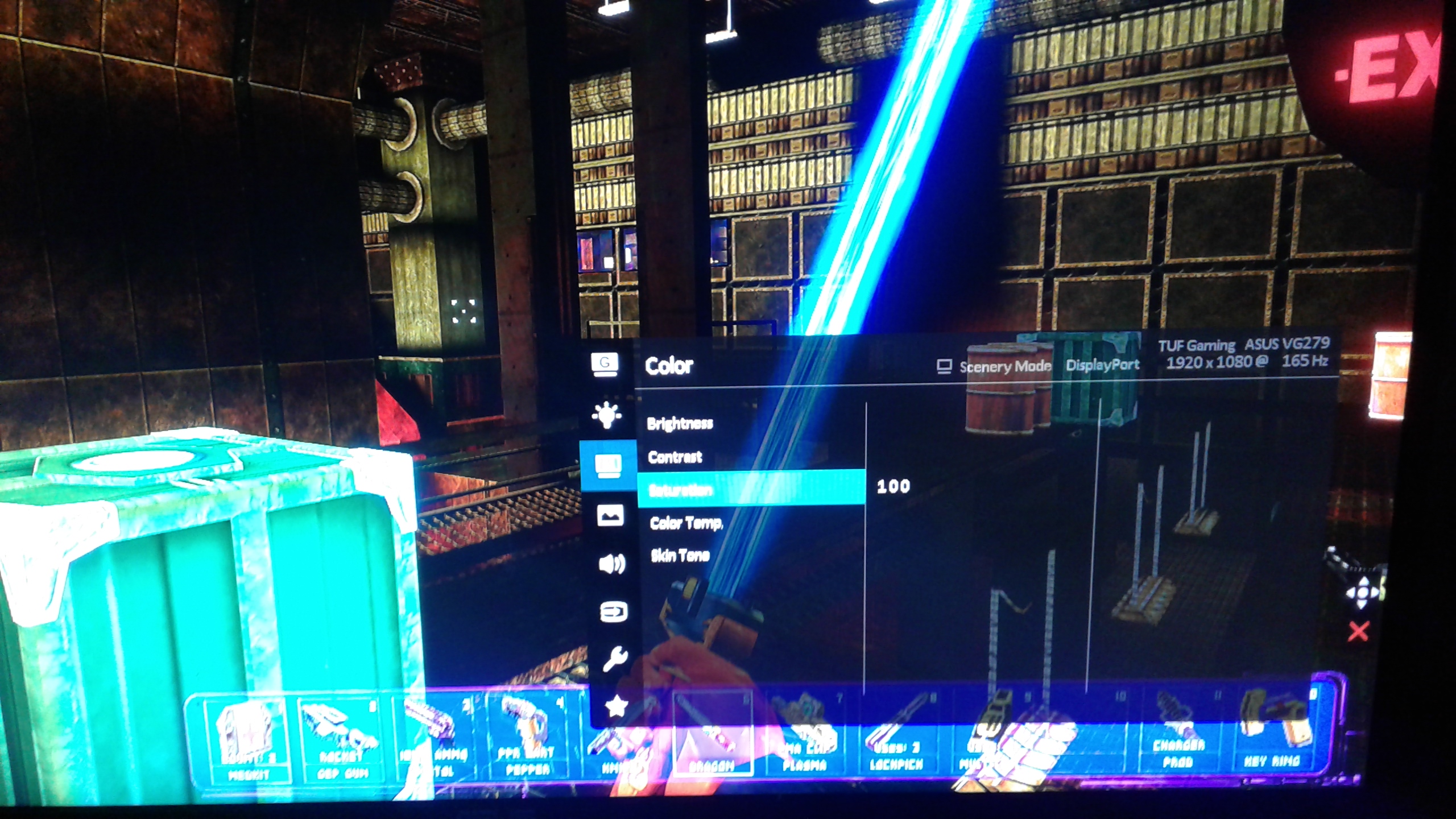
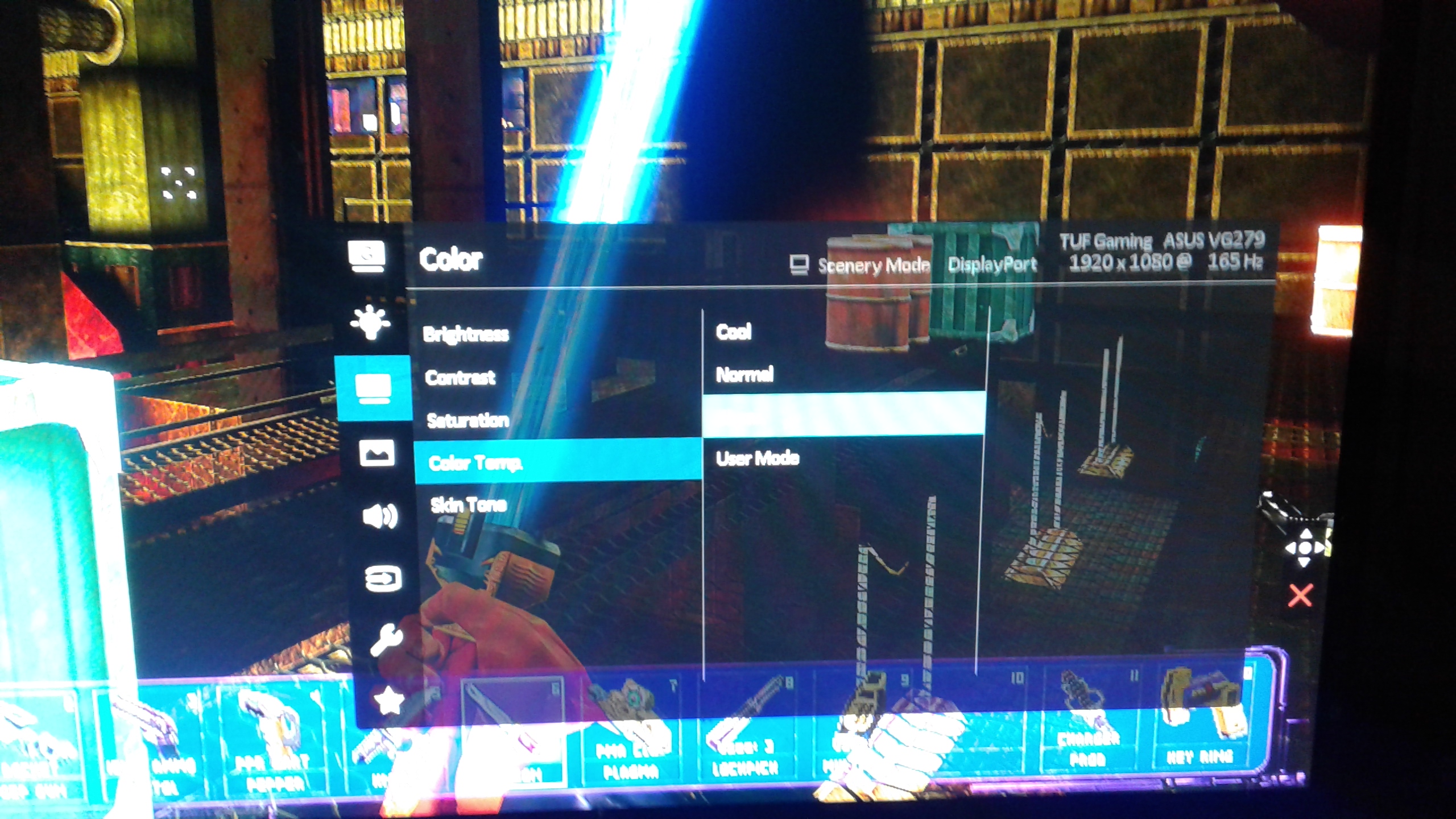
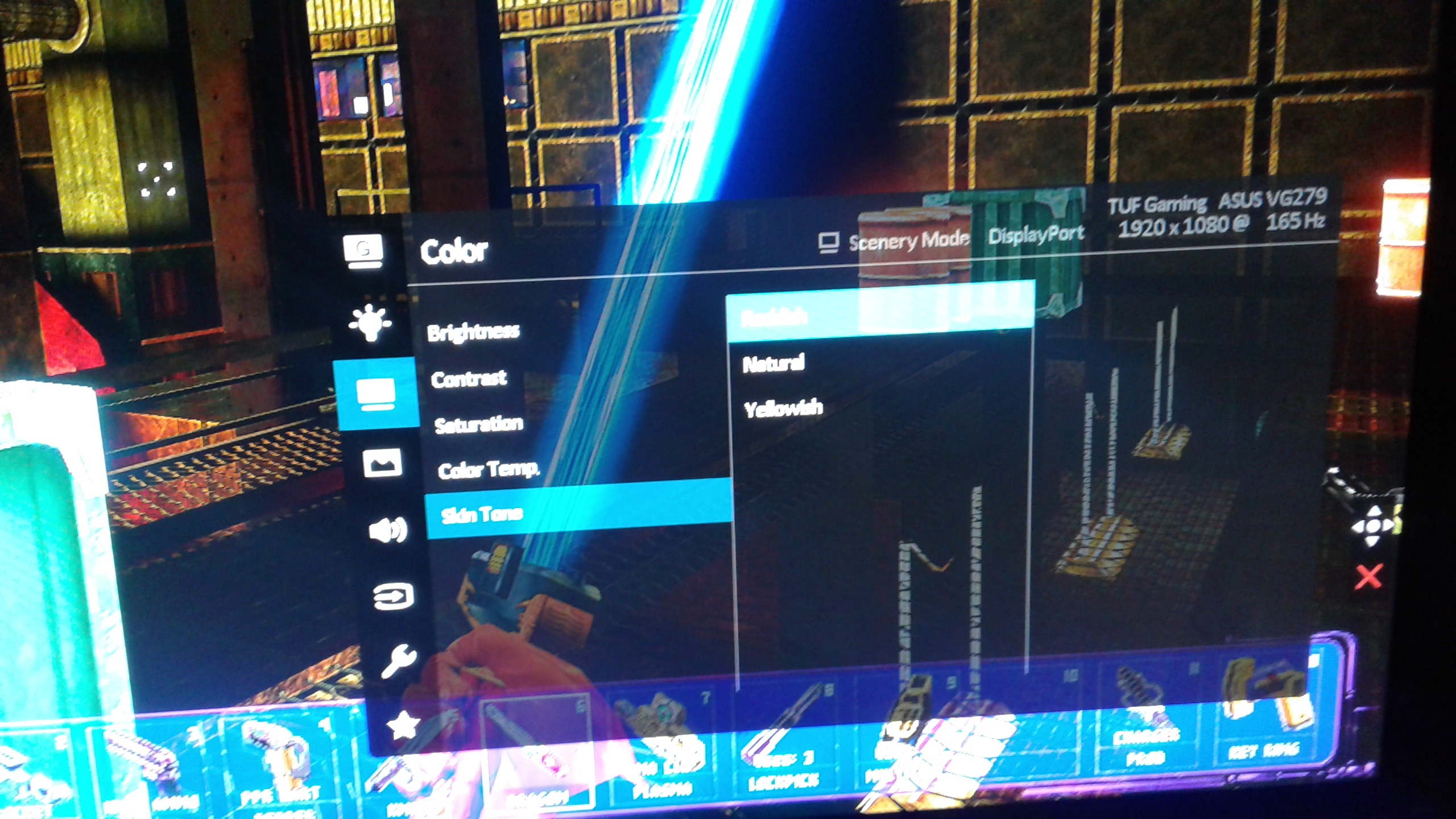
if your monitor have other option like ''skin tone''
Put the option to reddish
it's something to make it more red
But only do this if you think the lightning quality is not enough for you though.
on GameVisual
You can try some options for make lightning better and testing to see which's the best to you
1.Scenery Mode
2.Racing Mode
3:RTS/RPG Mode
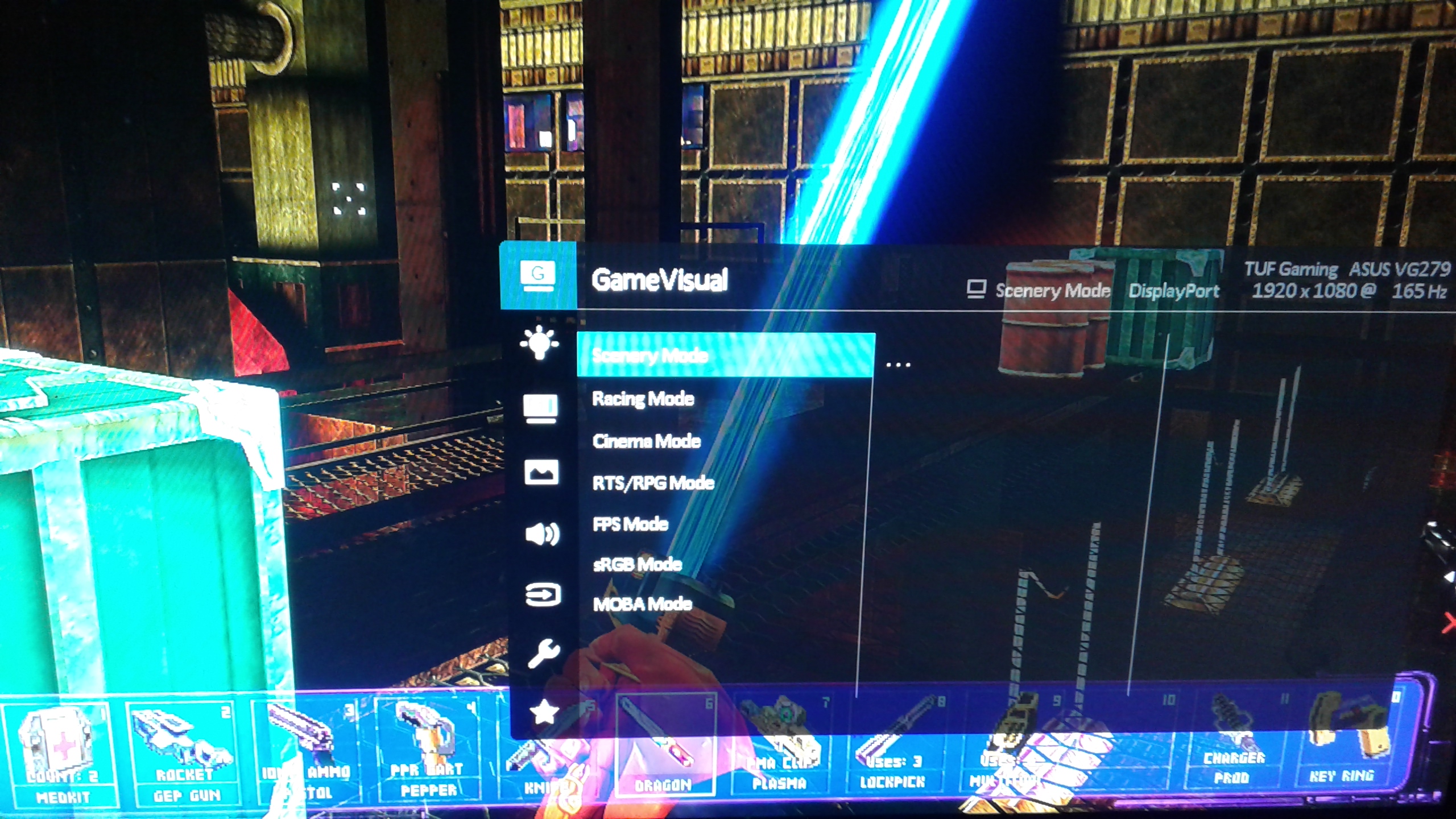
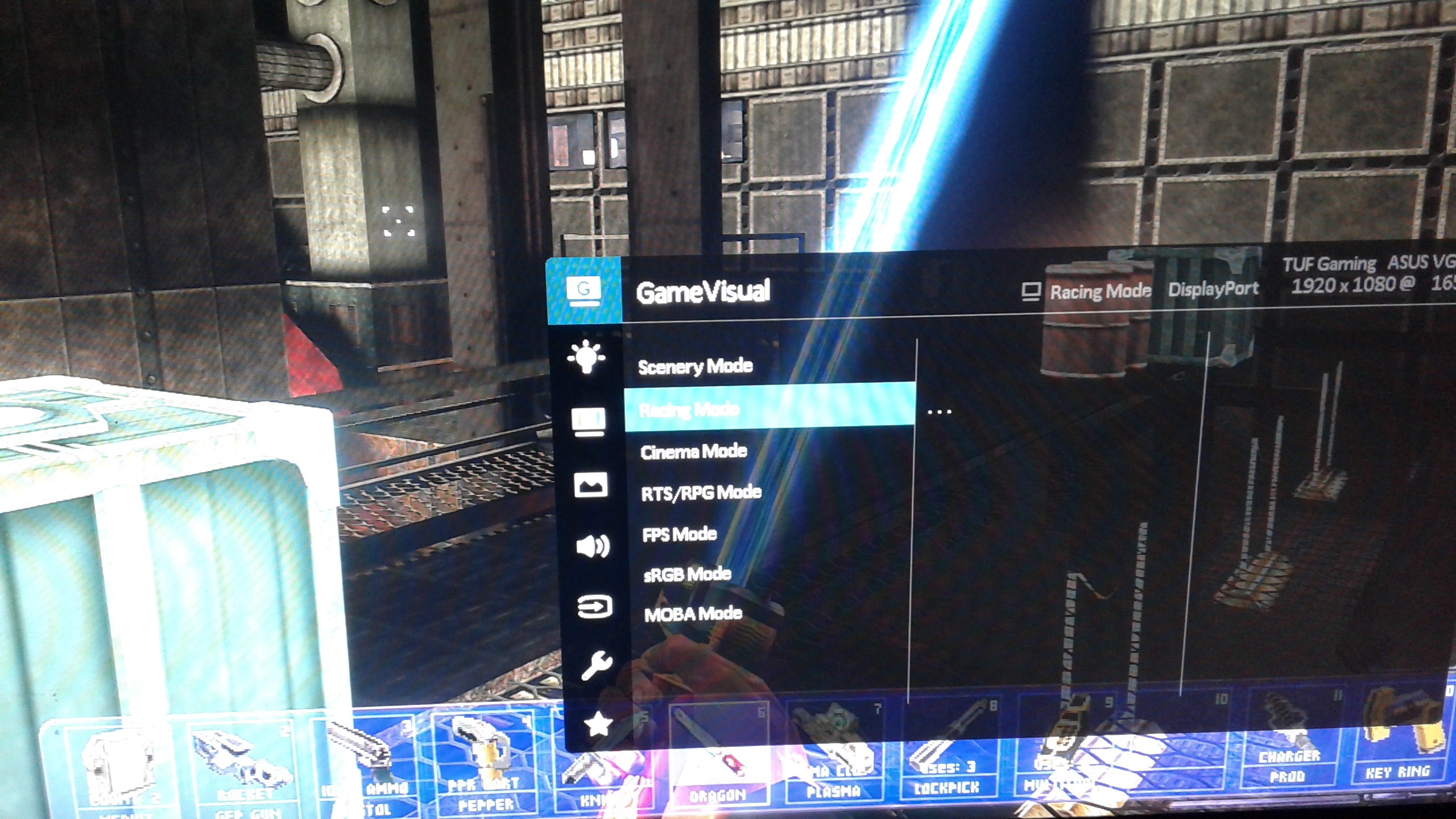
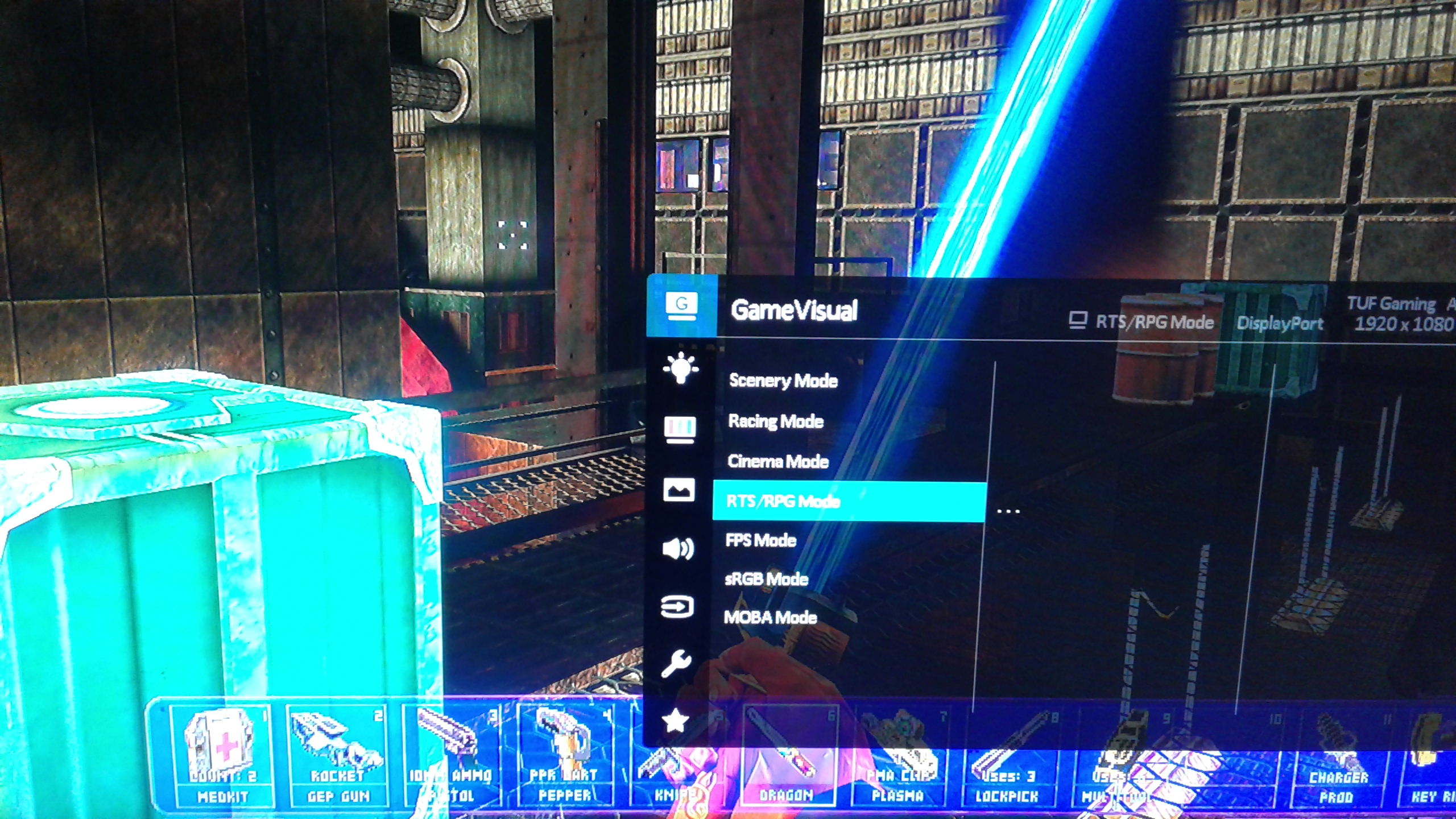
Those are 3 good options that i recommend for you put it in your monitor and see which suits you well with the improved lightning of your monitor.
at which can make a real difference in improve lightning quality of game
On my case i'd recommend you put Brightness in 100
Contrast in 100
Saturation in 100
if your monitor have other option like ''skin tone''
Put the option to reddish
it's something to make it more red
But only do this if you think the lightning quality is not enough for you though.
on GameVisual
You can try some options for make lightning better and testing to see which's the best to you
1.Scenery Mode
2.Racing Mode
3:RTS/RPG Mode
Those are 3 good options that i recommend for you put it in your monitor and see which suits you well with the improved lightning of your monitor.
Performance boost - Enabling Precache
i do believe enabling precache may give you some performance boost in the game, even having a bit difference, let's try out and just to help not have stuttering in the game.
Go to Revision's folder system F:\Arquivos de Programa\steamapps\common\Deus Ex\Revision\System
if you are usind Revision mod
or Deus Ex original game's folder F:\Arquivos de Programa\steamapps\common\Deus Ex\System
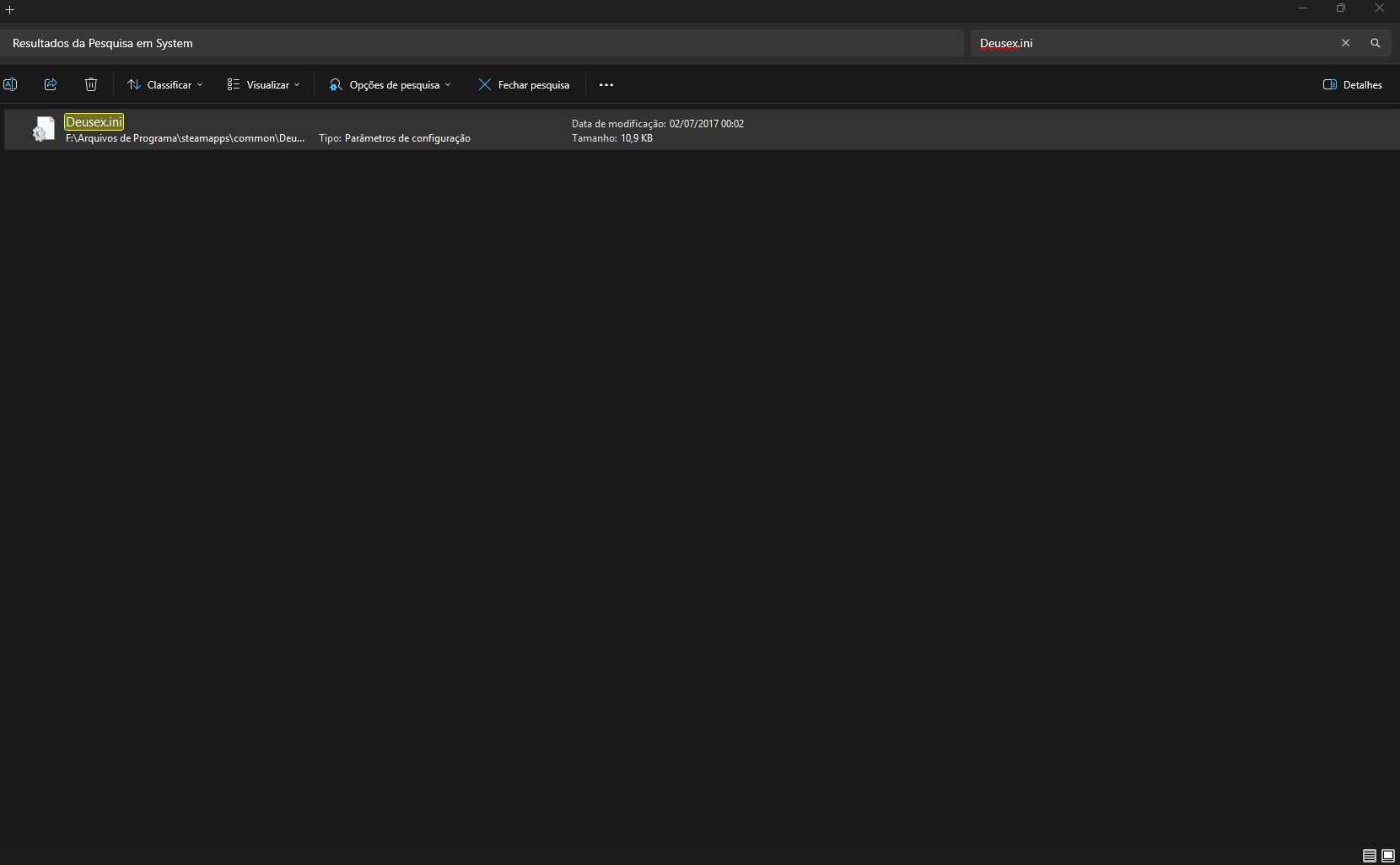
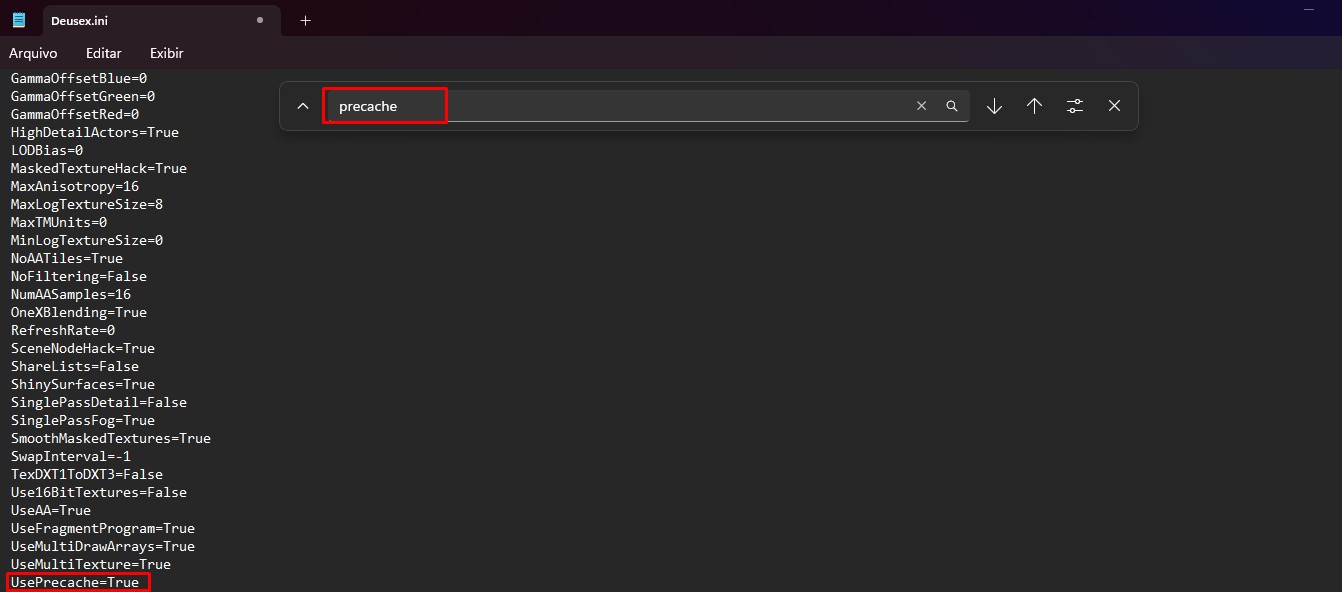
Search & Found DeusEx.ini then open in notepad
CTRL + F
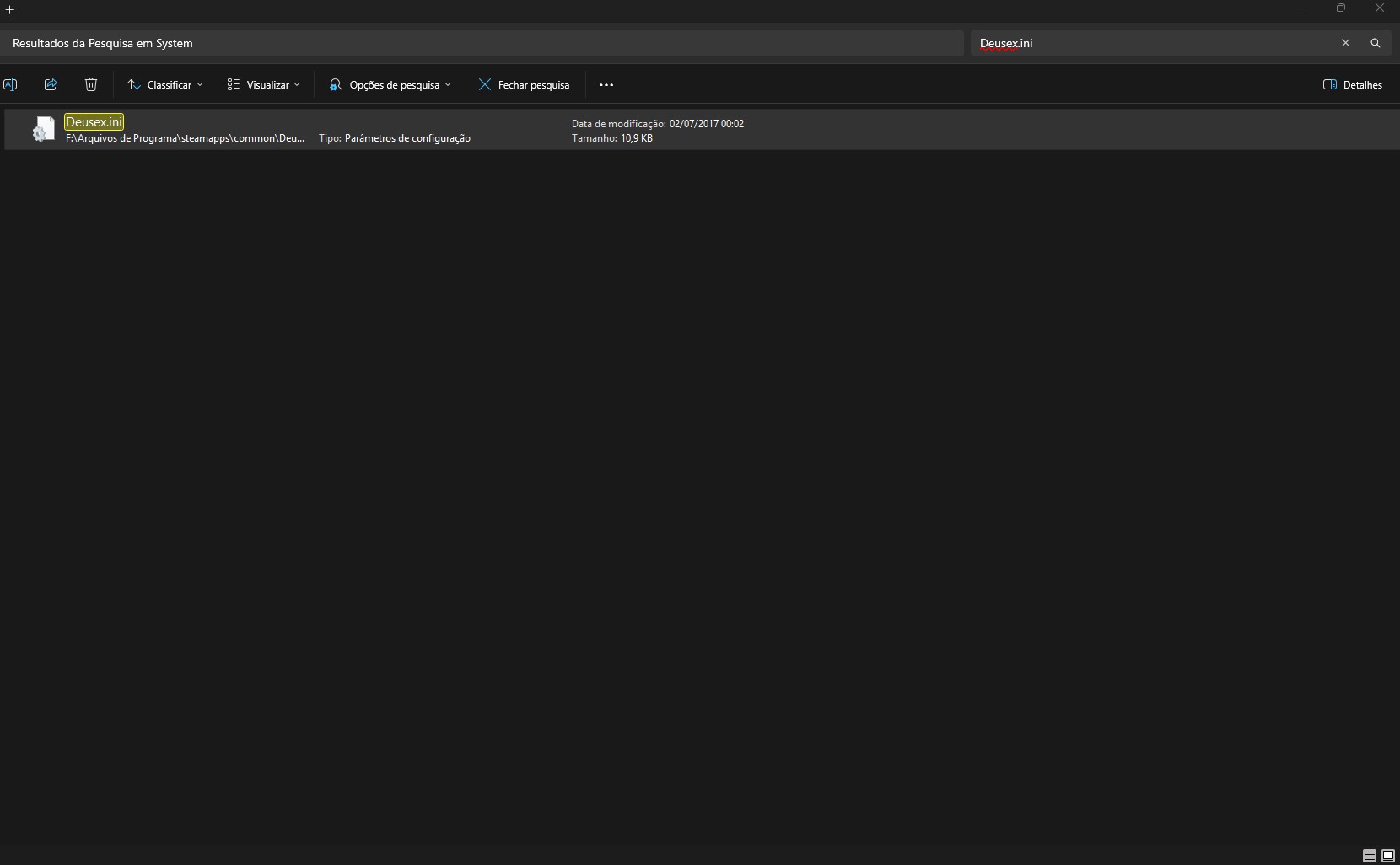
Change UsePrecache to True
UsePrecache=True
as well do for UseVideoMemoryVB
UseVideoMemoryVB=True
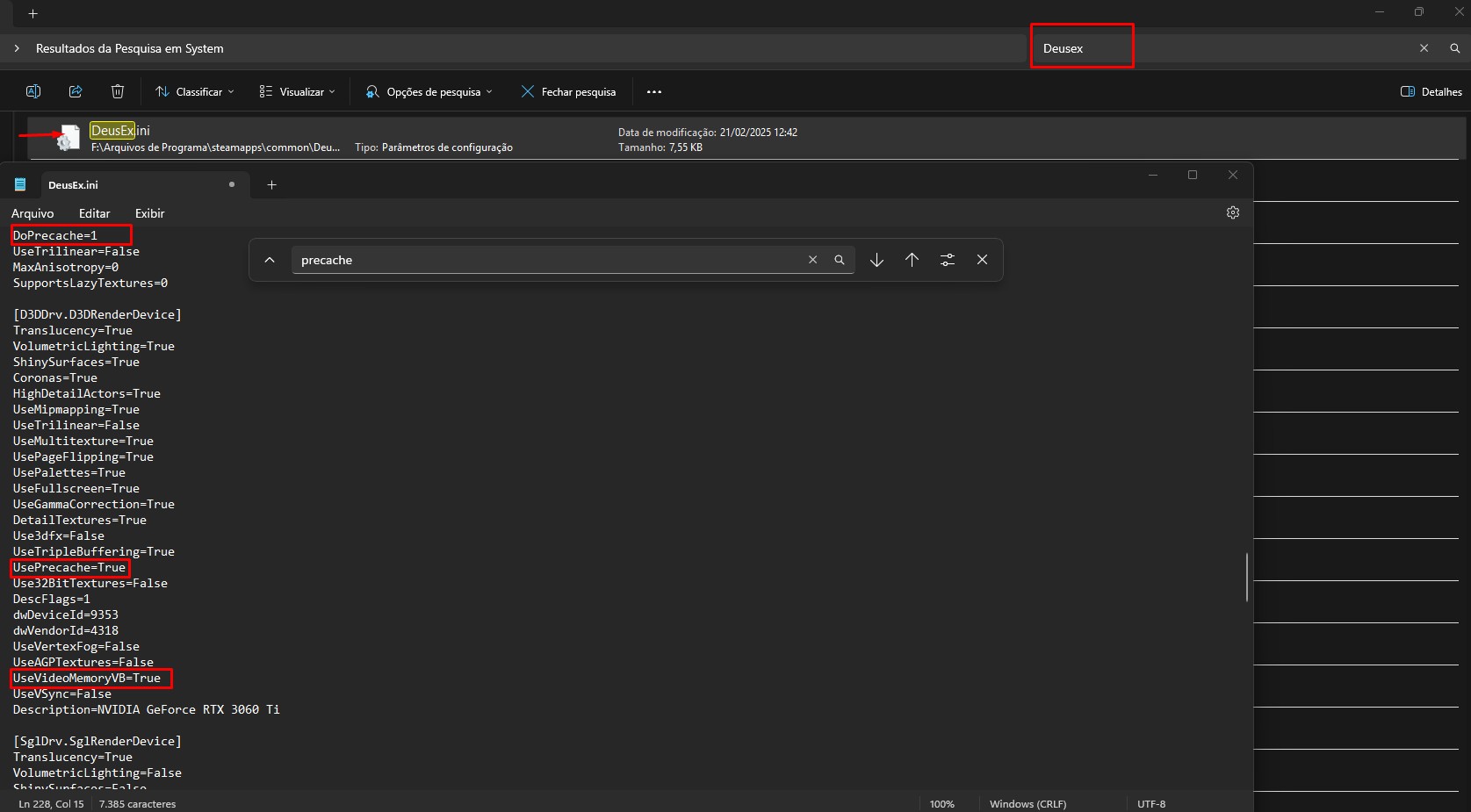
in the original Deus Ex put DePrecache to 1 as well UsePrecache to true
DePrecache=1
UsePrecache=True
Go to Revision's folder system F:\Arquivos de Programa\steamapps\common\Deus Ex\Revision\System
if you are usind Revision mod
or Deus Ex original game's folder F:\Arquivos de Programa\steamapps\common\Deus Ex\System
Search & Found DeusEx.ini then open in notepad
CTRL + F
Change UsePrecache to True
UsePrecache=True
as well do for UseVideoMemoryVB
UseVideoMemoryVB=True
in the original Deus Ex put DePrecache to 1 as well UsePrecache to true
DePrecache=1
UsePrecache=True
Original Vanilla but improved lightning quality
if you prefer play the original Deus Ex but with improved quality be they graphics or free bugs and without any problem
Following the part ''improve & Fix Brightness issue'' of this guide at which i already explain, will only explain that you should put ReShadePreset.ini on Deus Ex's system folder
Reshade mod: https://www.nexusmods.com/deusex/mods/63
One file for fix bugs and improve the stability in the game - Engine.dll (Deus Ex Goty and Revision Engine fixes)
https://www.nexusmods.com/deusex/mods/65 (already explicated on first part of guide)
>Just copy Engine.dll and put it on folder F:\Arquivos de Programa\steamapps\common\Deus Ex\System
------------------------------------------------------
Now about the reshade mod, make sure for install/use Reshade before use the reshade mod otherwise it won't work
https://reshade.me/
Since the light of original game is very weak and sometimes bugged
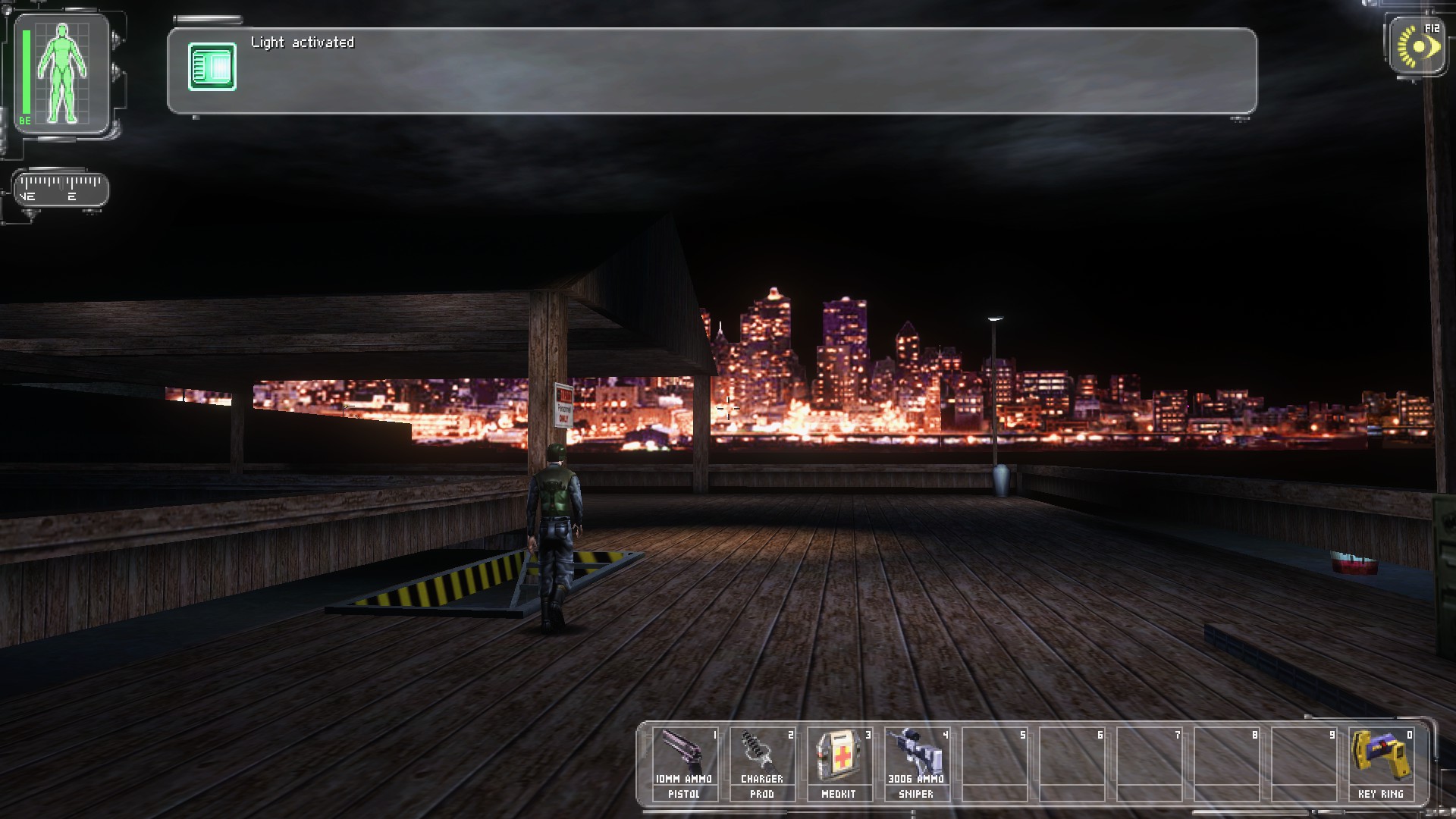
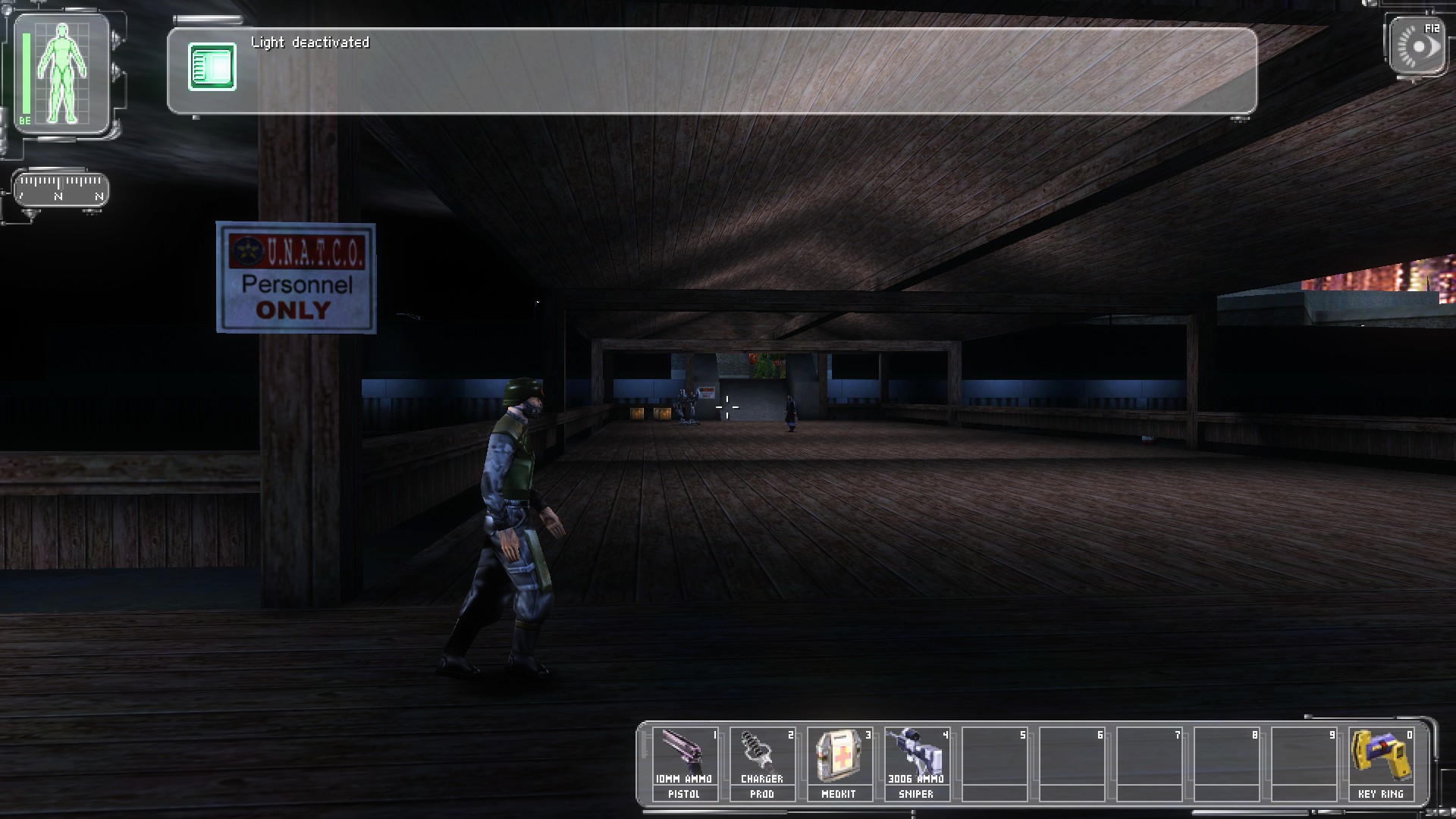
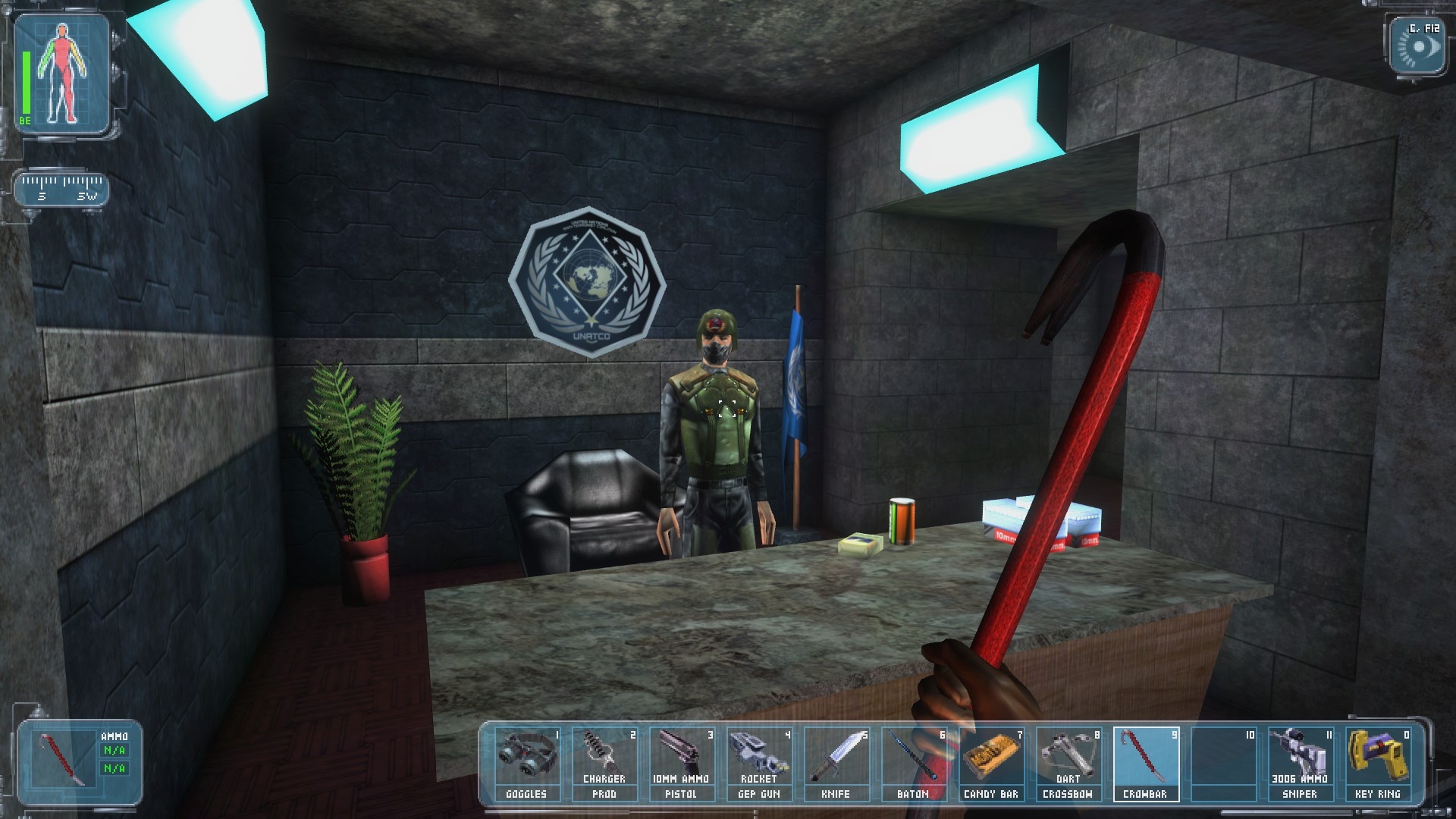
Screenshots of Original Deus Ex running only with Reshade mod at 200 fps
Following the part ''improve & Fix Brightness issue'' of this guide at which i already explain, will only explain that you should put ReShadePreset.ini on Deus Ex's system folder
Reshade mod: https://www.nexusmods.com/deusex/mods/63
One file for fix bugs and improve the stability in the game - Engine.dll (Deus Ex Goty and Revision Engine fixes)
https://www.nexusmods.com/deusex/mods/65 (already explicated on first part of guide)
>Just copy Engine.dll and put it on folder F:\Arquivos de Programa\steamapps\common\Deus Ex\System
------------------------------------------------------
Now about the reshade mod, make sure for install/use Reshade before use the reshade mod otherwise it won't work
https://reshade.me/
Since the light of original game is very weak and sometimes bugged
Screenshots of Original Deus Ex running only with Reshade mod at 200 fps
High HD Quality textures
The Deus Ex Revision for exemple already have mod pack skins at which you can install they, doing that they will replace the original vanilla models for better quality models at which its called HDTP that includes New Vision (High Quality Textures/HDTP)
if you want to play with new models in high quality then go to game's settings
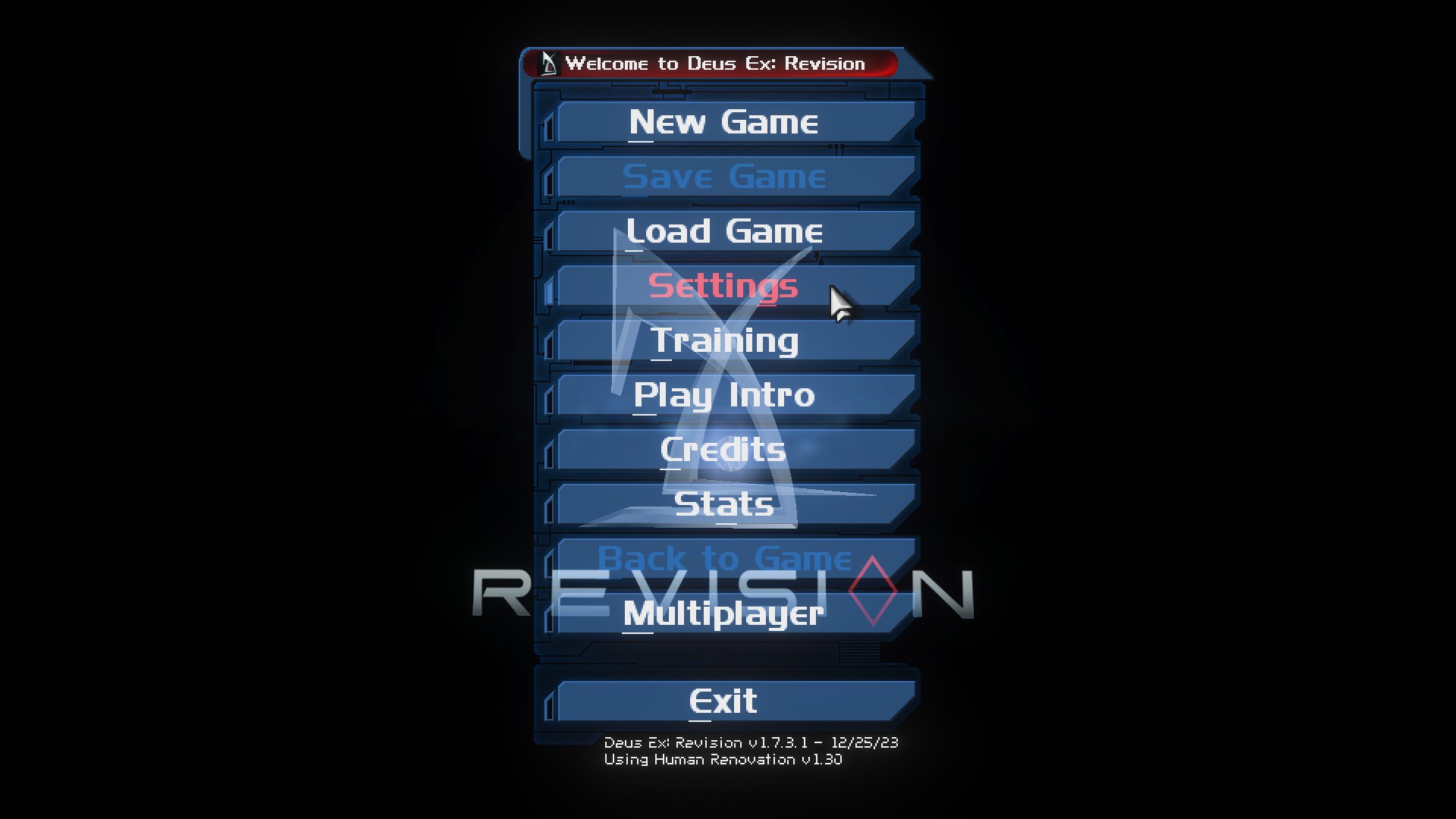
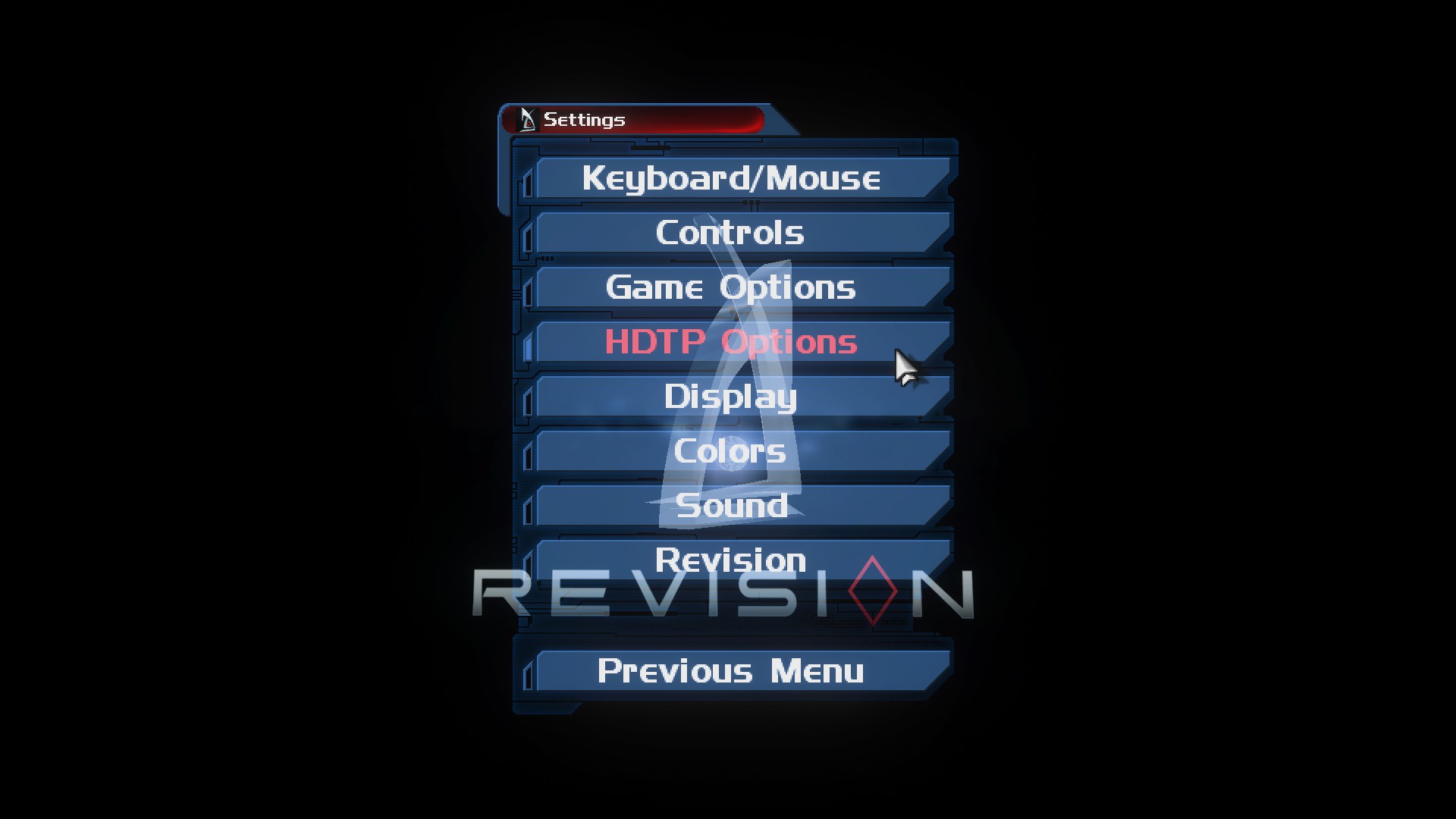
Click in HDTP Options then click in Global and select All
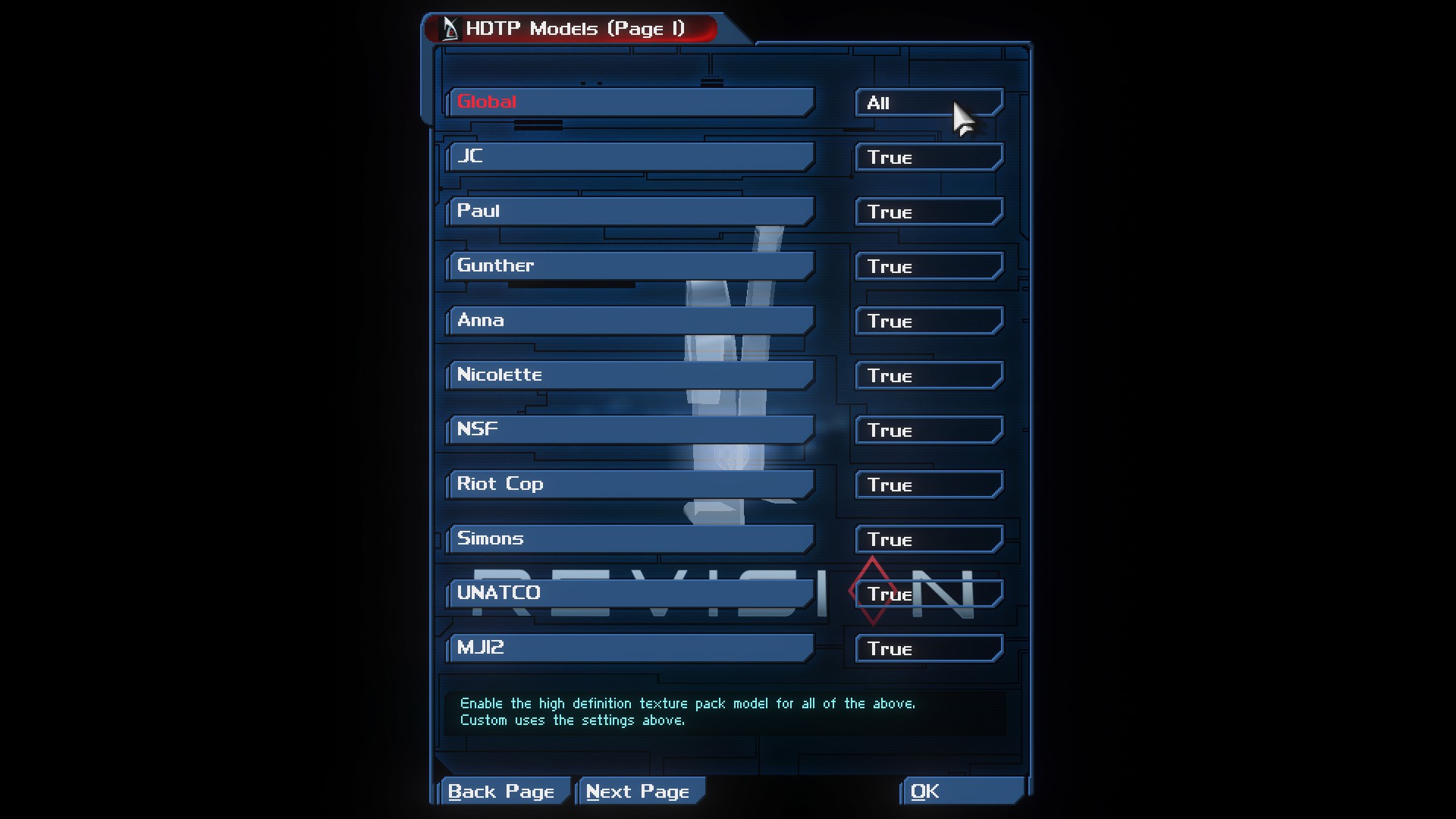
This will enable the high quality textures to be used in the game, replacing the vanilla one
unless if you dont want that and want to play with original/vanilla then you dont need do that, and it's disable by default.
if you want to play with new models in high quality then go to game's settings
Click in HDTP Options then click in Global and select All
This will enable the high quality textures to be used in the game, replacing the vanilla one
unless if you dont want that and want to play with original/vanilla then you dont need do that, and it's disable by default.
Which mods are the best?
it depends which mods you will need and get interested in use for this great game
On my honest opinion i recommend Deus Ex Revision because it's more easy to use and fast choose Render to OpenGL or Direct 9, though the only minor problem is that mod is not much optimized.
Some other mods may be optimized, others may be for vanilla pure but with HD Textures
Those are 4 mods to compare at moment
1.Deus Ex Revision
https://store.steampowered.com/app/397550/Deus_Ex_Revision/
2.GMDX https://www.moddb.com/mods/gmdx
3.Kentie's launcher https://kentie.net/article/dxguide/
4.Deus Ex: Transcended https://www.moddb.com/mods/deus-ex-transcended
On end page of this guide, there will be comparisons of 4 mods so it's up to you see which will suit better for yourself in the game.
On my honest opinion i recommend Deus Ex Revision because it's more easy to use and fast choose Render to OpenGL or Direct 9, though the only minor problem is that mod is not much optimized.
Some other mods may be optimized, others may be for vanilla pure but with HD Textures
Those are 4 mods to compare at moment
1.Deus Ex Revision
https://store.steampowered.com/app/397550/Deus_Ex_Revision/
2.GMDX https://www.moddb.com/mods/gmdx
3.Kentie's launcher https://kentie.net/article/dxguide/
4.Deus Ex: Transcended https://www.moddb.com/mods/deus-ex-transcended
On end page of this guide, there will be comparisons of 4 mods so it's up to you see which will suit better for yourself in the game.
1080p Vanilla Pure totally Original
if you want to play original Deus Ex but want to play in 1080p as well without any mod, nor reshade mod or something
You can edit DeusEx.ini and change to 1080p
go to Deus Ex's folder F:\Arquivos de Programa\steamapps\common\Deus Ex\System
Search & Open DeusEx.ini as notepad and
press CTRL + F
it should be something like this one:
You just change they to 1920 and 1080
just copy and paste that
WindowedViewportX=1920
WindowedViewportY=1080
WindowedColorBits=32
FullscreenViewportX=1920
FullscreenViewportY=1080
FullscreenColorBits=32
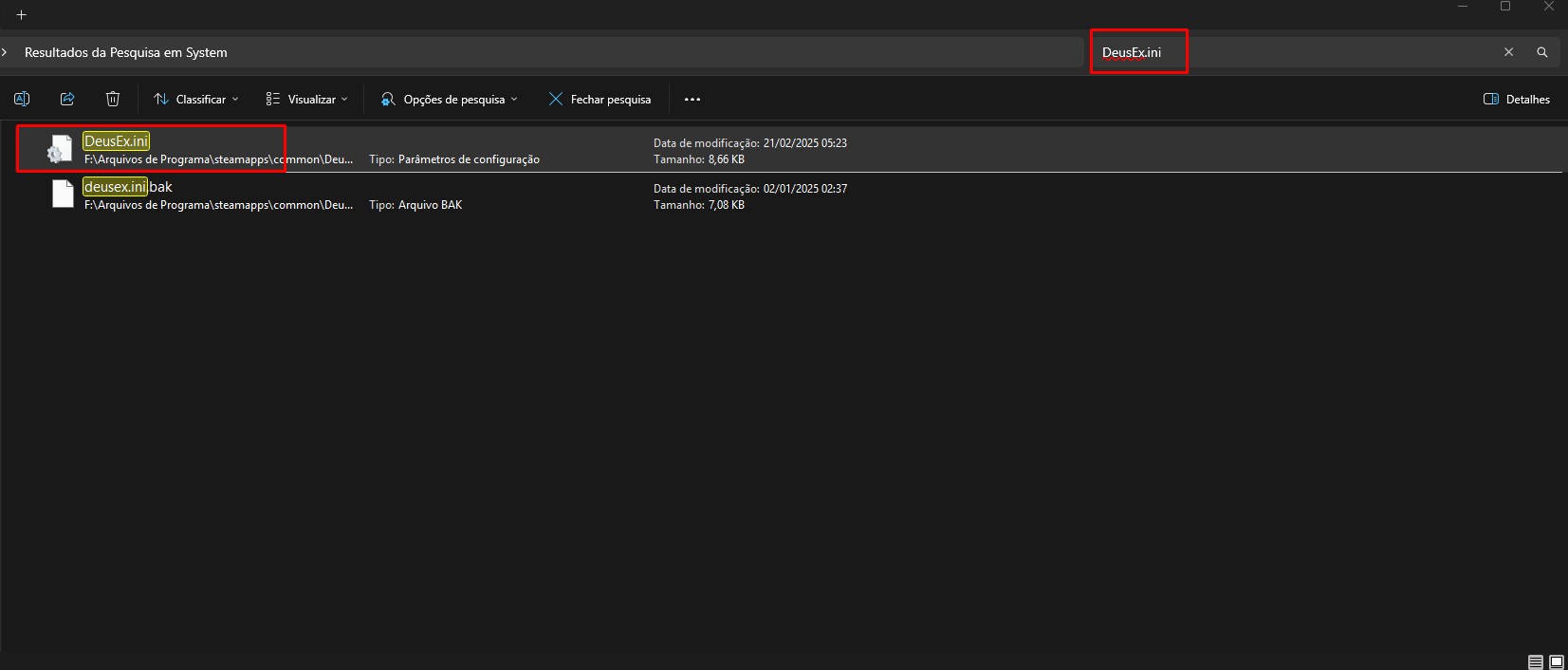
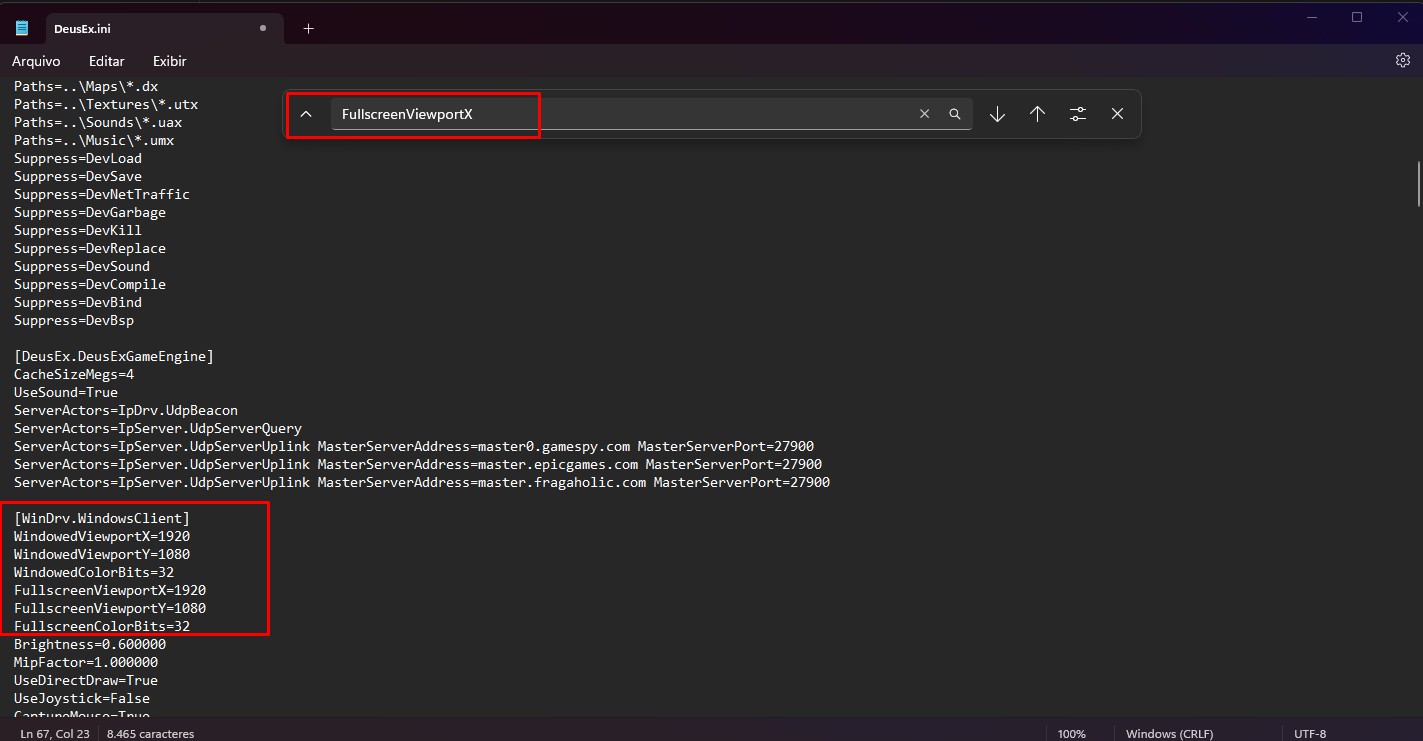
i'd recommend enable colorbits to 32 for complete colors light in the game
then click in save it and done, the game runs great in 1080p now
Other option would be Kentie Launcher at which you can select part from that in my guide for proper explication.
You can edit DeusEx.ini and change to 1080p
go to Deus Ex's folder F:\Arquivos de Programa\steamapps\common\Deus Ex\System
Search & Open DeusEx.ini as notepad and
press CTRL + F
it should be something like this one:
You just change they to 1920 and 1080
just copy and paste that
WindowedViewportX=1920
WindowedViewportY=1080
WindowedColorBits=32
FullscreenViewportX=1920
FullscreenViewportY=1080
FullscreenColorBits=32
i'd recommend enable colorbits to 32 for complete colors light in the game
then click in save it and done, the game runs great in 1080p now
Other option would be Kentie Launcher at which you can select part from that in my guide for proper explication.
GMDX
Using GMDX as mod for test the game out
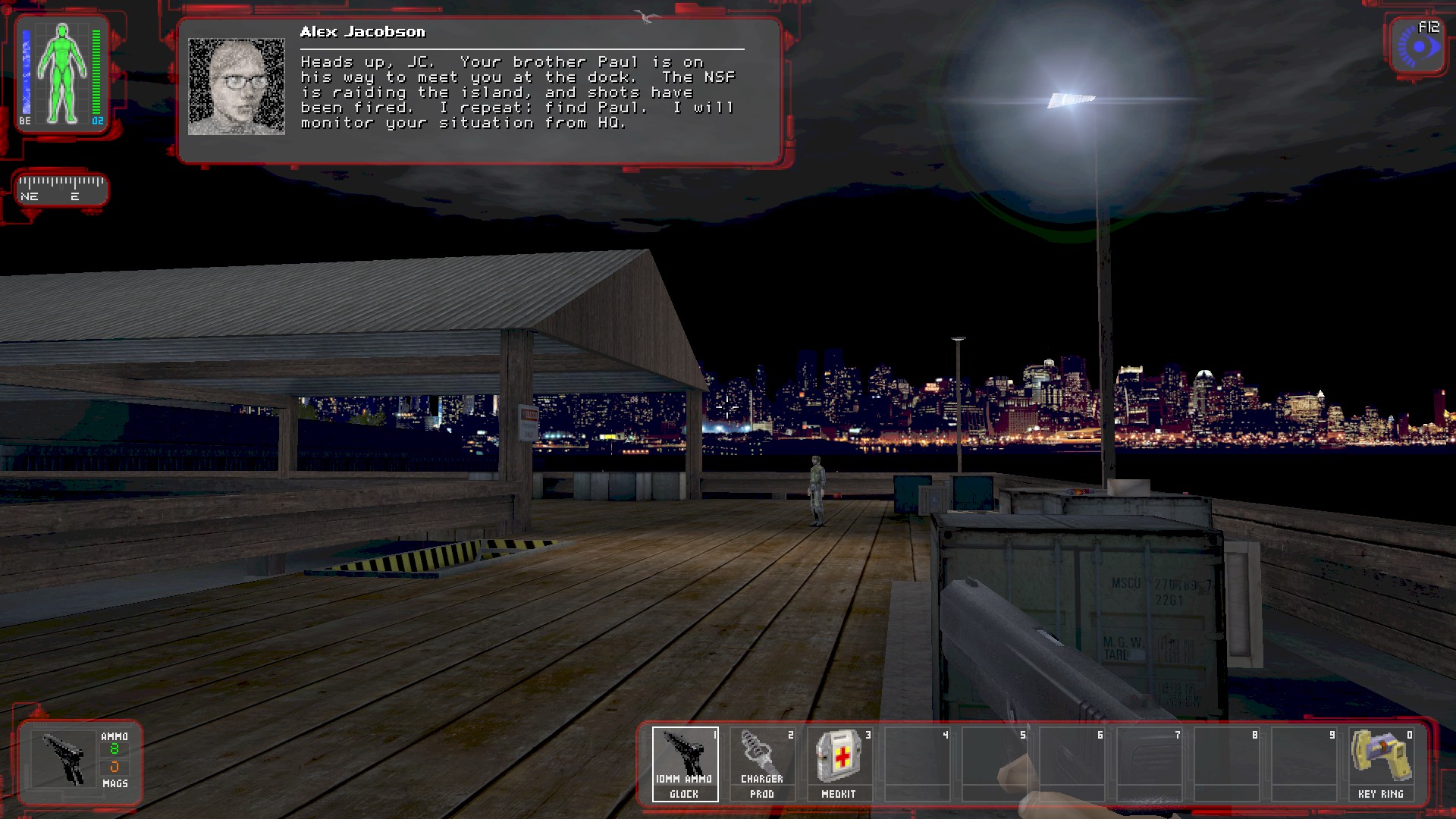
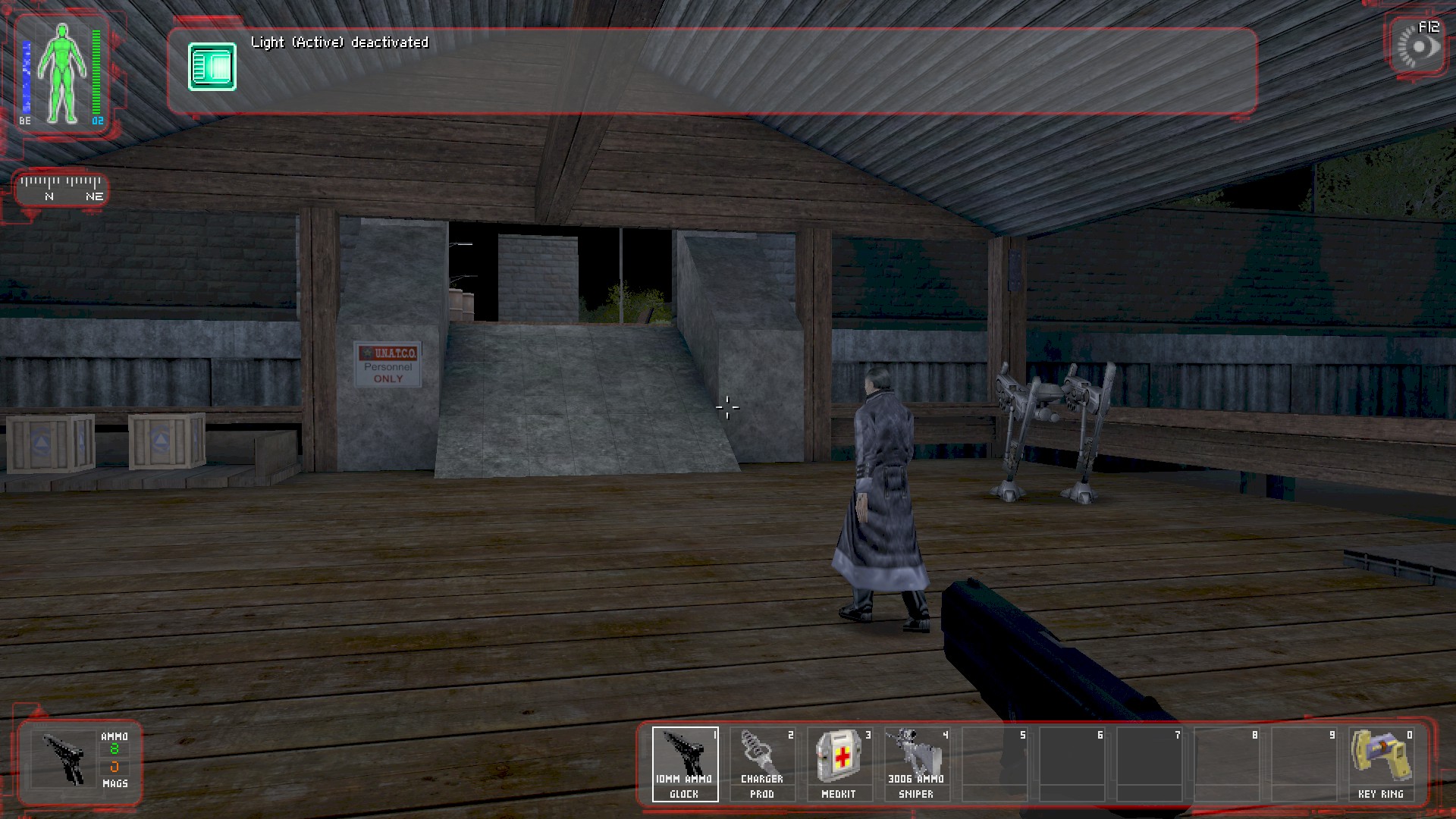
i think some interesting things about this mod, is that some places are different and the lightning quality is kinda better but not enough for me, for any reason it look worst for me but i just adjust my monitor to other option and then the lightning was going better, to you may be different, i'm not sure
On screenshot taken you can note it's in good quality of light but it was not totally perfect for me in monitor real life, at which it's just werid, i feel maybe this happened because i was trying run the GMDX launcher from Steam but most not work well than go just to old Deus Ex folder that i had configured a time ago
You normally run/play GMDX launcher separated from Steam, that means you dont need use Steam or have a Steam account to play it lol
i was trying use Steam for take some screenshots and post here, so here it goes for the comparison, since the Windows cannot capture screenshot or i dont have any option at moment
i had like 200+ fps in this mod, so i feel it's problaby more optimized than Revision
in-game menu and settings
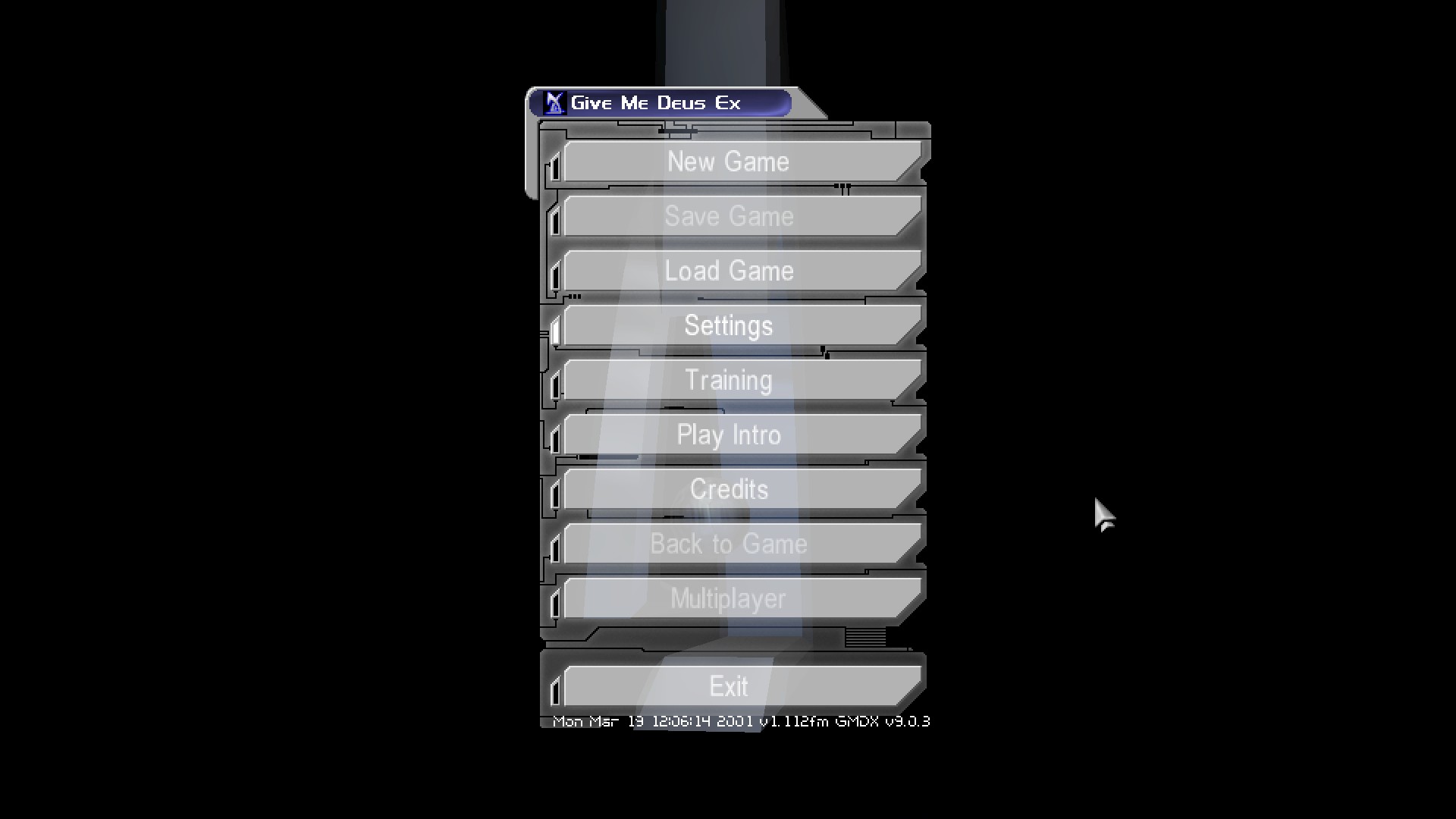
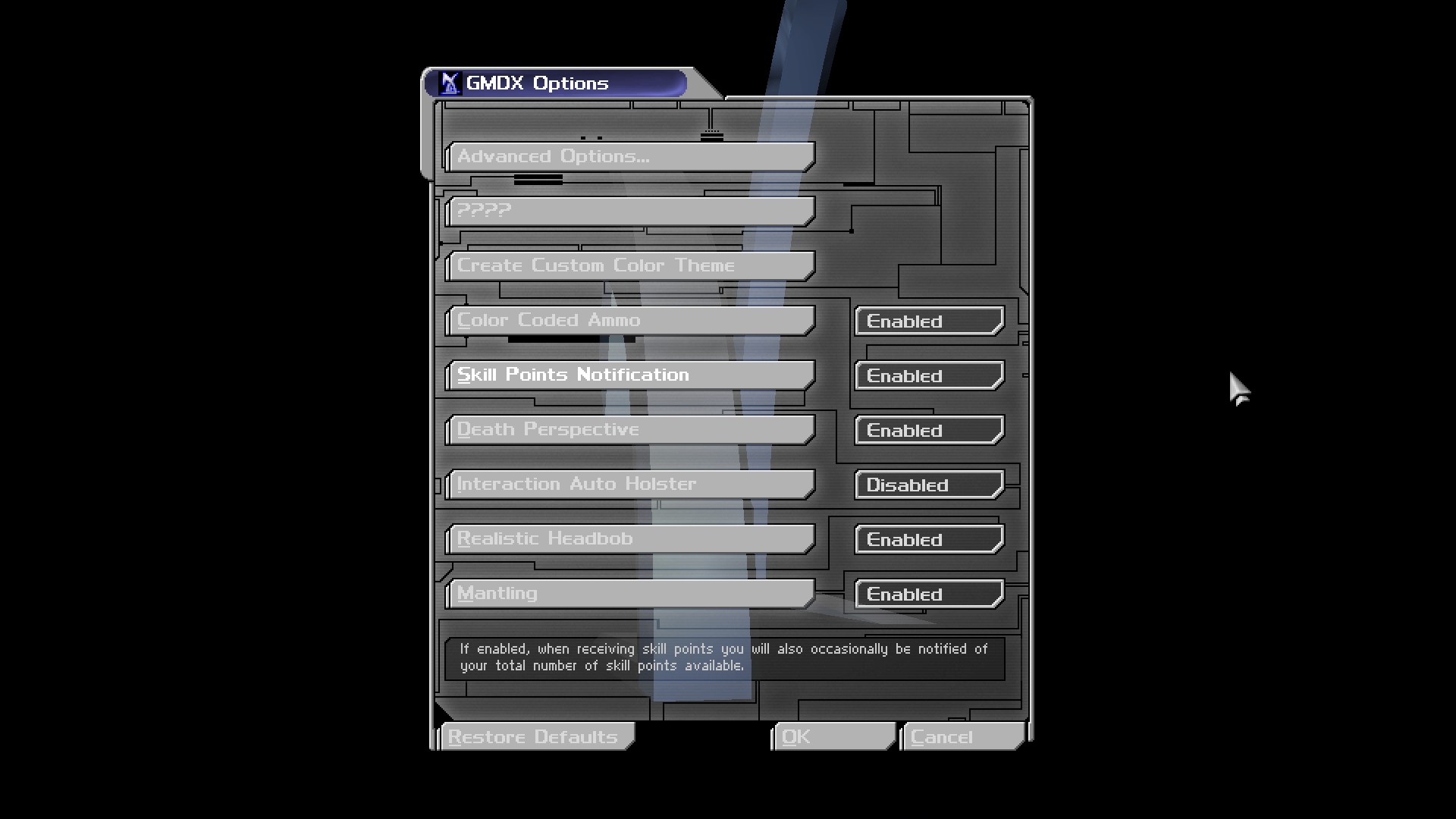
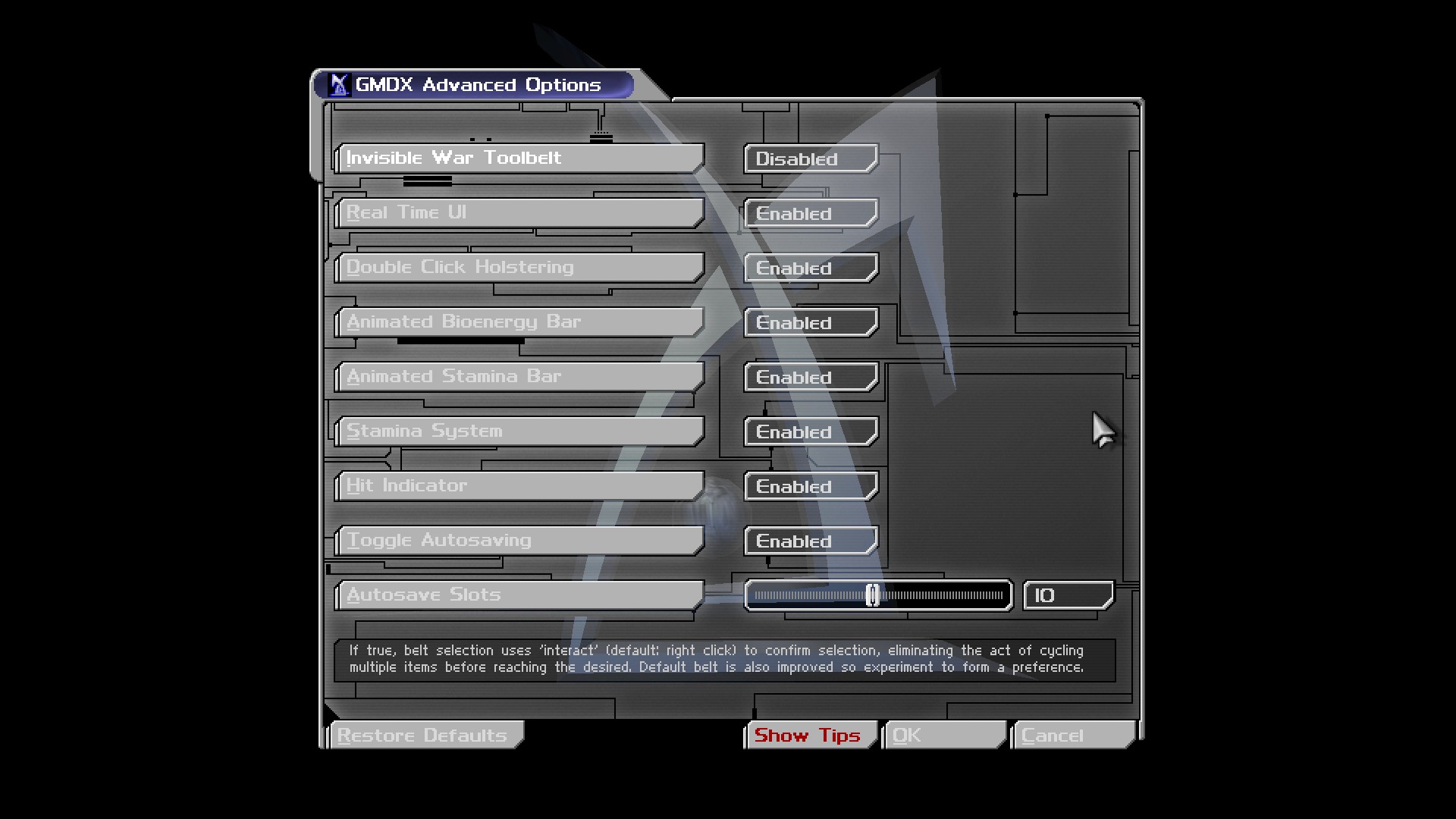
in-game screenshot
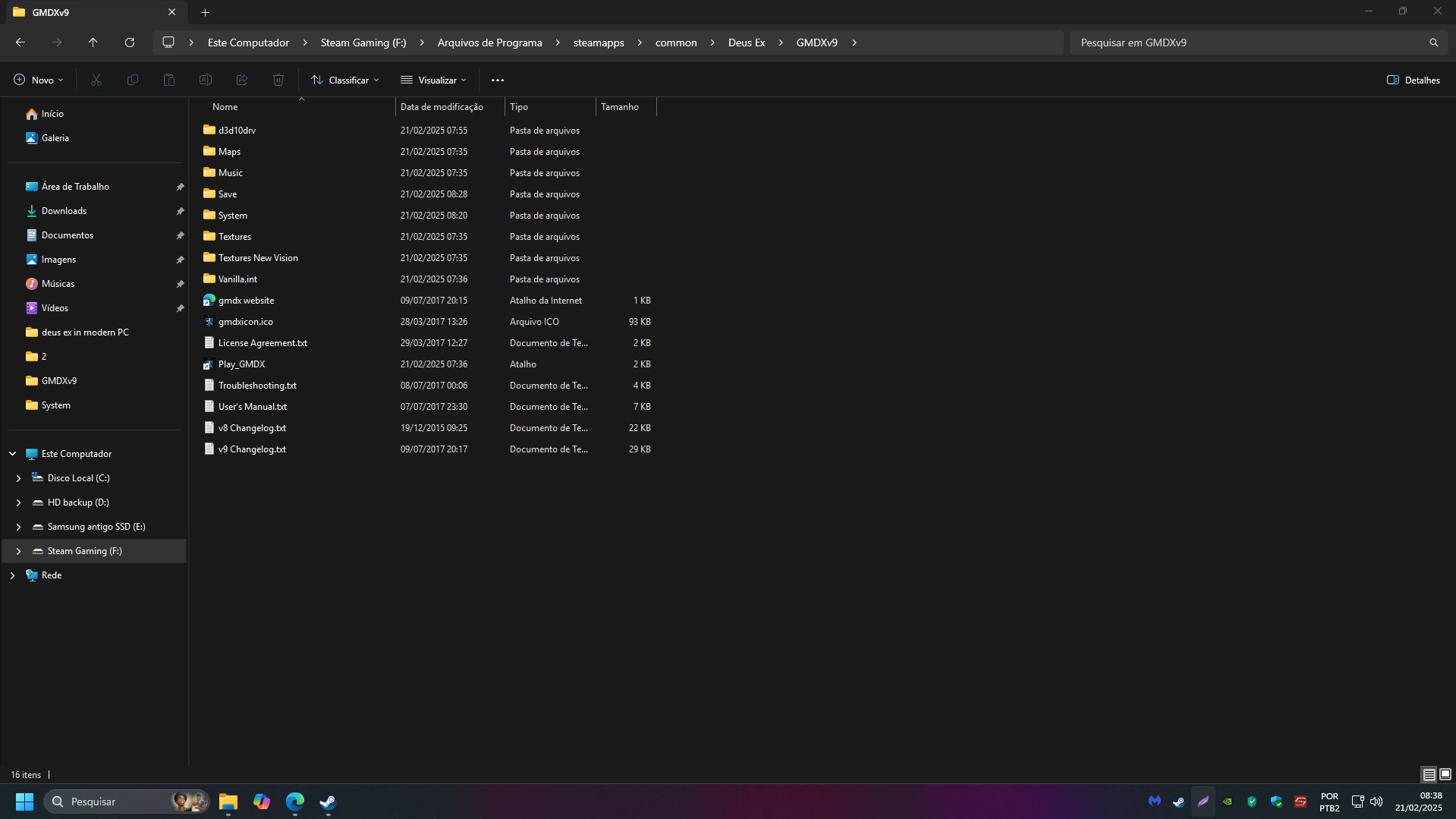
Game's Directory
The GMDX mod uses kentie launcher at which just help run the game better and 1080p as well
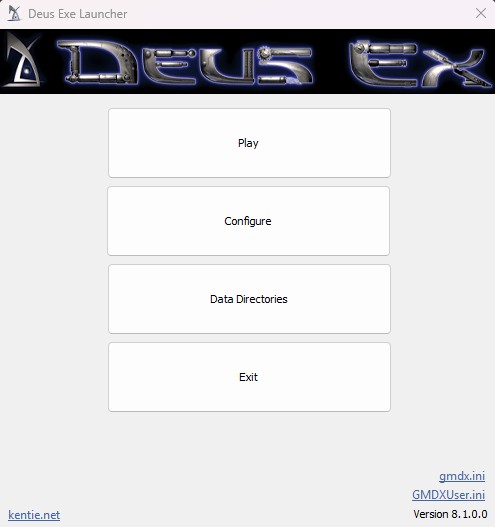
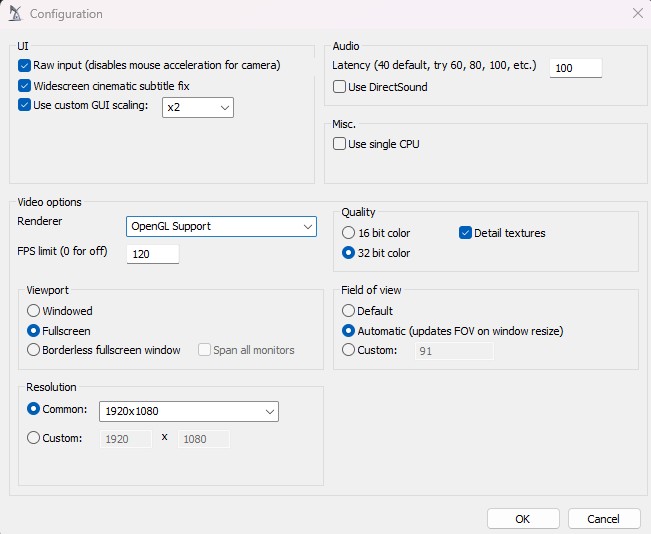 Just dont forgot to go in configuration and make sure all its right and running great in OpenAL
i think some interesting things about this mod, is that some places are different and the lightning quality is kinda better but not enough for me, for any reason it look worst for me but i just adjust my monitor to other option and then the lightning was going better, to you may be different, i'm not sure
On screenshot taken you can note it's in good quality of light but it was not totally perfect for me in monitor real life, at which it's just werid, i feel maybe this happened because i was trying run the GMDX launcher from Steam but most not work well than go just to old Deus Ex folder that i had configured a time ago
You normally run/play GMDX launcher separated from Steam, that means you dont need use Steam or have a Steam account to play it lol
i was trying use Steam for take some screenshots and post here, so here it goes for the comparison, since the Windows cannot capture screenshot or i dont have any option at moment
i had like 200+ fps in this mod, so i feel it's problaby more optimized than Revision
in-game menu and settings
in-game screenshot
Game's Directory
The GMDX mod uses kentie launcher at which just help run the game better and 1080p as well
Just dont forgot to go in configuration and make sure all its right and running great in OpenALKentie Launcher
This little mod launcher is nothing more nothing less than just a thing that will run the game in 1080p and with better quality possible but keeping the original/vanilla models & skins in the game
if you prefer not mess in Deusex.ini for just change the game resolution to 1080p, then you can try this launcher for run in 1080p and all good quality
Just extract/unzip the folder DeusExe-v5.3.zip and put all files there on Deus Ex's system folder
F:\Arquivos de Programa\steamapps\common\Deus Ex\System
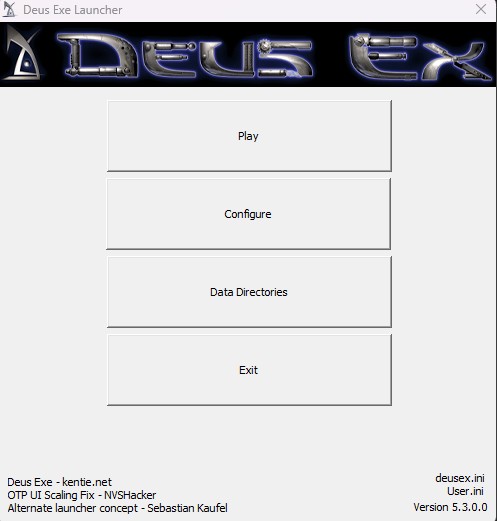
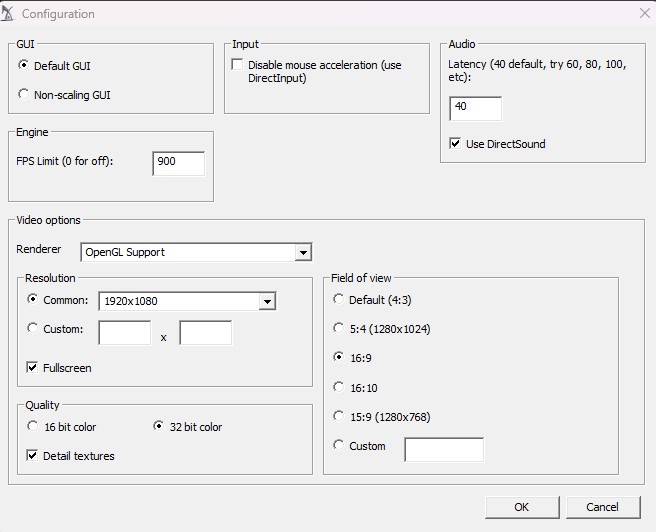
i may say there is not much mystery, will do same thing like i have already explicated in other parts of this guide
ideal for play Original Deus Ex vanilla pure.
if you prefer not mess in Deusex.ini for just change the game resolution to 1080p, then you can try this launcher for run in 1080p and all good quality
Just extract/unzip the folder DeusExe-v5.3.zip and put all files there on Deus Ex's system folder
F:\Arquivos de Programa\steamapps\common\Deus Ex\System
i may say there is not much mystery, will do same thing like i have already explicated in other parts of this guide
ideal for play Original Deus Ex vanilla pure.
Deus Ex Transcended
This mod is pretty great on my honest opinion even i tested it for little
it's other mod who keep the vanilla style if you dont want HD textures and just the original game with some better graphics and improved stuff
The brightness quality of this mod is fine, but for me not the best but to you may be pretty good, just depends on it, you can still use the reshade mod for improving brightness yet
Link: https://www.moddb.com/mods/deus-ex-transcended/downloads/deus-ex-transcended-v156-exe-format
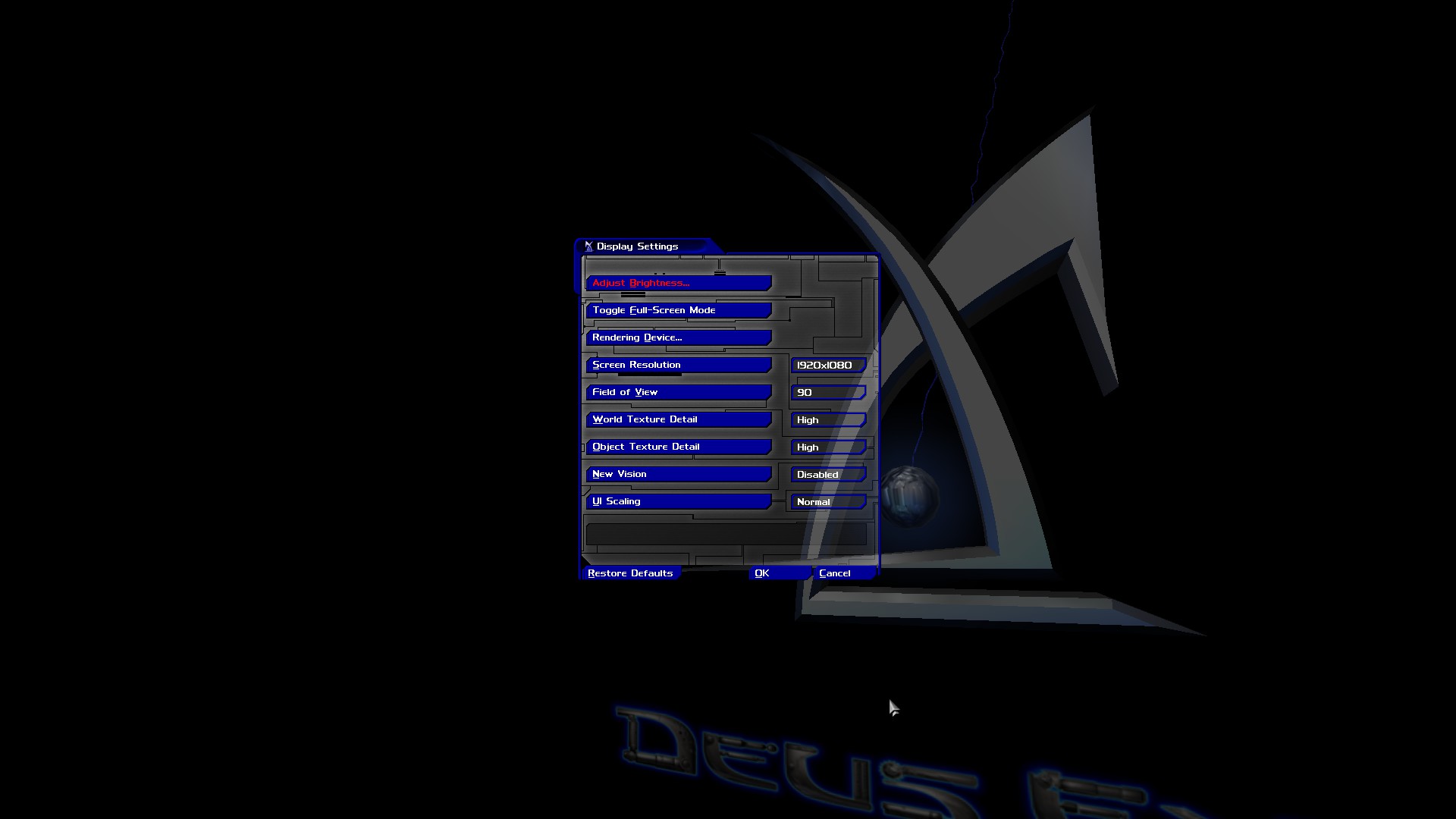
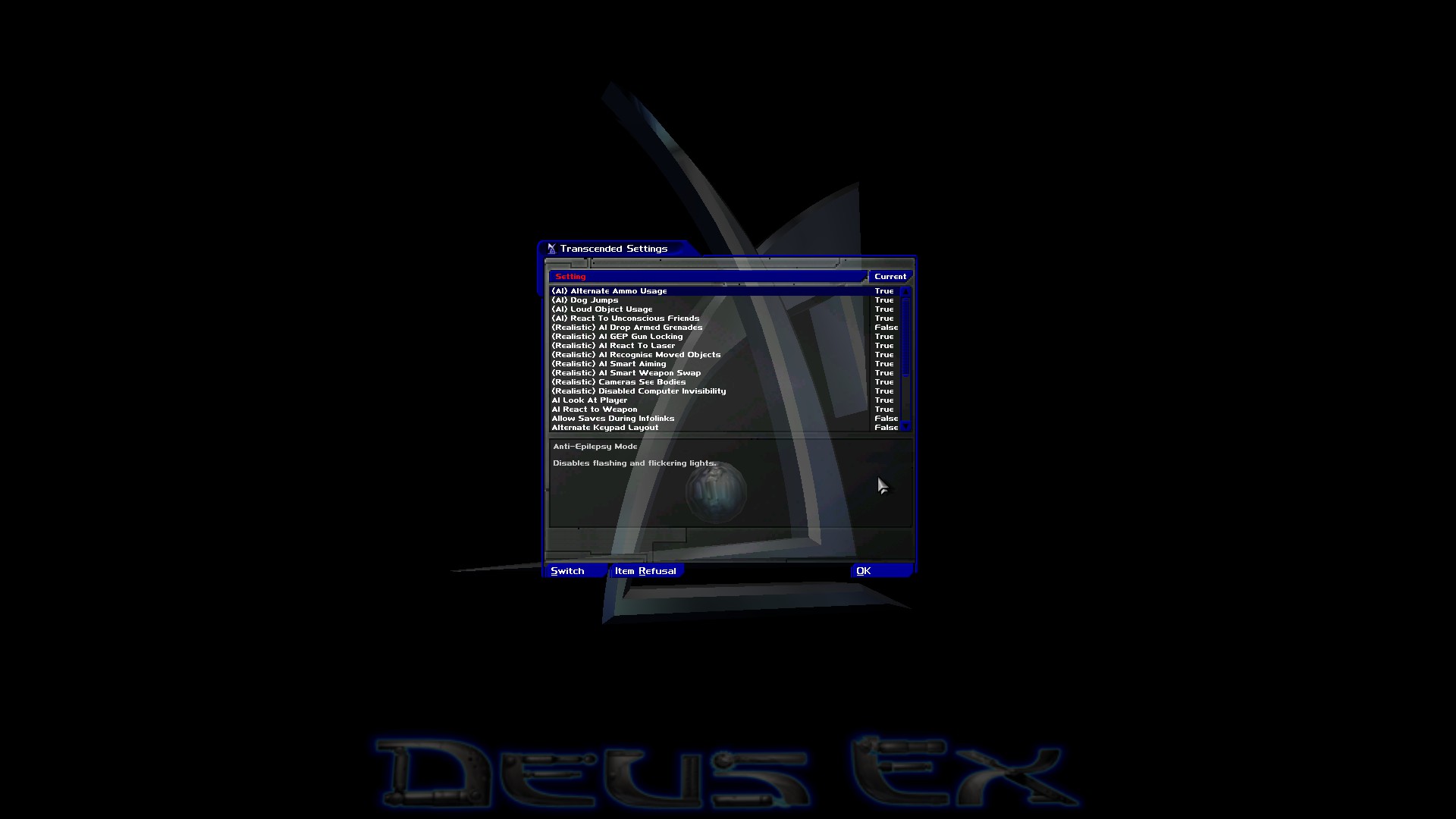
in-game menu screenshot
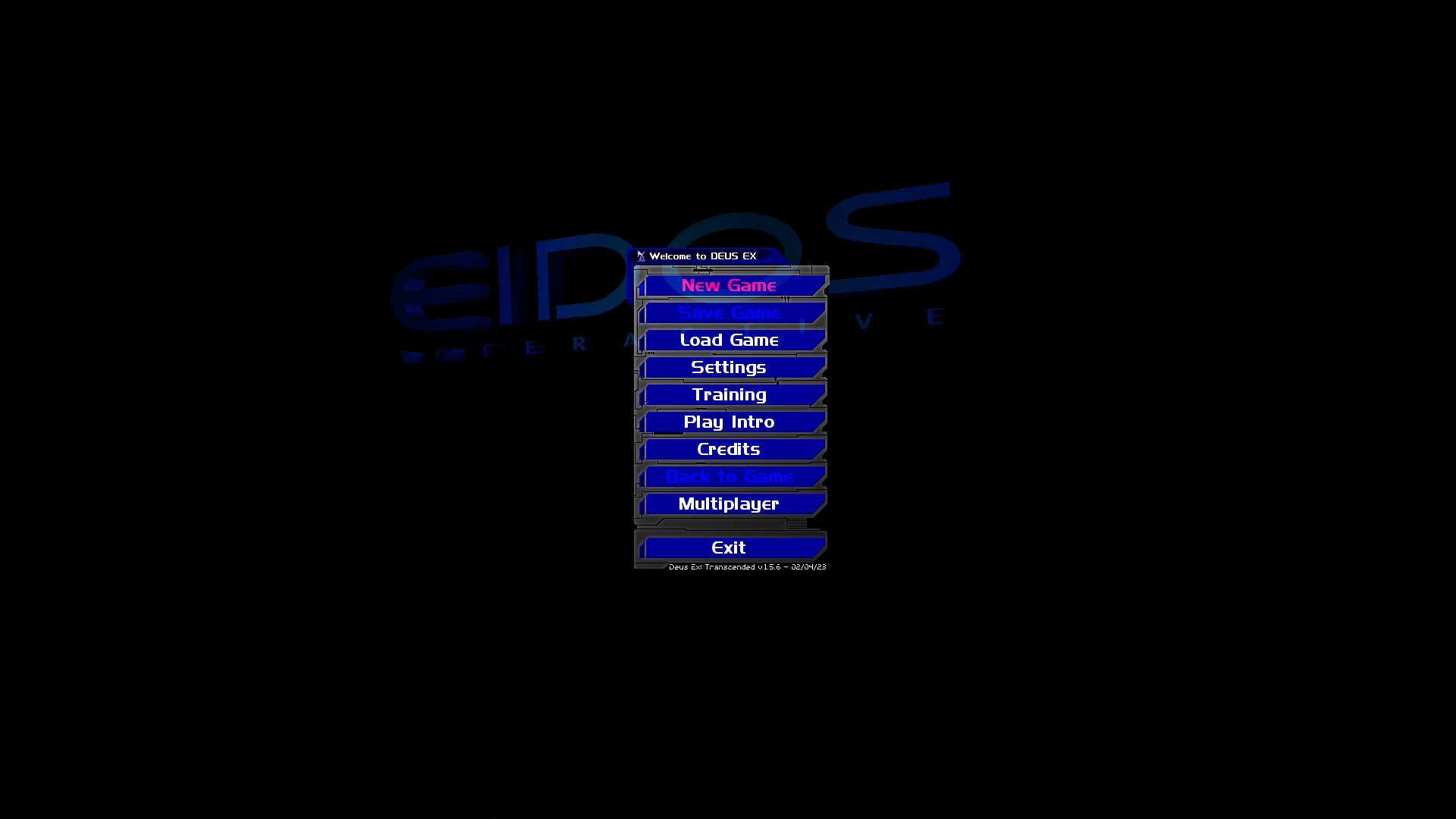
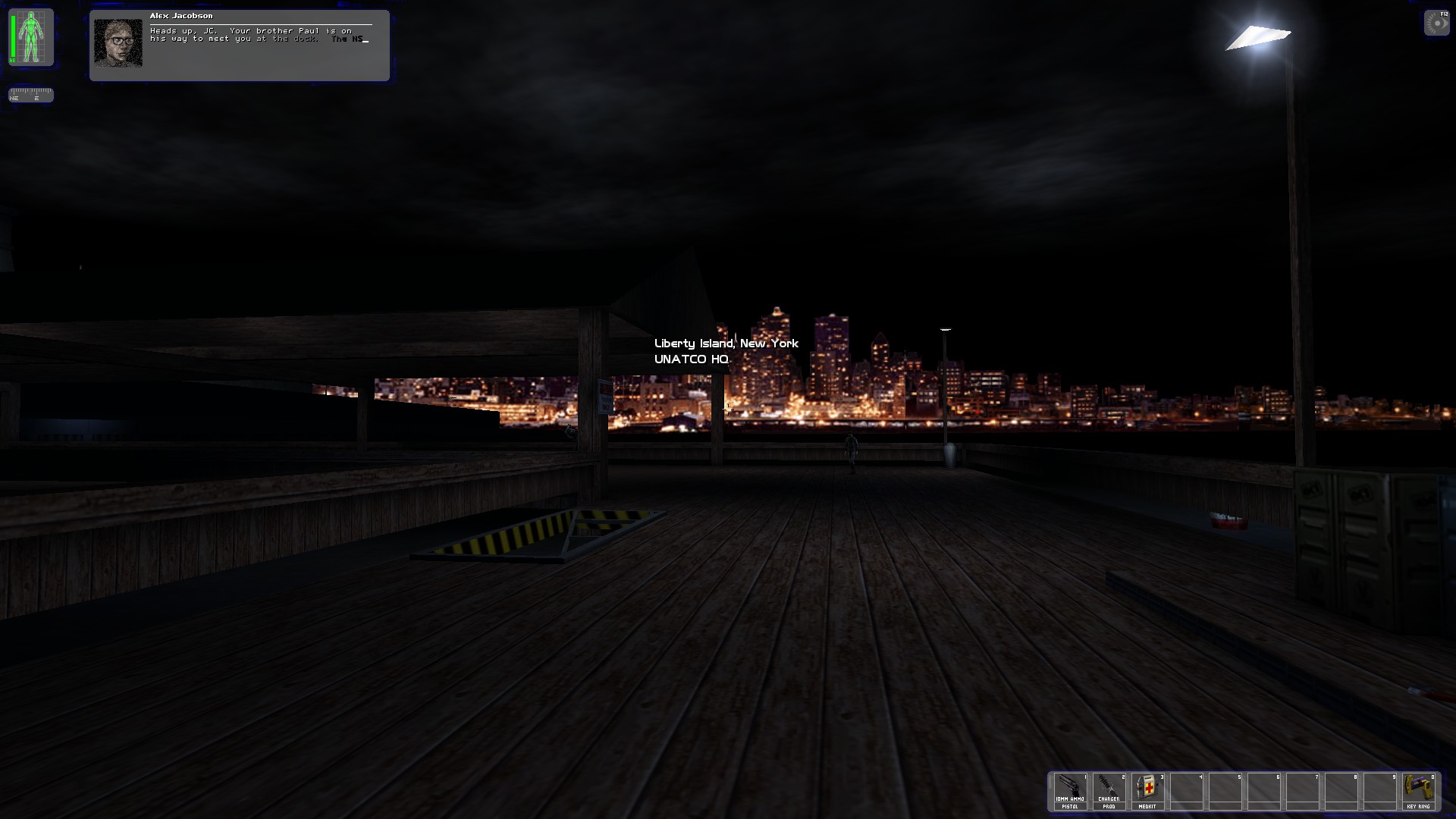
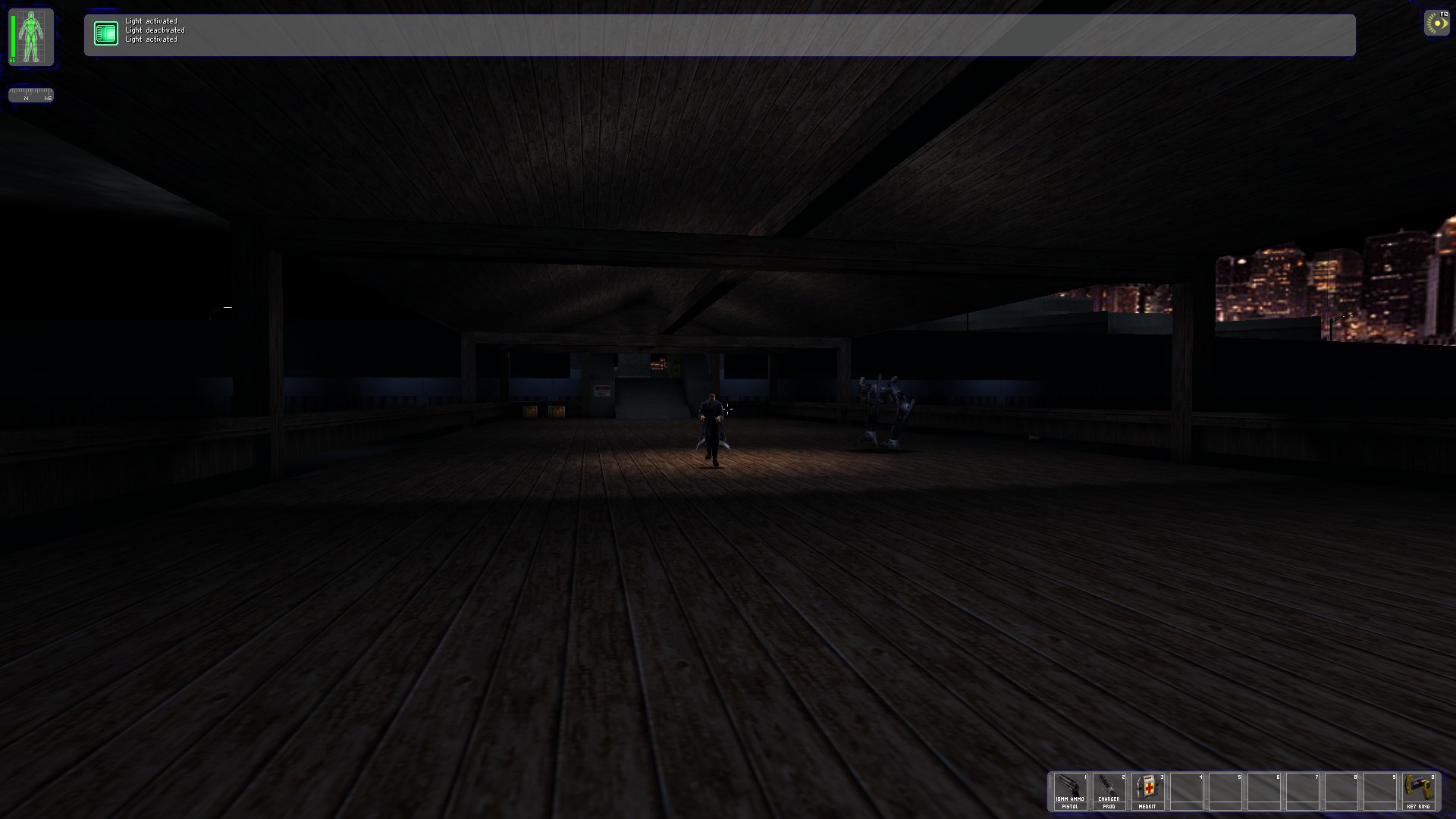
in-game screenshots
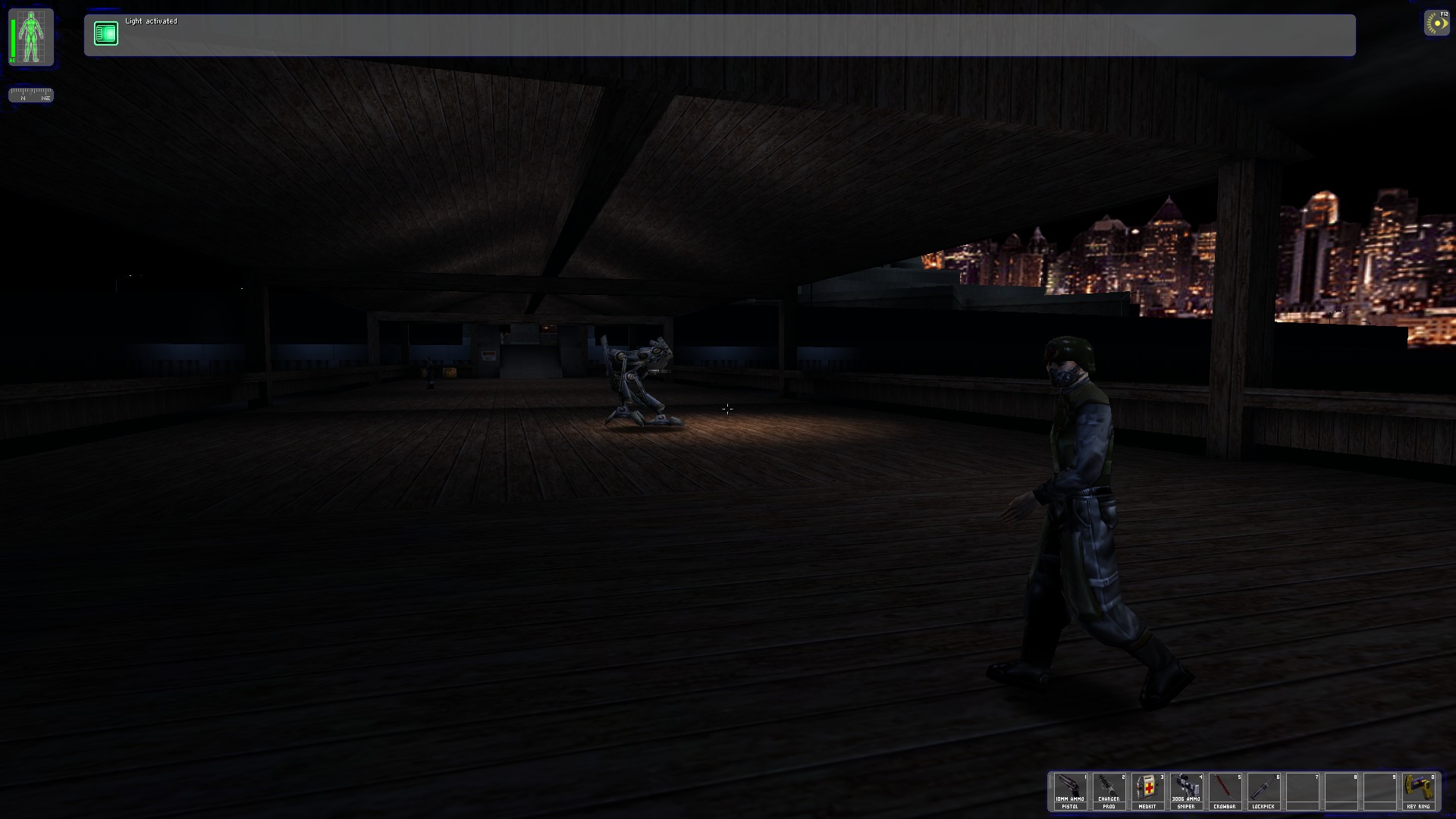
it's other mod who keep the vanilla style if you dont want HD textures and just the original game with some better graphics and improved stuff
The brightness quality of this mod is fine, but for me not the best but to you may be pretty good, just depends on it, you can still use the reshade mod for improving brightness yet
Link: https://www.moddb.com/mods/deus-ex-transcended/downloads/deus-ex-transcended-v156-exe-format
in-game menu screenshot
in-game screenshots
Deus Ex Revision
Revision is other great mod taking the problems like poor brightness quality and bad optimization in some areas of game, still it's more easy to use and play with both Vanilla or ultra HD Textures in great quality.
https://store.steampowered.com/app/397550/Deus_Ex_Revision/
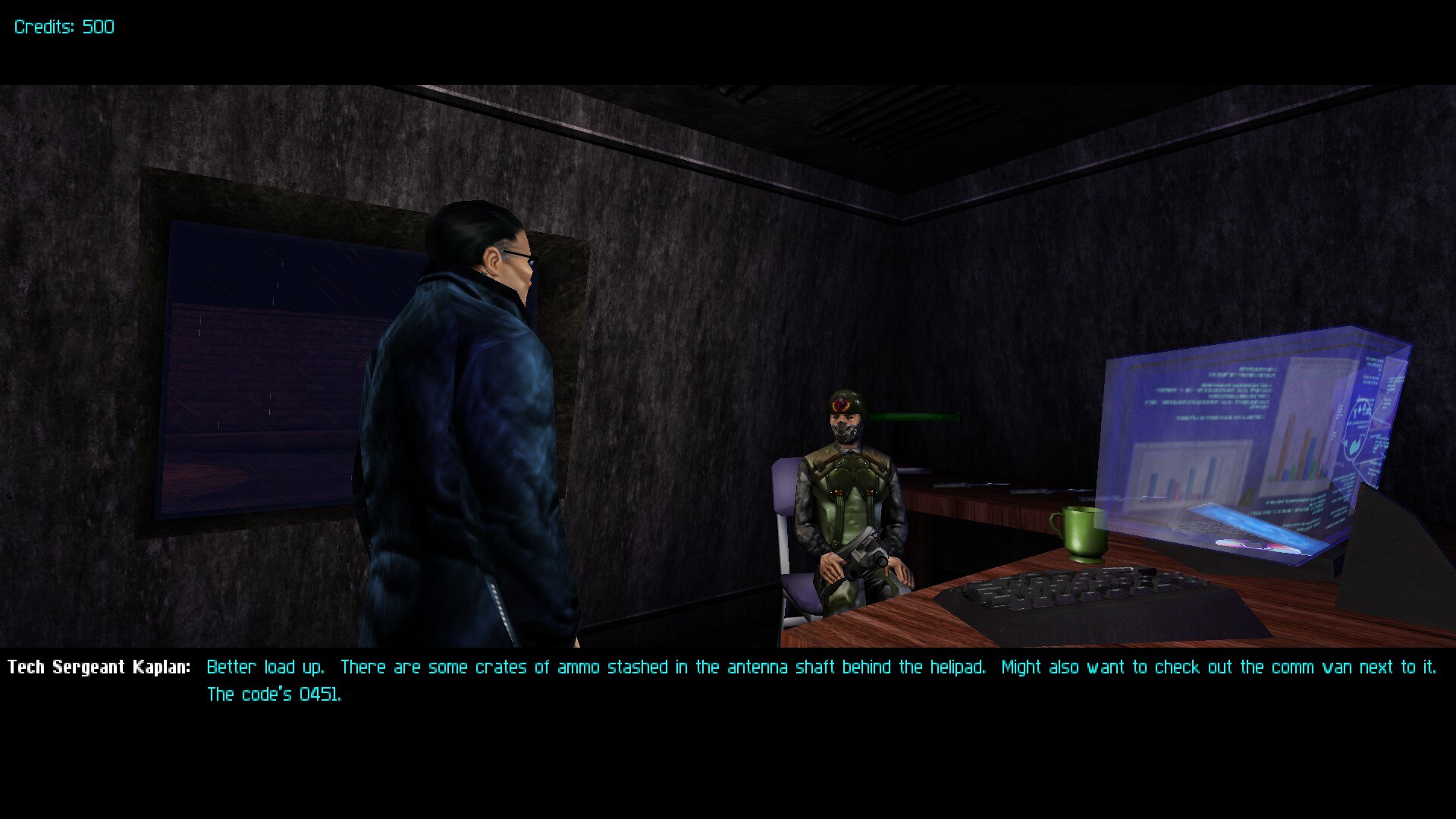
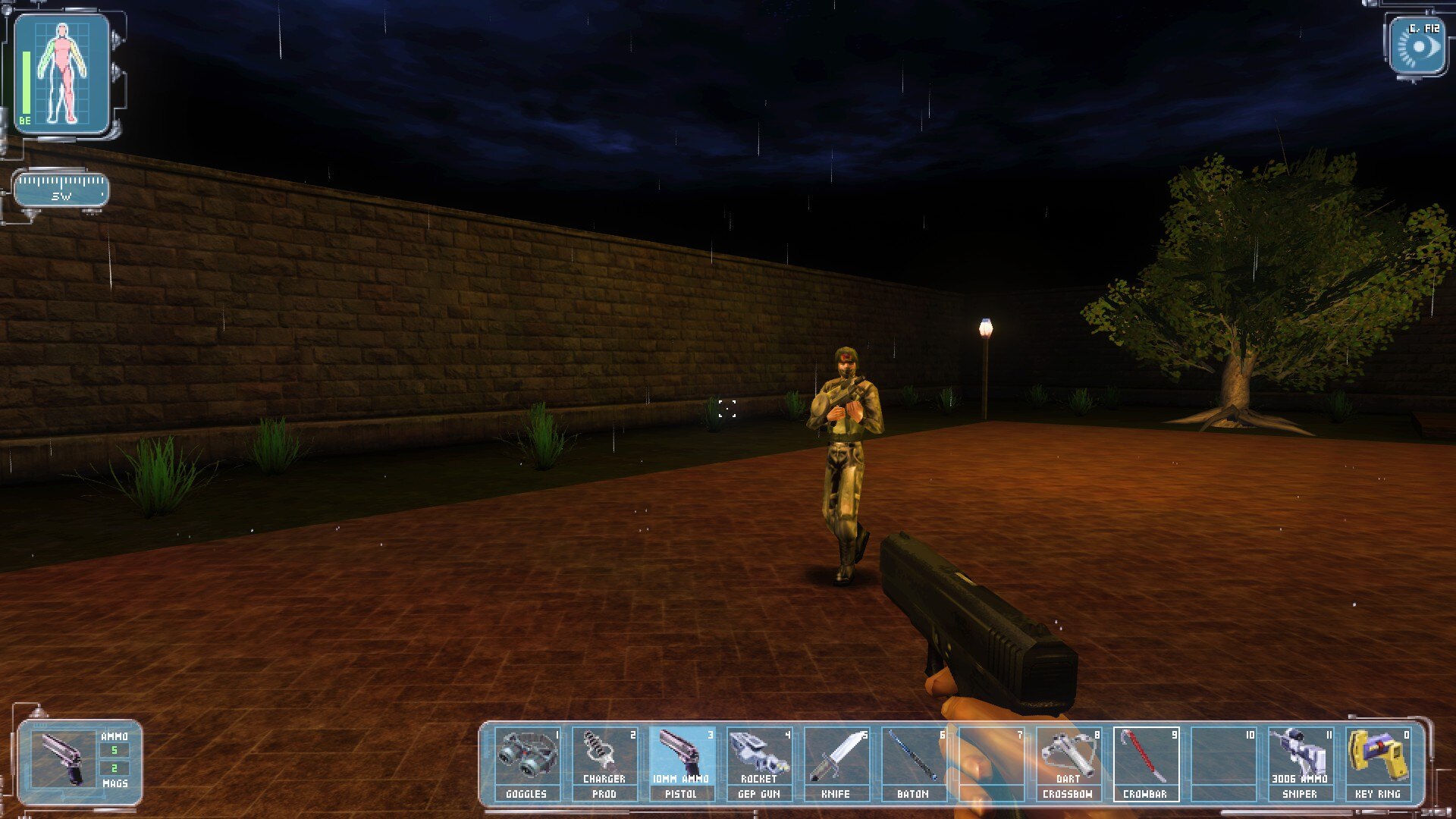
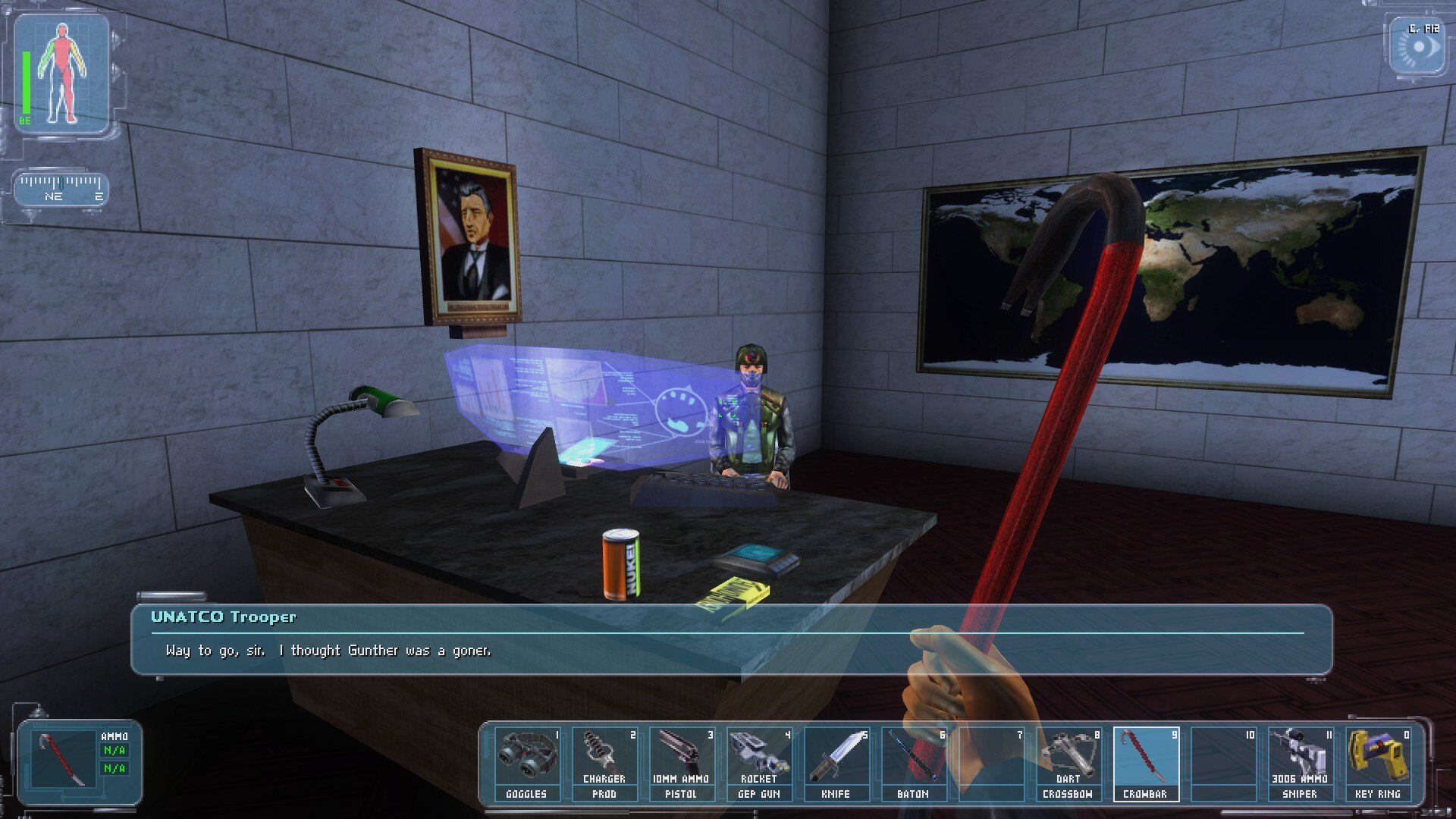
https://store.steampowered.com/app/397550/Deus_Ex_Revision/
More Deus Ex: Game of the Year Edition guides
- Deus Ex Setup Guide for modern systems★ 5 (2k)82k views3.5k ♥11 minUpdated Aug 15, 2025
- Running (Vanilla) Deus Ex in 2026★ 5 (969)42k views2.1k ♥7 minUpdated May 27
- Ultimate beginner's guide to Deus Ex★ 5 (743)38k views1.5k ♥7 minUpdated Jan 3, 2019
- Deus Ex Modern Setup Guide★ 5 (447)37k views970 ♥5 minUpdated Nov 5, 2021
- Русификатор для "Deus Ex: Game of the Year Edition"★ 5 (3.1k)33k views1.2k ♥1 minRussianUpdated May 23, 2017
- Deus Ex Руководство по настройке графики★ 5 (1.3k)25k views1.6k ♥4 minRussianUpdated Jan 7, 2024




This guide was created by its original author on the Steam Community. Are you the author and want it removed? Request removal.