How to transfer saves from Epic Games to Steam for DL1? (Very relevant)
Beginning
And so, let's say you've passed the game in Epic Games and bought it on Steam but you don't want to go through it all over again (you could also pick it up from the giveaway).
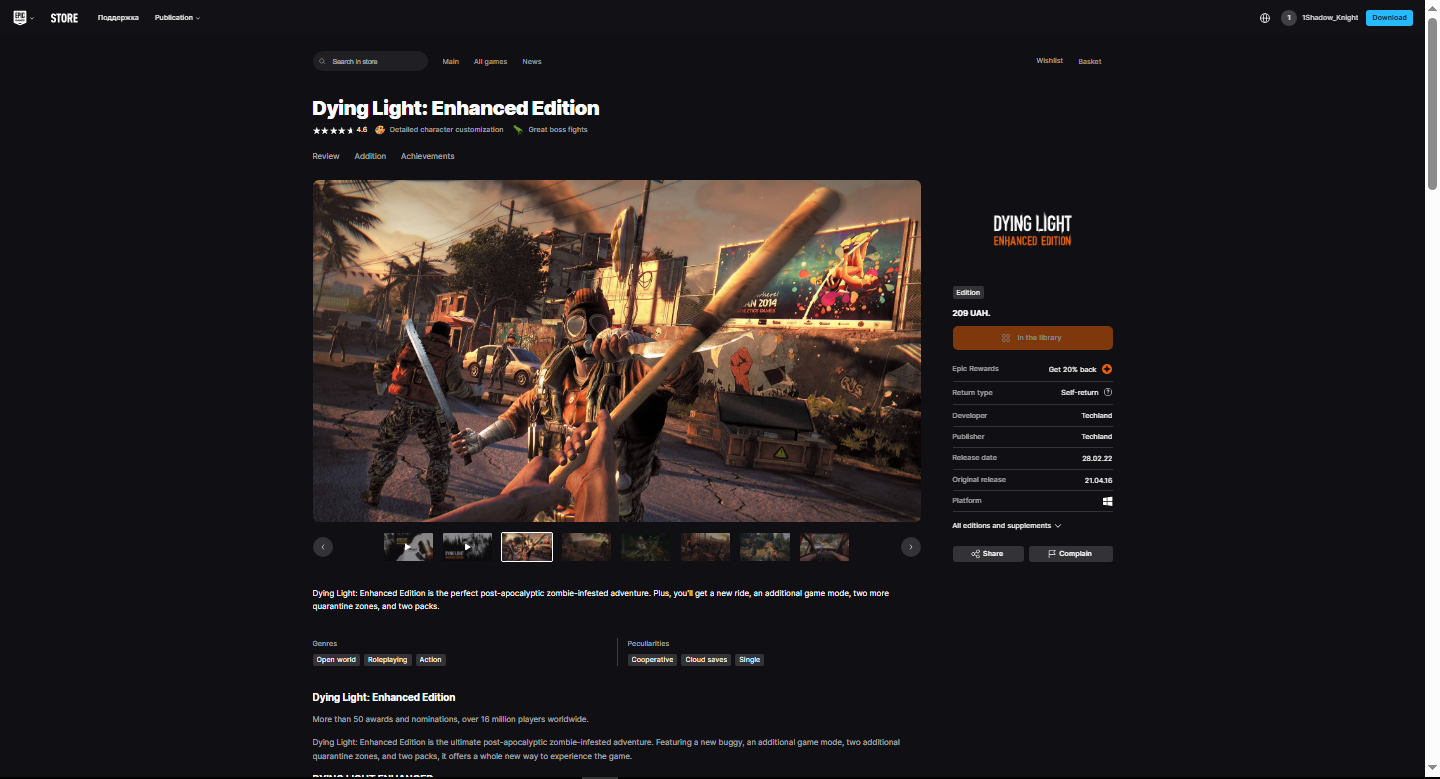 I have the game at Epic Games ‘Enhanced Edition’
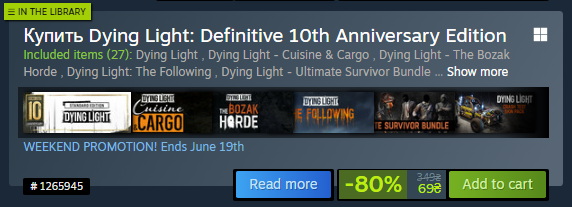 And also on Steam, the ‘Definitive 10th Anniversary Edition’
(On the save it did not affect so do not be afraid that you may have problems, well maybe if some dls will not be, and items from them will not be but here I do not know).
Transferring saves
Well, let's get to the main thing, in fact, it is not very difficult because many of you could whether to download save for games from the Internet, so here is about the same.
First you need to install the game in Epic Games and Steam, then on the way Documents\DyingLight\out\save you will have a save from Epic Games (mostly they are in the documents, but you could save them in another folder).
 Here's what it roughly looks like.
Further in Steam, you can find the safe in Steam\userdata\(your numbers)\239140\remote\out\save (basically this way, but you may have a different one).
 Here's how it looks like (where smudged black you will have other numbers the main thing that further everything went this way).
And so now just take the Epic Games save and copy it to the Steam save (please note that I have different names of saves well banal number different in this case just rename the save as necessary).
Also advise before entering the game to disable auto save in the cloud Steam, then when the game will see your save, it will be possible to switch it on (be sure to enter the session and minimally run that occurred auto save in the game).
The end
Well, you have done everything, congratulations! I would like to add that there is something on the internet on this topic but there is a lot of unnecessary and sometimes not clear so I tried to explain as much as possible how to do it.
 If you liked this guide I would like to ask you to give me points steam you are not difficult and I am pleased and recommend your friend this guide. So everyone have a nice game. Good Night and Good Luck
Also on the pictures are Russian words, but I think it will not prevent you to understand the essence.
- Dying Light Docket Codes [UPDATED]★ 5 (3.3k)96k views4.3k ♥2 minUpdated 27 Nov, 2024
- Dying Light 100%. Все Достижения/All Achievements + The Bozak Horde, The Following, Hellraid [RUS/ENG]★ 5 (3.5k)71k views5.1k ♥24 minUpdated 12 Jul, 2025
- Dying Light - All Collectible Locations★ 5 (2.2k)48k views4k ♥34 minUpdated 22 Feb, 2016
- Dying Light | Русификатор звука от R.G. MVO + Достижения★ 5 (328)32k views583 ♥2 minRussianUpdated Jun 29, 2025
- Русская озвучка Dying Light★ 5 (402)32k views1k ♥1 minRussianUpdated 8 Jan, 2025
- Русская озвучка для Dying Light★ 5 (274)27k views521 ♥2 minRussianUpdated Jun 7, 2025


- Upgrading to PremiumTeam Fortress 2★ 5 (20k)1441k views11k ♥6 minUpdated May 11, 2022
- No More Room in Hell Official ManualNo More Room in Hell★ 5 (2.8k)569k views2.1k ♥29 minUpdated Apr 22, 2019
- NMRiH Community Hosting GuidesNo More Room in Hell★ 5 (526)351k views653 ♥1 minUpdated Aug 10, 2022
- ULTIMATE GUIDE FOR GAME DEV TYCOONGame Dev Tycoon★ 5 (5.8k)326k views10k ♥4 minUpdated 23 Jan, 2014
- How to 'Git Gud' Soon™MORDHAU★ 5 (2k)318k views3k ♥68 minUpdated Nov 16, 2024
- Лучшие кооперативные игры SteamPAYDAY 2★ 5 (1.5k)315k views2.1k ♥56 minRussianUpdated Apr 27, 2025






This guide was created by its original author on the Steam Community. Are you the author and want it removed? Request removal.