JOYSTICK AND CRASH ON STARTUP FIX
Fixing crashing on startup.
I apologize if my english isn't good, It is not my native language.
The solution is simple, you must go on your library on steam, and then, right click the F1 2015 game, click on properties then, go to installed files, and then, browse
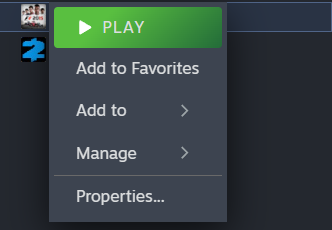
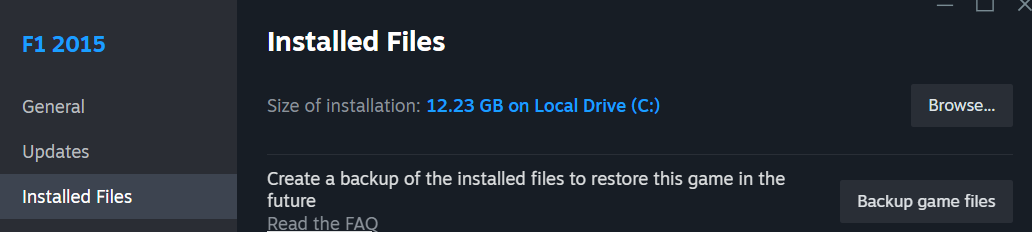
after doing that, you need to scroll down, and find the F1_2015.exe (executable) and right click it, go to properties.
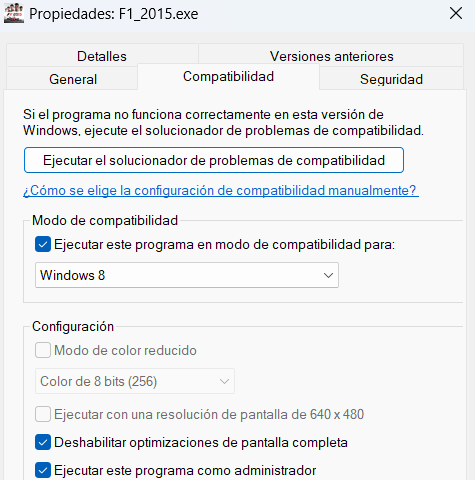
After that, you're going to the compatibility tab (i apologize if you don't understand as my windows is on spanish, but it is exactly the same steps on the english version) and change the compatibility mode to Windows 8, that atleast fixed the problem for me, if not, check the other guide that can help with the multi-core problem.
If this step doesn't work, disabling fullscreen optimizations might help, but I don't really know what that does in details, so I leave that up to you.
The solution is simple, you must go on your library on steam, and then, right click the F1 2015 game, click on properties then, go to installed files, and then, browse
after doing that, you need to scroll down, and find the F1_2015.exe (executable) and right click it, go to properties.
After that, you're going to the compatibility tab (i apologize if you don't understand as my windows is on spanish, but it is exactly the same steps on the english version) and change the compatibility mode to Windows 8, that atleast fixed the problem for me, if not, check the other guide that can help with the multi-core problem.
If this step doesn't work, disabling fullscreen optimizations might help, but I don't really know what that does in details, so I leave that up to you.
Joystick not working - Fix -
This one is a little bit easier, you're just going to plug your controller, and in steam library, going to find the Unknown controller support box on steam
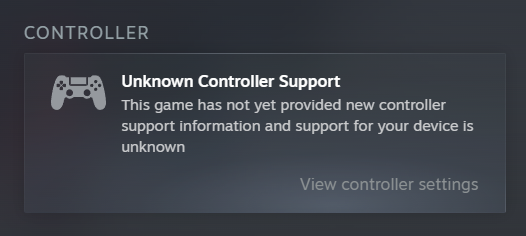
Then you're going to go to view controller settings, and enabling steam input
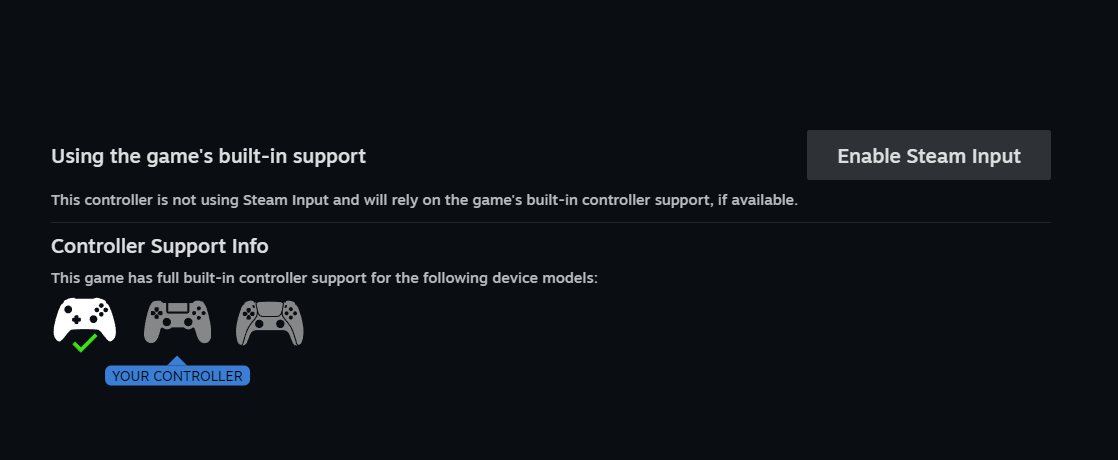
After enabling steam input, you don't need to do anything else, unless you want to, but if you do know what you're doing, you don't really need so much details in steps as i've done for this guide.
IMPORTANT
After that, whenever you want to play, you must unplug your controller before starting the game, always do that, and when the game goes into season select screen, you can plug it again.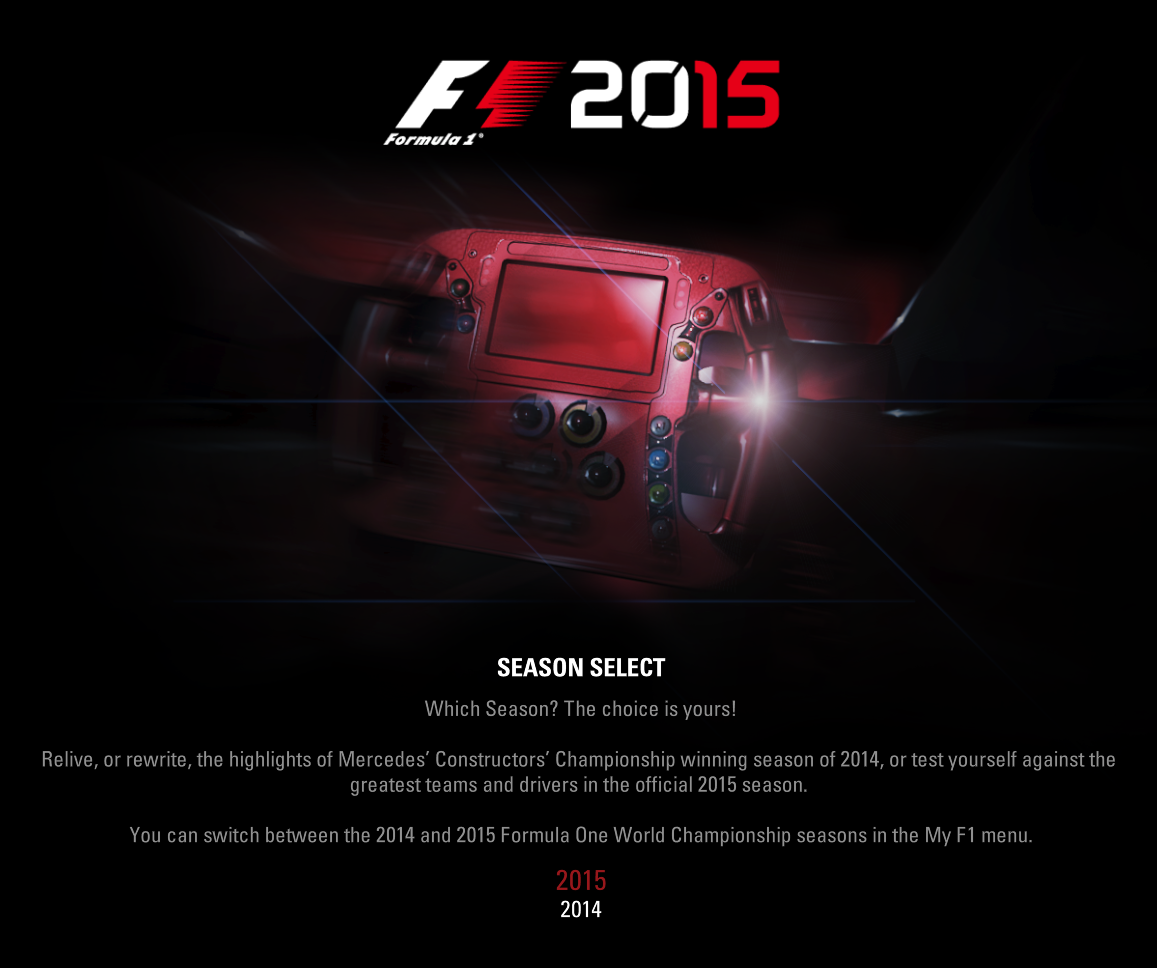
Then you're going to go to view controller settings, and enabling steam input
After enabling steam input, you don't need to do anything else, unless you want to, but if you do know what you're doing, you don't really need so much details in steps as i've done for this guide.
IMPORTANT
After that, whenever you want to play, you must unplug your controller before starting the game, always do that, and when the game goes into season select screen, you can plug it again.
More F1 2015 guides
- F1 2015 All Car Setup [DRY!]★ 4 (159)7k views207 ♥1 minUpdated 16 Jul, 2017
- Achievement Guide★ 4 (188)6.6k views144 ♥5 minUpdated 10 Sep, 2015
- F1 2015 All Car Setups [DRY & WET]★ 4 (66)2.2k views123 ♥70 minUpdated 2 Apr, 2020
- Перевод F1 2015 от ZoG Forum Team★ 4 (49)1.8k views23 ♥1 minUkrainianUpdated 24 Nov, 2017
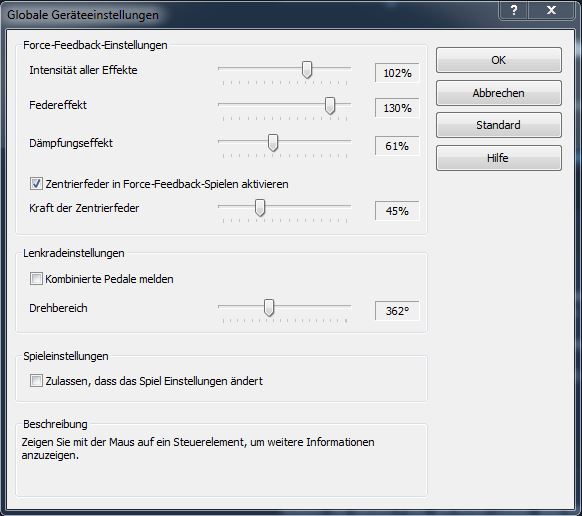
- Logitech G27 » Einstellungen » TGC1.8k views12 ♥1 minGerman
- XB1手柄连接办法, Xbox one controller suggest★ 4 (31)1.6k views18 ♥1 minSimplified Chinese


🔥 Popular guides
- Upgrading to PremiumTeam Fortress 2★ 5 (20k)1441k views11k ♥6 minUpdated May 11, 2022
- No More Room in Hell Official ManualNo More Room in Hell★ 5 (2.8k)569k views2.1k ♥29 minUpdated Apr 22, 2019
- NMRiH Community Hosting GuidesNo More Room in Hell★ 5 (526)351k views653 ♥1 minUpdated Aug 10, 2022
- ULTIMATE GUIDE FOR GAME DEV TYCOONGame Dev Tycoon★ 5 (5.8k)326k views10k ♥4 minUpdated 23 Jan, 2014
- How to 'Git Gud' Soon™MORDHAU★ 5 (2k)318k views3k ♥68 minUpdated Nov 16, 2024
- Лучшие кооперативные игры SteamPAYDAY 2★ 5 (1.5k)315k views2.1k ♥56 minRussianUpdated Apr 27, 2025






This guide was created by its original author on the Steam Community. Are you the author and want it removed? Request removal.