KotOR I Character stuck and unable to move after a battle FIX
FIX 1
For the first part of this tutorial we are going to edit a few settings in the NVIDIA Control Panel.
- Right click on your desktop and open Nvidia Control Panel
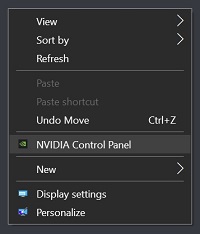
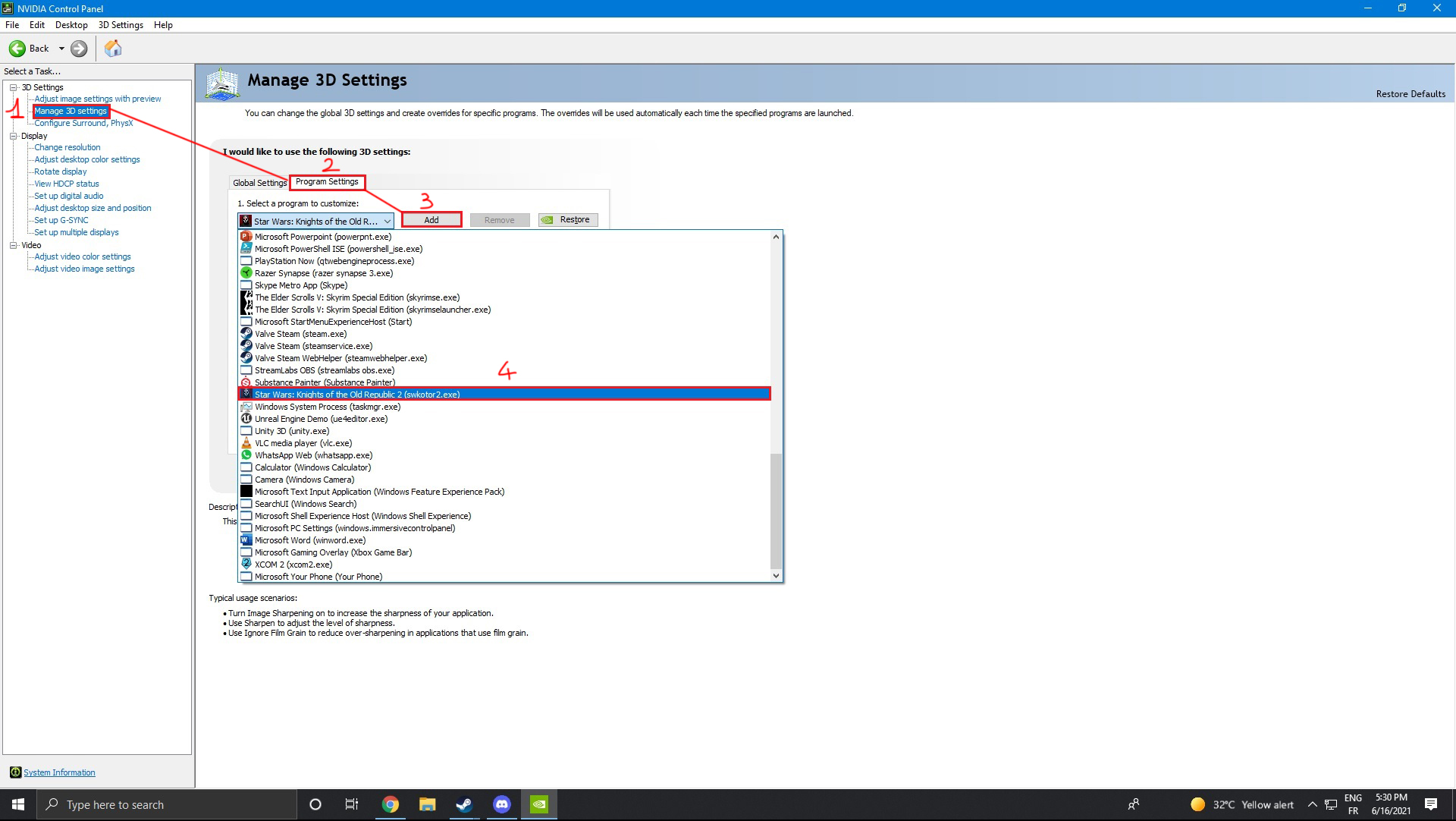
- Select the "Manage 3D settings" task on the left (1)
- Then select "Program Settings" (2)
- Press "Add" (3) and search for your Kotor I .exe (4)
- (I'm using Kotor II for this example but it works exactly the same for Kotor I don't worry)
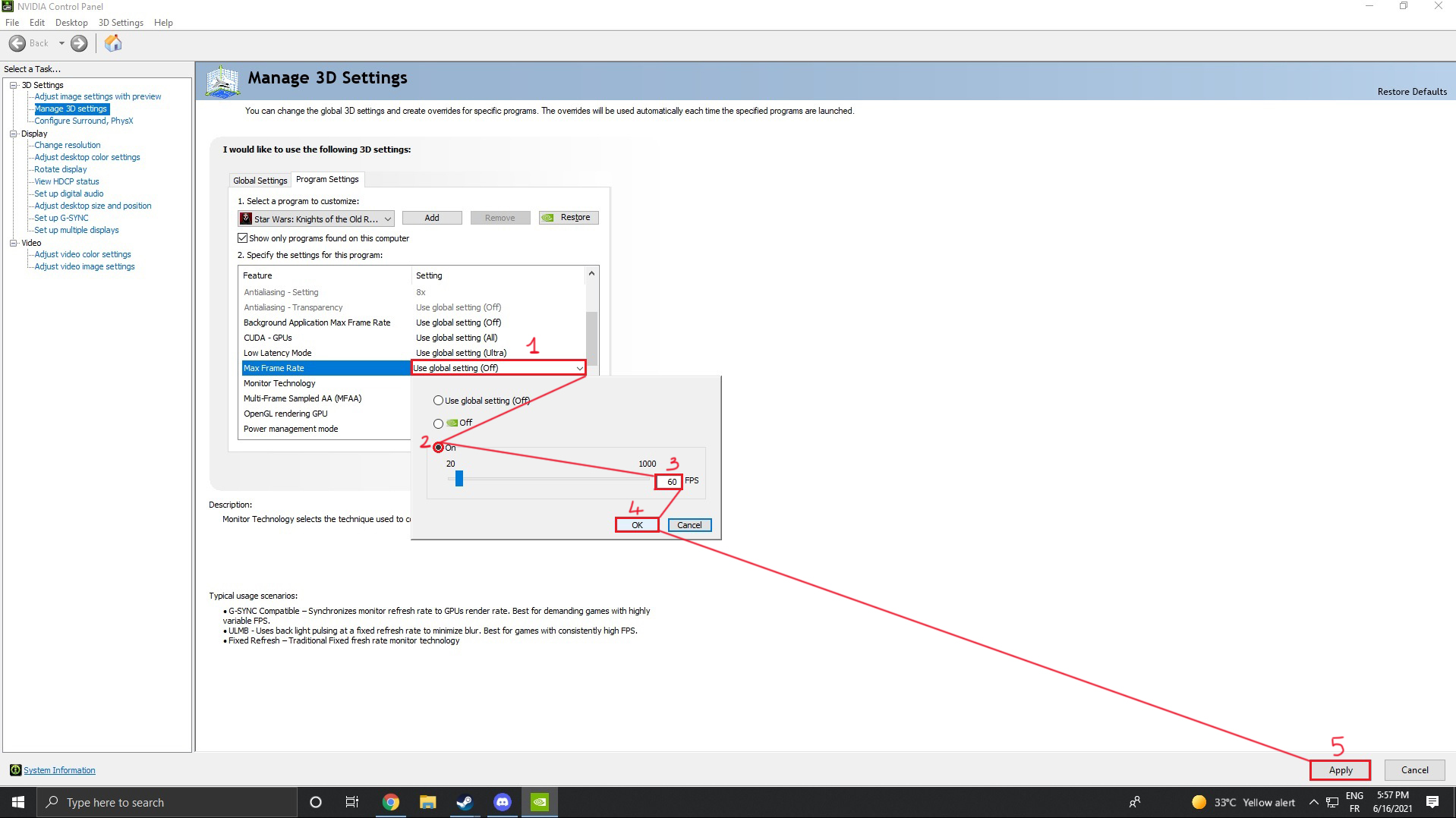
- Now scroll until you see the "Max Frame Rate" feature and select it
- Click on "Use global setting" (1) and a new window should appear
- Tick the "ON" button (2) and write 60 in the FPS box (3) and press "OK" (4)
- Press Apply in the bottom right corner (5)
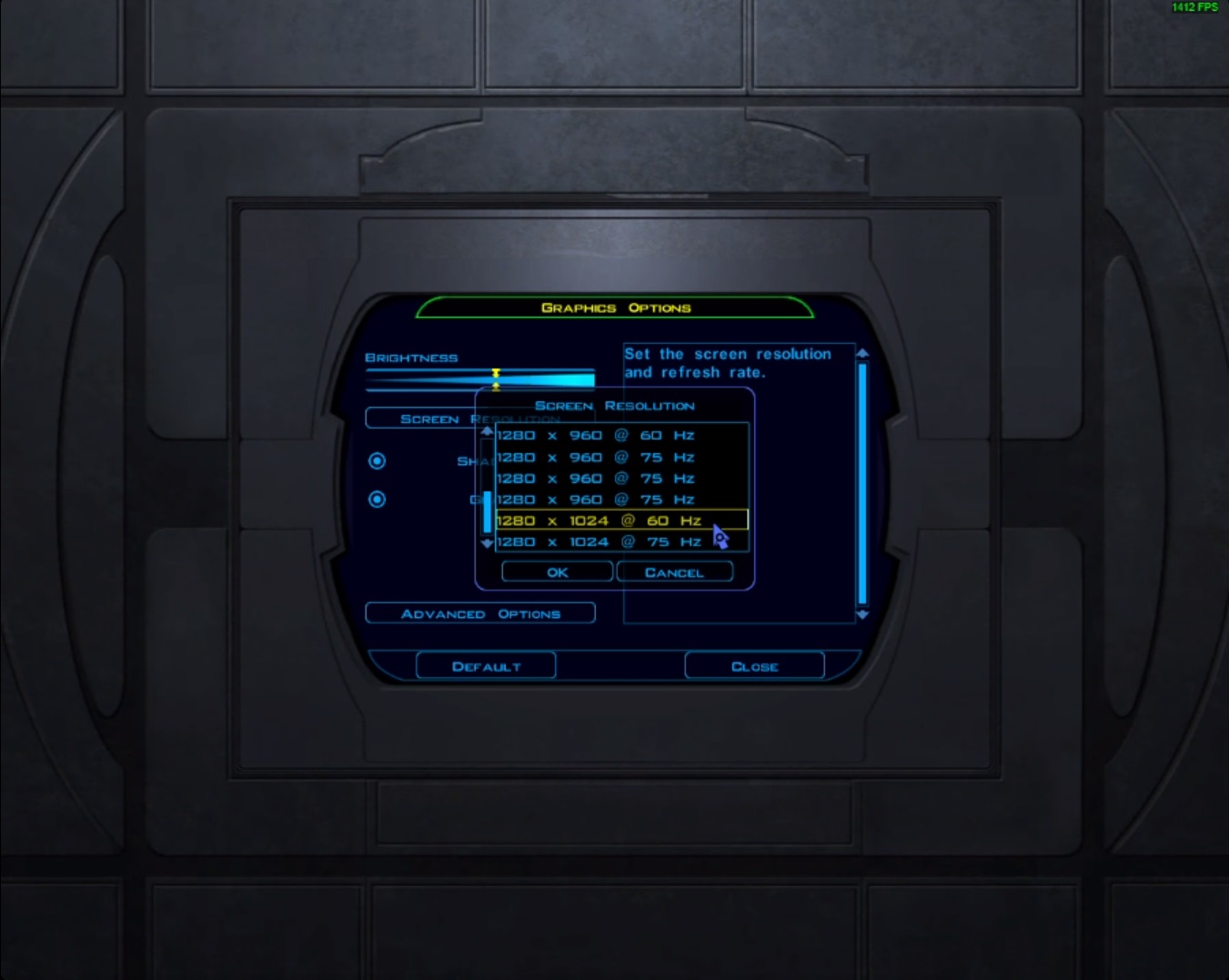
- Launch Kotor I and in the Menu go in your Options - Graphics - Screen Resolution
- And pick a 60hz refresh rate instead of 75hz, 120hz, 144hz or 240hz.
- Load your Kotor I save and test if with the new changes you still get stuck after each fight
- If everything works congratz you have fixed the problem :D
- If your character is still stuck after each battle follow the "FIX 2" tutorial below
FIX 2
If you tried "FIX 1" and it didn't work for you, we will now try FIX 2 to repair your problem.
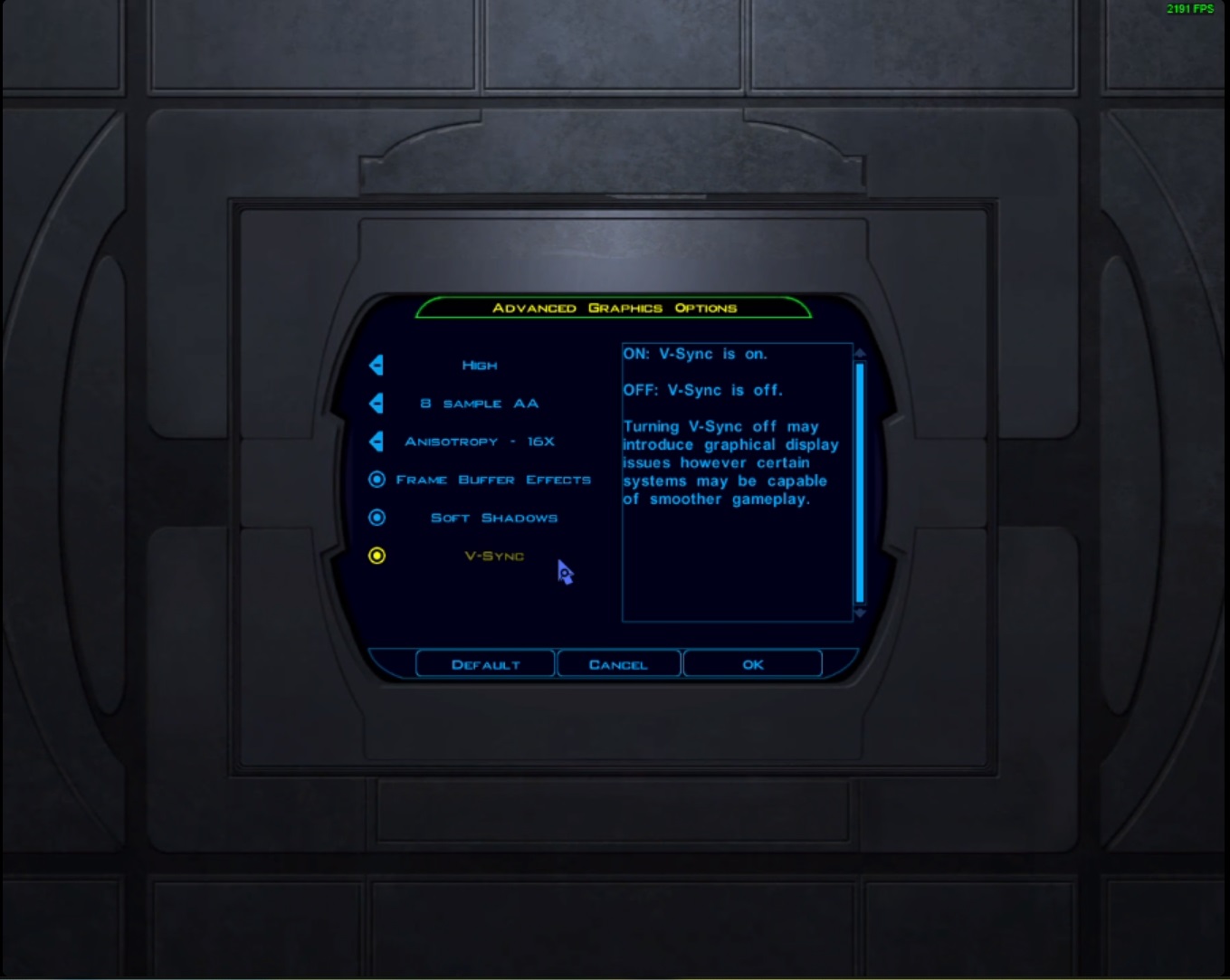
- Launch Kotor I and in your Options - Graphics - Advanced Options - Turn ON V-Sync
- Try testing in game if playing with V-Sync enabled fixes the stuck problem for you, If not try the same method but this time V-Sync disabled.
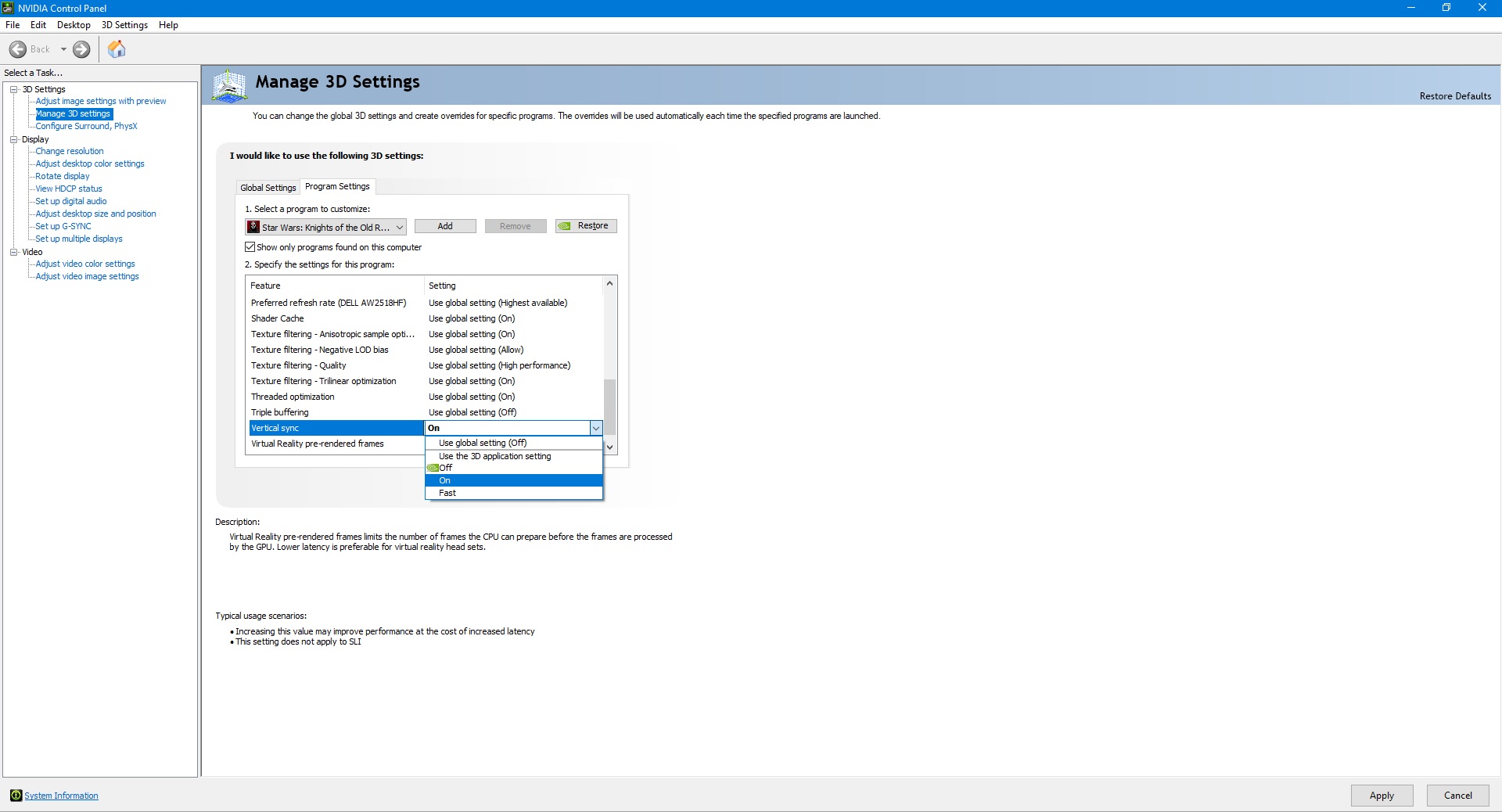
- You can also force V-Sync ON or OFF in the Nvidia Control Panel
- If you made changes in the Nvidia Control Panel don't forget to apply your changes (bottom right corner)
FIX 3
- After a fight if you are stuck make a quick save and then quick load your recently created save to be able to move again. This can become really boring if you get stuck after each enemy but it works 100% of the time at least.
Thanks for reading :D
I hope your character being stuck is fixed now, if you see someone having the same character being stuck problem point them towards this tutorial and they will hopefully also be able to fix this
More STAR WARS™ Knights of the Old Republic™ guides
- The Definitive Improvement Guide★ 5 (1.6k)158k views4.1k ♥22 minUpdated Mar 25, 2021
- KotOR Cheat Codes★ 5 (1.6k)123k views4.2k ♥4 minUpdated Nov 23, 2014
- Make your KOTOR playthrough more enjoyable★ 5 (1.8k)97k views5k ♥13 minUpdated Jun 24
- [How-To] KotOR on modern systems (incl. Widescreen)★ 5 (778)95k views1.8k ♥4 minUpdated Nov 24, 2015
- KoToR Best Order of Planets★ 5 (689)73k views1.6k ♥1 min
- [Windows 10] My Steps To Running The Game On WIndows 10★ 5 (617)64k views1.7k ♥2 minUpdated Nov 2, 2018



🔥 Popular guides
- Upgrading to PremiumTeam Fortress 2★ 5 (20k)1441k views11k ♥6 minUpdated May 11, 2022
- No More Room in Hell Official ManualNo More Room in Hell★ 5 (2.8k)569k views2.1k ♥29 minUpdated Apr 22, 2019
- NMRiH Community Hosting GuidesNo More Room in Hell★ 5 (526)351k views653 ♥1 minUpdated Aug 10, 2022
- ULTIMATE GUIDE FOR GAME DEV TYCOONGame Dev Tycoon★ 5 (5.8k)326k views10k ♥4 minUpdated 23 Jan, 2014
- How to 'Git Gud' Soon™MORDHAU★ 5 (2k)318k views3k ♥68 minUpdated Nov 16, 2024
- Лучшие кооперативные игры SteamPAYDAY 2★ 5 (1.5k)315k views2.1k ♥56 minRussianUpdated Apr 27, 2025






This guide was created by its original author on the Steam Community. Are you the author and want it removed? Request removal.