Mafia - Essential HD Interface Mods + Win 10/Widescreen Fixes + Music
About
This pack contains HD interface mods + Win 10/Widescreen Fixes + original music. There are no graphic/texture mods in this pack.
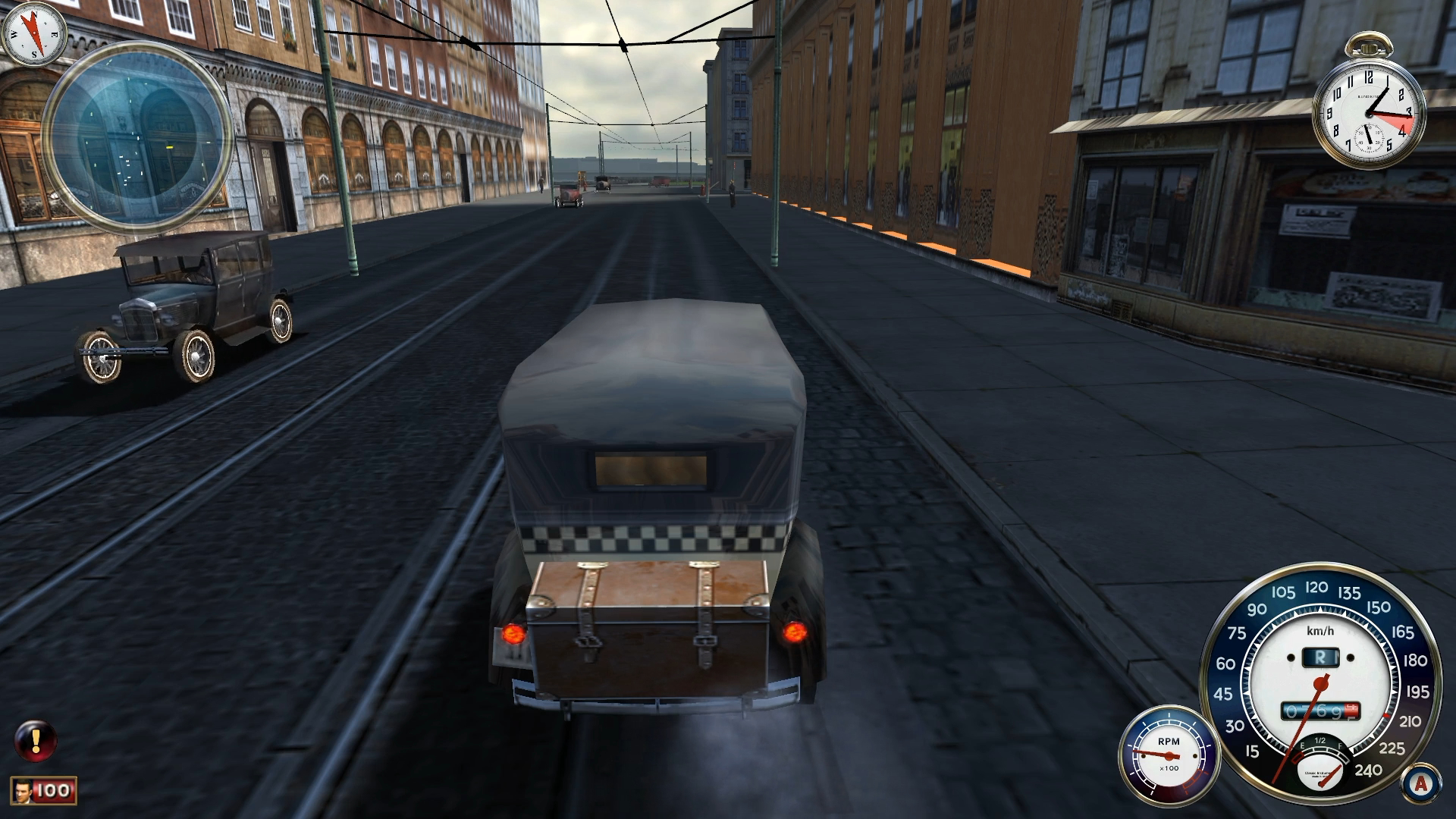
HD interface mods in this pack provide some of original interface elements recreated in higher resolution by different modders for better experience on modern HD screens.
Mods in this pack:
HD interface mods in this pack provide some of original interface elements recreated in higher resolution by different modders for better experience on modern HD screens.
Mods in this pack:
- Fullscreen on Windows 10 by ENBseries
- Mafia Widescreen Fix by behar - it also increases draw distance by default which is a great addition, it can be adjusted in scripts folder ini file
- High Quality Characters Mod by Maf - the game has two types of models: detailed for cutscenes and normal, this mod makes the game use detailed cutscene models all the time
- Interface Renovation v1.1 by Maf (English by me) - HD fonts
- Updated Interface by Tosyk - HD life bars, compass, speedometer, etc.
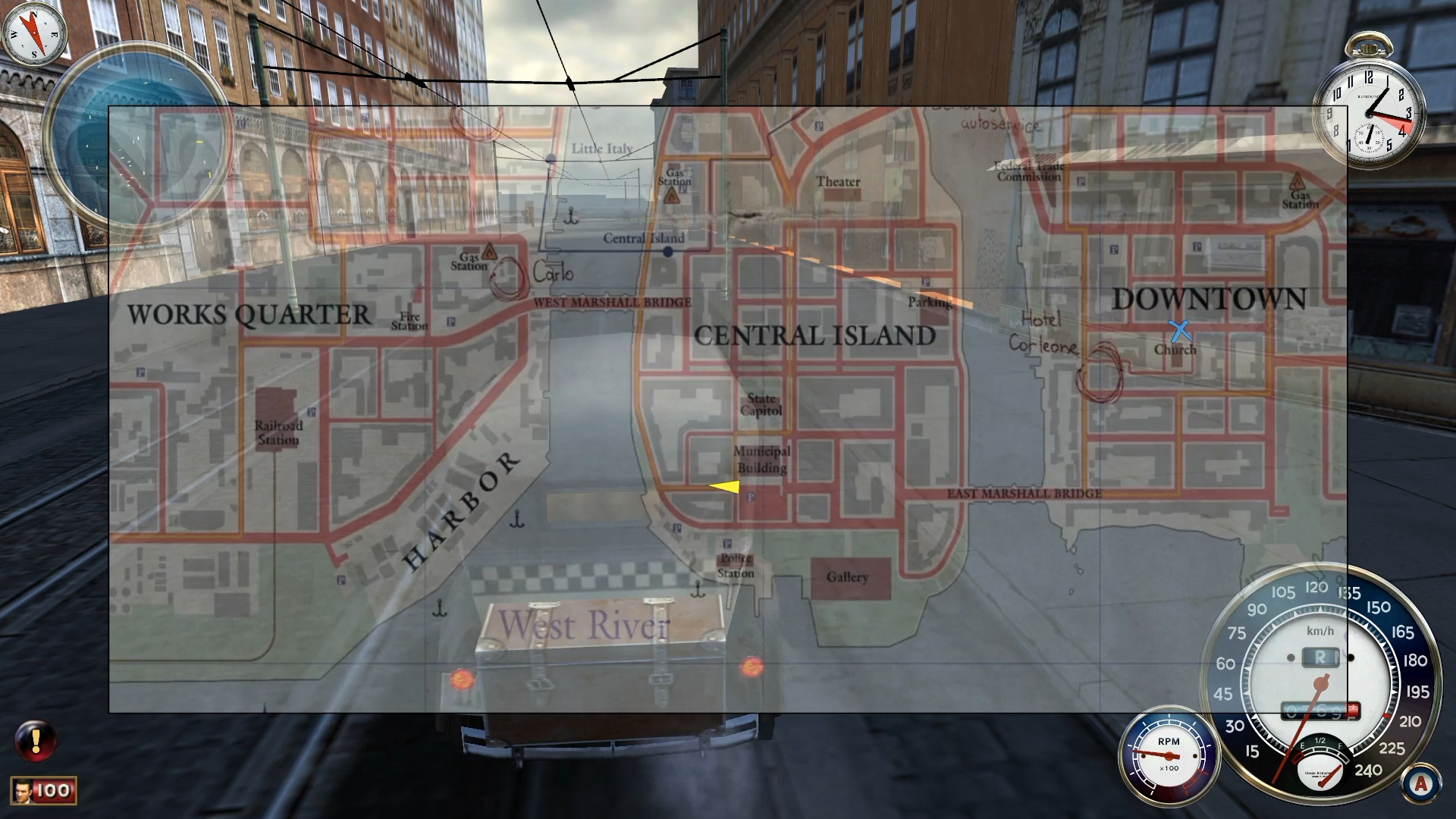
- In-game HD map by B4rt0 - 2x resolution of the original map, based on the original map from wiki
- Music from the original game release
Download
Pack with music ~507MB
Google Drive (with English HD fonts)[drive.google.com]Dropbox (with English HD fonts)[www.dropbox.com]
Google Drive (with Polish HD fonts)[drive.google.com]
Dropbox (with Polish HD fonts)[www.dropbox.com]
Pack without music ~15MB
Google Drive (with English HD fonts)[drive.google.com]Dropbox (with English HD fonts)[www.dropbox.com]
Google Drive (with Polish HD fonts)[drive.google.com]
Dropbox (with Polish HD fonts)[www.dropbox.com]
Installation instructions
Disclaimer: This pack does not replace any of the original game files, you can revert game back to original by simply removing all the files from this pack.
Additionally if you want cinematic aspect ratio (black bars) in cutscenes back you can go to scripts folder and edit Mafia_widescreen_fix.ini in any text editor, notepad for example. Find line with Fix Borders = 0 and change 0 to 1. That's all.
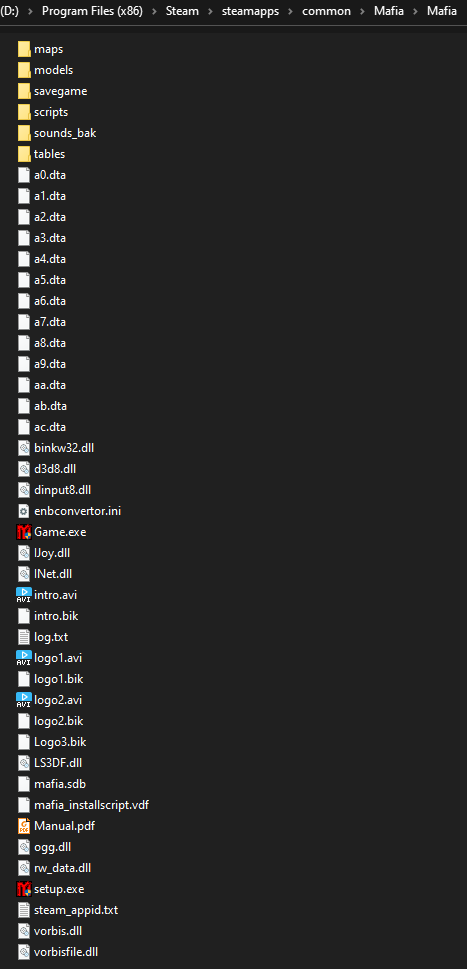
That's how my game folder looks after pack installation:
- Download the pack from one of the mirrors above.
- Unpack the archive and copy all the files from "Mafia - Essential Mods + Music" folder to the game folder (..\Steam\steamapps\common\Mafia\Mafia).
- If you have downloaded the pack with music change "sounds" folder name to something different, "sounds_bak" for example. All sounds + original music are in a0.dta and ab.dta files included in this pack, the sounds folder on the other hand contains only sound effects and silent music tracks, that's why we don't want the game to use it and thus need to rename it.
- That's all, you can start the game!
Additionally if you want cinematic aspect ratio (black bars) in cutscenes back you can go to scripts folder and edit Mafia_widescreen_fix.ini in any text editor, notepad for example. Find line with Fix Borders = 0 and change 0 to 1. That's all.
That's how my game folder looks after pack installation:
Troubleshooting
Disclaimer: The issue described below is not caused by the pack itself and may happen to you no matter if you have installed this pack or not. I simply thought it may be good idea to include it in this guide.
If your game doesn't want to start when you choose "Play Mafia" and shows Settings window all the time instead, you need to run this one short command in Windows PowerShell:
For Windows 64-bit:
What it does is to copy values from the wrong registry path that game does not recognize to the correct one.
If your game doesn't want to start when you choose "Play Mafia" and shows Settings window all the time instead, you need to run this one short command in Windows PowerShell:
For Windows 64-bit:
REG COPY "HKEY_LOCAL_MACHINE\SOFTWARE\Wow6432Node\Illusion Softworks\Mafia" "HKEY_CURRENT_USER\SOFTWARE\Illusion Softworks\Mafia" /s /f
For Windows 32-bit:REG COPY "HKEY_LOCAL_MACHINE\SOFTWARE\Illusion Softworks\Mafia" "HKEY_CURRENT_USER\SOFTWARE\Illusion Softworks\Mafia" /s /f
What it does is to copy values from the wrong registry path that game does not recognize to the correct one.
Please leave your feedback in the comments!
More Mafia guides
- Не запускается Mafia | Решение★ 5 (742)32k views475 ♥1 minRussianUpdated Jan 13, 2025
- Исправление проблемы с запуском/Startup issues fix (RU/EN)★ 5 (732)26k views627 ♥1 minRussianUpdated Dec 30, 2017
- How to restore the original music to MAFIA: TCoLH★ 5 (576)22k views628 ♥1 minUpdated Dec 4, 2024
- Mafia doesn't start (FIX)★ 5 (188)21k views300 ♥5 minUpdated Apr 17, 2024
- Mafia Graphics Improvements + HD mod (Texture Upscaling)★ 5 (180)15k views354 ♥4 minUpdated Jun 5, 2021
- Возвращение музыки. Сочетание текста и звука.★ 5 (632)15k views733 ♥1 minRussianUpdated Nov 24, 2017



This guide was created by its original author on the Steam Community. Are you the author and want it removed? Request removal.