Mafia Graphics Improvements + HD mod (Texture Upscaling)
Mafia Restoration Mod
WHAT IS THIS ?
This mod is focused making the game as good as possible, while keeping its look faithful to the original game.
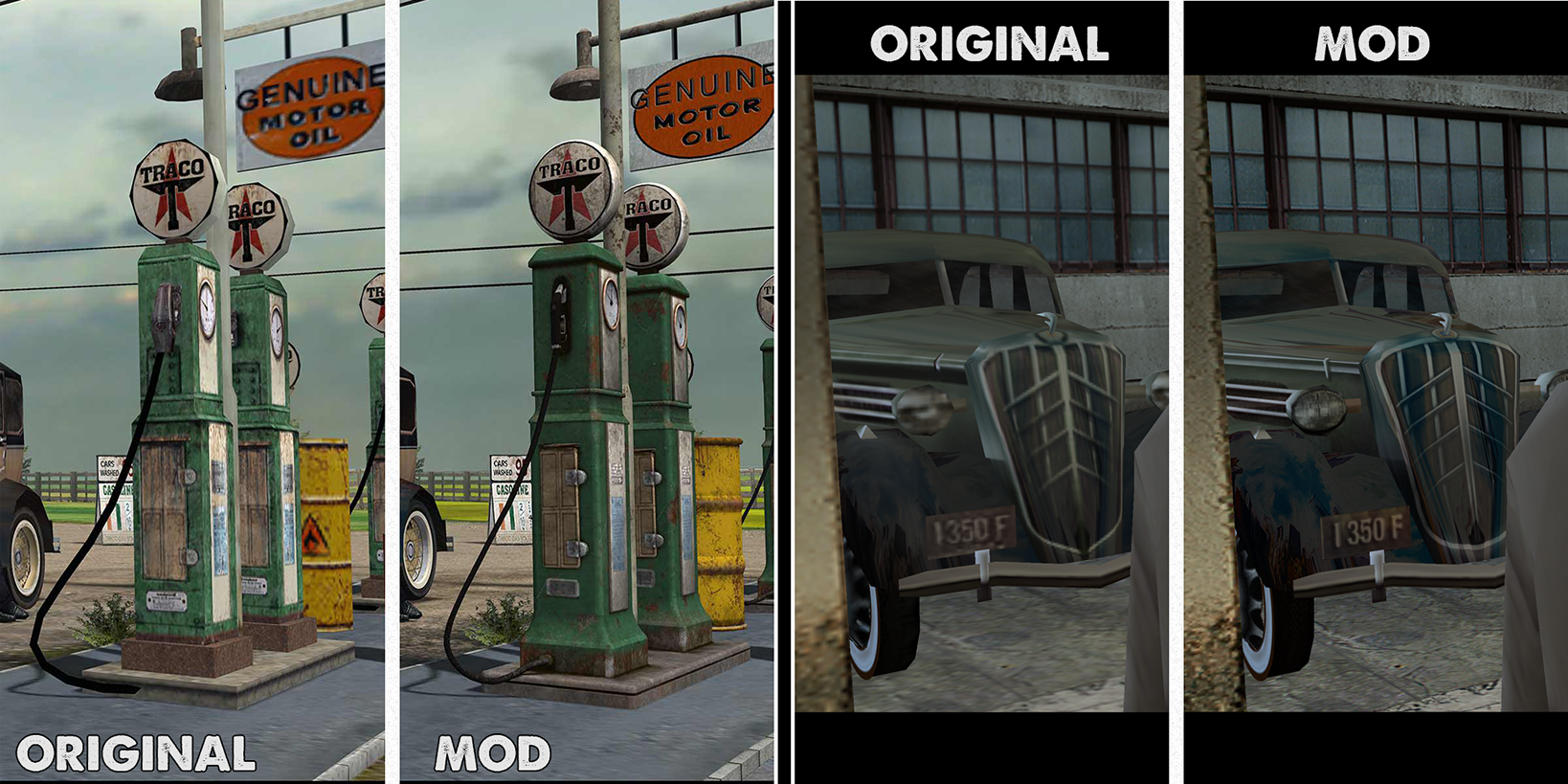
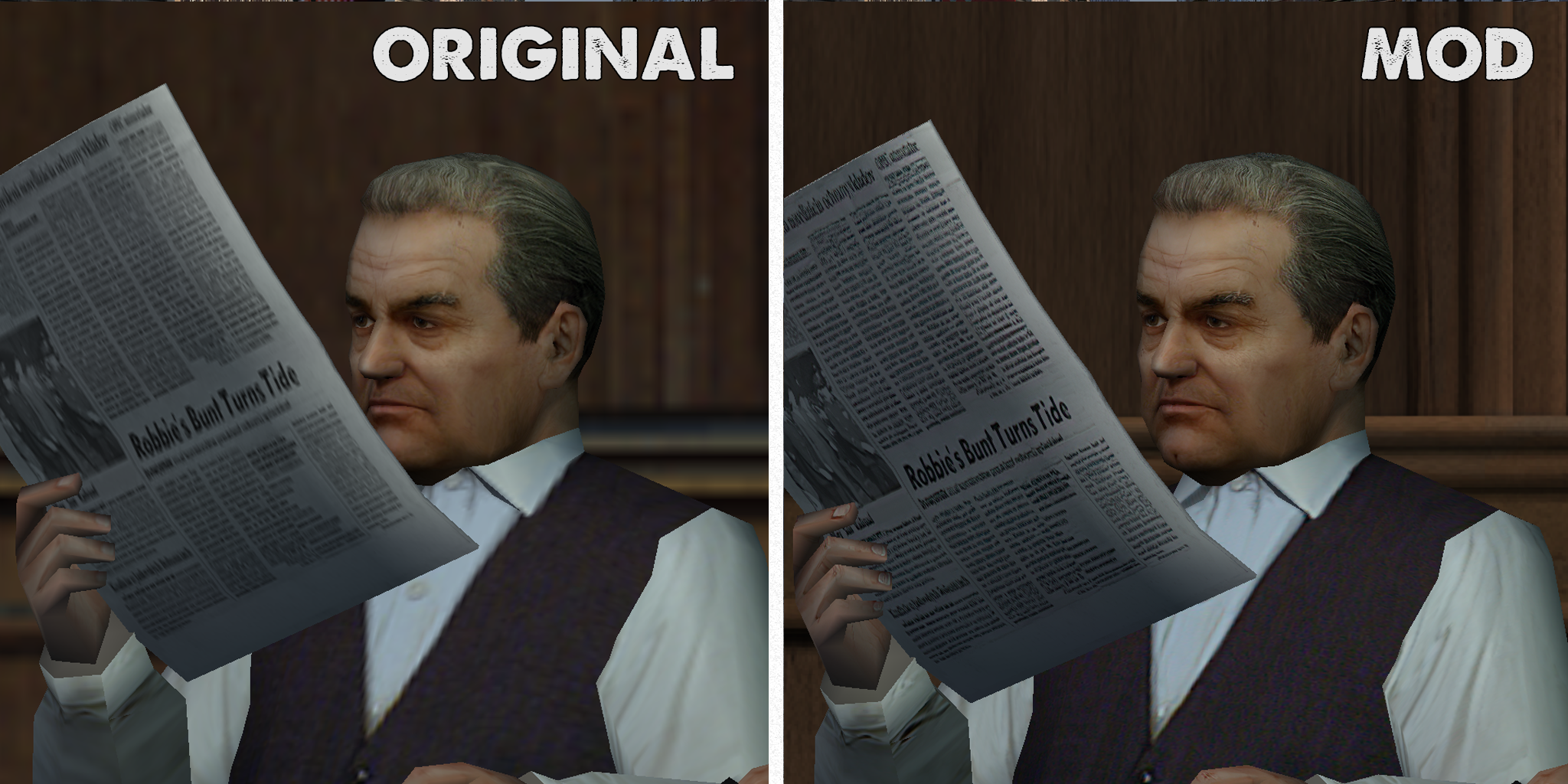
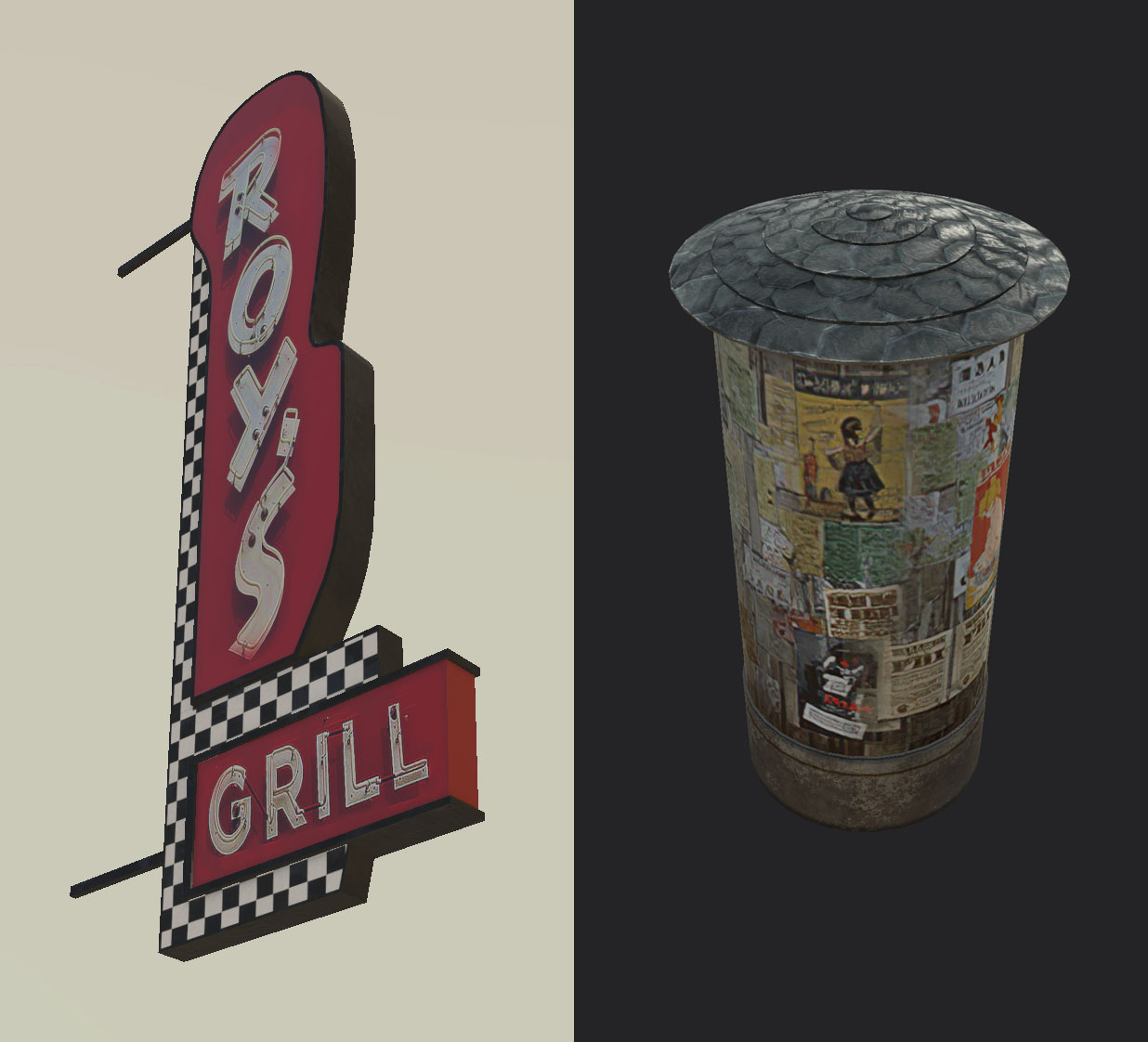
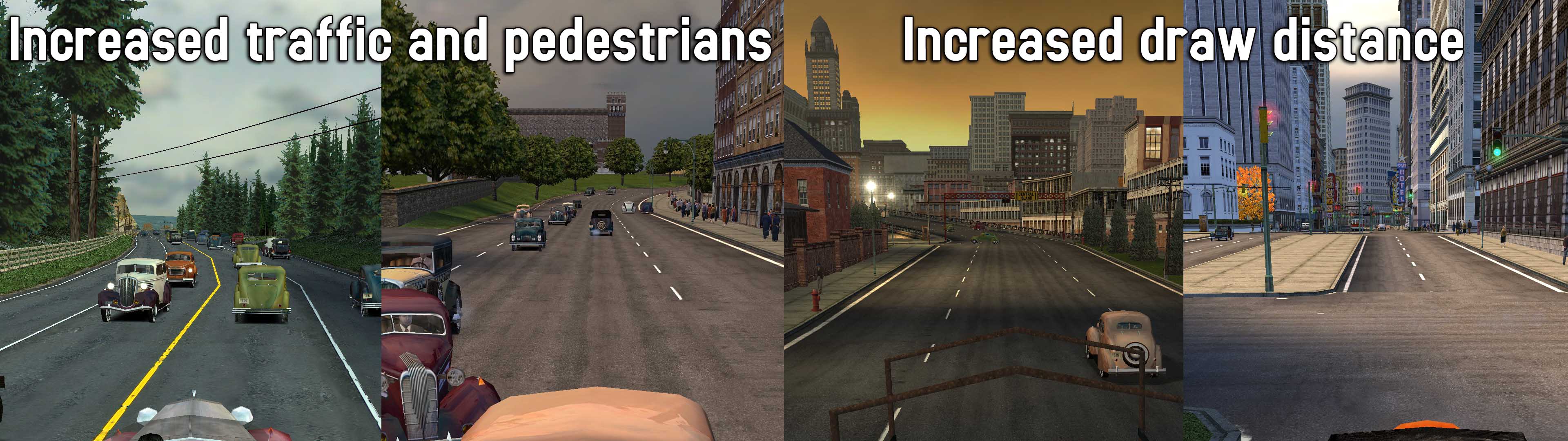
This mod is different than others, because it doesnt just replace things with different HD textures and models that make it look like a different game, but it replaces them with non-invasive textures, thus having the game look like the original, but sharper, and more detailed. It also has a bigger draw distance, and increased traffic and pedestrian density and other improvements. The textures changed are of the ground, roads, pavements, some cars, some walls, pictures, guns, and misc objects, the rest are AI Upscaled to 200% or 400%.
FIRST THINGS FIRST - basic tweaks (optional)
1. Anisotropic filtering - Crank that to 16x either in the SETUP menu when starting the game, or in the nvidia control panel. This is very important.
2. Antialising/DSR - Its best to use some sort of antialising, unless you have Nvidia, in which case
use DSR. DSR is running the game at a higher resolution (even 4k, 8K), on a smaller monitor. All your screenshots will be in 4K, and the game will look smooth as hell. It is performance taxing, so beware. To enable it, go to your Nvidia Control Panel, and down the list find DSR, and mark the 2X, 4X boxes. You will now be able to choose larger resolutions in game.
INSTALLING THE MOD
1.Here is Google Drive link with the archive
https://drive.google.com/file/d/1vh1FK60VPql8mM5cYr2WznZeaPsO8rrC/view?usp=sharing
1. Download it, unzip it, and copy everything in the Mafia folder.
2. Open MafiaDataXTractor.exe, and close it. Nothing else. - This is a program that lets you extract data from the game files, but we dont need to do that. Opening it once will patch the game files automatically so that it reads the new mod files. You can find this extractor on Mafiascene as well.
3.Open "4gb_patch.exe", it will ask where "Game.exe", the game executable is. Select that from "Steam\SteamApps\common\Mafia\Mafia/Game.exe" . This will patch the game to use more than 2gb of ram, up to 4gb. Without it, the game will crash. You can find this patch on the NTCore website as well.
Thats it. Start the game.
Upscaled textures and some new models
 Redone Lightmapping on some levels
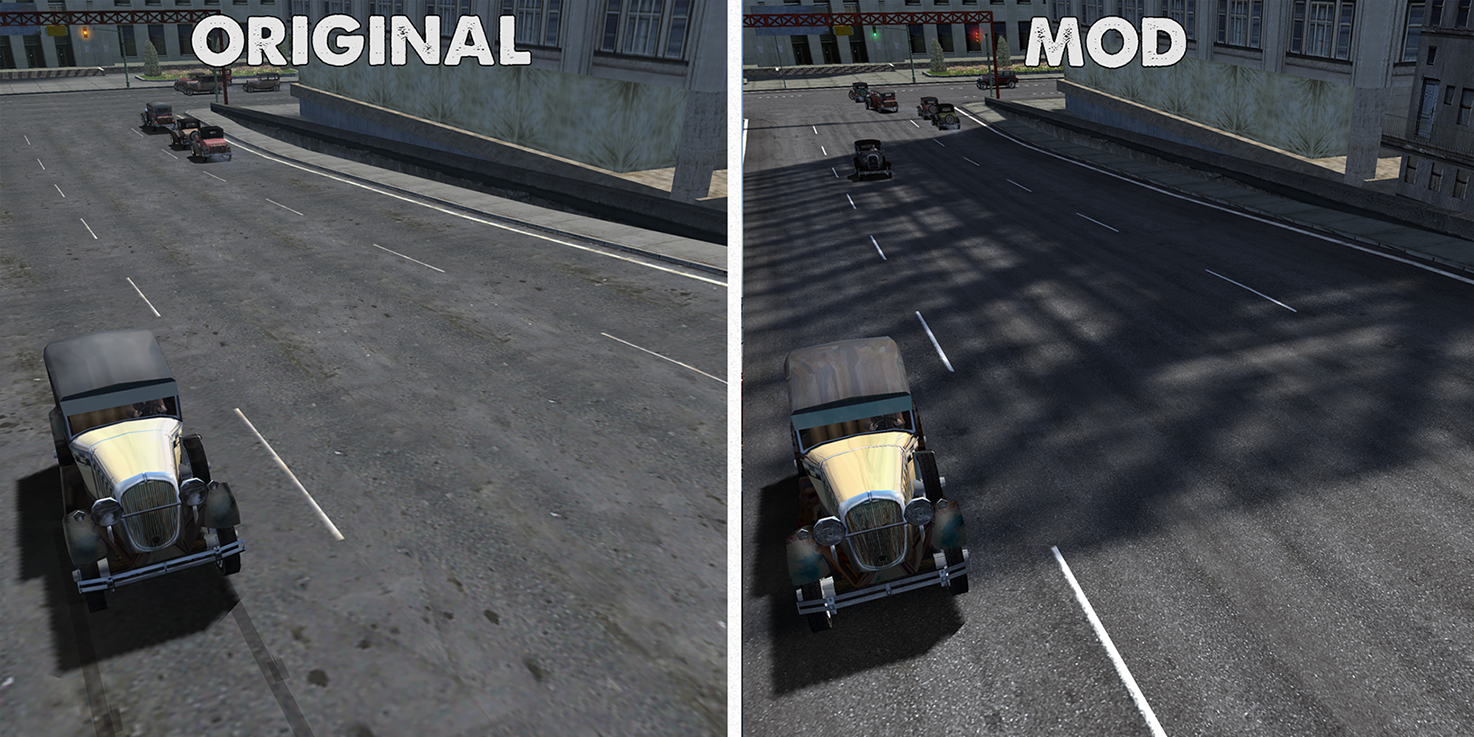 Upscaled textures and some custom ones too
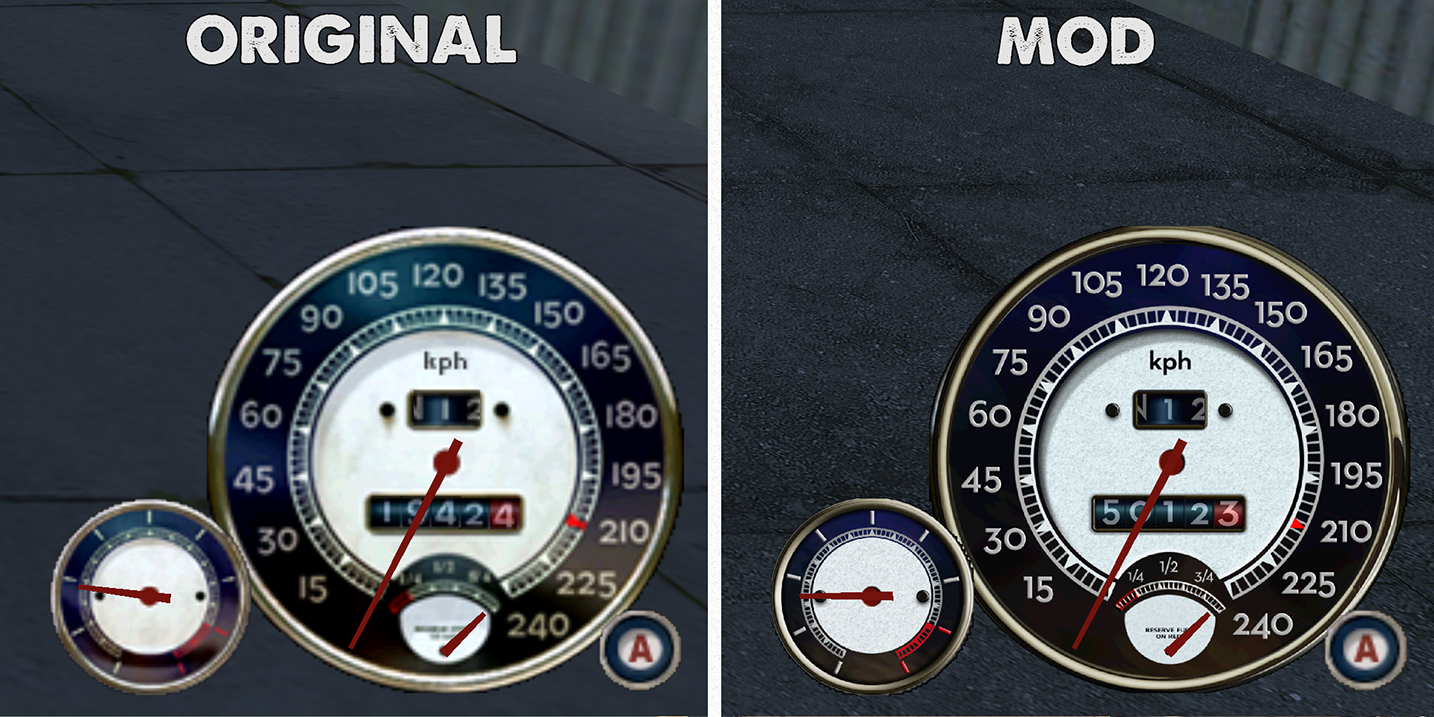
 Brand new gauges and UI faithful the original
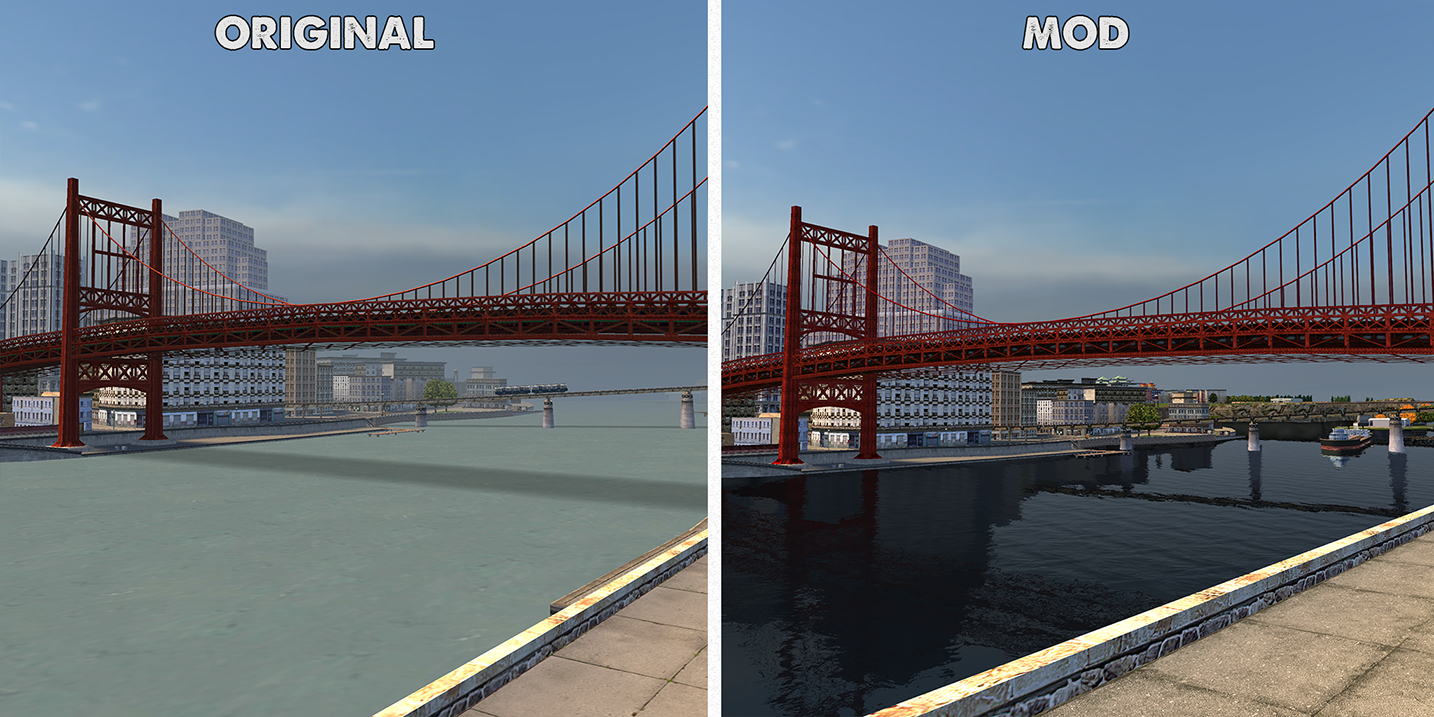
 New Shader-based water
 Upscaled textures closer look
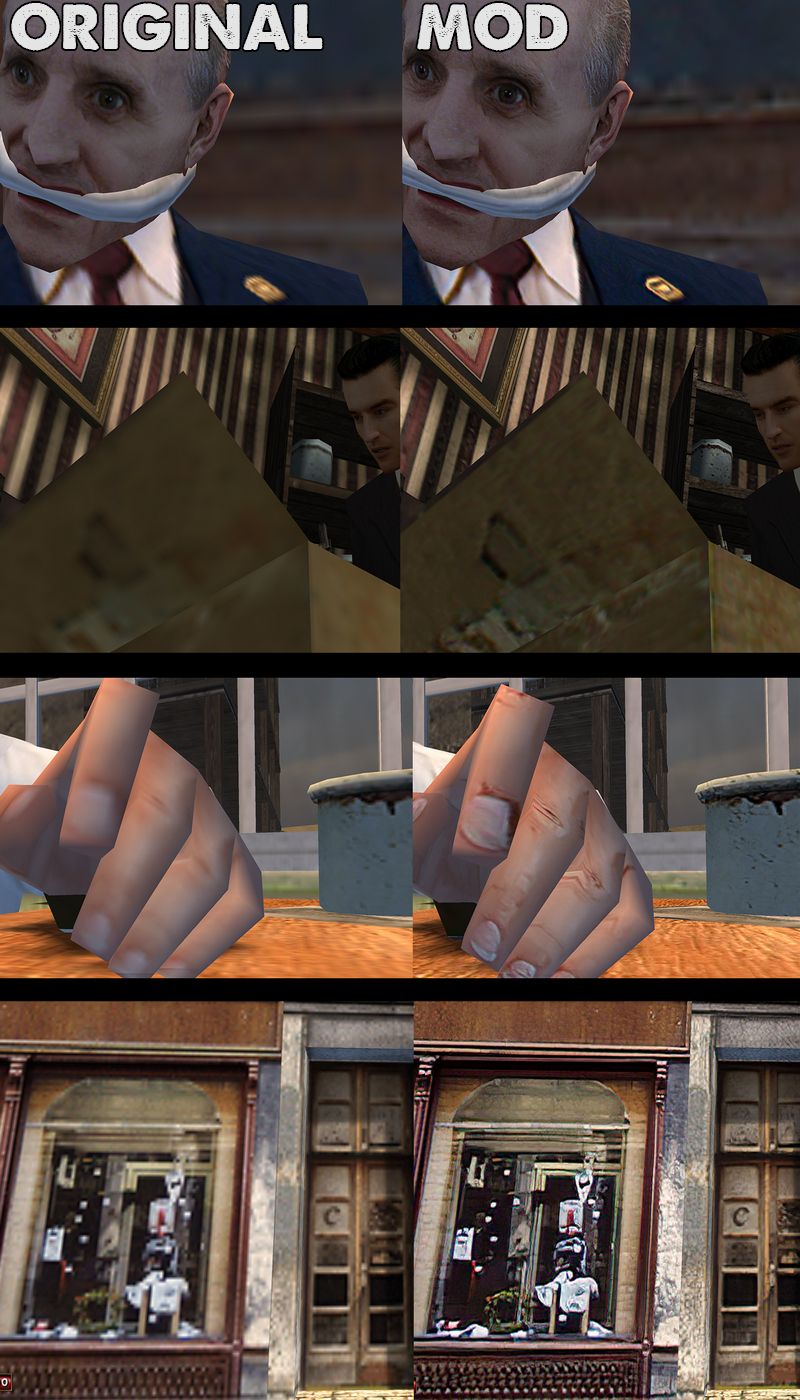 Upscaled textures and some new models
 New custom roads faithful to the original
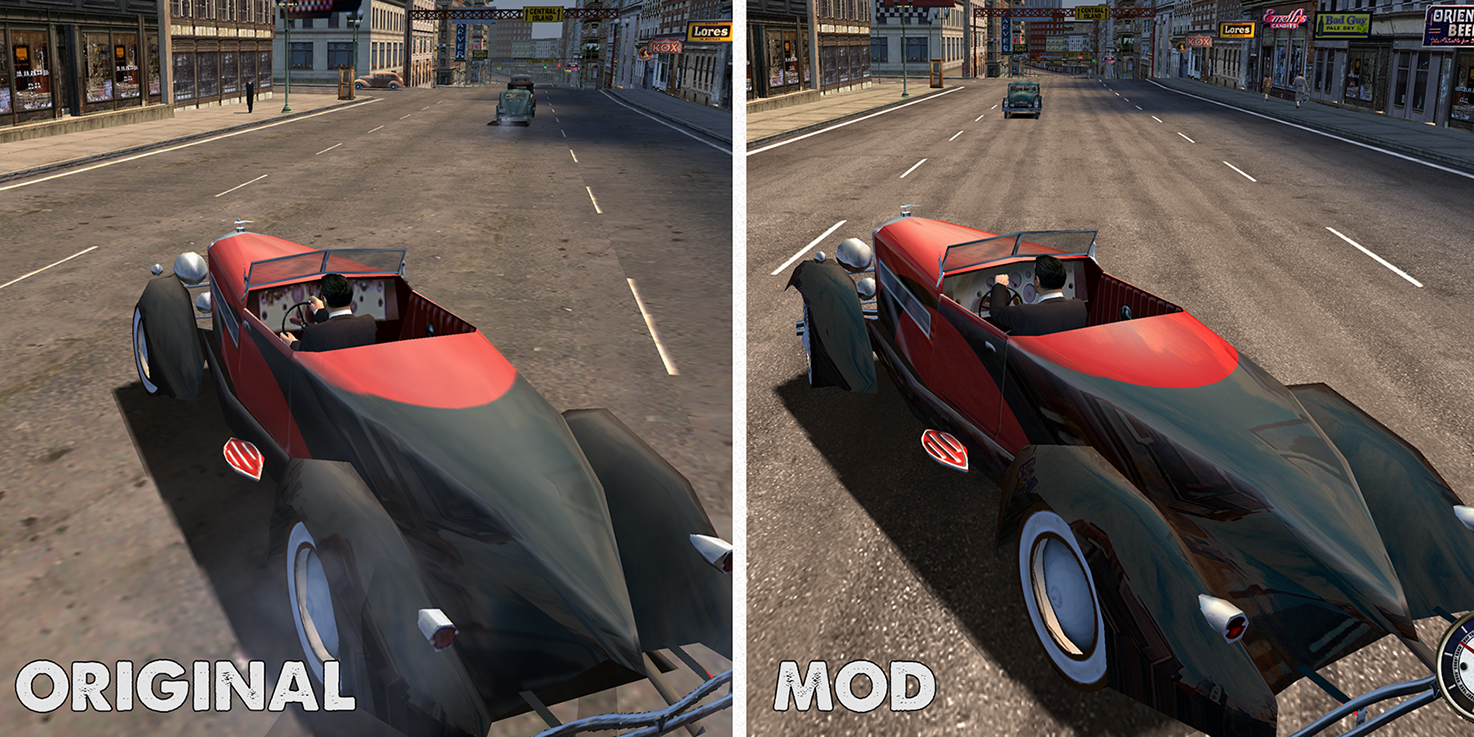 Upscaled and new custom textures
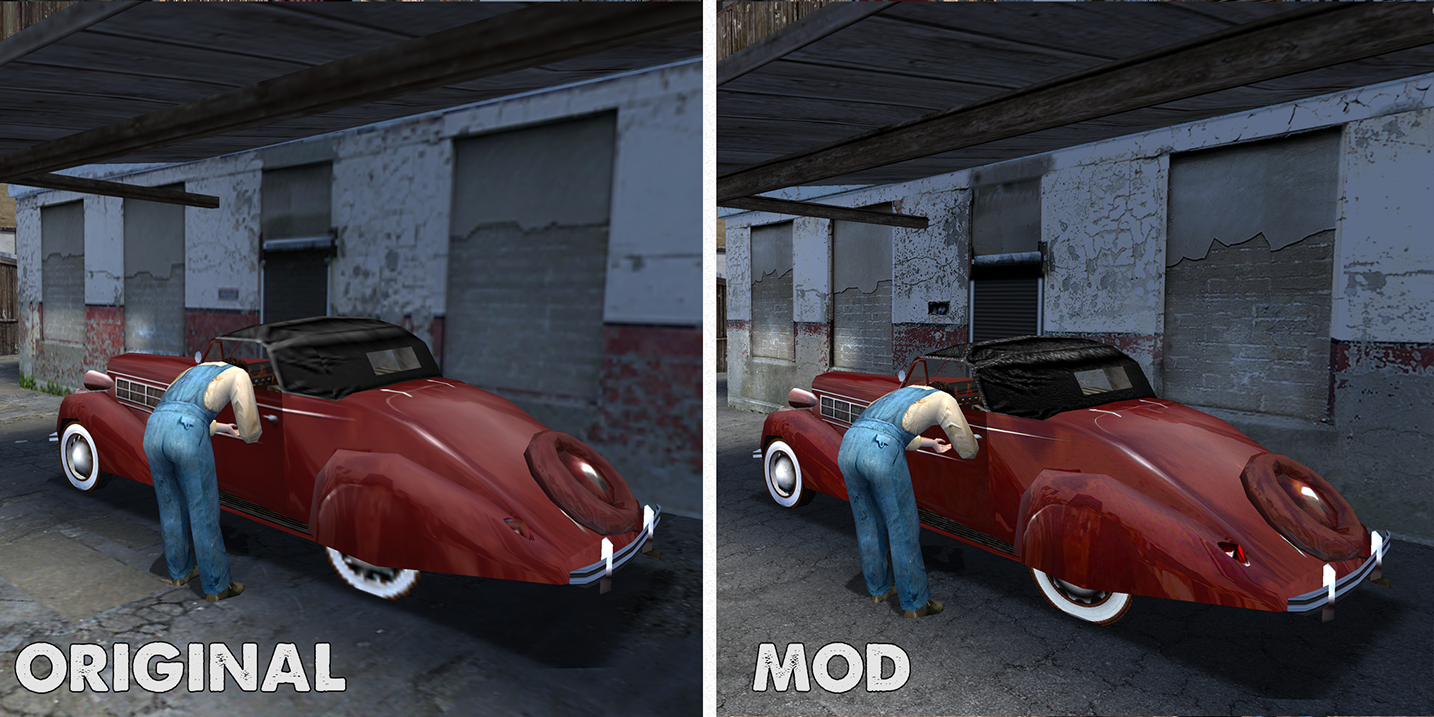 New custom models to replace blocky ones
 Increased traffic and pedestrian density by 200%-1000%, and increased draw distance by 300%-2000%
 Upscaled textures
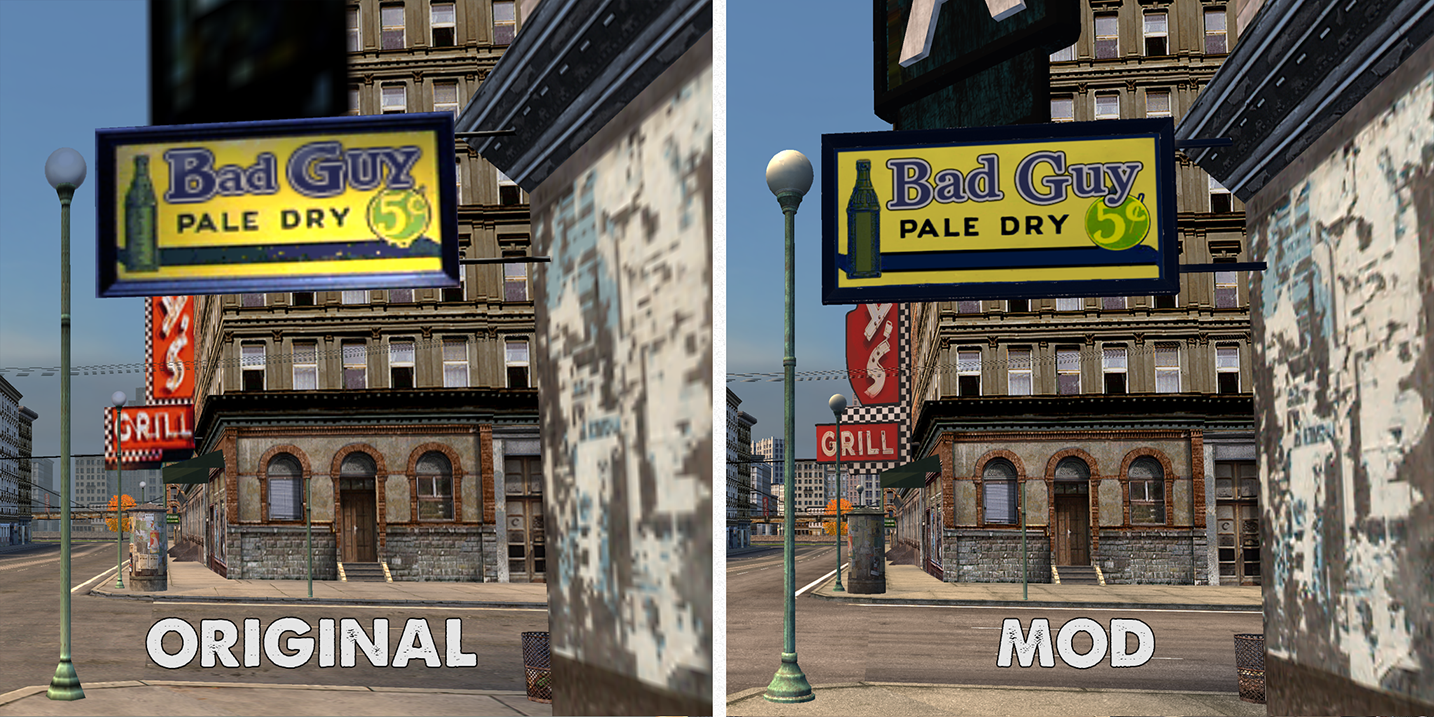
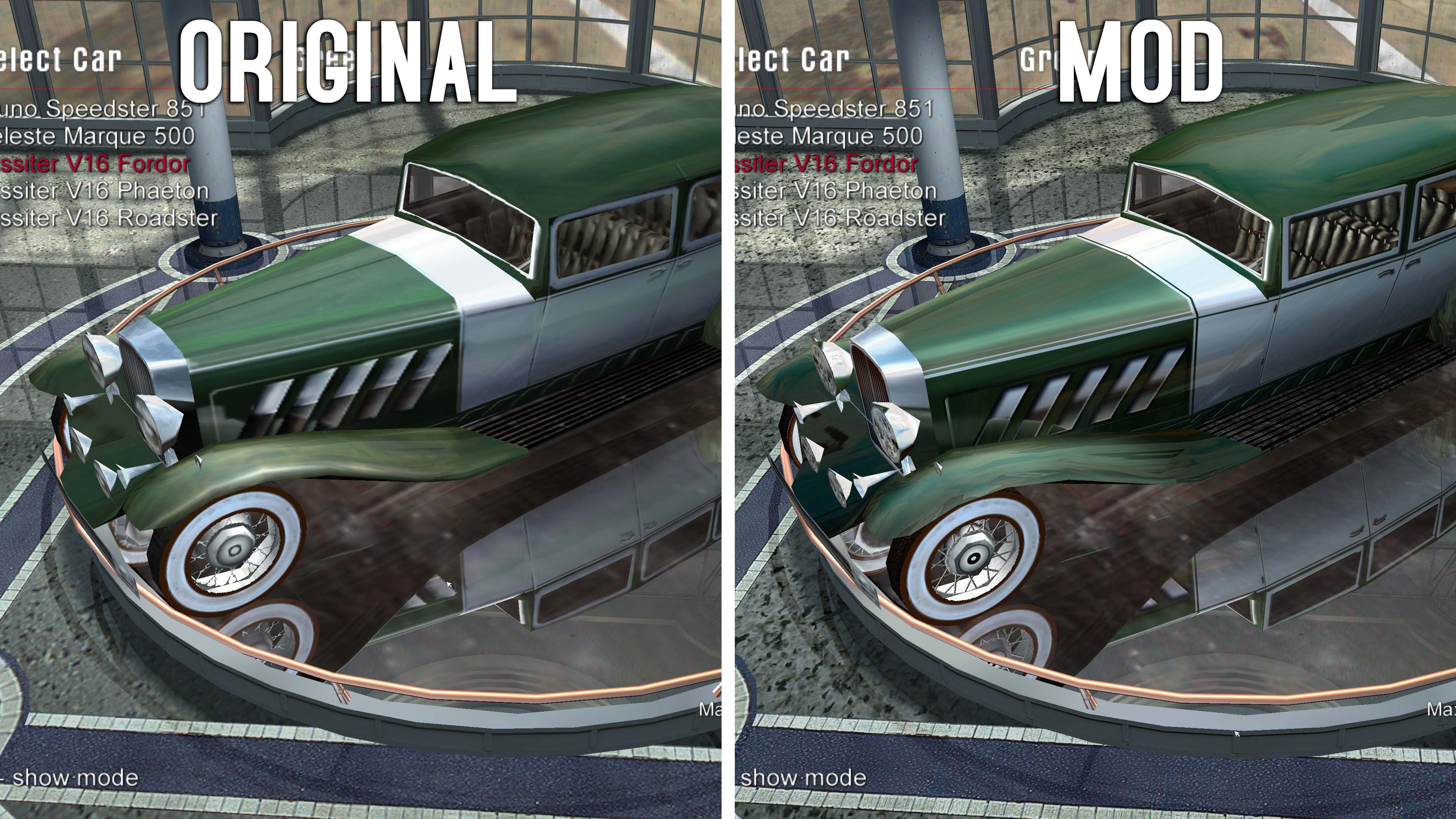 Upscaled textures, new custom textures and original adverts in HD
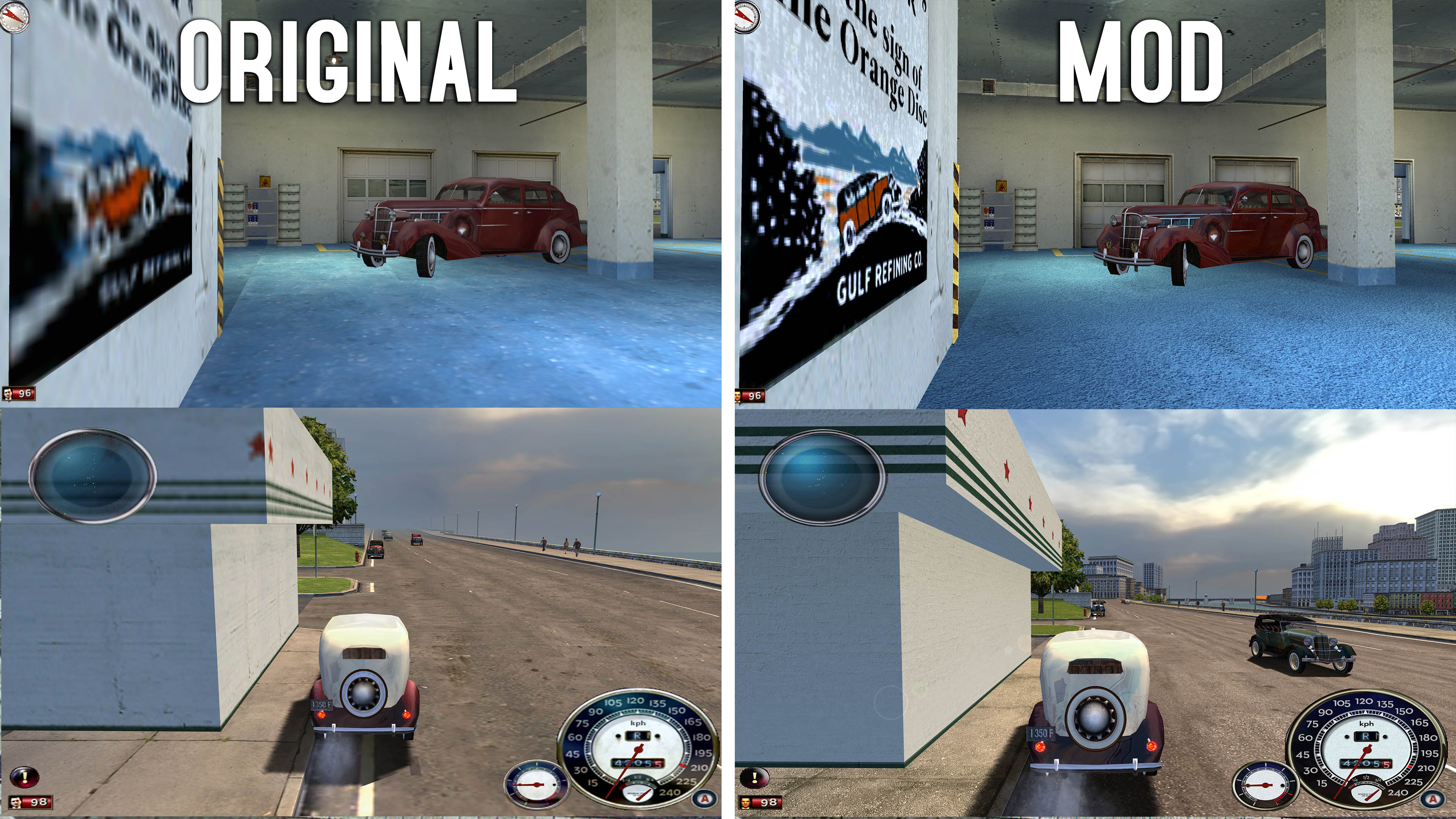
KNOWN PROBLEMS
The mod sometimes crashes during city levels, and definately crashes if you havent patched your Mafia executable to support 4gb of ram. This is because of the huge amount of textures, models and lightmapping the game loads, that it was never designed for. The game originally had a 2gb RAM limit. With the patch, it goes up to 4gb, but its still not enough, so it crashes sometimes, in the bigger levels. If it keeps crashing during a level, the only solution, is this : Go to the game folder, where you put "Maps" and "MISSIONS", and rename one of them to something else, so as to deactivate either the HD textures(Maps), or the increased draw distance and traffic(MISSIONS). Your choice, i suggest "MISSIONS". If it keeps crashing, rename both as well as "models", thus disabling the mod completely. Game will not read them unless they are named "maps", "models" and "missions".
Unfortunately the game does NOT benefit from multi-core support and will only work one of your cores, while the others do nothing. And this mod will stress it a lot. Which means it doesnt really matter how good your GPU is, its your CPU frequency that matters. So if you want this to run best, get a fast CPU. I ran it fine on a laptop at 4K and 8K, it was fine. The game will lag most during night levels, due to all the lights being computed by the CPU.
AUTHOR NOTES
Ive started this mod back in 2009, but never managed to complete it, until now, kinda. There could still be more to optimize and improve, but the tools to do so are becoming incompatible and the game starts to crash and lag if you add more stuff. For anyone looking to replay the game for nostalgia purposes with its original look, i truly believe this mod is your best choice. The game can barely stand all ive put in it, i doubt anyone could put something more, unless some sort of emulator can be made for it and something to properly translate ".4ds" formats to modern modelers.
Credits : MafiaDataExtractor was made by the brilliant massasnygga.
The 4gb patch was made by Daniel Pistelli, from NTcore, and you can find it on their website as well.
Water mod was done by "Mr F", and widescreen patch by the community.
HD Textures, models, traffic editing and lightmapping were done by me.
Post any questions below, i will try to answer. Ive switched from Mega hosting to Dropbox, hopefully that fixes download problems. Also updated the mod as of 27-09-2020.
Enjoy.
This mod is focused making the game as good as possible, while keeping its look faithful to the original game.
This mod is different than others, because it doesnt just replace things with different HD textures and models that make it look like a different game, but it replaces them with non-invasive textures, thus having the game look like the original, but sharper, and more detailed. It also has a bigger draw distance, and increased traffic and pedestrian density and other improvements. The textures changed are of the ground, roads, pavements, some cars, some walls, pictures, guns, and misc objects, the rest are AI Upscaled to 200% or 400%.
FIRST THINGS FIRST - basic tweaks (optional)
1. Anisotropic filtering - Crank that to 16x either in the SETUP menu when starting the game, or in the nvidia control panel. This is very important.
2. Antialising/DSR - Its best to use some sort of antialising, unless you have Nvidia, in which case
use DSR. DSR is running the game at a higher resolution (even 4k, 8K), on a smaller monitor. All your screenshots will be in 4K, and the game will look smooth as hell. It is performance taxing, so beware. To enable it, go to your Nvidia Control Panel, and down the list find DSR, and mark the 2X, 4X boxes. You will now be able to choose larger resolutions in game.
INSTALLING THE MOD
1.Here is Google Drive link with the archive
https://drive.google.com/file/d/1vh1FK60VPql8mM5cYr2WznZeaPsO8rrC/view?usp=sharing
1. Download it, unzip it, and copy everything in the Mafia folder.
2. Open MafiaDataXTractor.exe, and close it. Nothing else. - This is a program that lets you extract data from the game files, but we dont need to do that. Opening it once will patch the game files automatically so that it reads the new mod files. You can find this extractor on Mafiascene as well.
3.Open "4gb_patch.exe", it will ask where "Game.exe", the game executable is. Select that from "Steam\SteamApps\common\Mafia\Mafia/Game.exe" . This will patch the game to use more than 2gb of ram, up to 4gb. Without it, the game will crash. You can find this patch on the NTCore website as well.
Thats it. Start the game.
Upscaled textures and some new models
Redone Lightmapping on some levelsUpscaled textures and some custom ones tooBrand new gauges and UI faithful the originalNew Shader-based waterUpscaled textures closer lookUpscaled textures and some new modelsNew custom roads faithful to the originalUpscaled and new custom texturesNew custom models to replace blocky onesIncreased traffic and pedestrian density by 200%-1000%, and increased draw distance by 300%-2000%Upscaled texturesUpscaled textures, new custom textures and original adverts in HDKNOWN PROBLEMS
The mod sometimes crashes during city levels, and definately crashes if you havent patched your Mafia executable to support 4gb of ram. This is because of the huge amount of textures, models and lightmapping the game loads, that it was never designed for. The game originally had a 2gb RAM limit. With the patch, it goes up to 4gb, but its still not enough, so it crashes sometimes, in the bigger levels. If it keeps crashing during a level, the only solution, is this : Go to the game folder, where you put "Maps" and "MISSIONS", and rename one of them to something else, so as to deactivate either the HD textures(Maps), or the increased draw distance and traffic(MISSIONS). Your choice, i suggest "MISSIONS". If it keeps crashing, rename both as well as "models", thus disabling the mod completely. Game will not read them unless they are named "maps", "models" and "missions".
Unfortunately the game does NOT benefit from multi-core support and will only work one of your cores, while the others do nothing. And this mod will stress it a lot. Which means it doesnt really matter how good your GPU is, its your CPU frequency that matters. So if you want this to run best, get a fast CPU. I ran it fine on a laptop at 4K and 8K, it was fine. The game will lag most during night levels, due to all the lights being computed by the CPU.
AUTHOR NOTES
Ive started this mod back in 2009, but never managed to complete it, until now, kinda. There could still be more to optimize and improve, but the tools to do so are becoming incompatible and the game starts to crash and lag if you add more stuff. For anyone looking to replay the game for nostalgia purposes with its original look, i truly believe this mod is your best choice. The game can barely stand all ive put in it, i doubt anyone could put something more, unless some sort of emulator can be made for it and something to properly translate ".4ds" formats to modern modelers.
Credits : MafiaDataExtractor was made by the brilliant massasnygga.
The 4gb patch was made by Daniel Pistelli, from NTcore, and you can find it on their website as well.
Water mod was done by "Mr F", and widescreen patch by the community.
HD Textures, models, traffic editing and lightmapping were done by me.
Post any questions below, i will try to answer. Ive switched from Mega hosting to Dropbox, hopefully that fixes download problems. Also updated the mod as of 27-09-2020.
Enjoy.
More Mafia guides
- Не запускается Mafia | Решение★ 5 (742)32k views475 ♥1 minRussianUpdated Jan 13, 2025
- Исправление проблемы с запуском/Startup issues fix (RU/EN)★ 5 (732)26k views627 ♥1 minRussianUpdated Dec 30, 2017
- How to restore the original music to MAFIA: TCoLH★ 5 (576)22k views628 ♥1 minUpdated Dec 4, 2024
- Mafia doesn't start (FIX)★ 5 (188)21k views300 ♥5 minUpdated Apr 17, 2024
- Возвращение музыки. Сочетание текста и звука.★ 5 (632)15k views733 ♥1 minRussianUpdated Nov 24, 2017
- Mafia - Essential HD Interface Mods + Win 10/Widescreen Fixes + Music★ 5 (323)14k views542 ♥3 minUpdated Sep 12, 2020



This guide was created by its original author on the Steam Community. Are you the author and want it removed? Request removal.