Mod Update Restart Loop - OneDrive may be the cause
Intro
https://support.klei.com/hc/en-us/articles/360029880551-Oxygen-Not-Included-Troubleshooting-Guide
Problems caused by official guide (among others)- Need to reinstall ALL mods, not only affected ones
- Loss of all config settings, including mods
- Loss of some save data (mainly autosave thumbnails. Save files tend to have Steam cloud backup, though this can backfire in other ways)
The steps provided will at least avoid the problems above, except you will still lose settings only for the mods you need to reinstall, but nothing of the others.
Throughout all steps, ONI should always be running (at least in the background) or being restarted as instructed.
Part 1-Completely remove the affected mod(s)
1. Open ONI, bypass prompts with ESC.
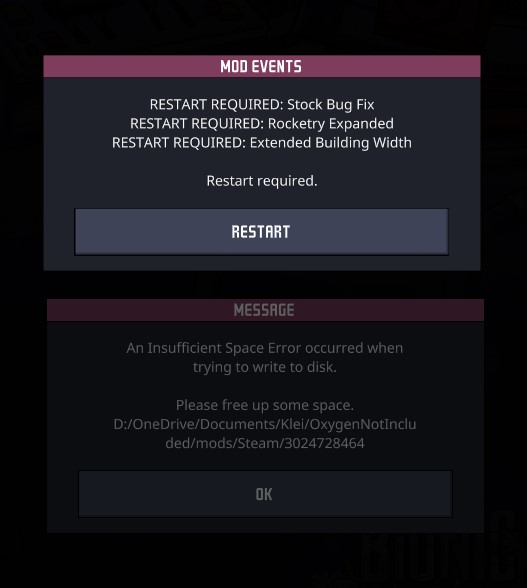
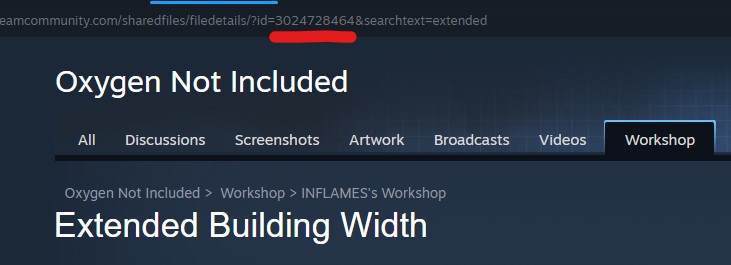
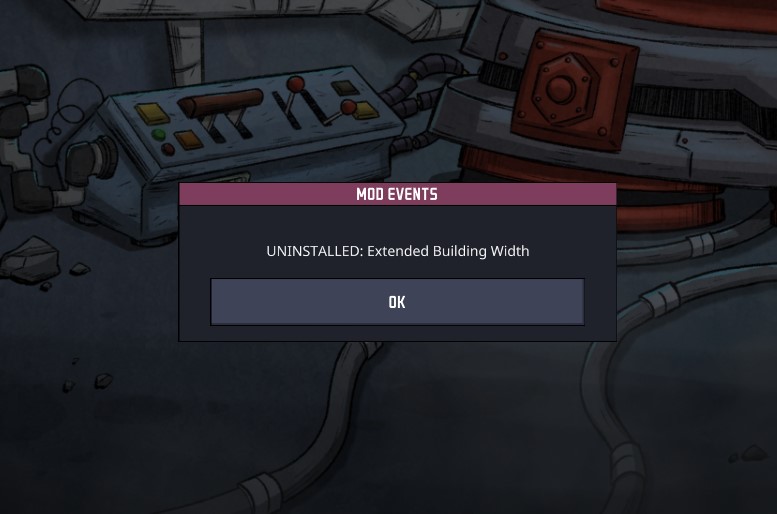
- Alt-tab to Steam, open the mod's workshop page, note down the mod's number from the url, then "Unsubscribe" the mod (Tip - click on the URL to copy to clipboard). Repeat for all other mods also coming up in the prompts.
- Alt-tab back to ONI, once it reports mod(s) are uninstalled, restart ONI (even if not prompted - not sure this is critical to succeed, but it clears off the "Restart" notices and resets error reports in the Mods toggle menu).
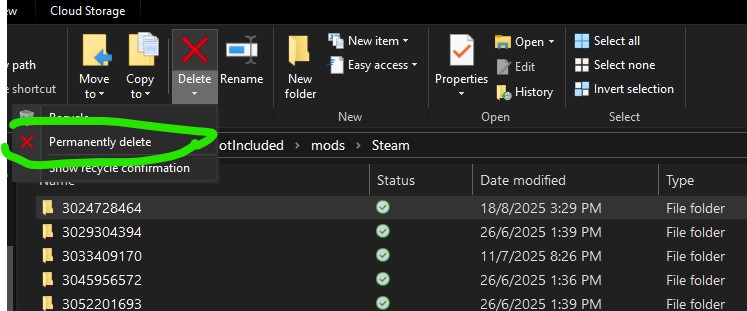
- Open
\Documents\Klei\OxygenNotIncluded\mods\Steam
in Explorer, identify the mod (folder with same number as mod), and "Permanently Delete" (skip recycle bin) that folder.Part 2-Scouring traces of OneDrive influence
- With ONI still running, pause/shutdown OneDrive
(do not allow OneDrive to resume/reactivate till the last step in part 3)
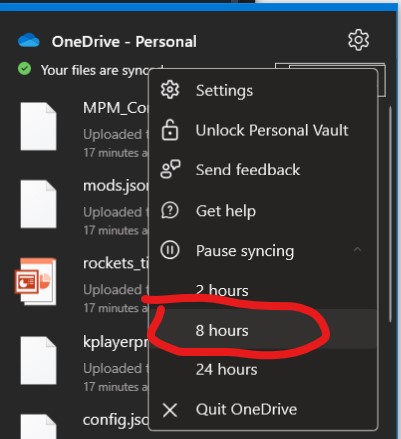 2. Access Onedrive via browser, open the Recycle Bin & delete the newly removed mod files/folders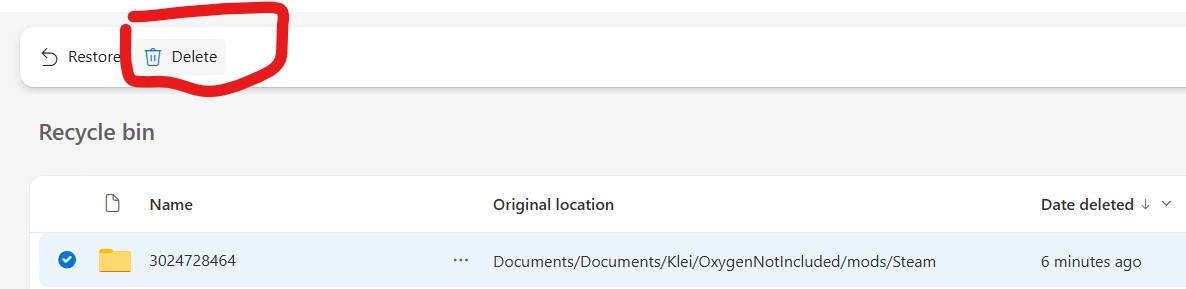
Part 3-Clean reinstall of mod (without OneDrive interference)
1. With ONI still running & OneDrive paused/shutdown, open mod workshop page, re-subscribe to the removed mods.
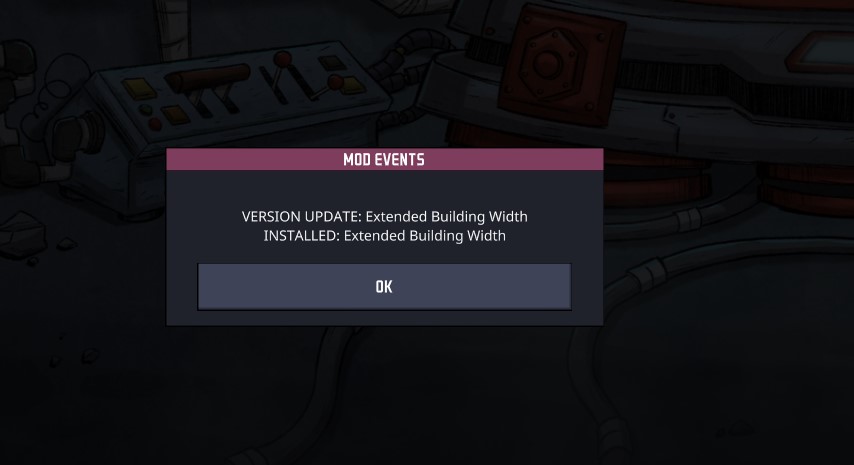 2. Return to ONI, enable the mod, restart when prompted.
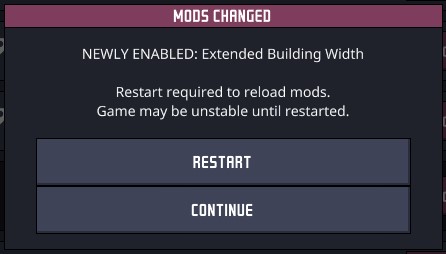
(if successful, this should be the last restart prompt you see) 3. Checklist before continuing (if not, you might want to redo from beginning of Part 1)
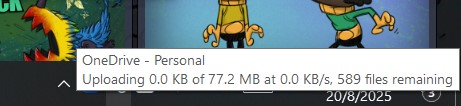 For best results, keep ONI open until the below is fully complete
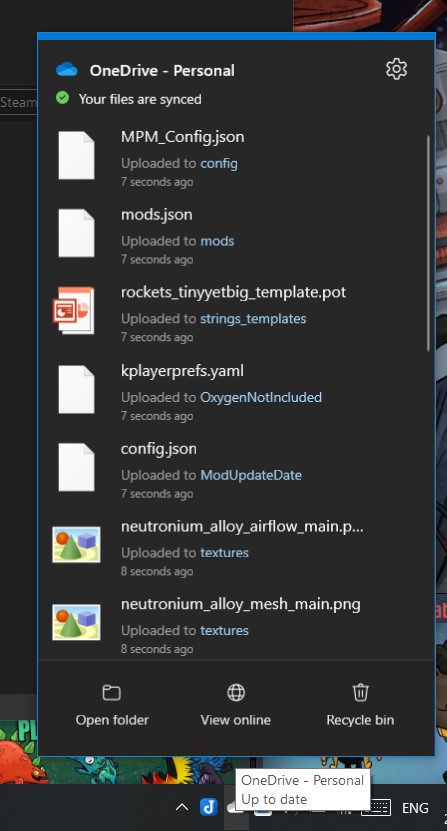
2. Return to ONI, enable the mod, restart when prompted.(if successful, this should be the last restart prompt you see) 3. Checklist before continuing (if not, you might want to redo from beginning of Part 1)
- OneDrive remains paused/shutdown since Part 2
- ONI is running
For best results, keep ONI open until the below is fully completeMore Oxygen Not Included guides
- ONI - Surviving the Early Game★ 5 (2.4k)83k views6.3k ♥54 minUpdated Aug 6, 2019
- Useful Construction Patterns★ 5 (1.8k)74k views5.2k ♥66 minUpdated Aug 29, 2020
- 10* things I wish I knew sooner...★ 5 (754)58k views1k ♥4 minUpdated Oct 6, 2017
- ONI - Surviving the Mid-Game★ 5 (1.3k)44k views3.8k ♥150 minUpdated 6 Sep, 2019
- Not Quite Beginner's Guide★ 5 (361)32k views1.1k ♥91 minUpdated Mar 26, 2023
- Руководство для начинающих. (ОСНОВЫ)★ 5 (629)32k views1.2k ♥21 minRussianUpdated 20 Apr, 2019




🔥 Popular guides
- Upgrading to PremiumTeam Fortress 2★ 5 (20k)1441k views11k ♥6 minUpdated May 11, 2022
- No More Room in Hell Official ManualNo More Room in Hell★ 5 (2.8k)569k views2.1k ♥29 minUpdated Apr 22, 2019
- NMRiH Community Hosting GuidesNo More Room in Hell★ 5 (526)351k views653 ♥1 minUpdated Aug 10, 2022
- ULTIMATE GUIDE FOR GAME DEV TYCOONGame Dev Tycoon★ 5 (5.8k)326k views10k ♥4 minUpdated 23 Jan, 2014
- How to 'Git Gud' Soon™MORDHAU★ 5 (2k)318k views3k ♥68 minUpdated Nov 16, 2024
- Лучшие кооперативные игры SteamPAYDAY 2★ 5 (1.5k)315k views2.1k ♥56 minRussianUpdated Apr 27, 2025






This guide was created by its original author on the Steam Community. Are you the author and want it removed? Request removal.