No Man's Sky Guide - How to Use The Trade Economy
Introduction
 Hey there! If you are anything like me, you have definitely wondered how exactly to construct an effective method to making money in No Man's Sky so that you can purchase anything you want (for units that is). So here I am, hoping to help you all out and potentially learn something myself!
Note: This method is slightly complex, does require a decent understanding of the game's mechanics such as Warping to Star Systems, and quite a bit of materials to setup so buckle in and follow along! I hope to make it as simple and easy to understand as possible for Beginners or even Veterans.
- Understanding Trade Economy
- Utilization in Practice
- Step-By-Step Breakdown of Base Construction
- Final Notes
If you wish to refer back to this guide easier, please click the Favorite and Like buttons! And if you find this guide useful please share with a friend or send an award for more visibility on the platform.
 Thank you!
Without further ado, let's get started.
The Trade Economy
Which is:
- What exactly Star System Economies are
- How to Locate Them
- Which Ones are the MOST Profitable to Search for
The Trade Route is the most optimal path to take to reach the most profitable Star Systems based on the different Trade Goods they desire (demand) and what they provide (supply).
Yo can also figure out which Star Systems have which Economies with an Economy Scanner[nomanssky.fandom.com]. By entering the Galaxy Map, you can select "Economies" within the filter setting and reveal all Star System Economies based on color.
- Orange - Mining
- Cyan/Bright Blue - High Tech
- Red - Power Generation
- Yellow - Manufacturing
- Green - Trading
- Dark Blue - Scientific
- Purple - Advanced Materials

With this knowledge you can (while setting up) effectively map which Star Systems to look for next after acquiring their respective Trade Goods!
Here's a secret... it is incredibly simple!
Each Star System Economy has a level to indicate their success within the system, and it is shown by the number of stars next to the icon of the Star System's Economy when looking through the Galaxy Map
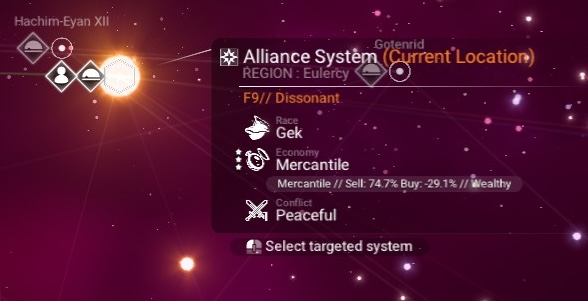 And let me just say... 3 Star Economies are the wealthiest systems and provide the MOST Trade Goods to purchase when at a Space Station or a Trade Post.
(This seems to be the accurate amount of time it takes for a Star System to reset based on my testing.) The OPTIMAL Star System Economy Buy/Sell Rate is somewhere between:
- 70.0% to 80.0% | For Sell
- -20.0% to -30.0% | For Buying
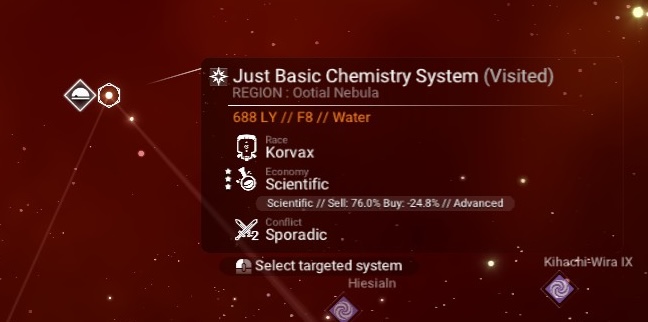
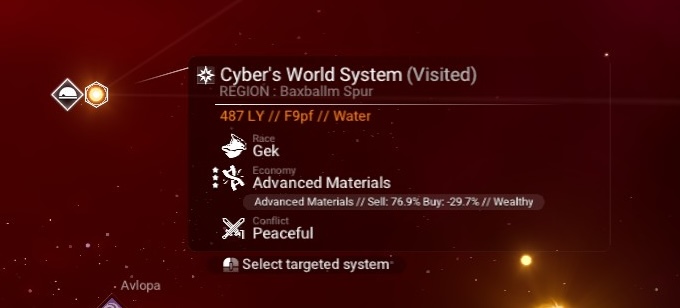
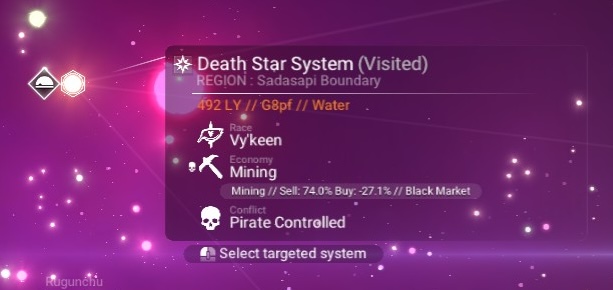 In this case, you can sell Power Generation Trade Goods to this Star System for the highest profit. However, you will not receive Mining Trade Goods from the Star System. The profits gained from selling Black Market Trade Goods will NOT change based on Economy, so you can then take these goods and sell them to any Regulated Star System for extra Units.
This is how you maximize profits.
Simple enough I hope!
Finding Trade Posts and Base Construction
You receive BETTER deals when trading at Trade Posts as opposed to at Space Stations.
But how do you find Trade Posts?
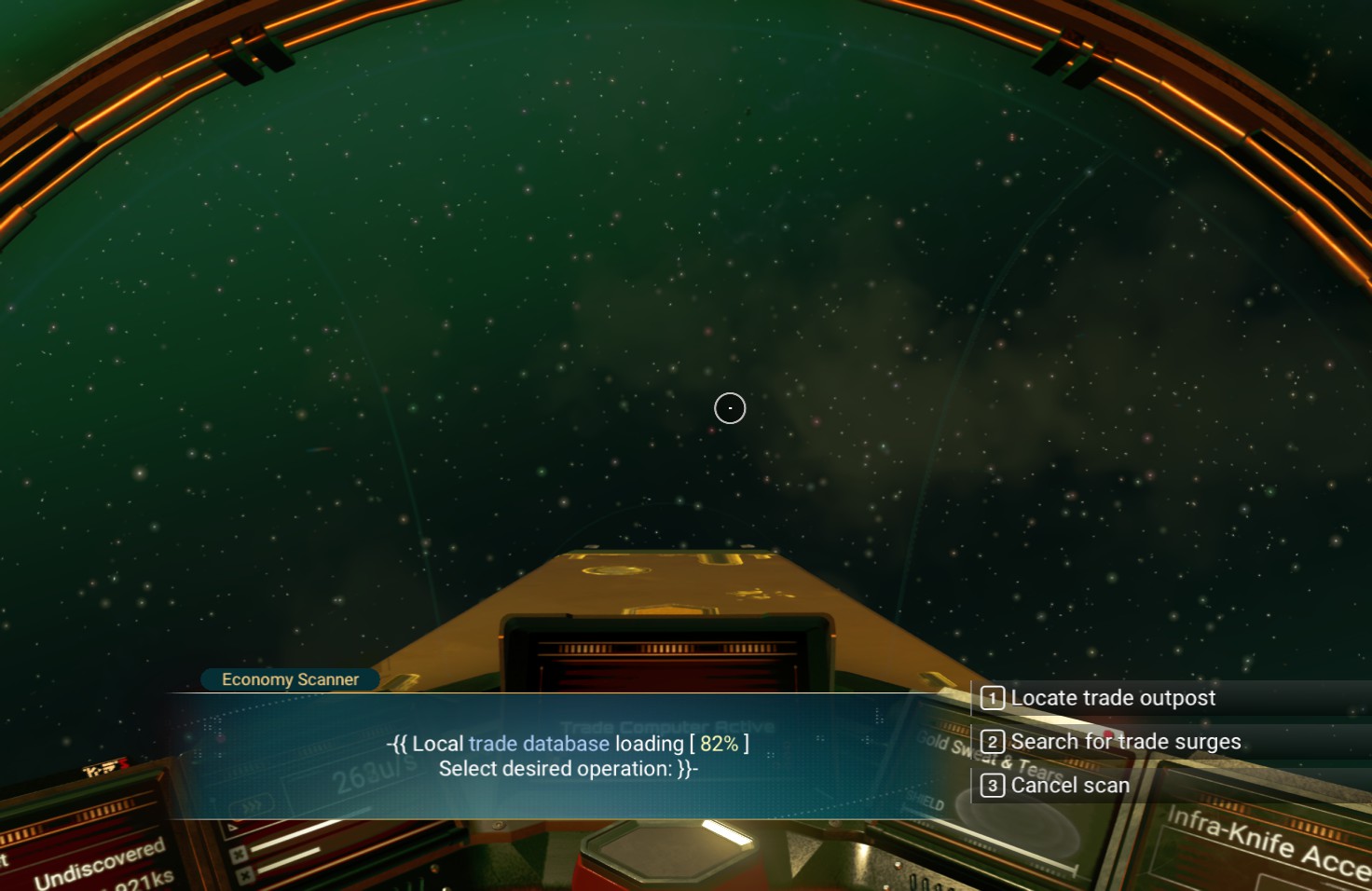
Utilize the Economy Scanner!
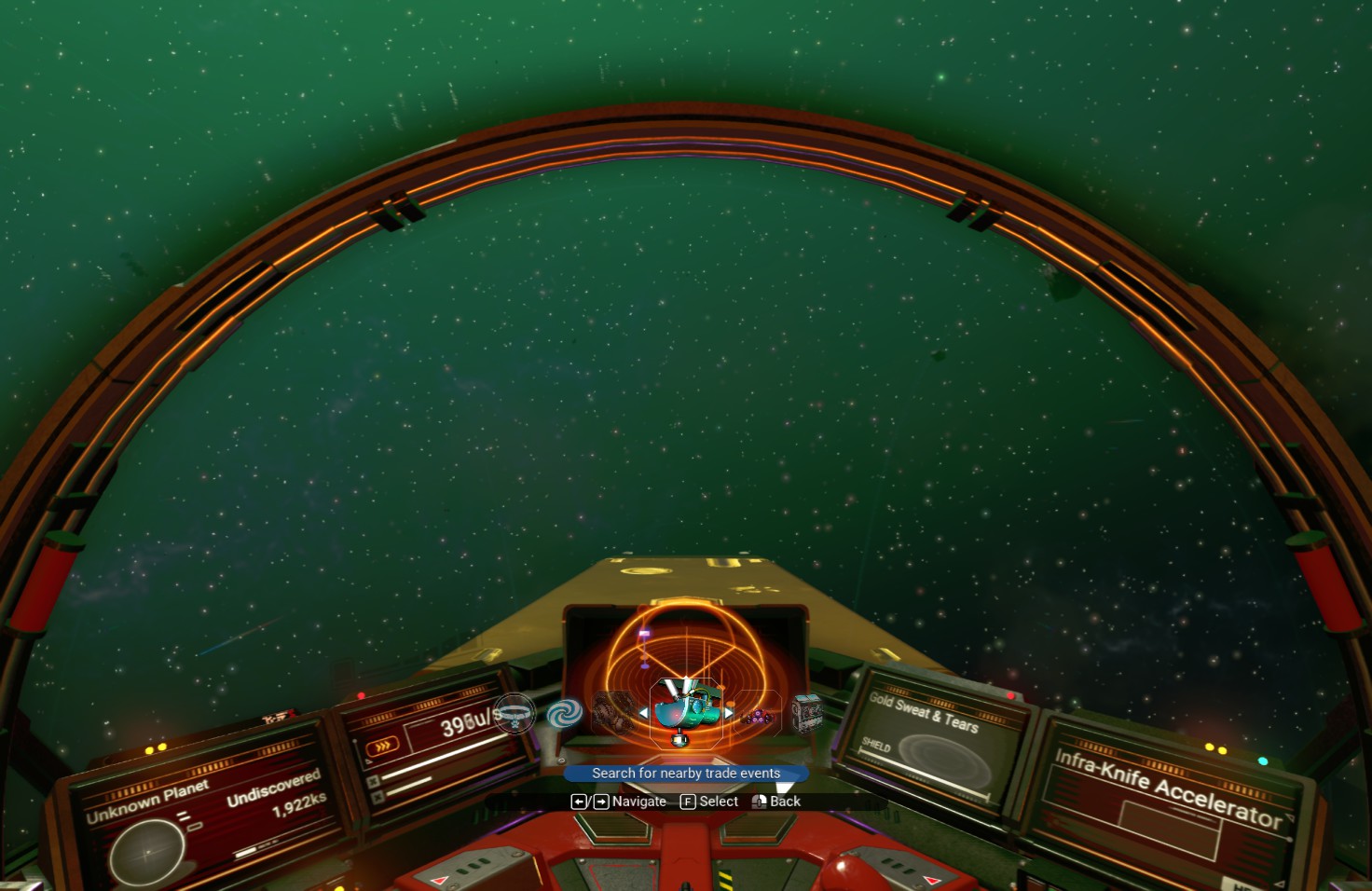
Pressing the FIRST OPTION will direct you to the closest Planetary Trade Post
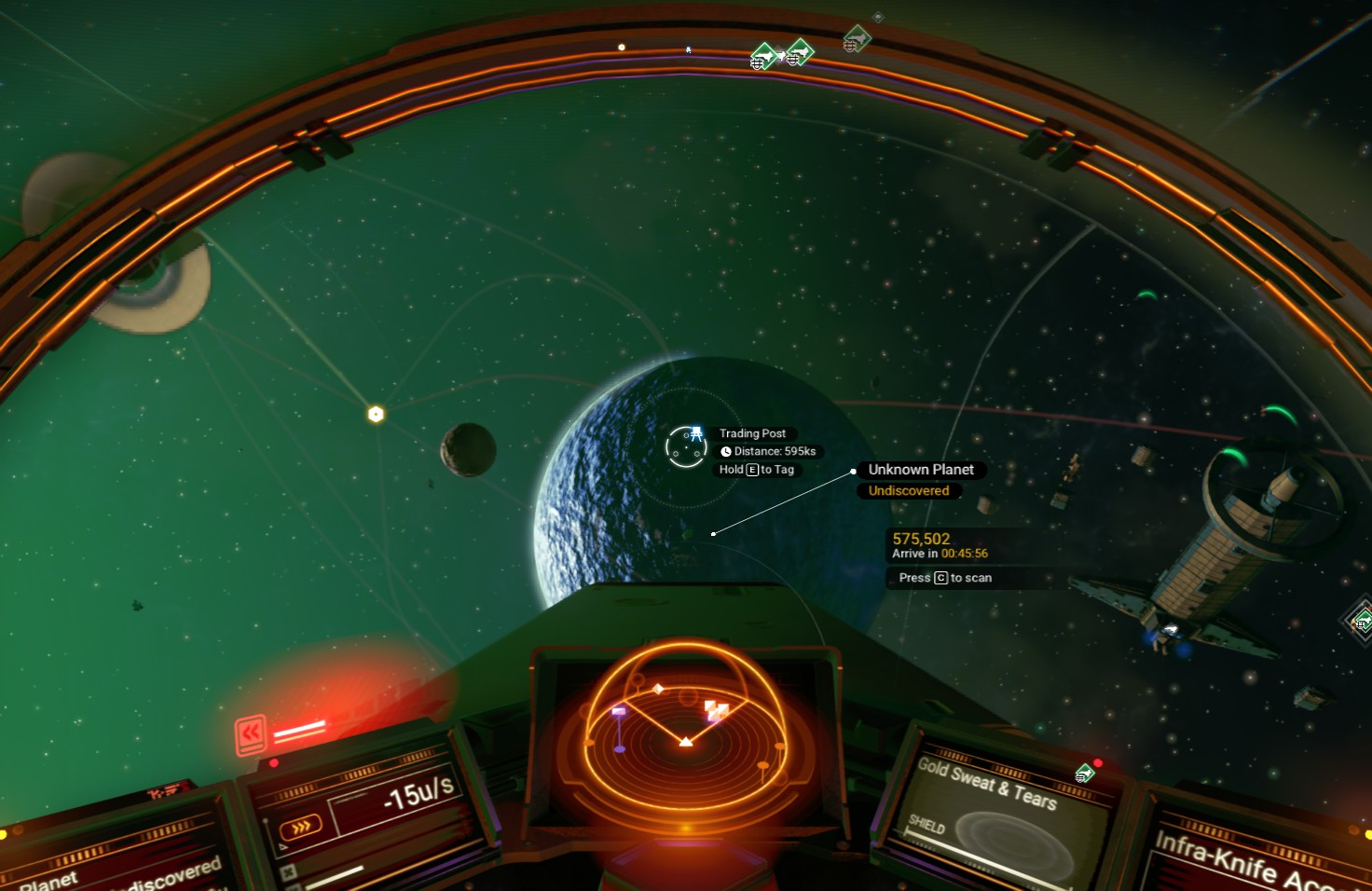
- 1x - Base Computer
- 1x - Base Teleport Module
- 1x - Battery
- 2x - Solar Panels
Once all materials have been gathered, arrange the components like so:
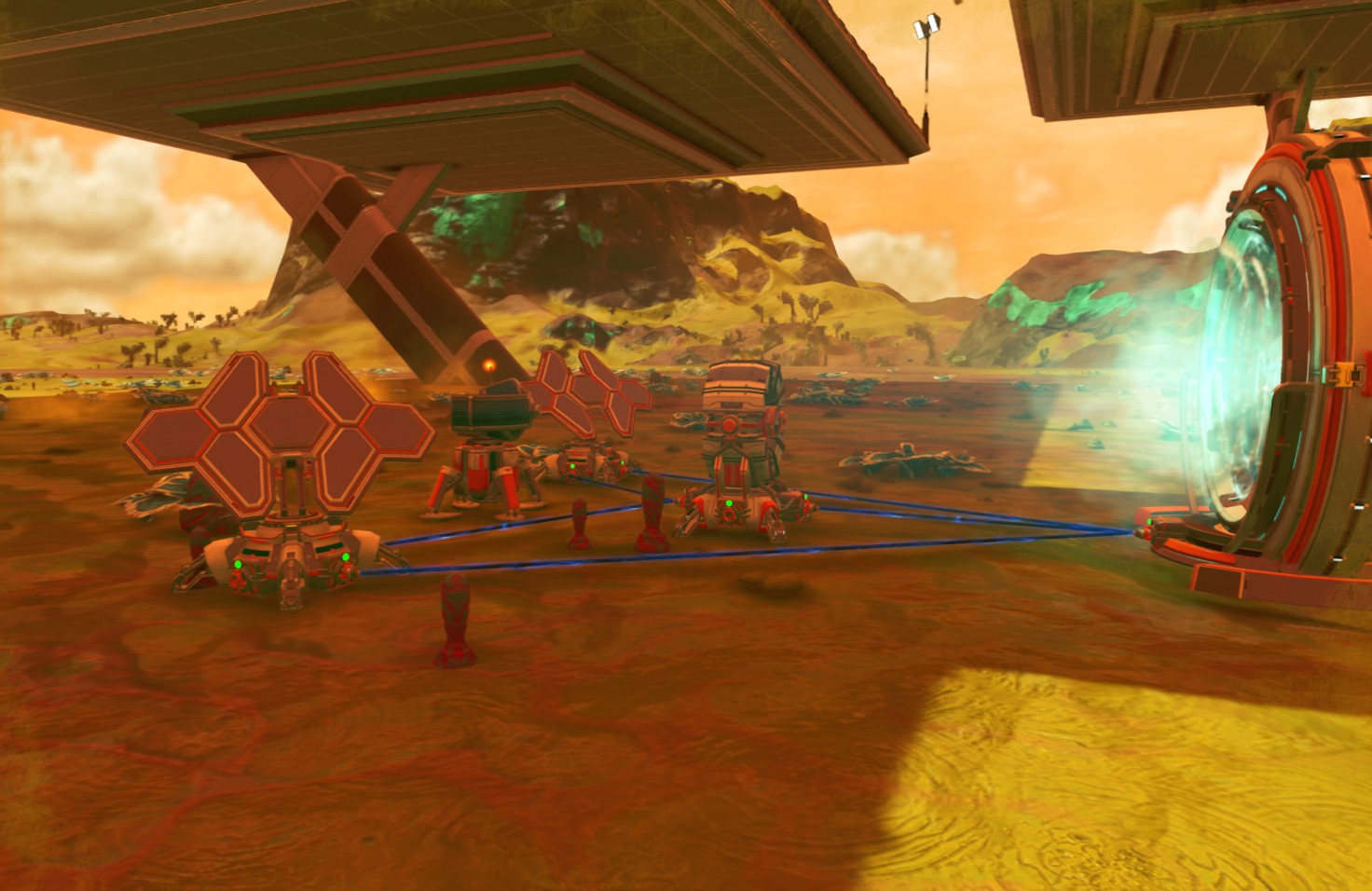
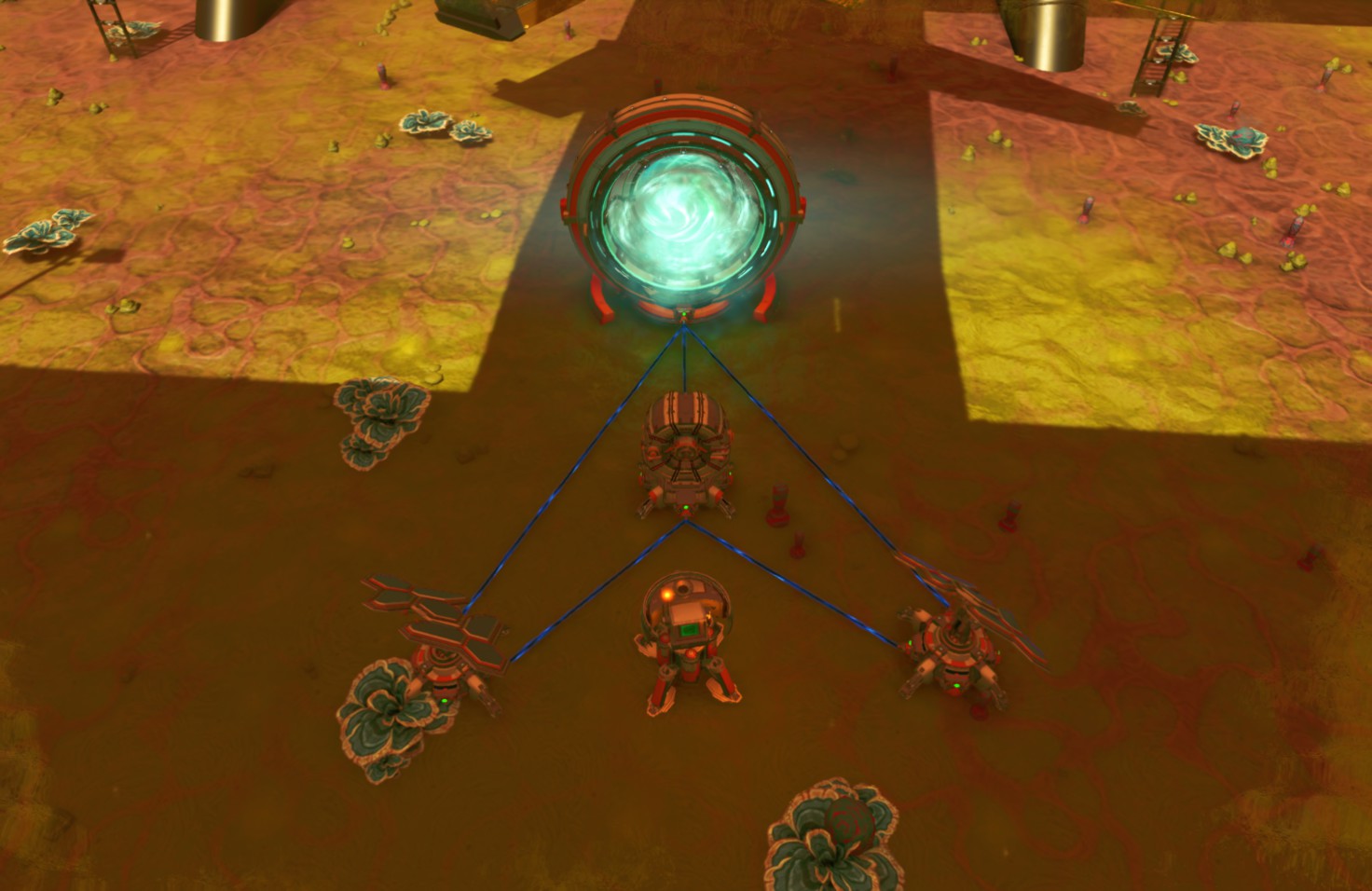 Both Solar Panels are connected to the Battery AND the Base Teleport Module, and the Battery is connected to the Base Teleport Module.
That way, the Solar Panels power the Base Teleport Module and recharge the Battery during the day, and the Battery does the work during the night.
Notes:- This setup is a Permanent Power Source and will keep the Base Teleport Module operational forever.
- The Solar Panels DO NOT need direct sunlight to operate.
- If it is night when you arrive at a Trade Post, you can either wait until morning or construct a Biofuel Reactor to power the Base Teleport Module and the Battery, from then on the setup will function on its own.
Final Notes
And thats it! Thats how you utilize Trade Routes to make a lot of units (without feeling like you're cheating).
The initial setup phase takes a few hours of searching for Star System Economies and gathering materials required for the Base.
If you have any questions, or if I missed something important, please let me know and I will update the guide to cover more areas.
Thank you!
- No Man's Sky Access Codes★ 5 (880)43k views2.1k ♥1 minUpdated 14 Apr
- Refining – The Magic Of Alchemy★ 5 (1.2k)41k views3.6k ♥5 minUpdated 24 Mar, 2022
- How to get RICH in NMS SUPER FAST★ 5 (501)32k views1k ♥2 minUpdated 7 Sep, 2022
- Multi-Tools: Types, Statistics, Weapons, Layouts★ 5 (550)27k views1.3k ♥7 minBulgarianUpdated 3 Jul, 2025
- Starship Guide: Types, Statistics & Roles★ 5 (460)25k views923 ♥8 minBulgarianUpdated 30 May
- Звездолеты СТРАЖЕЙ★ 5 (220)24k views519 ♥7 minRussianUpdated 9 Feb, 2025





- Upgrading to PremiumTeam Fortress 2★ 5 (20k)1441k views11k ♥6 minUpdated May 11, 2022
- No More Room in Hell Official ManualNo More Room in Hell★ 5 (2.8k)569k views2.1k ♥29 minUpdated Apr 22, 2019
- NMRiH Community Hosting GuidesNo More Room in Hell★ 5 (526)351k views653 ♥1 minUpdated Aug 10, 2022
- How to 'Git Gud' Soon™MORDHAU★ 5 (2k)318k views3k ♥68 minUpdated Nov 16, 2024
- Лучшие кооперативные игры SteamPAYDAY 2★ 5 (1.5k)315k views2.1k ♥56 minRussianUpdated Apr 27, 2025
- Desert Eagle Heat Treated | Blue GemCounter-Strike 2★ 5 (1.6k)293k views1.5k ♥2 minUpdated Jan 16





This guide was created by its original author on the Steam Community. Are you the author and want it removed? Request removal.