Quakespasm: How to activate CHUNKY MODE
Notes
This guide was inspired by the How I Play Quake in the Current Year guide. It will show you how to make your Quake game look similar to how it looked in the DOS days, complete with unfiltered textures, square particles, and even resolution scaling! Wonderful.
gl_texturemode
Arguably the most important part of getting your game looking chunky, even without the texture filtering this is (in my opinion) a vital part of getting your quake aesthetic right. Just look at the differences here. Normally in Quakespasm this is set to "GL_LINEAR_MIPMAP_NEAREST", because GLQuake had it, which Quakespasm is trying to emulate to an extent. Cute! BUT WRONG. Go into your console (`) and type the following for instant unfiltered textures: gl_texturemode "gl_nearest_mipmap_linear"
Alternatively, gl_texturemode "gl_nearest" can be used for extra chunkiness in distant spots.
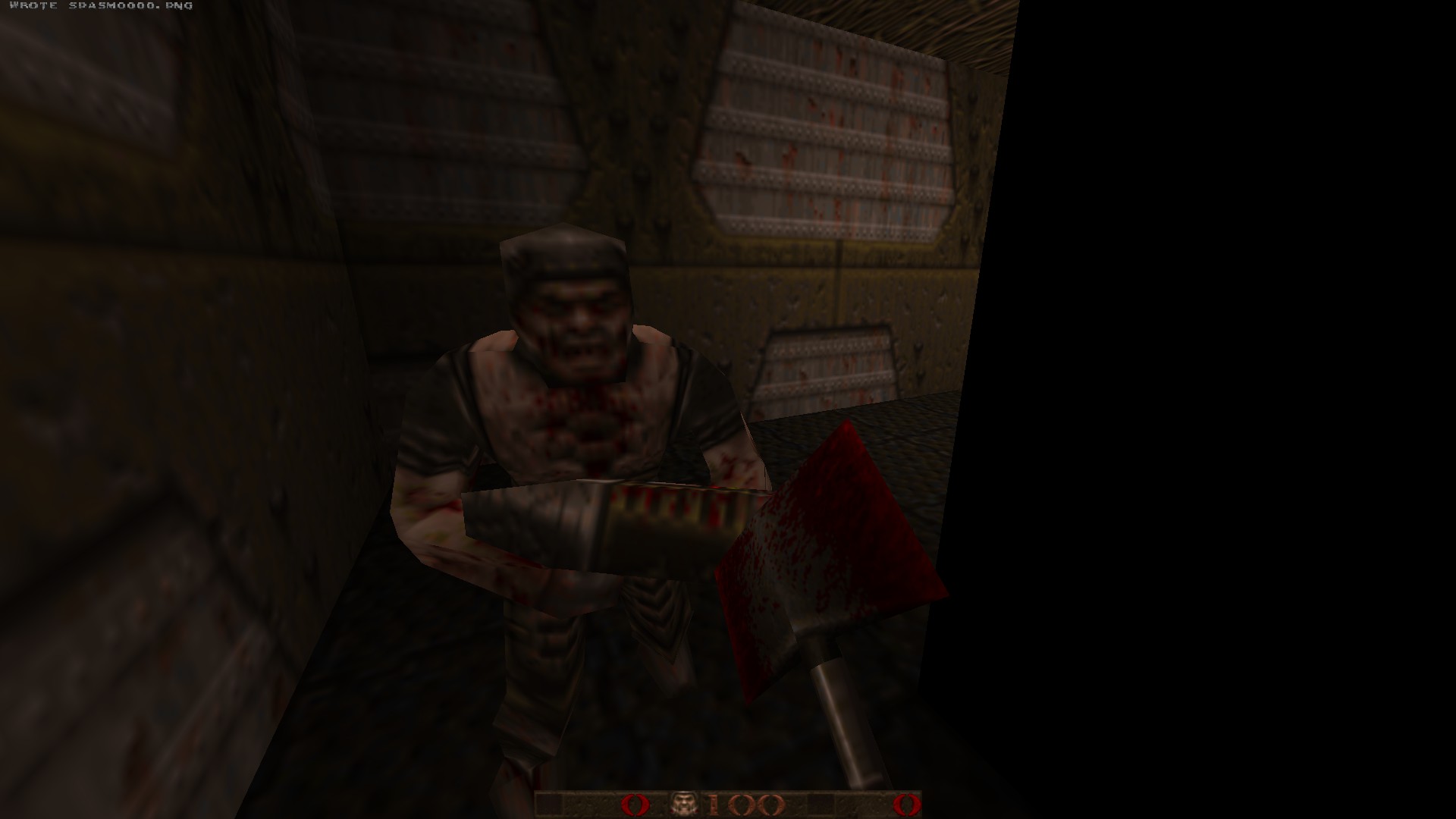
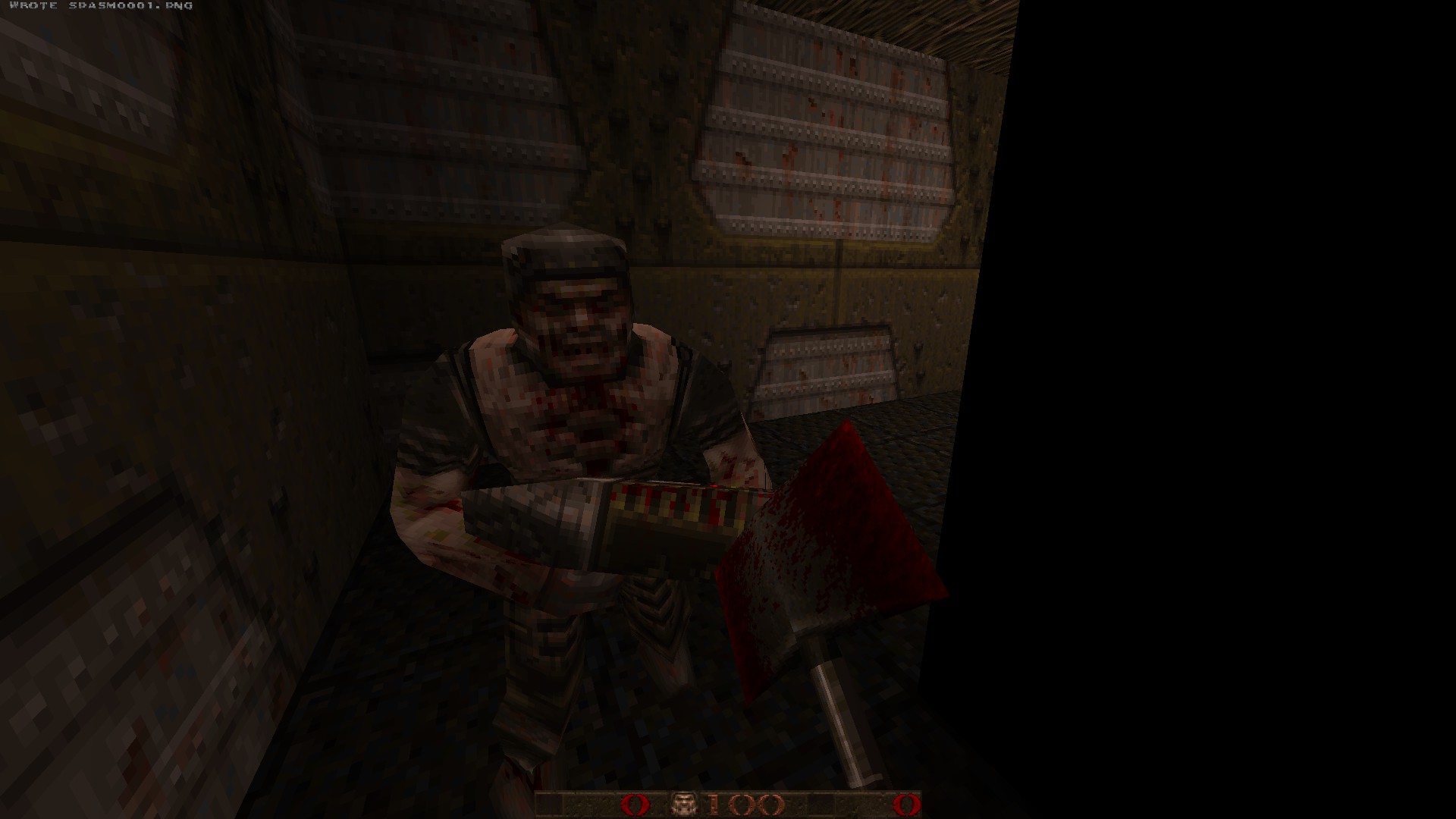
Alternatively, gl_texturemode "gl_nearest" can be used for extra chunkiness in distant spots.
WITH "GL_LINEAR_MIPMAP_NEAREST" (filtered textures)
WITH "GL_NEAREST_MIPMAP_LINEAR" (unfiltered textures)
r_particles
In addition to unfiltered textures, particle effects are also a vital part of Quake's aesthetic. However, the particle settings turn them into weird circular particles, which to me look very ugly and contrast with the artstyle. So we're gonna make them square. It's hip to be square! All you have to do is set the following the console (`) command: r_particles 2
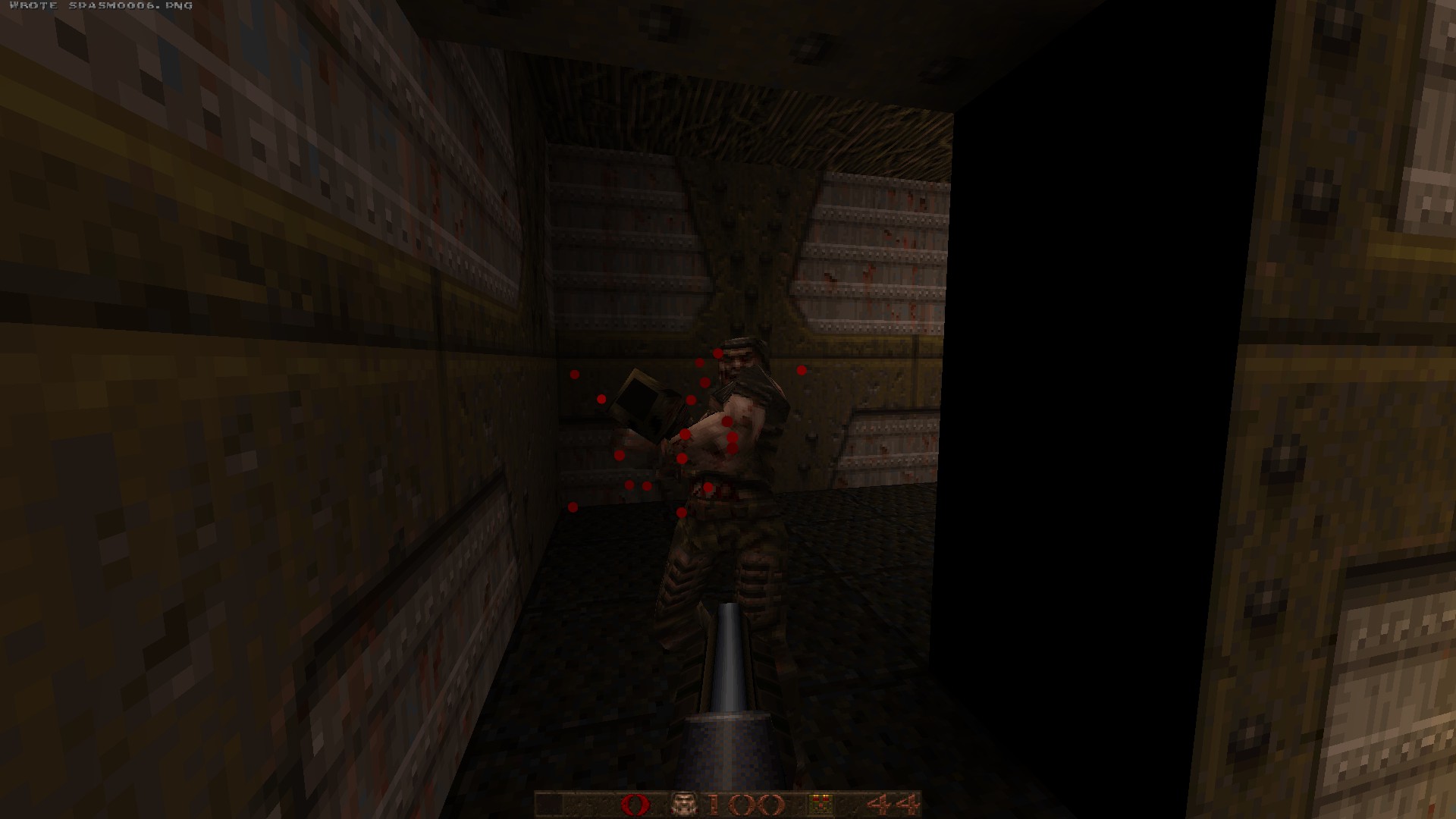
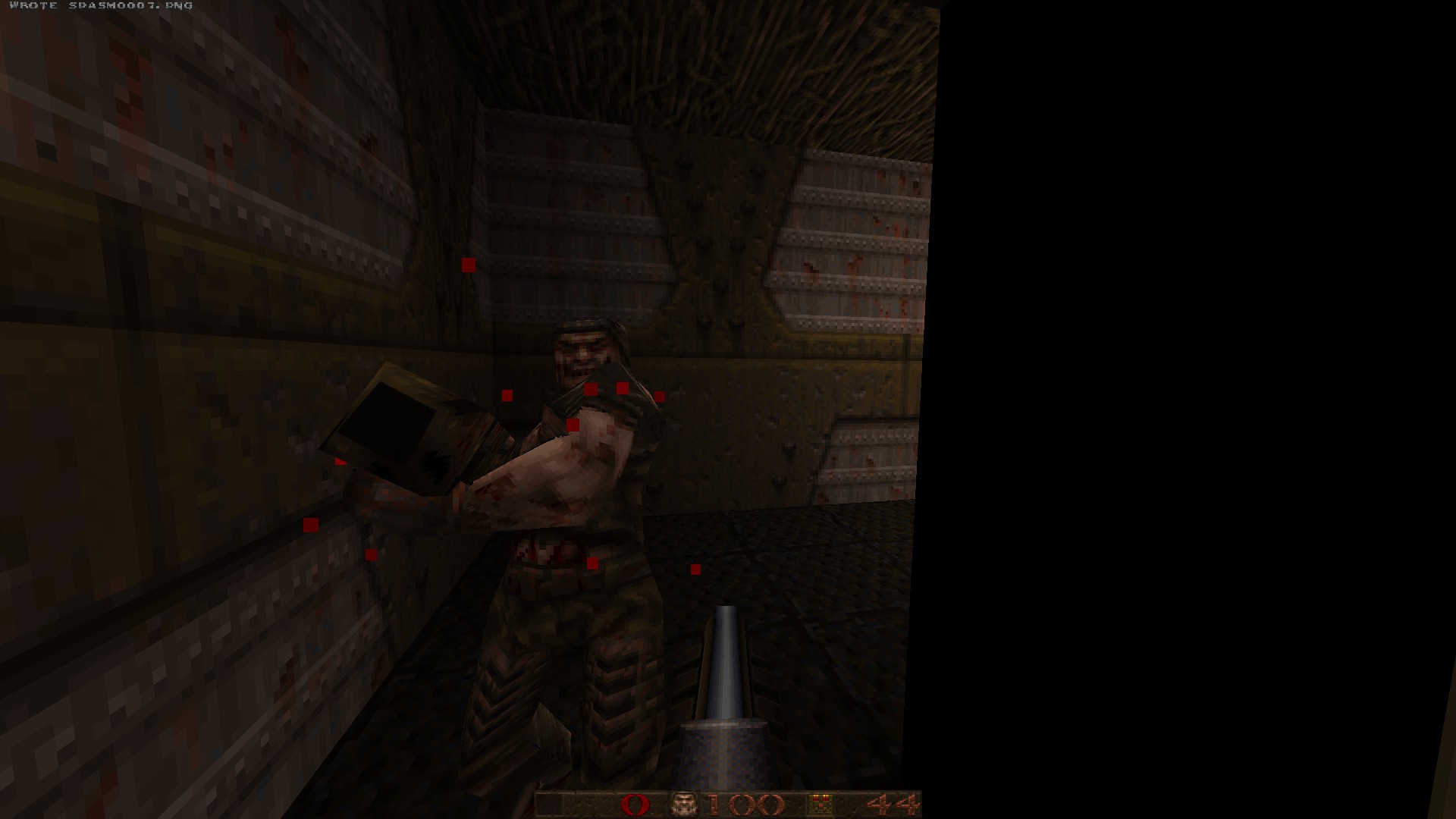
r_particles 1 (circle particles)
r_particles 2 (square particles)
r_scale
The piece of aesthetic that might complete it all, r_scale makes the game appear downscaled as if you were playing on a lower resolution. Taste for this one is slightly more subjective, but for the purist lovers, 3-4 is your go to setting on this.
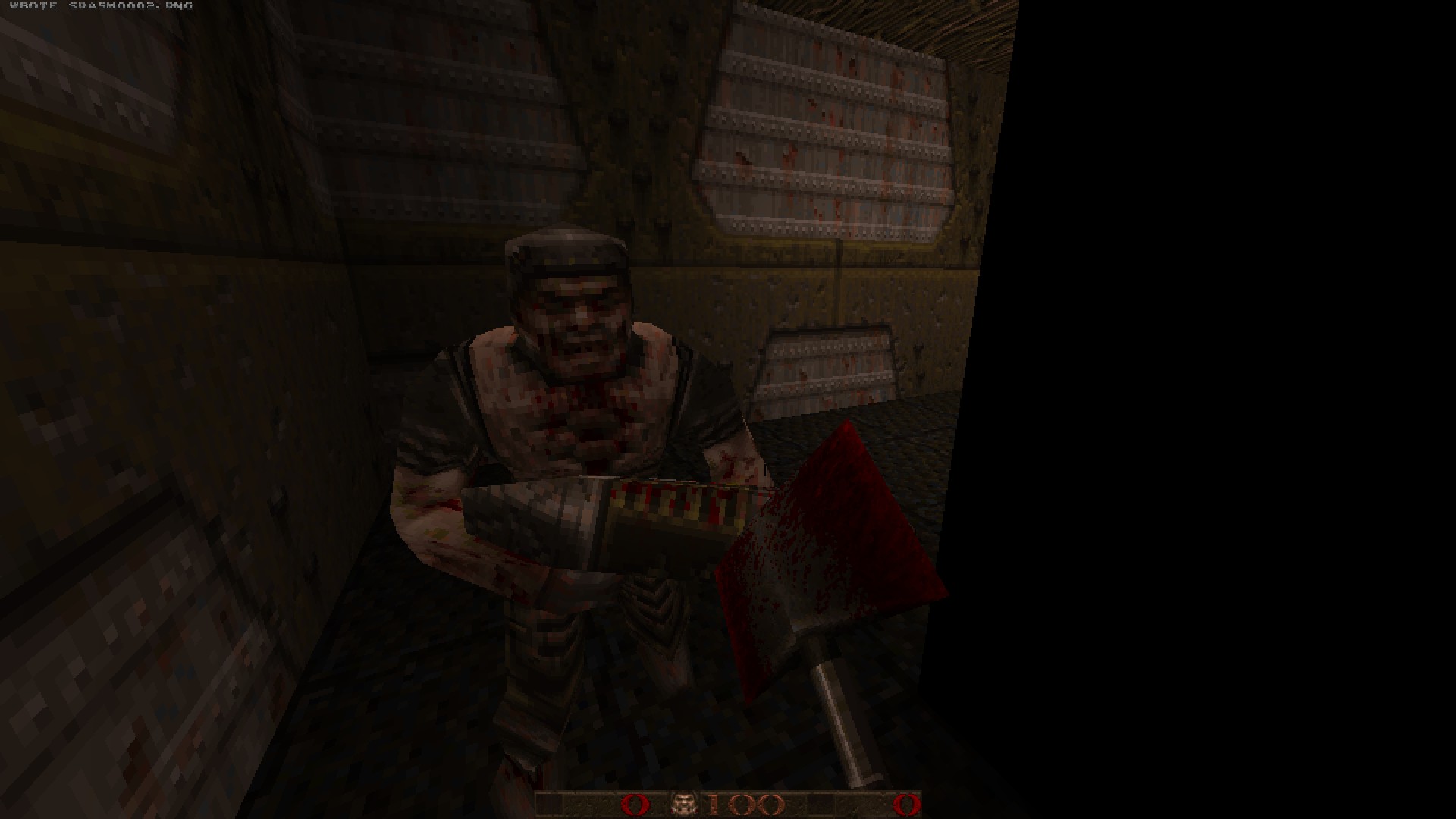
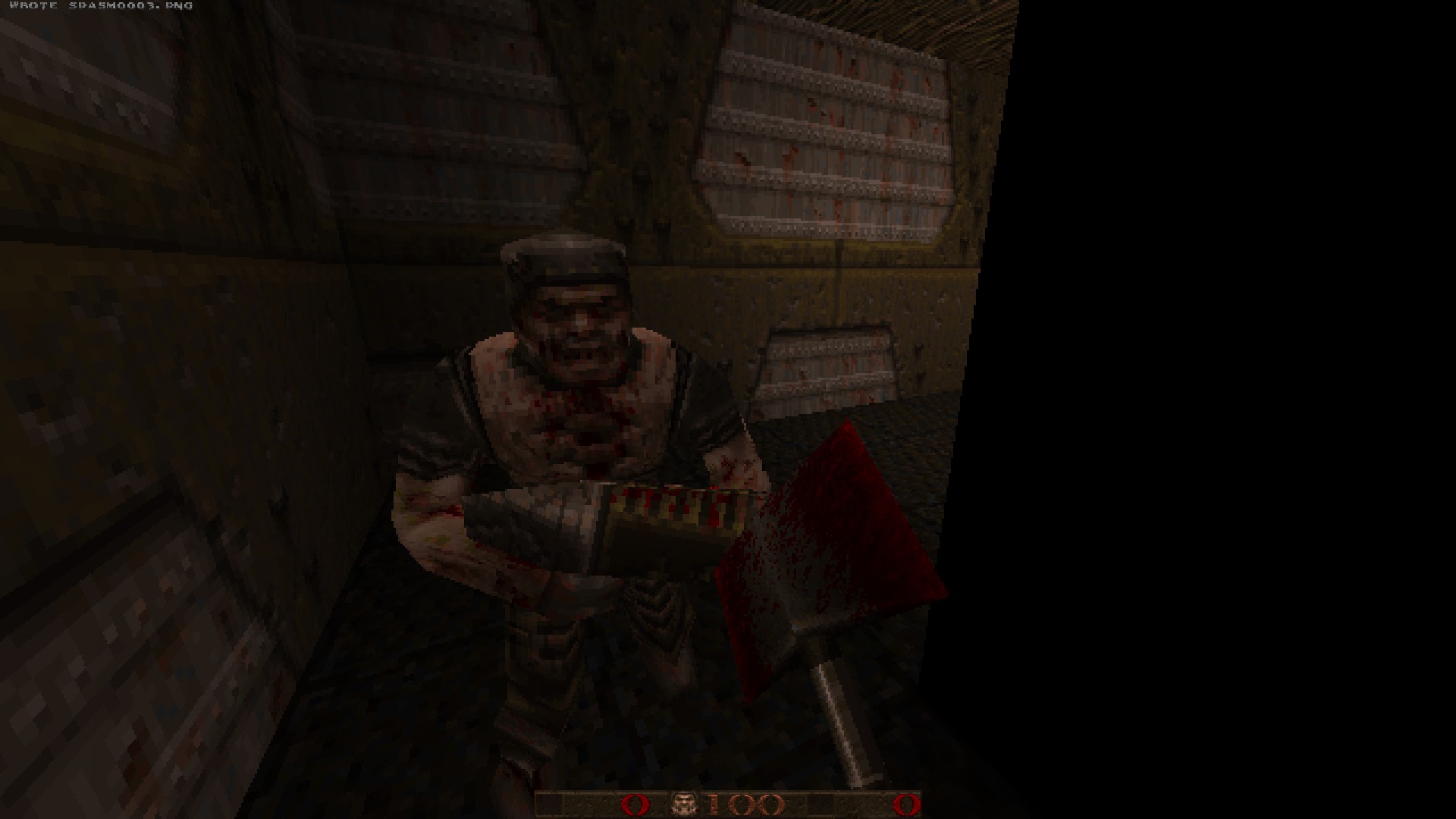
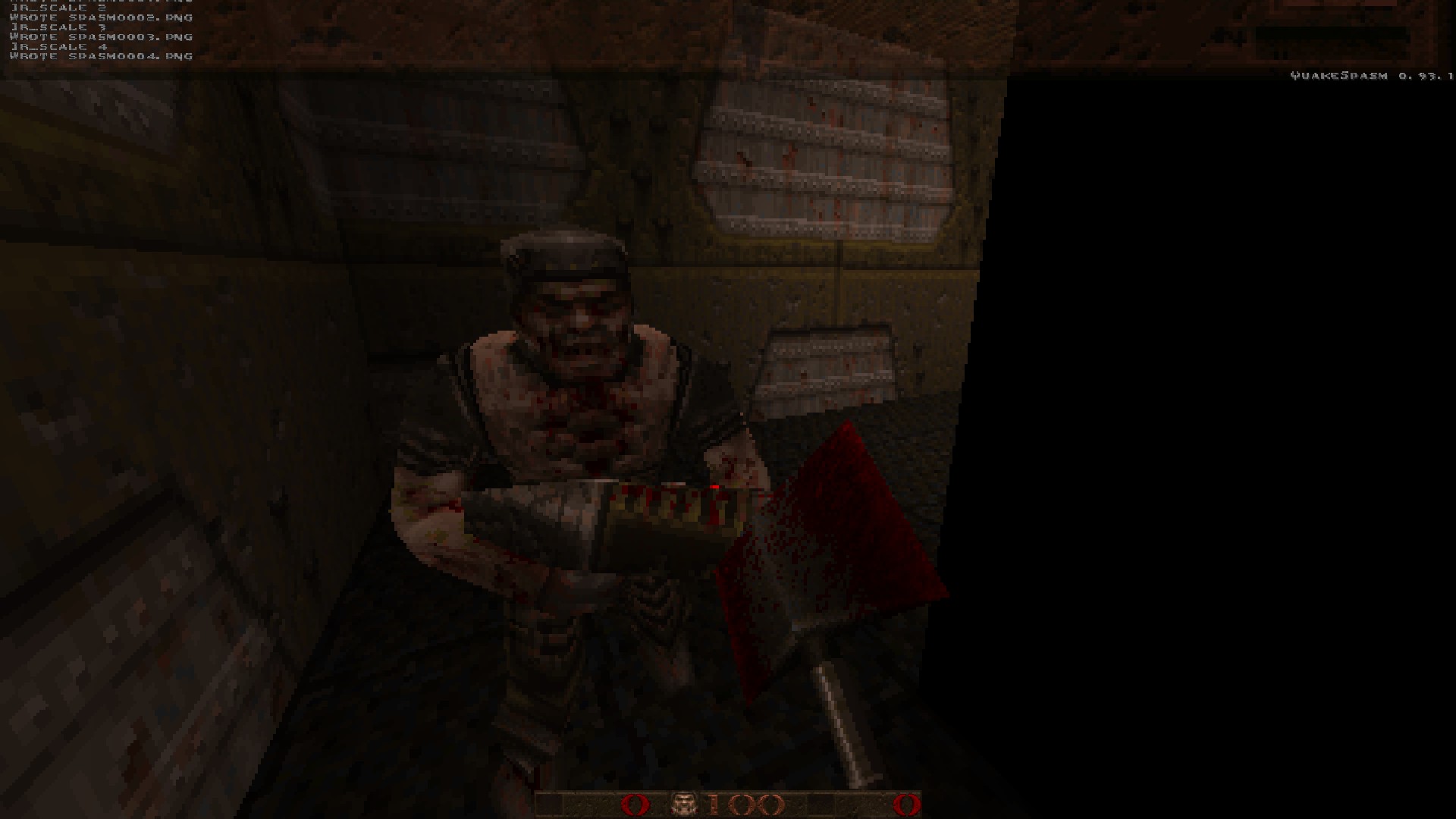
r_scale 0 (no scaling)
r_scale 2 (medium-rare)
r_scale 3 (for those that like it rough)
r_scale 4 (for the purist who thinks using the mouse is for chumps)
Extra Commands
Here are some extra commands to give your Quakespasm experience an even MORE vanilla look and feel.
r_viewmodel_quake 1 (alters the viewmodel to resemble the original Quake's positioning)
r_lerpmove 0 (disables animation interpolation for monsters and such)
r_lerpmodels 0 (disables animation interpolation for weapons and such)
r_viewmodel_quake 1 (alters the viewmodel to resemble the original Quake's positioning)
r_lerpmove 0 (disables animation interpolation for monsters and such)
r_lerpmodels 0 (disables animation interpolation for weapons and such)
Ender
With these settings, your game should look something like this. Enjoy your chunky software-like Quake mode!
More Quake guides
- Quake Soundtrack Solutions★ 5 (822)34k views1.1k ♥15 minUpdated Apr 2, 2020
- How I play Quake in the Current Year (2023 update: Use Ironwail or Quakespasm-Spiked instead of Quakespasm)★ 5 (903)23k views1.3k ♥8 minUpdated Nov 12, 2023
- List of Quake 1 clones on the Steam store★ 5 (457)20k views854 ♥2 minUpdated May 20
- Quake Achievements★ 5 (1k)16k views1.5k ♥29 minUpdated Nov 4, 2025
- Quake Secrets★ 5 (1.1k)14k views1.8k ♥39 minUpdated Feb 23
- List of compatible mods for Quake Remastered★ 5 (166)6.7k views304 ♥7 minUpdated Apr 5, 2024




This guide was created by its original author on the Steam Community. Are you the author and want it removed? Request removal.