Sniping without aim assistance
Disclaimer
This guide may be wrong, if you have a suspicion that something is incorrect, then please tell me.
Thank you in advance.
Thank you in advance.
Legend; how to understand my terminology
- This guide is categorized by sniper rifle names, the rifles themself have NO UPGRADES
- The rifles are zoomed to their default maximum zoom without upgrades.
- The adjust is the adjusting distance meter as seen in the bottom right corner, the value is in meters
- The * meters is the distance of the object in metres
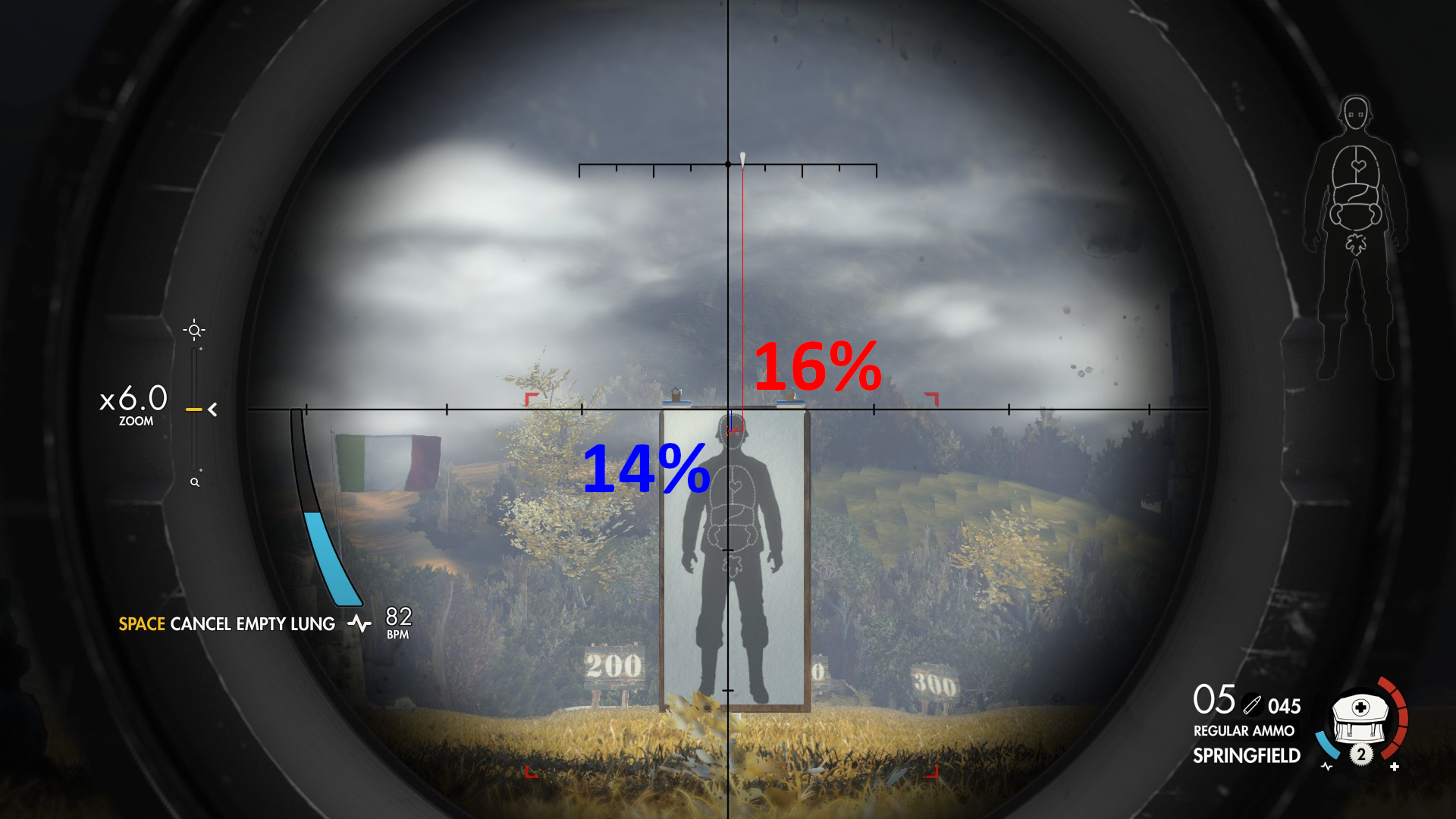
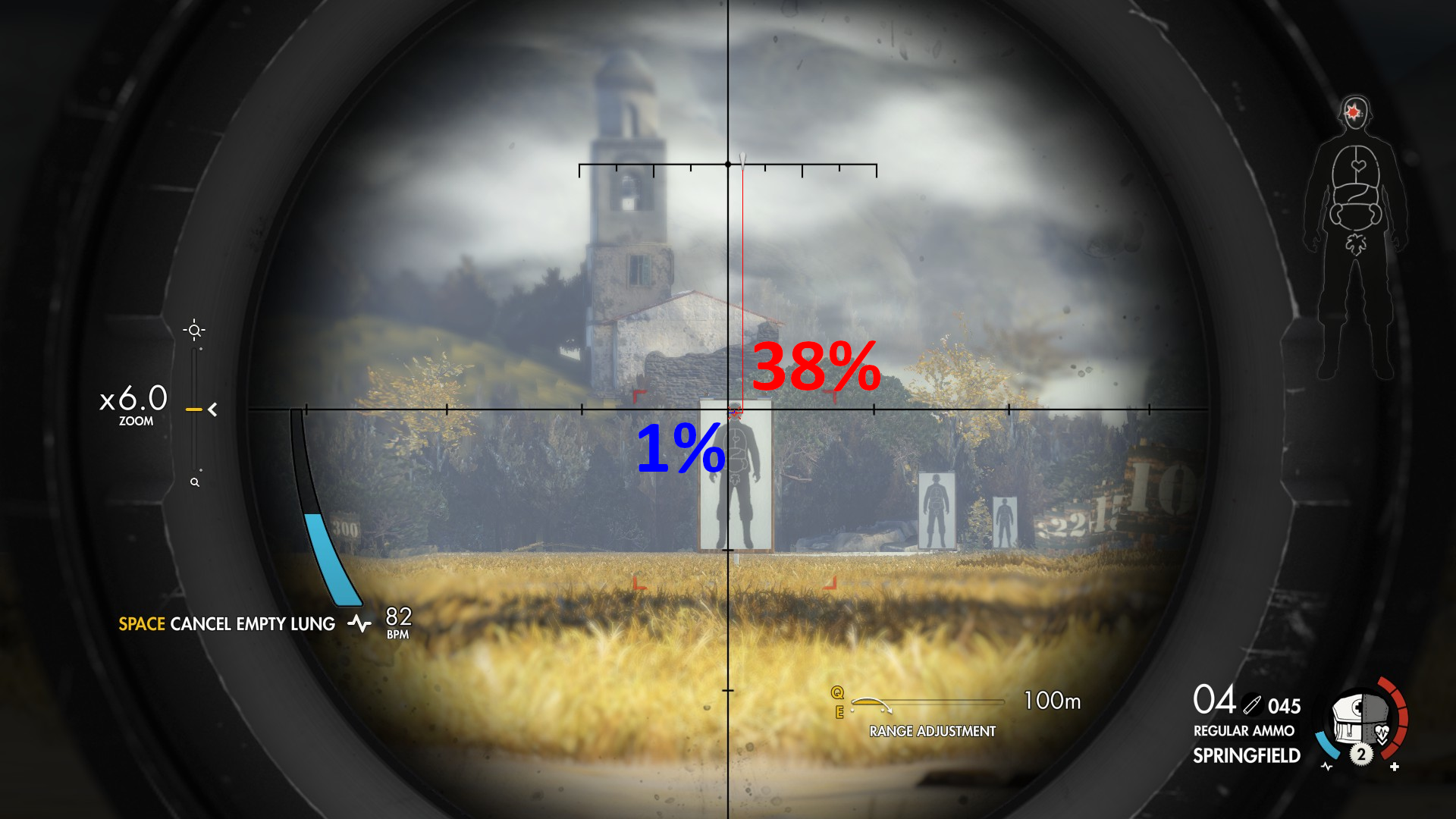
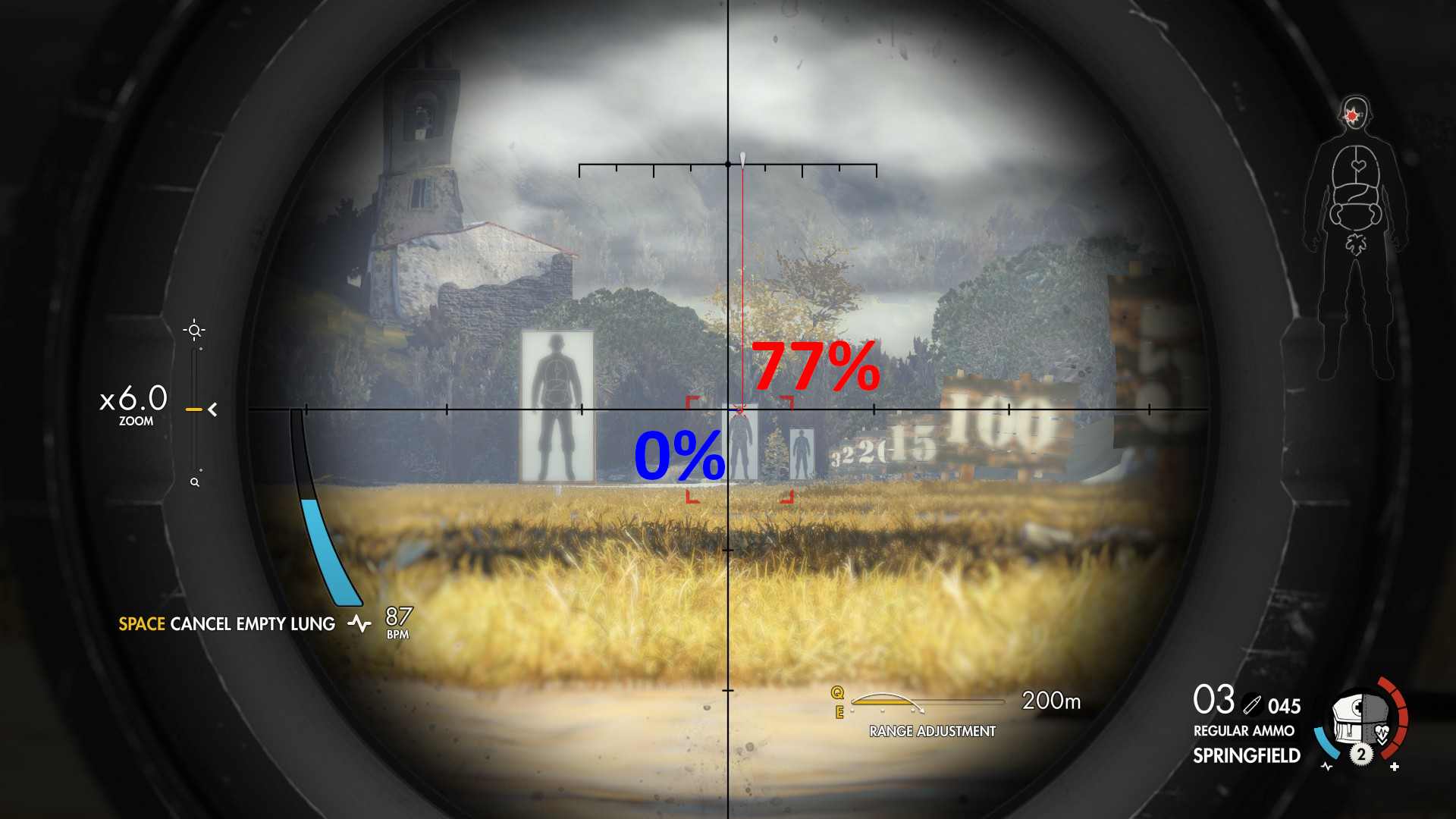
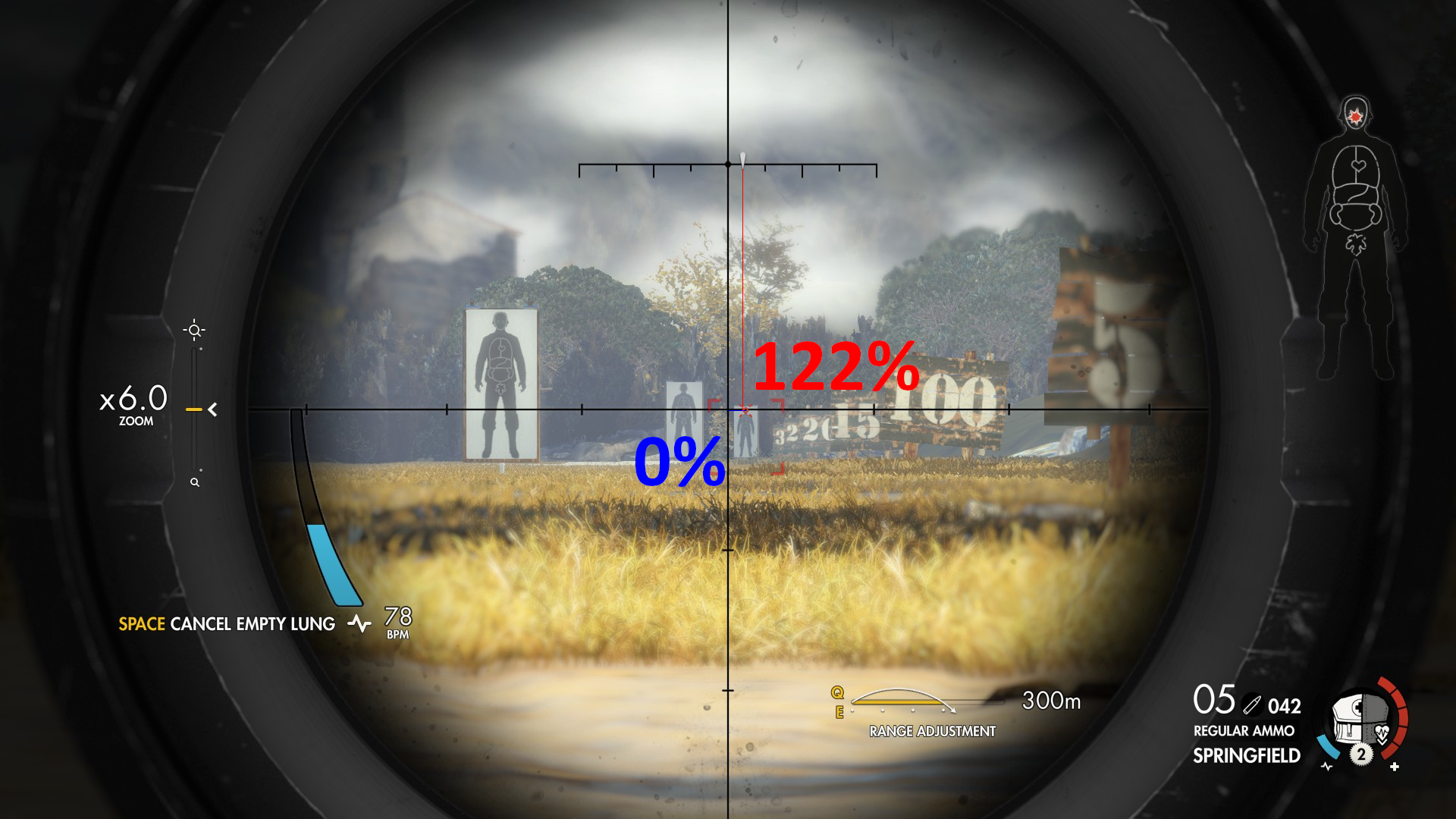
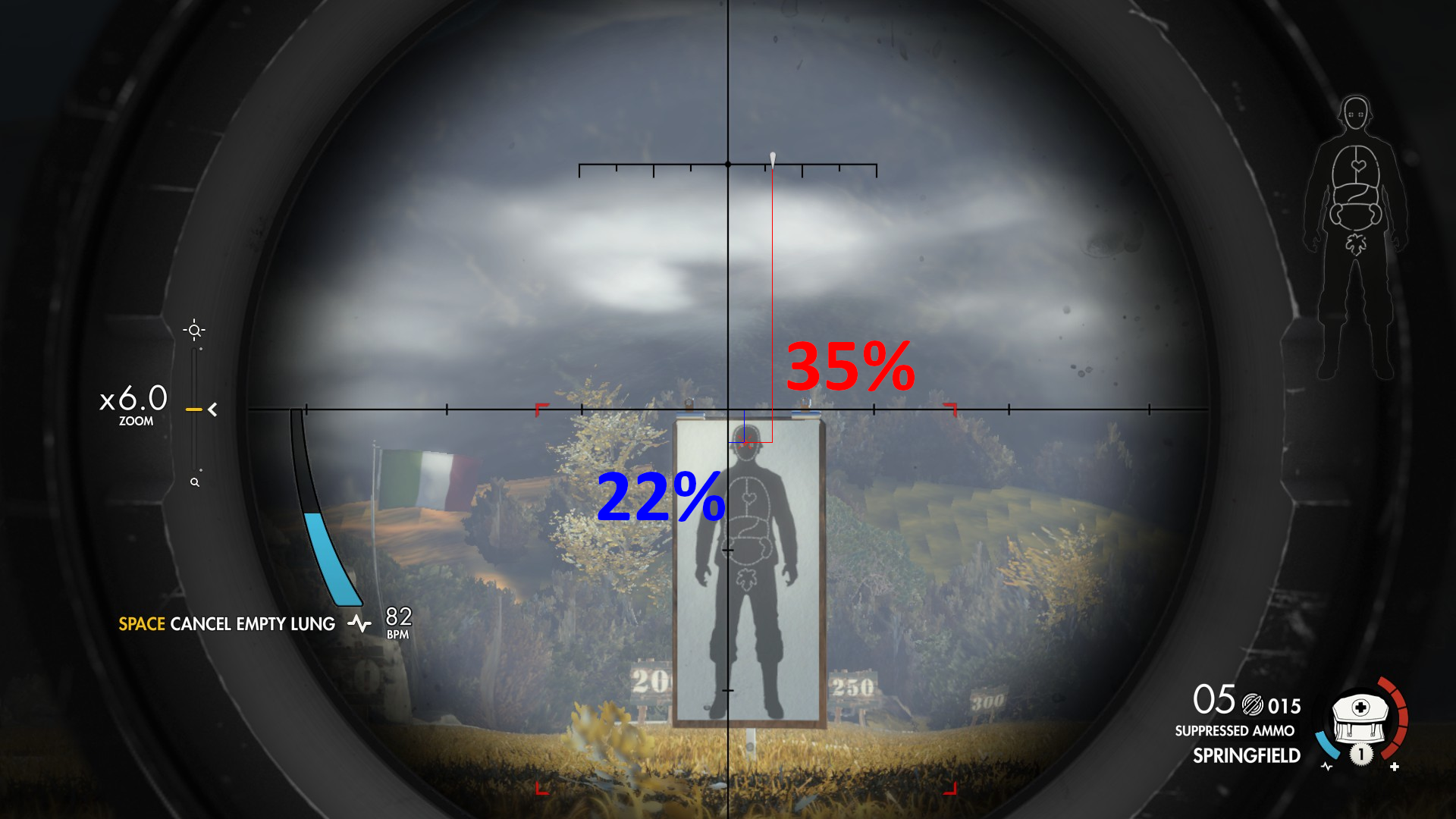
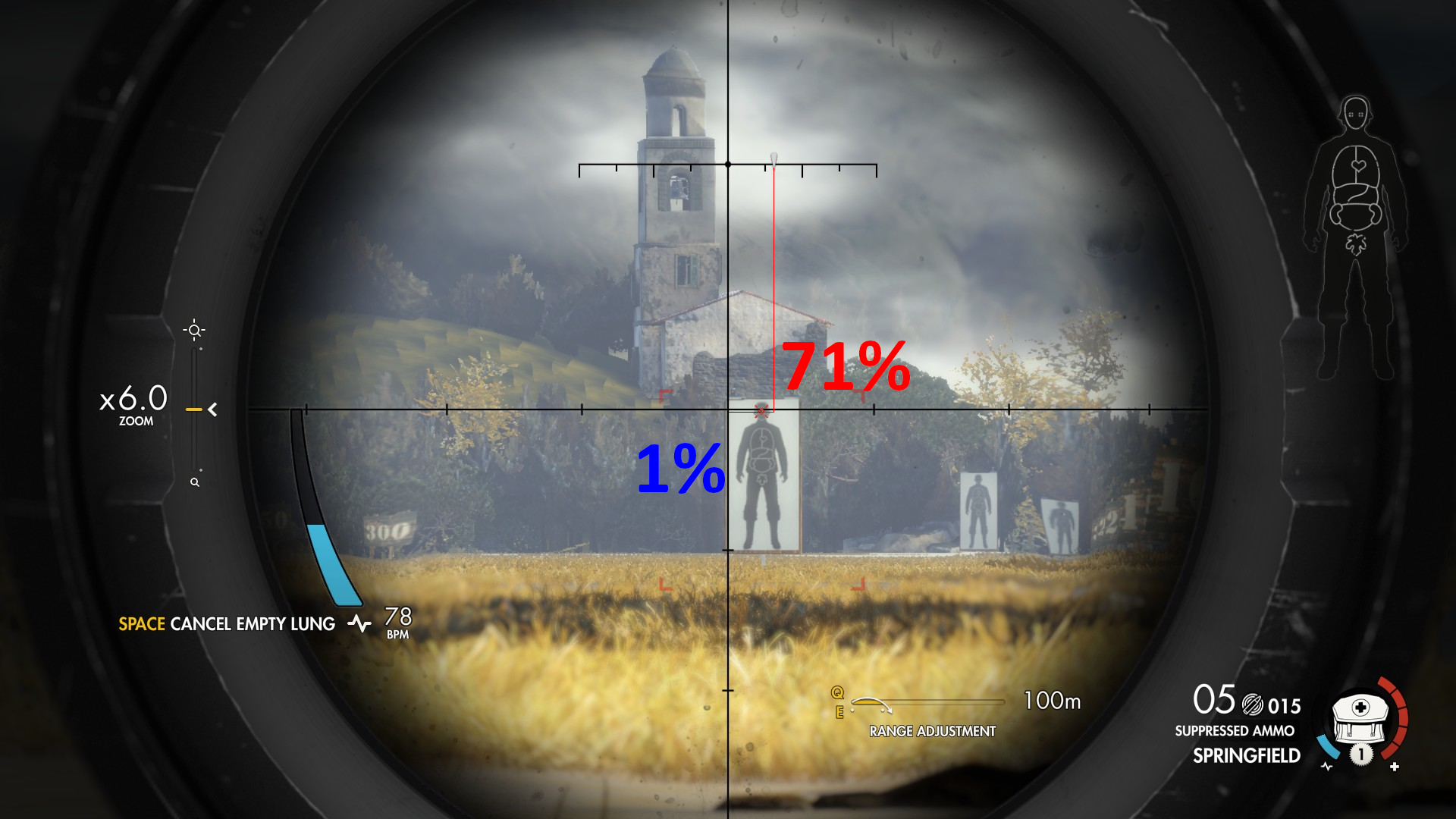
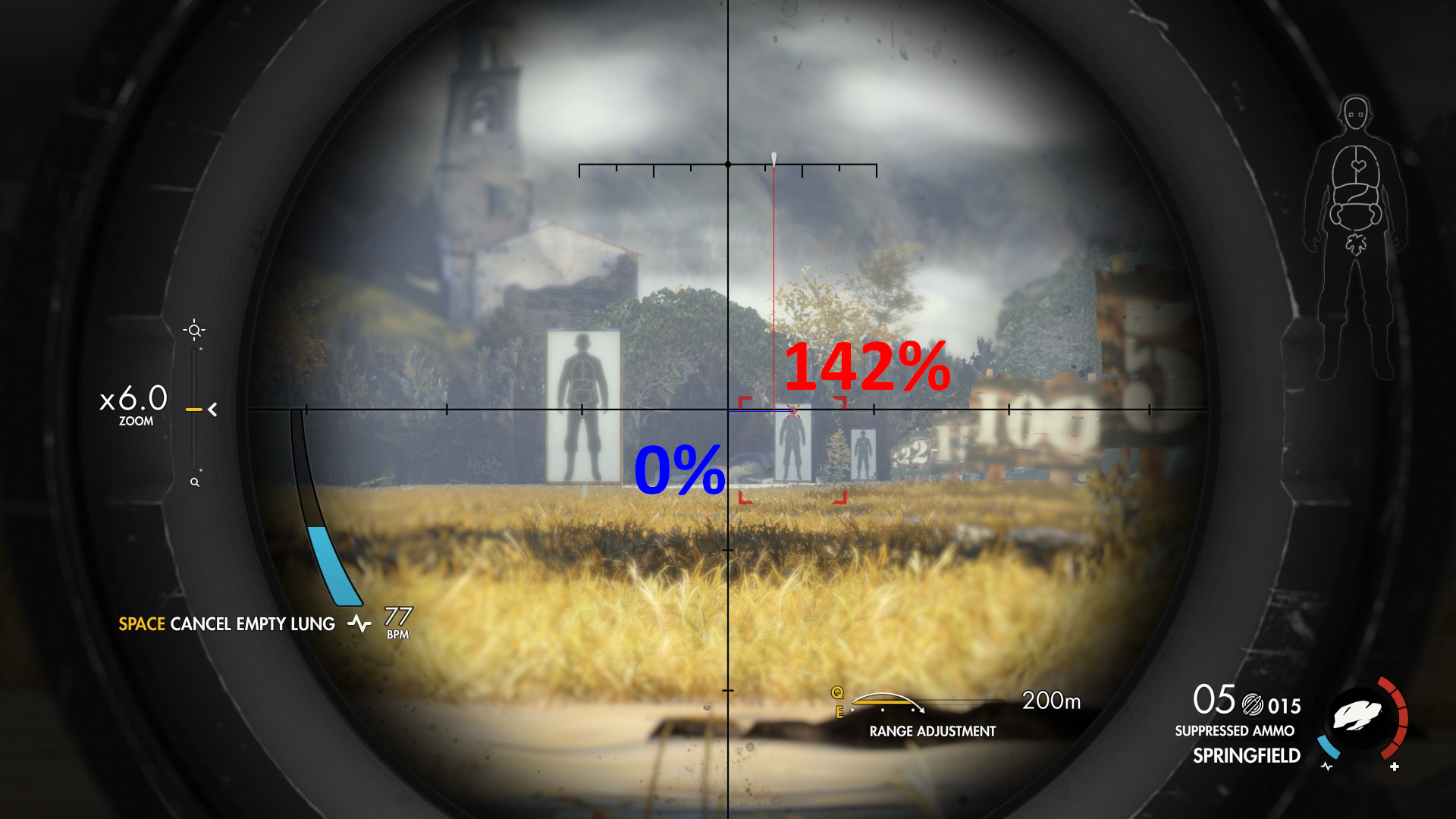
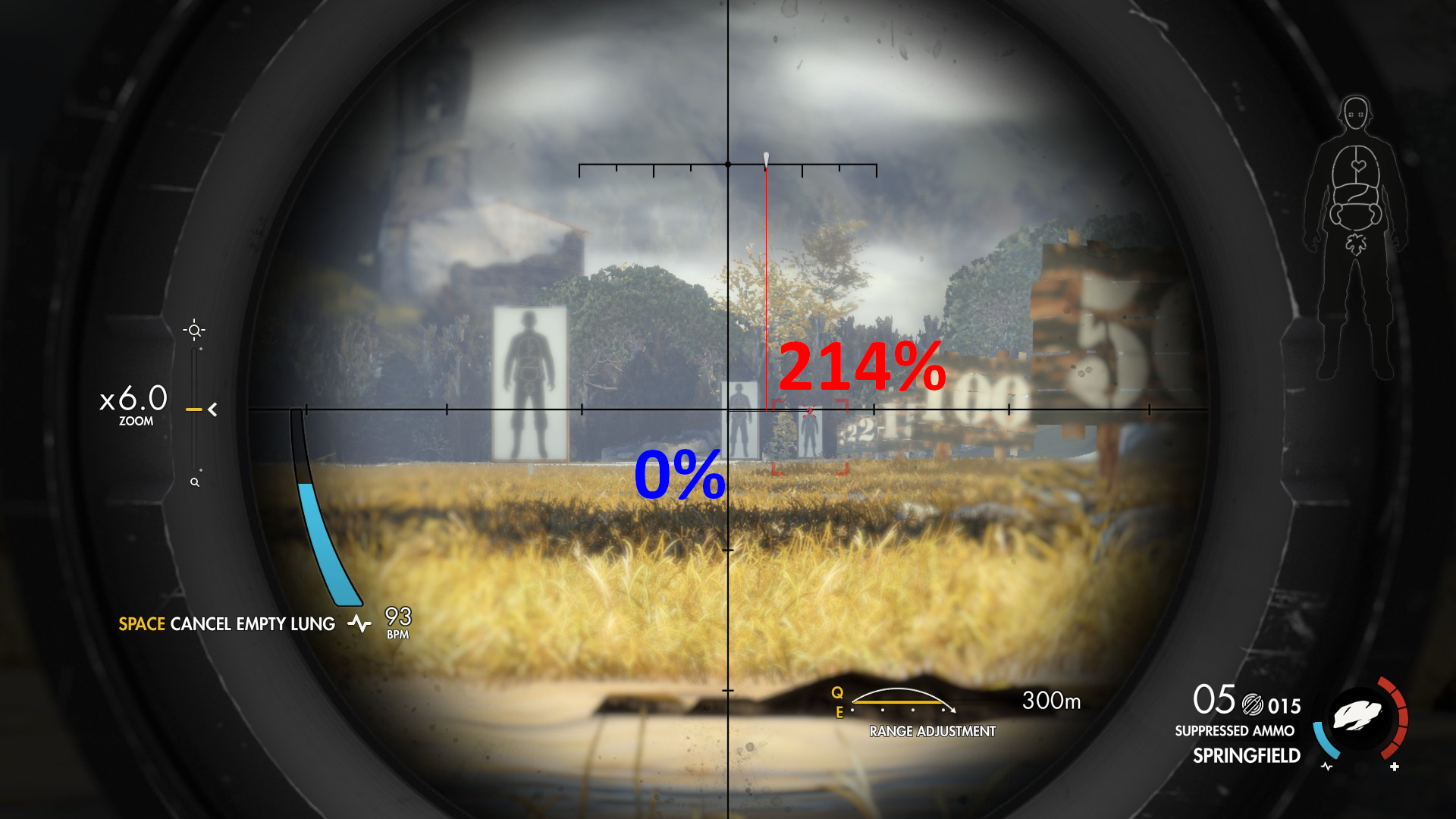
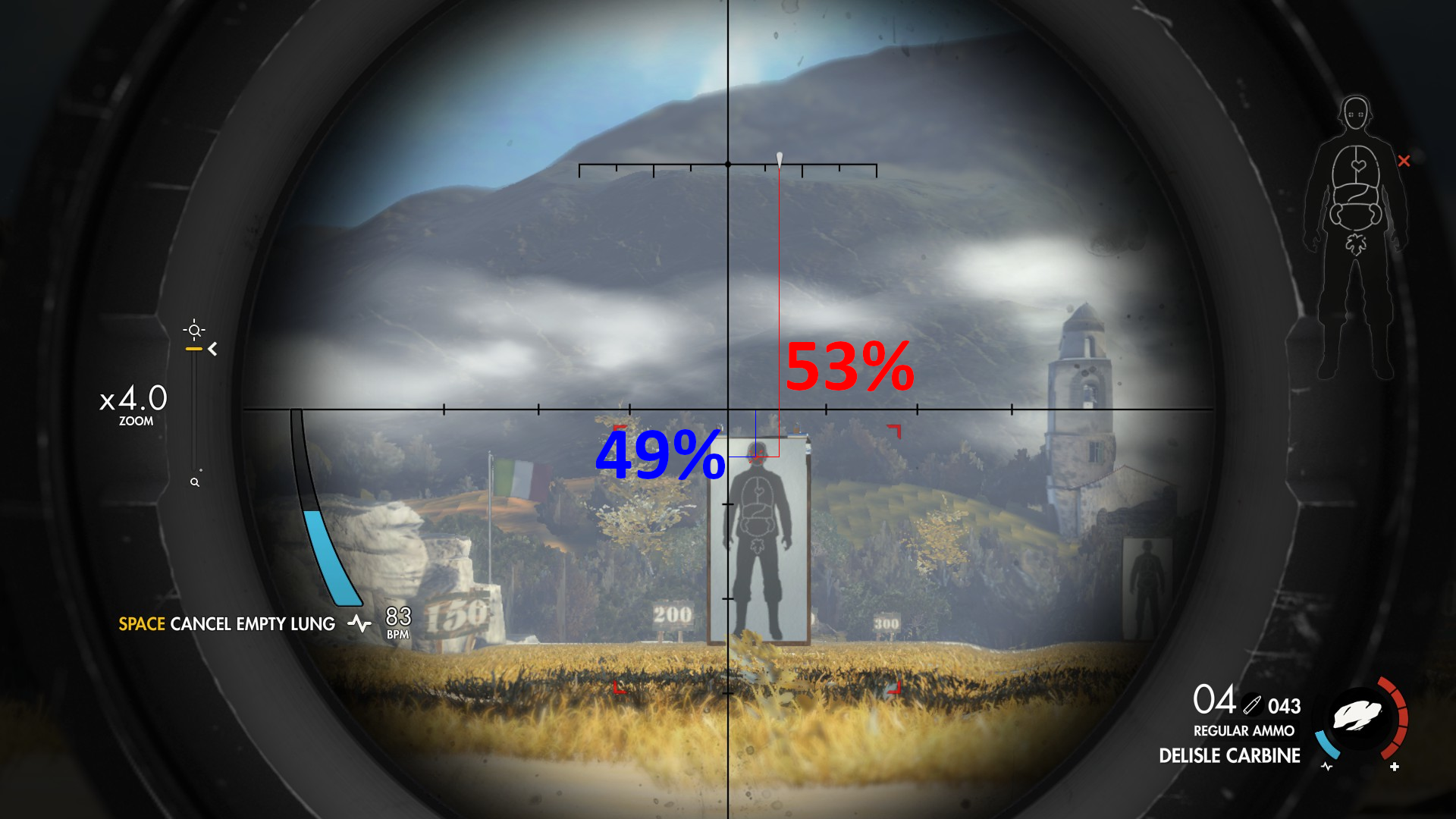
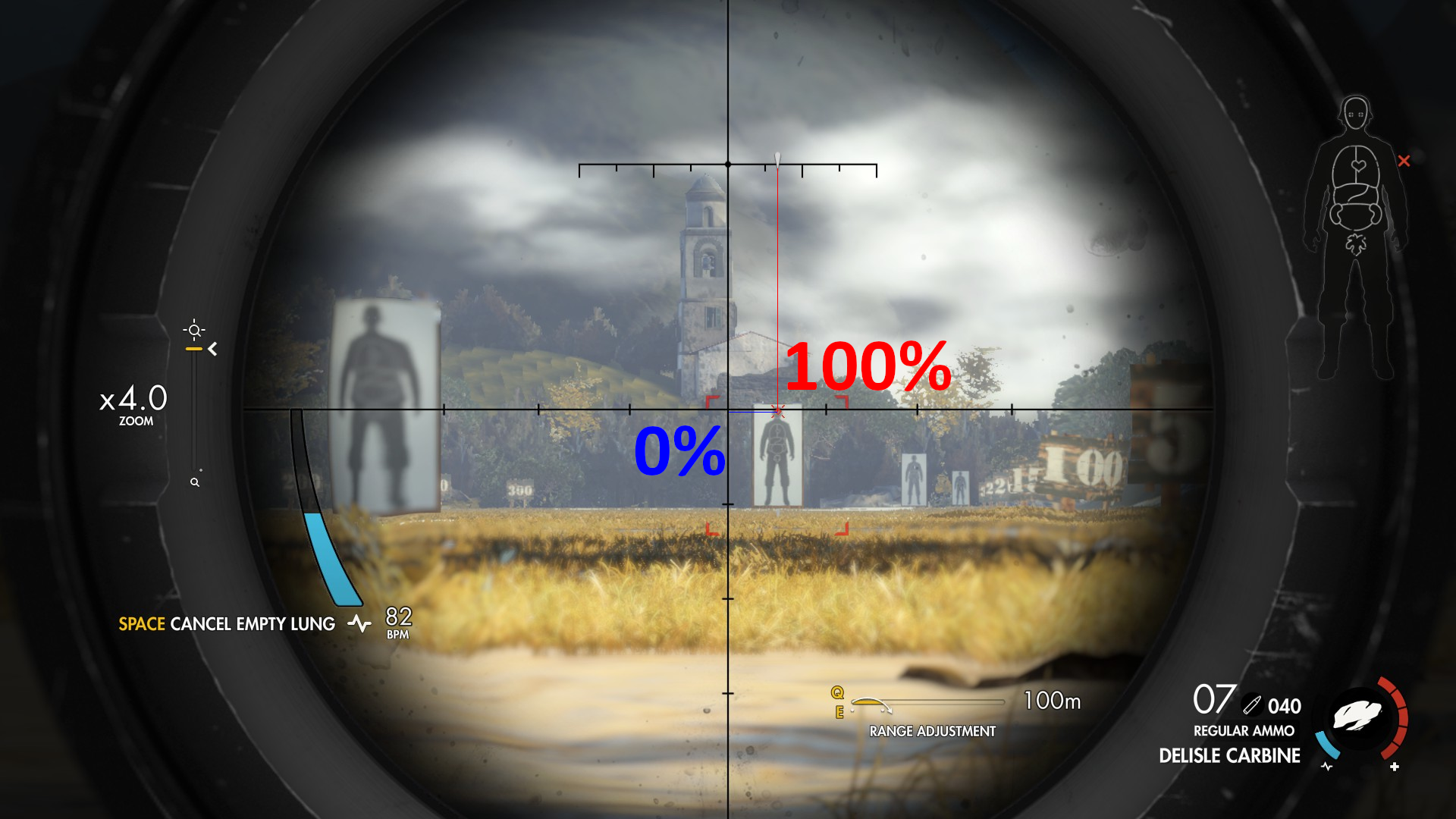
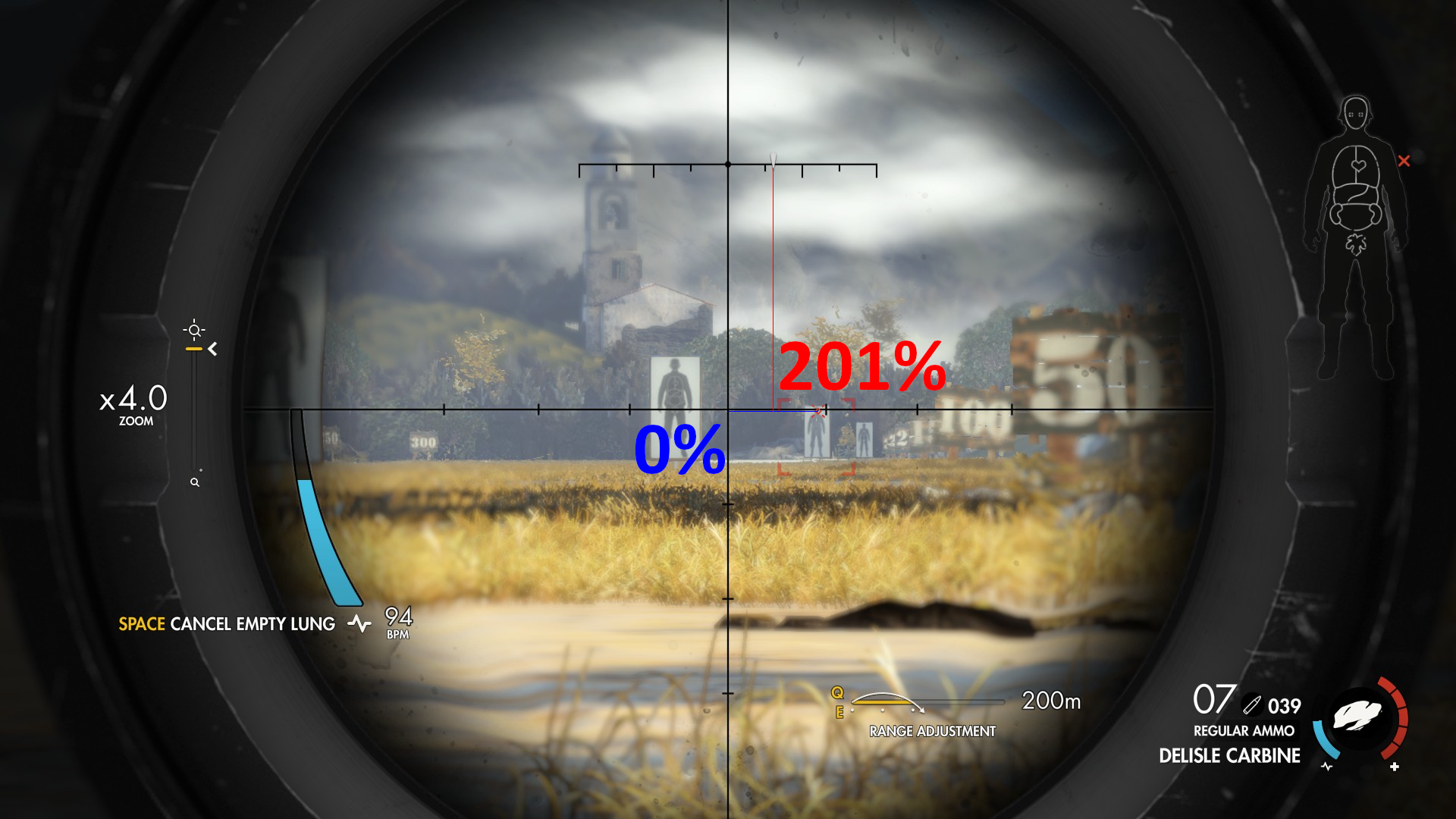
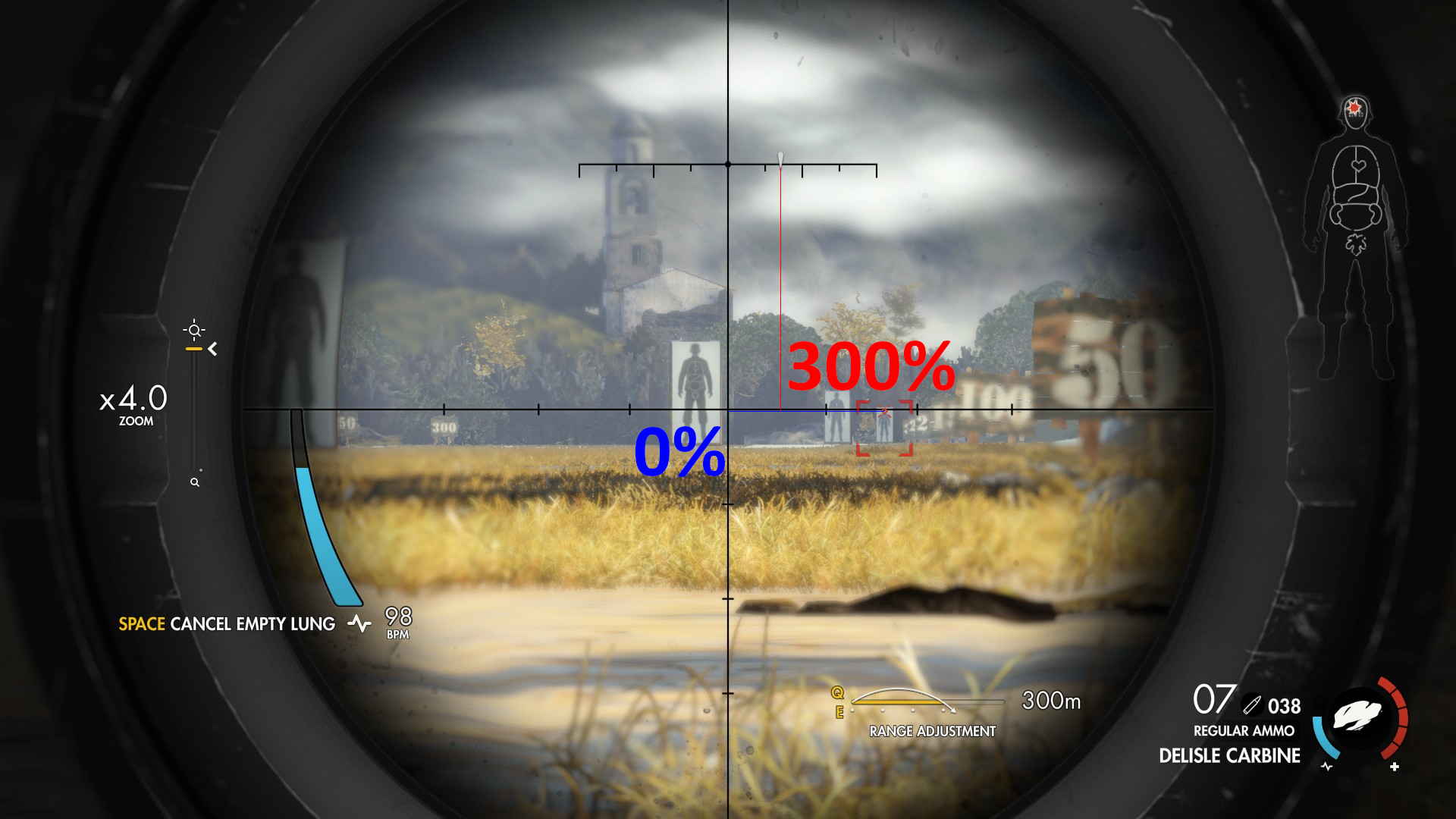
- The percents for height are in pure blue, in this case a 100% percent would be from the middle of the scope to the horizontal line.
- The percents for width are in pure red, in this case a 100% percent is the middle of the arrow on top of the screen.
- The testing is done with the fine reticule.
Springfield
Regular ammo
- Springfield - 0 adjust - 50 metres
- Springfield - 100 adjust - 100 metres
- Springfield - 200 adjust - 200 metres
- Springfield - 300 adjust - 300 metres
Supressed ammo
- Springfield - 0 adjust - 50 metres - Supressed ammo
- Springfield - 100 adjust - 100 meters - Supressed ammo
- Springfield - 200 adjust - 200 meters - Supressed ammo
- Springfield - 300 adjust - 300 meters
Delisle Carbine
- Delisle Carbine - 0 adjust - 50 metres - Supressed ammo
- Delisle Carbine - 100 adjust - 100 metres - Supressed ammo
- Delisle Carbine - 200 adjust - 200 metres - Supressed ammo
- Delisle Carbine - 300 adjust - 300 metres - Supressed ammo
Calculation techniques
- First I take a screenshots on a particular distance after fully focusing the aim assist on the target.
- I then open it in G.I.M.P., where I use pure blue to asses the height loss and pure red to asses the wind influence.
- After that I count the total pixels using the counting tool in G.I.M.P., after that I use the tool on the actual amount of pixels.
- I calculate the percent out of these two values.
- I write the values in corresponding colors to the screenshot.
More Sniper Elite 4 guides
- 100% Achievement Guide + DLC (by THN)★ 5 (763)28k views1.4k ♥30 minUpdated 7 Jan, 2021
- Достижения 100% - Sniper Elite 4 (Спойлеры).★ 5 (869)20k views1.2k ♥26 minRussianUpdated 4 Nov, 2019
- Все каменные орлы / ALL Stone Eagles★ 5 (272)15k views242 ♥1 minBulgarianUpdated 1 Aug, 2017
- Stone Eagle Guide (No Videos)★ 5 (483)15k views671 ♥1 minUpdated 17 Feb, 2017
- Easy Aiming Guide★ 5 (284)14k views520 ♥1 minUpdated 16 Jan, 2022
- All Upgraded Gun Stats (Sniper Rifles, Secondary Weapons, Pistols) *Updated*★ 5 (239)13k views243 ♥2 minUpdated 9 Jul, 2021





🔥 Popular guides
- Upgrading to PremiumTeam Fortress 2★ 5 (20k)1441k views11k ♥6 minUpdated May 11, 2022
- No More Room in Hell Official ManualNo More Room in Hell★ 5 (2.8k)569k views2.1k ♥29 minUpdated Apr 22, 2019
- NMRiH Community Hosting GuidesNo More Room in Hell★ 5 (526)351k views653 ♥1 minUpdated Aug 10, 2022
- How to 'Git Gud' Soon™MORDHAU★ 5 (2k)318k views3k ♥68 minUpdated Nov 16, 2024
- Лучшие кооперативные игры SteamPAYDAY 2★ 5 (1.5k)315k views2.1k ♥56 minRussianUpdated Apr 27, 2025
- Desert Eagle Heat Treated | Blue GemCounter-Strike 2★ 5 (1.6k)293k views1.5k ♥2 minUpdated Jan 16





This guide was created by its original author on the Steam Community. Are you the author and want it removed? Request removal.